






Apple’s 27.0 release cycle brings new features and configurations to declarative device management. Some are welcome additions you can start using today. Others are behavior changes your end users may notice.
Read more below on what to expect and plan for.
The headline: New Declaration Configurations
OS 27 continues to move management functionality from legacy configuration profiles and MDM commands to declarative configurations and status items. This release touches these high points:
- Managed Migration Assistant
- Apple Intelligence, Siri, and keyboard management
- Content caching configuration
- Web content filter plugin configuration
- Modernized network and VPN configurations
- Status (Channel) reporting via expansions
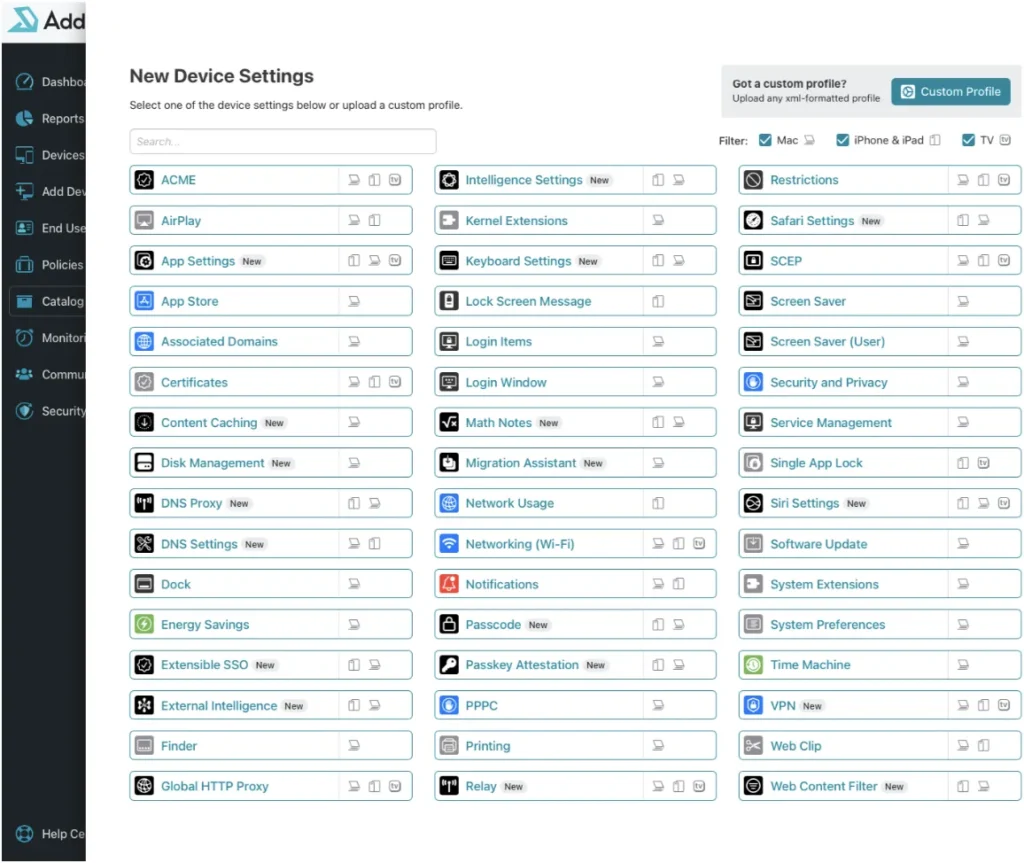
All of these new payloads are available now in the Addigy catalog under device settings payloads (status channel API in the API docs). You can add them to a policy and deploy them to OS 27 devices as they upgrade, or to net-new devices coming into the fleet.
Status reporting: see where your devices actually are
Status reporting gets a meaningful expansion in OS 27. Instead of polling devices with MDM queries, devices now proactively report their state through new status items. Think RSS feed in a way. These status channels include things like enrollment type, OS Update and Upgrade status, Passcode state, disk management state, content caching state, among other things device side.
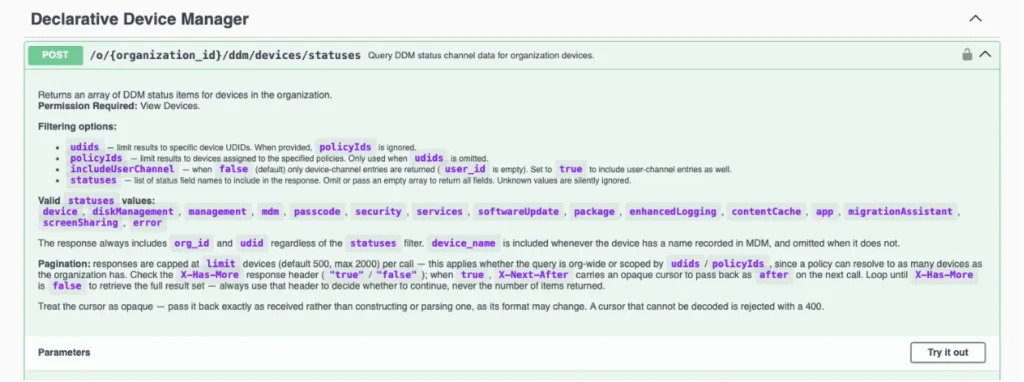
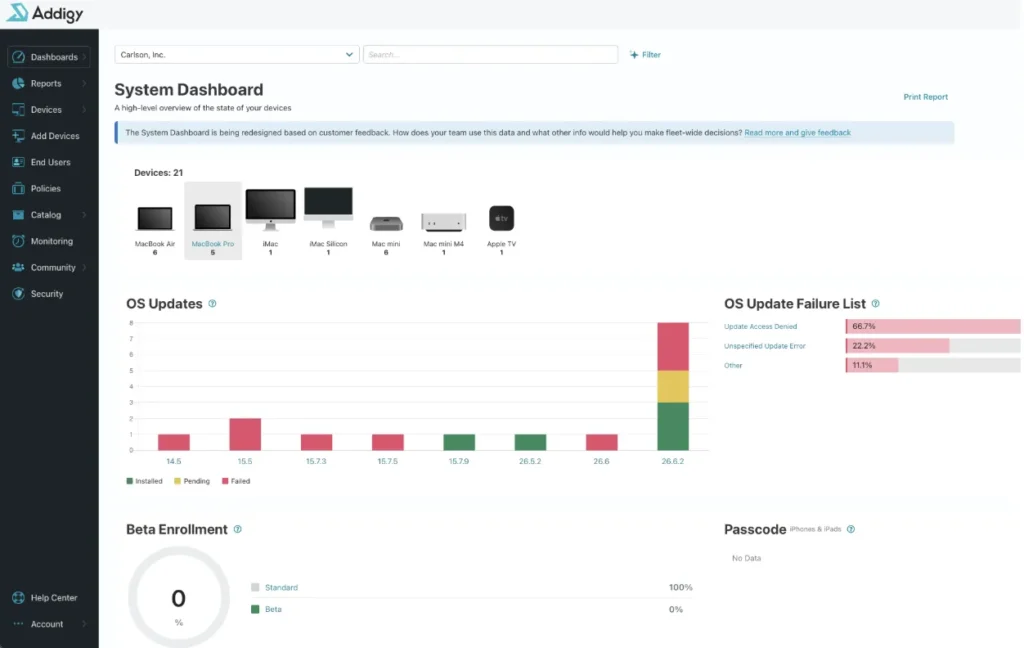
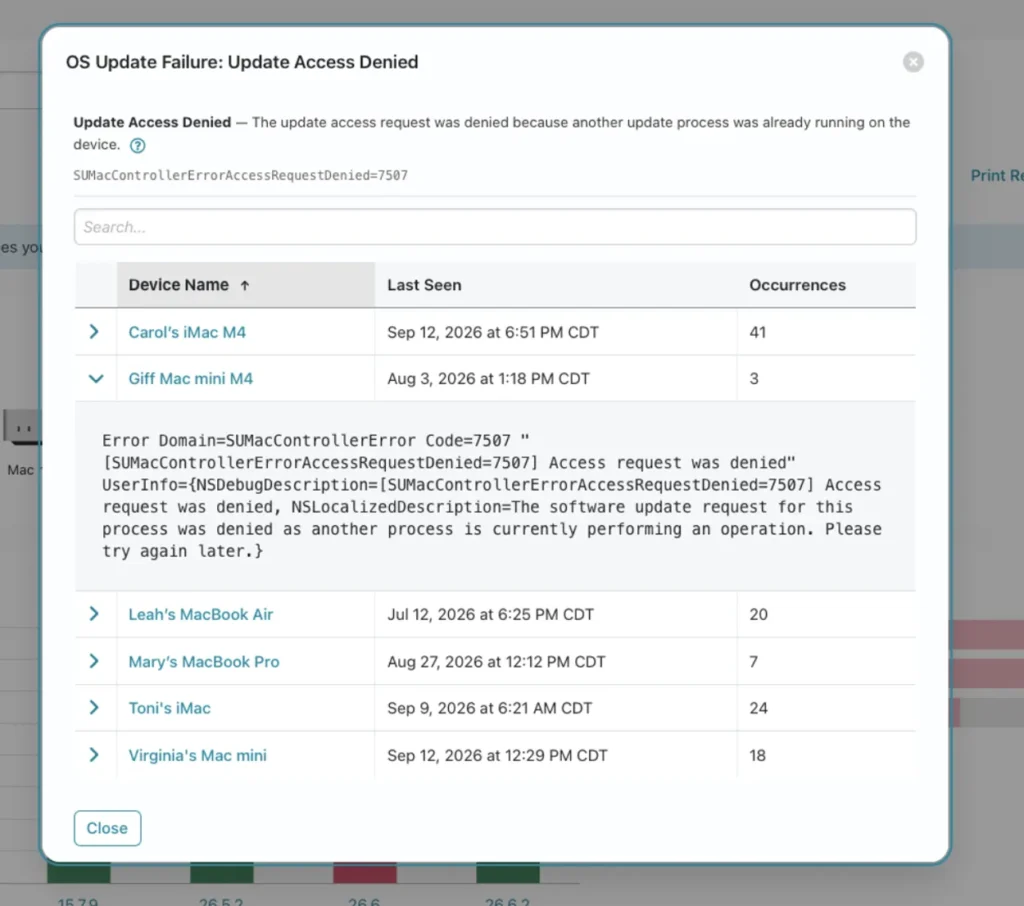
Addigy is implementing these status reporting enhancements in its new API endpoint which is publicly available today, along with a forthcoming (late September 2026) status channel dashboard implementation on the System Dashboard that visualizes device state across your policies and organization.
The first items to surface in the Dashboard will be software update installation status, beta reporting and error handling, and passcode state on iOS and iPadOS devices.
Network and VPN configurations, modernized
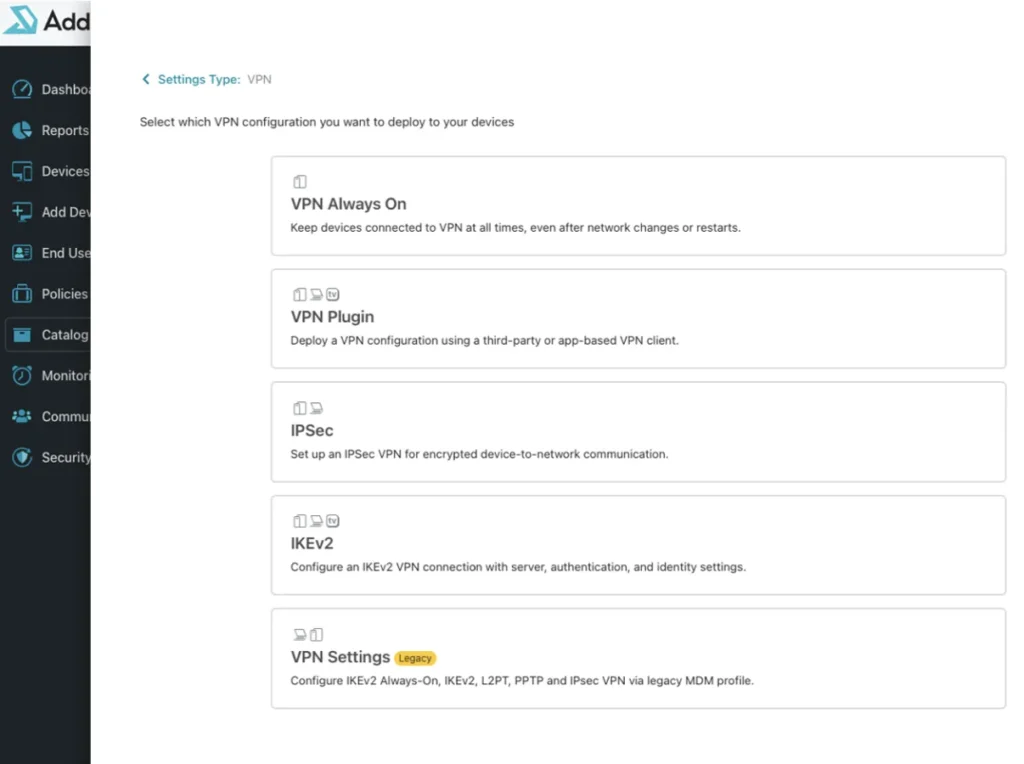
OS 27 introduces declarative network configurations for VPN plugins, IKEv2, IPsec, Always On VPN, DNS proxy, encrypted DNS settings, and network relay.
The one you can’t ignore: PPPC changes on macOS 27
This is the specific call-out every Mac admin needs to hear before upgrading.
macOS 27 changes how Privacy Preferences Policy Control (PPPC) works. On the first login after a user upgrades from a pre-27 OS, the end user will be notified about the permissions each application bundle currently holds, and prompted to go review those in the Settings app. Your users are going to see this, and your help desk should be ready for the questions.
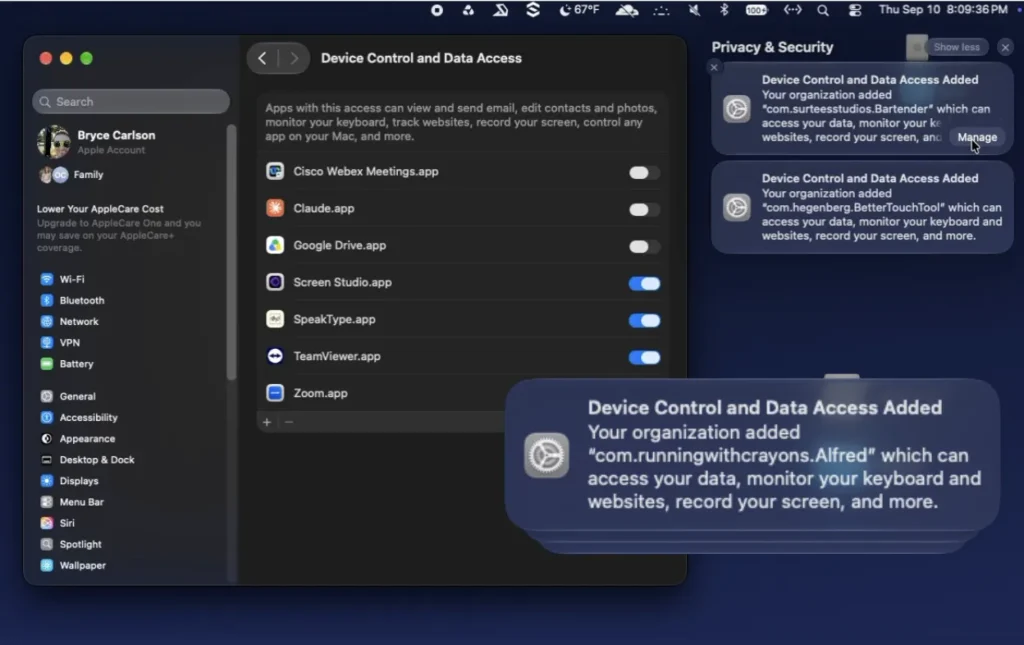
Alongside that change, Apple has released a new application settings declarative configuration to replace PPPC functionality. With this configuration, when an app is first launched the user gets a pop-up showing what permissions the app has, along with a message from your organization explaining why that access is needed. Here is an example of that declarative configuration set for the Addigy Mac Manage app bundle. This could be set for any app bundle on the system.
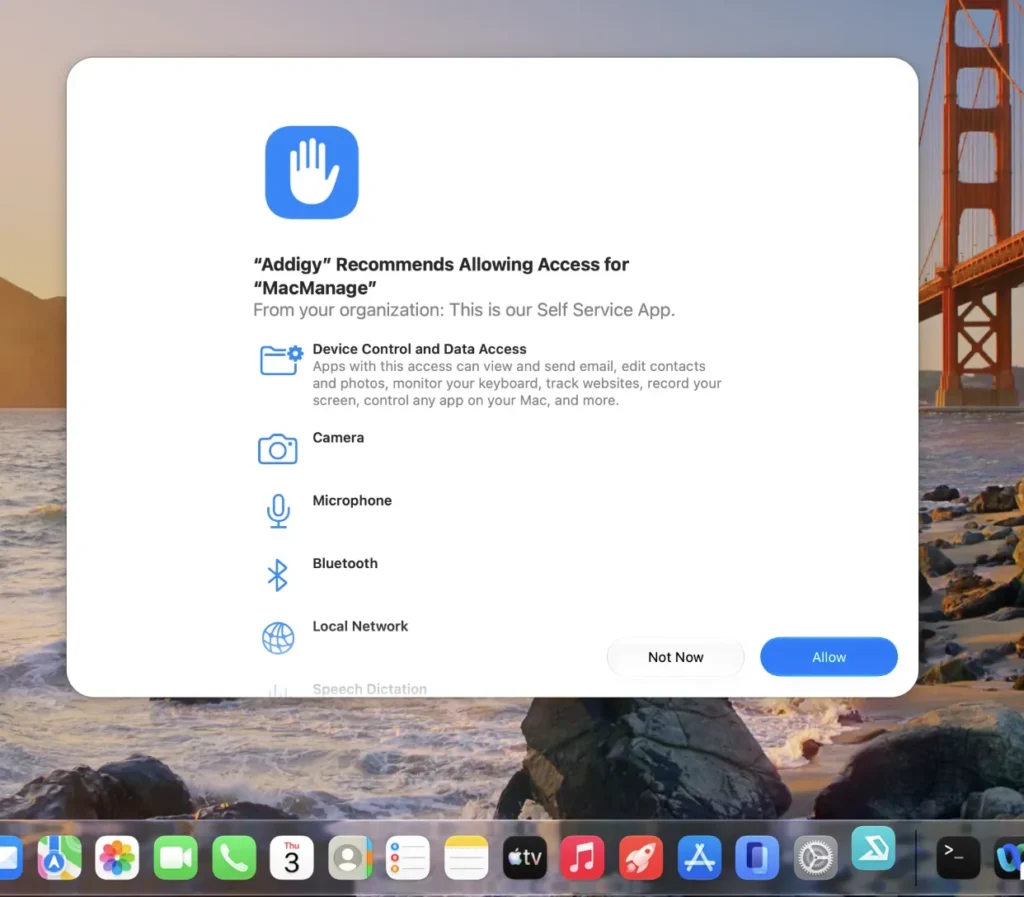
The important caveat: the new application settings configuration is currently user channel only. It is not a one-to-one replacement for the system channel controls you’re used to with legacy PPPC. Apple has indicated the system channel version is coming, and Addigy will support it as soon as it’s available. Until then, plan for the user-facing prompts.
Other changes that will affect your fleet
Software update commands are gone. As announced last year, legacy software update management no longer functions in any 27.0 OS. Software update commands, queries, recommended cadence settings, and restrictions like deferrals all stop working. If you haven’t moved to declarative software update management, that migration is now mandatory.
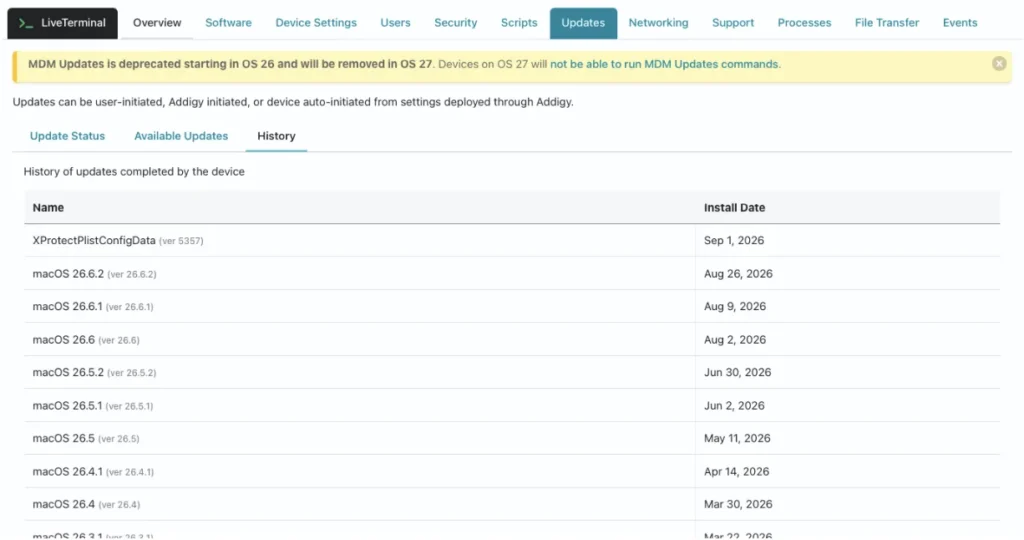
Read more about how these changes are reflected in Addigy for OS 26 and 27 devices and how GoLive had been renovated to still provide value to admins looking at the per device record in GoLive.
Backups no longer restore management state. On iOS 27, iPadOS 27, and visionOS 27, devices don’t restore enrollment profiles, management configuration, or supervision status from backup. Devices in Apple Business Manager or Apple School Manager will re-enroll through Automated Device Enrollment after restore instead.
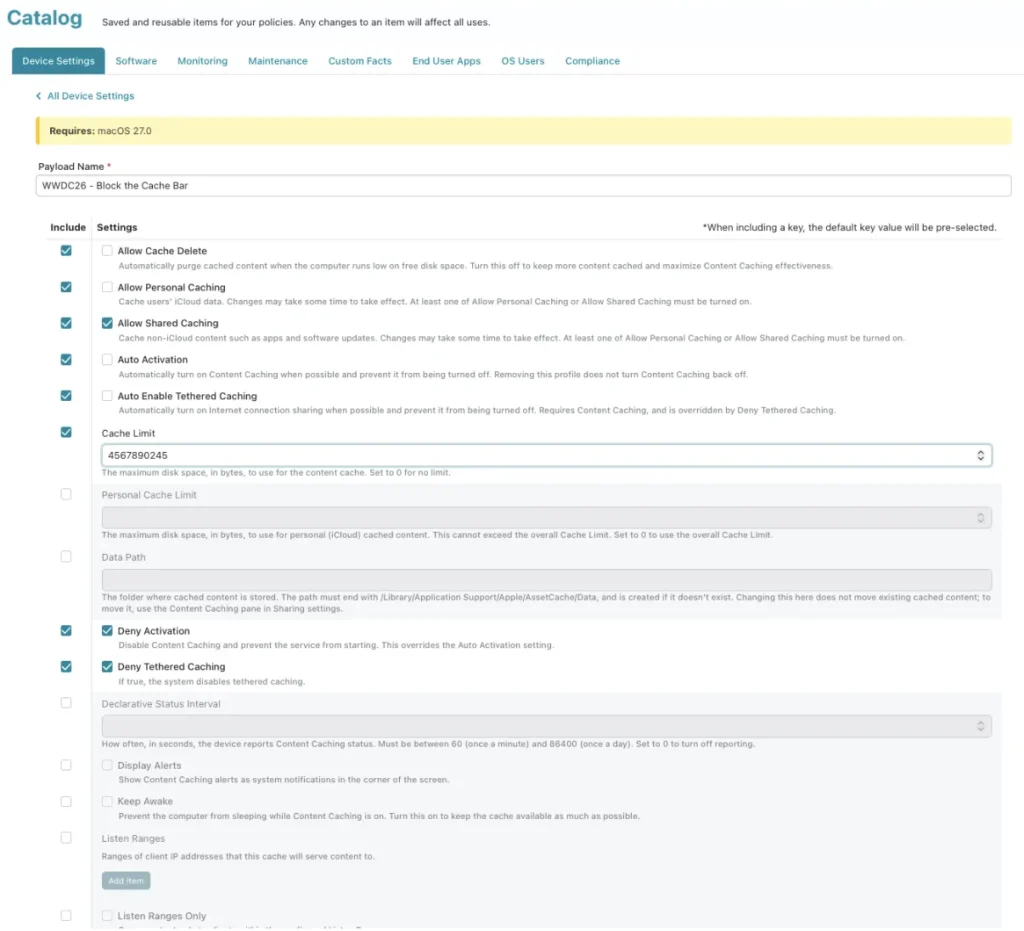
Content caching goes declarative. On supervised Macs running macOS 27, content caching is now configured through a new declarative configuration with new status items for cache info, registration status, parents, and peers. The legacy com.apple.AssetCache.managed profile is deprecated.
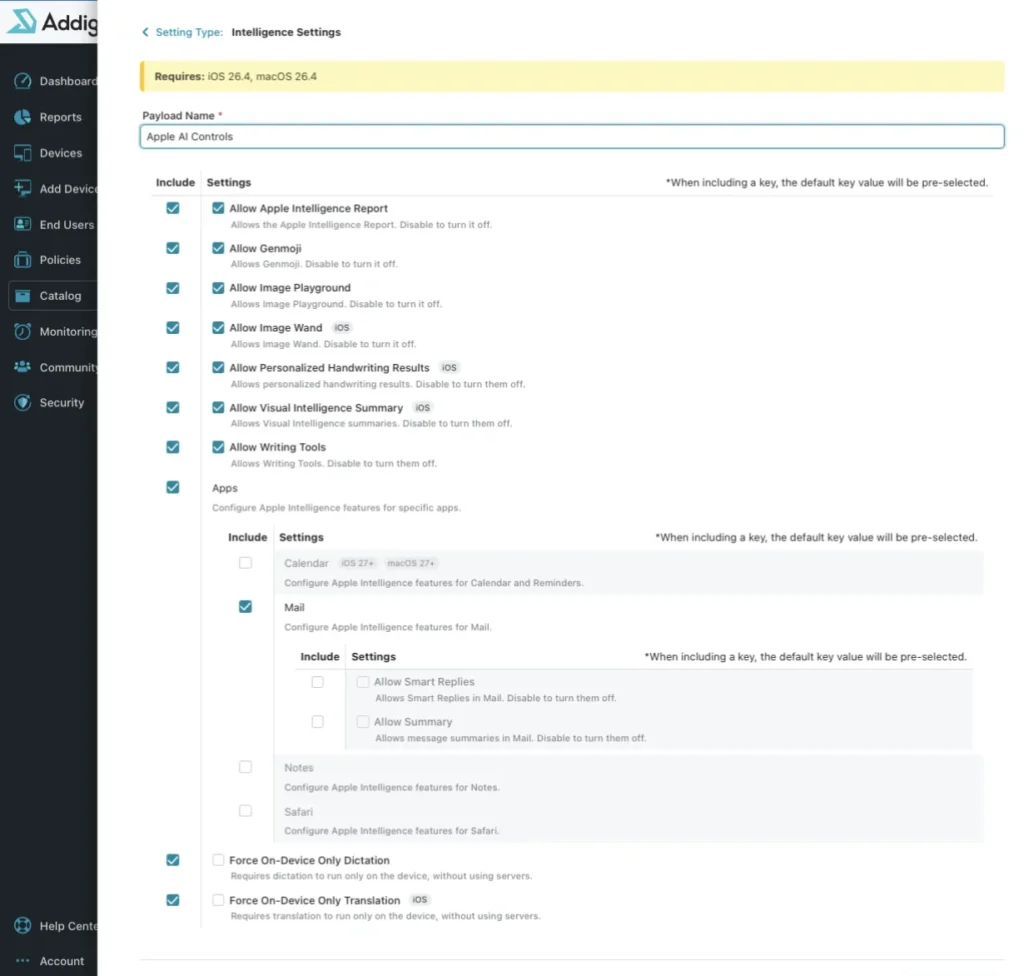
Apple Intelligence, Siri, and keyboard settings are managed through declarative configurations. The corresponding keys in the legacy MDM restrictions payload were deprecated in the 26.4 releases.
Before you roll out
The standard guidance applies more than ever with this release: defer updates to your fleet before you test OS 27, then push it to production. The PPPC prompts alone are worth a pilot group so you know exactly what your users will see and can prepare documentation and help desk scripts.
If you aren’t already enrolled, join AppleSeed for IT (or EDU) for early access to beta programs, testing plans, and release notes ahead of general availability. It’s the best way to get in front of changes like these before they show up on your devices.
As always if there is anything that you find or have suggestions for, please submit detailed Feedback to Apple.