






In ReportViewer, you have 2 options for Images: External or Embedded. I prefer to use embedded
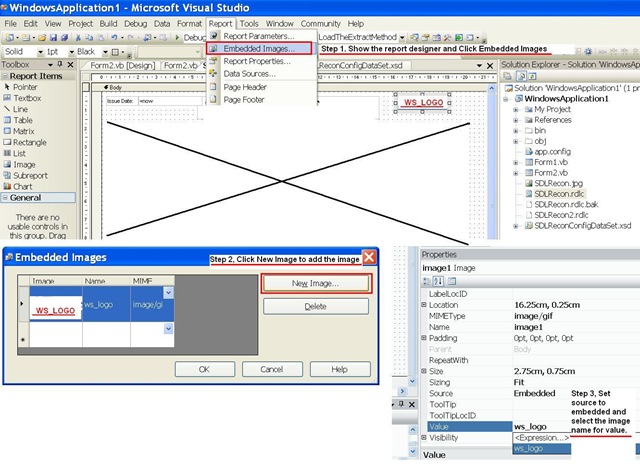
Stage 1 Open the RDLC File in Designer and Click Menu Item: Report > Embedded Images.
Stage 2 Click on : New Image
Stage 3 Drag the image to the report and change source to embedded and change value to the image you add in step 2.
此内容由惯性聚合(RSS阅读器)自动聚合整理,仅供阅读参考。 原文来自 — 版权归原作者所有。