惯性聚合 高效追踪和阅读你感兴趣的博客、新闻、科技资讯
阅读原文 在惯性聚合中打开

推荐订阅源

Google DeepMind News
N
Netflix TechBlog - Medium
The Register - Security
C
Cybersecurity and Infrastructure Security Agency CISA
H
Hackread – Cybersecurity News, Data Breaches, AI and More
The Hacker News
The Hacker News
P
Proofpoint News Feed
Project Zero
Project Zero
The GitHub Blog
The GitHub Blog
The Last Watchdog
The Last Watchdog
F
Fortinet All Blogs
S
Schneier on Security
Help Net Security
Help Net Security
Security Archives - TechRepublic
C
Check Point Blog
让小产品的独立变现更简单 - ezindie.com
P
Proofpoint News Feed
I
InfoQ
T
The Blog of Author Tim Ferriss
Cisco Talos Blog
Cisco Talos Blog
Stack Overflow Blog
Stack Overflow Blog
T
Troy Hunt's Blog
人人都是产品经理
人人都是产品经理
T
Threatpost
www.infosecurity-magazine.com
C
Cyber Attacks, Cyber Crime and Cyber Security
雷峰网
雷峰网
cs.AI updates on arXiv.org
Threat Intelligence Blog | Flashpoint
爱范儿
爱范儿
Forbes - Security
Forbes - Security
Vercel News
Vercel News
S
Security Affairs
美团技术团队
P
Privacy & Cybersecurity Law Blog
N
News and Events Feed by Topic
Cyberwarzone
Cyberwarzone
Recent Commits to openclaw:main
Jina AI
Jina AI
Spread Privacy
Spread Privacy
Attack and Defense Labs
IT之家
IT之家
U
Unit 42
Recorded Future
Recorded Future
W
WeLiveSecurity
PCI Perspectives
PCI Perspectives
P
Palo Alto Networks Blog
H
Hacker News: Front Page
S
Security @ Cisco Blogs
博客园 - 【当耐特】

博客园 - yeren2046

RedCoins,一个免费的类似bluecoins的个人财务管理软件 记录一个栈溢出导致的崩溃问题 一个免费的图片数据标注工具 常用zip命令 git版本导致的"Permission denied (publickey). fatal: Could not read from remote repository." 只显示全部特定进程名的top信息的shell脚本 ffmpeg 时基转换 昇腾卡通道号范围 ffmpeg视频截取 英伟达硬解码错误汇总 DVPP问题汇总 TensorRT生成INT8校准文件 结构体指定初始化 ffmpeg命令行基于英伟达显卡编解码的转码 C++11 获取当前时间戳 基于CUDA查询显卡型号和显存大小 nvjpeg 简单使用 AV_PIX_FMT_CUDA 数据转 RGB C++ do{ } while(0)
linux 上用 core 文件定位线上问题
yeren2046 · 2025-04-23 · via 博客园 - yeren2046

一直以来都以为这个是不是很难,最近没push必须用这个,发现原来异常简单。

1. 启用 core文件

首先

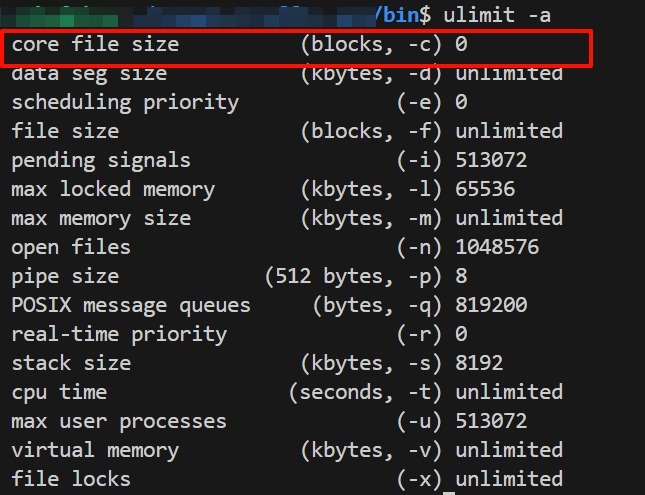
查看是否开启core文件

PixPin_2025-04-23_16-41-09

看第一行的  core file  size,像这样为0的话就是没开。就需要用下面的命令开启

开启,然后再  ulimit –a 查看开启情况
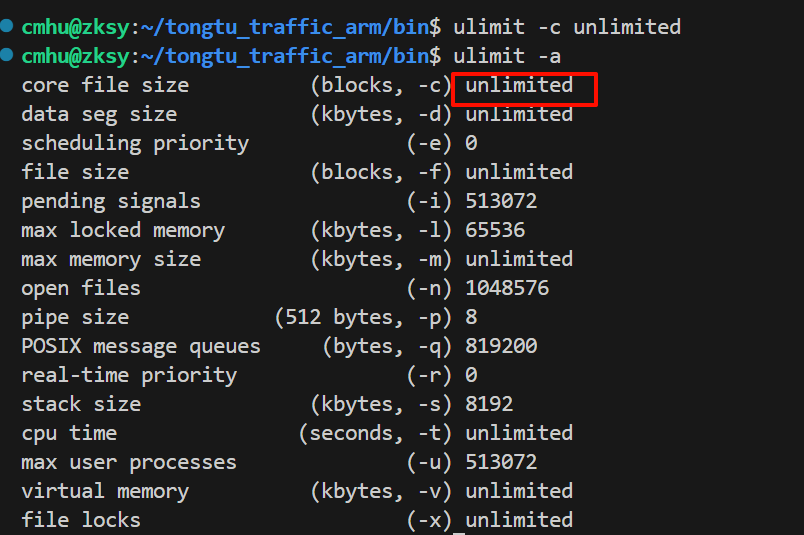
image

tip 1:  ulimit –c  后面可以跟具体的数值,单位是K,如1024,但是如果程序core文件大小超过设定的值的话,就会被截断,从而可能无法定位到具体哪一行。所以稳妥起见,建议用  unlimited.

启用就完成了,就这么简单。

tip 2: core文件启用只对执行了 ulimit –c 的窗口有效

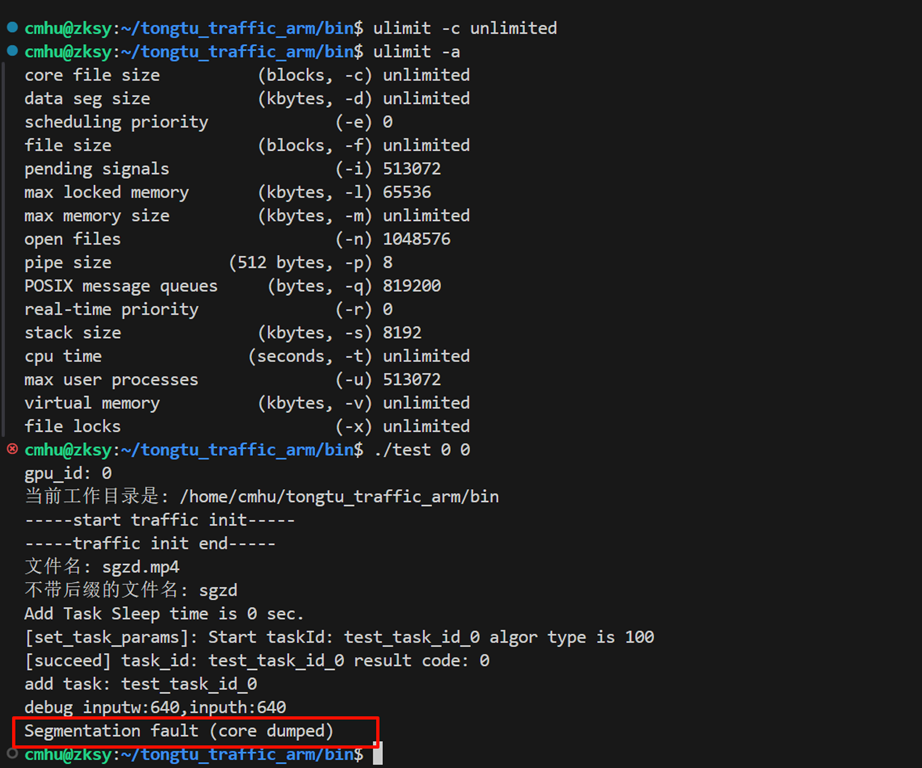
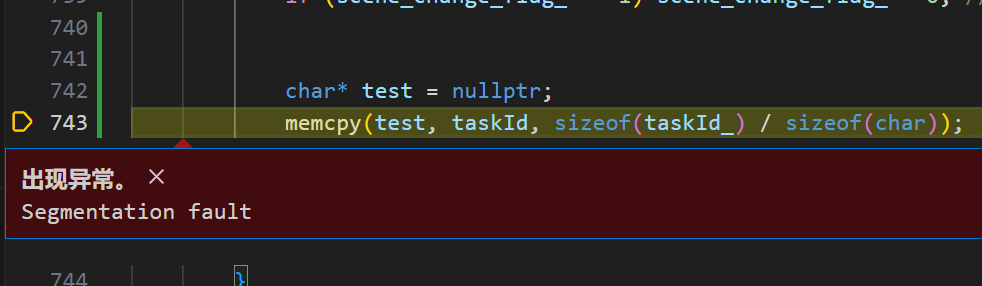
然后就等一个错误发生,比如我这里是一个段错误,在734行
image

2. 在设置开启了core文件的窗口运行代码

image

如愿报了一个段错误。

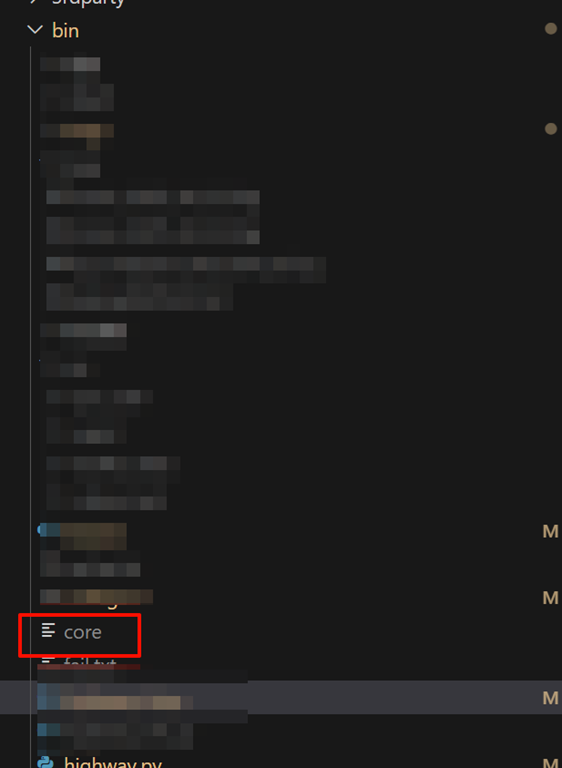
这个时候在这个执行目录下就会生产一个 core文件
image

3. 分析错误位置

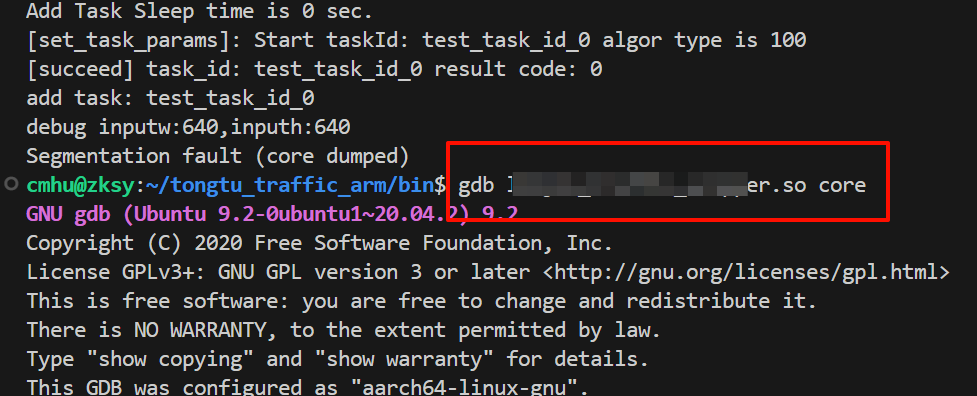
用gdb来定位段错误位置

比如我的

image

然后安说的输入c就可以出下面结果

image

4.docker 里面无法生产core文件问题

以上操作在主机上操作的时候,我这边没有出现过问题。但是后面在docker里面,出现了执行 ulimit –c unlimited 之后,却并没有生成core文件。这是因为系统在产生 Core Dump 文件的时候是根据 /proc/sys/kernel/core_pattern 的设定。而默认的设定是 |/usr/share/apport/apport %p %s %c %P,也就是用管道传给 apport。然而 Docker 里面的系统不一定有装 apport。
在宿主机上执行:

echo core.%p > /proc/sys/kernel/core_pattern