


//C# Server
using System.Net;
using System.Net.WebSockets;
using System.Text;
using System.Text.Json;

namespace ConsoleApp7
{
    public class Program
    {
        static async Task Main(string[] args)
        {
            Console.OutputEncoding = Encoding.UTF8;
            var listener = new HttpListener();
            listener.Prefixes.Add("http://localhost:5000/ws/");
            listener.Start();

            Console.WriteLine($"{DateTime.Now},WebSocket Server started at ws://localhost:5000/ws/");
            while (true)
            {
                var context = await listener.GetContextAsync();

                if (context.Request.IsWebSocketRequest)
                {
                    _ = HandleClient(context);
                }
                else
                {
                    context.Response.StatusCode = 400;
                    context.Response.Close();
                }
            }
        }

        static async Task HandleClient(HttpListenerContext context)
        {
            var wsContext = await context.AcceptWebSocketAsync(null);
            var socket = wsContext.WebSocket;

            Console.WriteLine($"{DateTime.Now},Client connected");

            var buffer = new byte[1024];

            while (socket.State == WebSocketState.Open)
            {
                var result = await socket.ReceiveAsync(buffer, CancellationToken.None);

                if (result.MessageType == WebSocketMessageType.Close)
                {
                    await socket.CloseAsync(WebSocketCloseStatus.NormalClosure, "", CancellationToken.None);
                    break;
                }

                var request = Encoding.UTF8.GetString(buffer, 0, result.Count);
                //Console.WriteLine($"Received: {request}");

                var bksList = GetBooksList();

                var json = JsonSerializer.Serialize(bksList);
                var bytes = Encoding.UTF8.GetBytes(json);

                await socket.SendAsync(bytes, WebSocketMessageType.Text, true, CancellationToken.None);

                var ids = bksList.Select(x => x.Id);
                string msg = $"MinId:{ids.Min()},MaxId:{ids.Max()}";
                Console.WriteLine($"{DateTime.Now.ToString("yyyyMMddHHmmssffff")} sent data,{msg}");
            }
        }

        static int idx = 0;
        static int GetIdx()
        {
            return Interlocked.Increment(ref idx);
        }

        static List<Book> GetBooksList()
        {
            List<Book> bksList = new List<Book>();
            for (int i = 0; i < 1000; i++)
            {
                var a = GetIdx();
                bksList.Add(new Book()
                {
                    Id = a,
                    Name = $"Name_{a}",
                    Author = $"Author_{a}",
                    ISBN = $"ISBN_{a}_{Guid.NewGuid():N}",
                    Comment = $"Comment_{a}",
                    Content = $"Content_{a}",
                    Summary = $"Summary_{a}",
                    Title = $"Title_{a}",
                    Topic = $"Topic_{a}"
                });
            }
            return bksList;
        }
    }

    public class Book
    {
        public int Id { get; set; }
        public string Name { get; set; }
        public string ISBN { get; set; }
        public string Author { get; set; }
        public string Comment { get; set; }
        public string Content { get; set; }
        public string Summary { get; set; }
        public string Title { get; set; }
        public string Topic { get; set; }
    }
}
//Client
//app.py
import asyncio
import json
from flask import Flask, render_template, jsonify
import websockets
from datetime import datetime

app = Flask(__name__)

WS_URL = "ws://localhost:5000/ws/"

async def fetch_ws_data():
    async with websockets.connect(WS_URL, max_size=None) as ws:
        await ws.send("get_data")
        message = await ws.recv()
        data_list = json.loads(message)
        print(f'{datetime.now().strftime('%y%m%d%H%M%S%f')},len:{len(data_list)}')
        return data_list

@app.route("/")
def index():
    return render_template("index.html")

@app.route("/data")
def get_data():
    data = asyncio.run(fetch_ws_data())
    return jsonify(data)

if __name__ == "__main__":
    app.run(debug=True,port=5001)

//templates/index.html
<!DOCTYPE html>
<html>
<head>
    <meta charset="utf-8">
    <title>Book Data</title>

    <script src="https://code.jquery.com/jquery-3.6.0.min.js"></script>

    <style>
        table {
            border-collapse: collapse;
            width: 100%;
        }
        th, td {
            border: 1px solid #ccc;
            padding: 6px;
            font-size: 12px;
        }
        th {
            background: #f5f5f5;
        }
        .pager {
            margin-top: 10px;
        }
        .time-display {
            position: absolute;
            top: 10px;
            right: 10px;
            font-size: 25px;
            color: #333;
            font-weight: bold;
        }
    </style>
</head>

<body>
<div class="time-display" id="currentTime"></div>

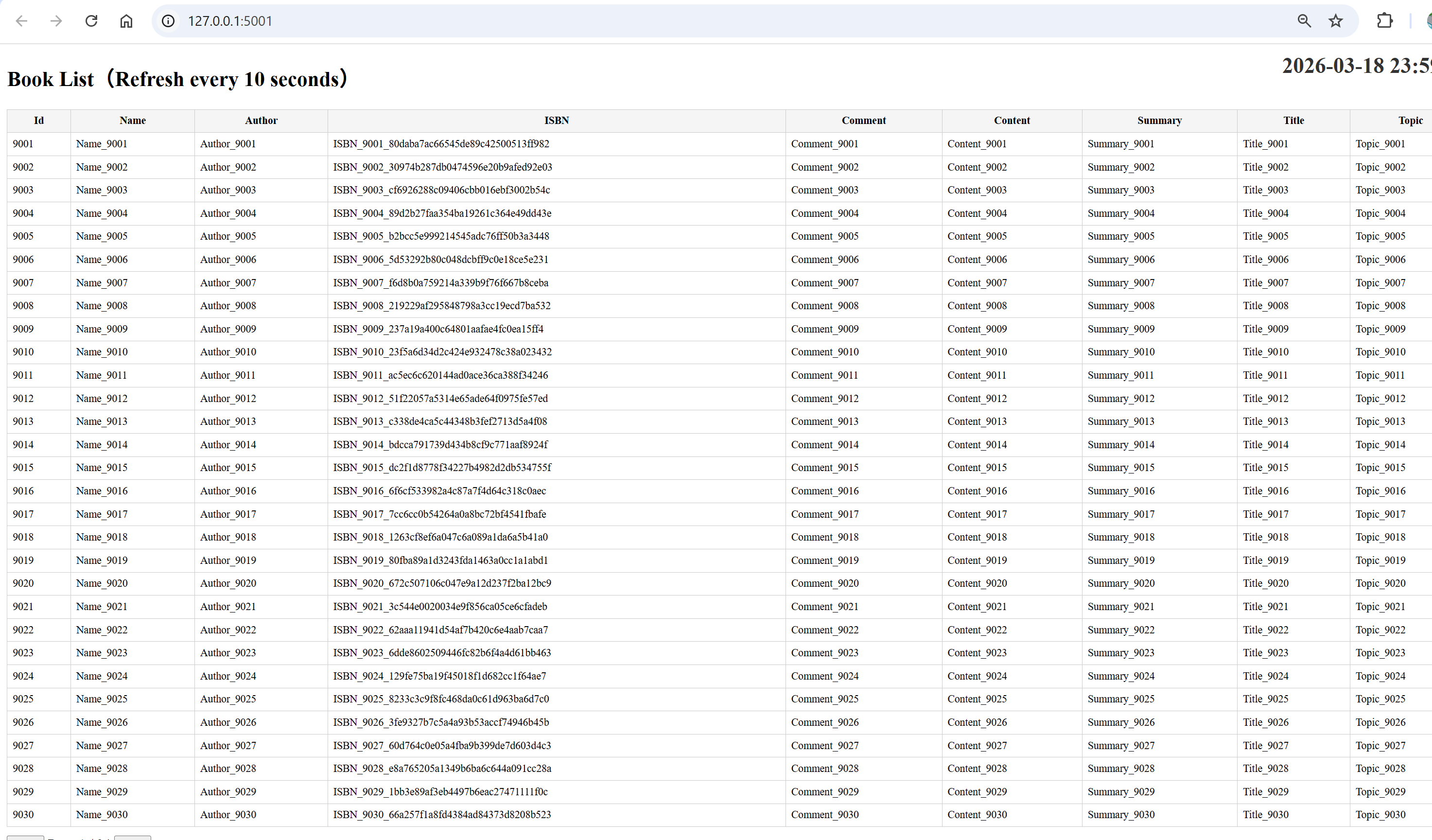
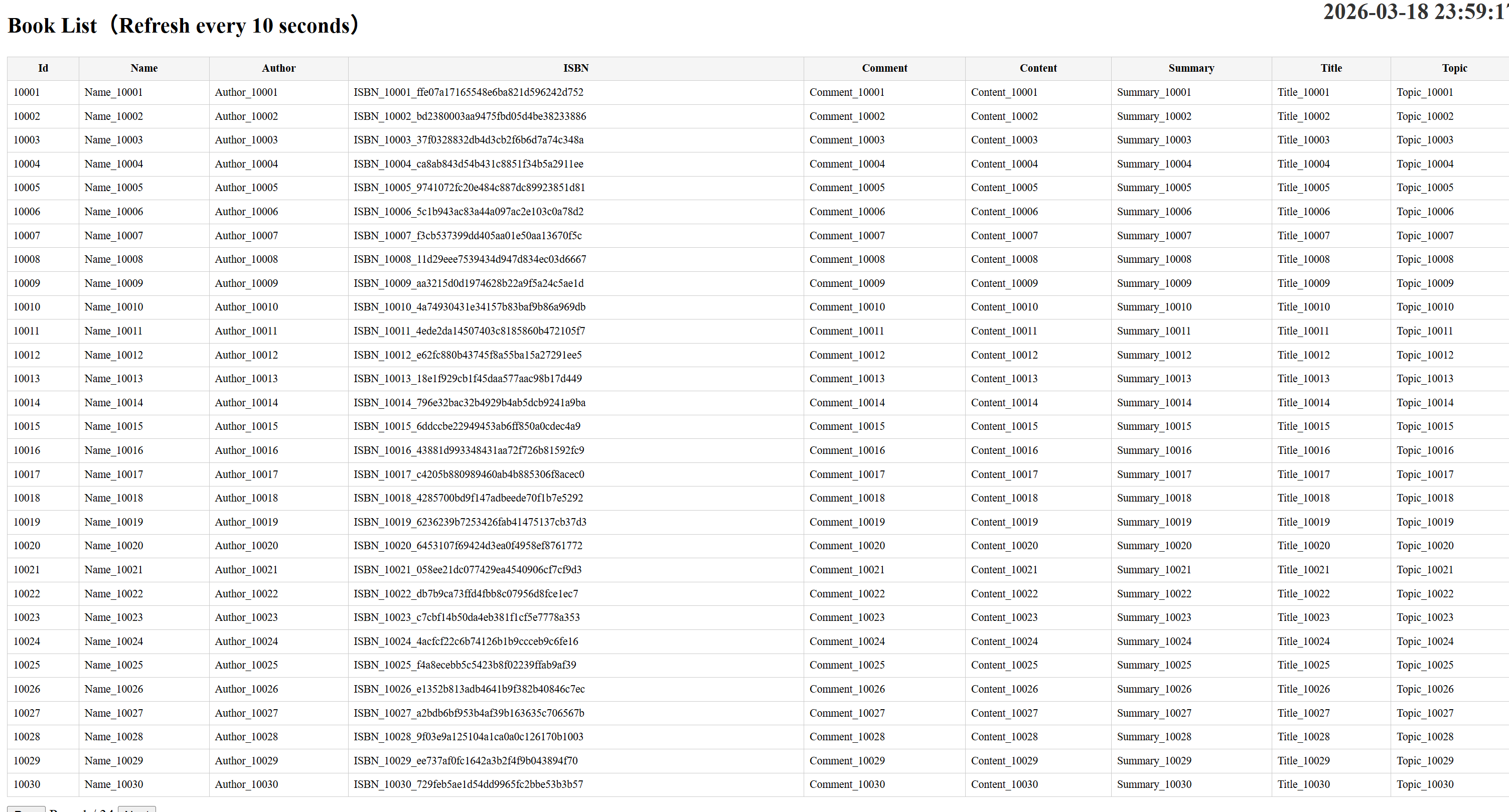
<h2>Book List(Refresh every 10 seconds)</h2>

<table id="tbl">
    <thead>
        <tr>
            <th>Id</th>
            <th>Name</th>
            <th>Author</th>
            <th>ISBN</th>
            <th>Comment</th>
            <th>Content</th>
            <th>Summary</th>
            <th>Title</th>
            <th>Topic</th>
        </tr>
    </thead>
    <tbody></tbody>
</table>

<div class="pager">
    <button id="prev">Prev</button>
    <span id="pageInfo"></span>
    <button id="next">Next</button>
</div>

<script>
    let allData = [];
    let pageSize = 30;
    let currentPage = 1;

    function loadData() {
        $.get("/data", function (res) {
            allData = res;
            currentPage = 1;
            render();
        });
    }

    function render() {
        let start = (currentPage - 1) * pageSize;
        let end = start + pageSize;

        let pageData = allData.slice(start, end);

        let html = "";
        pageData.forEach(x => {
            html += `<tr>
                <td>${x.Id}</td>
                <td>${x.Name}</td>
                <td>${x.Author}</td>
                <td>${x.ISBN}</td>
                <td>${x.Comment}</td>
                <td>${x.Content}</td>
                <td>${x.Summary}</td>
                <td>${x.Title}</td>
                <td>${x.Topic}</td>
            </tr>`;
        });

        $("#tbl tbody").html(html);

        let totalPage = Math.ceil(allData.length / pageSize);
        $("#pageInfo").text(`Page ${currentPage} / ${totalPage}`);
    }

    $("#prev").click(function () {
        if (currentPage > 1) {
            currentPage--;
            render();
        }
    });

    $("#next").click(function () {
        let totalPage = Math.ceil(allData.length / pageSize);
        if (currentPage < totalPage) {
            currentPage++;
            render();
        }
    });

    setInterval(loadData, 10000);

    loadData();

    function updateTime() {
        const now = new Date();
        const formattedTime = now.toLocaleString('zh-CN', {
            year: 'numeric',
            month: '2-digit',
            day: '2-digit',
            hour: '2-digit',
            minute: '2-digit',
            second: '2-digit',
            hour12: false
        }).replace(/\//g, '-');
        $("#currentTime").text(formattedTime);
    }
    updateTime();
    setInterval(updateTime, 1000);
</script>

</body>
</html>
PS D:\PY\WSPython>  d:; cd 'd:\PY\WSPython'; & 'c:\Users\fred\AppData\Local\Programs\Python\Python314\python.exe' 'c:\Users\fred\.vscode\extensions\ms-python.debugpy-2025.18.0-win32-x64\bundled\libs\debugpy\launcher' '64256' '--' 'D:\PY\WSPython\app.py'
 * Serving Flask app 'app'
 * Debug mode: on
WARNING: This is a development server. Do not use it in a production deployment. Use a production WSGI server instead.
 * Running on http://127.0.0.1:5001
Press CTRL+C to quit
 * Restarting with stat
 * Debugger is active!
 * Debugger PIN: 171-430-863
127.0.0.1 - - [18/Mar/2026 23:56:18] "GET / HTTP/1.1" 200 -
260318235619123576,len:1000
127.0.0.1 - - [18/Mar/2026 23:56:19] "GET /data HTTP/1.1" 200 -
260318235629843525,len:1000
127.0.0.1 - - [18/Mar/2026 23:56:29] "GET /data HTTP/1.1" 200 -
260318235639827851,len:1000
127.0.0.1 - - [18/Mar/2026 23:56:39] "GET /data HTTP/1.1" 200 -
260318235649846548,len:1000
127.0.0.1 - - [18/Mar/2026 23:56:49] "GET /data HTTP/1.1" 200 -
260318235659834247,len:1000
127.0.0.1 - - [18/Mar/2026 23:56:59] "GET /data HTTP/1.1" 200 -
260318235709838274,len:1000
127.0.0.1 - - [18/Mar/2026 23:57:09] "GET /data HTTP/1.1" 200 -
260318235719832258,len:1000
127.0.0.1 - - [18/Mar/2026 23:57:19] "GET /data HTTP/1.1" 200 -
260318235732831504,len:1000
127.0.0.1 - - [18/Mar/2026 23:57:32] "GET /data HTTP/1.1" 200 -
260318235832854250,len:1000
127.0.0.1 - - [18/Mar/2026 23:58:32] "GET /data HTTP/1.1" 200 -
此内容由惯性聚合(RSS阅读器)自动聚合整理,仅供阅读参考。 原文来自 — 版权归原作者所有。