










Install-Package Grpc.AspNetCore
Install-Package Grpc.Net.Client
Install-Package Google.Protobuf
Install-Package Grpc.Tools
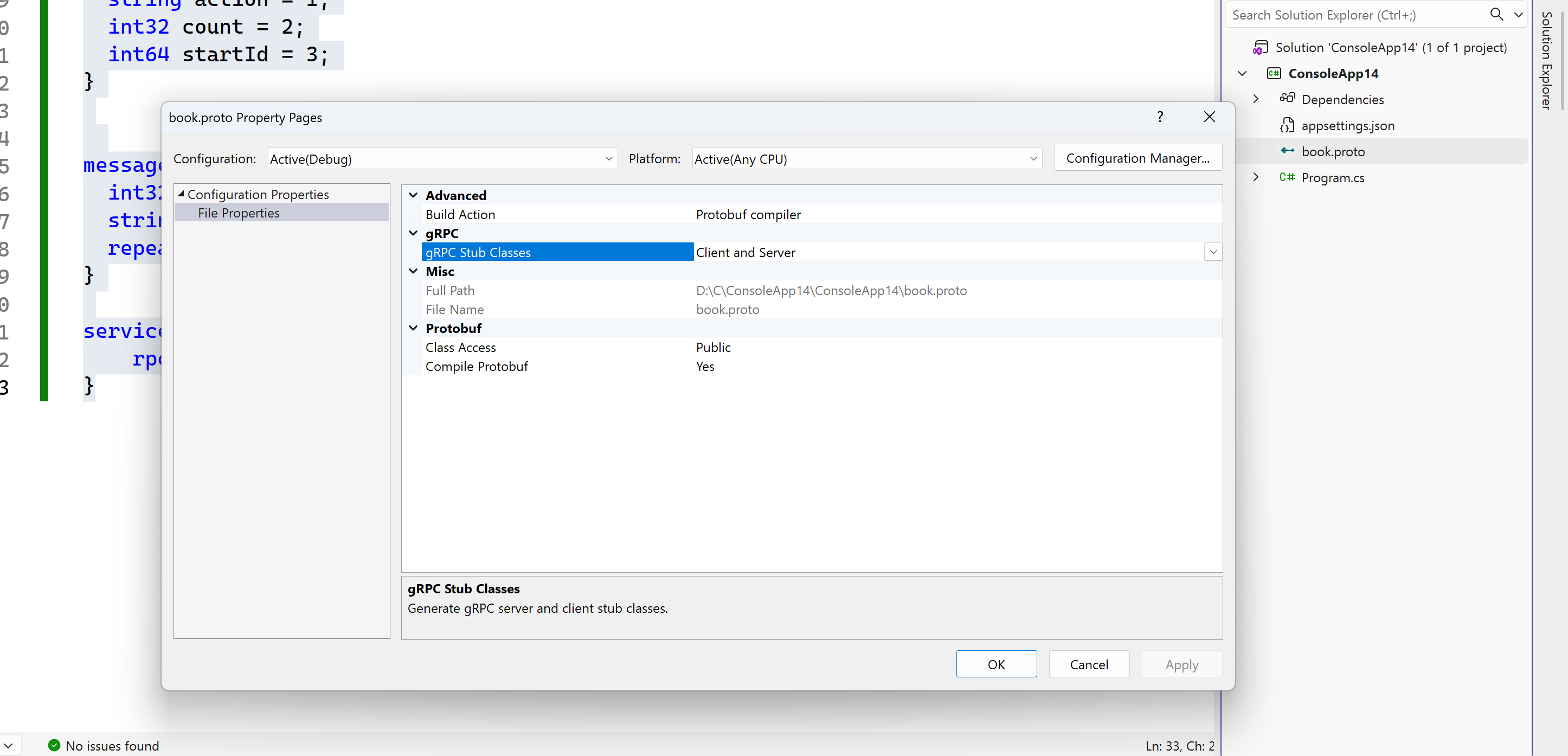
//Add book.proto and shared both in service and client program
syntax = "proto3";

option csharp_namespace="BookNameSpace";
package BookNameSpace;

message Book {
  int64 id = 1;
  string name = 2;
  string author = 3;
  string isbn = 4;
  string title = 5;
  string summary = 6;
  string topic = 7;
  string abstract2 = 8;
}


message BookRequest {
  string action = 1;
  int32 count = 2;
  int64 startId = 3;
}


message BookResponse {
  int32 status = 1;
  string message = 2;
  repeated Book books = 3;
}

service BookService{
    rpc GetBooks(BookRequest) returns (BookResponse);
}
//service
//D:\C\ConsoleApp14\ConsoleApp14\appsettings.json
{
  "Kestrel": {
    "Endpoints": {
      "Http": {
        "Url": "http://localhost:5000"
      }
    }
  }
}

//D:\C\ConsoleApp14\ConsoleApp14\Program.cs
using BookNameSpace;
using Grpc.Core;
using Microsoft.AspNetCore.Builder;
using Microsoft.AspNetCore.Hosting;
using Microsoft.AspNetCore.Http;
using Microsoft.AspNetCore.Server.Kestrel.Core;
using Microsoft.Extensions.DependencyInjection;
using static BookNameSpace.BookService;

namespace ConsoleApp14
{
    internal class Program
    {
        static long id = 0;
        static void Main(string[] args)
        {
            GrpcDemo(args);
            Console.WriteLine("Hello, World!");
        }

        static void GrpcDemo(string[] args)
        {
            var builder = WebApplication.CreateBuilder(args);

            builder.WebHost.ConfigureKestrel(serverOPtions =>
            {
                //5000 for grpc http/2
                serverOPtions.ListenLocalhost(5000, a => a.Protocols =
                HttpProtocols.Http2);

                //5001:http/1.1
                serverOPtions.ListenLocalhost(5001, a => a.Protocols = HttpProtocols.Http1);
            });

            builder.Services.AddGrpc(options =>
            {
                options.MaxReceiveMessageSize = null;
                options.MaxSendMessageSize = null;
            });


            builder.Services.AddControllers();

            builder.Services.AddSingleton<BookIdGenerator>();

            var app = builder.Build();
            app.MapGet("/",
                () => $"{DateTime.Now},grpc service runtime\nclient connection:http://locahost:5000\nWebAPI:http://localhost:5001/api/book\nBrowser:http://localhost:5001/api/book");

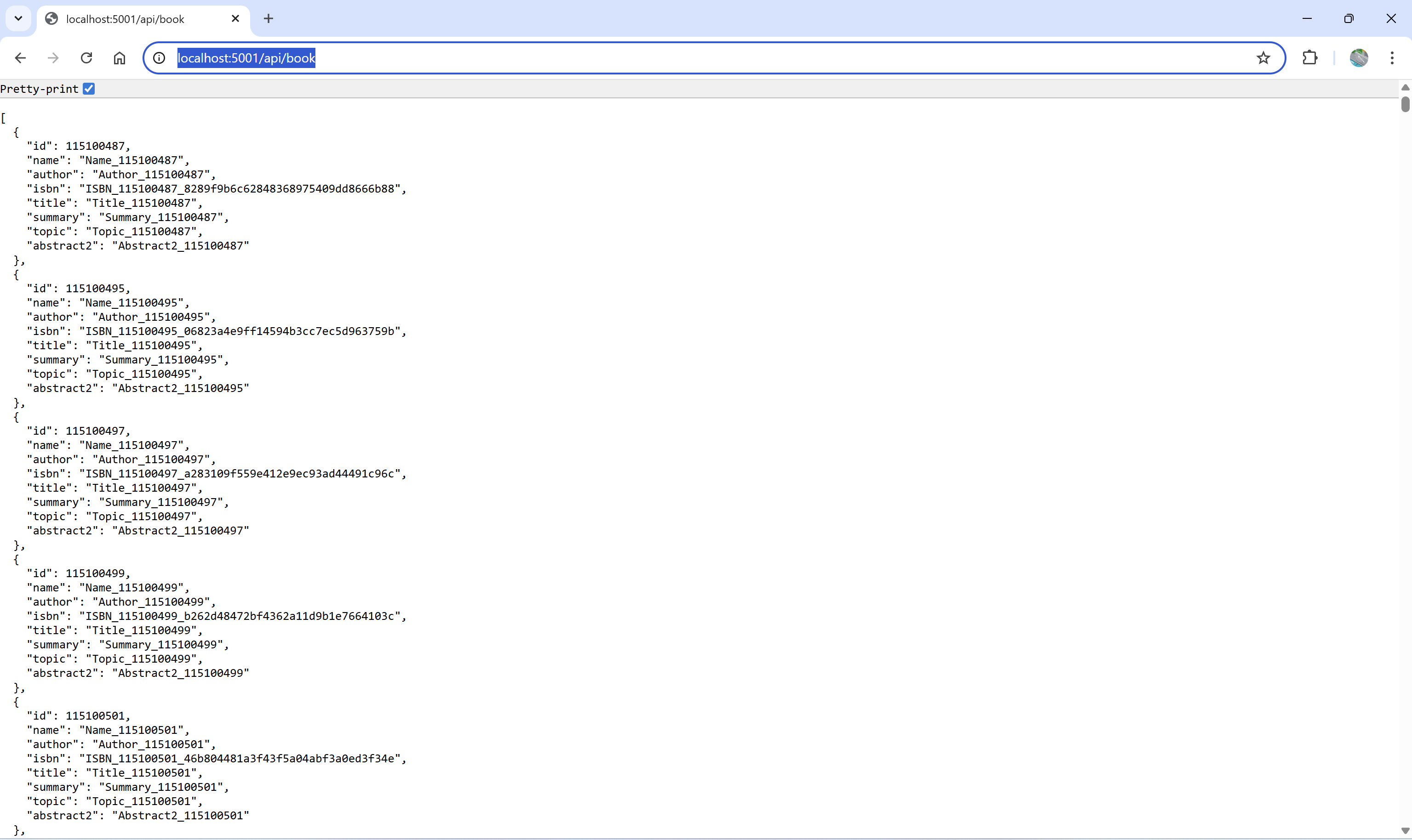
            app.MapGet("api/book", (BookIdGenerator generator) =>
            {
                var list = new List<Book>();

                for(int i=0;i<100000;i++)
                {
                    id=generator.GetNextId();
                    list.Add(new Book
                    {
                        Id=id,
                        Name=$"Name_{id}",
                        Isbn=$"ISBN_{id}_{Guid.NewGuid():N}",
                        Author=$"Author_{id}",
                        Abstract2=$"Abstract2_{id}",
                        Title=$"Title_{id}",
                        Topic=$"Topic_{id}",
                        Summary=$"Summary_{id}"
                    });
                }
                Console.WriteLine($"{DateTime.Now},id:{id},has generated {list.Count} books");
                return Results.Ok(list);
            });


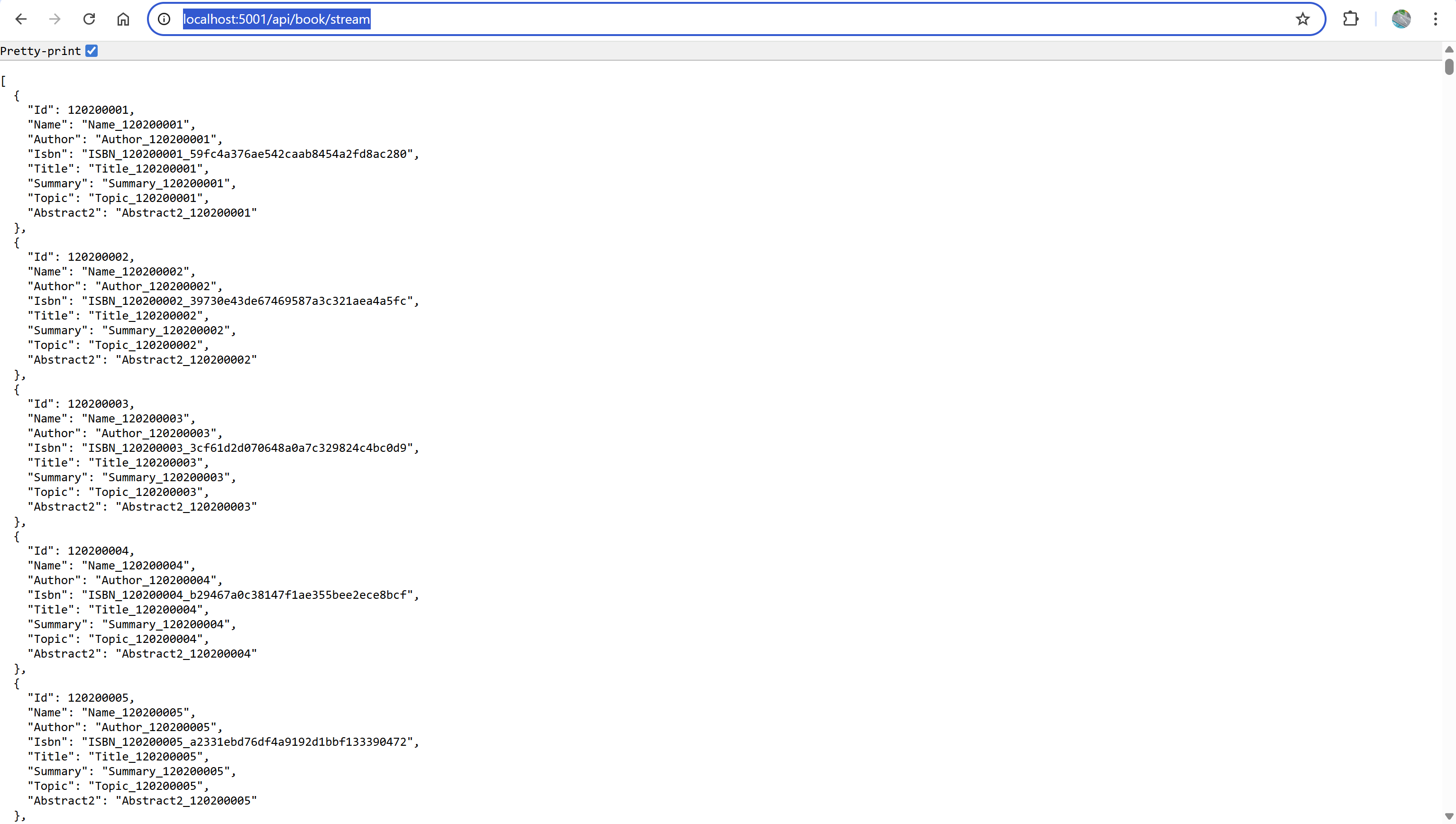
            app.MapGet("api/book/stream", async (BookIdGenerator generator, HttpContext context) =>
            {
                const int ReturnCount = 100000;
                context.Response.ContentType = "application/json";
                await context.Response.WriteAsync("[");

                for (int i = 0; i < ReturnCount; i++)
                {
                    id = generator.GetNextId();
                    var book = new Book
                    {
                        Id = id,
                        Name = $"Name_{id}",
                        Isbn = $"ISBN_{id}_{Guid.NewGuid():N}",
                        Author = $"Author_{id}",
                        Abstract2 = $"Abstract2_{id}",
                        Title = $"Title_{id}",
                        Topic = $"Topic_{id}",
                        Summary = $"Summary_{id}"
                    };
                    await System.Text.Json.JsonSerializer.SerializeAsync(context.Response.Body, book);
                    if (i != ReturnCount - 1)
                        await context.Response.WriteAsync(",");
                    await context.Response.Body.FlushAsync();
                }

                await context.Response.WriteAsync("]");
                Console.WriteLine($"{DateTime.Now},id:{id} generated  {ReturnCount} in stream");
            });

            app.MapGrpcService<BookServiceImpl>();
            Console.WriteLine($"{DateTime.Now},grpc service started");
            app.Run();
        }
    }

    public class BookIdGenerator
    {
        private long _id = 0;
        public long GetNextId()
        {
            return Interlocked.Increment(ref _id);
        }
    }

    public class BookServiceImpl : BookServiceBase
    {
        private readonly BookIdGenerator idGenerator;

        public BookServiceImpl(BookIdGenerator idGeneratorValue)
        {
            idGenerator = idGeneratorValue;
        }

        public override Task<BookResponse> GetBooks(BookRequest request, ServerCallContext context)
        {
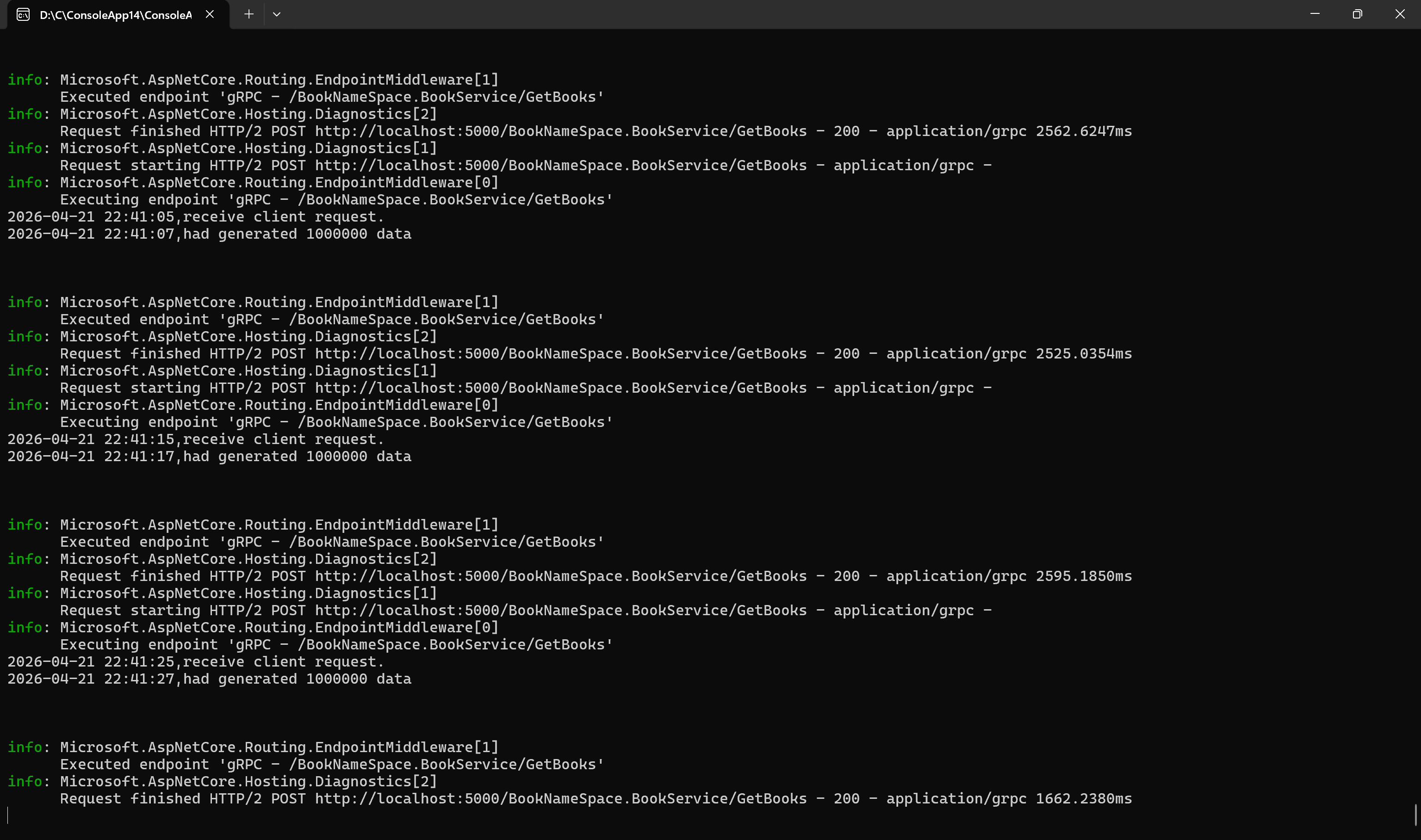
            Console.WriteLine($"{DateTime.Now},receive client request.");

            var response = new BookResponse();

            for (int i = 0; i < 1000000; i++)
            {
                long id = idGenerator.GetNextId();
                response.Books.Add(new Book
                {
                    Id = id,
                    Name = $"Name_{id}",
                    Isbn = $"ISBN_{id}_{Guid.NewGuid():N}",
                    Author = $"Author_{id}",
                    Abstract2 = $"Abstract2_{id}",
                    Title = $"Title_{id}",
                    Topic = $"Topic_{id}",
                    Summary = $"Summary_{id}"
                });
            }

            Console.WriteLine($"{DateTime.Now},had generated {response.Books.Count} data\n\n\n");
            return Task.FromResult(response);
        }
    }
}
//Client wpf
<Window x:Class="WpfApp17.MainWindow"
        xmlns="http://schemas.microsoft.com/winfx/2006/xaml/presentation"
        xmlns:x="http://schemas.microsoft.com/winfx/2006/xaml"
        xmlns:d="http://schemas.microsoft.com/expression/blend/2008"
        xmlns:mc="http://schemas.openxmlformats.org/markup-compatibility/2006"
        xmlns:local="clr-namespace:WpfApp17"
        mc:Ignorable="d"
        WindowState="Maximized"
        Title="{Binding MainTitle}">
    <Window.DataContext>
        <local:MainVM/>
    </Window.DataContext>
    <Grid>
        <DataGrid ItemsSource="{Binding BooksCollection}"
                   VirtualizingPanel.IsVirtualizing="True"
                   VirtualizingPanel.VirtualizationMode="Recycling"
                   VirtualizingPanel.CacheLengthUnit="Item"
                   VirtualizingPanel.CacheLength="5,5"
                   ScrollViewer.IsDeferredScrollingEnabled="True"
                   ScrollViewer.CanContentScroll="True"
                   IsReadOnly="True"
                   AutoGenerateColumns="True"
                   CanUserAddRows="False">
            <DataGrid.Resources>
                <Style TargetType="DataGridRow">
                    <Setter Property="FontSize" Value="30"/>
                    <Style.Triggers>
                        <Trigger Property="IsMouseOver" Value="True">
                            <Setter Property="FontSize" Value="60"/>
                            <Setter Property="Foreground" Value="Red"/>
                        </Trigger>
                    </Style.Triggers>
                </Style>
            </DataGrid.Resources>
        </DataGrid>
    </Grid>
</Window>


using BookNameSpace;
using Grpc.Net.Client;
using System.Collections.ObjectModel;
using System.ComponentModel;
using System.Runtime.CompilerServices;
using System.Text;
using System.Timers;
using System.Windows;
using System.Windows.Controls;
using System.Windows.Data;
using System.Windows.Documents;
using System.Windows.Input;
using System.Windows.Media;
using System.Windows.Media.Imaging;
using System.Windows.Navigation;
using System.Windows.Shapes;
using static BookNameSpace.BookService;

namespace WpfApp17
{
    /// <summary>
    /// Interaction logic for MainWindow.xaml
    /// </summary>
    public partial class MainWindow : Window
    {
        public MainWindow()
        {
            InitializeComponent();
        }
    }

    public class MainVM : INotifyPropertyChanged
    {
        System.Timers.Timer tmr;

        static GrpcChannel grpcChannel;
        static BookServiceClient client;
        public MainVM()
        {
            AppContext.SetSwitch("System.Net.Http.SocketsHttpHandler.Http2UnencryptedSupport", true);
            var channelOptions = new GrpcChannelOptions
            {
                MaxReceiveMessageSize = null,
                MaxSendMessageSize = null
            };
            grpcChannel = GrpcChannel.ForAddress("http://localhost:5000", channelOptions);
            client = new BookServiceClient(grpcChannel);
            System.Diagnostics.Debug.WriteLine($"{DateTime.Now} client started,every 10 seconds request once");
            MainTitle = $"\n{DateTime.Now},start to request 1 million books";

            BooksCollection = new ObservableCollection<Book>();
            tmr = new System.Timers.Timer();
            tmr.Elapsed +=async(s,e)=>await RequestGrpcDataAsync();
            tmr.Interval = 1;
            tmr.Start();
        }

        private async Task RequestGrpcDataAsync()
        {
            if (tmr.Interval<100)
            {
                tmr.Interval = 10000;
            }

            try
            {
                var response = await client.GetBooksAsync(new BookRequest());
                System.Diagnostics.Debug.WriteLine($"{DateTime.Now},recevived {response.Books.Count} books");

                if (response.Books.Any())
                {
                    BooksCollection=new ObservableCollection<Book>(response.Books);
                    var lastBk = response.Books.Last();
                    var firstBk=response.Books.First();
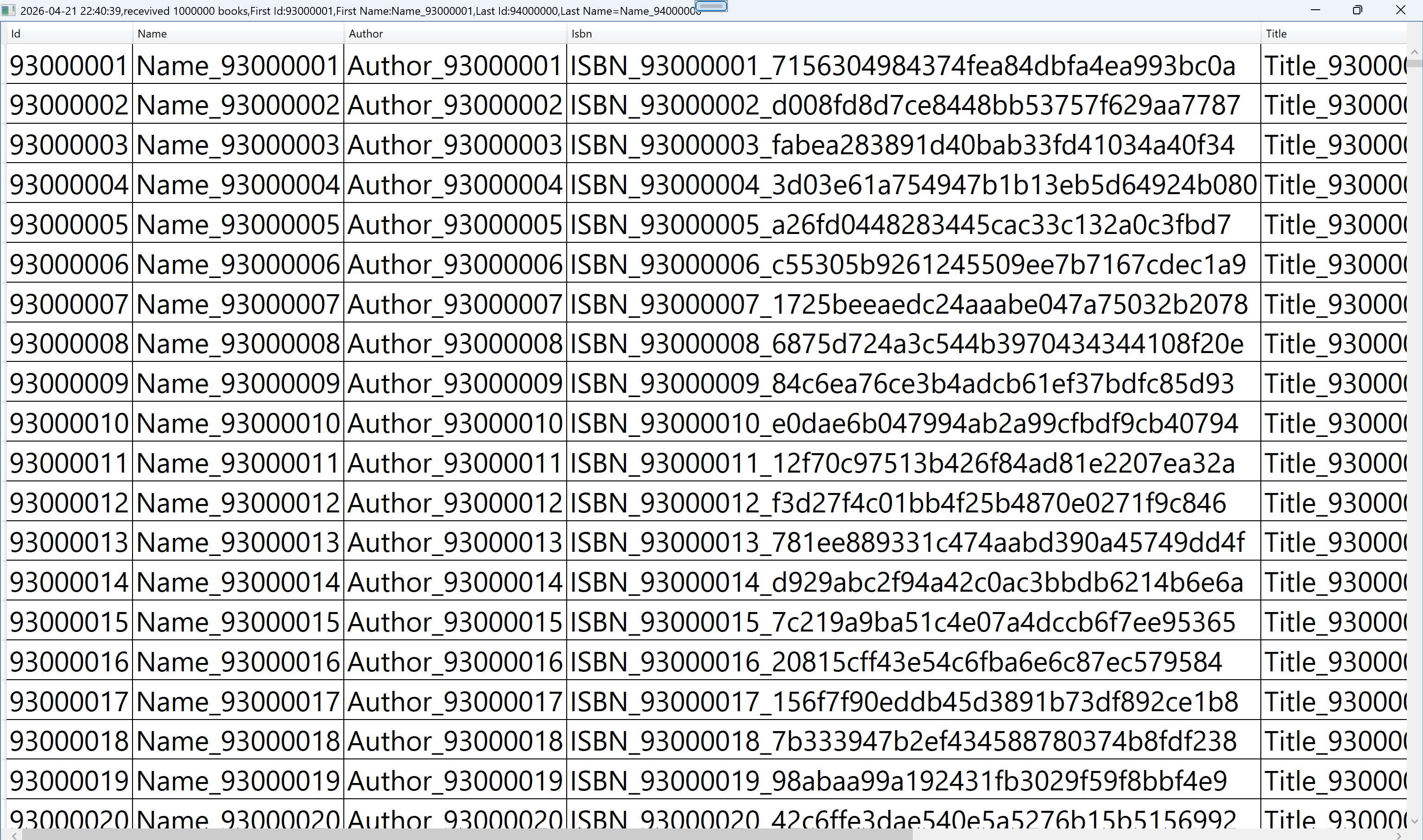
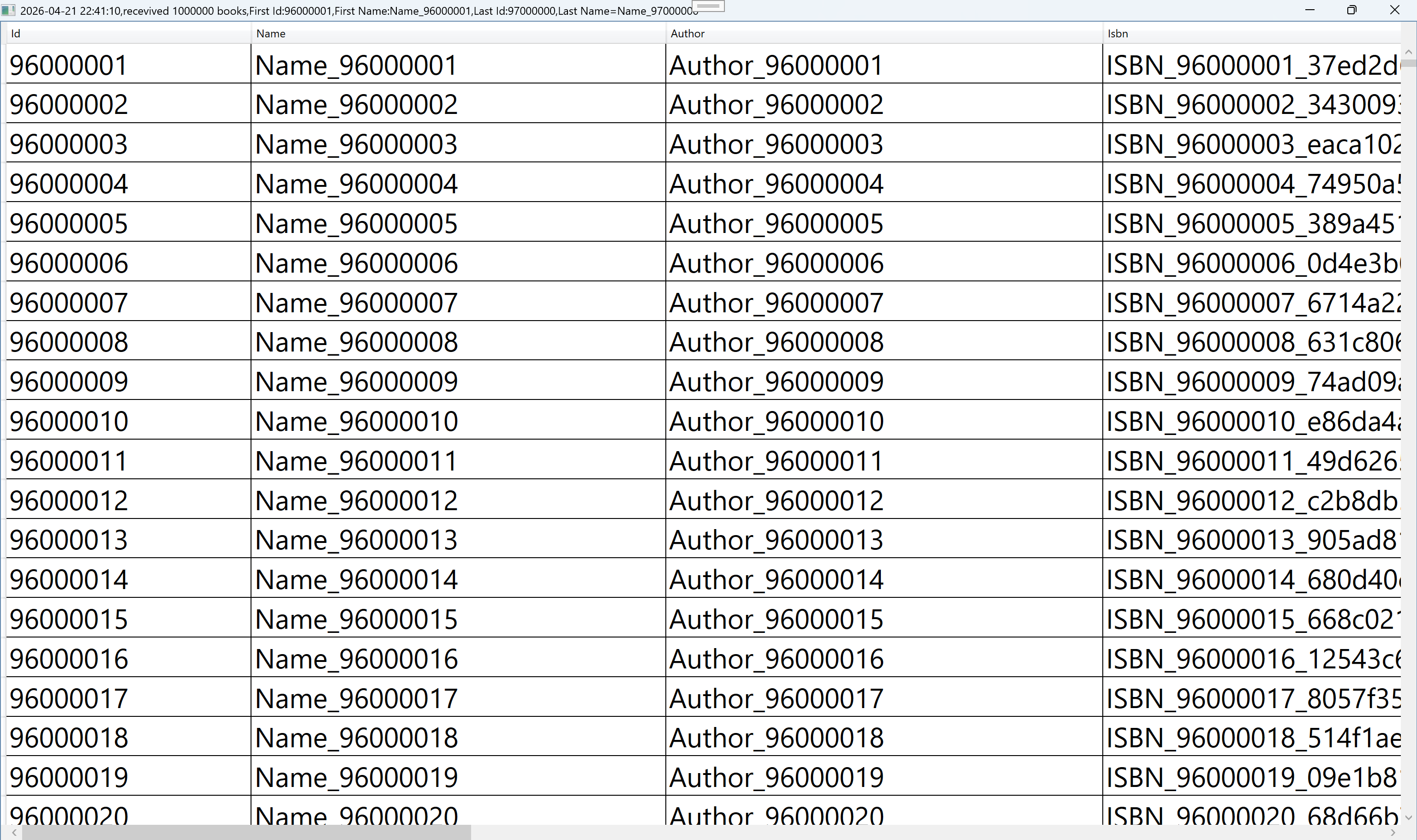
                    MainTitle = $"{DateTime.Now},recevived {response.Books.Count} books,First Id:{firstBk.Id},First Name:{firstBk.Name},Last Id:{lastBk.Id},Last Name={lastBk.Name}";
                    System.Diagnostics.Debug.WriteLine(MainTitle);
                }
            }
            catch (Exception ex)
            {
                MessageBox.Show($"{DateTime.Now},request failed:{ex.Message}");
            }
        }

        private string mainTitle;
        public string MainTitle
        {
            get
            {
                return mainTitle;
            }
            set
            {
                if(value!=mainTitle)
                {
                    mainTitle = value;
                    OnPropertyChanged();
                }
            }
        }

        private ObservableCollection<Book> booksCollection;
        public ObservableCollection<Book> BooksCollection
        {
            get
            {
                return booksCollection;
            }
            set
            {
                if (value != booksCollection)
                {
                    booksCollection = value;
                    OnPropertyChanged();
                }
            }
        }
        public event PropertyChangedEventHandler? PropertyChanged;
        private void OnPropertyChanged([CallerMemberName] string propName = "")
        {
            var handler = PropertyChanged;
            handler?.Invoke(this, new PropertyChangedEventArgs(propName));
        }
    }
}
http://localhost:5001/api/book
http://localhost:5001/api/book/stream
此内容由惯性聚合(RSS阅读器)自动聚合整理,仅供阅读参考。 原文来自 — 版权归原作者所有。