


惯性聚合 高效追踪和阅读你感兴趣的博客、新闻、科技资讯
阅读原文 在惯性聚合中打开

推荐订阅源

WordPress大学
WordPress大学
B
Blog RSS Feed
The GitHub Blog
The GitHub Blog
爱范儿
爱范儿
博客园 - 司徒正美
J
Java Code Geeks
酷 壳 – CoolShell
酷 壳 – CoolShell
Engineering at Meta
Engineering at Meta
大猫的无限游戏
大猫的无限游戏
D
Docker
Blog — PlanetScale
Blog — PlanetScale
Recent Announcements
罗磊的独立博客
Microsoft Azure Blog
博客园 - 聂微东
奇客Solidot–传递最新科技情报
奇客Solidot–传递最新科技情报
人人都是产品经理
人人都是产品经理
Stack Overflow Blog
Stack Overflow Blog
M
MIT News - Artificial intelligence
腾讯CDC
T
The Blog of Author Tim Ferriss
小众软件
小众软件
U
Unit 42
T
Tailwind CSS Blog

博客园 - FredGrit

WPF customize via three combied custom controls WPF DataGrid DataGridTemplateColumn DataTemplate ContentPresenter ContentTemplate WPF Customcontrol NumUpDownScroller WPF CustomControl override Template in Generic.xaml and invoke different style WPF HierarchicalDataTemplate customize via ToggleButton WPF DataGrid DataGridTemplateColumn DataTemplate call predefined DataTemplate via ContentPresenter and ContentTemplate WPF ListBox load data via contentcontrol an ItemTemplate WPF DataGrid load data from Asp.Net Core WebAPI WPF TreeView HierarchicalDataTemplate with grouped Data WPF display grouped data with GroupBox and ItemsControl WPF two listbox scroll syncchronously via behavior WPF invoke data from WebAPI,DataGridTemplate call pre defined DataTemplate via ContentPresenter WPF ListBox load data from WCF WPF datagrid load data from WCF via json, export selected items to json file WPF ItemsControl load data from WCF,DataTemplate, ContentControl WPF customize rotated wheel relentlessly via custom control WPF embed DataTemplate in HierchicalDataTemplate of TreeView WPF ContentControl, ItemsControl, ItemsPanelTemplate,VirtualizingStackPanel,convert xml string to List<T> WPF parse web.config recursively, TreeView and HierarchicalDataTemplate WPF Custom control in cs and Generic.xaml WPF ContextMenu independent visual tree resolved via Freezable implemented class WPF custom control GetTemplateChild vs FindName,NameScope separation between Logical Tree and Visual Tree, WPF ListBox ListView Datatemplate, parse xml to List via XmlSerializer and StringReader WPF TreeView HierarchicalDataTemplate, parse xml via traverse in XmlElement WPF parse xml via [XmRoot] and [XmlElement] attributes together, contentcontrol's template is ControlTemplate from Resources WPF ContentControl invoke Template from resource, reuse datatemplate WPF deserialize xml string as List via [XmlRoot] and [XmlElement] attribute WPF ContentControl Template WPF DatagridTemplate Binding DataTemplate WPF TreeView explicitly given key name to HierarchicalDataTemplate
C# Serilog, Serilog.Sinks.Console, Serilog.Sinks.File
FredGrit · 2026-03-30 · via 博客园 - FredGrit
Install-Package Serilog
Install-Package Serilog.Sinks.Console
Install-Package Serilog.Sinks.File
using Serilog;
namespace ConsoleApp13
{
    internal class Program
    {
        static void Main(string[] args)
        {
            Console.OutputEncoding=System.Text.Encoding.UTF8;
            SerilogDemo();
            Console.WriteLine("Hello, World!");
        }

        static void SerilogDemo()
        {
            try
            {
                Log.Logger = new LoggerConfiguration()
                    .WriteTo.Console(outputTemplate: "{Timestamp:yyyy-MM-dd HH:mm:ss.fff} [{Level:u3}] {Message:lj}{NewLine}{Exception}")
                    .WriteTo.File(
                    path:Path.Combine(Environment.GetFolderPath(Environment.SpecialFolder.ApplicationData),
                    "CollectTest2",
                    "log_.log"),
                    rollingInterval:RollingInterval.Day,
                    rollOnFileSizeLimit:true,
                    fileSizeLimitBytes:1024*1024*1024,
                    retainedFileCountLimit:3000,
                    shared:true,
                    outputTemplate:"{Timestamp:yyyy-MM-dd HH:mm:ss.fff} [{Level:u3}] {Message:lj} {NewLine} {Exception}"
                    )
                    .CreateLogger();
                
                Log.Information($"{DateTime.Now},LogLevel.Information,program started!");
                Log.Warning($"{DateTime.Now},LogLevel.Warning,This is warning!");
                Log.Error($"{DateTime.Now},LogLevel.Error,This is error!");

                Console.WriteLine($"{DateTime.Now},Press any key to exit.");
                Console.ReadKey();
            }
            catch (Exception ex)
            { 
                Log.Fatal(ex, $"{DateTime.Now},{ex.Message}");
            }
            finally
            {
                Log.CloseAndFlush();
            }
        }
    }
}
image

image

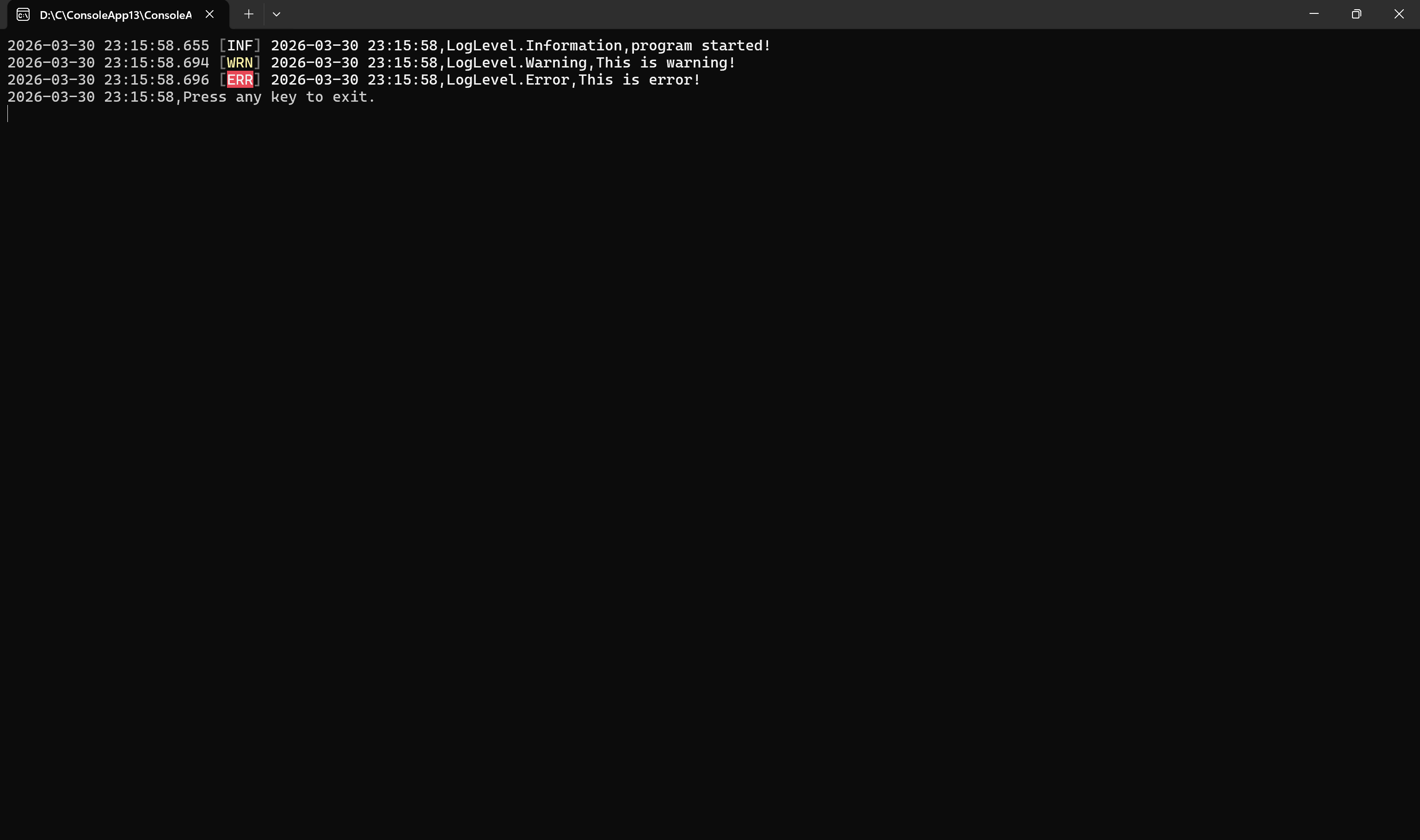
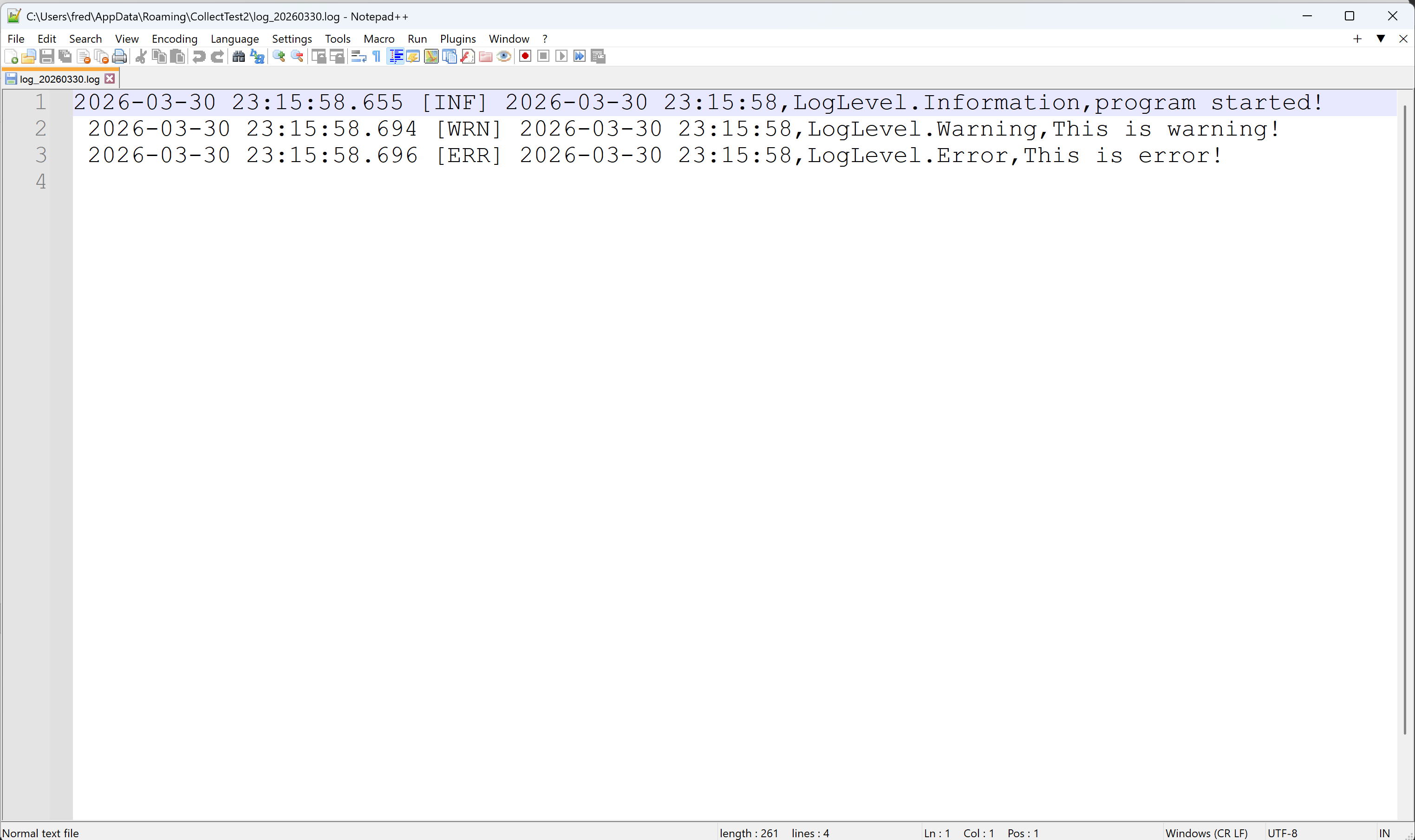
2026-03-30 23:15:58.655 [INF] 2026-03-30 23:15:58,LogLevel.Information,program started! 
 2026-03-30 23:15:58.694 [WRN] 2026-03-30 23:15:58,LogLevel.Warning,This is warning! 
 2026-03-30 23:15:58.696 [ERR] 2026-03-30 23:15:58,LogLevel.Error,This is error!