惯性聚合 高效追踪和阅读你感兴趣的博客、新闻、科技资讯
阅读原文 在惯性聚合中打开

推荐订阅源

GbyAI
GbyAI
量子位
L
LINUX DO - 最新话题
T
Tailwind CSS Blog
Cyber Security Advisories - MS-ISAC
Jina AI
Jina AI
freeCodeCamp Programming Tutorials: Python, JavaScript, Git & More
Recorded Future
Recorded Future
D
DataBreaches.Net
博客园 - 三生石上(FineUI控件)
J
Java Code Geeks
博客园 - 聂微东
B
Blog
让小产品的独立变现更简单 - ezindie.com
博客园 - 叶小钗
Hugging Face - Blog
Hugging Face - Blog
博客园_首页
G
Google Developers Blog
MyScale Blog
MyScale Blog
罗磊的独立博客
Martin Fowler
Martin Fowler
V
Visual Studio Blog
aimingoo的专栏
aimingoo的专栏
H
Help Net Security
H
Hacker News: Front Page
博客园 - Franky
Exploit-DB.com RSS Feed
AI
AI
N
News and Events Feed by Topic
Hacker News - Newest:
Hacker News - Newest: "LLM"
K
KPMG report finds enterprise disconnect between AI and its ROI | CIO
Recent Commits to openclaw:main
TaoSecurity Blog
TaoSecurity Blog
O
OpenAI News
Latest news
Latest news
T
Threat Research - Cisco Blogs
cs.CV updates on arXiv.org
L
LINUX DO - 热门话题
Spread Privacy
Spread Privacy
I
Intezer
Scott Helme
Scott Helme
MongoDB | Blog
MongoDB | Blog
C
Cybersecurity and Infrastructure Security Agency CISA
P
Palo Alto Networks Blog
A
Arctic Wolf
AWS News Blog
AWS News Blog
S
Schneier on Security
Y
Y Combinator Blog
月光博客
月光博客
H
Hackread – Cybersecurity News, Data Breaches, AI and More

博客园 - 南水之源

osgImage和QImage互相转换 AI助手选哪个?Cowork vs OpenClaw深度解析:程序猿、打工人、老板们看过来 "数字管家"Claude Cowork,正在接管你的桌面 Claude Code:那只被称为"代码章鱼"的AI,正在吃掉整个编程世界 “拥有数字生命的龙虾”OpenClaw的前世今生 怎么领取使用国家超算中心小龙虾tokens 使用gdal修改shp数据 保存OE中使用的高程数据用gdal保存成tif文件[完成] blender GIS介绍 使用qt读取系统字体库,并进行英文名称映射 c++开发大模型mcp服务(七)使用cpp-mcp的例子MCP-ExcelAutoCpp c++开发大模型mcp服务(六)cpp-mcp库说明 c++开发大模型mcp服务(五)编译c++版本的mcp库(cpp-mcp) c++开发大模型mcp服务(四)使用工具测试高德地图的MCP(流程验证) c++开发大模型mcp服务(三)一个常规的MCP调用例子(以高德地图MCP举例) c++开发大模型mcp服务(二)MCP 架构说明 c++开发大模型mcp服务(一)目的和概念 辅助Visual Studio上C++开发的工具(插件) [书]清华大学DeepSeek:从入门到精通 [原]geoserver缓存切片类GeoServerMetaTile的解析UML
解除360首页锁定操作
南水之源 · 2025-07-10 · via 博客园 - 南水之源

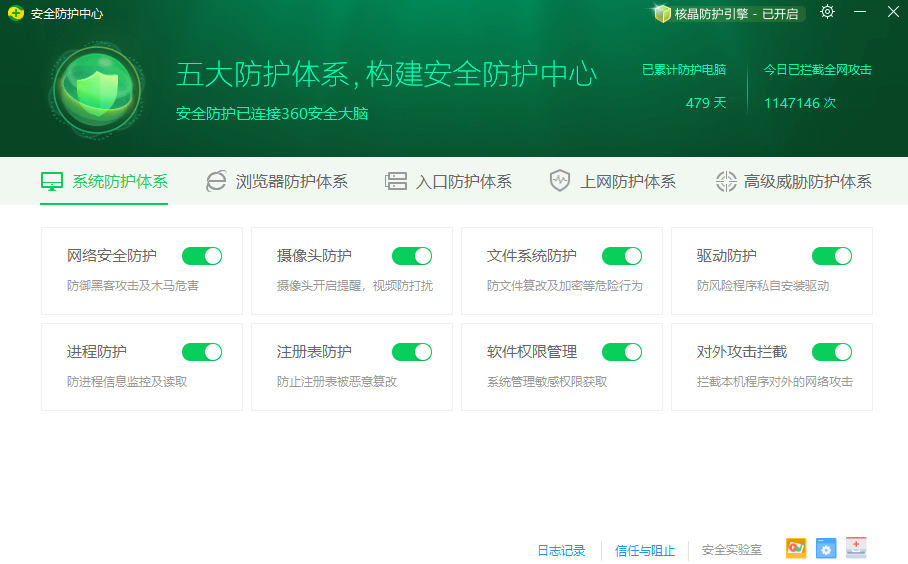
1.打开“360安全防护中心”

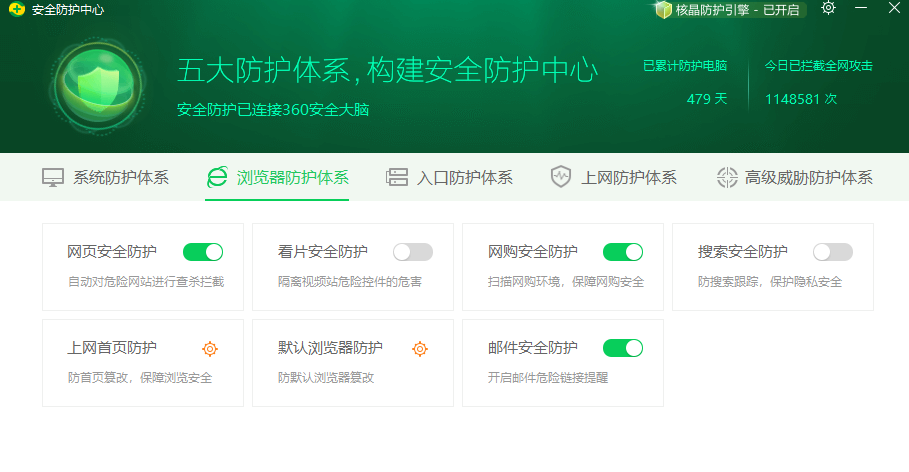
 2.点击“浏览器防护体系”

 3.点击“上网首页防护”

修改锁定浏览器也为“自定义”

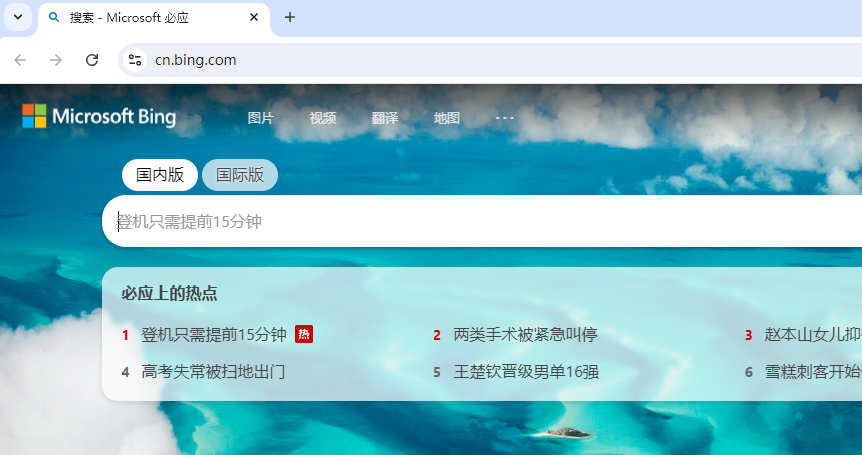
 4.重启浏览器验证

posted @ 2025-07-10 08:54  南水之源  阅读(215)  评论(0)    收藏  举报

刷新页面返回顶部