






There are tons of VPNs available for Android, but which ones are worth the subscription? Here are our top five picks.
Mobile devices have become the primary way most of us browse the internet, making a reliable VPN for your phone more essential than ever. While plenty of VPN services cater to Windows users, a select few truly stand out on Android. I’ve narrowed down my favorites to help you find the best fit for your smartphones and tablets.
Choosing a great Android VPN goes beyond the usual essentials. Full compatibility with Android OS is a must, and since Wi-Fi connections can be unpredictable, I tested each app across multiple days to evaluate both speed and reliability. I also factored in the overall experience of the Android app itself, including how intuitive it is to navigate, along with practical considerations like pricing and how many devices you can connect simultaneously. All of the picks on this list share these important Android VPN criteria and more.
|
Best VPN for Android overall NordVPN ↓ See why we picked it |
View Deal | |
|
Show Pros & Cons Pros
Cons
Hide Pros & Cons |
|||
|
Best VPN for Android runner-up ExpressVPN ↓ See why we picked it |
View Deal | |
|
Show Pros & Cons Pros
Cons
Hide Pros & Cons |
|||
|
Best Android VPN for privacy Mullvad ↓ See why we picked it |
View Deal | |
|
Show Pros & Cons Pros
Cons
Hide Pros & Cons |
|||
|
Best free VPN for Android Proton VPN ↓ See why we picked it |
View Deal | |
|
Show Pros & Cons Pros
Cons
Hide Pros & Cons |
|||

|
Best Android VPN for travelers CyberGhost ↓ See why we picked it |
View Deal | |
|
Show Pros & Cons Pros
Cons
Hide Pros & Cons |
|||
Why you should trust PCWorld for VPN reviews and buying advice: Here at PCWorld we’ve been testing computer hardware, software, and services since the 1980s. As reviewers and users of PC hardware and software, we put every product through its paces using rigorous benchmarking and hands-on evaluation. We’d never recommend something we wouldn’t want for ourselves.
NordVPN – Best VPN for Android overall
Pros
- Outstanding connection speeds
- Excellent streaming performance
- Loaded with privacy and security features
- Numerous independent audits
Cons
- Expensive monthly plans and steep renewal prices
- Important features vary by platform and subscription tier
Who should use NordVPN?
The best overall VPN for Android needs to come with all of the tools needed to browse online anonymously. Privacy is important, to be sure, but so are speeds, extra features, server network size, and ease of use. NordVPN has it all, and that’s why it’s my top choice for VPNs and a truly solid option for any smartphone or tablet user.
Nord has the most features of any VPN on the market, with tools that will appeal to power users as well as an easy-to-use Android app that is intuitive and straightforward even for beginners. The service also carries out regular independent audits and uses RAM-only diskless servers for increased security, so the privacy-conscious user can rest assured their data will remain anonymous.
If speed is a priority, NordVPN is the way to go as well. Speeds in my testing averaged 72 percent of the base internet speed across all servers, which makes it the fastest VPN I’ve ever tested.
NordVPN: Further considerations
NordVPN’s Android app is very easy to use with well thought-out and simplified controls compared to Windows. It offers a ton of different features including access to the TOR network over VPN, multi-hop connections, Meshnet file sharing network, a security suite complete with ad- and malware-blocking, and Nord’s latest password manager and link-checker safety tool. Also, there will be no problems accessing any streaming service while using NordVPN and it has an extensive server network to connect to all over the world.
The main downside is that NordVPN’s pricing is a bit expensive compared to many other VPN services. Even with the discounts offered by long-term plans, it can still seem pricey. You get what you pay for though, and in this case, it’s a heck of a lot of features.
Read our full NordVPN review
ExpressVPN – Best VPN for Android runner-up
Pros
- Excellent speeds
- Unblocks all streaming services
- Great security and privacy practices
Cons
- More expensive than other VPNs
- Light on extra security features
Who should use ExpressVPN?
ExpressVPN is another great option for any Android user. VPN novices will find that they can easily download the software, choose their server location, connect, and be on their way. But more advanced users will be able to choose from features such as split-tunneling, protocol optimization, kill switch, and more.
Plus, ExpressVPN has one of the most expansive device support networks I’ve ever seen. So the VPN can not only be used for Android or Windows, but across practically any and all platforms no matter what device you’re trying to protect — with up to eight simultaneous device connections.
The only reason it placed a close second is due to NordVPN providing a few more features and slightly edging it out on speed. Still, you can’t go wrong if you decide to go with ExpressVPN as your VPN of choice.
ExpressVPN: Further considerations
ExpressVPN takes privacy and security seriously with all diskless, RAM-only servers, meaning no data is ever stored long-term. Plus, the service is regularly bringing in third-party auditors to validate its privacy credentials.
It also comes with a smart DNS feature for set-top boxes, consoles, and more. It’s even begun branching out to take a more holistic approach to security for users, adding ad- and tracker-blocking and, most recently, a password manager to the service, as well.
It’s not the cheapest VPN out there, but it recently revamped its membership structure providing more flexibility for users to determine what features they are willing to pay for. No matter the membership tier you’ll still get excellent value for your money.
Read our full ExpressVPN review
Mullvad – Best Android VPN for privacy
Pros
- Good speeds
- Inexpensive monthly plan
- Unrivaled anonymity
Cons
- Struggles with unblocking streaming services
- Smaller server network
- Lacks some extra features
Who should use Mullvad?
It should come as no surprise that Mullvad is our pick for Best Android VPN for Privacy. I’ve never seen another VPN that actively resists knowing who you are the way Mullvad does. Mullvad doesn’t ask for anything when you sign up, not your email address, name, or other contact info. Instead it assigns a random account number that acts as your identifier and login. The service accepts payments using standard methods such as credit cards and PayPal, but you can also mail your payment in cash to remain as private as possible. Mullvad has a no-logging policy and doesn’t collect any identifying metadata from your usage.
Mullvad is all about maximizing privacy. Don’t get me wrong, it’s a more than capable VPN for any user. But the ultra-privacy conscious Android user will find the most to like in its anonymized payment system, commitment to not collecting user data of any kind, and strong internal privacy practices.
Mullvad: Further considerations
Beyond just privacy, Mullvad is also fast, ranking among our top five for speeds. Additionally, it offers a standardized fee across all plan lengths. While this makes it very affordable month-to-month, it does lose value in the long run compared to other top VPNs that offer significantly reduced prices with longer plan lengths.
I also found that it doesn’t always unblock streaming services, so users who want their VPN to access location-restricted content may want to take that into consideration before subscribing.
Read our full Mullvad review
Proton VPN – Best free VPN for Android
Pros
- Excellent privacy and transparency
- Strong catalog of security features
- Unrivaled free plan
- Good connection speeds
Cons
- Premium plans aren’t the cheapest
- Not all features available across apps
Who should use Proton VPN?
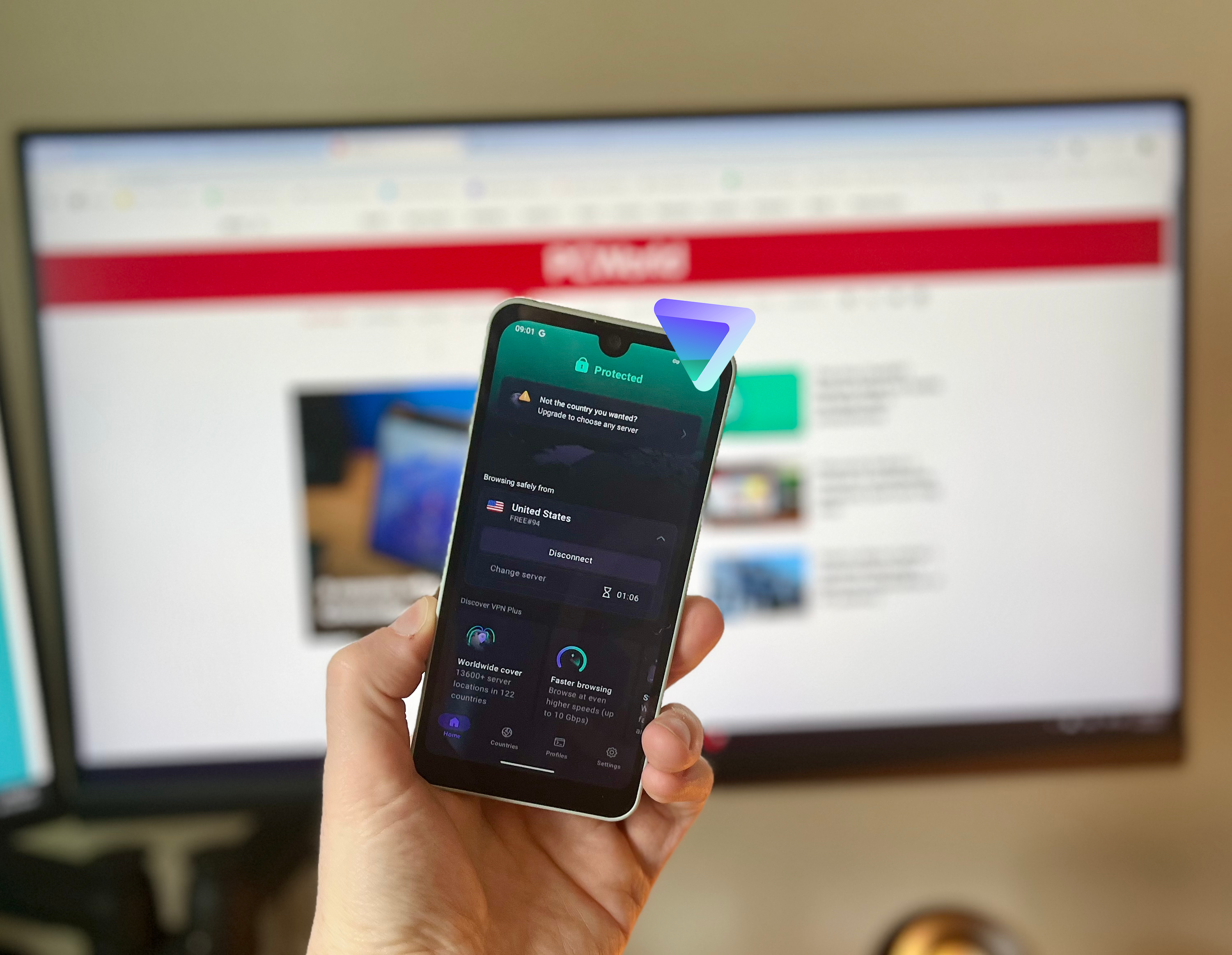
Whether you opt for the free or paid version, Proton VPN is a good choice for any Android user. The free version will of course appeal to those on a tight budget, but it’s also a great option for those who just need a VPN to do quick online tasks safely and securely.
Many free VPNs, especially free smartphone VPNs, have either unreasonable limitations or they’re loaded with annoying ads. Thankfully, Proton VPN serves no ads and the restrictions are fairly light compared to other services. For no cost at all, you’ll get a one-device connection limit and access to five servers located around the world. In my testing I also found that speeds were very good even with the free version, ranking in the top 10 of all VPNs — paid or free. And since there are no monthly data limits on Proton’s free VPN version, it’s also a great option to stream content while using a VPN — just be aware, the free servers don’t promise to work with Netflix like some of Proton’s paid servers do.
Overall, you get a lot for paying nothing and this easily makes it our favorite free VPN for Android.
Proton VPN: Further considerations
The paid VPN is also a great option for Android users. Proton offers an entire suite of useful apps which integrate nicely with each other and are all open source. The monthly price for the premium version does come in at the expensive side though, so I would recommend trying out the free version first before you upgrade.
The company also has an excellent privacy track record and takes transparency very seriously. Both the premium and free versions have undergone multiple independent audits confirming the company’s no-logs policy.
Read our full ProtonVPN review
CyberGhost – Best Android VPN for travelers
Pros
- Enormous global server network
- Independently verified no-log policy
- Generous 45-day money-back guarantee
Cons
- Server speeds can be hit-or-miss
- Lacks extra security features offered by competitors
Who should use CyberGhost?
Using a VPN while travelling means that you want variety and wide coverage in the server locations. CyberGhost provides both by offering a staggering 11,500+ servers for users to connect to, which is more than twice as many as most other VPNs on this list. Plus, unlike some competitors, these servers aren’t all concentrated in the U.S. or Europe, either. Not only does it provide a huge server count, but the server spread is vast, totaling 100+ countries all across the world. CyberGhost even recommends optimized servers to users for various needs such as gaming, streaming, and torrenting.
Due to its wealth of servers and locations, CyberGhost is one of the best options for finding a server no matter where you are in the world. For those who travel a lot or just need access to a diverse and vast server spread, CyberGhost should be high on your list.
CyberGhost: Further considerations
CyberGhost also has a well-designed Android app that is intuitive and easy to use, even when tweaking settings. It lacks some of the power-user features that other VPNs on this list provide such as multi-hop and IP rotation, but that shouldn’t be a big deal to the average user.
In my testing I found that some of the servers were faster than others, with servers located in Europe having excellent speeds and servers in Asia not fairing as well. But overall, the speeds are good enough to do everyday web browsing, streaming, etc. CyberGhost recently began the process of upgrading its servers to 10Gbps as well, so speeds should only increase in the future.
Read our full CyberGhost VPN review
Other VPNs for Android we liked
While we believe that the above Android VPNs are the most worthy of your money, there are a few other notable services that deserve attention:
- PrivadoVPN is a strong overall service, but the free version of the VPN really stands out and is second only to Proton VPN.
- Windscribe Pro offers great security, with excellent ad- and tracker-blocking features and its free version is a good option for everyday activities.
- Hide.me is a well-rounded service that ticks almost every box and the fantastic array of configurable settings make it a power-user’s dream.
- IPVanish is another good option that nails all of the basics: good speeds, a large server network, and privacy promises backed up with multiple independent audits. The service is based in the U.S. too, meaning connections are extremely reliable.
- Norton VPN: This simple and effective VPN from trusted security giant Norton is growing into an excellent service. It has a intuitive interface and it’s recently seen big upgrades to its feature set and privacy commitments, but it only offers yearly pricing and the server network is still on the smaller side.
I’m continuously evaluating new VPNs and reevaluating services I’ve already tested on a regular basis, so be sure to come back for more recommendations and to see what else we’ve put through their paces.
Can you get a better VPN deal?
Here at PCWorld, we are regularly hunting down the best VPN deals to help you get the most bang for your buck. VPN services are frequently running deals throughout the year, so you should be able to snag your favorite VPN at a steep discount if you can time it right.
While the prices for all VPNs on this list are updated daily, they do not account for special deals or offers. It’s best to keep checking our deals article to see what new limited-time discounts are on offer each week. Additionally, sales events such as Amazon Prime Day in mid-July and Black Friday at the end of November provide excellent opportunities to find even cheaper VPN deals.
How we test VPNs
We judge VPNs on a variety of criteria including server network, connection speeds, privacy protections, ease-of-use, additional features, and cost. For a more detailed guide on our evaluation process, check out PCWorld’s comprehensive guide on how we test VPN services.
Speed tests are kept as simple as possible. We average the connections between different global locations for any given VPN and then compare them to our baseline internet speed to get a good picture of the overall connection speeds.
We thoroughly research and analyze the privacy policies and histories of each VPN and note any outstanding discrepancies or data collection issues. Experience and ease-of-use are subjective, but we try our best to give an accurate representation of how it feels to work with the VPN. And finally, we compare the value of the service based upon its price and additional features to the industry average to help you gain an accurate picture of what you’ll get for your money.
Who curated this article?
Sam Singleton is PCWorld’s VPN beat reporter and jack of all trades. When he’s not on the hunt for the best computer deals he’s covering VPNs, productivity software, laptops, and a wide gamut of consumer-grade hardware and software.
How to choose the best VPN for Android
One of the first things you should look for when shopping around for any VPN is the number of servers and locations. It’s difficult to judge a VPN by just one feature, but a semi-reliable way to tell if a VPN is even worth your time is to look at the server network. Anything with 1,000 or more servers and 30 or more country locations will do.
Speed
The next thing to consider is a VPN’s speed. This may be tricky to do since you aren’t likely to be able to test connection speeds without paying to use the service. Reading reviews online will give you a general estimate. Look for reviews, like ours, that give you a relative average of connection speeds rather than direct Mbps speed comparisons, for a more accurate picture.
Privacy
You’ll also want to read up on a VPN’s privacy protections. Does it have a no-logs policy? Has it undergone any independent audits of its servers? Where is the VPN company located? All of these will give you an idea of whether or not a VPN is transparent with its data collection policies and if it’s subject to government data sharing requirements.
Price
As with all subscription services, you’ll want to review the price of a VPN service. Do you want a monthly or yearly subscription? Some top VPNs might be pricey month-to-month, but actually become quite affordable with long-term plans.
Additional features
Other factors you’ll want to take into consideration are the overall ease-of-use, user experience, and any additional features. Some of these features, such as split-tunneling and kill switches, can be extremely useful for certain purposes and might sway your subscription decision one way or the other. Kill switches in general have historically been an issue with phone app versions of VPNs, so it’s always a good idea to read up on any known issues before committing.
FAQ
1.
What is the best VPN for Android?
NordVPN is our pick for the best VPN for Android. Not only does it have the fastest speeds and most extensive feature set, but it also comes with a large server network and can unblock streaming sites with ease. There is currently no other VPN on the market that provides as much value as NordVPN and that’s why it’s our top pick.
2.
What is the best free VPN for Android?
Proton VPN is our pick for the best free VPN for Android thanks to its unlimited data, unrestricted speeds, and privacy track record. It is one of the only free VPNs that doesn’t impose usage limits or compromise your privacy.
3.
What is a VPN?
VPNs create a secure tunnel between your PC and the internet. When you connect to a VPN your web traffic is routed through the chosen VPN server to make it appear as though you’re browsing from that server’s location, and not from your actual location. The VPN app will also encrypt your data so that any third parties such as your ISP can’t see your specific online activities. A VPN can be a great response to a variety of concerns, such as online privacy, anonymity, greater security on public Wi-Fi, and, of course, spoofing locations.
4.
Do I really need a VPN on my Android phone?
While you don’t absolutely need a VPN for your smartphone, Android or otherwise, it is highly recommended. VPNs enhance your online security and privacy, especially on public Wi-Fi networks. They also allow you to access geographically restricted content such as on streaming sites and bypass censorship by governments or other third parties.
5.
Does Android have a built-in VPN?
No, Android devices do not have a built-in VPN. There is built-in VPN support, but to gain the full benefits of a VPN you’ll need to use a separate service. The easiest way to use a VPN on Android is to subscribe to a VPN service such as those on this list and download the provider’s native Android app onto your device.
6.
Will a VPN protect me on public Wi-Fi?
Yes, a VPN can help protect you when using public Wi-Fi by encrypting your data and masking your IP address. This makes it much more difficult for hackers to hijack your online traffic and steal sensitive information like passwords or credit card details. Public Wi-Fi is often vulnerable to man-in-the-middle attacks, where hackers intercept your data en route to the server. A VPN can protect against this by encrypting the connection, thereby making your data unreadable and all but useless to any potential snooping third parties.