









John Malone is a penetration tester for Black Hills Information Security. He regularly performs external, internal, and social engineering-based assessments. His favorite tools are confidence and charisma.
Most organizations treat Microsoft Self-Service Password Reset (SSPR) and push-based MFA as pure wins: fewer help desk tickets, less lockout drama, and more convenience for everyone. You’d think everyone would win here, right?
It might seem that way at a high level, but when I worked in physical security, it became clear that with more convenience often came less security. The same concept, it seems, holds true here.
In this blog, we’ll look at a social engineering technique that combines Microsoft SSPR with social engineering phone calls to gain initial access to Microsoft 365. The best part? The tester will never need to talk to the help desk.
We’ll cover:
Legal / ethical note: Everything here is for authorized testing and defense only. Using these techniques without explicit written permission is illegal and unethical. Don’t be that person. Don’t be a jerk.
Let’s get right to it. At a high level, the attack looks like this:
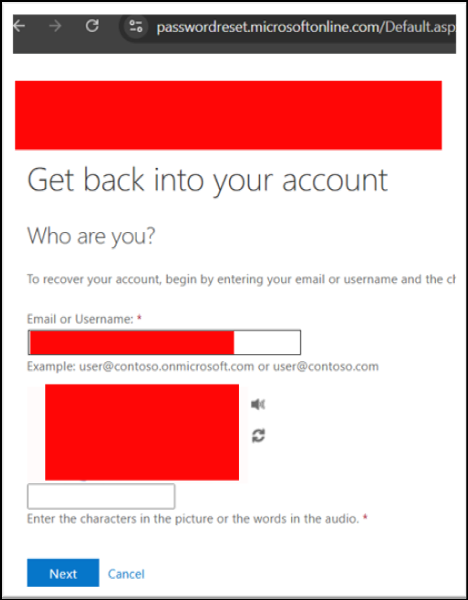
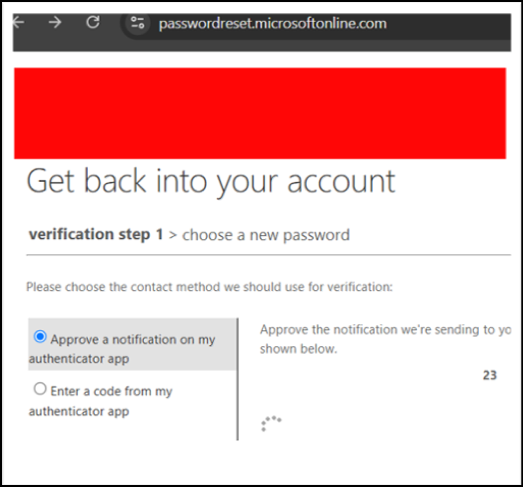
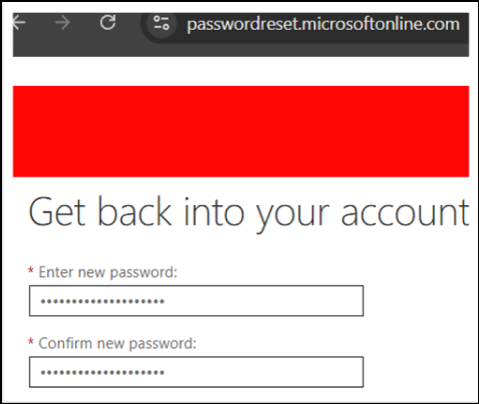
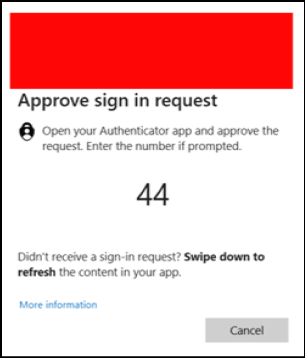
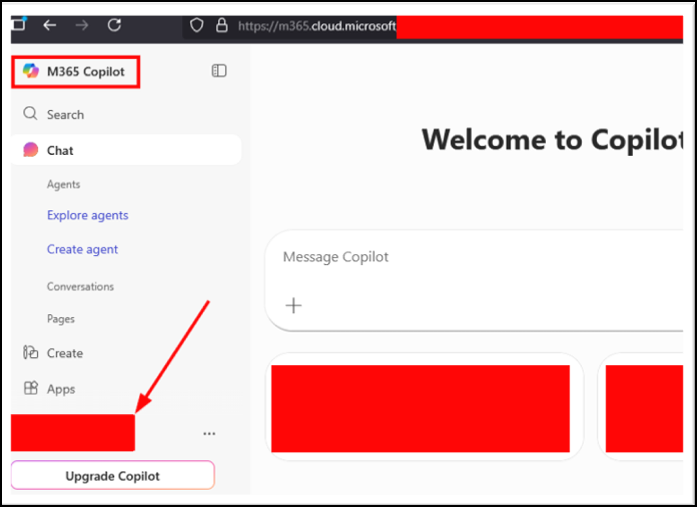
From the user’s perspective, this all feels normal:
“IT called me, said there was an issue, sent me MFA prompts and a new password. They fixed it.”
From a red team / attacker perspective, it’s a clean path to initial access that completely bypasses help desk hardening.
Below is a conceptual walkthrough that you can adapt into a RoE-approved playbook. I’ve sorted this into a list of bullet points because I’m pretty sure that’s going to be easier reading than a giant wall of text 😊.
1. Start with a Rules of Engagement Call
Before you do anything, ensure you and your client have a rules of engagement call and that you:
Document everything. The customer should understand exactly what you’re about to simulate and why.
2. Recon: Is SSPR Even in Play?
There’s no point running this scenario if:
Your pretext plan doesn’t need exact policy values, but you do need to know:
If the tenant doesn’t use SSPR, this specific chain is off the table, and you pivot to a different vector. If it is in play, you now know there’s a viable path worth testing.
3. Establish a Plausible Caller Identity
The phone call makes or breaks this attack.
4. Make Your Target Comfortable
When the target picks up:
While you’re talking, you initiate the SSPR verification for their account so that the MFA push notifications appear right on cue.
The psychological levers here are classic:
5. Coaching MFA Approvals
Modern users are trained to approve MFA pushes. The twist here is that:
You walk them through it:
Once the first MFA step is complete, SSPR considers the user verified and allows a password reset. After the second, the tester now has initial access.
6. Resetting the Password and Gaining Access
With verification done, you set a new password and:
If Conditional Access is permissive, you now have initial access.
If CA is stricter, the test still yields valuable data:
7. Reassurance as Insurance
To reduce the likelihood that your call is reported, help the target feel good about the call and reassure them.
Once you’ve logged in and confirmed access:
From the user’s perspective, this was just a mildly annoying but helpful security call. Nothing seems “incident-worthy.”
This pattern is effective because it sits at the intersection of help desk and system controls and end-user trust. Many organizations train help desk staff to resist social engineering, but this attack completely bypasses the help desk and goes directly to the user, who may have minimal social engineering awareness training.
Because this technique is psychologically manipulative and touches live user accounts, it deserves extra care.
Most importantly, users should always receive positive coaching if they are compromised on a social engineering test. Negative options such as termination rarely work out well for anyone in the long-term, as the replacement might fall into the same trap later.
The goal here should always be learning and building a stronger security culture.
The easy answer is to simply disable Microsoft SSPR. However, that may not be an option for some. In that case, users should be coached not to accept MFA prompts that they did not initiate and to always call the purported caller back at a number the callee is already familiar with to try and confirm if the call was legitimate or not.
If someone says they are from the help desk, hang up and call back.
A recent penetration test was carried out using the techniques in this blog. The tester made a total of 6 social engineering calls, with every single call resulting in initial access. The tester introduced themselves as a help desk member, made a joke about the user “not testing from China, right?“, and then used the moment of humor to pivot into a need to do a quick security check. SSPR was then used to generate two-digit numbers to be entered into Microsoft Authenticator. The tester gave these numbers to the employees, who entered them into their phone.
After gaining access, the penetration tester was able to access Microsoft Outlook and obtain personally identifiable information (social security numbers, birth dates, home address) of client customers and to send emails to the tester and point of contact’s email to prove that compromise had occurred. The tester also gained access to SharePoint, which resulted in the retrieval of internal documents containing sensitive information. Lastly, the tester pivoted into Microsoft Teams and used the platform to send messages to their point of contact.
This isn’t a one-time stunt for a cool red team report. It’s a vector that deserves ongoing attention because: This scenario simultaneously tests identity confirmation tooling (SSPR, MFA, Conditional Access), how users act under pressure, and the organization’s ability to detect and follow-up on social engineering attacks.
If you’d be interested in seeing how your organization would stand up to a social engineering campaign, consider giving our friendly consulting team a call!
Ready to learn more?
Level up your skills with affordable classes from Antisyphon!
Available live/virtual and on-demand

此内容由惯性聚合(RSS阅读器)自动聚合整理,仅供阅读参考。 原文来自 — 版权归原作者所有。