

惯性聚合 高效追踪和阅读你感兴趣的博客、新闻、科技资讯
阅读原文 在惯性聚合中打开

推荐订阅源

博客园 - 叶小钗
WordPress大学
WordPress大学
Hugging Face - Blog
Hugging Face - Blog
T
Tailwind CSS Blog
博客园 - 三生石上(FineUI控件)
量子位
月光博客
月光博客
人人都是产品经理
人人都是产品经理
U
Unit 42
S
SegmentFault 最新的问题
M
MIT News - Artificial intelligence
H
Help Net Security
aimingoo的专栏
aimingoo的专栏
Microsoft Security Blog
MyScale Blog
MyScale Blog
美团技术团队
P
Proofpoint News Feed
Apple Machine Learning Research
D
Docker
B
Blog
大猫的无限游戏
大猫的无限游戏
V
Visual Studio Blog
钛媒体:引领未来商业与生活新知
钛媒体:引领未来商业与生活新知
G
Google Developers Blog

Ubergizmo

Motorola Launches Its Most Fashionable Flip Phone Lineup Yet: New Razr Ultra (2026), Razr Plus (2026), And Razr (2026), Are Robots Coming For Airport Jobs? Japan Airlines Testing Humanoids Apple Introduces Commitment-Based Monthly Subscriptions For The App Store No Google Drive Or iCloud! WhatsApp Reportedly Developing Independent Cloud Backup Infrastructure OnePlus Ace 6 Ultra Launches With 8,600mAh Battery And 165Hz Gaming Display Adobe Launches Firefly AI Assistant To Automate Workflows Across Photoshop And Premiere The AI Did Not Go Rogue. The Company Gave It Too Much Access Leica Announces M-A Hammertone Limited Edition For 20th Anniversary Vivo Y600 Pro Announced With Massive 10,200 mAh Battery And 1.5K OLED Display AI Was Supposed To Cut Costs. Now Some Companies Say It Costs More Than Workers Will AI Data Centers Make Power Bills Worse? A Massive Utah Project Shows Why People Are Worried Google Workspace Redesign: 13 New App Icons Feature Modern Gradient Look MediaTek Dimensity 7450 And 7450X Announced With 200MP Support And AI for Mid-Range Phones Microsoft Looks Ready To Stop Forcing Windows Updates At The Worst Time Tesla Cybercab Production Starts For Elon Musk’s Autonomous Robotaxi BYD Yangwang U8L Dingzang Edition: Ultra-Luxury SUV With Zero-Gravity Seats XChat Standalone Messaging App Launches For X Users On iPhone And iPad Pokémon Scarlet And Violet Players Can Download A Free Chesnaught Raid Event Until April 30 Goodbye, Windows! SteamOS 3.9 Brings Official Support For ASUS ROG Ally, Lenovo Legion Go, And AMD Handhelds Geely Eva Cab Robotaxi, An AI-Powered Autonomous EV With 4ms Reaction Time New Honor MagicPad 3 Pro 12.3 Debuts Bringing 165Hz OLED Screen And Snapdragon 8 Gen 5 LPDDR6 RAM: Faster, Smarter Memory For The Next Generation Of Tech OpenAI Introduces Workspace Agents: Autonomous Collaboration For ChatGPT Teams Xbox Cut Game Pass Prices But Ended Day-One Call of Duty Access Govee Launches $99.99 Solar String Lights for Smart Backyard Lighting Insta360 Updates Flow 2 Series Gimbals With Enhanced Android Support And Apple Integration Volkswagen Jetta Concept X Unveiled: A Strategic Electric Shift Under 15,000 USD DJI Unveils New Entry-Level Lito Drone Series: 48 MP, 4K Video, ActiveTrack And More Fitbit Enhances Sleep Score With Deep Analytics And Digital Coaching Threads Introduces Live Chats for Real-Time Event Interaction
Microsoft Integrates Advanced “Agent Mode” With AI Into W...
Paulo Monten · 2026-04-23 · via Ubergizmo

Microsoft has officially begun rolling out a significant update to its Copilot AI integration across Word, Excel, and PowerPoint. This new experience, previously referred to internally as “vibe working,” introduces an Agent Mode designed to transform the AI from a passive assistant into an active collaborator capable of direct manipulation within documents.

According to Sumit Chauhan, Corporate Vice President of Microsoft’s Office Product Group, the initial versions of Copilot were limited by the capabilities of earlier foundational models. While the original iteration could answer questions or summarize text, it often struggled to execute complex commands directly on the “canvas” of a document or spreadsheet.

Recent advancements in model reasoning and instruction-following have enabled this shift. The updated Agent Mode is engineered to handle multi-step edits reliably, ensuring that the AI maintains the user’s original intent while performing sophisticated tasks.
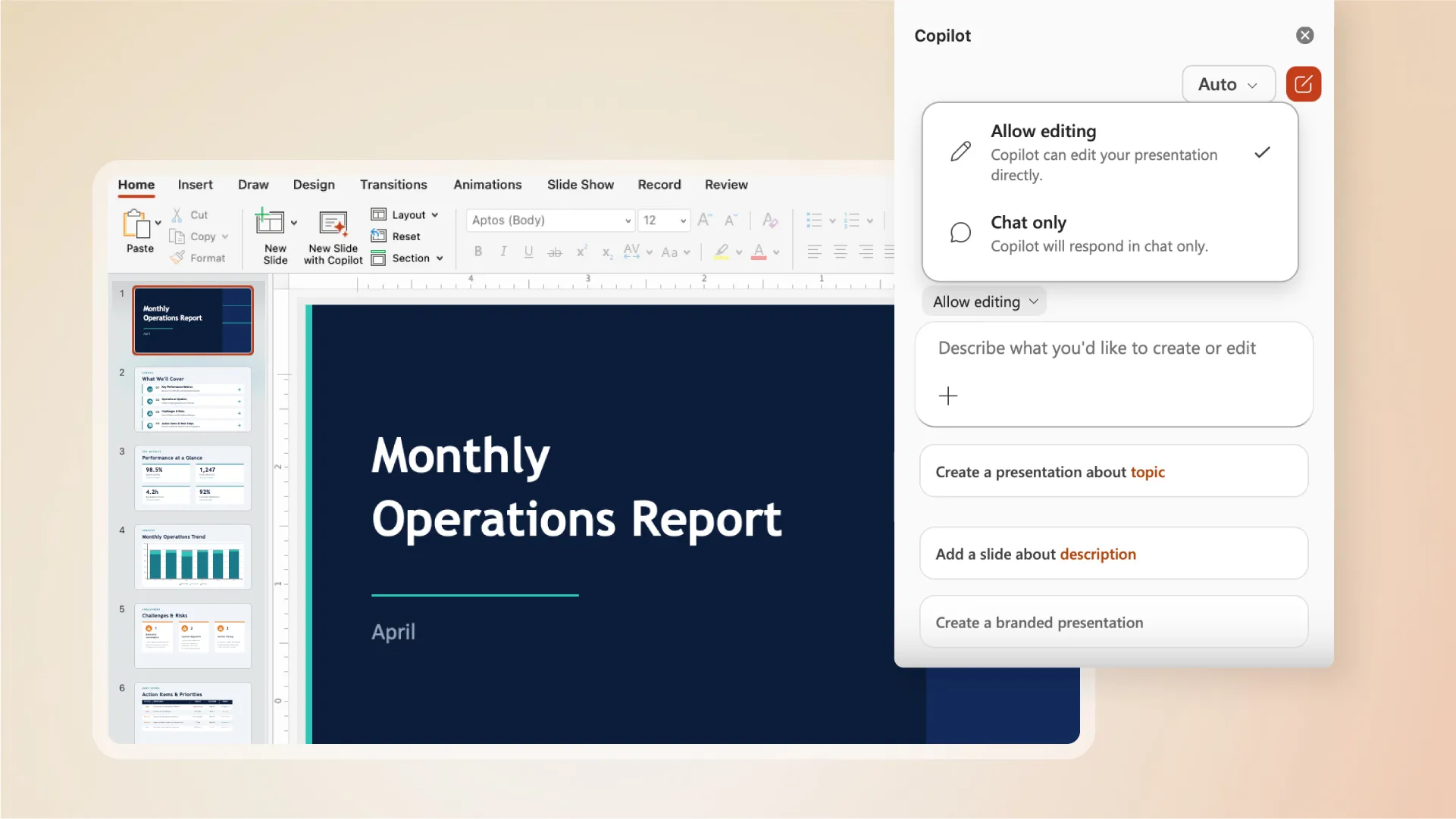
Agent Mode in Microsoft PowerPoint
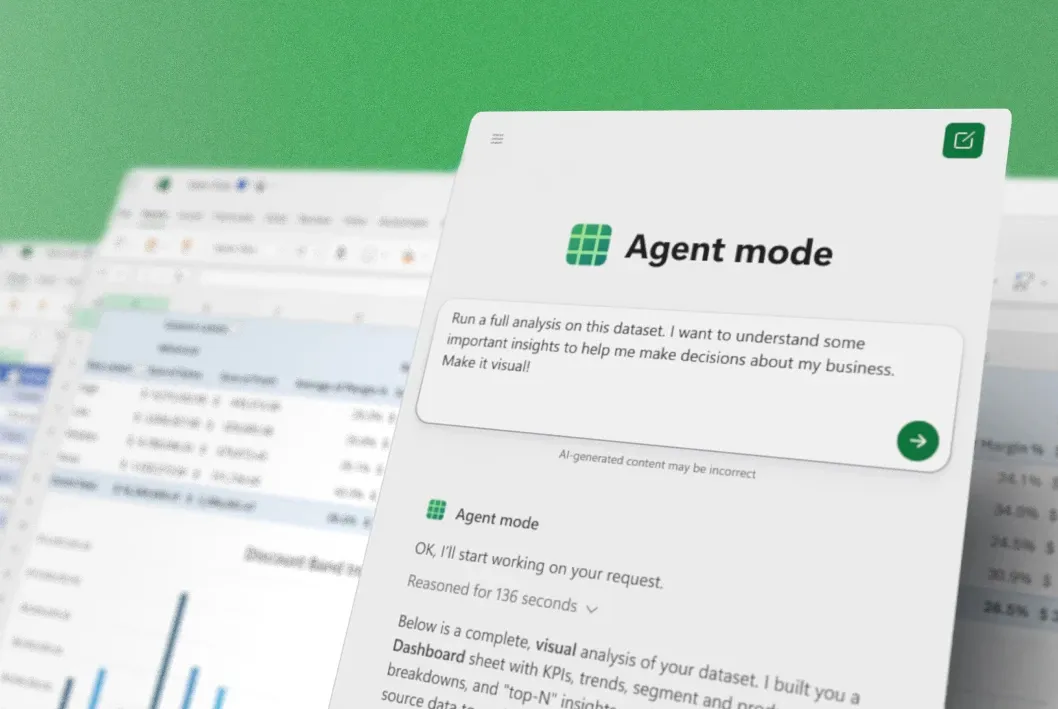
Agent Mode in Microsoft Excel

Key Features and Capabilities

The rollout introduces several functional improvements tailored to specific Office applications:

  • Real-Time Transparency: A new sidebar allows users to monitor the AI agent’s progress in real time, displaying each step the system takes as it processes a document.

  • Excel Integration: Copilot can now make direct changes within workbooks, such as inserting formulas, generating tables, and formatting data without manual intervention.

  • PowerPoint Continuity: The agent can update existing presentations with new data while strictly adhering to established corporate templates and brand styling.

  • Word Efficiency: It offers more nuanced editing capabilities, allowing for structural changes and content refinement directly within the text flow.

Availability

Microsoft is positioning these features as the standard experience for Microsoft 365 Copilot and Premium subscribers. Additionally, the capabilities are being extended to users on Microsoft 365 Personal and Family plans. This broad release signals Microsoft’s commitment to making advanced AI agents a core component of its productivity ecosystem, moving beyond simple chat interfaces toward fully autonomous document management.