








IP address intelligence is a critical asset for cybersecurity professionals. Both blue team defenders and red team attackers rely on it to map out the attack surface, identify critical assets, and understand how different components of an infrastructure are interconnected. Beyond security, IP data also holds value for marketers conducting market analysis and researchers tracking the evolution of network infrastructure over time.
One of the widely used platforms for accessing IP data is IPinfo. We’ve received multiple inquiries from our users about how it compares to Netlas. This article provides an in-depth review of IPinfo and a side-by-side comparison with Netlas, focusing on core features, automation capabilities, pricing models, and the strengths and weaknesses of each tool. On the Netlas side, we’ll primarily be looking at the IP/Domain Info tool, which offers comparable functionality.
Naturally, the most critical aspect of any tool is its functionality. This first section of the article will focus on the core capabilities of the platforms in question. We’ll begin with one of the most fundamental and widely used features in IP intelligence — geolocation.
This mechanism allows users to find out which country a particular host is located in.
IPinfo
On the basic subscription tier, IPinfo returns a limited geolocation dataset—typically just the country and continent. However, starting from the “Core” plan (we’ll cover subscription tiers in more detail later), the service also provides more granular data, including the city, region, and approximate geographic coordinates.
It’s important to note that geolocation based on IP address is inherently imprecise. At best, the location can be narrowed down to the city level. Still, even this level of detail can be valuable for certain use cases.
Below is an example of the geolocation data returned for a sample IP address.
{
  "ip": "211.197.11.0",
  "city": "Seoul",
  "region": "Seoul",
  "country": "KR",
  "loc": "37.5660,126.9784",
    …
}
Note: here, as well as in all points dedicated to IPinfo, the information will be taken from the Pricing section.
Netlas
The Netlas IP/Domain Info tool provides comparable geolocation data. However, there is one key difference: city-level information is inferred from the time zone, which can result in reduced accuracy.
Below is an example of the geolocation output provided by Netlas:
{
  "geo": {
    "continent": "Asia",
    "country": "South Korea",
    "location": {
      "accuracy_radius": 1000,
      "latitude": 37.5112,
      "longitude": 126.9741,
      "time_zone": "Asia/Seoul"
    },
    "registered_country": "South Korea"
}The next important feature is information about the autonomous system that includes the IP address being investigated.
IPinfo
Autonomous System (AS) information is also available in two tiers: a simplified version for standard subscriptions and a more detailed version for higher-tier plans. With the basic access level, users receive the AS number, organization name, and associated domain. Upgrading unlocks additional fields such as type and route, offering deeper insight into the network.
Below is an example of how this data is presented:
"asn": {
    "asn": "AS4766",
    "name": "Korea Telecom",
    "domain": "kt.com",
    "route": "211.192.0.0/13",
    "type": "isp"
  }
Netlas
Netlas pulls autonomous system data from WHOIS fields, including CIDR, country, name and number, and registrar name and update date:
{
  "asn": {
    "cidr": "211.192.0.0/13",
    "country": "KR",
    "name": "KIXS-AS-KR Korea Telecom",
    "number": [
      "4766"
    ],
    "registry": "apnic",
    "updated": "2000-05-26"
  }
}This tool returns flags to the user that demonstrate some features of the IP address.
IPinfo
In the case of IPinfo, flags allow detecting anonymous proxies, anycast and mobile providers. Example:
  "is_anycast": false,
  "is_mobile": false,
  "is_anonymous": false,
  "is_satellite": false,
  "is_hosting": false,
An interesting thing to note is that this information is provided exclusively on the Core tariff; none of the older tariffs offer it.
Netlas
Unfortunately, Netlas detects only one of these flags - satellite. This flag is marked in the geo section, and only in cases where it has the value True. For example, it may look like this:
{
  "geo": {
    "is_satellite_provider": true,
    "registered_country": "Germany",
    "traits": {
      "is_satellite_provider": true
    }
  }
}Feature like the previous one. Returns flags demonstrating attempts to hide the true IP address.
IPinfo
IPinfo provides the following flags: VPN, proxy, TOR, relay usage. For example, it might look like this:
"privacy": {
    "vpn": false,
    "proxy": false,
    "tor": false,
    "relay": false,
    "hosting": false,
    "service": ""
  },
Netlas
In the case of Netlas, slightly fewer flags are returned, only VPN, proxy and TOR. This is how it looks for the same IP address:
{
  "privacy": {
    "is_proxy": false,
    "is_tor": false,
    "is_vpn": false
  }
}
Abuse information – these are the contacts you can use if an IP address shows suspicious activity. Both services in question provide them.
IPinfo
As part of its abuse contact information, IPinfo provides several key data points: mailing address, country, email, name of the responsible party, network range, and phone number. This information can be useful for reporting malicious activity or conducting further investigation.
Here’s how it appears in the response:
"abuse": {
    "address": "9, Jinheung-gil, Naju-si, Jeollanam-do",
    "country": "KR",
    "email": "[email protected]",
    "name": "IP Manager",
    "network": "211.196.0.0/14",
    "phone": "+82-2-500-6630"
  },
Netlas
Netlas provides similar abuse-related data, though it’s structured differently. The physical address is in the net section, while the remaining contact details — such as email, name, and phone number—are grouped under a nested contacts section.
Below is an example using the same IP address:
{
  "net": {
    "address": "9, Jinheung-gil, Naju-si, Jeollanam-do",
    "cidr": [
      "211.196.0.0/14"
    ],
    "contacts": {
      "emails": [
        "[email protected]",
        "[email protected]"
      ],
      "persons": [
        "IP Manager"
      ],
      "phones": [
        "+82-2-500-6630"
      ]
    },
    "country": "KR"
  }
}This function allows you to determine which mobile operator the IP address belongs to.
IPinfo
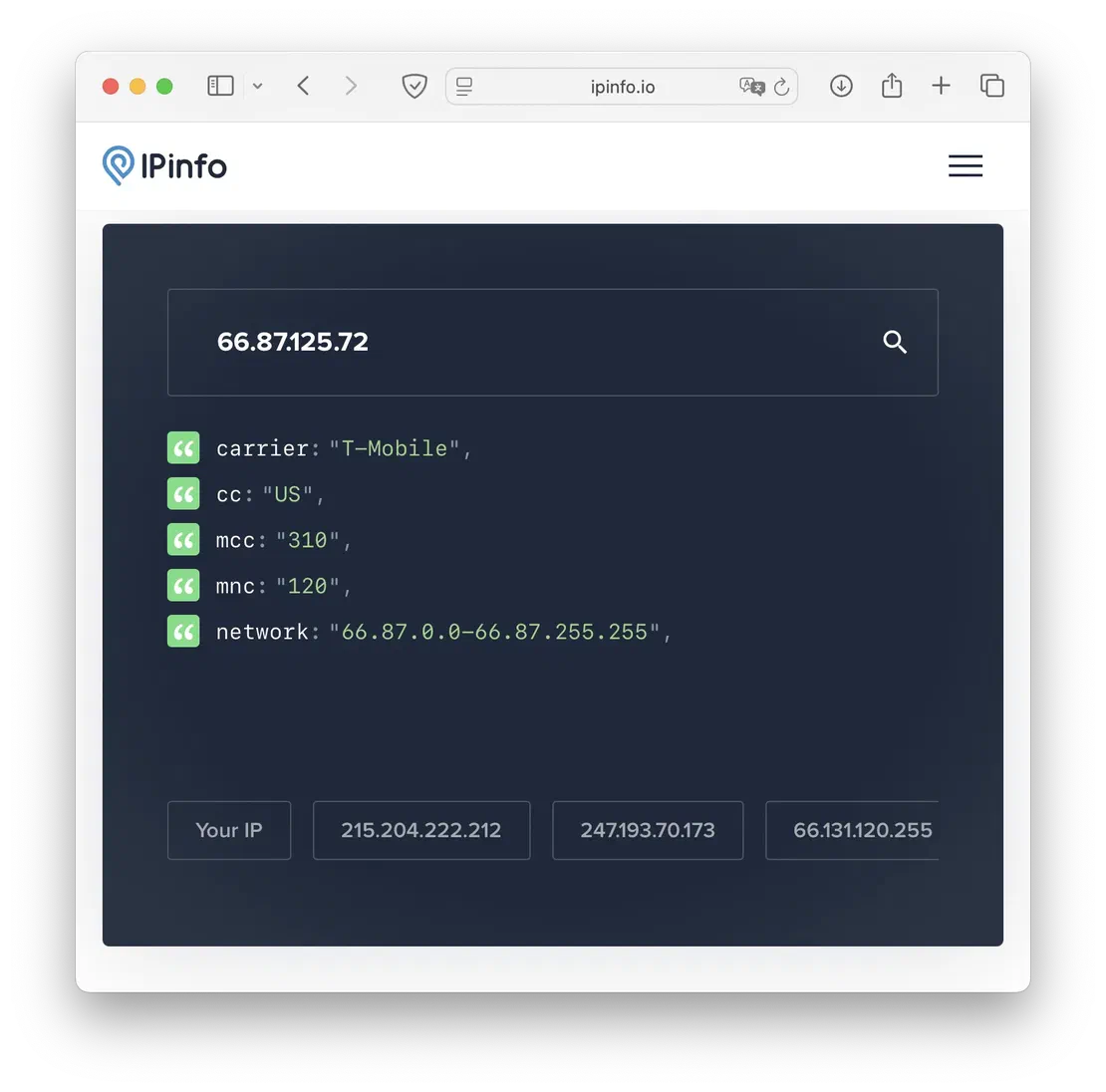
For mobile IP addresses, IPinfo provides details such as the carrier’s name, country code, and network code. Unfortunately, we couldn’t capture an API response for this specific case, so the example below is taken from the web interface:
Netlas
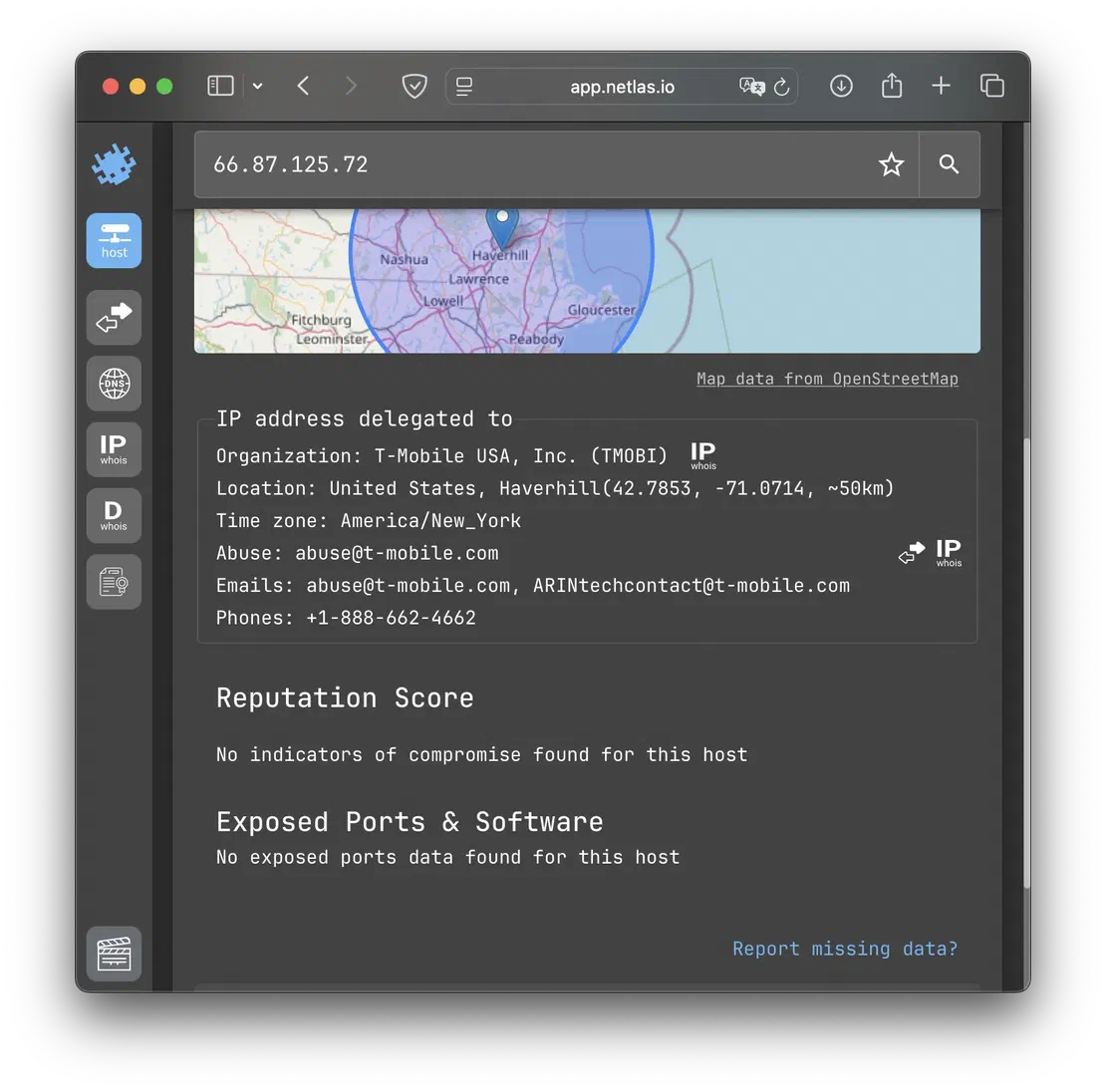
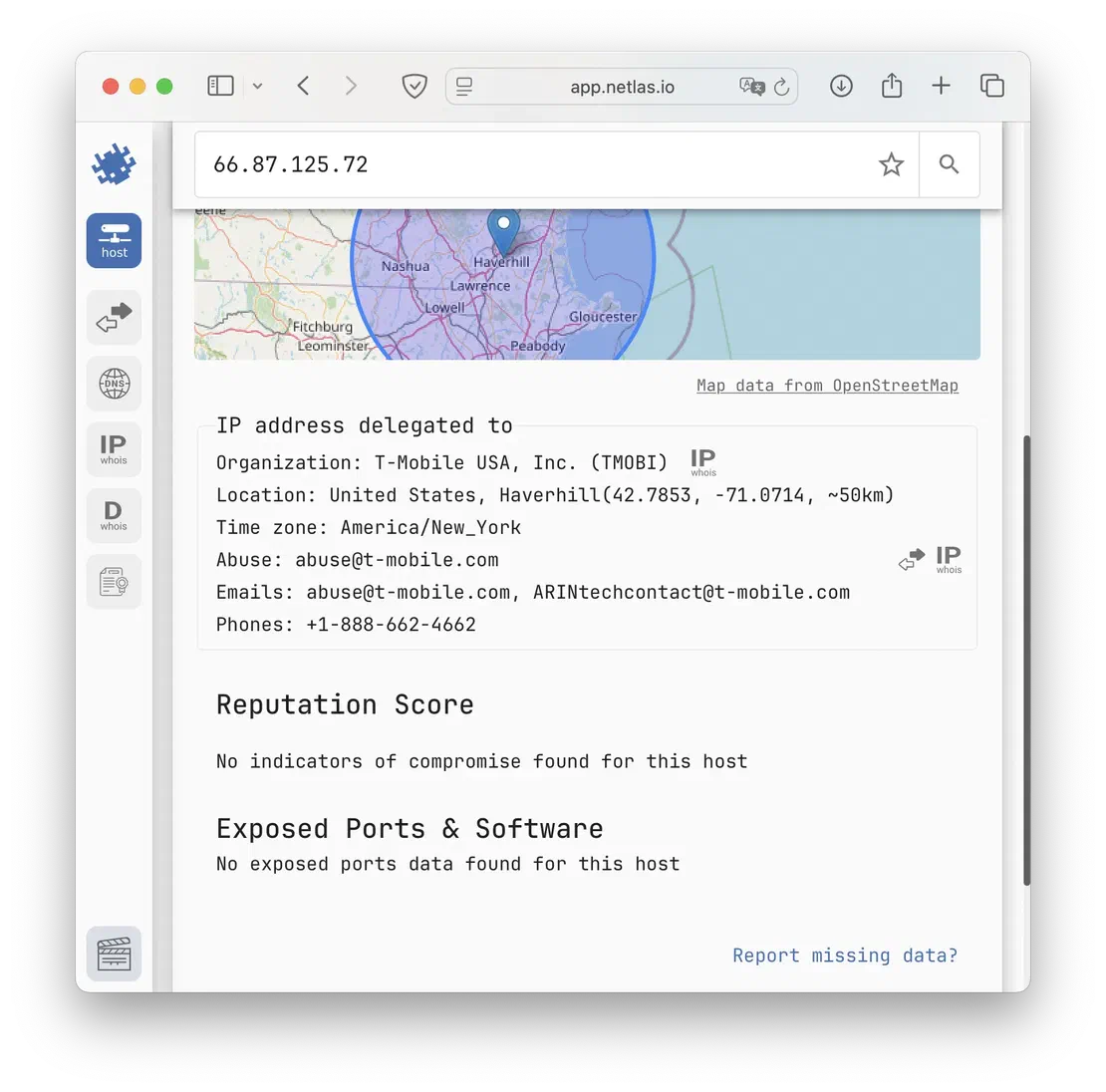
Netlas offers more limited support for mobile operator data. While it can identify providers, countries, and subnet information, it does not provide details such as MCC (Mobile Country Code) and MNC (Mobile Network Code).
Since the IPinfo example was shown using the web interface, we’ll present the Netlas output in the same format for consistency.
Functionality that allows you to determine the company that owns the IP address, as well as information about it.
IPinfo
IPinfo returns the company, as well as its type (hosting, business) and its domains. Sample output:
"company": {
    "name": "Korea Telecom",
    "domain": "kt.com",
    "type": "isp"
  }
Netlas
Netlas also returns the organization name, though it does not specify the organization type. Regarding domain information, it is not always available for every IP address, but in some cases, it can be extracted by parsing the contact details:
One of the most important features, allowing you to get a list of domains that are located on the IP address being investigated.
IPinfo
IPinfo returns the total number of domains and their list, but with a limitation of up to five names per IP address. Example:
"domains": {
    "ip": "8.8.8.8",
    "total": 15981,
    "domains": [
      "hdchina.org",
      "ymjump.com",
      "musicool.cn",
      "ztgg.org",
      "aonode.com"
    ]
  }
Netlas
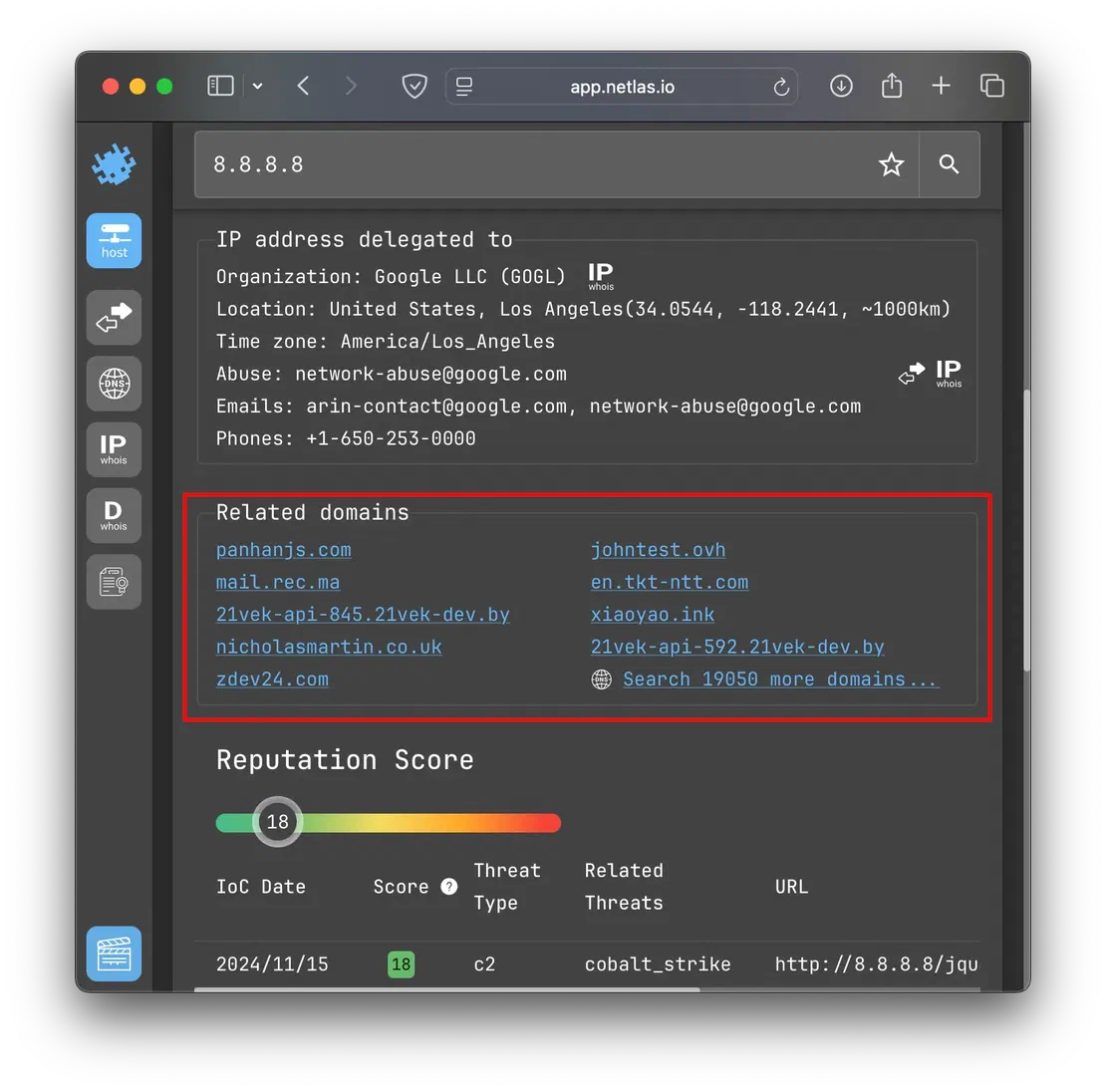
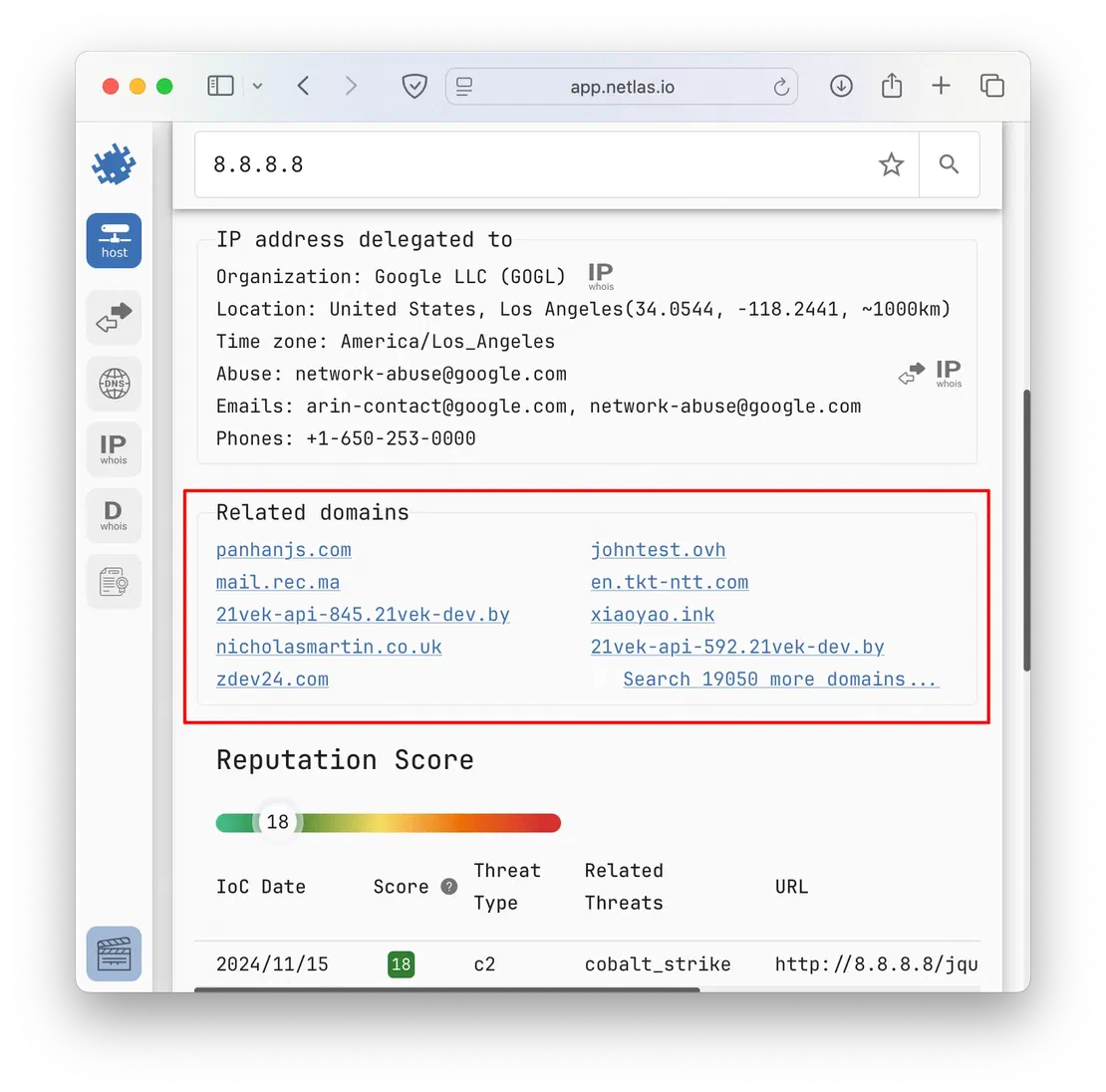
Netlas has a similar situation: it also returns the number of domains and a short list, the difference is that instead of five, its API returns ten. For example, for the same IP address, it looks like this:
{
  "domains": [
    "panhanjs.com",
    "johntest.ovh",
    "mail.rec.ma",
    "en.tkt-ntt.com",
    "21vek-api-845.21vek-dev.by",
    "xiaoyao.ink",
    "nicholasmartin.co.uk",
    "21vek-api-592.21vek-dev.by",
    "zdev24.com",
    "21vek-api-482.21vek-dev.by"
  ],
  "domains_count": 19059
}
When using Netlas and IPinfo as web applications, Netlas holds a clear advantage: with a single click, users can access a comprehensive list of domains associated with a given IP address. Here’s how this feature appears in practice:
Another extremely useful tool that provides access to WHOIS data. Both Netlas and IPinfo provide full access to the WHOIS fields for IP addresses.
IPinfo
Access to the following WHOIS fields is provided: range, id, name, descr, host, country, email, abuse, domain, country, city, street, postal, updated, imported.
You can read more about this on the corresponding page.
Netlas
Netlas provides comparable data within the WHOIS protocol. The full output for IP address 8.8.8.8 is shown below:
{
  "whois": {
    "abuse": "[email protected]",
    "asn": {
      "cidr": "8.8.8.0/24",
      "country": "US",
      "name": "GOOGLE",
      "number": [
        "15169"
      ],
      "registry": "arin",
      "updated": "2023-12-28"
    },
    "ip": {
      "gte": "8.8.8.0",
      "lte": "8.8.8.255"
    },
    "net": {
      "address": "1600 Amphitheatre Parkway",
      "cidr": [
        "8.8.8.0/24"
      ],
      "city": "Mountain View",
      "contacts": {
        "emails": [
          "[email protected]",
          "[email protected]"
        ],
        "phones": [
          "+1-650-253-0000"
        ]
      },
      "country": "US",
      "created": "2023-12-28",
      "description": "Google LLC",
      "end_ip": "8.8.8.255",
      "handle": "NET-8-8-8-0-2",
      "name": "GOGL",
      "net_size": 255,
      "organization": "Google LLC (GOGL)",
      "postal_code": "94043",
      "range": "8.8.8.0 - 8.8.8.255",
      "start_ip": "8.8.8.0",
      "state": "CA",
      "updated": "2023-12-28"
    }
  }
}I’ll briefly touch on the last two data types, as they are more specialized and less universally applicable.
IPinfo’s IP Ranges feature enables users to explore the subnets owned by an organization directly. While Netlas’ IP/Domain Info tool doesn’t offer this functionality out of the box, similar data can be derived by combining other Netlas tools.
Regarding IP Activity, both services provide access to historical data, allowing for tracking changes and patterns over time.
Features alone don’t hold much value if access is limited. The second section of this article will examine the subscription plans of both services, along with the restrictions they impose.
A key distinction to note: Netlas and IPinfo operate under fundamentally different models. Netlas offers its API openly to all users, whereas IPinfo’s API access is behind a paywall. Conversely, IPinfo’s web interface grants access to data up to the Business subscription level, while Netlas applies usage restrictions uniformly across all access methods.
The tables below show the subscription plans for each resource.
IPinfo
| Plan | Cost at month |
|---|---|
| Lite | $ 0 |
| Core | $ 99 |
| Standard | $ 249 |
| Business | $ 499 |
| Enterprise | Custom |
Netlas
| Plan | Cost at month |
|---|---|
| Community | $ 0 |
| Freelancer | $ 49 |
| Business | $ 249 |
| Corporate | $ 830 |
| Enterprise | Custom |
Pricing for both services is generally comparable. The main exception lies in the top-tier subscriptions, where Netlas tends to be more expensive — reflecting its broader feature set that extends beyond just the IP/Domain Info tool.
After reviewing the pricing plans, the next step is to analyze which features are available at each subscription level for both services. The following table provides a detailed comparison.
| Feature | Plan in Netlas | Plan in IPinfo |
|---|---|---|
| IP Geolocation | Community | Lite / Core |
| ASN | Community | Lite / Core |
| Network Flags | Community * | Core |
| Privacy Detection | Business | Standart |
| Abuse Contact | Corporate | Business |
| IP to Mobile Carrier | Community | Business |
| IP to Company | Community | Business |
| Hosted Domains | Community | Business |
| IP WHOIS | Community | Enterprise |
| IP Ranges | Community | Enterprise |
| IP Activity | Community ** | Enterprise |
* - Only is_satellite_provider flag
** - The IP/Domain Info tool itself does not support historical queries directly. However, this functionality is available through other Netlas tools—such as Responses Search, DNS Search, or IP Whois Search—which can be used to track changes related to a specific IP address over time.
As demonstrated, most of the features covered in this article are available in Netlas’ basic free tier. However, due to strict request limits, upgrading to at least the Freelancer plan is recommended for a smoother and more efficient experience.
In conclusion, for large-scale operations involving thousands of API requests across multiple IP addresses, Netlas is the better choice. Its API is more affordable, supports higher request volumes, and provides access to a wider range of additional tools. On the other hand, IPinfo excels for quick lookups and smaller workloads where IP addresses can be reviewed manually. The near-complete data available through its web interface at the Lite subscription level is a significant convenience for these use cases.

I can show you how deep the Internet really goes
Discover exposed assets, infrastructure links, and threat surfaces across the global Internet.
此内容由惯性聚合(RSS阅读器)自动聚合整理,仅供阅读参考。 原文来自 — 版权归原作者所有。