







One of the most valuable data sources for an information security professional is DNS history. It plays a crucial role in building an attack surface, investigating phishing sites, conducting OSINT, and various other processes. In this article, we will explain how to easily retrieve DNS history for any domain and demonstrate straightforward methods for using this information to counter specific types of attackers.
Before diving into the main content of the article, it’s important to cover some theoretical concepts and definitions. This will help those unfamiliar with certain terms to quickly bridge any knowledge gaps. More experienced readers can feel free to skip ahead to the next section.
DNS (Domain Name System) is a distributed system that stores essential information about domain names. Typically, it is used to translate a domain name into an IP address, but it can also serve other functions.
All DNS-related data for a specific domain is stored in what are known as DNS records. This article will focus on exploring these records in detail.
DNS supports several dozen types of records, but we will focus on the most commonly used and valuable ones.
DNS history is a retrospective list of DNS records for a domain. It allows you to track changes such as how the IP address associated with the domain has evolved over time or modifications made to the TXT records, among other details. This information can be extremely valuable for cybersecurity professionals.
Finally, let’s look at the three main points that I have highlighted for this article
Recommended Reading
Complete Guide on Attack Surface Discovery
In the next paragraph we will look at these use cases in more detail.
Let’s take a closer look at the use cases described earlier. I will explain how DNS history can be beneficial in each scenario and provide brief examples to illustrate its application.
Let’s begin with attack surface discovery. As I mentioned earlier, this process involves identifying assets and their relationships that belong to the target organization. So, how does DNS history assist in this context?
Firstly, it’s important to note that DNS records themselves represent strong relationships. For example, if two domains share the same NS record, they are most likely connected. If they have the same MX or A record, then they are definitely related, with the exception of cases involving virtual hosting, where the same A record might be used by multiple domain names.
This information is incredibly useful for a penetration tester. However, relying solely on current DNS records limits the ability to assess changes in the infrastructure, which could signal attempts to obscure some connections.
Let me provide an abstract example: Imagine a scenario where Company A and its subsidiary Company B initially shared a single mail server, which naturally resulted in a single MX record for both.
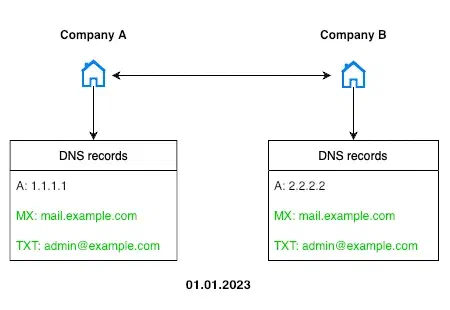
However, at some point, they decided to separate Company B from Company A, e.g. as a preparation for business selling or IPO. The server was changed, and the DNS record was updated accordingly. Additional changes were made to further obscure the connection. After these modifications, it becomes much more challenging for an outside observer—unless they have been monitoring the companies from the very beginning—to recognize their relationship.
Despite these changes, there’s no guarantee that the internal infrastructure ties between the companies have been completely severed. Either company could still serve as an entry point to the other in the event of a breach. This is why Red Team specialists, especially those without a narrowly defined search scope, should keep this possibility in mind.
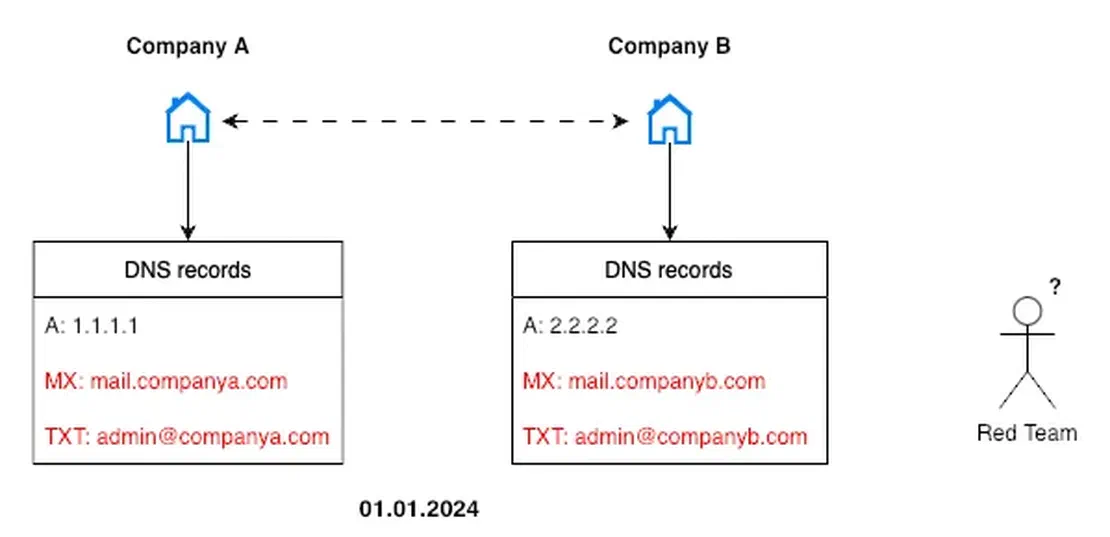
This is where DNS history becomes invaluable. By examining an organization’s DNS records over time, a specialist can observe how they have evolved. This retrospective analysis allows for the discovery of older records that may have been overlooked or deliberately concealed. These findings can reveal hidden or forgotten resources, making them a valuable addition to the attack surface.
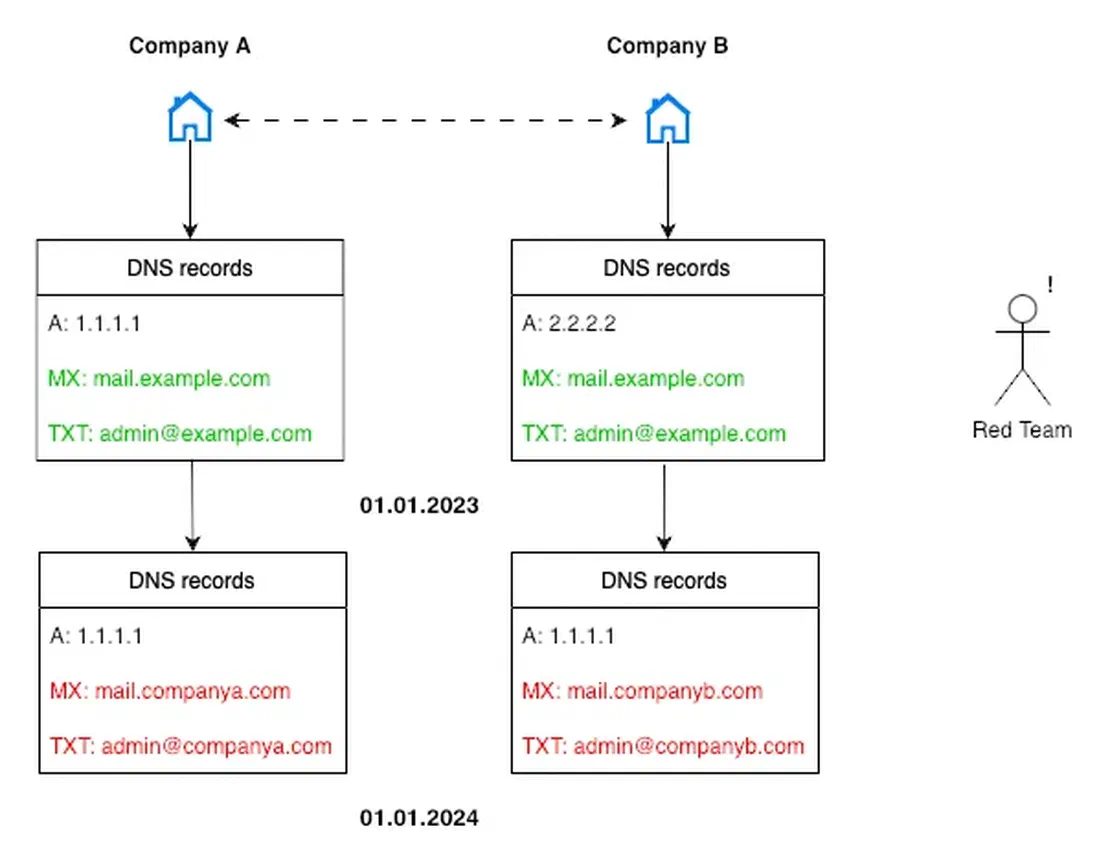
By the way, using the same technique, it is possible to track the merging of companies’ infrastructures after acquisitions.
The second use case for DNS history is particularly valuable for independent OSINT researchers and company managers interested in studying competitors. This time, we’ll focus on competitive intelligence.
DNS doesn’t impose restrictions on the number of IP addresses that can be associated with a single domain name. As a result, a domain can be linked to multiple IP addresses. This practice is often used for load balancing: when a high volume of users attempts to access a site, their traffic can be distributed across several servers owned by the organization.
It’s clear that the more backup servers an organization uses, the more users it anticipates handling. By monitoring changes in the number of A records associated with a domain over time, one can make indirect inferences about the company’s financial health—whether it’s improving or deteriorating.
A real-world example of this can be observed with Netlas. By examining its historical DNS records, such as those from 2022, you can see the only one IP address associated with the domain at that time (I will demonstrate using the example of one of the tools that will be discussed in the next paragraph).
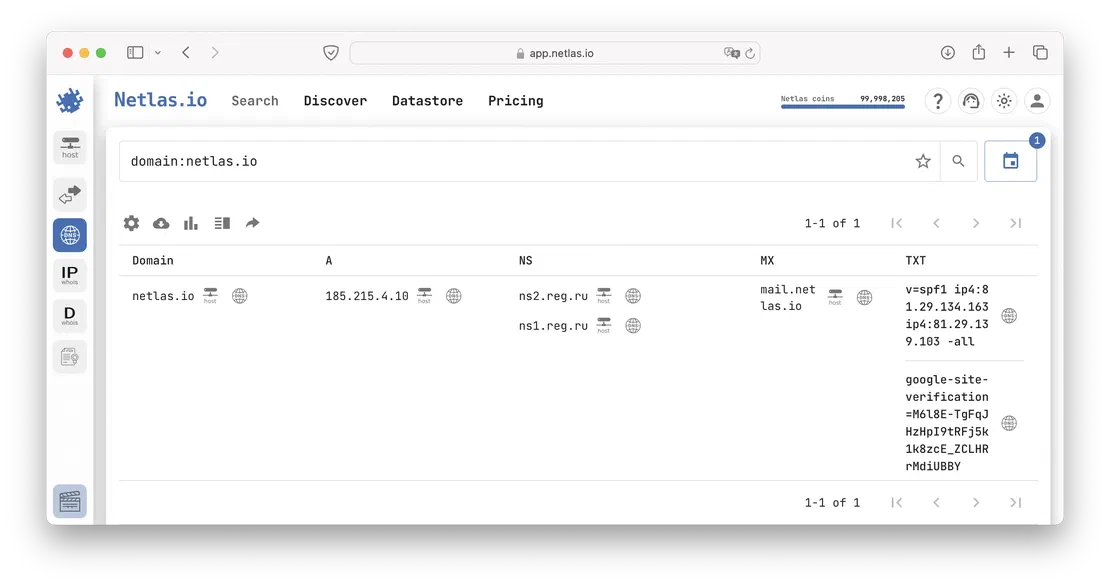
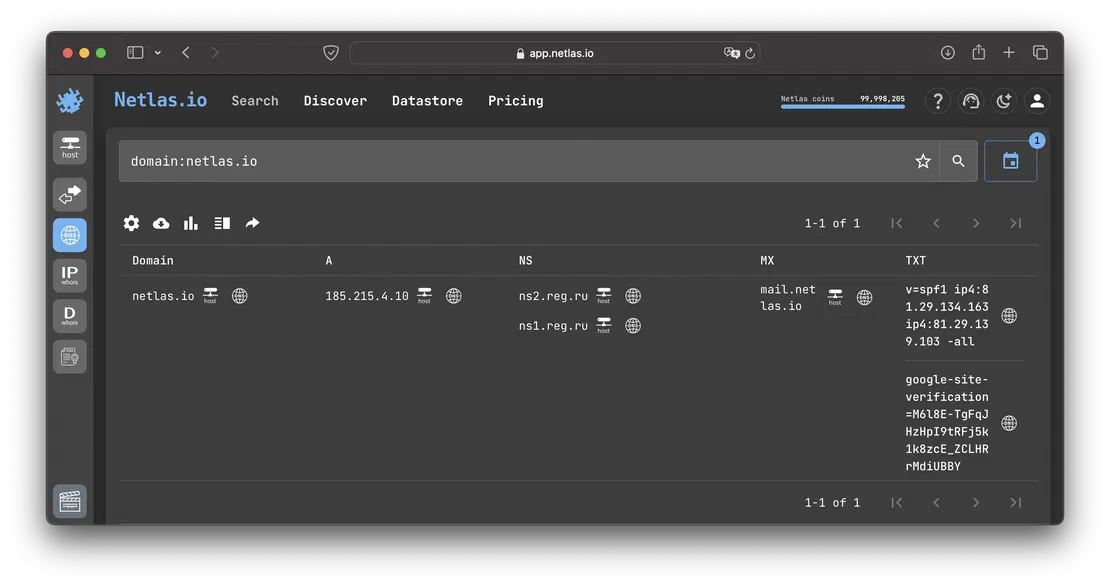
Having studied the current records, you can see that a second IP address has appeared. This is because as the number of users grew, we decided to provide better fault tolerance.
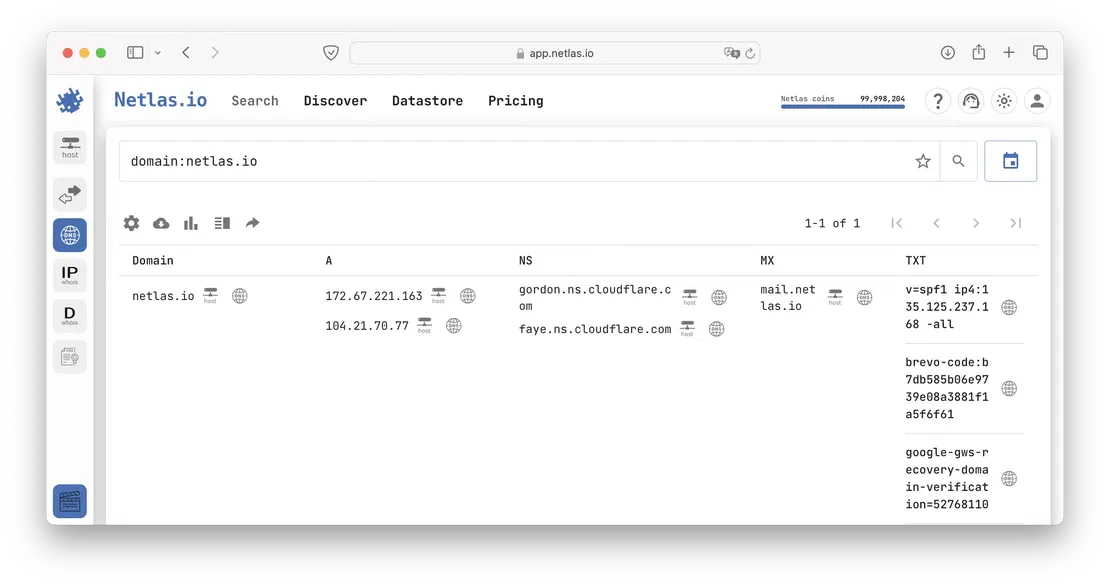
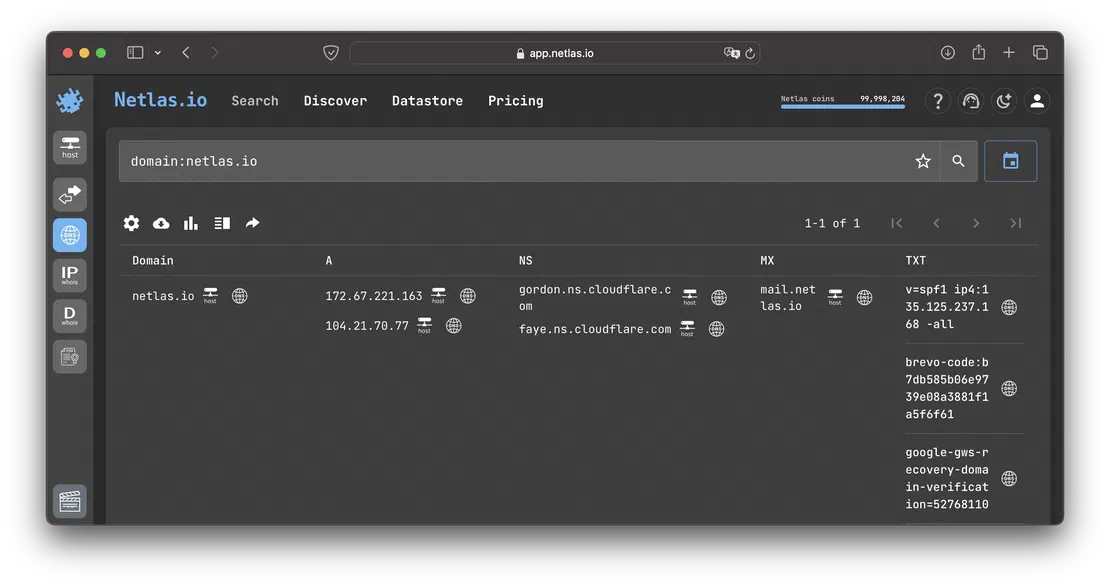
Additionally, by using DNS history, you can track how the services utilized by an organization have evolved over time. To illustrate this, let’s focus on the TXT records, which are often employed to verify domain ownership when integrating services like analytics. While the previous examples provided some context, it becomes even clearer when we examine the records of another major player, such as spacex.com.
Let’s start by evaluating the older information from 2022.
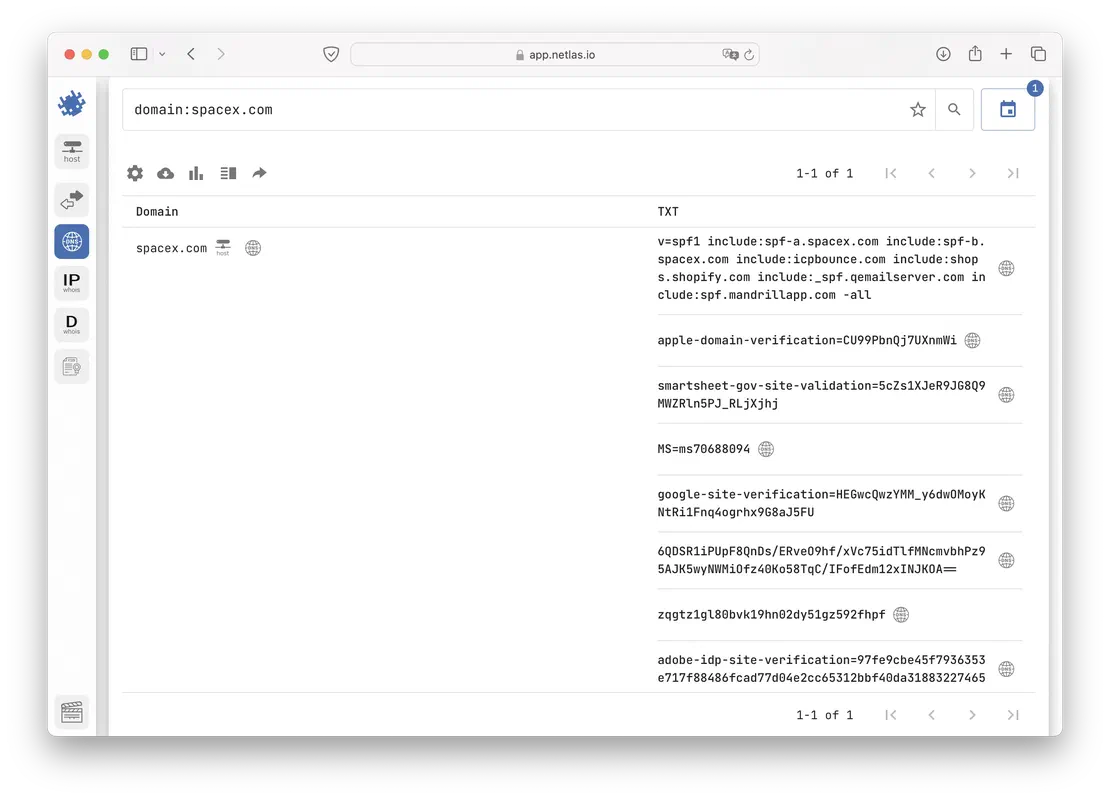
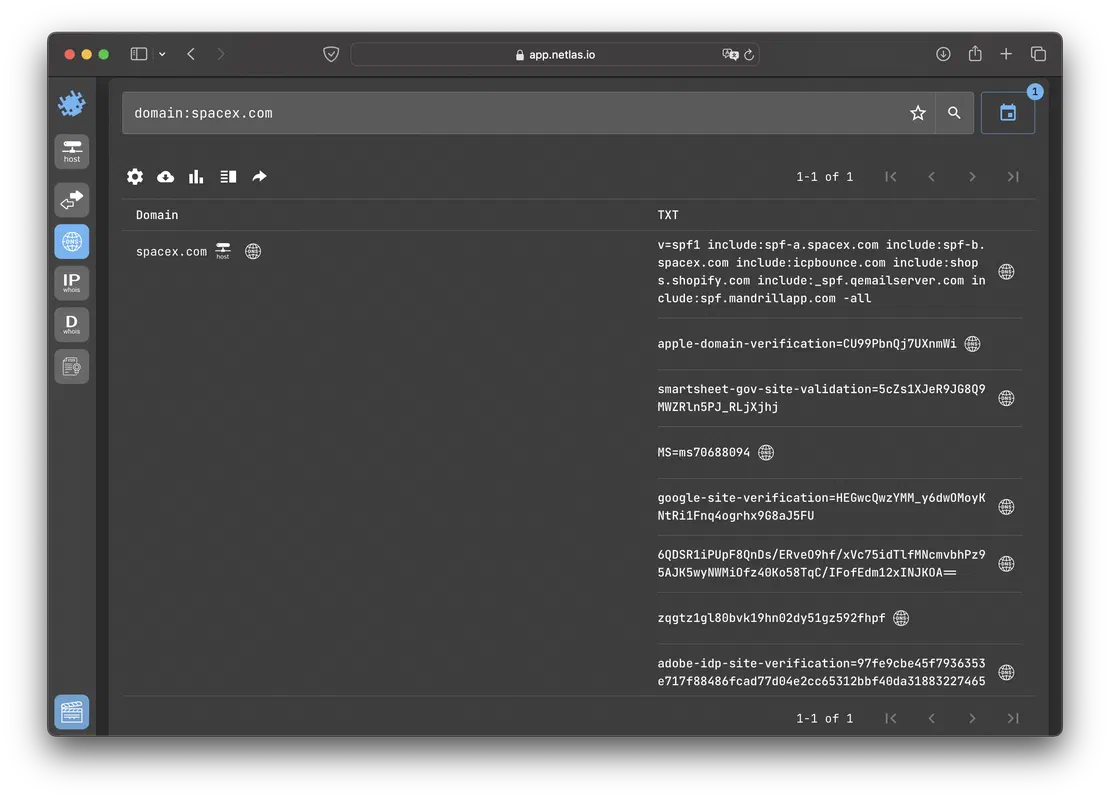
The TXT records from 2022 already show authentication keys for several services. Now, let’s examine how the situation has evolved over the past two years.
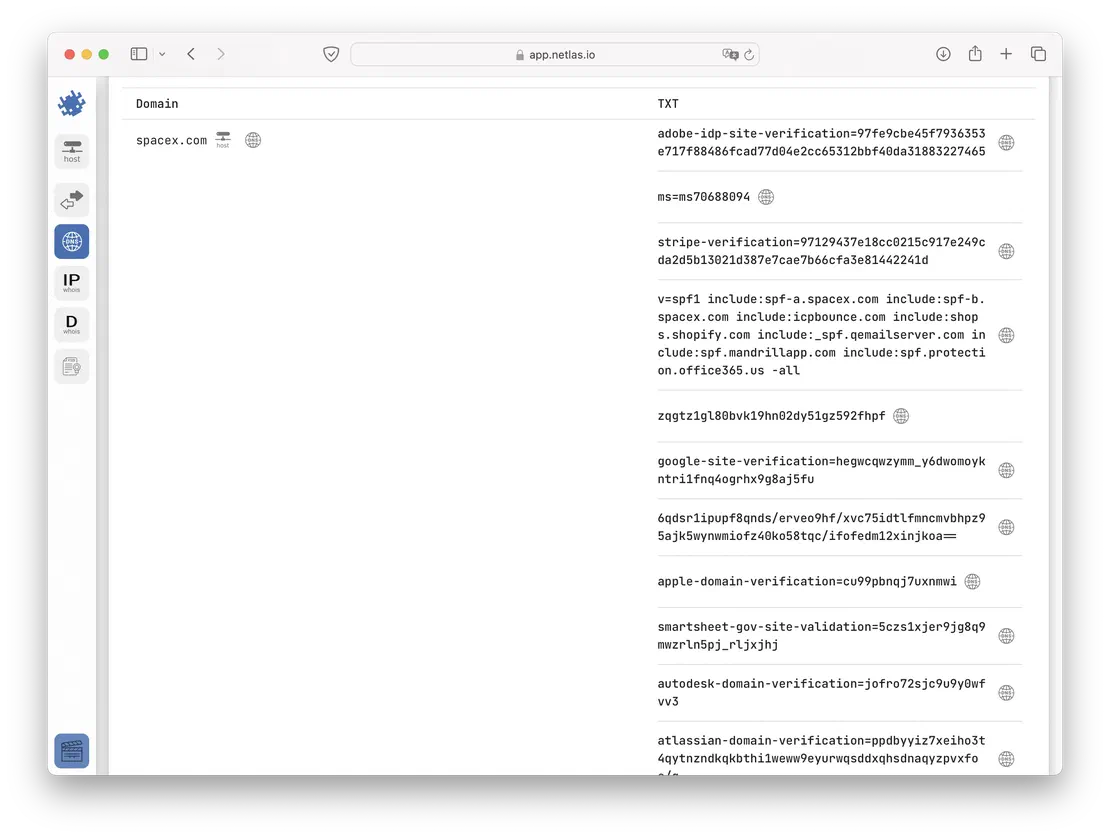
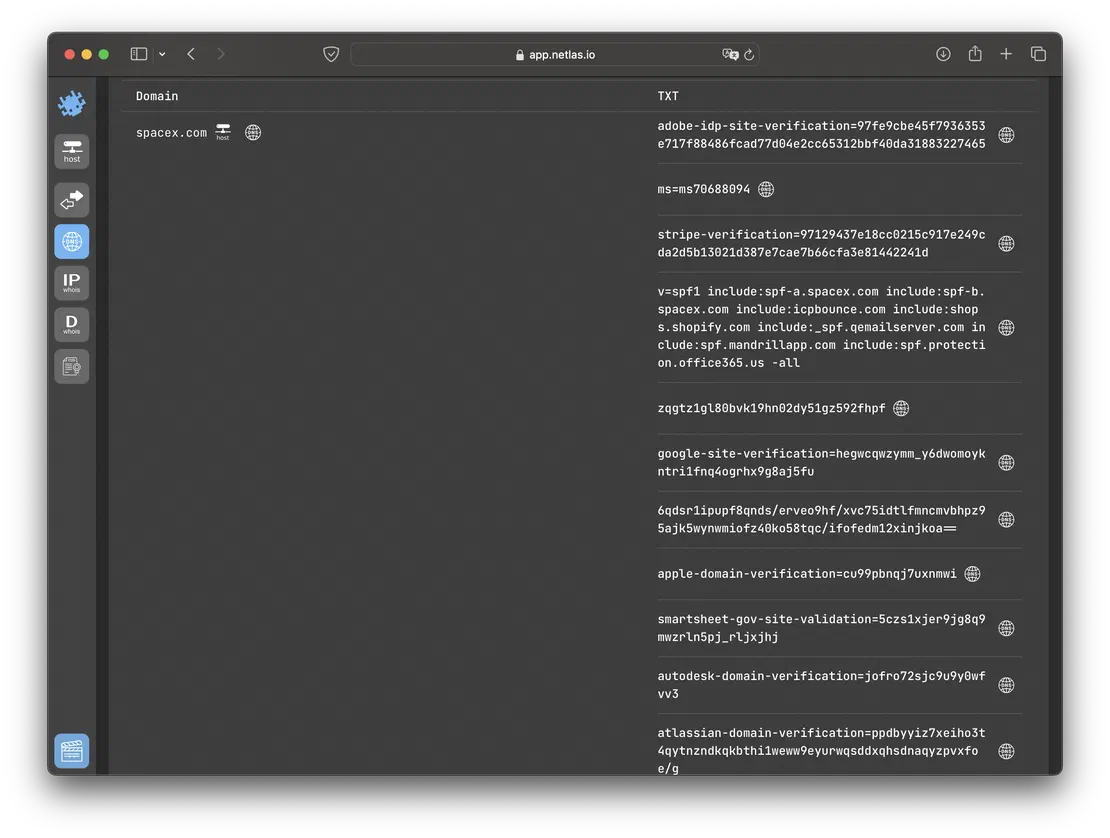
Over time, additional services like Stripe or Autodesk were added. This information allows a researcher to indirectly assess the internal processes within the organization. What prompted the introduction of these new services? Was it driven by convenience or a lack of functionality in existing solutions? The answers to these questions can significantly enrich a competitor’s profile during reconnaissance, offering deeper insights into their strategic decisions and operational adjustments.
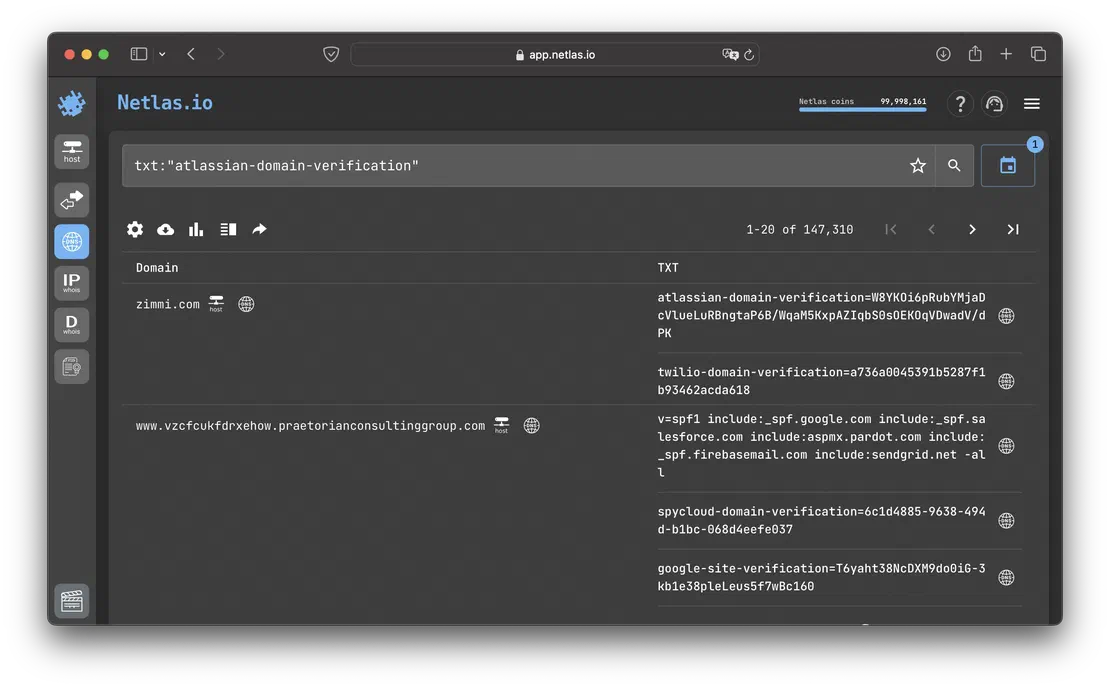
In a similar way, you can evaluate clients of various services. You may have noticed a verification key for Atlassian among the spacex.com TXT records. Let’s try to search for this record in different years.
Here is the number of such keys in 2022:
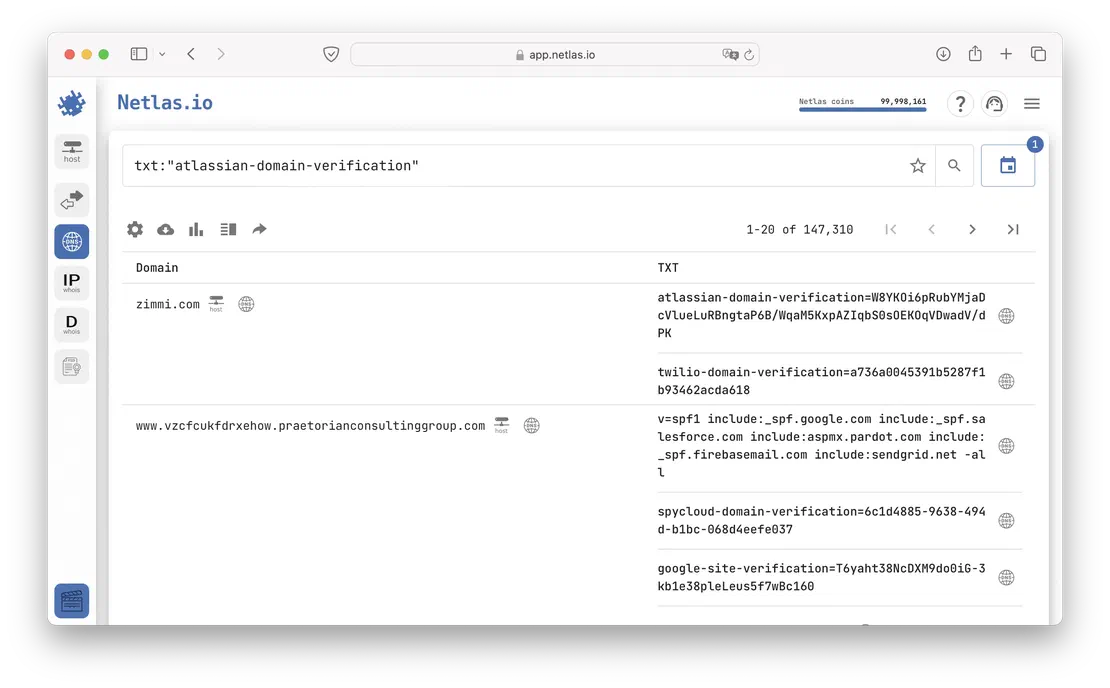
And here in 2024:
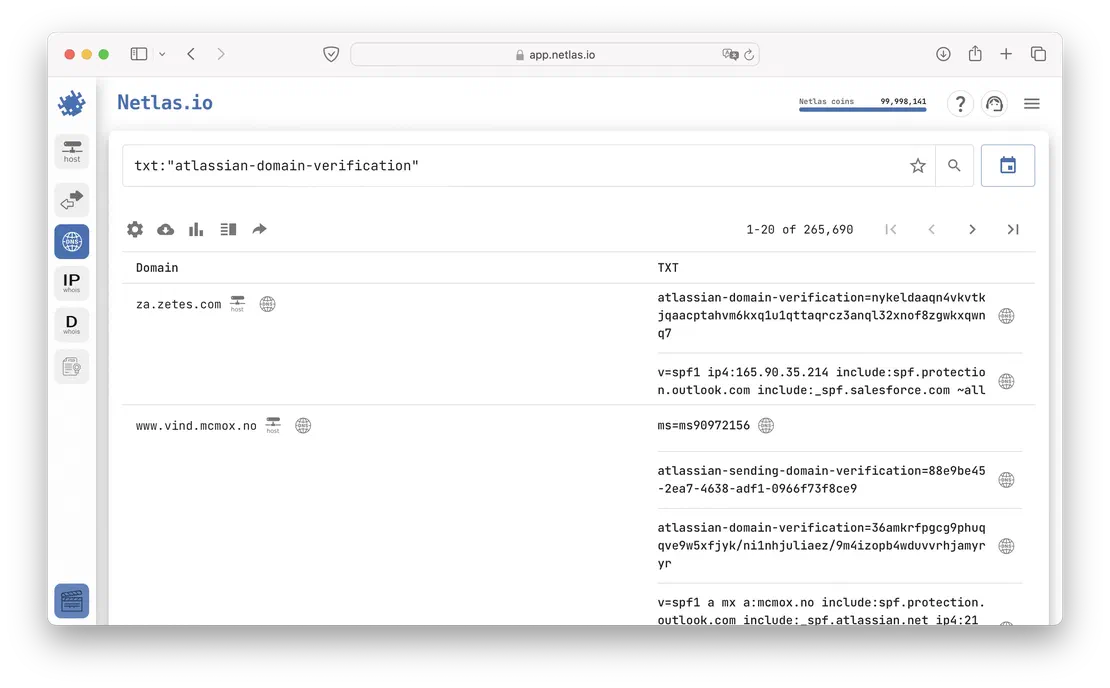
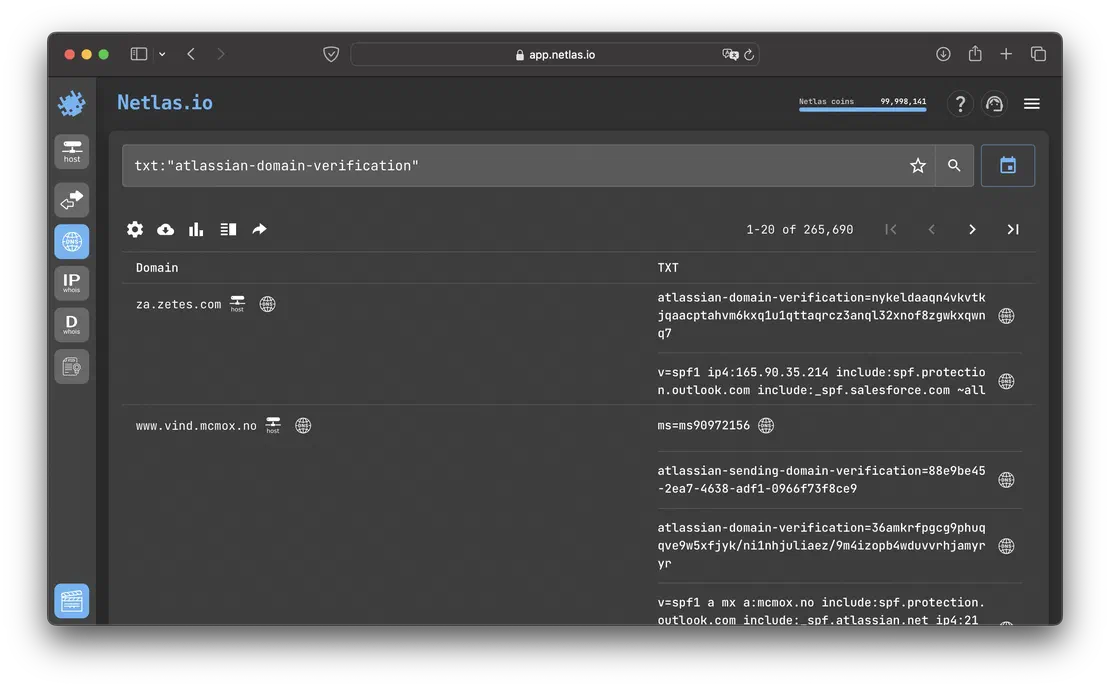
There is an obvious increase in the client base, which can only be envied. There’s no doubt that Atlassian is doing well.
Now let’s move on to the final use case. It’s well-known that phishing is one of the most dangerous techniques used by attackers in cyberspace. Over the past year, numerous high-profile cases have made headlines where large companies fell victim to ransomware, and countless other incidents went unreported. In many of these cases, all it took was for one employee to click on a phishing link, leading to the compromise of highly valuable data.
However, phishing can be countered, and DNS history can play a crucial role in this fight.
In this use case, we’ll approach the problem from the perspective of an external researcher. Imagine that attackers have created a domain that closely resembles the domain of a well-known organization—let’s say, spasex.com. This fraudulent site mimics the original and lures users into paying a hefty $1,000 for the chance to purchase a plot of land on Mars.
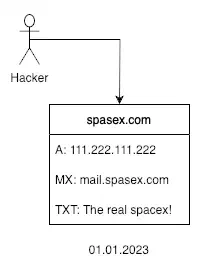
Obviously, Elon Musk’s company would swiftly take action to shut down such a domain, either by contacting the registrar directly or through legal channels. This creates a challenge for our researcher, as the domain’s takedown would prevent him from accessing the attackers’ servers and exposing the malicious addresses to the public.

This is where DNS history becomes invaluable for the researcher. By examining the historical DNS records for spasex.com, the researcher can uncover the domain’s original data. This information could potentially allow them to trace back to the attacker or, at the very least, publicly disclose the malicious IP address, helping to prevent further attacks.
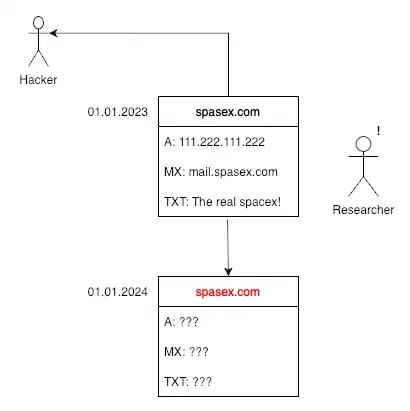
Of course, in reality, this process can be much more complex, often requiring the review of hundreds of altered records before the researcher can identify the hacker. Nevertheless, it’s clear that this task would be nearly impossible without the aid of DNS history.

I can show you how deep the Internet really goes
Discover exposed assets, infrastructure links, and threat surfaces across the global Internet.
In the next section of this article, I will introduce several tools that can be used to research DNS history. Each tool comes with its own set of advantages and disadvantages, so I’ll conclude with a brief comparison to help you select the most suitable option for your needs.
The first application we’ll examine is Netlas.io. It’s one of the largest search engines on the Internet, containing billions of DNS and SSL records, hundreds of millions of responses, WHOIS data, and several user-friendly tools. Importantly, Netlas not only stores current information but also archives data collected over time. This capability makes it an ideal example for today’s article.
For more detailed information, you can refer to our help documentation. In this article, I will focus on just one of tools available in Netlas—DNS Search.
To get started with Netlas, you’ll need to create an account, which is completely free. Upon registration, you’ll receive a Community-level subscription. This subscription allows you to perform up to 50 searches per day with full access to DNS data, and it also provides the ability to automate your searches using the API.
After creating your account and logging in, navigate to the app and open the DNS Search tool to begin your research.
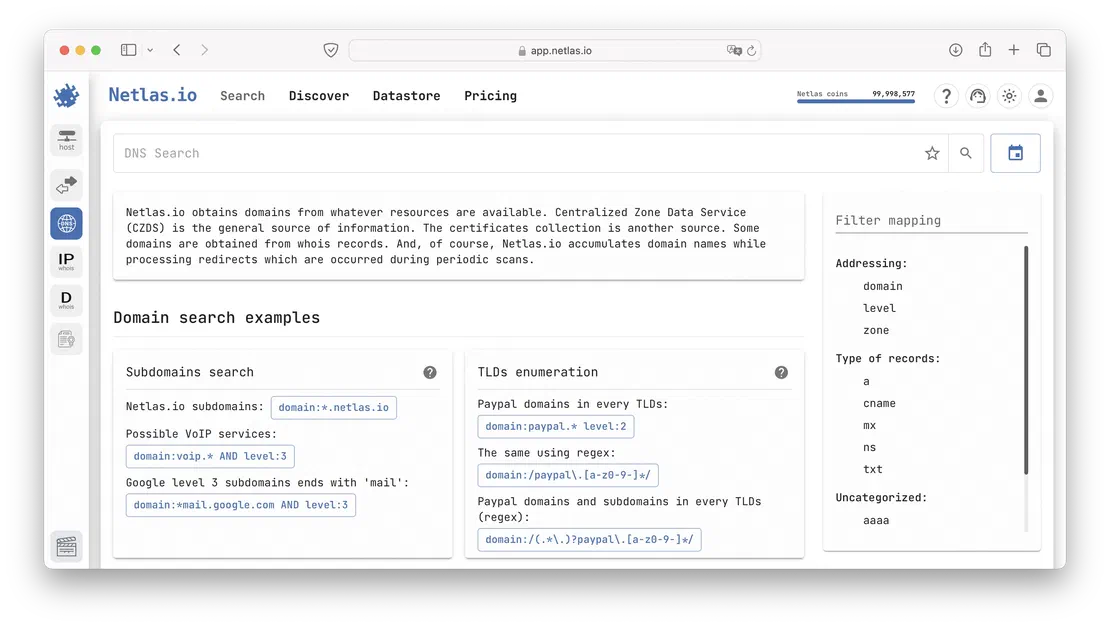
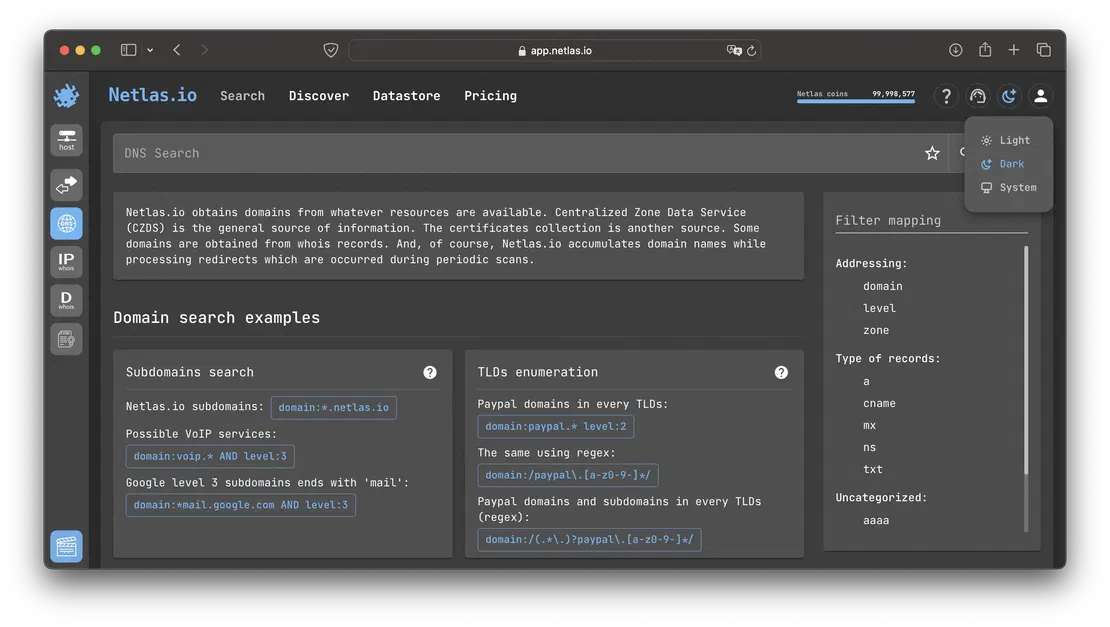
In the image above, you can see two particularly interesting features: sample queries and mapping. Netlas uses a straightforward syntax, and the number of keywords available in DNS Search is relatively small. You can find detailed information on how to compose queries in the help section, but I’ll provide a few simple examples here to give you a general overview of the search engine’s capabilities.
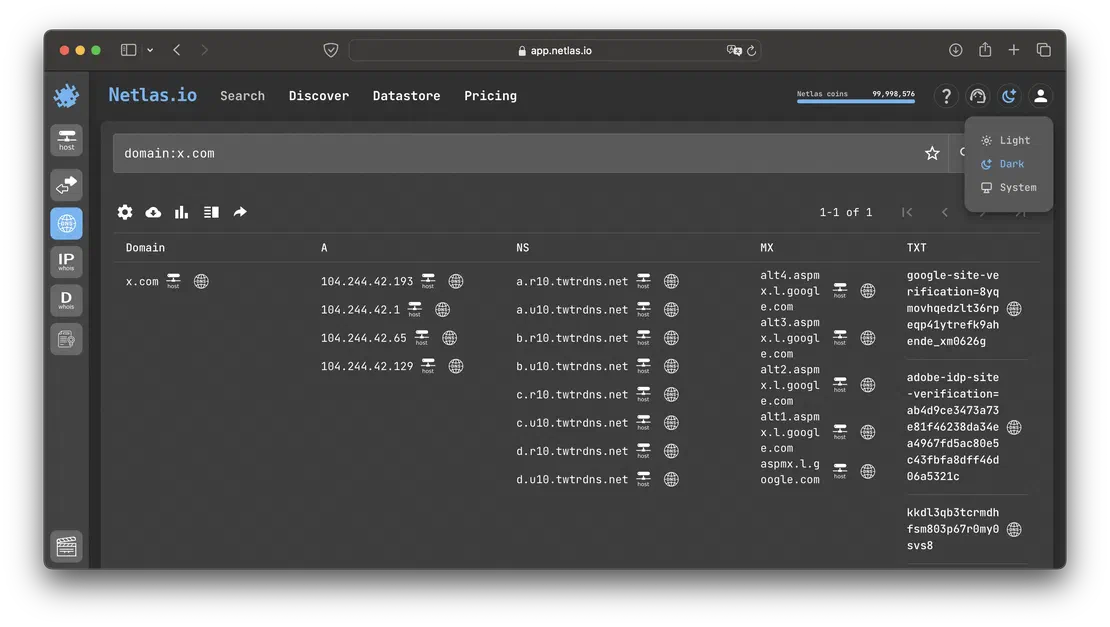
The first and most straightforward query is to retrieve all records for a specific domain. To do this, you would use a dork like:
For example, let’s try to search for the already mentioned x.com.
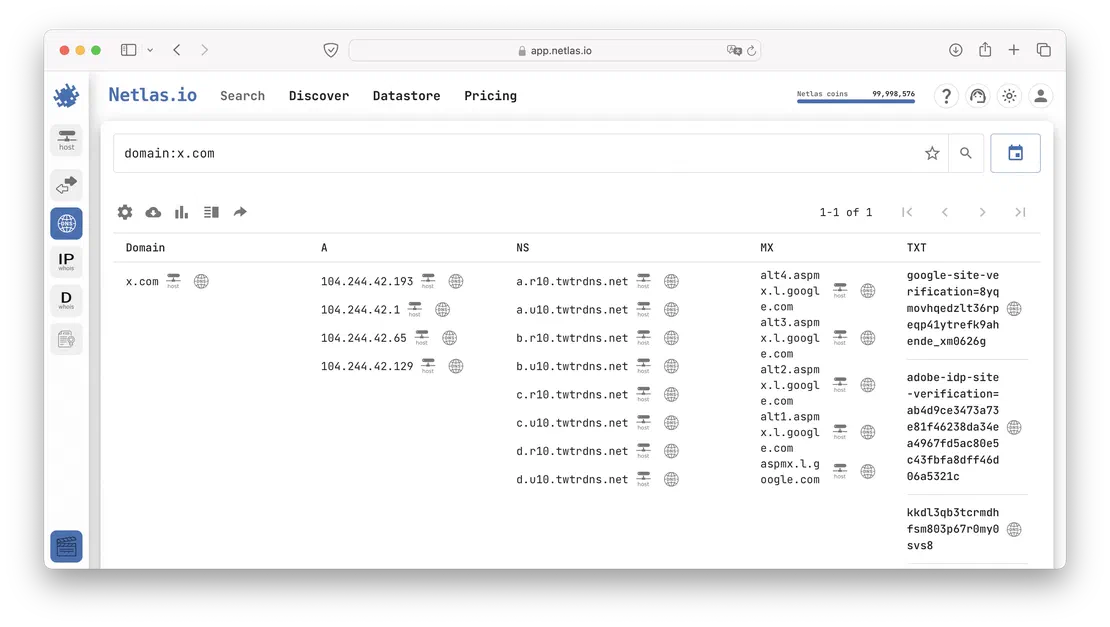
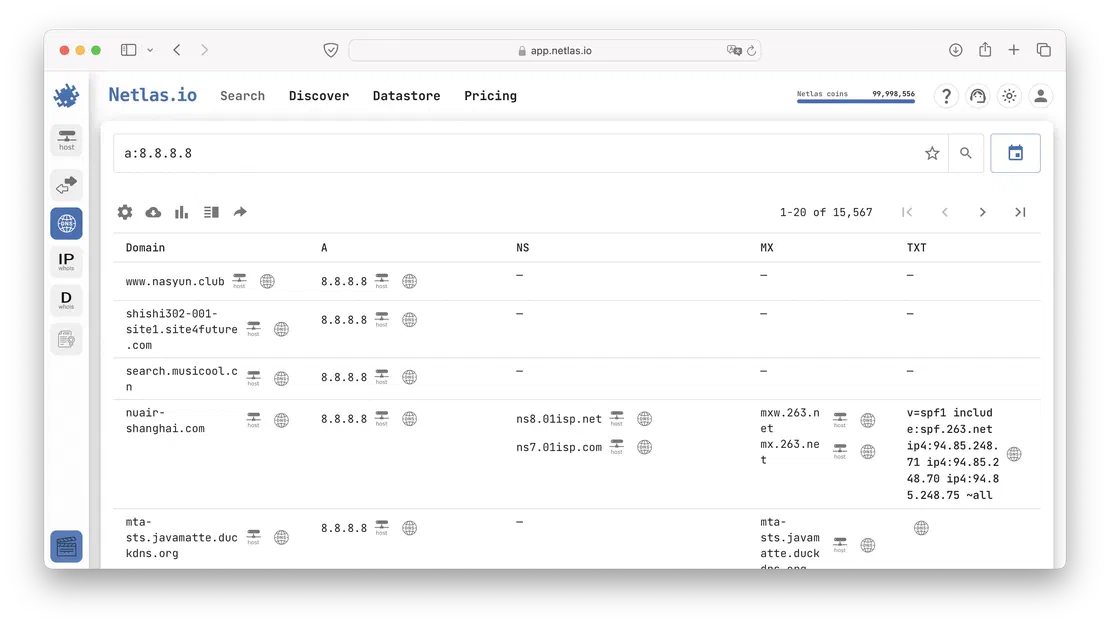
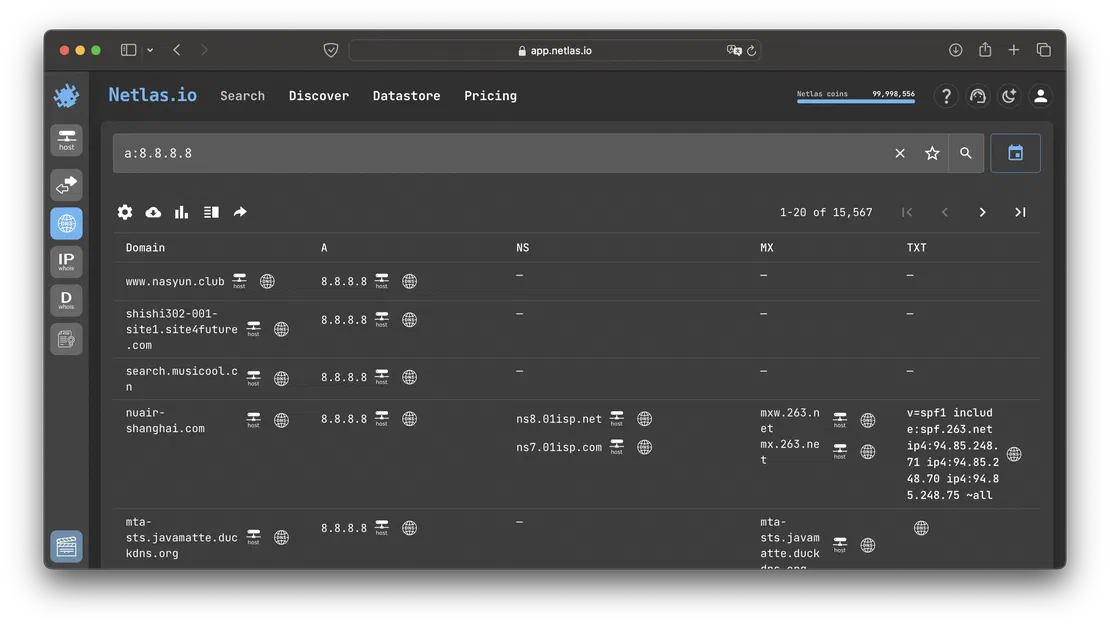
In addition to using Netlas to resolve a domain name into its DNS records, you can also perform the reverse process. To find all domains associated with a specific IP address, you would use a query like:
Similarly, you can search using other record types such as MX, TXT, NS, etc. But where does DNS history come into play?
To view historical records, you need to switch the index. To do this, simply click the following button:
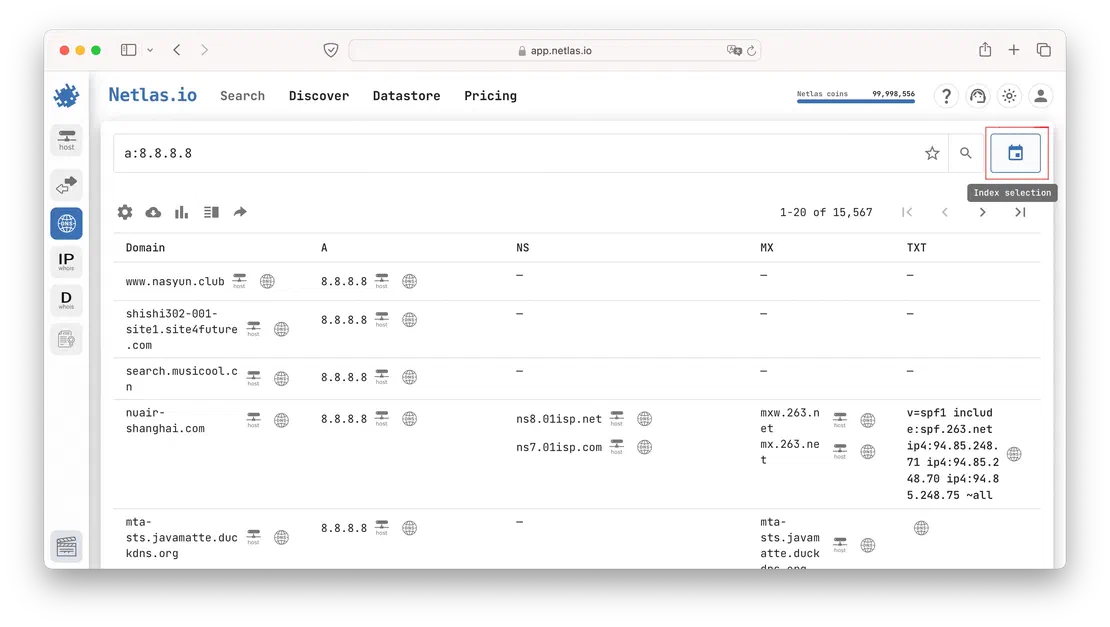
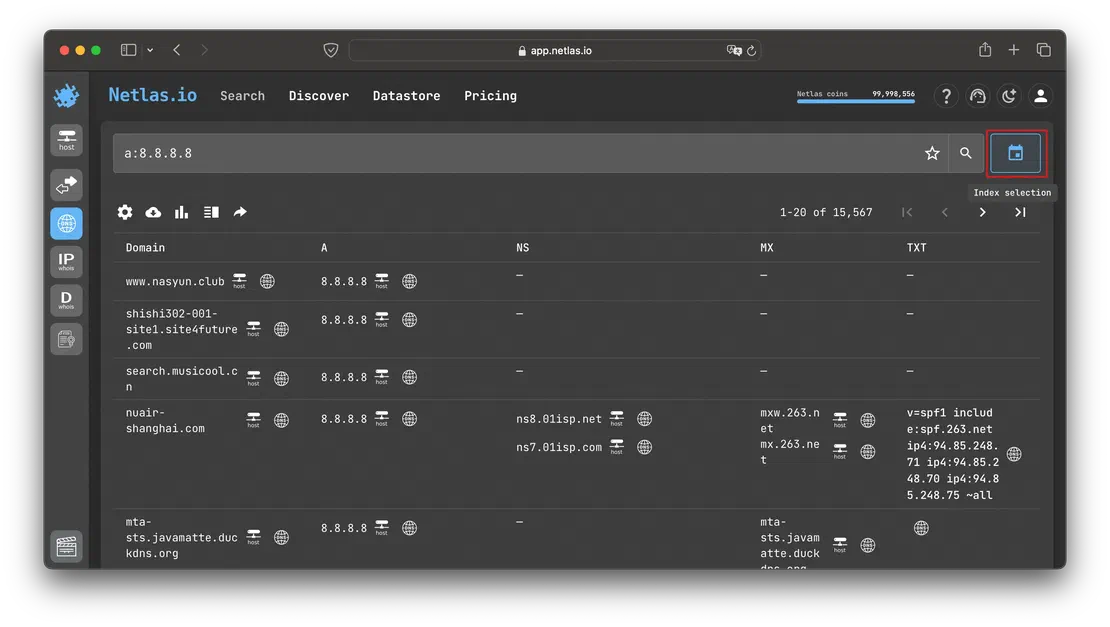
After that, find the period that interests you in the list. For example, records for 2023.
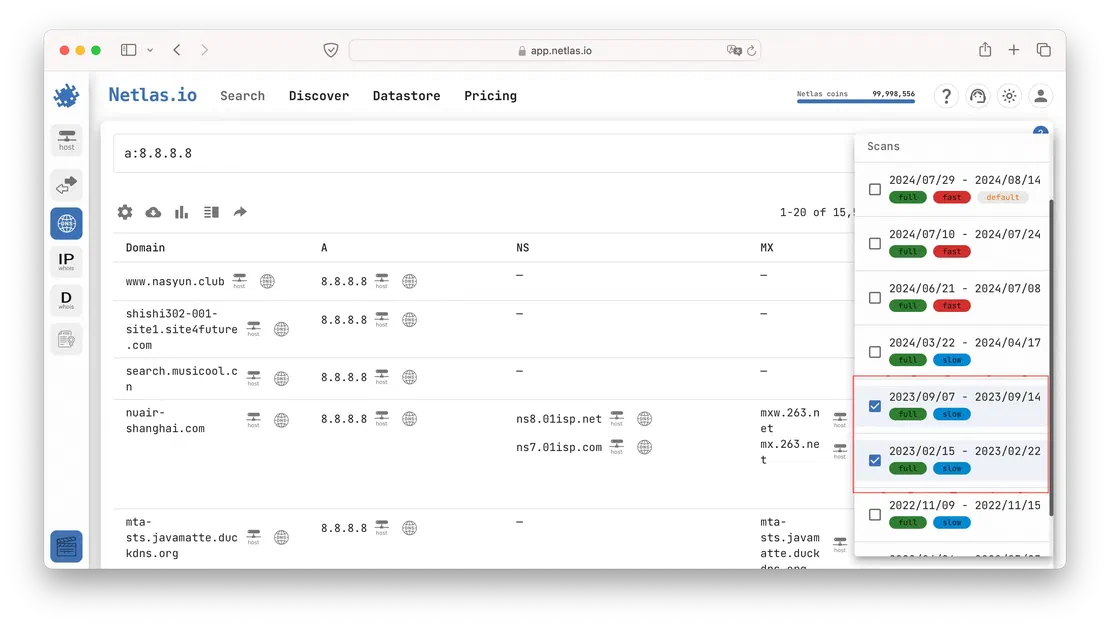
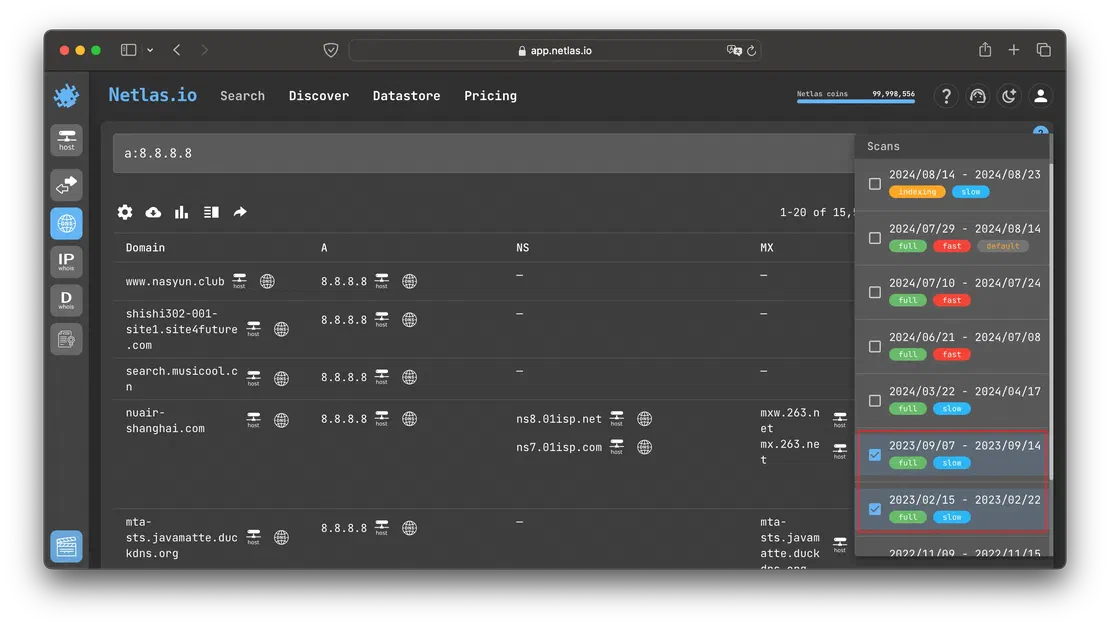
By selecting these two indices you will get the following results:
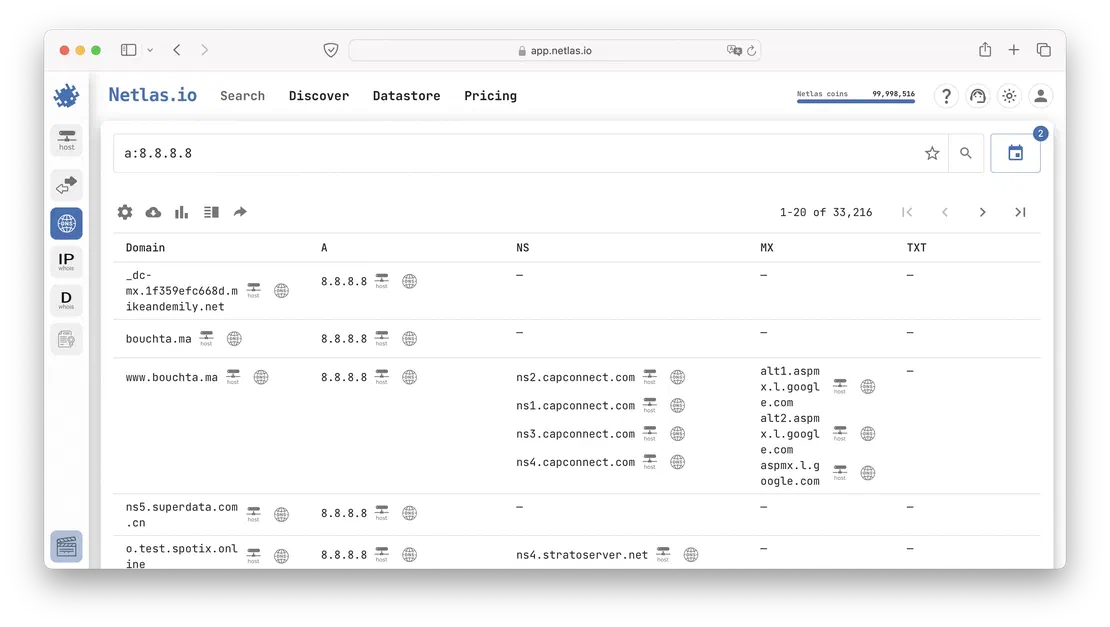
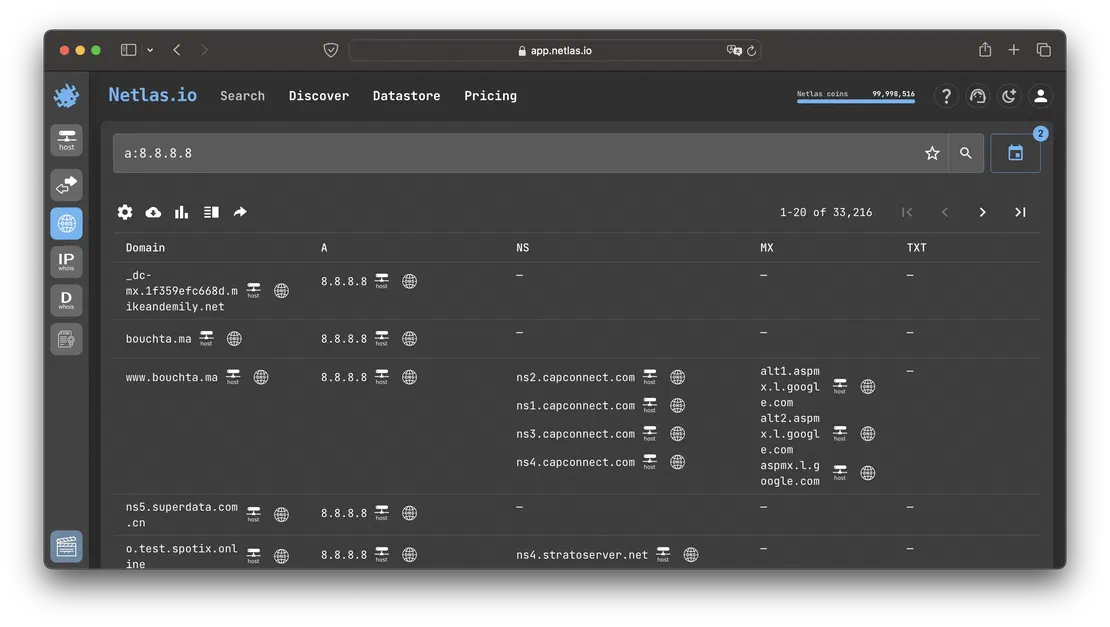
Similarly, you can select any indice dating back to 2022. Unfortunately, Netlas is a relatively young tool, so its database of historical records is somewhat limited. However, the next two tools I’ll discuss don’t have this limitation.
The next tool we’ll look at has a straightforward name that speaks for itself. It’s one of the oldest tools designed for tracking historical DNS records, with data collection starting back in 2009. According to the site, their database contains 1 billion domains and around 12 billion records. While this is somewhat less than Netlas, which stores records for 3 billion domains, the deeper historical perspective offered by this tool makes it particularly useful.
So, how do you use it? It’s quite simple. Just go to the website and enter the domain you’re interested in into the search bar, as illustrated in the image below:
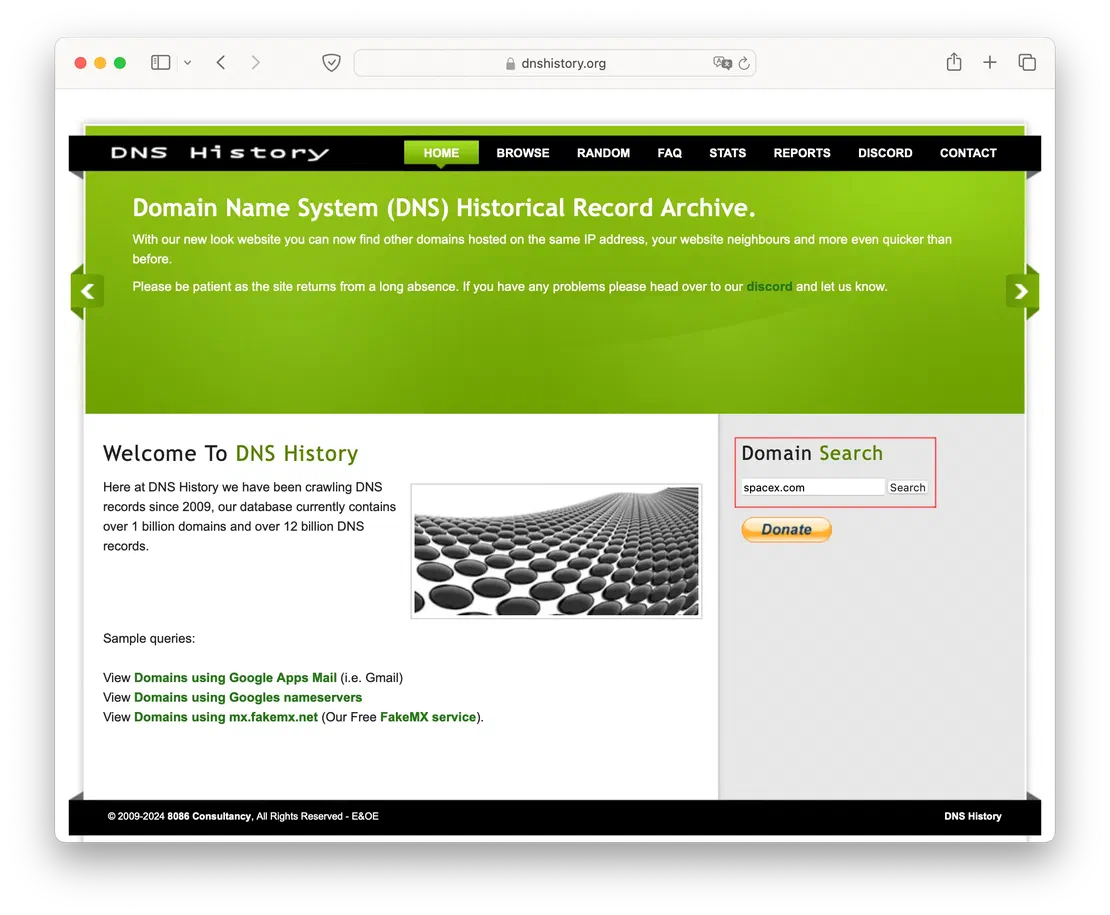
Once the site returns the DNS records for your query, simply click on the “History” button next to the record you’re interested in. This will allow you to see how that particular record has changed over time, providing a detailed view of its historical evolution.
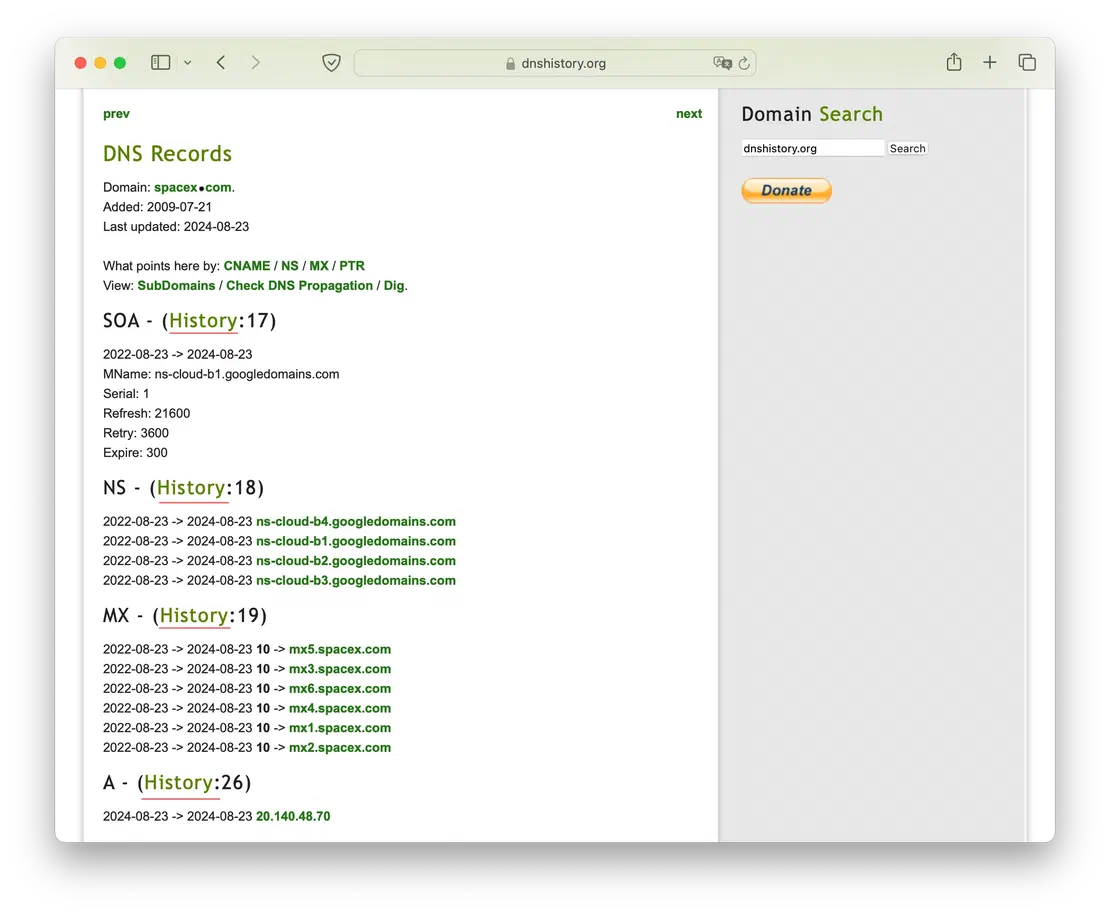
For example, let’s examine the history of A records for the domain spacex.com. By selecting this option, you’ll be able to see the changes over time, including records dating back to 2009:
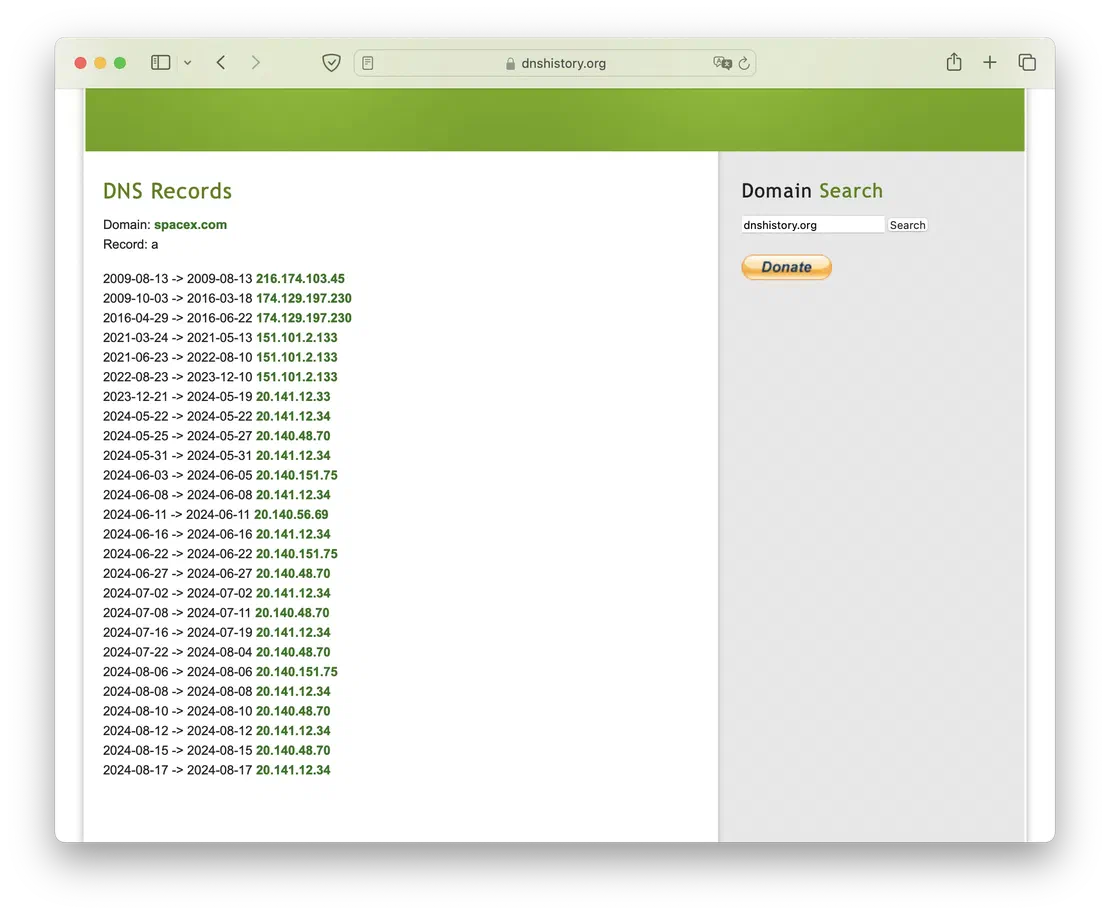
Unfortunately, DNS History does not support searching for individual records, which can make it somewhat challenging to use during an Attack Surface Discovery. However, it remains a highly convenient tool with an excellent reputation. Its main advantage is its ease of use — there’s no need to register or pay; you simply visit the site and enter the domain you’re interested in. This simplicity makes it an accessible option for quick DNS historical lookups.
The final tool we’ll discuss is SecurityTrails, which, like DNS History, has long been recognized by information security specialists. The volume of historical data stored by SecurityTrails is truly impressive—over one trillion records. So, how can you access this wealth of information?
To view current records, simply visit the site and enter the domain you’re interested in. However, to access the retrospective data, you’ll need to create a free account. With this account, you’ll have 50 requests per month, allowing you to view historical DNS records as well as subdomains.
Let’s say you’ve looked up spacex.com on SecurityTrails. To access the DNS history, you would need to click on the “Historical data” button.
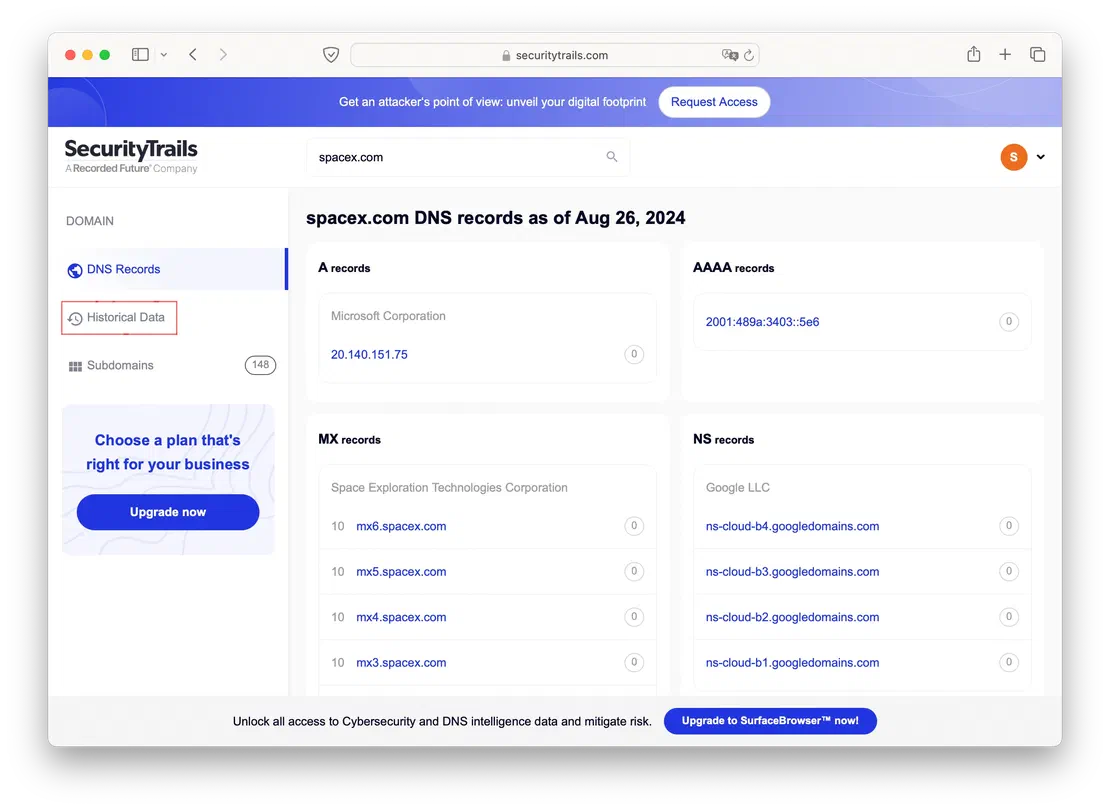
By clicking on the “Historical data” button, you’ll be able to view the historical records for the selected domain. Let’s take a closer look at the A records as an example.
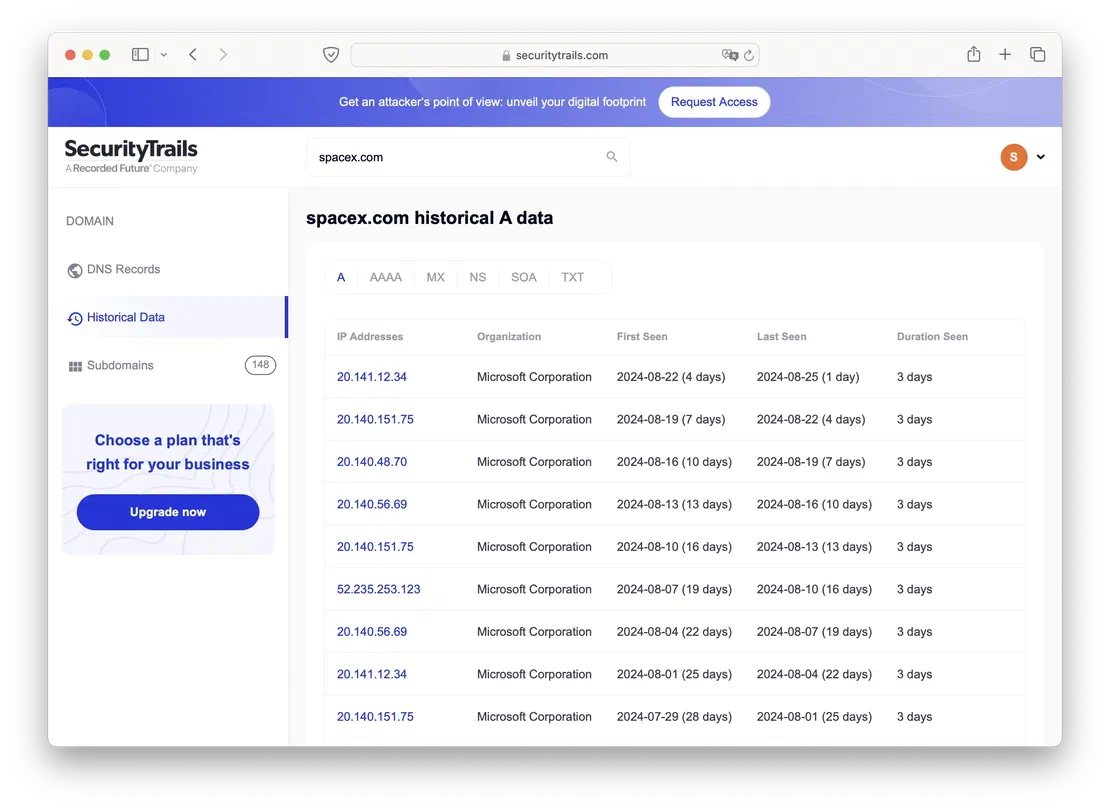
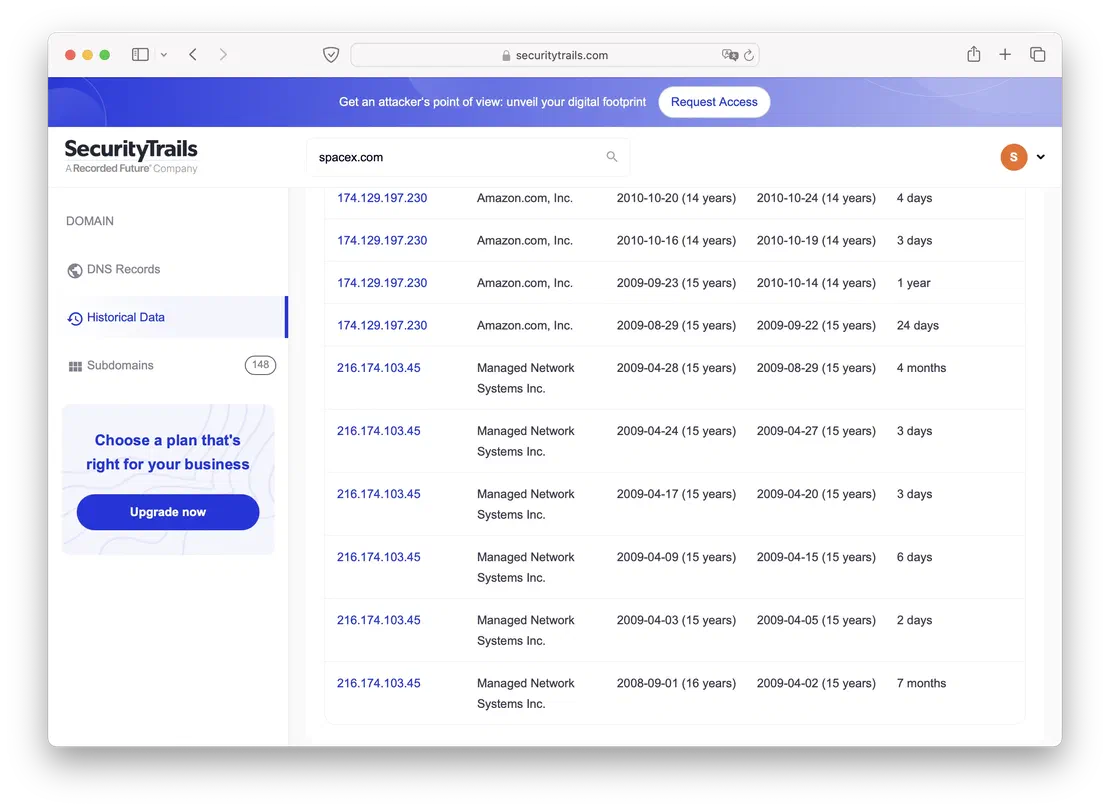
You can observe that SecurityTrails also retains very old data, dating back to 2008. However, the downside of this service is its high cost if 50 requests per month are insufficient for your needs. Additionally, unlike Netlas, SecurityTrails does not offer the ability to search by the contents of records, which makes it challenging to identify domains with matching fields. This limitation can be a significant drawback when conducting more detailed or extensive research.
In this article, I’ve aimed to demonstrate the value of DNS history within the realm of information security and introduce you to several of the simplest and most useful tools available.
Of course, the applications of historical DNS data extend beyond what we’ve covered. For instance, this data can be used to combat botnets, search for command-and-control (C2) servers, and more. However, these are more advanced use cases that require sophisticated tools and a deeper understanding of the field.
To conclude, I’d like to summarize the tools we’ve discussed, highlighting their strengths and weaknesses:
So, this concludes my article. When selecting your tools, choose wisely—consider combining them for the best results (for example, using both Netlas and DNS History to gain access to older data while maintaining flexible search capabilities for more recent records). If you have any ideas or suggestions to add to the article, I’d love to read them in the comments!

Book Your Netlas Demo
Chat with our team to explore how the Netlas platform can support your security research and threat analysis.
此内容由惯性聚合(RSS阅读器)自动聚合整理,仅供阅读参考。 原文来自 — 版权归原作者所有。