





C++ code navigation and build system tooling play an important role in the developer inner-loop. Code navigation tooling provides a precise, semantic understanding of your codebase, while build system tooling helps you express build configurations and variants for reproducible builds. In the VS Code ecosystem, these powerful capabilities are available through our C/C++ and CMake Tools extensions.
With the latest updates to GitHub Copilot in VS Code, we’re bringing the same C++-specific intelligence directly into agent mode by surfacing key language and build system capabilities as tools the agent can invoke. The goal is simple: make AI-assisted C++ workflows more consistent and performant by grounding them in the same symbol and build context developers already use and trust.
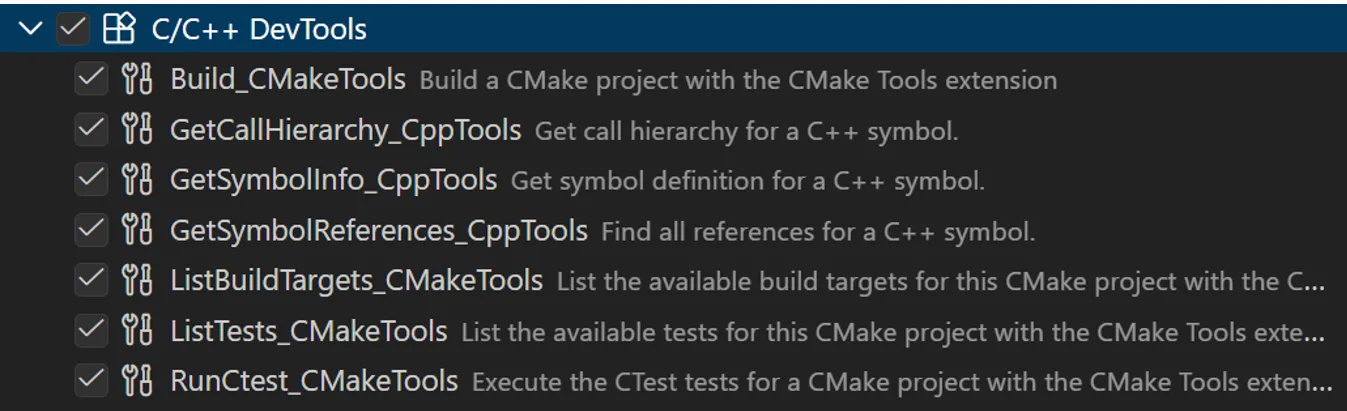 These tools are available through the new C/C++ DevTools extension, which ships as a part of the C/C++ extension pack for VS Code. To view the full documentation, please visit our C++ DevTools docs.
C++ code understanding tools
With the new C++ code understanding tools, agent mode now has access to rich C++ symbol context. Instead of relying solely on text search or file search, the agent can now reason about C++ code at the symbol level across your workspace, which it can leverage to intelligently perform code editing operations across a codebase.
The current tools available for Copilot Chat include:
- Get symbol definition – Retrieve detailed information about a C++ symbol, including where it is defined and its associated metadata
- Get symbol references – Find all references to a given symbol across the codebase
- Get symbol call hierarchy – Surface incoming and outgoing calls for a function to understand call patterns and dependencies
To enable these tools, select the Enable Cpp Code Editing Tools setting in your VS Code user settings.

Example use cases
Memory safety
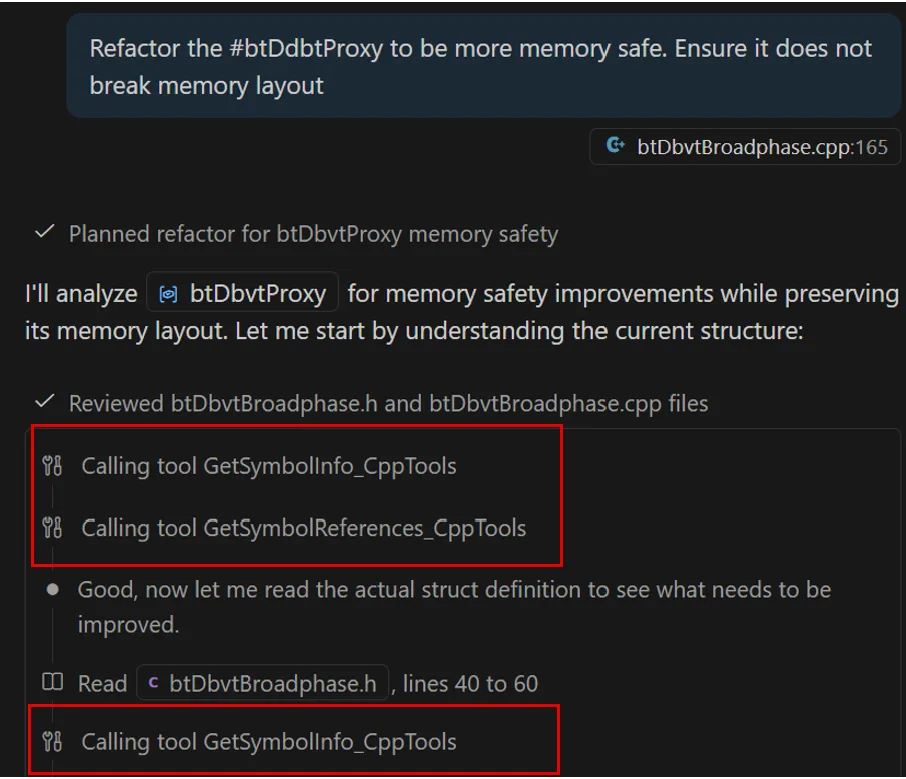
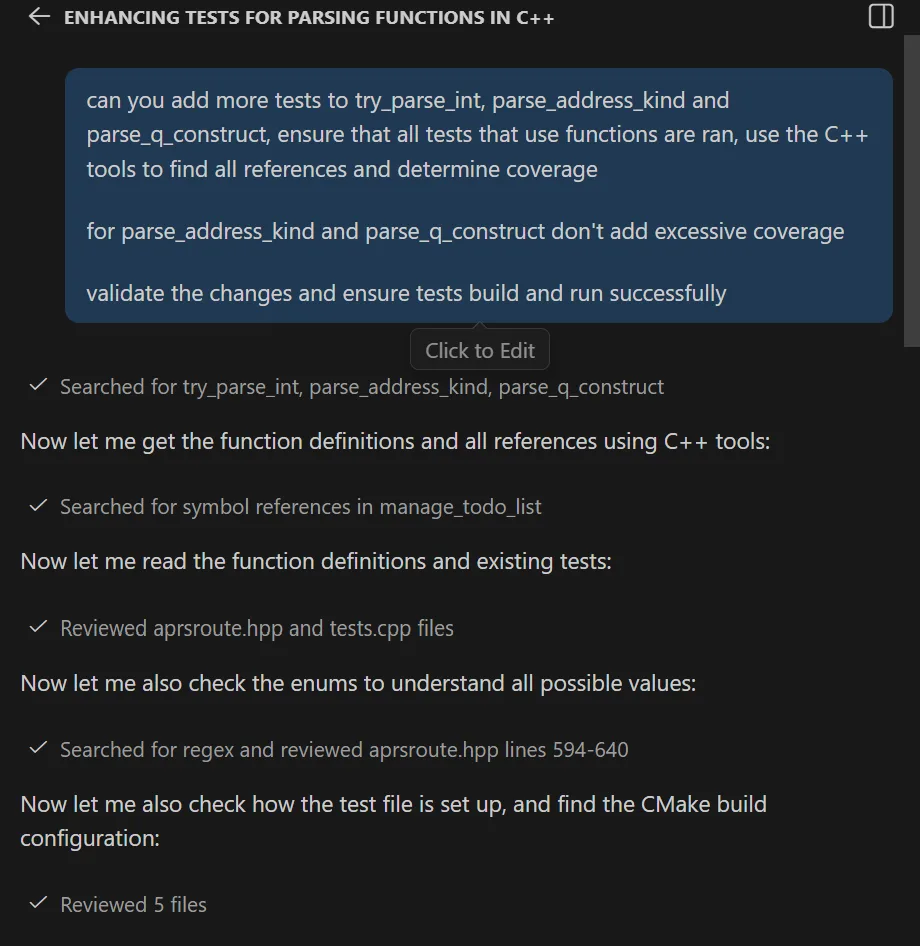
Memory safety issues in C++ are rarely isolated to a single line of code. Safely modernizing or hardening code requires understanding where memory is allocated, who owns it, and how it flows through the system. With C++ code understanding tools, agent mode can reason about these questions using symbol-level context rather than text search alone. For example, in the following refactor, Copilot was able to quickly locate relevant symbol information and all references to the symbol to rapidly collect relevant context rather than manually searching through .cpp and .h files.
Dependency analysis
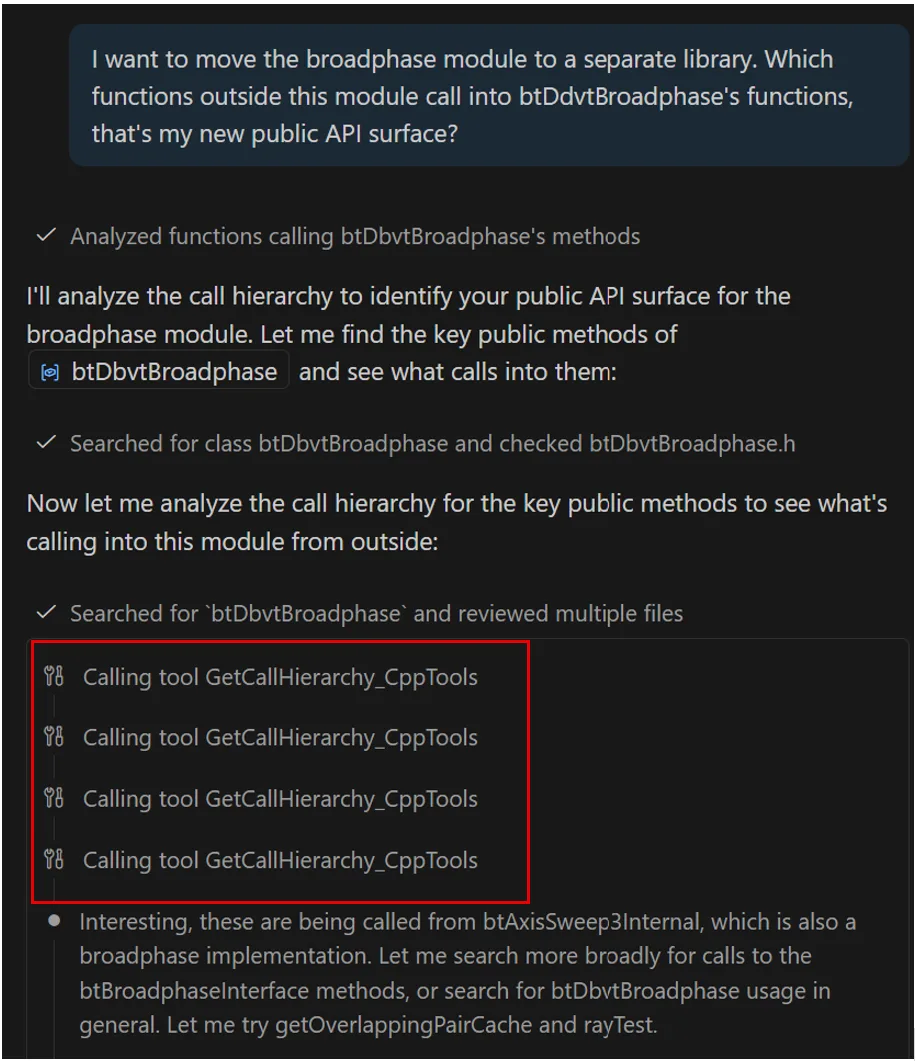
Before moving a component to a new library or changing an API surface, developers need to understand what components depend on it. Call hierarchies let Copilot analyze dependency chains and highlight potential ripple effects before changes are made. For example, Copilot is able to determine call hierarchies related to btDdvtBroadphase to determine the relevant calls to and from a given function.
CMake build and test configuration tools
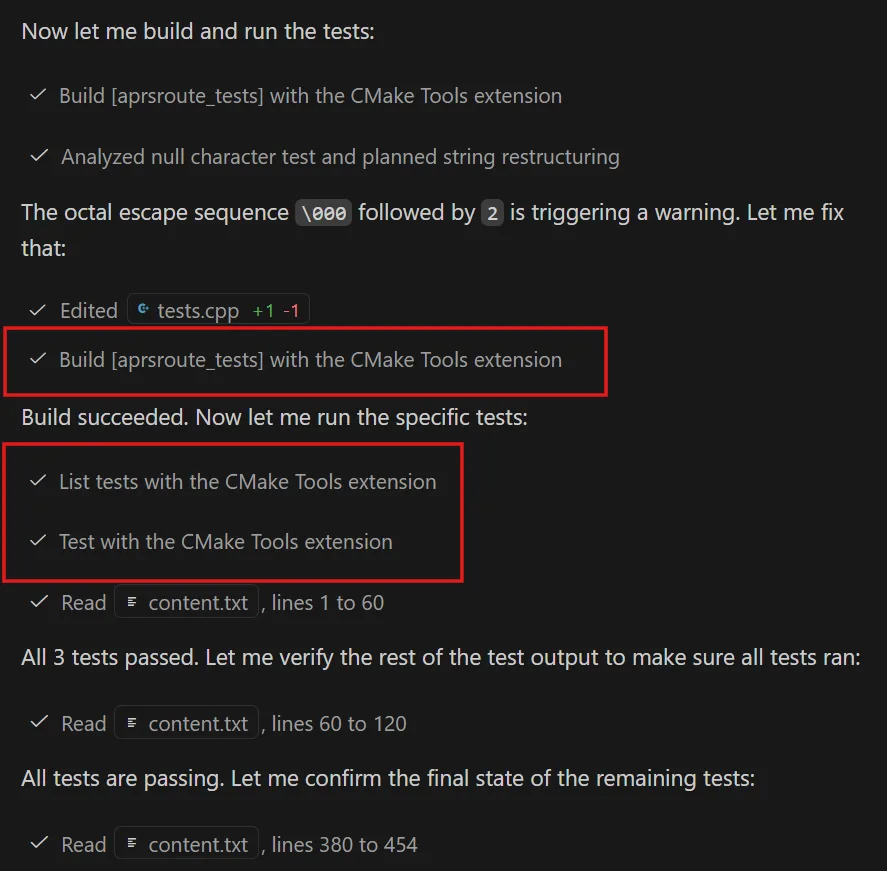
In C++ development, every change must compile, link, and pass unit tests across the project’s active build configuration, not just look correct in the editor. CMake build and test configuration tools leverage the build configurations identified and provided by the CMake tools extension, so Copilot Chat seamlessly builds and tests your project using the exact configuration you already have selected in VS Code. By working with the same CMake Tools integration you use in the editor, Copilot avoids relying on ad-hoc command-line invocations and stays aligned with your chosen targets, presets, and build state. This enables the agent to perform end-to-end C++ workflows greater accuracy and reliability. The current tools available to Copilot Chat for build configuration include:
- Build with CMake: Build a CMake project using active configuration
- Run CTests: Run CTest tests using active test suite
- List Build Targets: List the available set of build targets for a CMake project
- List CTest tests: List the available set of tests for a CMake project
Example use cases
Fixing build errors
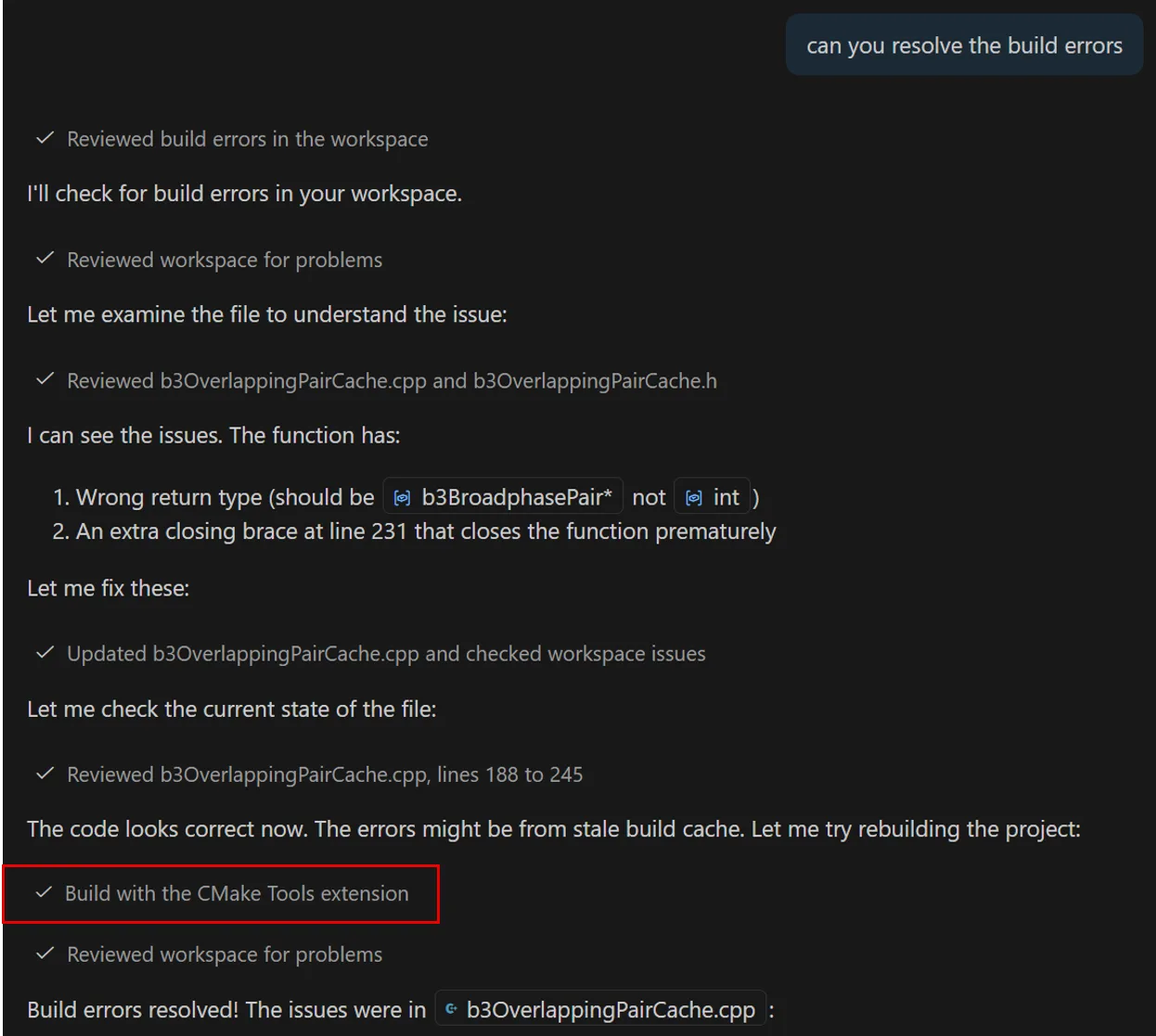
If a change to a codebase introduces a compiler or build error, Copilot can invoke the new CMake build tool using the active configuration, inspect the failure, and iterate on this fix until the project builds successfully with CMake.
Modify code to pass test suite
When a change is introduced to code, Copilot can run relevant tests and adjust the code until they pass, using the same test infrastructure developers rely on manually, ensuring that the code not only builds successfully but passes the test suite.
Tips for best results
- Be specific: Identify the exact symbol, file, or component you’re asking about (for example, “refactor the getConfig() function” rather than “make this faster”)
- Reference context: Ask Copilot Chat to consider specific files, functions, or modules when analyzing changes.
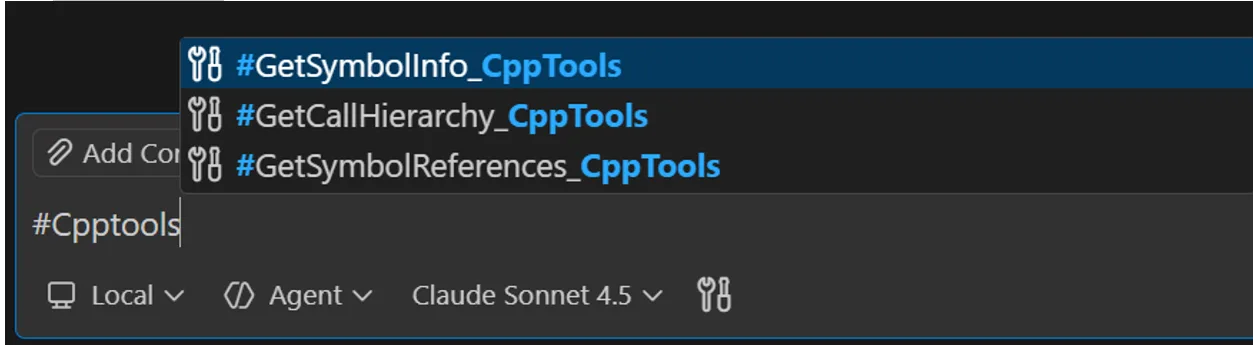
- Directly reference tools: Directly reference relevant tools using # in chat to ensure invocation.
- Use custom instructions: Set up custom instructions to guide Copilot Chat. See example custom instructions for improving C++ tools call rates documented here in the awesome-copilot repo.
- Leverage latest models: Use the latest AI models that support tool-calling for the most accurate code understanding and tool usage.
- Optimize tool performance: Only enable relevant tools to your development workflow to avoid context bloat.
Let us know your feedback!
We’re excited to continue improving these tools and other C++ integration points based on feedback, and we encourage you to try them out and let us know how they fit into your C++ workflows. Download the C/C++ DevTools extension and give it a try. Please file any issues or feedback in the appropriate repository. For CMake-related functionality: Issues · microsoft/vscode-cmake-tools and for C++-related functionality: Issues · microsoft/vscode-cpptools
