




Google Analytics is shutting down its Universal Analytics properties. To keep this data, you can choose to import it into Simple Analytics. We built a simple import tool where you can import your data in just a few clicks.
With Simple Analytics, you can import Universal Analytics properties and Google Analytics 4 properties.
To see what dimensions and metrics we can import for Universal Analytics and Google Analytics 4, check our Google Analytics Importer documentation page.
In this article, we’ll outline how you can import your Google Analytics data into Simple Analytics.
Let’s dive in!
In your account, you need to navigate to your website overview. Click on the little setting icon in the top right corner of the website you want to configure.
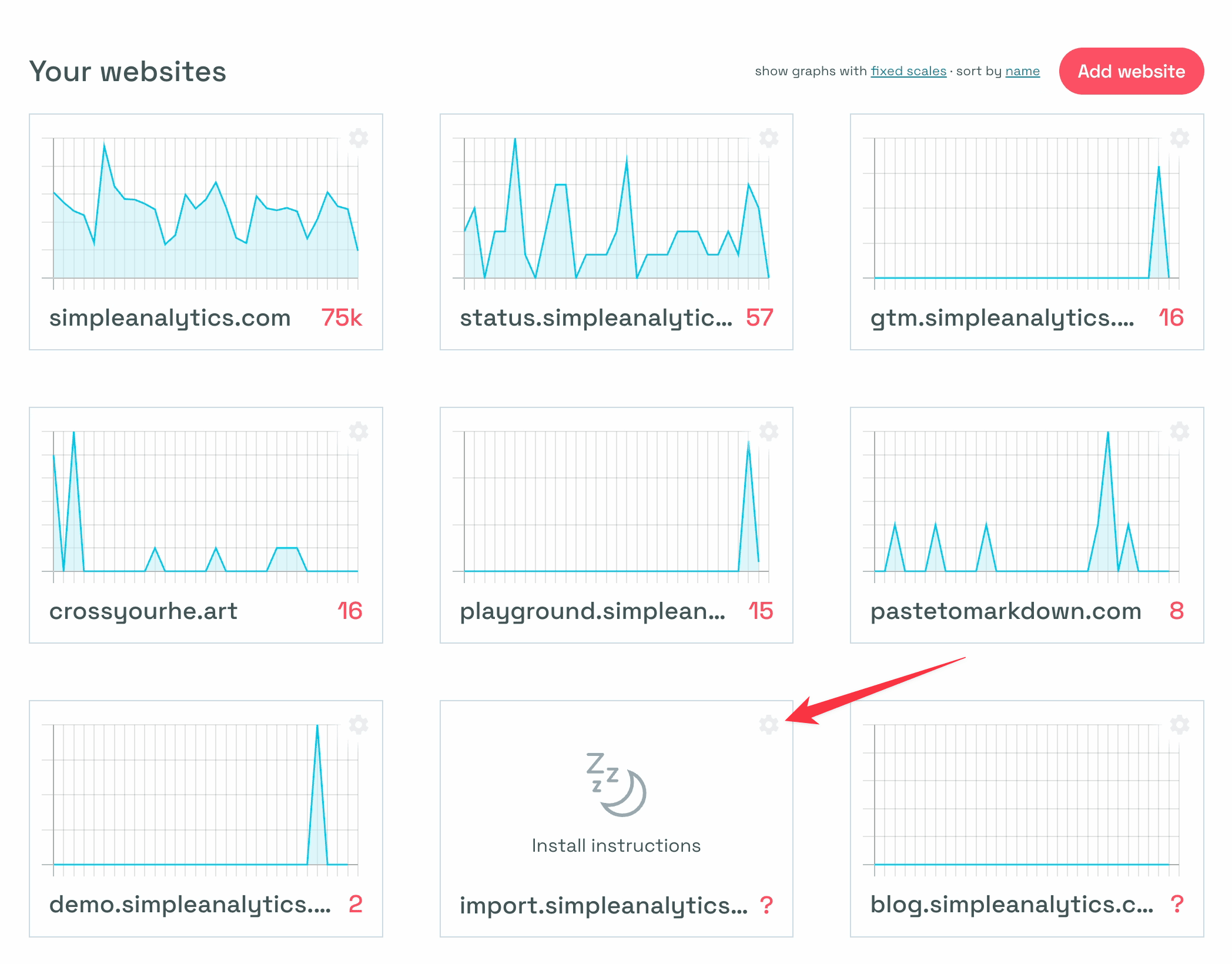
Clicking on the icon that opens your website settings.
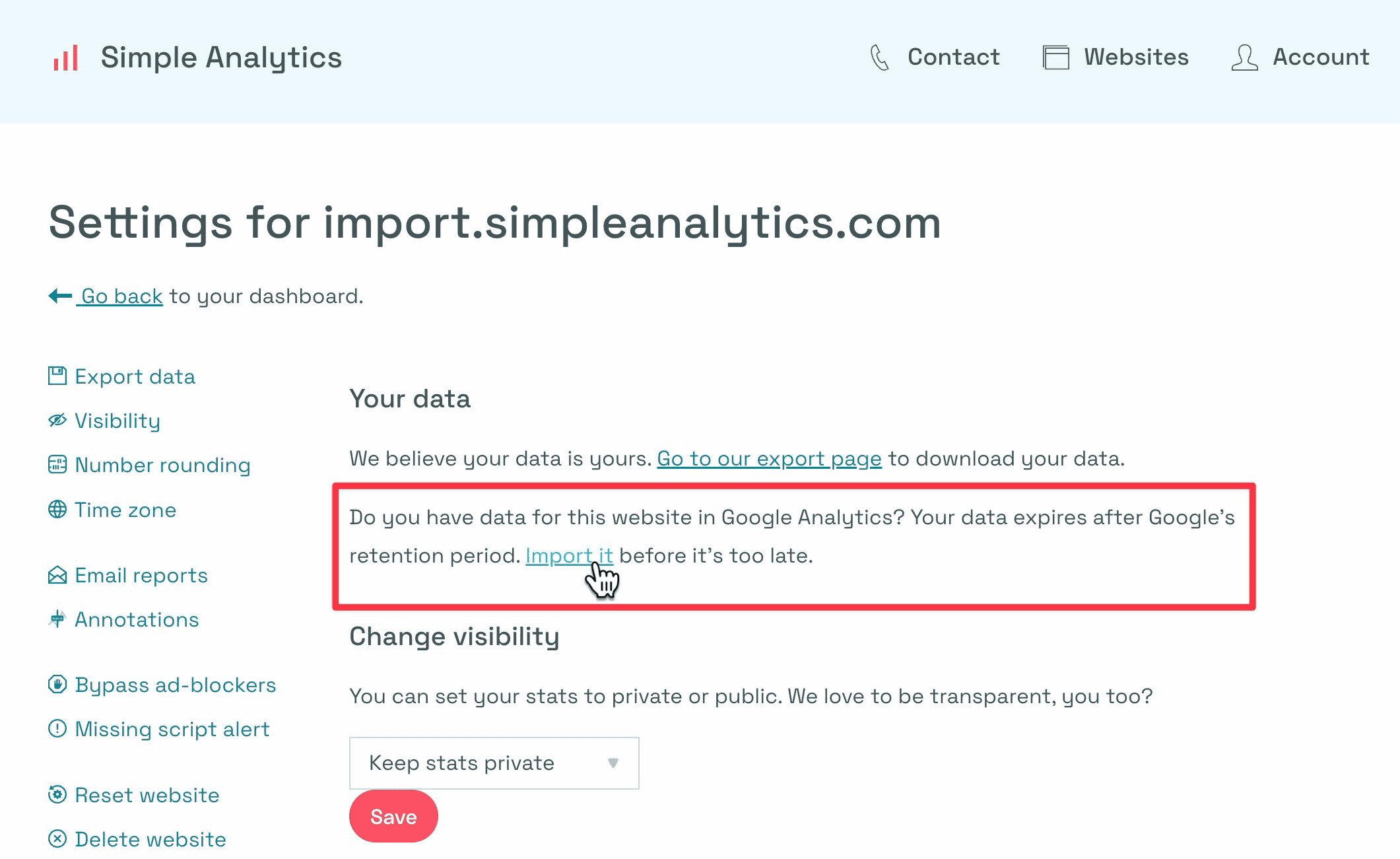
The second link in the second paragraph links to the importer. Click that link, as shown in the image below.
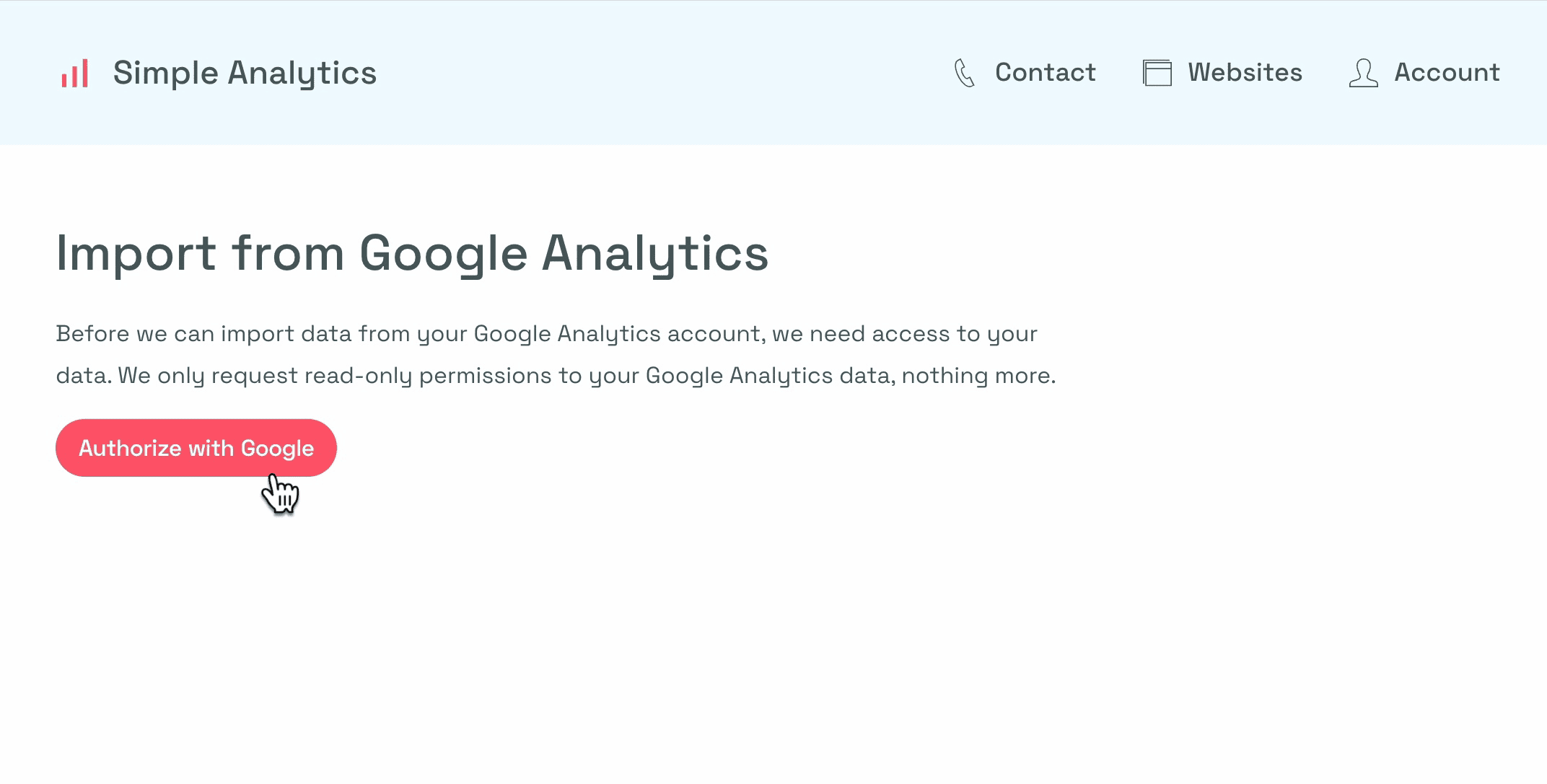
Now you should be on the importer page. Click on “Authorize with Google” to set up your Google Analytics importer.
You’ll be shown a Google pop-up in which you need to select your account. It will ask you for permission to read your Google Analytics data. If you permit us, we will download your Google Analytics data in the background and translate it into something Simple Analytics understands. Google uses a specific format and needs to be adjusted to our format.
If you click on continue, you will see a few properties. Select the properties that are relevant in this case.
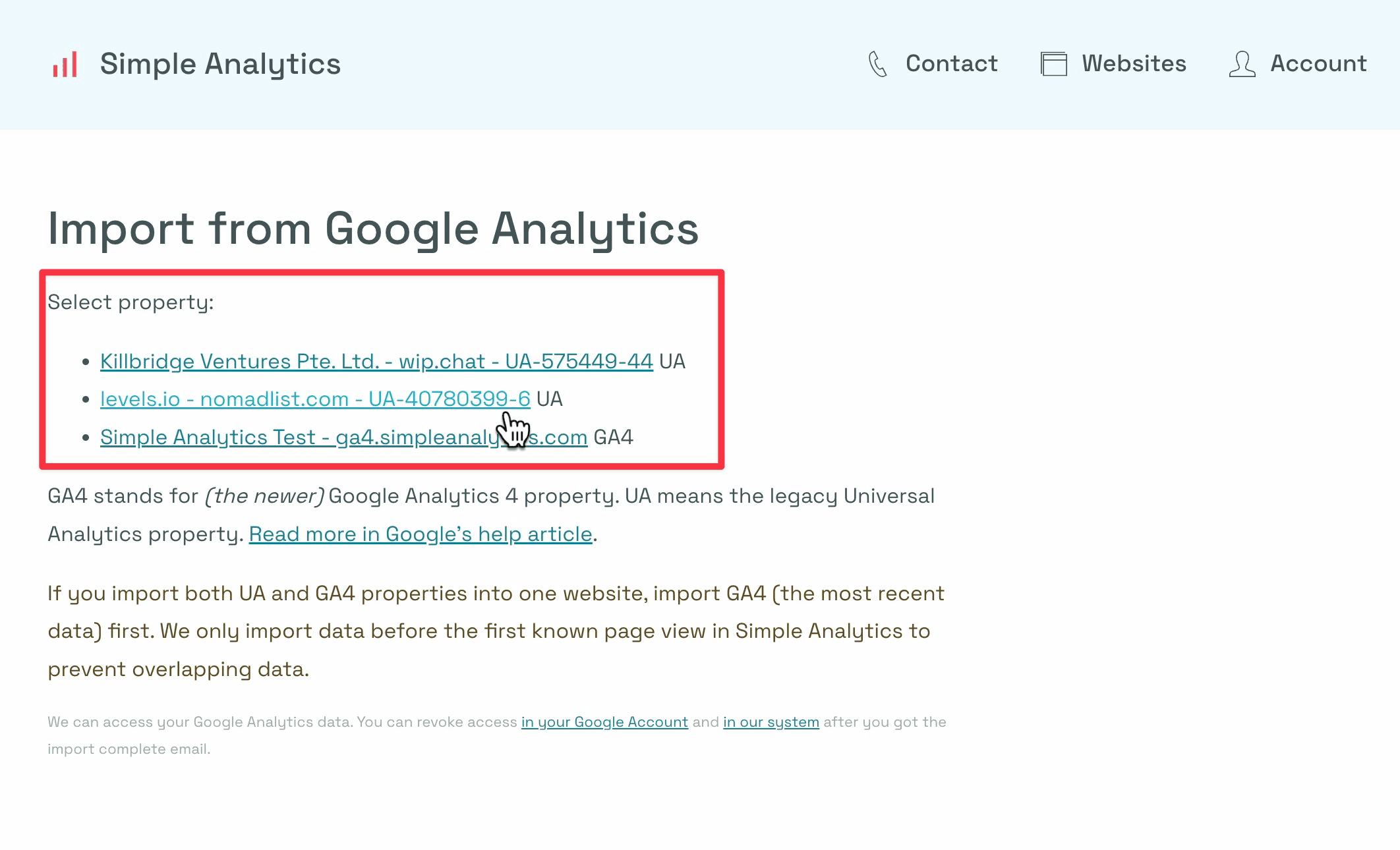
If you have multiple properties, for example, you have both Google Analytics 4 and Universal Analytics properties; then you should import the newest data and later import the older data.
Select the property in your import from the Google Analytics screen, and now it gives you a list of websites it wants to import.
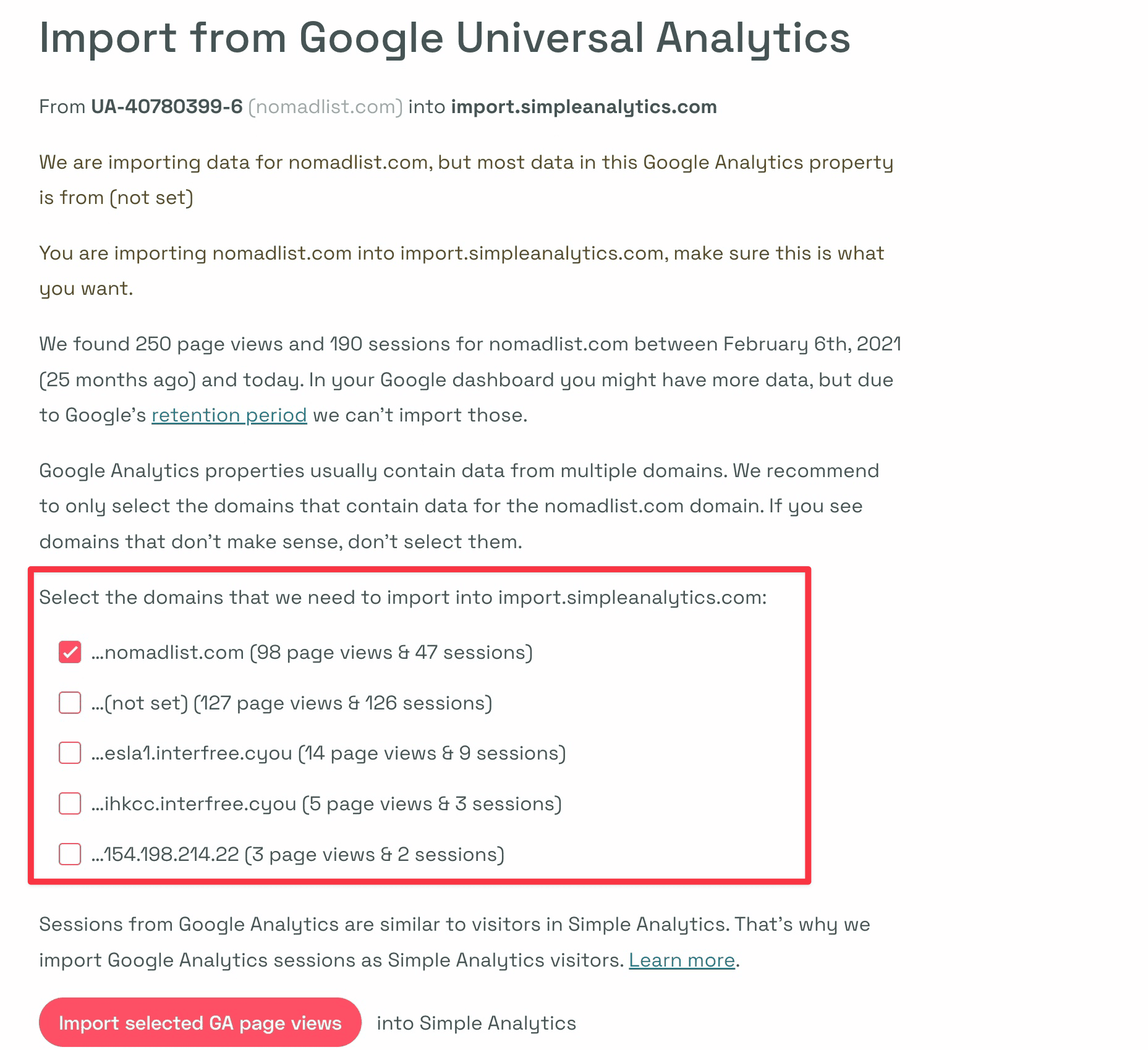
You usually just want to keep the default selections and don't have to change anything. However, sometimes Google Analytics stores data on a different hostname.
You can select those hostnames, and we will import them the same as the website's hostname. In this case, you see that we import from the Universal Analytics property and that we import it into our new temporary website.
At the bottom of the page, you can hit “Import selected GA page views.” You get an idea of how many page views it will import. In this case, 98 page views and 49 sessions.
Hit import into Simple Analytics, and the import has been started.

You can close the page for now. You will get an email when the import is finished. It usually takes a few minutes, but it might take an hour or so if you have a lot of data.
That's it.
Importing Google Analytics is super easy. Your historical data won’t be lost and you can safely move away from Google Analytics.