





Cloudflare is one of the biggest internet operators. According to W3Techs, Cloudflare is used by 78.0% of all the websites whose reverse proxy service we know.
Apart from being an internet giant, Cloudflare also has several inbuilt tools for networking, website speed and SEO. One of them is Cloudflare Zaraz, a tool that is built to load other 3rd party tools like web analytics.
Think of it as Cloudflare’s version of Google Tag Manager. Now let’s dive deep in to learn the benefits and how you can use it to load analytics tools like Simple Analytics.
- Benefits of Cloudflare Zaraz
- How to host analytics or any other script on Cloudflare Zaraz
- Setup Zaraz
- Configure Zaraz
- Setup Simple Analytics on Zaraz Custom HTML
- Test Zaraz
- Zaraz & GDPR
- Conclusion
The UK Government chose Simple AnalyticsJoin them
Benefits of Cloudflare Zaraz
Cloudflare Zaraz is a very recent addition to Cloudflare’s portfolio and comes with several benefits that you, as a marketer or developer, can use in your day-to-day life. Let’s go through them one by one.
- Easier management: One of the key benefits of Zaraz is management of 3rd party scripts with ease. Zaraz is the go-to place to manage and control all your scripts like analytics, live chat and all other in one single dashboard. This removes the need to edit website code every time you need to remove or add a 3rd party service.
- Faster load times: Cloudflare also promises that Zaraz uses Cloudflare’s network to speed up the load time of 3rd party scripts; however, we have not yet tested this.
- Bypass ad-blockers: Another important benefit of Zaraz is its ability to bypass ad-blockers by loading the script via your domain itself. Though if you are a Simple Analytics user, you can do so with our custom domain feature.
- Better controls: Zaraz is also a great way to control all your 3rd party scripts. In one single dashboard, you can configure scripts to only load on specific pages or only when specific events are triggered. This is super useful for marketers and business owners who manage multiple scripts on their website.
How to host analytics or any other script on Cloudflare Zaraz
There are several ways on how you can use Cloudflare Zaraz but lets keep it simple for now.
Before we begin, there are a few prerequisites:
- Have a Cloudflare account (a free one works too)
- The website is added on Cloudflare
Setup Zaraz
Once your website is added to Cloudflare, navigate to the left menubar and click on Zaraz.
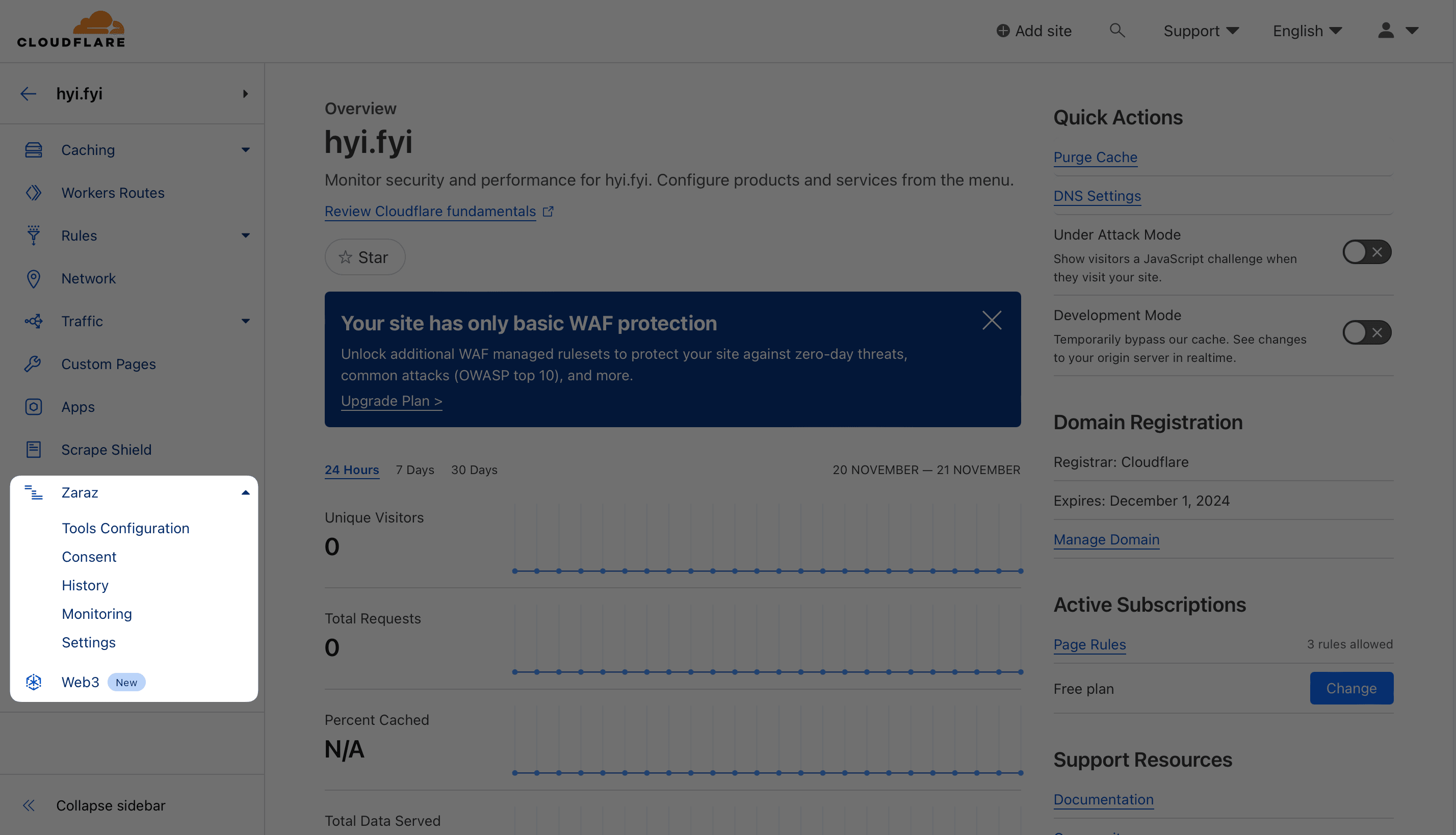
Once that has been done, you’ll be sent to Zaraz’s tool configuration page.
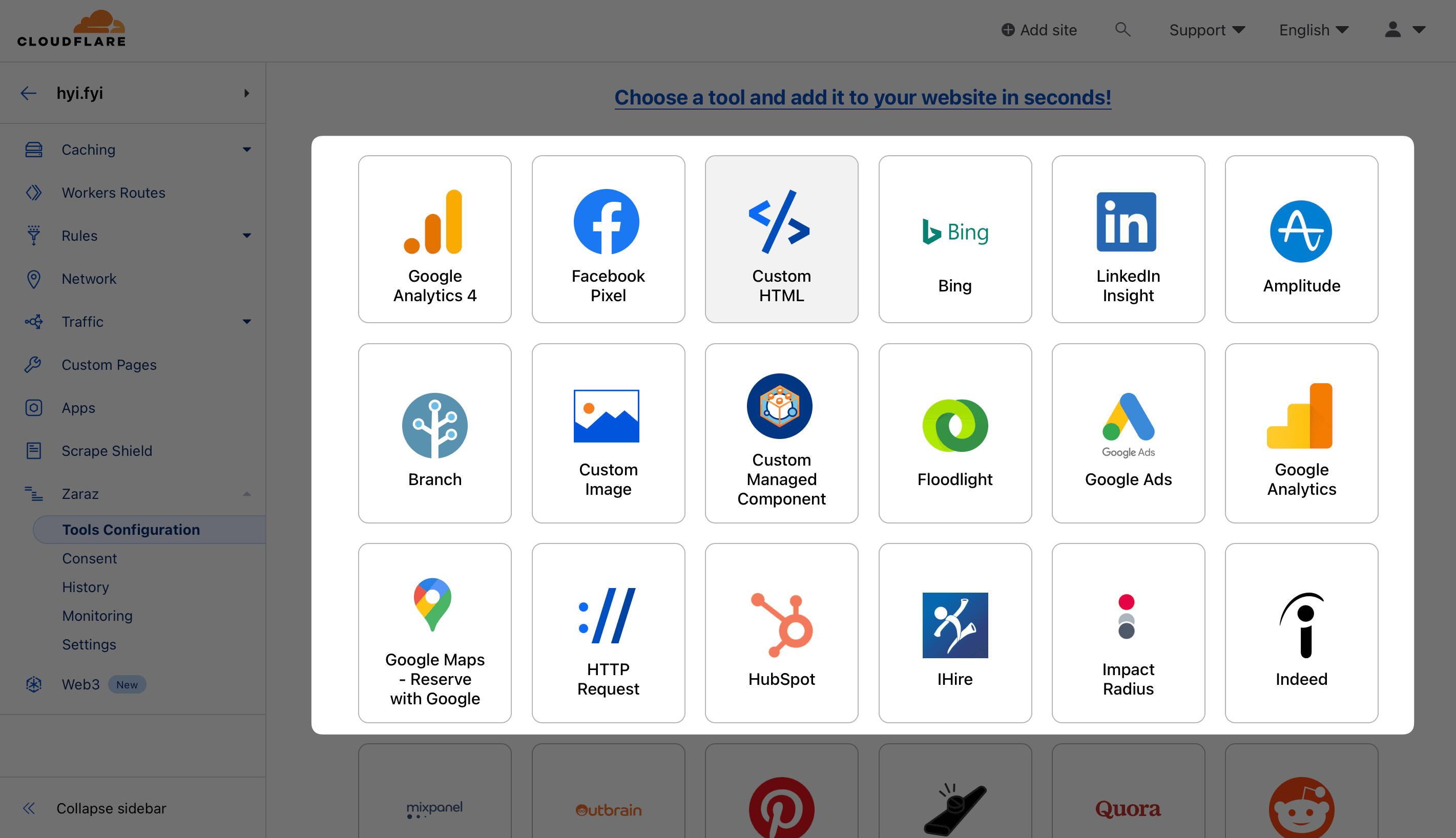
On that page, you’ll be given a short intro about Zaraz along with a list of tools and services that you can start adding. Simply select a tool or proceed with “Custom HTML” in case of Simple Analytics or any other unlisted tool.
Configure Zaraz
To configure, click the desired tool/option, “Custom HTML” in this case. Once you click on it, you be asked to confirm and grant permission to enable JavaScript, which is essential for Zaraz to work.
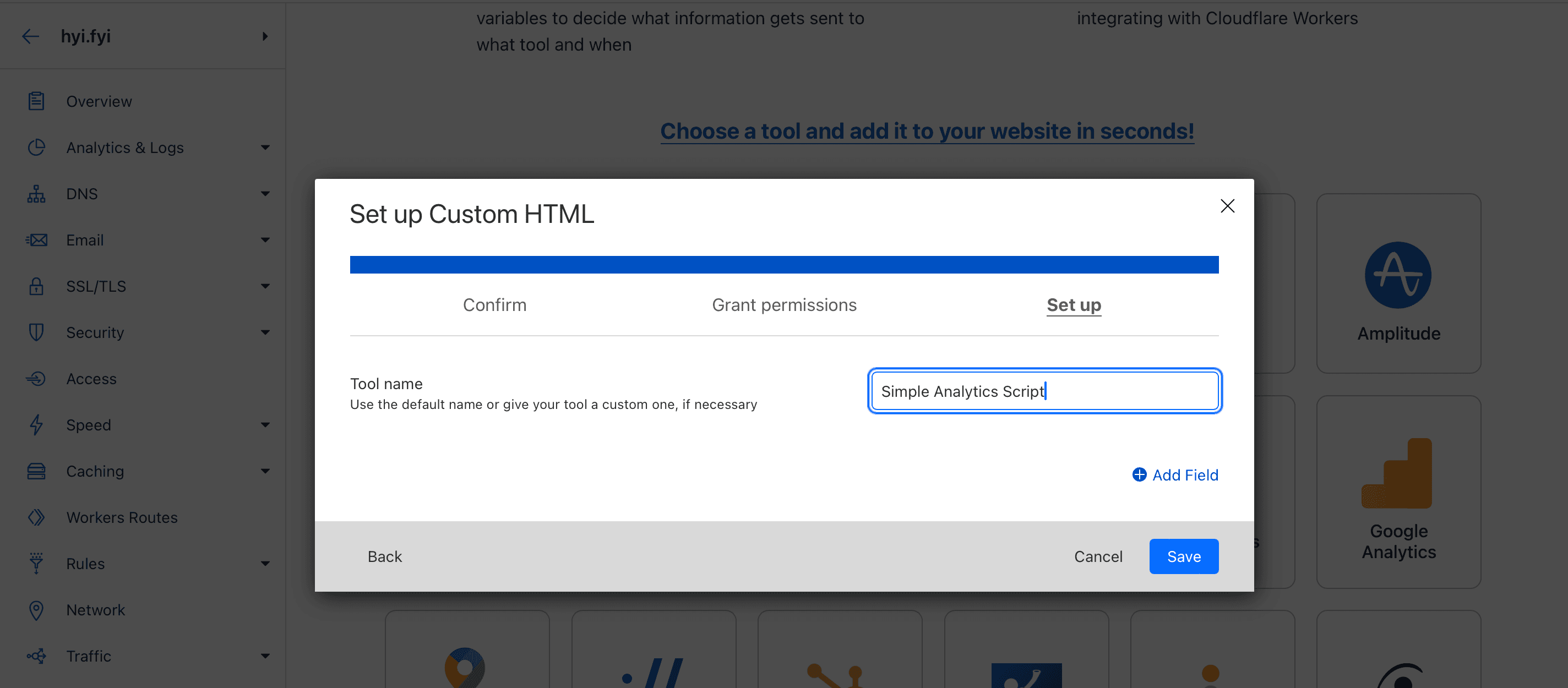
Lastly, you can also name the component, the default would be “Custom HTML” which can be edited to something like “Simple Analytics Script”. Once done, click save.
Setup Simple Analytics on Zaraz Custom HTML
Once you complete the above step, you be redirected to a page to configure Simple Analytics or any other tool that you wish. To do so, simply click on “Create action”.
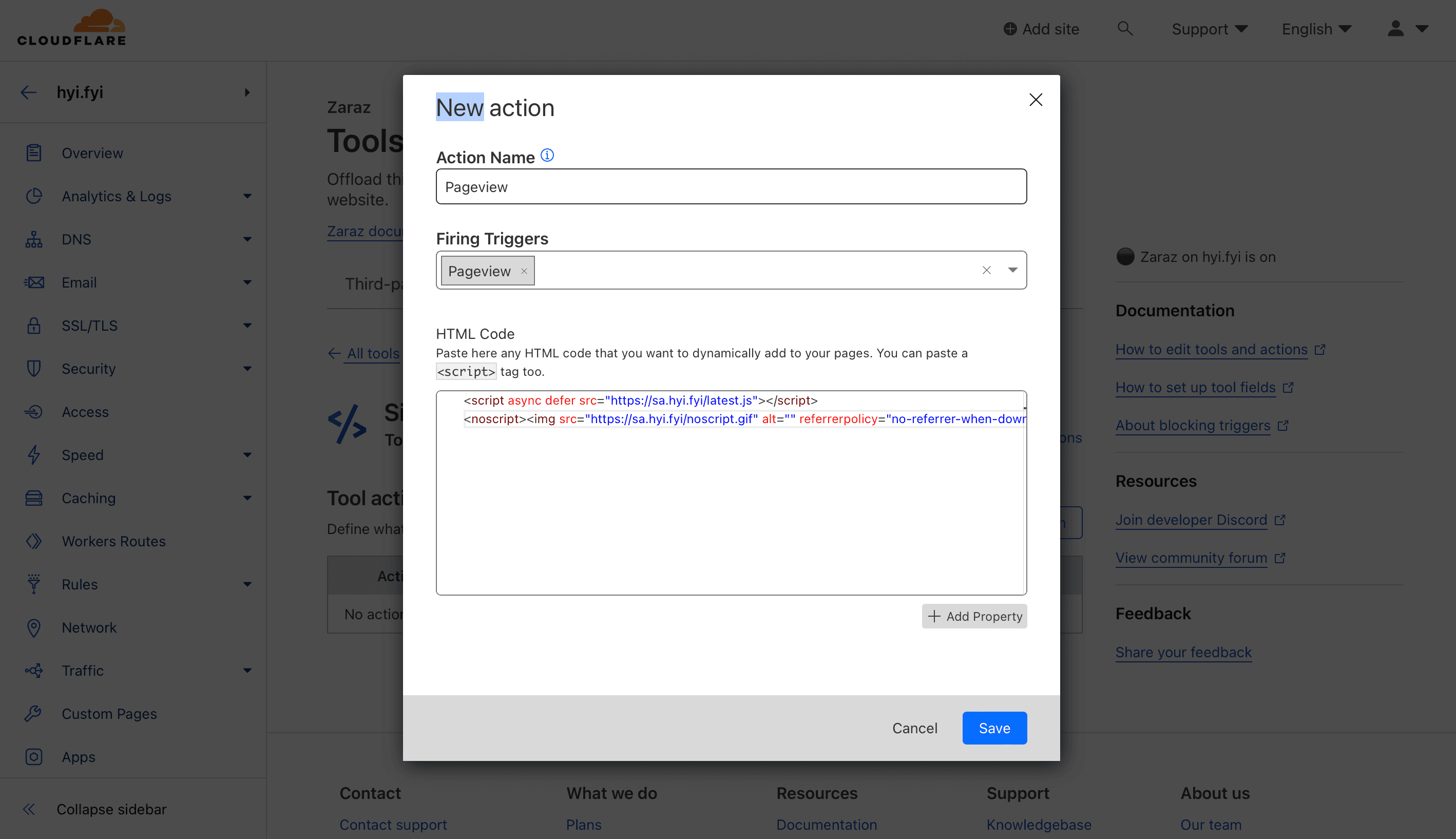
In our case, we wish to load Simple Analytics on all pageviews, so here’s how the setup would look.
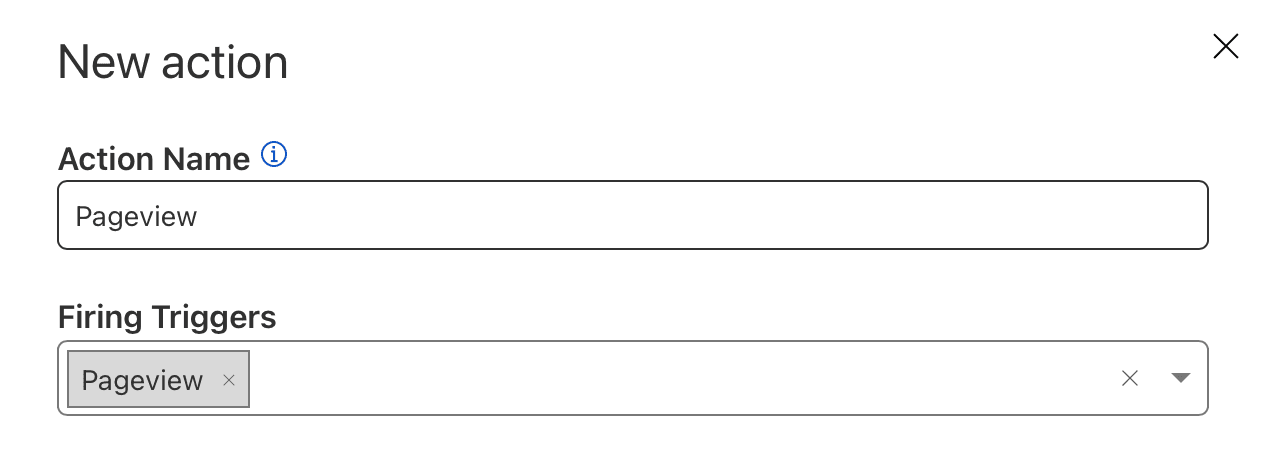
After configuring action name and triggers, you’ll need to paste the “Custom HTML” which is essentially the script that you add on your website. In the case of Simple Analytics, the same can be found on your website’s setting section.
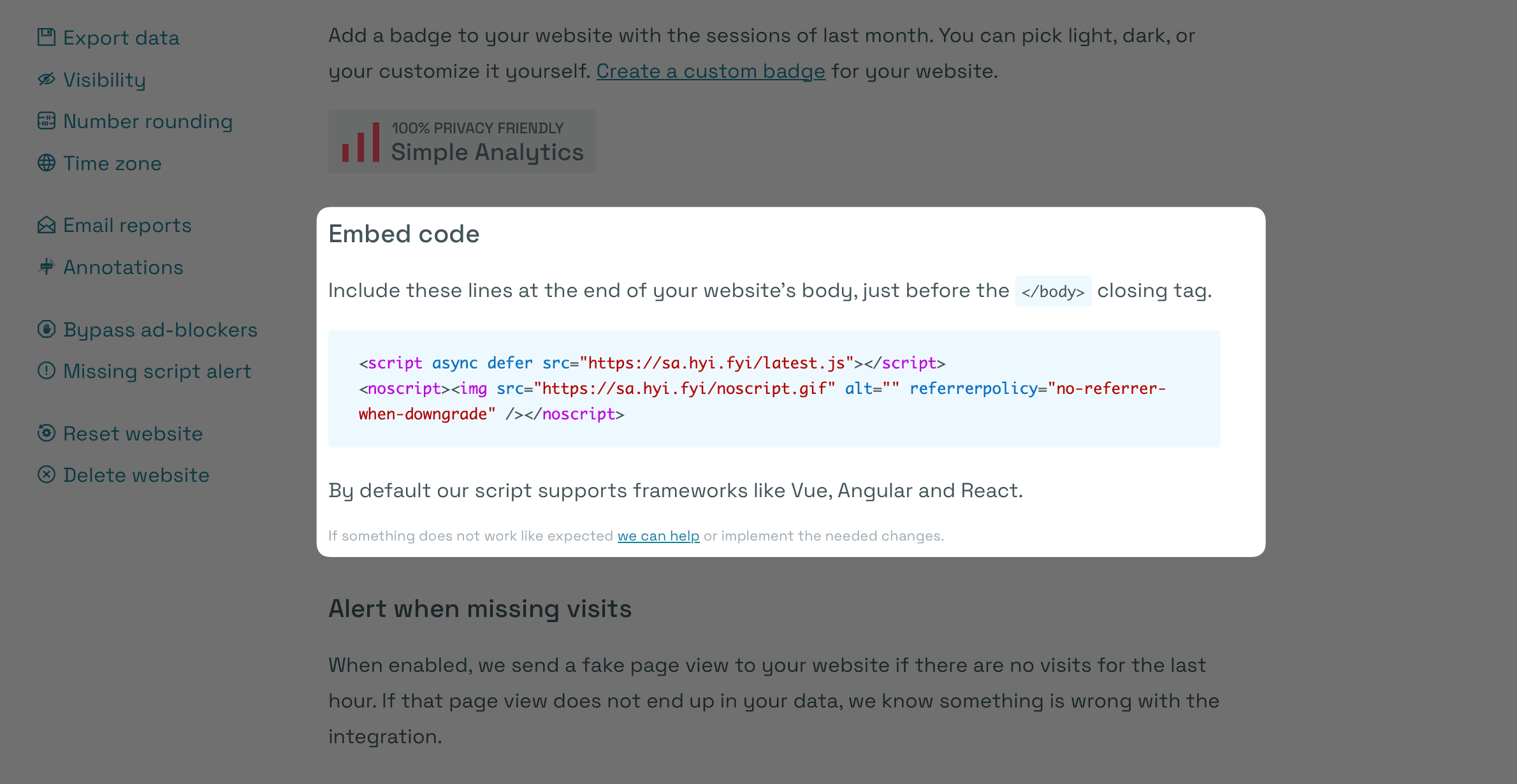
Simply copy the script from your Simple Analytics dashboard and paste on Zaraz. Once done, click on “Save”.
Test Zaraz
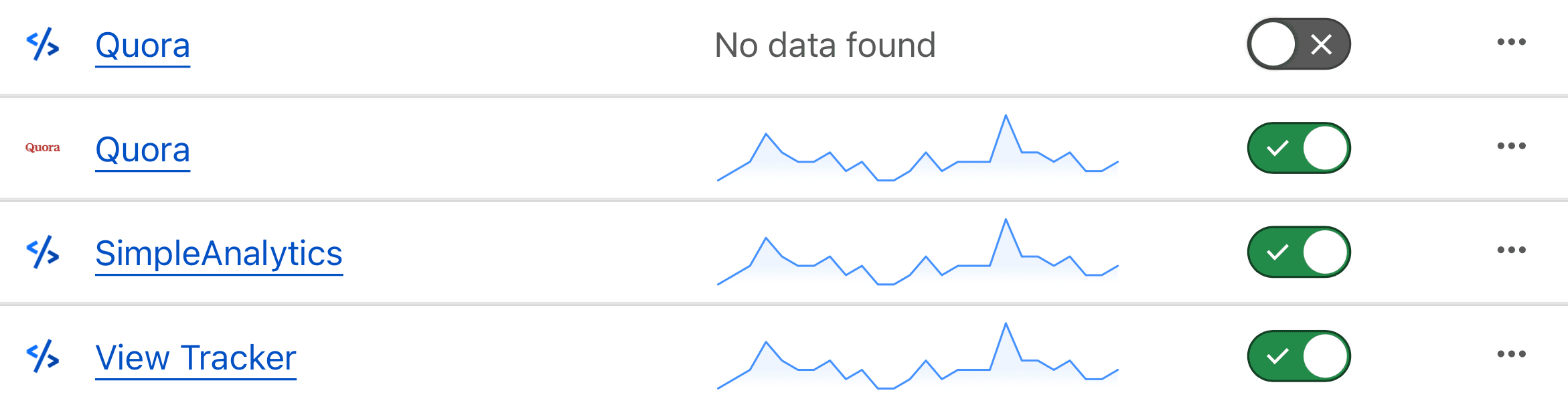
Testing whether a tool is working or not in Zaraz is also pretty easy. Simply go back to your Zaraz homepage, and you see a graph beside tools that are working.
If you are from the EU or serve any customer there, then GDPR is something you should absolutely keep in mind when choosing any tool that collects PII (Personal Identifiable Information).
According to Cloudflare, Zaraz is GDPR compliant; however, one needs to keep in mind that the laws have been continuously changing and the use of cookies might be a problem in the future. You should also keep it in mind that using Zaraz doesn’t make tools like Google Analytics GDPR complaint, as the data is still sent to Google’s servers.
So keep all this information in your mind before implementing Zaraz on your website.
Conclusion
Zaraz is a great Google Tag Manager alternative that also comes with several other benefits, however do keep this in mind that you won’t be able to use it without adding your website to Cloudflare.
If you are just looking for an analytics solution that doesn’t get blocked by ad-blockers, then simply sign up for Simple Analytics and set up a custom domain. Simple to use and fully compliant with all privacy laws such as GDPR and COPPA. See for yourself what that looks like.