







Exporting data from Google Analytics is way more confusing than it needs to be. Here is how you can get your data out of Google Analytics 4 to integrate it with other software or move to a different analytics provider.
- Why should I export my Google Analytics data?
- How can I export my data from Google Analytics?
- How can I export reports from Google Analytics 4?
- How can I export Google Analytics data through BigQuery?
- Why won’t Google just let me export all my data?
- Final Thoughts
Michelin chose Simple AnalyticsJoin them
Why should I export my Google Analytics data?
There are many reasons why an organization may want to export data from Google Analytics. For instance:
- integrating Google Analytics with other software used in the organization’s workflow. GA does not offer plugins for every software!
- performing a custom analysis with a different tool, or an offline analysis
- custom reporting
- importing your Google Analytics data to a different web analytics provider
- preserving data from an older version of Google Analytics (like the recently deprecated Universal Analytics).
How can I export my data from Google Analytics?
Unlike Simple Analytics, Google Analytics does not offer raw data exports. Google Analytics offers the option to export individual reports but the reports are limited to 5.000 rows. You cannot stretch reports to cover your entire data set.
This does not mean that exporting raw data is impossible. There are other ways, such as using Google’s BigQuery data warehouse, using third-party services, or leveraging Google Analytics’ own API. Unfortunately, some of these options (for instance, export via API) require lots of know-how, and others (BigQuery) are only available to Google’s paying clients.
The recently deprecated Universal Analytics suffered from similar limitations and only allowed users to export individual properties.
How can I export reports from Google Analytics 4?
- select the report you want
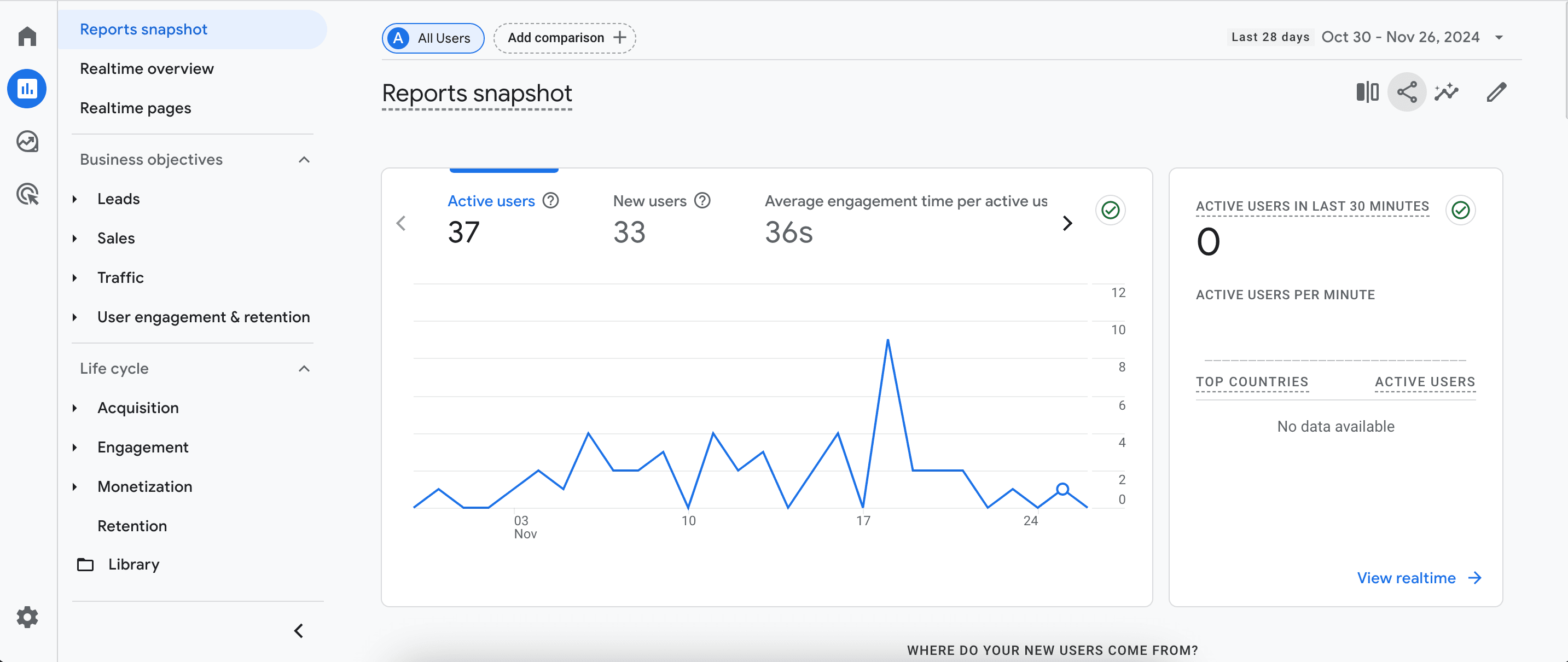
- select the download file option
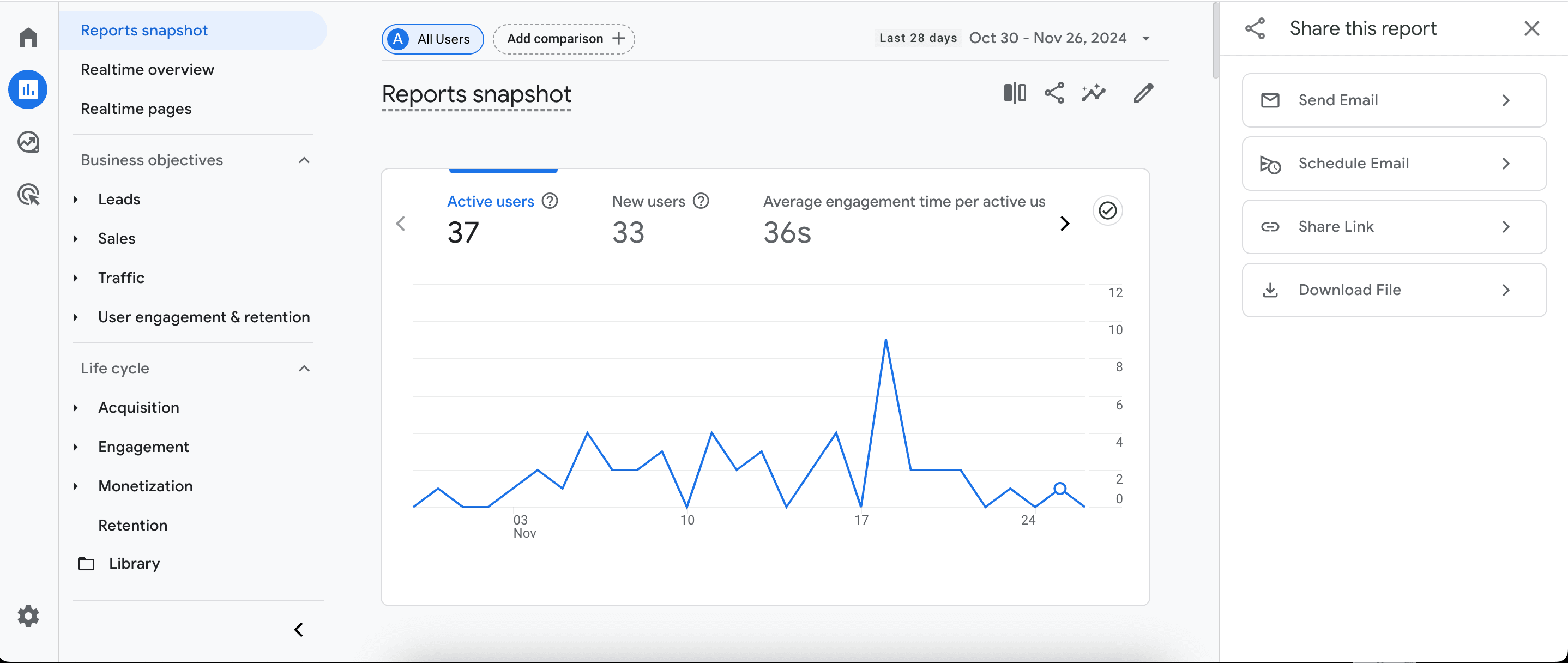
- choose between the PDF and CSV formats

How can I export Google Analytics data through BigQuery?
Google Analytics 4 features raw data export through BigQuery but limits the amount of data free users can export. Only Google Analytics 360 customers (that is, paying customers) can export as much as they want.
This is a serious limitation because Google Analytics 360 is pricey. Google does not publicize its pricing criteria, but anedoctally, the entry fee for GA360 is somewhere around $50.000 per year with additional usage-based fees. Many businesses cannot afford to spend that much for web analytics and make do with the free version with its limited data export functionality.
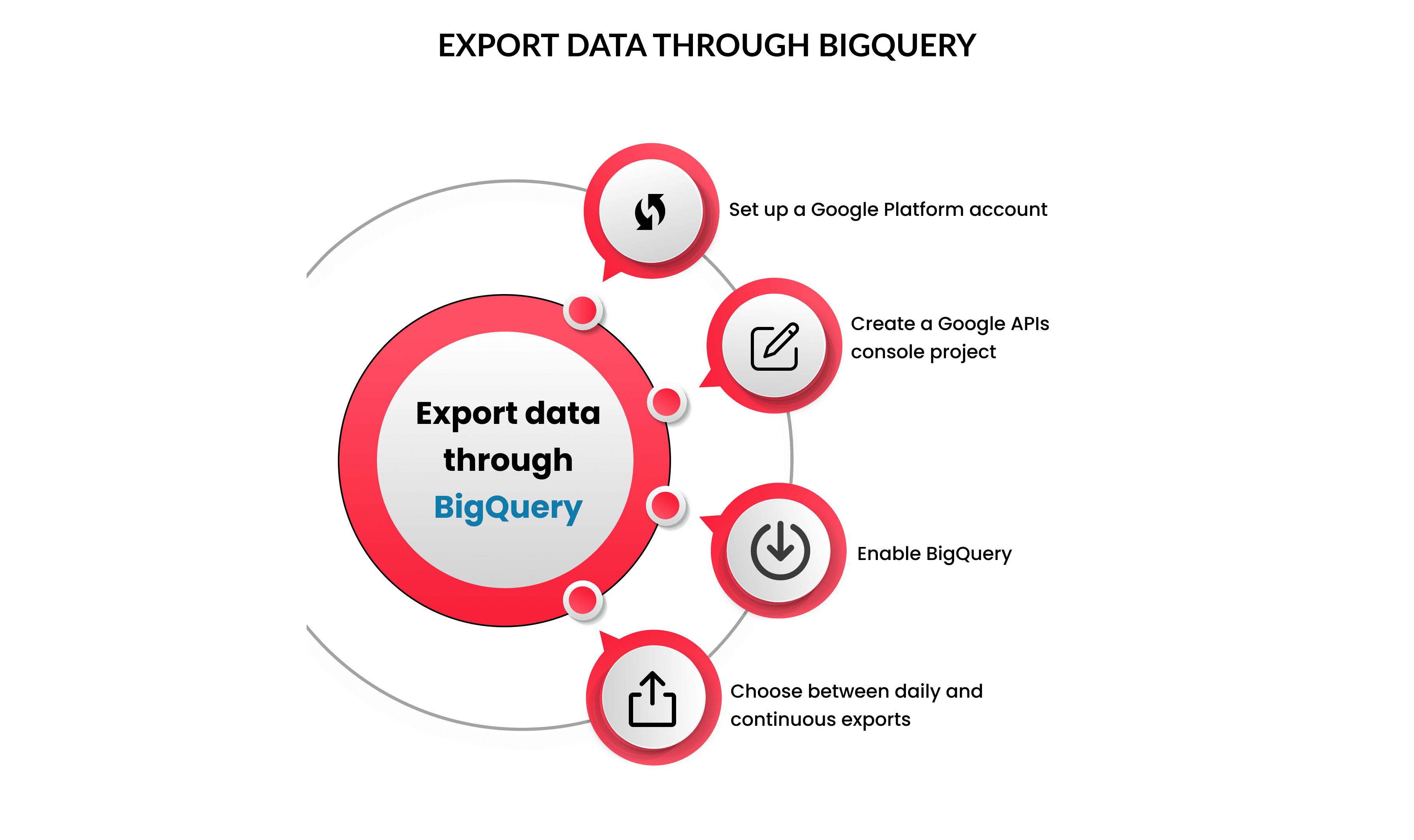
In order to export data through BigQuery:
- set up a Google Platform account
- create a Google APIs console project
- enable BigQuery
- choose between daily and continuous exports
For a one-time export, you can set up a daily export and deactivate the option once you are done. You can also set the export to daily or continuous if you prefer a regular export flow.
Why won’t Google just let me export all my data?
Google re-uses Google Analytics data to power its lucrative ad tech properties. User and data retention are essential for Google Analytics- even more so than for any other web analytics service. By not providing a simple way to export your data, Google is making it harder for you to leave.
The company mantra that “you own your data” is an empty promise. Google is more than happy to keep your data hostage. And it is quite telling that the only true plug-and-play export option for Google Analytics is BigQuery- Google’s own pricey cloud data warehouse.
As harsh as this may sound, controlling customer data is a key strategy for digital monopolists, to the point that the EU had to curb the practice through the Digital Markets Act.
Final Thoughts
We hope this blog was helpful to you. Exporting data from Google Analytics is harder than it needs to be, by design. At the end of the day, the easiest way to export your data is choosing a provider that gives you full ownership and control over it.
Simple Analytics is a privacy-friendly web analytics provider that gives you all the insight you need, without collecting a single bit of personal data. It features an easy export option for raw data, a Google Analytics data importer, and other awesome features like an AI assistant.
If you want to own your data and step up your privacy game, feel free to give us a try!