

惯性聚合 高效追踪和阅读你感兴趣的博客、新闻、科技资讯
阅读原文 在惯性聚合中打开

推荐订阅源

Forbes - Security
Forbes - Security
OSCHINA 社区最新新闻
OSCHINA 社区最新新闻
P
Palo Alto Networks Blog
Martin Fowler
Martin Fowler
T
Threatpost
D
Docker
S
Schneier on Security
M
MIT News - Artificial intelligence
G
Google Developers Blog
L
LINUX DO - 热门话题
J
Java Code Geeks
月光博客
月光博客
博客园 - 三生石上(FineUI控件)
IT之家
IT之家
博客园 - Franky
C
Cyber Attacks, Cyber Crime and Cyber Security
K
Kaspersky official blog
Google DeepMind News
N
News and Events Feed by Topic
V
Vulnerabilities – Threatpost
CTFtime.org: upcoming CTF events
人人都是产品经理
人人都是产品经理
Spread Privacy
Spread Privacy
T
Tailwind CSS Blog
爱范儿
爱范儿
阮一峰的网络日志
阮一峰的网络日志
U
Unit 42
C
CERT Recently Published Vulnerability Notes
The GitHub Blog
The GitHub Blog
Simon Willison's Weblog
NISL@THU
NISL@THU
MongoDB | Blog
MongoDB | Blog
Application and Cybersecurity Blog
H
Heimdal Security Blog
Recorded Future
Recorded Future
云风的 BLOG
云风的 BLOG
SecWiki News
SecWiki News
P
Privacy International News Feed
P
Proofpoint News Feed
O
OpenAI News
B
Blog
腾讯CDC
F
Full Disclosure
Apple Machine Learning Research
T
Tor Project blog
H
Hacker News: Front Page
Project Zero
Project Zero
Hugging Face - Blog
Hugging Face - Blog
C
Cisco Blogs
S
Security Affairs

Blog — PlanetScale

Keeping a Postgres queue healthy — PlanetScale Patterns for Postgres Traffic Control — PlanetScale Graceful degradation in Postgres — PlanetScale High memory usage in Postgres is good, actually — PlanetScale Stripe Projects partnership: Provision PlanetScale Postgres and MySQL databases from the Stripe CLI — PlanetScale Enhanced tagging in Postgres Query Insights — PlanetScale Behind the scenes: How Database Traffic Control works — PlanetScale Introducing Database Traffic Control — PlanetScale Scaling Postgres connections with PgBouncer — PlanetScale Drizzle joins PlanetScale — PlanetScale Video Conferencing with Postgres — PlanetScale Faster PlanetScale Postgres connections with Cloudflare Hyperdrive — PlanetScale Introducing the PlanetScale MCP server — PlanetScale Database Transactions — PlanetScale Automating our changelog with Cursor commands — PlanetScale Postgres 18 is now available — PlanetScale Using MotherDuck with PlanetScale — PlanetScale $50 PlanetScale Metal is GA for Postgres — PlanetScale AI-Powered Postgres index suggestions — PlanetScale $5 PlanetScale is live — PlanetScale Announcing Vitess 23 — PlanetScale $50 PlanetScale Metal — PlanetScale Report on our investigation of the 2025-10-20 incident in AWS us-east-1 — PlanetScale $5 PlanetScale — PlanetScale Benchmarking Postgres 17 vs 18 — PlanetScale Larger than RAM Vector Indexes for Relational Databases — PlanetScale Partnering with Cloudflare to bring you the fastest globally distributed applications — PlanetScale Processes and Threads — PlanetScale PlanetScale for Postgres is now GA — PlanetScale Postgres High Availability with CDC — PlanetScale Announcing Neki — PlanetScale Caching — PlanetScale The principles of extreme fault tolerance — PlanetScale Announcing PlanetScale for Postgres — PlanetScale Benchmarking Postgres — PlanetScale Announcing Vitess 22 — PlanetScale The Real Failure Rate of EBS — PlanetScale IO devices and latency — PlanetScale Announcing PlanetScale Metal — PlanetScale PlanetScale Metal: There’s no replacement for displacement — PlanetScale Upgrading Query Insights to Metal — PlanetScale Automating cherry-picks between OSS and private forks — PlanetScale Database Sharding — PlanetScale Anatomy of a Throttler, part 3 — PlanetScale Introducing sharding on PlanetScale with workflows — PlanetScale Announcing Vitess 21 — PlanetScale Announcing the PlanetScale vectors public beta — PlanetScale Anatomy of a Throttler, part 2 — PlanetScale Instant deploy requests — PlanetScale Anatomy of a Throttler, part 1 — PlanetScale Increase IOPS and throughput with sharding — PlanetScale Tracking index usage with Insights — PlanetScale Faster backups with sharding — PlanetScale Building data pipelines with Vitess — PlanetScale The State of Online Schema Migrations in MySQL — PlanetScale Optimizing aggregation in the Vitess query planner — PlanetScale Dealing with large tables — PlanetScale Announcing Vitess 20 — PlanetScale Self-managed Vitess vs Managed Vitess with PlanetScale — PlanetScale Achieving data consistency with the consistent lookup Vindex — PlanetScale The MySQL adaptive hash index — PlanetScale Introducing global replica credentials — PlanetScale Profiling memory usage in MySQL — PlanetScale Summer 2023: Fuzzing Vitess at PlanetScale — PlanetScale How PlanetScale makes schema changes — PlanetScale Identifying and profiling problematic MySQL queries — PlanetScale The Problem with Using a UUID Primary Key in MySQL — PlanetScale Announcing Vitess 19 — PlanetScale PlanetScale forever — PlanetScale Introducing schema recommendations — PlanetScale Amazon Aurora Pricing: The many surprising costs of running an Aurora database — PlanetScale Three common MySQL database design mistakes — PlanetScale OAuth applications are now available to everyone — PlanetScale Deprecating the Scaler plan — PlanetScale PlanetScale branching vs. Amazon Aurora blue/green deployments — PlanetScale Databases at scale — PlanetScale Considerations for building a database disaster recovery plan — PlanetScale Working with Geospatial Features in MySQL — PlanetScale PlanetScale vs Amazon Aurora replication — PlanetScale Introducing the Vantage and PlanetScale integration — PlanetScale MySQL isolation levels and how they work — PlanetScale Introducing the schemadiff command line tool — PlanetScale $ pscale ping — PlanetScale Announcing foreign key constraints support — PlanetScale The challenges of supporting foreign key constraints — PlanetScale What is HTAP? — PlanetScale Introducing Insights Anomalies — PlanetScale Webhook security: a hands-on guide — PlanetScale Announcing the Fivetran integration — PlanetScale Introducing webhooks — PlanetScale Sync user data between Clerk and a PlanetScale MySQL database — PlanetScale Introducing database reports — PlanetScale Distributed caching systems and MySQL — PlanetScale What is MySQL partitioning? — PlanetScale MySQL High Availability: Connection handling and concurrency — PlanetScale Personalizing your onboarding with Markdoc — PlanetScale PlanetScale vs. Amazon Aurora — PlanetScale PlanetScale vs. Amazon RDS — PlanetScale PlanetScale is bringing vector search and storage to MySQL — PlanetScale PlanetScale Managed is now PCI compliant — PlanetScale
What is MySQL replication and when should you use it? — PlanetScale
Brian Morrison II · 2023-10-25 · via Blog — PlanetScale

Brian Morrison II |

Have you heard about MySQL replication but aren’t sure exactly why you should care?

Having multiple servers for any workload is typically considered best practice. After all, a workload split across multiple servers helps balance out the performance of any application. When it comes to working with your database, though, the benefits may not be as clear.

In this article, you’ll learn about five real-world use cases for implementing MySQL replication.

What is MySQL replication?

Before we get into its use cases, let us briefly describe what MySQL replication is.

MySQL replication is a process that is used to keep multiple MySQL servers in sync. When you first set up a MySQL environment, it is typically with a single server to run your databases. One approach to scaling your database environment is to configure additional servers to contain copies of your database (replicas) that match the primary MySQL server (source).

As data is updated, written to, or deleted from the source, those changes are also dispatched to the replicas.
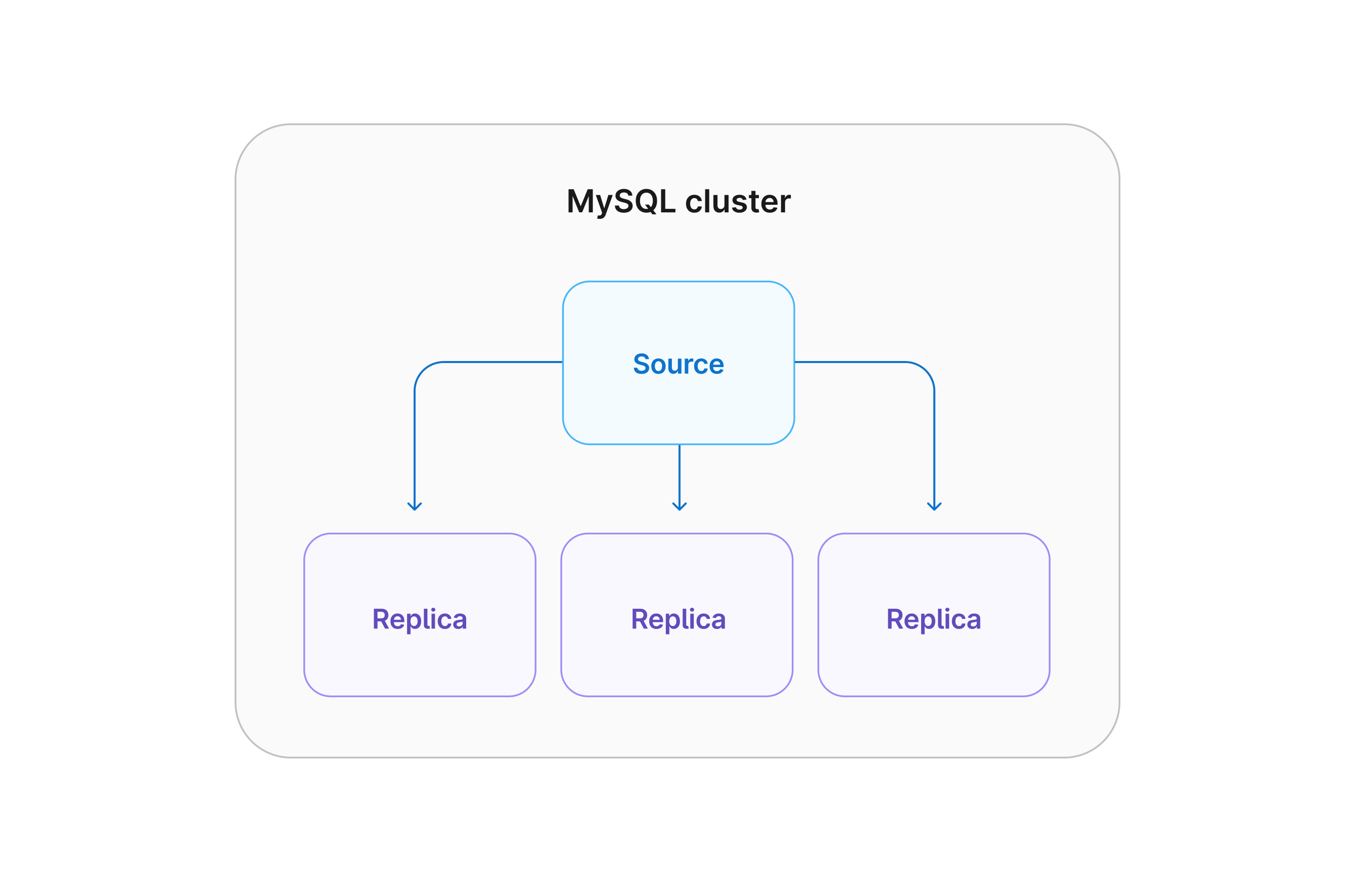
A diagram of a single MySQL source and three replicas

MySQL replication use cases

Now that we've defined database replication, let's look at when you should use it. The following are some common scenarios where you may consider database replication for improved performance: read-only connections, backups, analytical workloads, high availability, and planned upgrades.

Read-only connections

While a MySQL cluster can contain multiple active database servers, replication is typically configured in an active/passive configuration.

In this setup, the "active" server is the one that all requests will be sent to by default, and the "passive" servers are replicas that contain a read-only copy of the database. While you can't make changes to read-only replicas, you can still connect to them to read data.

Many applications are more read-heavy vs write-heavy. In these applications, setting up a read-only connection can help balance the load between the database servers, leading to higher performance overall. One thing to be aware of is that there may be some delay between replication, so keep this in consideration if your application requires that the data be immediately available after being written.

Backups

Backing up your database is critical and should not be taken lightly.

If something happens and your data gets corrupted or modified unintentionally, good backups can be the difference between your application going down for a period of time or your business collapsing. As important as backups are, they can create a substantial load on your database server. Since replicas typically contain a copy of your database, you can configure your backup system to take a snapshot of a replica.

This can reduce the load on your overall database infrastructure, reducing any kind of performance hit users might see while backing up your database.

Analytical workloads

In analytics solutions, the data from your database is often scanned at a specific point in time and transferred to a data warehouse.

While the process occurs, users of your database may notice performance degradation while data is being parsed into the data warehouse. Replicas are an excellent solution to get around this performance hit. By configuring your analytics solutions to read a replica and not the primary database server, users of your application won’t be affected by this process.

This (and the previous use cases) can be performed on one or even multiple replicas!

High availability

Deviating from read-only workloads, a well-architected replicated environment can help your application stay online.

It’s inevitable that all hardware will fail at one point or another, and your database server is no exception. Even if you have good backups, if your database goes down and it takes several hours to stand up a new server and restore the data, you’re still looking at a potentially lengthy outage. Luckily, with replication enabled, it's as simple as performing a configuration change on a replica to promote it to a new primary server, allowing for data writes.

Paired with a good load-balancing solution, you can potentially bring your database back online in minutes instead of hours or even days!

Planned upgrades

As new versions of MySQL are released, your IT teams should have a strategy to keep your servers updated with the latest version.

In a single-server environment, this often includes maintenance windows where your application is taken offline so the database can be updated. If you have replication configured, you can actually test and validate upgrades on your replicas to ease the pain of performing upgrades. This can also facilitate a rolling upgrade situation where your replicas are upgraded, a replica is promoted to the primary, and finally, the original source is updated.

With this approach, you can perform major upgrades to your MySQL environment with little to no downtime.