




Google Trends allows you to check the popularity of top search queries in Google Search. It can help you discover new trending topics, compare the performance of keywords based on time and region, check which topics are popular at the moment, and much more. Google Search is the most widely-used search engine on Earth, so even the generalized data available through Google Trends is immensely valuable.
With the Google Trends API from SerpApi, you can pull results from Google Trends search pages, autocomplete results, and the 'Trending Now' page in simple JSON data. SerpApi handles the HTML parsing, proxy network, captcha puzzles, and other challenges, so you can spend more time on your actual project or business.
Here's everything you can pull from Google Trends using SerpApi:
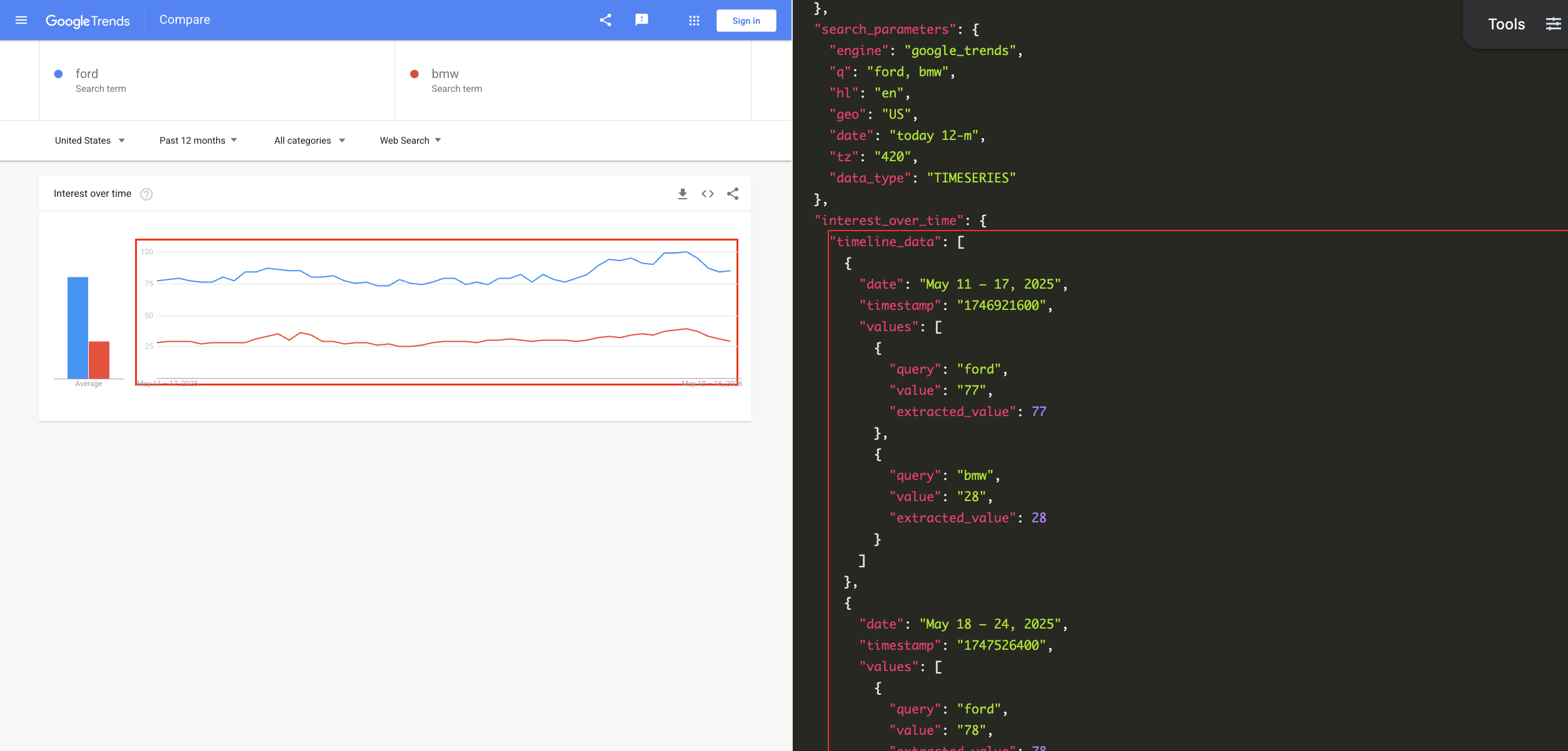
You need a free SerpApi account to obtain results from Google Trends. SerpApi also provides APIs for pulling data directly from Google Search, Bing, DuckDuckGo, and other engines. You can upgrade to a paid account later if you need more search capacity, faster speeds, or other features.
If you haven't already, create an account and verify your email and other details. After that, you need to grab your API key, which can be found in your account dashboard.
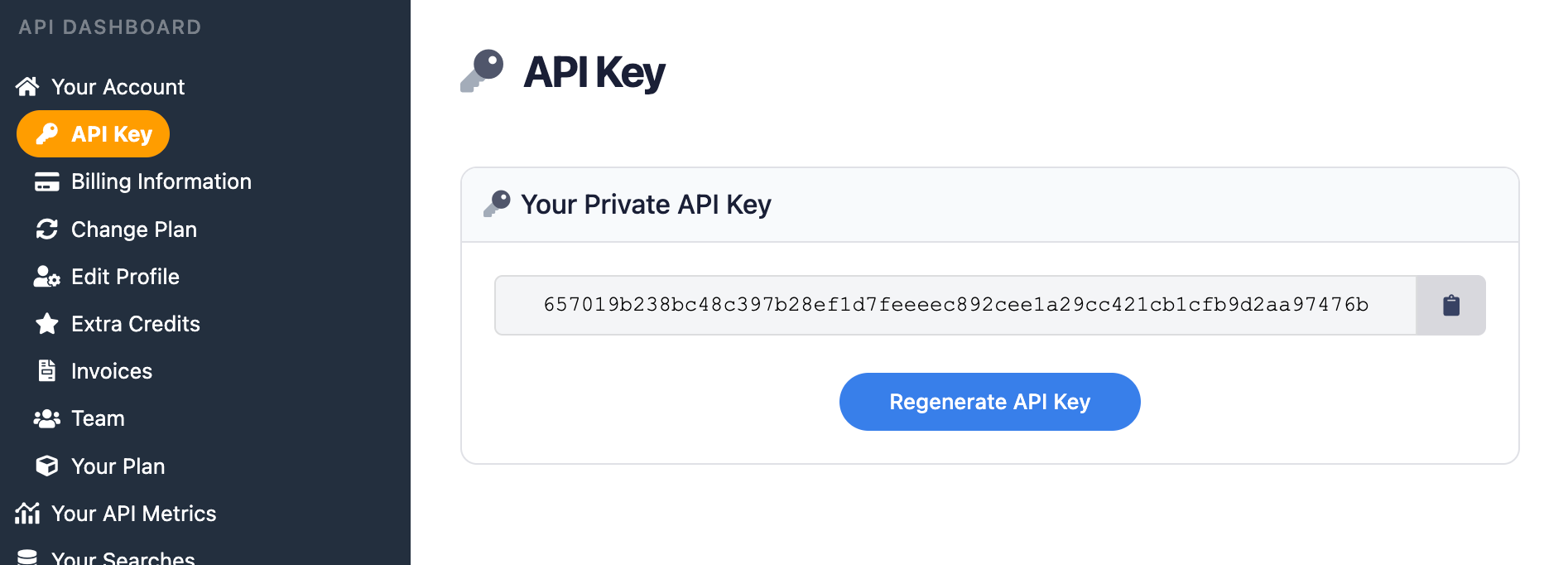
You should store your API key in a safe location if you are sharing or publishing your code. If the key is leaked or stolen, you can regenerate it from the SerpApi account dashboard.
You can use SerpApi's official libraries for Python, JavaScript, Ruby, Java, and other languages. They provide a simple wrapper around the API requests.
You can also use a simple GET request, using cURL, fetch() in Node.js, and other similar methods. This guide will cover both the GET method and several of the official integrations.
Each API at SerpApi has extensive documentation, covering all the supported parameters and filters, code examples for popular languages, and example JSON responses. For Google Trends, check out the pages for the Google Trends API, Google Trends Autocomplete API, and Google Trends Trending Now API.
Google Trends API - SerpApi
Scrape Google Trends results with SerpApi’s Google Trends Results API. Interest over time, Interest by region, Related topics, Related queries.
 SerpApiSerpApi

The only required parameter for the main Google Trends API is the search query, or comma-separated list of search queries, that you want to check.
If you have your API key, you're ready to start pulling data from Google Trends. No matter how you're accessing SerpApi, the API results will be identical.
This will search Google Trends for the queries "chrome" and "firefox" and return the scores for each term, over the default time period:
https://serpapi.com/search?engine=google_trends&q=chrome,firefox&api_key=API_KEY_GOES_HEREIf you wanted to compare the popularity across different countries, you could set the data_type parameter to GEO_MAP like this:
https://serpapi.com/search.json?engine=google_trends&q=chrome,firefox&data_type=GEO_MAP®ion=COUNTRY&api_key=API_KEY_GOES_HERESerpApi's JSON Restrictor feature can trim the API response to certain values. This would perform a search for "chrome" and "firefox" in the United States over the past 12 months, and filter the response to only the averages:
https://serpapi.com/search?engine=google_trends&q=chrome,firefox&geo=US&date=today%2012-m&json_restrictor=interest_over_time.averages&api_key=API_KEY_GOES_HEREThe JSON Restrictor might be helpful for more efficient parsing, or if you're using an LLM with a limited context window.
SerpApi has an official library for Python with access to all APIs. This will pull Google Trends data in the United States for "chrome," "firefox," and the Opera web browser, with the topic code for Opera obtained through the Google Trends Autocomplete API:
import serpapi

client = serpapi.Client(api_key=YOUR_KEY_GOES_HERE)
results = client.search({
  "engine": "google_trends",
  "q": "chrome,firefox,/m/01z7gs",
  "geo": "US"
})

print(results["interest_over_time"])
This compares searches for "playstation 5," "xbox series x," and "nintendo switch 2" over the past three months, showing the average search volume for each query:
import serpapi

client = serpapi.Client(api_key=YOUR_KEY_GOES_HERE)
results = client.search({
  "engine": "google_trends",
  "q": "playstation 5,nintendo switch 2,xbox series x",
  "date": "today 3-m"
})

for item in results["interest_over_time"]["averages"]:
  print(f'{item["query"]} average: {item["value"]}')
You can check out more Python examples in our other blog post, including how SerpApi compares to PyTrends library.
This example uses the official SerpApi Ruby gem to search for "microsoft edge" and "internet explorer" in Google Trends:
require "serpapi"

client = SerpApi::Client.new(
    engine: "google_trends",
    q: "microsoft edge, internet explorer",
    api_key: YOUR_KEY_GOES_HERE
)

results = client.search
p results
This checks for related queries to "walt disney world" and displays each one:
require "serpapi"

client = SerpApi::Client.new(
    engine: "google_trends",
    q: "walt disney world",
    data_type: "RELATED_QUERIES",
    api_key: YOUR_KEY_GOES_HERE
)

for result in client.search[:related_queries][:top] do
    p result[:query]
endThis shows searches for the Apple Safari web browser over time, using the official SerpApi JavaScript library and the topic ID obtained with the Google Trends Autocomplete API:
import { getJson } from 'serpapi';

const search = await getJson({
    engine: "google_trends",
    q: "/m/0168s_",
    api_key: YOUR_KEY_GOES_HERE
});

search?.interest_over_time?.timeline_data.forEach(function (dateRange) {
    console.log(`${dateRange.date}: Score ${dateRange.values[0].value}`);
});
This compares the popularity of searches for "macbook pro" and "macbook air" over the last 12 months:
import { getJson } from 'serpapi';

const search = await getJson({
    engine: "google_trends",
    q: "macbook air,macbook pro",
    date: "today 12-m",
    api_key: YOUR_KEY_GOES_HERE
});

search?.interest_over_time?.timeline_data?.forEach(function (item) {
    console.log(`\nDate range: ${item.date}\n===`)
    item.values.forEach(function (result) {
        console.log(`${result.query} popularity: ${result.value}`);
    })
});Here's how to pull Google Trends data for the "macbook air" search term across the last 12 months, in the "Interest over time" format:
curl --get https://serpapi.com/search \
 -d engine="google_trends" \
 -d q="macbook+air" \
 -d date="today+12-m" \
 -d data_type="TIMESERIES" \
-d api_key="YOUR_KEY_GOES_HERE"Even if an official SerpApi integration isn't available for your preferred language or environment, you can still use the API directly with GET requests. You can also use SerpApi with Make.com, N8N, and other tools.
You can also fetch the list of autocomplete suggestions from the main Google Trends search box, using the Google Trends Autocomplete API. This is mainly helpful for finding an exact topic ID for use with the main Google Trends API, instead of a search term that could have multiple meanings.
Let's say you wanted to check Google Trends data for Vivaldi web browser, and exclude searches for Vivaldi the composer. Searching for "vivaldi" with the Autocomplete API returns topic IDs for both topics, as well as others:
{
  ...
  "search_parameters": {
    "engine": "google_trends_autocomplete",
    "q": "vivaldi",
    "hl": "en"
  },
  "suggestions": [
    {
      "q": "vivaldi",
      "title": "vivaldi",
      "type": "Search term",
      "link": "https://trends.google.com/trends/explore?q=vivaldi",
      ...
    },
    {
      "q": "/m/0pth",
      "title": "Antonio Vivaldi",
      "type": "Italian composer",
      "link": "https://trends.google.com/trends/explore?q=/m/0pth",
      ...
    },
    {
      "q": "/m/012r1xmq",
      "title": "Vivaldi",
      "type": "Web browser",
      "link": "https://trends.google.com/trends/explore?q=/m/012r1xmq",
      ...
    },
    {
      "q": "/g/11b73xfgd0",
      "title": "Vivaldi Technologies",
      "type": "Software developer",
      "link": "https://trends.google.com/trends/explore?q=/g/11b73xfgd0",
      ...
    },
    {
      "q": "/g/11fzz2bjz1",
      "title": "The Four Seasons : Summer",
      "type": "Book by Antonio Vivaldi",
      "link": "https://trends.google.com/trends/explore?q=/g/11fzz2bjz1",
      ...
    },
    {
      "q": "/g/11y6ktp5vz",
      "title": "The Instrumentalist",
      "type": "Novel by Harriet Constable",
      "link": "https://trends.google.com/trends/explore?q=/g/11y6ktp5vz",
      ...
    }
  ]
}
Here's how to pull a list of autocomplete results for "Apple" with a basic GET request, and display each one with its category and topic ID:
https://serpapi.com/search.json?engine=google_trends_autocomplete&q=apple&api_key=YOUR_KEY_GOES_HEREThis is how you can do it in Python, with the official SerpApi Python integration:
import serpapi

client = serpapi.Client(api_key=YOUR_KEY_GOES_HERE)
results = client.search({
  "engine": "google_trends_autocomplete",
  "q": "apple"
})
for item in results["suggestions"]:
    print(f"{item["title"]} - {item["type"]}: {item["q"]}")
Here's the same search in Ruby, with the SerpApi Ruby gem:
require "serpapi"

client = SerpApi::Client.new(
    engine: "google_trends_autocomplete",
    q: "apple",
    api_key: YOUR_KEY_GOES_HERE
)
for item in client.search[:suggestions] do
    puts "#{item[:title]} - #{item[:type]} - #{item[:q]}"
end
Finally, this is the same search in JavaScript with the Node.js runtime, using the official JavaScript library:
import { getJson } from 'serpapi';

const search = await getJson({
    engine: "google_trends_autocomplete",
    q: "apple",
    api_key: YOUR_KEY_GOES_HERE
});
search.suggestions.forEach(function (item) {
    console.log(`${item.title} - ${item.type} - ${item.q}`)
})Finally, you can pull the list of trending searches from the Google Trends Trending Now page with SerpApi, using the Google Trends Trending Now API. The JSON results will be identical for all integrations and GET methods, as with other APIs.
This pulls the active trending topics in the United States, with no other settings specified:
https://serpapi.com/search.json?engine=google_trends_trending_now&geo=US&api_key=API_KEY_GOES_HEREIf you wanted to filter to only technology topics, use the Technology category from the categories list page, like this:
https://serpapi.com/search.json?engine=google_trends_trending_now&geo=US&category_id=18&api_key=API_KEY_GOES_HEREAs with the other APIs, you can use SerpApi's JSON Restrictor feature to trim the response to certain values, if you need more efficient parsing. Here's the list of trending topics in the US again, but with only the query strings and no other information:
https://serpapi.com/search.json?engine=google_trends_trending_now&geo=US&json_restrictor=trending_searches[].query&api_key=API_KEY_GOES_HEREThis fetches the current trending topics in Canada and displays each result:
import serpapi

client = serpapi.Client(api_key=YOUR_KEY_GOES_HERE)
results = client.search({
  "engine": "google_trends_trending_now",
  "geo": "CA"
})

for topic in results["trending_searches"]:
print(topic["query"])This pulls the list of trending gaming topics, with the category ID from the categories list page, and displays each result:
require "serpapi"

client = SerpApi::Client.new(
    engine: "google_trends_trending_now",
    category_id: 6, # Gaming category ID
    api_key: YOUR_KEY_GOES_HERE
)

for result in client.search[:trending_searches] do
    p result[:query]
endThis fetches the current trending topics in the United States, and displays each result with its search volume:
import { getJson } from 'serpapi';

const search = await getJson({
    engine: "google_trends_trending_now",
    geo: "US",
    api_key: YOUR_KEY_GOES_HERE
});

search?.trending_searches?.forEach(function (item) {
    console.log(`${item.query}: Volume ${item.search_volume}`);
});This fetches the current trending topics in the United Kingdom:
curl --get https://serpapi.com/search \
 -d engine="google_trends_trending_now" \
 -d geo="GB" \
-d api_key="YOUR_KEY_GOES_HERE"With SerpApi, you compare search queries and topics with the Google Trends API, and identify new trends with the Google Trends Trending Now API. For searches that can have different meanings for the same word, you can use the Google Trends Autocomplete API to find the exact topic ID that you need.
These APIs are a powerful set of tools for keyword research, finding new opportunities for articles or videos, analyzing competitors, and much more. Best of all, they work in any programming language or workflow that accepts simple GET requests.
If you need help using SerpApi, please contact us.
此内容由惯性聚合(RSS阅读器)自动聚合整理,仅供阅读参考。 原文来自 — 版权归原作者所有。