





WooCommerce stores that rely only on the built-in coupon system leave money on the table.
Not because native coupons are broken. They work fine for basic percentage or fixed-amount discounts.
The problem is everything they cannot do.
You cannot auto-apply a coupon when a customer hits a cart total threshold.
You cannot run a proper BOGO deal.
You cannot restrict a discount to a specific user role or trigger a discount inside a checkout funnel.
For any of those things, a plugin is required.
A WooCommerce coupon plugin extends the platform’s native discount system with advanced coupon types, cart condition rules, and automation features that WooCommerce does not include out of the box.
According to the Baymard Institute, nearly 70% of shopping carts are abandoned before purchase.
A significant portion of that drop-off happens at the exact moment the coupon experience fails.
Table Of Contents
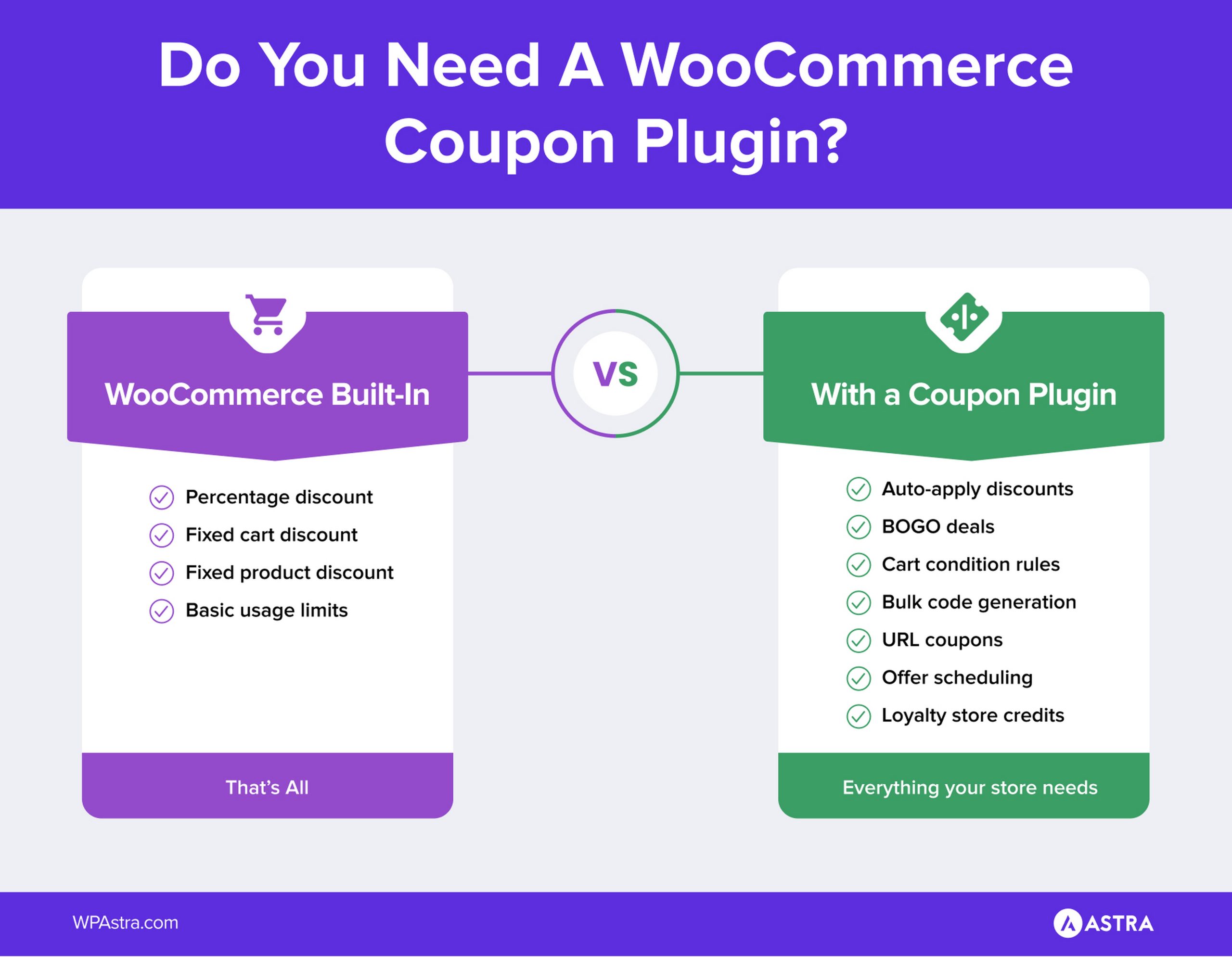
The native coupon system covers percentage discounts, fixed cart discounts, fixed product discounts, and basic restrictions like minimum order value and per-user limits.
That is enough for simple one-time promotions.
Beyond that, the built-in system stops. No auto-apply based on cart conditions, no buy-one-get-one deals, no bulk code generation, no discount logic tied to checkout funnels.
Those gaps are why the plugins on this list exist.
Most roundups on this topic either push their own products as impartial recommendations, or list plugins that have not been touched in two years.
Every plugin in this guide was evaluated on active install count, WordPress.org rating, last update date, and hands-on testing on a standard WooCommerce install.
Where a plugin has both a free and a paid version, both are covered so you can figure out what fits before spending anything.
This guide reviews 9 WooCommerce coupon plugins, free and paid, sorted by use case.
It includes a store-type matching section, a full pricing table, and a Power Coupons Free vs Pro breakdown in the conclusion.
If you are also working on improving average order value or optimising your WooCommerce checkout, the plugins in this list work alongside those efforts directly.
Many roundup posts in this space either promote the author’s own products as impartial picks.
Or they recycle the same plugins that appeared in every list three years ago without checking whether they are still maintained.
We approached this differently.
One thing worth stating upfront: Power Coupons is built by Brainstorm Force, the same team behind Astra.
We have evaluated it on the same criteria as every other plugin on this list.
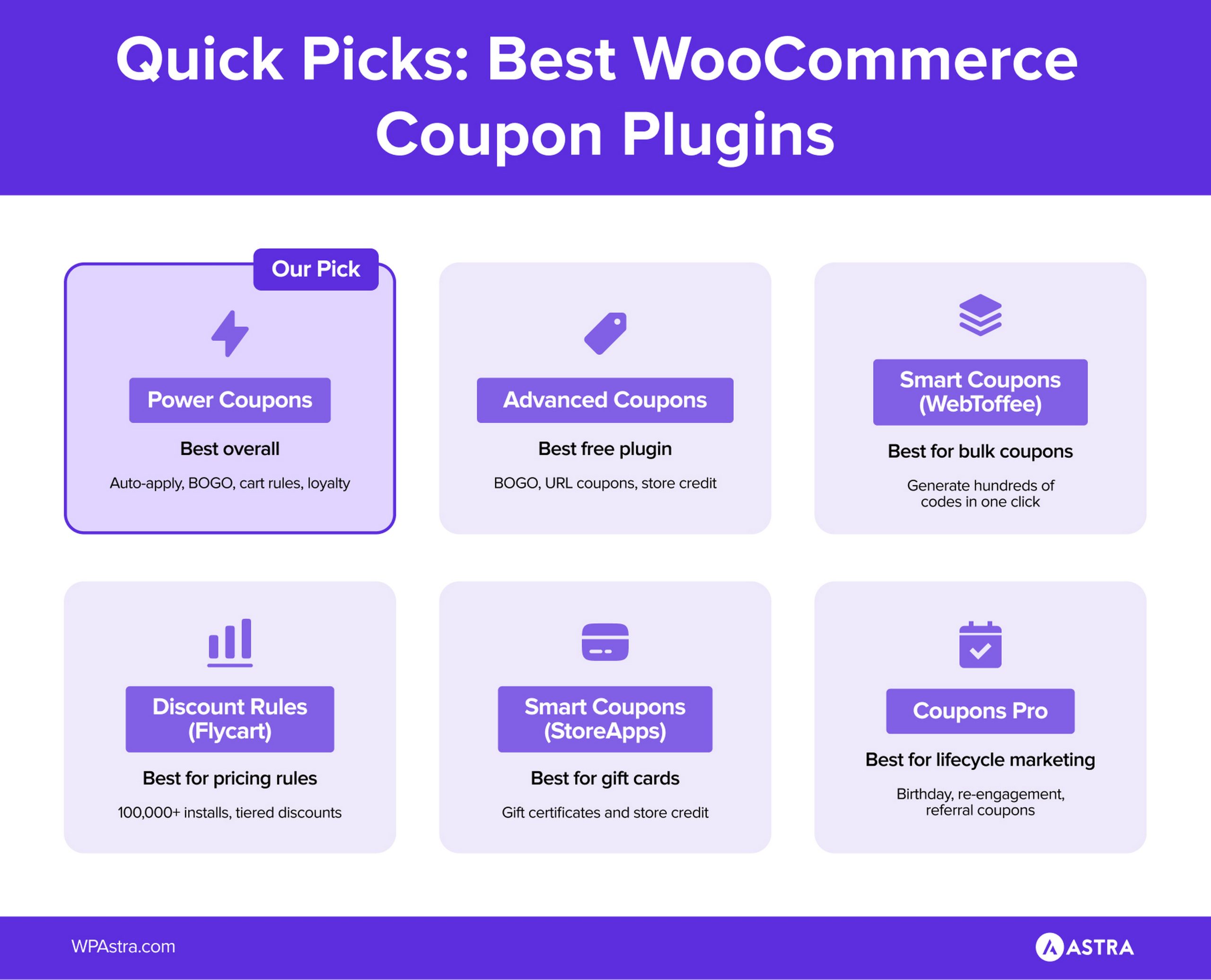
It appears first because it covers the widest feature set for stores that need cart condition logic and checkout integration, with a free version that is genuinely usable.
If that does not match your use case, the other eight plugins will.
Only actively maintained plugins made the list. Every plugin was checked on WordPress.org before inclusion. Any plugin with no update in the past 12 months was excluded. Outdated plugins create compatibility and security risks regardless of their feature set.
Install counts were verified directly. WordPress.org rounds counts into buckets, so we cross-referenced with developer sites for more precise figures. The numbers in this post reflect what was published on the day this article was written.
Free and paid versions were both evaluated for every freemium plugin. Most stores should start on the free tier and upgrade only when they hit a specific limit. The “when to use free” and “when to upgrade” sections in each entry are based on where the free version actually stops being useful.
Niche plugins were included where they solve a problem nothing else does. Group Coupons and Flexible PDF Coupons have smaller install bases than the others. They are here because no other plugin on this list covers their use case. Install count alone is not a reason to exclude a tool that solves a real problem cleanly.
Knowing what separates a useful plugin from one that just adds settings noise makes the decision a lot faster.
10,000+ active installs | Free + Pro
Most WooCommerce stores lose conversions at checkout for one of three reasons.
Discounts apply to products the store never meant to discount.
Customers forget or mistype coupon codes and abandon.
Or running a BOGO or loyalty campaign requires adding another plugin that conflicts with something already installed.
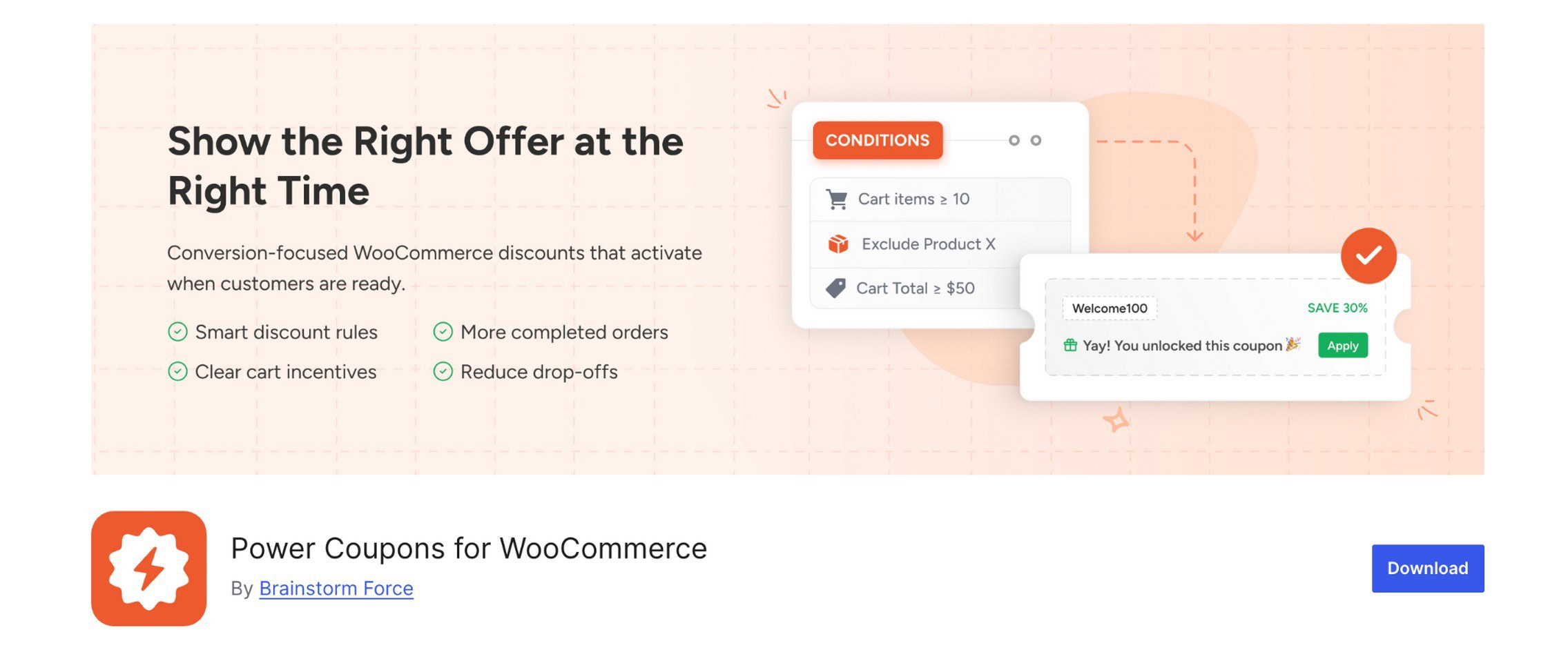
WooCommerce’s native coupon system does not solve any of these. Power Coupons was built specifically to fix them.
The rule engine works on cart total, products, categories, quantities, and combinations.
When a cart meets the conditions, the discount appears automatically, with no code entry and no friction. The offer updates in real time as items are added or removed.
On the Pro side, that expands to six BOGO offer types, a cart progress bar, loyalty store credits, and offer scheduling.
All of it lives in the same interface, not spread across three separate plugins.
It reached 10,000+ active installs since launching in February 2026.
That is fast, and it reflects both the size of Brainstorm Force’s existing user base and genuine demand for what the plugin does.
Most stores that want Buy One Get One deals install a dedicated BOGO plugin on top of their existing coupon setup, which creates conflict risks.
Power Coupons Pro builds all six BOGO formats directly into the same rule engine used for auto-apply and cart conditions.
Buy X Get Y free, buy X get Y at percentage off, quantity-based triggers, and category-level BOGO rules are all configured from one place. No separate plugin required.
Key features:
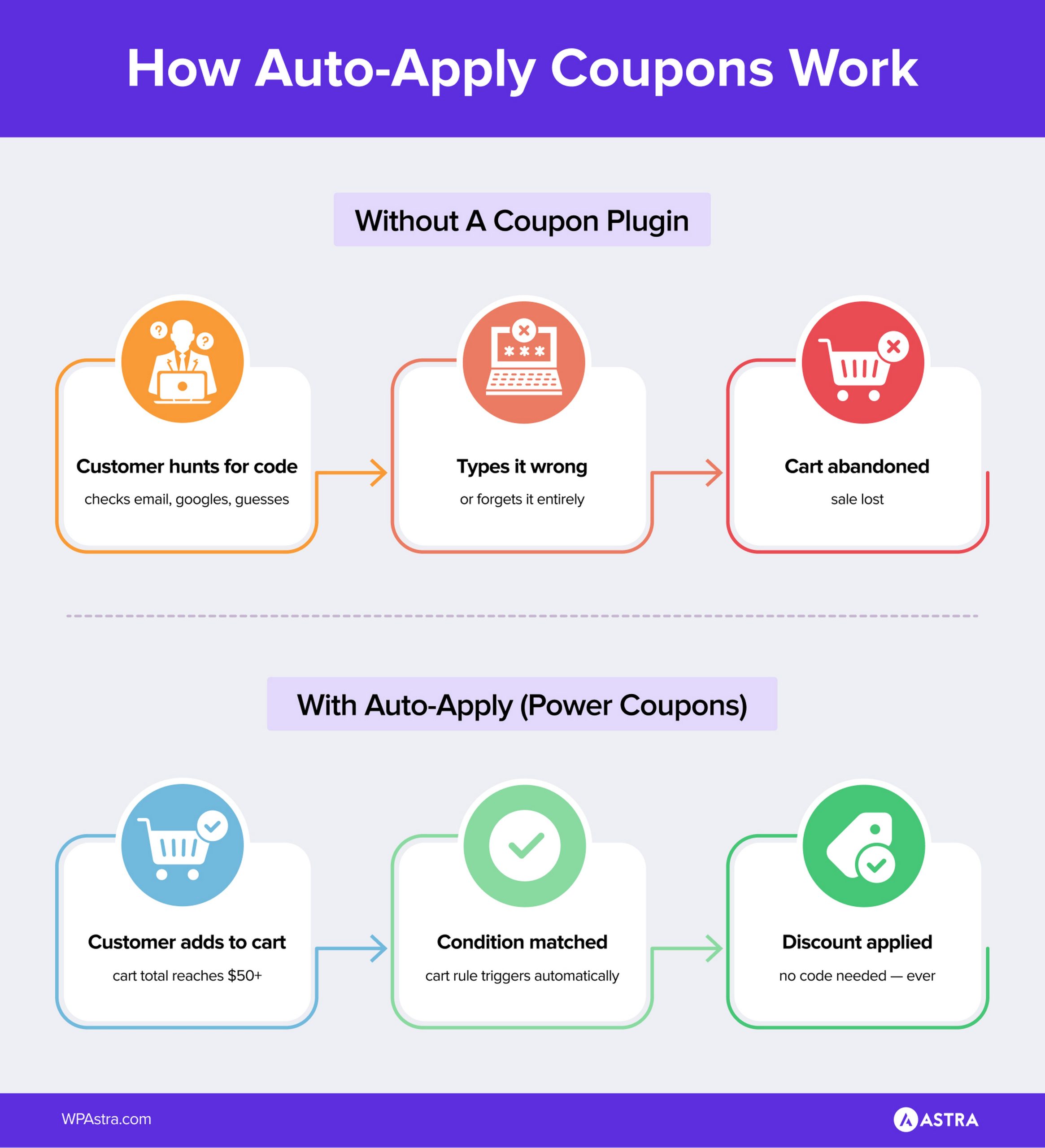
The free version handles auto-apply rules, cart conditions, and dynamic discount display.
For a store that wants discounts to fire without requiring customers to enter a code, the free version covers the core use case.
Setup takes under five minutes and works without any coding.
Pro is where BOGO offers, the cart progress bar, loyalty credits, and offer scheduling come in.
If you are running active promotions where average order value is the lever you want to move, these features work together cleanly.
Individual free plugins cannot replicate that combination.
The numbers are straightforward. A cart progress bar that lifts AOV by $10 on 20 monthly orders covers the $59 annual cost in the first week.
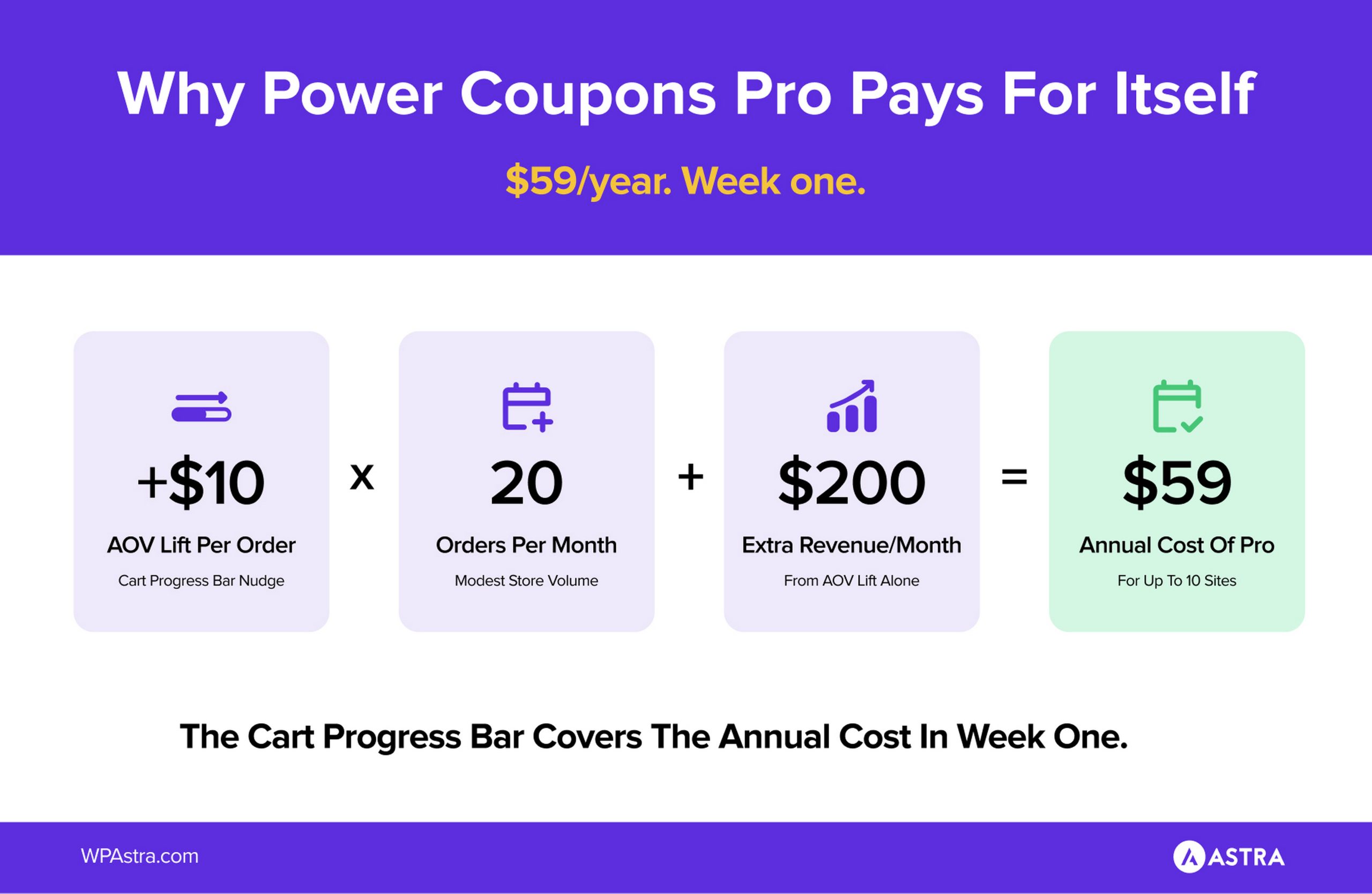
WPCrafter, which reviewed Power Coupons across multiple store sizes, rated it 9.5/10 for ease of use and 9.5/10 for price/value.
At $59/year for up to 10 sites, or $199 lifetime for up to 30 sites, the upgrade cost is low relative to what even a modest AOV lift returns on a store doing consistent volume.
Pricing: Free | Pro from $59/year | $199 lifetime (launch pricing)
Best for: WooCommerce stores that want discount rules, auto-apply offers, and BOGO campaigns running from a single plugin, without code and without plugin conflicts.
20,000+ active installs | Free + Premium
Most free plugins give you just enough to want the paid version.
Advanced Coupons is one of the few that does not.
Over 20,000 stores use it on WordPress.org.
A large chunk of them stay on the free tier indefinitely, because the free tier covers what most stores actually need.
BOGO deals, URL coupons, store credit, and basic cart conditions are all there without paying anything.
The BOGO builder is particularly strong.
You can set rules like “buy product A, get product B free” or “buy 2, get 1 at 50% off” entirely within the free version.
No upgrade required to run basic buy-one-get-one campaigns.
URL coupons let you create a shareable link that automatically applies a discount the moment a customer clicks it.
Useful for email campaigns, influencer codes, and social media promotions where typing a code creates friction.
Cart conditions let you restrict or trigger coupons based on what is in the cart, the customer’s role, or their order history.
The free tier includes a solid subset of these. The Premium version expands them significantly.
Key features:
For most small to mid-sized stores running standard promotions, the free tier is enough.
BOGO, URL coupons, store credit, and basic cart conditions do not require upgrading.
There is no compelling reason to pay unless you hit a specific feature the free tier does not cover, and many stores never do.
The Premium version adds scheduled coupons, more advanced cart conditions, loyalty program features, and shipping discounts.
If you are running several overlapping campaigns at once, or need loyalty-based discount logic tied to customer purchase history, the Premium tier is worth evaluating.
Most stores will not need it until their promotional strategy genuinely outgrows what the free version can do.
The auto-apply feature works through cart conditions.
You create a coupon, set the conditions that trigger it (cart total, product in cart, user role), and enable auto-apply.
When a customer’s cart matches, the discount is applied without them doing anything.
The URL coupons feature works differently. The discount fires the moment a customer clicks a link, before they even reach the cart.
Pricing: Free | Premium available
Best for: Stores that need strong BOGO and URL coupon features without paying upfront
30,000+ stores | Free + Pro from $89/yr
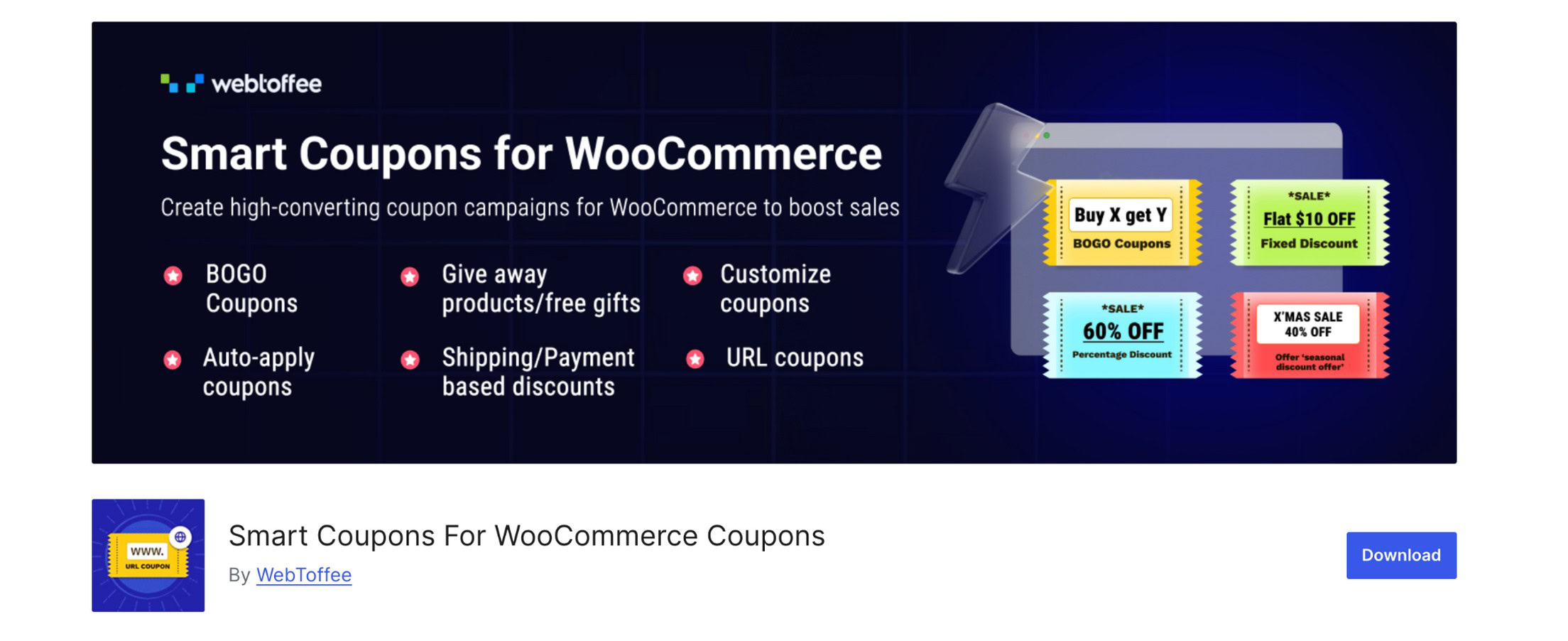
Smart Coupons by WebToffee is one of the most installed coupon plugins in the WooCommerce ecosystem.
It has 30,000+ stores according to the developer.
What stands out about it is the free version.
Bulk generation, auto-apply, and BOGO are all included without upgrading. These are features that most plugins save for their paid tier.
If you run seasonal sales, affiliate programs, or campaigns where you need a large batch of unique codes fast, this is the most practical free option.
The bulk generator is genuinely fast.
You set the quantity, add a prefix or suffix to make codes identifiable, and generate them in one click. The codes are immediately available to export as CSV.
Auto-apply works on cart conditions, so you can trigger a discount automatically when a customer meets a spend threshold or has a specific product in their cart.
The coupon scheduling feature lets you set a start and end date and walk away, which saves time on recurring seasonal promotions.
Key features:
Bulk generation, BOGO deals, auto-apply, and scheduling are all there without paying.
For stores whose main need is generating large batches of unique codes or running straightforward BOGO campaigns, the free version handles it completely.
The Pro version adds country-based restrictions, gift coupons, sign-up coupons, and cart abandonment coupon triggers.
If your store sells internationally and needs to restrict coupon use by geography, that is when the Pro upgrade becomes relevant.
The bulk generator creates unique codes from a single configuration.
You set the discount type (percentage, fixed cart, free shipping) and define a prefix or suffix for campaign identification.
Then choose how many codes to generate, set expiry and usage limits, and click generate.
Click generate, and the codes are ready to download as CSV immediately. For large campaigns, this takes minutes instead of hours.
Pricing: Free | Pro starts at $89/year
Best for: Stores running large-volume promotions, or agencies managing multiple client campaigns
20,000+ users | Paid ($129/yr)
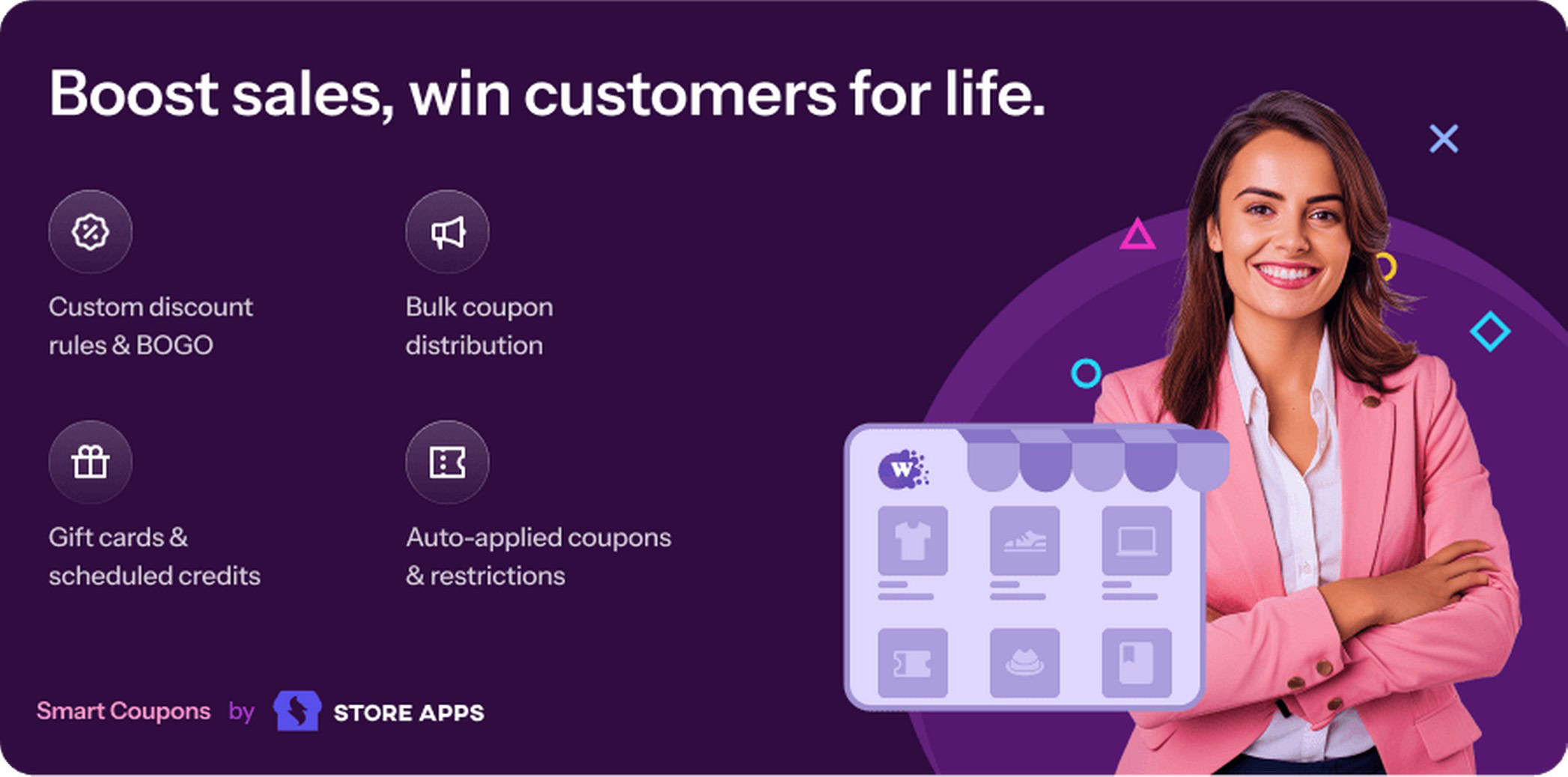
Smart Coupons by StoreApps has been around since 2012 and is sold through the official WooCommerce marketplace.
Gift certificates, store credit, BOGO deals, bulk generation, and advanced coupon rules all live in a single product.
It is not a lightweight add-on. It is a full coupon management system, and it is priced accordingly.
The gift certificate functionality is where it genuinely separates itself from everything else on this list.
Customers can purchase gift cards as products, receive them via email, and redeem them across multiple orders.
Store credit works similarly. You can even issue store credit in place of cash refunds, which helps retain customers who might otherwise churn after a bad experience.
If you are also running WooCommerce order bumps at checkout, gift card and store credit promotions pair well as a retention layer.
BOGO deals, sitewide discounts, cart abandonment coupons, and purchase-history-based discounts are all included.
You can restrict coupons by location, payment method, user role, and order history with a level of granularity that most other plugins do not offer.
The 13-year track record matters here.
StoreApps has maintained compatibility through every major WooCommerce release. For stores where coupon strategy is central to the business, that reliability is worth paying for.
Key features:
At $129/year this is the most expensive plugin on this list.
Worth it if gift certificates and store credit are genuine revenue drivers for your store.
Also worth it if you want one plugin to handle both coupon management and gift card sales without juggling separate tools.
If you only need one or two of its features, a more focused plugin at a lower price makes more sense.
Pricing: $129/year
Best for: Stores that need gift certificate functionality alongside full coupon management in a single, well-supported plugin
Available on WooCommerce Marketplace | Paid ($79/yr)

Every other plugin in this list is about creating and distributing coupons.
Coupons Pro is about deciding when to send them.
Its 11 modules fire automatically based on lifecycle events: first purchase, birthday, re-engagement, referral, anniversary.
No other plugin on this list works this way, which makes it genuinely useful or completely irrelevant depending on where your store is.
The birthday coupon module collects customer birthdates and sends a discount automatically a set number of days before the birthday.
No manual list management, no email platform integration required.
The re-engagement module identifies customers who have not purchased in a defined period and triggers a discount automatically.
The referral module issues coupons when a customer brings in a new buyer.
Each of these runs on its own. You configure the module once and it handles the rest.
For stores trying to increase repeat purchase rates, this replaces a significant amount of what would otherwise require a dedicated email marketing workflow.
Key features:
At $79/year, the honest answer depends on your store size.
Fewer than 500 customers, or a store still in acquisition mode, the 11 modules will mostly sit idle and the plugin will not recover its cost.
For stores with an established base where repeat purchase rates have plateaued, this is one of the few tools that tackles that problem directly through automation.
It does this without needing a full email platform.
If that is not where your store is yet, bookmark it and come back when it is.
Pricing: $79/year
Best for: Stores with an established customer base focused on improving repeat purchase rates
Available on WooCommerce Marketplace | Updated 2026 | Paid ($49/yr)

Group Coupons solves one specific problem: automatic coupon application based on user group membership.
Wholesale buyers get their discount without typing a code. Members get their tier pricing without any friction.
The plugin works alongside the free Groups membership plugin from the same developer.
For the stores that need this, it is irreplaceable. For everyone else, it is irrelevant.
The way it works is straightforward.
You create a user group, assign customers to it, and configure a coupon that applies automatically for group members.
When a customer in that group adds products to their cart and checks out, the discount is there without them doing anything.
You can also run the logic in reverse.
Exclude a group from using a coupon entirely, so a promotion aimed at new customers does not apply to existing wholesale accounts.
Or restrict a coupon to a specific WordPress user role, independent of group membership, for more granular control.
Getting this behavior without a dedicated plugin would require custom development. At $49/year, it is one of the most affordable solutions for what it does.
Key features:
At $49/year it is the most affordable paid option on this list.
For wholesale and B2B stores, it solves a genuine problem cleanly, with role-based automatic pricing and no friction for the customer.
For a standard retail-only store with a single customer type, skip it entirely. The use case does not apply.
Pricing: $49/year
Best for: Wholesale, B2B, and membership stores that need automatic role-based discounts, not for standard retail stores
Available on WordPress.org | Free
A single-purpose tool that does one thing well: generates large batches of unique coupon codes fast.
No settings bloat. No feature overlap. Just a three-step interface that takes you from install to a CSV file full of unique codes in minutes.
Coupon Generator for WooCommerce has been tested up to one million coupons.
That is not a typical use case, but it signals the plugin was built for volume, not just basic use.
For marketing teams running flash sales, affiliate programs, or event-based promotions, this is the fastest free path.
You set the discount type, configure the code format with a prefix or suffix, choose expiry and usage limits, and generate. The codes are immediately ready to download.
The workflow is genuinely simple. Most users can create and export their first batch without reading any documentation.
Key features:
The free version handles core batch generation with CSV export, enough for most one-off campaign needs.
If you are generating a few hundred codes for a flash sale or affiliate push and do not need advanced code formatting, the free version does the job.
Note: the plugin’s last WordPress.org update is from 2025 and development appears to have slowed.
It functions correctly on current WooCommerce installs based on user reports, but this is worth monitoring before deploying on a production store.
Pricing: Free
Best for: Marketing teams running large coupon campaigns, flash sales, or affiliate promotions
Available on WordPress.org | Free + Pro

The only plugin in this list that generates printable, downloadable PDF coupon codes.
No other plugin here does this.
If your store has a physical presence, runs events, or sells gift-oriented products, this is the only option.
No other plugin here generates a coupon that exists as an actual document rather than a code string.
Flexible PDF Coupons works directly with WooCommerce’s coupon system.
You set a product as a coupon or voucher, configure the template, and the plugin generates a PDF automatically.
The customer receives it via their order confirmation email and can download it from their account.
The free version uses a default template that includes the coupon code, expiry date, and basic branding.
It is functional out of the box for stores that need the capability without a customised design.
The Pro version opens up a graphic editor where you can design the coupon layout with your own branding, colours, and custom fields.
QR code support is also in Pro, which is useful for in-store redemption at events or physical retail locations.
For stores selling gift cards, vouchers, tickets, or any product that involves a physical or printable code, this fills a gap that standard coupon plugins leave entirely open.
Key features:
The free version generates functional PDF coupons using a default template.
If you need a printable coupon attached to an order confirmation or gift purchase without a branded layout, the free version handles that without any additional setup.
Pro unlocks custom template design, additional layout options, and QR code support.
For stores where the coupon is a customer-facing document, events, high-end retail, gift-focused products, the Pro upgrade makes the output look deliberate rather than default.
Pricing: Free | Pro available
Best for: Hybrid online/offline stores, event businesses, and gift-focused shops, not needed for stores operating entirely online
100,000+ active installs | Free + Pro from $89/yr
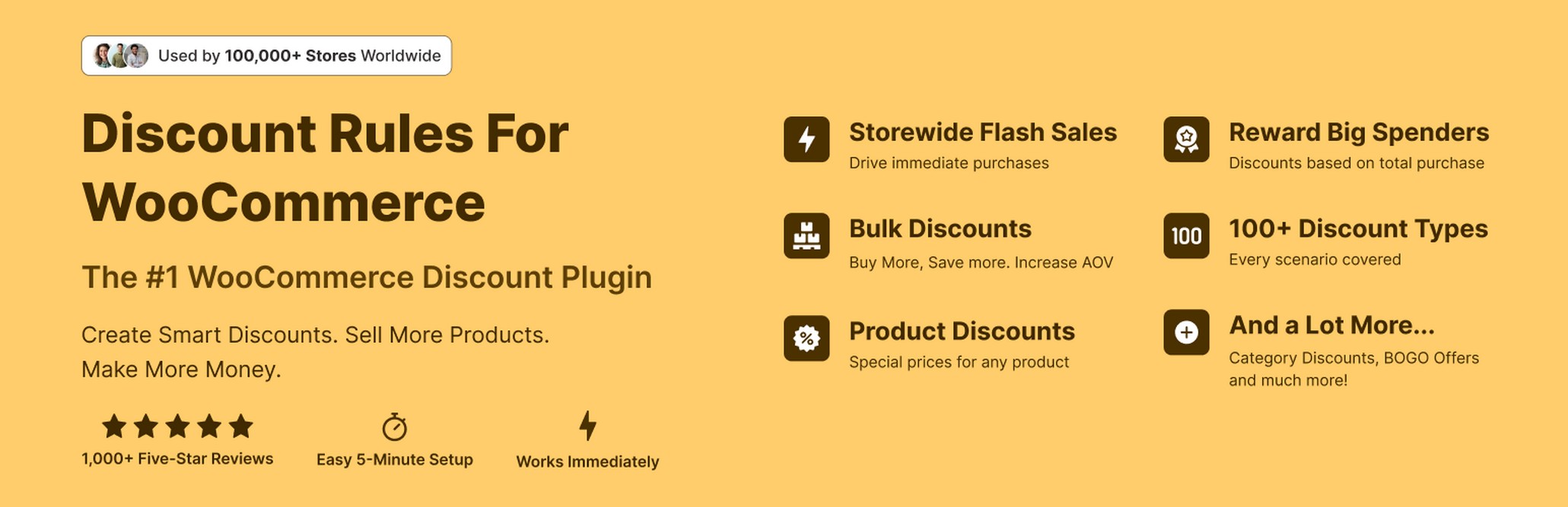
The highest install count on this list by a wide margin.
100,000+ active installs, 4.8 stars across 1,250+ reviews.
Technically a dynamic pricing plugin rather than a coupon plugin.
Discount Rules for WooCommerce covers cart-based discounts and tiered pricing better than most dedicated coupon plugins.
If your store needs “buy more, save more” logic or wholesale tier pricing, this is where most WooCommerce stores end up eventually.
The rule builder lets you set tiered discounts based on quantity purchased.
Buy 1-4 items at full price, buy 5-9 at 10% off, buy 10 or more at 20% off. The free version supports this out of the box.
You do not need to write any code, create coupon codes, or configure WooCommerce’s native discount system.
Cart total discounts work the same way.
Spend $50 and get 5% off, spend $100 and get 10% off. The discount applies automatically when the cart threshold is met.
User role pricing lets you show different prices to wholesale customers, VIP members, or registered users versus guests.
This works at the product level, category level, or across the entire store.
The plugin also stacks with WooCommerce’s native coupon codes, so you can run a quantity-based automatic discount alongside a manual coupon code without the two conflicting.
Key features:
Percentage and fixed discounts based on quantity and cart total are in the free tier.
For stores that want “buy more, save more” discounts without writing code, this is one of the most capable no-cost tools in the WooCommerce ecosystem.
The product page pricing table is the main reason to upgrade.
It shows customers the tiered discount structure before they add anything to the cart, which pushes up average order value directly.
Purchase history conditions, advanced user role pricing, and priority support also come with Pro.
Pricing: Free | Pro from $89/year
Best for: Stores that need quantity-based pricing, tiered discounts, or wholesale pricing rules
The right plugin depends less on which has the most features and more on what your store actually needs to do with coupons.
Advanced Coupons free tier is the default starting point for most stores.
It adds BOGO deals, URL coupons, and cart conditions to your existing setup in under 10 minutes with no configuration overhead. Start here before evaluating anything else.
If bulk code generation is the priority, use WebToffee Smart Coupons free tier or Coupon Generator instead.
Both produce large batches of unique codes without paying anything.
For tiered pricing and quantity-based discounts, Discount Rules for WooCommerce by Flycart has the strongest free tier of any plugin on this list.
Hybrid online/offline stores, event businesses, or shops selling vouchers and tickets: Flexible PDF Coupons is the right pick.
It is the only plugin on this list that generates downloadable, printable PDF coupon documents.
B2B or wholesale stores where different customer groups need different automatic pricing: Group Coupons.
It handles role-based discounts at the checkout level without requiring customers to enter any code.
Stores doing $1,000+ per month where a modest AOV lift has measurable revenue impact: Power Coupons Pro’s cart progress bar and BOGO offers are purpose-built for this problem.
Still unsure? Start with a free plugin, run one campaign, and upgrade the moment you hit a feature it cannot do.
| Plugin | Installs | Free version | Paid price | Best for |
|---|---|---|---|---|
| Power Coupons | 10,000+ | ✅ | $59/yr | Cart-condition discounts, BOGO, loyalty credits |
| Advanced Coupons | 20,000+ | ✅ | $99/yr | BOGO + URL coupons |
| Smart Coupons (WebToffee) | 30,000+ | ✅ | $89/yr | Bulk generation |
| Smart Coupons (StoreApps) | Marketplace | ❌ | $129/yr | Gift certificates + full coupon management |
| Coupons Pro | Marketplace | ❌ | $79/yr | Lifecycle marketing |
| Group Coupons | Marketplace | ❌ | $49/yr | Wholesale / membership |
| Coupon Generator | 10,000+ | ✅ | – | Large-scale code generation |
| Flexible PDF Coupons | 2,000+ | ✅ | $99/yr | Physical / gift delivery |
| Discount Rules (Flycart) | 100,000+ | ✅ | $85/yr | Tiered / bulk pricing |
Advanced Coupons is the strongest free option. BOGO, URL coupons, and cart conditions without spending anything.
For tiered pricing and quantity-based discounts, Discount Rules for WooCommerce covers more store types than anything else on this list for free.
WebToffee Smart Coupons is the better pick if bulk code generation is the priority.
For stores that need advanced cart rules, auto-apply logic, and WooCommerce checkout compatibility with a free tier to start on, Power Coupons handles all of it in one plugin.
Power Coupons Free vs Pro, which is right for your store?
| Feature | Power Coupons Free | Power Coupons Pro |
|---|---|---|
| Auto-apply discounts | ✅ | ✅ |
| Cart subtotal rules | ✅ | ✅ |
| Product and category rules | ✅ | ✅ |
| Quantity-based rules | ✅ | ✅ |
| Sale item exclusions | ✅ | ✅ |
| In-cart offer visibility (slideout) | ✅ | ✅ |
| Hide individual coupons from slideout | ✅ | ✅ |
| BOGO offers (6 types) | ❌ | ✅ |
| Cart progress bar | ❌ | ✅ |
| Loyalty rewards (store credits) | ❌ | ✅ |
| Offer templates | ❌ | ✅ |
| Offer scheduling | ❌ | ✅ |
| Smart product targeting | ❌ | ✅ |
| Variable product support for rewards | ❌ | ✅ |
| Advanced coupon analytics | ❌ | Coming Soon |
| Sites supported | 1 site | 10 (Annual) / 30 (Lifetime) |
| Support | Community | Priority |
Advanced Coupons is the strongest free option.
Its free tier includes BOGO deals, URL coupons, store credit, and cart conditions, features that most free plugins lock behind a paywall.
For bulk generation specifically, Smart Coupons by WebToffee is the better free pick.
For dynamic pricing and tiered discounts, the free version of Discount Rules for WooCommerce by Flycart is the most capable no-cost tool in the ecosystem.
WooCommerce supports auto-apply natively via URL coupons, a shareable link that applies the coupon code on click.
For condition-based auto-apply (for example, automatically apply a discount when the cart total exceeds $100), you need a plugin.
Power Coupons and Advanced Coupons both support this.
Not natively. The built-in coupon system supports minimum cart totals as a restriction, but automatic application based on cart value requires a plugin with cart condition rules.
Advanced Coupons (free) and Power Coupons Pro both handle this.
A discount coupon reduces the price of one or more products by a fixed amount or percentage.
A BOGO coupon adds a free or discounted product to the cart when a qualifying product is purchased. WooCommerce does not include BOGO functionality natively; it requires a plugin.
Well-coded plugins have negligible impact.
The things to check are whether the plugin loads scripts on every page (it should only load on cart and checkout) and whether it adds unnecessary database queries.
All plugins in this guide are tested on high-traffic WooCommerce stores.
Technically yes, but it is not recommended.
Multiple coupon plugins can conflict with each other’s cart logic, producing incorrect discounts or checkout errors.
Pick one plugin that covers your use cases rather than stacking multiple.
Yes. Power Coupons is built on WooCommerce’s native coupon architecture, which means it works with any WooCommerce-compatible theme or checkout plugin.
Both the free and Pro versions are tested across a wide range of store setups.

Abhijeet Kaldate is the co-founder and CRO of Brainstorm Force. With a keen eye for detail and a knack for getting things done, Abhijeet oversees the company's operations, managing key areas such as HR, marketing, design and finance.
Disclosure: This blog may contain affiliate links. If you make a purchase through one of these links, we may receive a small commission. Read disclosure. Rest assured that we only recommend products that we have personally used and believe will add value to our readers. Thanks for your support!
Join 1,587,020 Subscribers
Get exclusive access to new tips, articles, guides, updates, and more.
此内容由惯性聚合(RSS阅读器)自动聚合整理,仅供阅读参考。 原文来自 — 版权归原作者所有。