








Blocksy is the most underrated theme in this comparison series. It has a genuinely impressive WooCommerce feature set, a polished design aesthetic, and a free tier that punches well above its weight. It deserves more credit than most roundups give it.
That said, underrated doesn’t mean better. This article looks at where each theme actually wins, factor by factor, so you can make the right call for your project.
Table Of Contents
| Astra | Blocksy | |
|---|---|---|
| Active installs | 1.8M+ | 300K+ |
| Free version | Generous | Generous |
| WooCommerce depth | Strong (Pro) | Very strong (Pro) |
| Block builder | Spectra (free) | Gutenberg-native (no dedicated plugin) |
| Elementor compatibility | Excellent | Good |
| Starter templates | 400+ | ~45 |
| Header builder | Free (More features in Pro) | Free |
| Conditional headers | No | Yes (Pro) |
| Dark mode switch | No | Yes (free) |
| White labeling | Pro | Agency plan only |
| LMS integrations | LearnDash, LifterLMS | No |
| AI site builder | ZipWP | No |
| Pro pricing (entry) | $69/year (3 sites) | $69/year (1 site) |
Both themes have generous free tiers, but they’re generous in different ways. Understanding what you get before paying is worth a closer look.
Astra’s free version includes the header/footer builder, 300+ starter templates via the Starter Templates plugin, basic WooCommerce support, global typography and color controls, and Spectra for block building. It’s a complete starting point for most projects without touching a paid plan.
Blocksy’s free version is genuinely impressive. The drag-and-drop header and footer builder, transparent and sticky header, global color palettes, dark mode switch, schema markup, Google Analytics integration, breadcrumbs, scroll-to-top, and basic WooCommerce styling are all included for free. The free tier feels more polished and complete than most competing themes at the same price point.
The main things locked behind Pro: conditional headers, mega menus, content blocks/hooks, popups, custom sidebars, custom fonts, and the full WooCommerce conversion feature set.
Verdict: Tie
Both free tiers are strong. Astra gives you more templates and a bundled block builder (Spectra), while being compatible with Elementor. Blocksy gives you a more feature-complete base theme with dark mode and more refined header controls. Which one is more useful depends on what you’re building.
Both themes have invested heavily in WooCommerce. The difference isn’t in commitment, it’s in where each one focuses.
Astra’s WooCommerce module covers the full purchase journey, shop page, product page, cart, and checkout. Key features include:
Beyond the theme, Astra ships free plugins built specifically for WooCommerce stores: CartFlows for sales funnels, Cart Abandonment Recovery for automated follow-up sequences, Power Coupons for dynamic discounts, and Modern Cart as a standalone React-powered cart drawer.
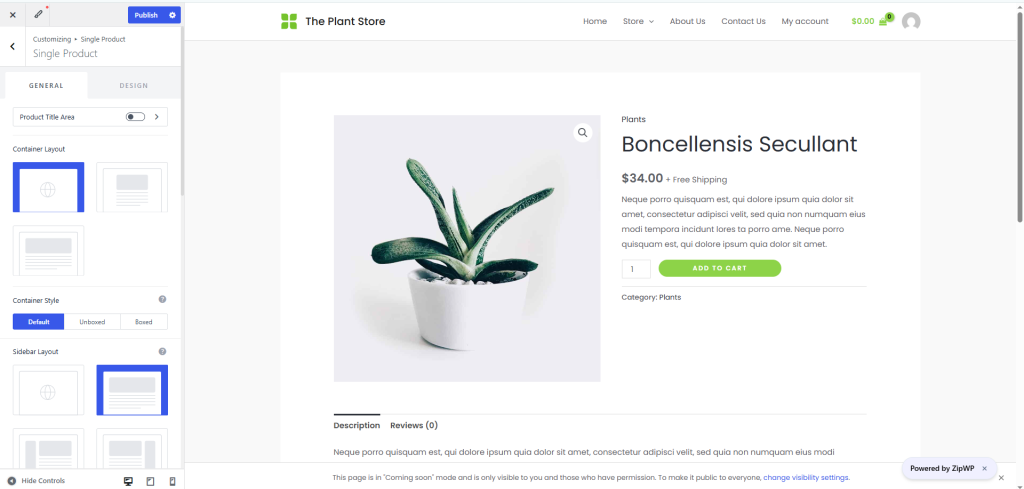
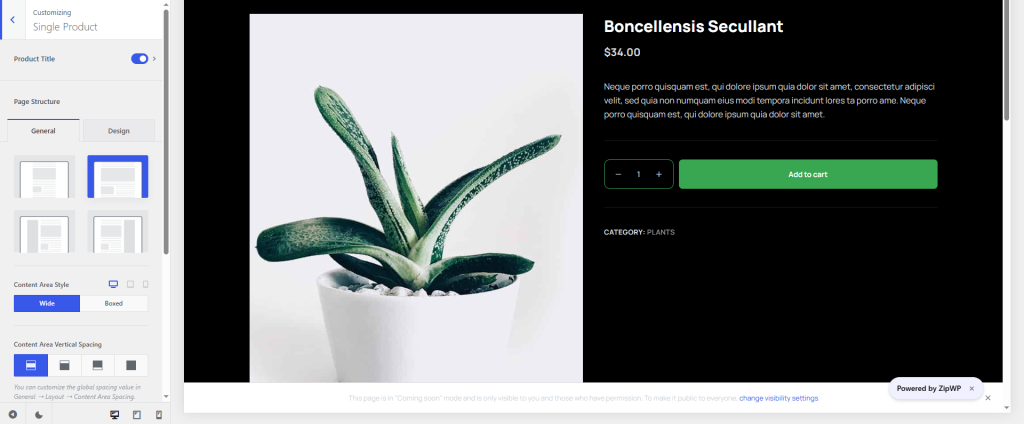
Blocksy’s WooCommerce feature list is the deepest of any theme at this price point. The Shop Extra extension (included in all Pro plans) adds:
This is a more comprehensive feature set at the theme level than Astra Pro alone.
Verdict: Tie
Astra wins on the ecosystem around the store. CartFlows, abandonment recovery, and funnel building are conversion tools that go beyond what a theme typically handles. Blocksy wins on raw WooCommerce feature depth at the theme layer, the Shop Extra feature list is genuinely impressive and covers use cases Astra doesn’t natively address (wishlist, compare, size guides, sale countdown). The right choice depends on what you’re building: a feature-rich product catalogue leans Blocksy; a funnel-driven store leans Astra.
Both themes ship a visual header/footer builder for free. But the feature sets aren’t identical.
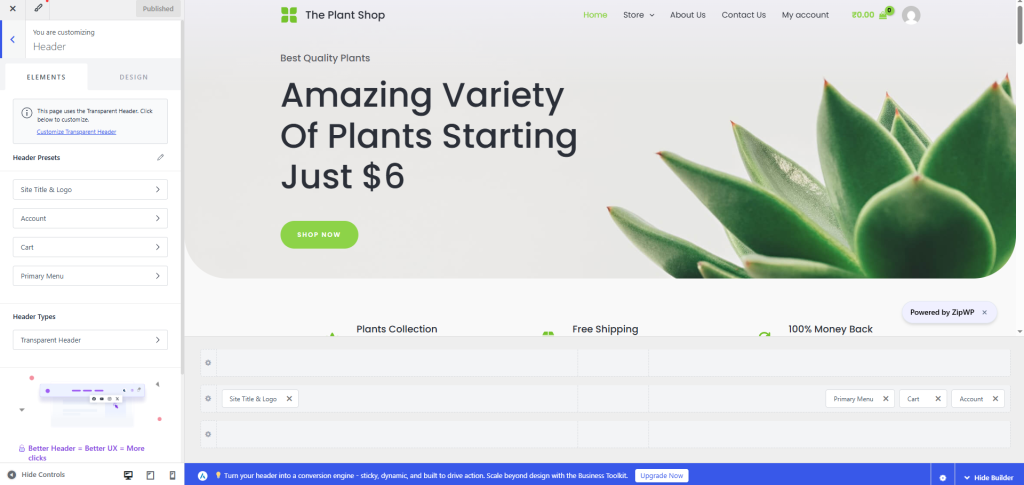
Astra’s header builder uses a drag-and-drop row grid with named element slots, logo, menus, search, account, cart, social, HTML, and widget areas. Sticky and transparent header options are included. The builder is clean and covers most use cases without friction.
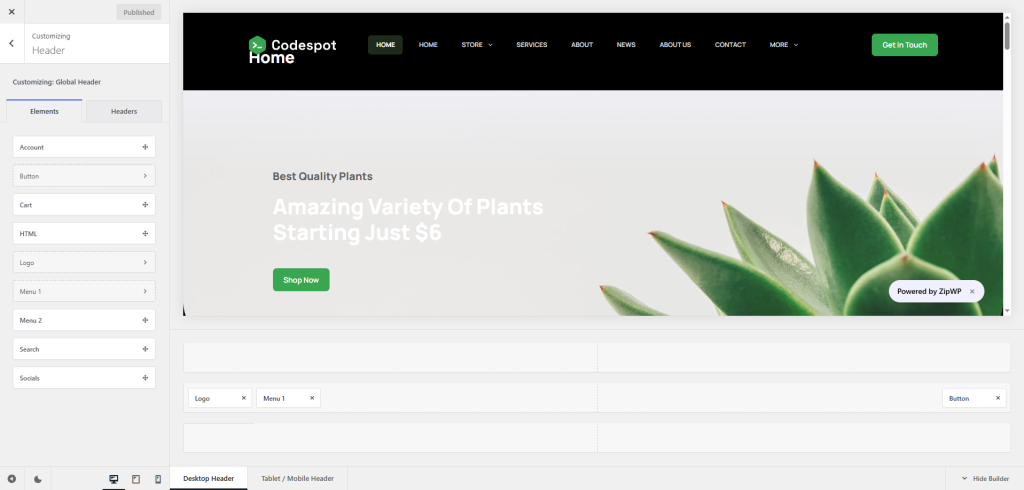
Blocksy’s header builder covers the same core elements and adds several that Astra doesn’t have in the free tier: a dark mode switch element, a language switcher, a contacts element, a wishlist element, a compare element, and a desktop off-canvas drawer. Multiple conditional headers like showing different headers on specific pages, post types, or user roles are available in Pro.
The conditional headers feature is genuinely useful for stores that want a different header on checkout, or sites that want a simplified header for landing pages without touching page templates.
Verdict: Blocksy
Blocksy’s header builder is more flexible, particularly with the conditional headers and the additional header elements. For straightforward use cases both are equally capable, but for anything requiring per-page or per-role header control, Blocksy handles it natively.
Blocksy is built natively for Gutenberg. Astra pairs with Spectra. Here’s how the two stacks actually compare.
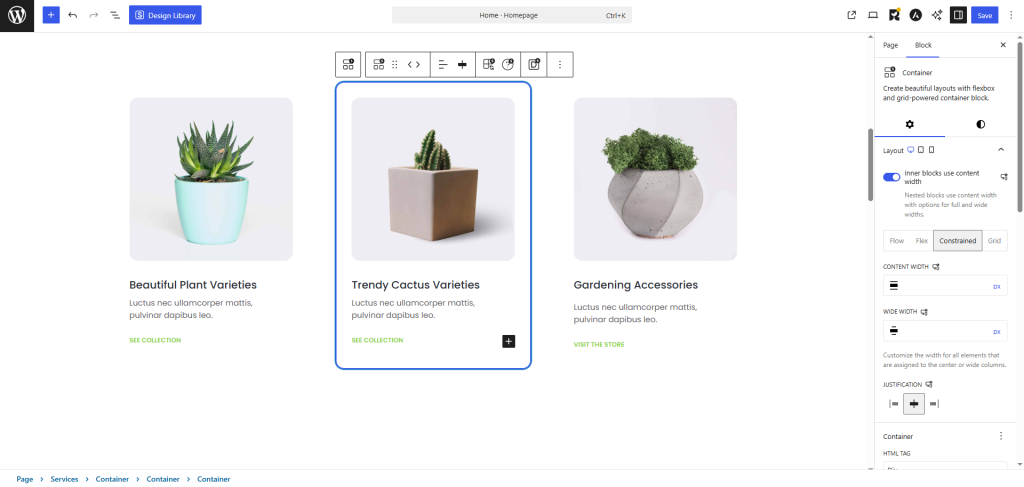
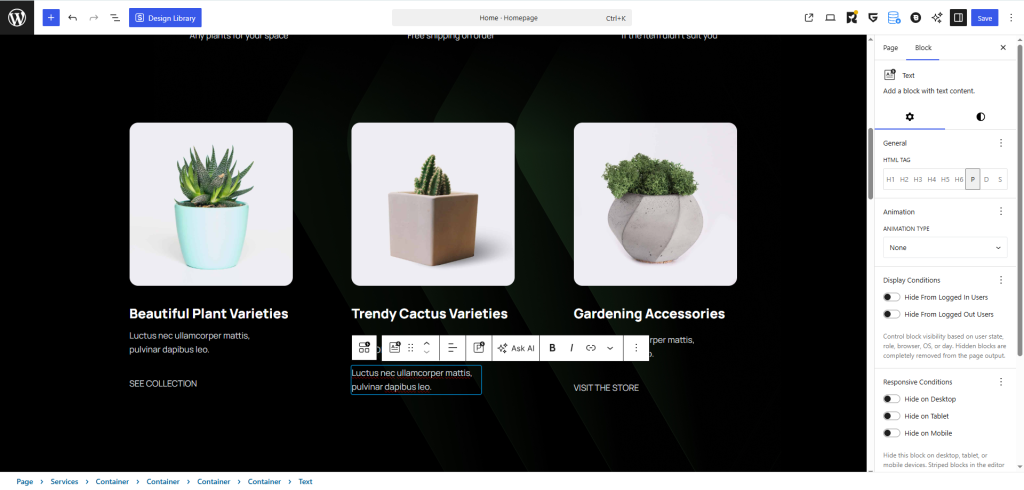
Spectra ships with Astra and adds a full block building layer on top of Gutenberg. The feature set includes a Container block with Flex and Grid layout modes, Loop Builder for dynamic archives, Dynamic Content for ACF and custom fields, Global Styles, Popup Builder, Animations, Responsive Conditions, Login and Registration blocks, Modal, Tabs, Slider, Countdown, and Accordion.
Spectra is a dedicated block builder plugin. It extends Gutenberg significantly beyond what the core editor provides.
Blocksy is designed to work with the native block editor without a companion block plugin. It ships its own set of theme blocks such as Dynamic Data, Advanced Posts, Advanced Taxonomies, Advanced Search, Newsletter Subscribe, Share Box, Social Icons, Shop Price Filter, and Shop Active Filters. Content Blocks (hooks) allow you to insert Gutenberg-built content anywhere on the site using display conditions.
The approach is more restrained than Spectra. Blocksy doesn’t add a full block library, it adds theme-specific blocks and a flexible content injection system. For developers who prefer keeping the block editor lean, that’s a feature not a limitation.
Verdict: Astra
If block building capability is a priority, Spectra gives you a more complete toolkit. Blocksy’s approach is cleaner and more native, but it covers less ground. For a full Gutenberg build with dynamic content, loops, and popups, Astra + Spectra is the stronger combination.
Forty templates vs four hundred. The numbers are far apart, but context matters.
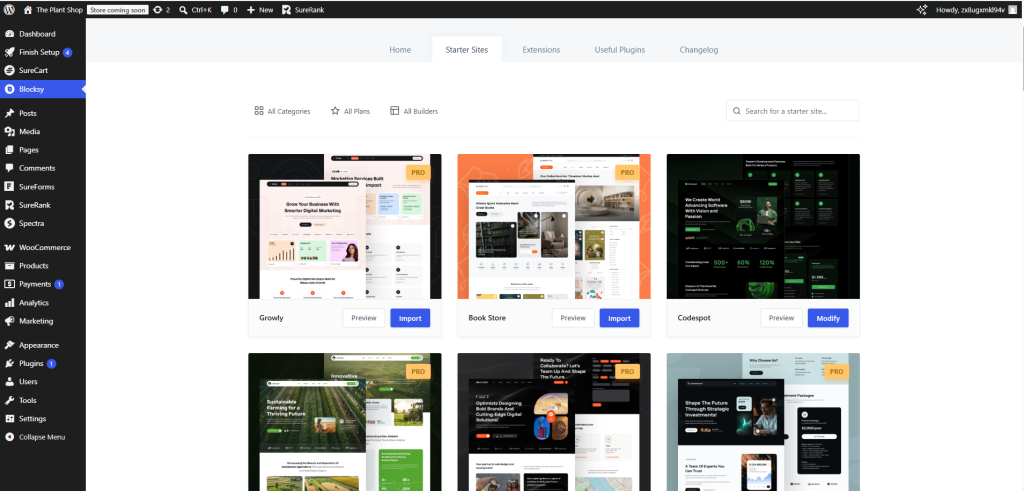
Astra has 400+ website templates spanning a wide range of industries and niches. Templates are available for Elementor, Spectra, and the native block editor. A significant portion is accessible for free. Astra also integrates with ZipWP for AI-generated starter sites.
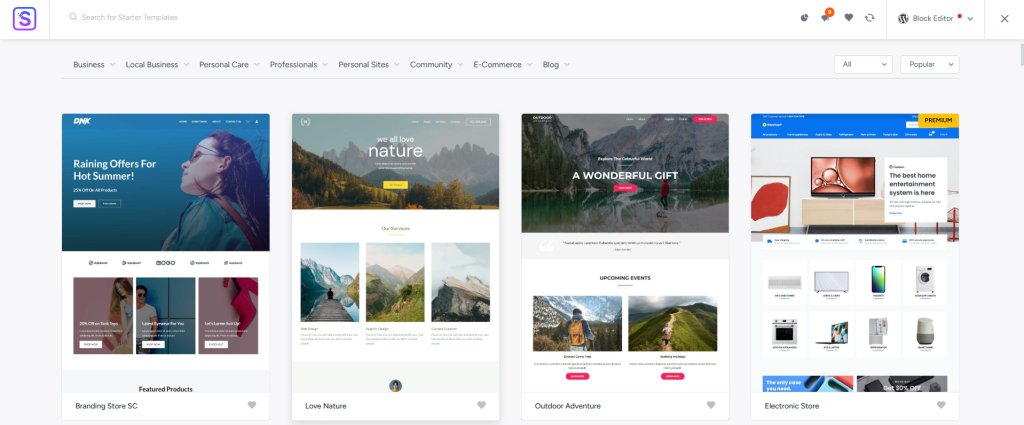
Blocksy has around 40 Pro starter sites. The designs are high quality and genuinely modern, arguably better looking on average than Astra’s broader library. But the selection is narrow. If you need a starter for a restaurant, a law firm, a healthcare practice, or a course platform, the chances of finding a close fit in Blocksy’s library are lower.
Verdict: Astra
The quality gap is narrower than the quantity gap suggests, but 40 templates simply covers fewer use cases than 300+. For agencies handling diverse client types, Astra’s library is the more practical choice.
If Elementor is your page builder of choice, theme compatibility matters more than most comparisons acknowledge.
Astra was built with Elementor compatibility as a core design decision. The theme integrates seamlessly with the builder, has a dedicated Elementor template library, and pairs with Ultimate Addons for Elementor (included in the Essential Toolkit) for extended widget functionality.
Blocksy works with Elementor. Compatibility is solid and the theme doesn’t create conflicts. But some starter sites are not compatible with Elementor, and the integration isn’t as tight as Astra’s. Blocksy’s primary design target is the native block editor.
Verdict: Astra
For Elementor-first workflows, Astra is the cleaner choice. More templates, tighter integration, and a dedicated Elementor addon in the toolkit.
Read: 280+ Elementor templates for every niche
Both themes start at the same price. The per-site math changes quickly.
| Plan | Price | Sites | What you get |
|---|---|---|---|
| Free | $0 | Unlimited | Header/footer builder, 300+ free templates, Spectra, basic WooCommerce |
| Astra Pro | $69/year | 3 | Full WooCommerce module, theme builder, white label |
| Astra Pro + AI | $99/year | 3 | Adds ZipWP AI site builder + WordPress hosting + free domain |
| Essential Toolkit + AI | $199/year | 10 | Adds Spectra Pro, premium templates, Elementor Addons, expanded ZipWP access, and more hosting |
| Business Toolkit + AI | $279/year | 1000 | Adds ZipWP AI Site Builder, AI Site Planner, SureForms, VIP support, expanded ZipWP access, and more hosting |
| Plan | Price | Sites | What you get |
|---|---|---|---|
| Free | $0 | Unlimited | Full base theme, header/footer builder, basic WooCommerce |
| Personal | $69/year | 1 | All Pro features including Shop Extra |
| Business | $99/year | 10 | Same features, 10 sites |
| Agency | $149/year | Unlimited | Adds white label |
Verdict: Astra
At $69/year, Astra Pro covers 3 sites. Blocksy Personal covers 1 site. For anyone managing more than one project, the per-site cost tips toward Astra immediately. Blocksy Business at $99/year for 10 sites is a better comparison point and at that tier Astra’s Essential Toolkit + AI at $199/year costs more but includes Spectra Pro, premium templates, and Elementor Addons on top of the WooCommerce features. The right plan depends on what’s in it, not just the per-site math.
Blocksy is the closest competitor Astra has in this comparison series. The WooCommerce feature depth is real, the design quality is genuinely better, and the header builder is more flexible. If you’re building a single WooCommerce store and you want the deepest native theme-level feature set, Blocksy makes a strong case.
Astra’s advantage is breadth. More starter templates, a stronger Elementor integration, a full block building stack in Spectra, LMS integrations, an AI site builder, and a funnel ecosystem in CartFlows and the BSF plugin stack. For agencies managing diverse projects, or stores that need funnel and abandonment tooling built into the same product family, Astra covers more ground.
The honest version of this comparison: if you’re building one store and you know what you’re doing, look hard at Blocksy. If you’re building many different things for many different clients, Astra is the more versatile choice.

Sujay Pawar is the co-founder and CEO of Brainstorm Force. He brings a one-of-a-kind fusion of tech brilliance, business savvy and marketing mojo to the table. Sujay has consistently spearheaded the development of innovative products like Astra, CartFlows, ZipWP and many others that have become market leaders in their respective niches.
Disclosure: This blog may contain affiliate links. If you make a purchase through one of these links, we may receive a small commission. Read disclosure. Rest assured that we only recommend products that we have personally used and believe will add value to our readers. Thanks for your support!
Join 1,587,020 Subscribers
Get exclusive access to new tips, articles, guides, updates, and more.
此内容由惯性聚合(RSS阅读器)自动聚合整理,仅供阅读参考。 原文来自 — 版权归原作者所有。