惯性聚合 高效追踪和阅读你感兴趣的博客、新闻、科技资讯
阅读原文 在惯性聚合中打开

推荐订阅源

爱范儿
爱范儿
博客园_首页
W
WeLiveSecurity
S
Secure Thoughts
S
Security @ Cisco Blogs
Recent Commits to openclaw:main
Hugging Face - Blog
Hugging Face - Blog
www.infosecurity-magazine.com
H
Hacker News: Front Page
Project Zero
Project Zero
cs.CV updates on arXiv.org
U
Unit 42
N
News and Events Feed by Topic
N
News and Events Feed by Topic
Hacker News - Newest:
Hacker News - Newest: "LLM"
Forbes - Security
Forbes - Security
T
Tor Project blog
I
Intezer
B
Blog
F
Full Disclosure
Security Archives - TechRepublic
F
Fortinet All Blogs
Schneier on Security
T
Threat Research - Cisco Blogs
AI
AI
Google DeepMind News
L
LINUX DO - 最新话题
Cloudbric
Cloudbric
L
Lohrmann on Cybersecurity
WordPress大学
WordPress大学
博客园 - 聂微东
雷峰网
雷峰网
P
Privacy International News Feed
让小产品的独立变现更简单 - ezindie.com
cs.AI updates on arXiv.org
PCI Perspectives
PCI Perspectives
Y
Y Combinator Blog
Spread Privacy
Spread Privacy
Simon Willison's Weblog
罗磊的独立博客
Vercel News
Vercel News
A
Arctic Wolf
The Register - Security
freeCodeCamp Programming Tutorials: Python, JavaScript, Git & More
Microsoft Azure Blog
H
Heimdal Security Blog
Know Your Adversary
Know Your Adversary
P
Proofpoint News Feed
C
Cybersecurity and Infrastructure Security Agency CISA
P
Proofpoint News Feed

暖心向阳335

26春学16周杂记 26春学15周杂记 26春学14周杂记 26春学13周杂记 26春学12周杂记 26春学11周杂记 26春学10周杂记 绝了,全员中招 26春学9周杂记 26春学8周杂记 26春学7周杂记 26春学6周杂记 26春学5周杂记 26春学4周杂记 OpenClaw接入微信教程 26春学3周杂记 26春学2周杂记 呃~饱了 OpenClaw接入QQ机器人教程 26春学1周杂记 OpenClaw 部署指南(Windows) 开学啦! 【回忆录】初中运动会:“红配绿”的我
OpenClaw接入企业微信机器人教程
暖心向阳335 · 2026-03-12 · via 暖心向阳335

一、获取Bot ID和Secret

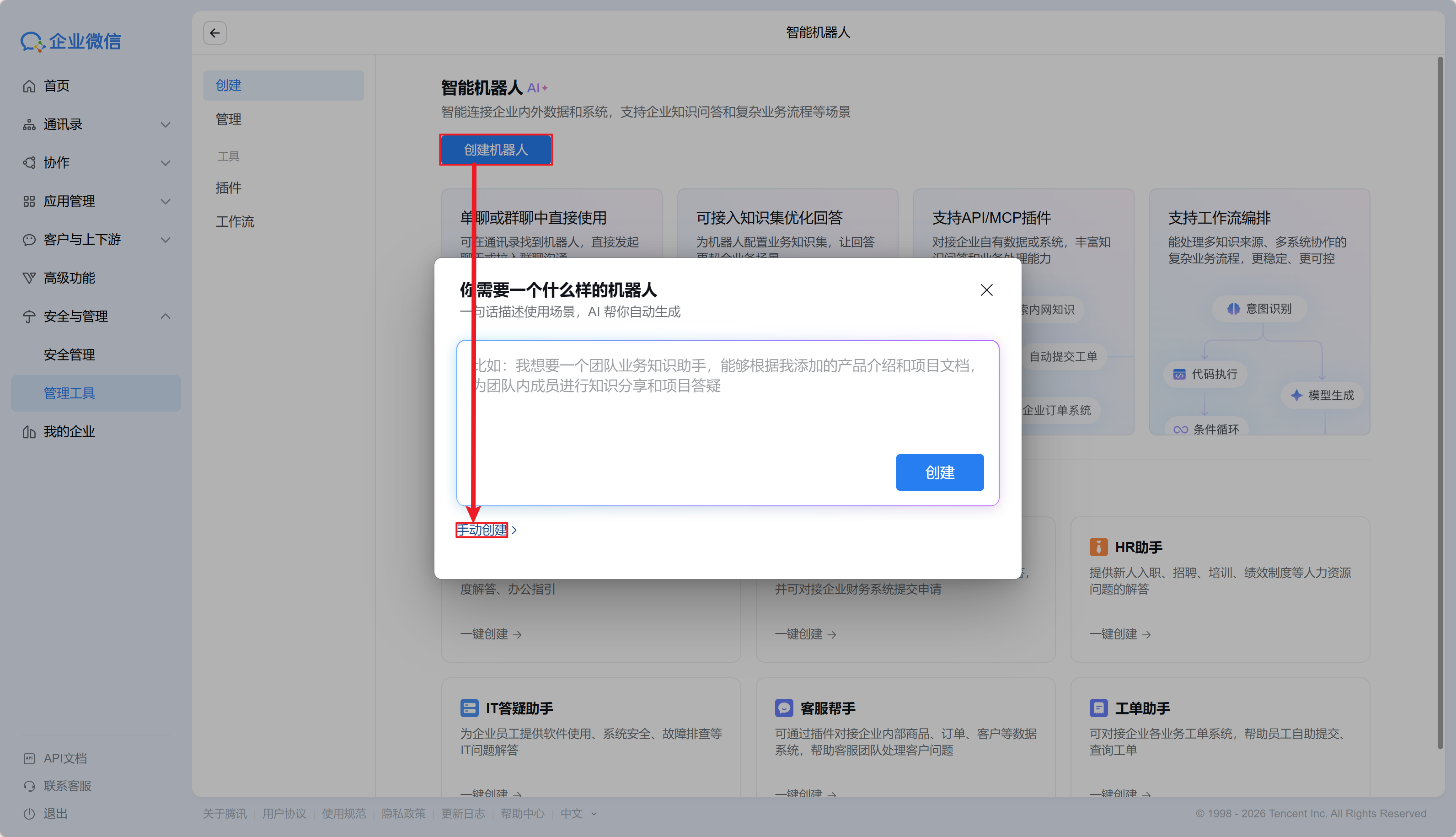
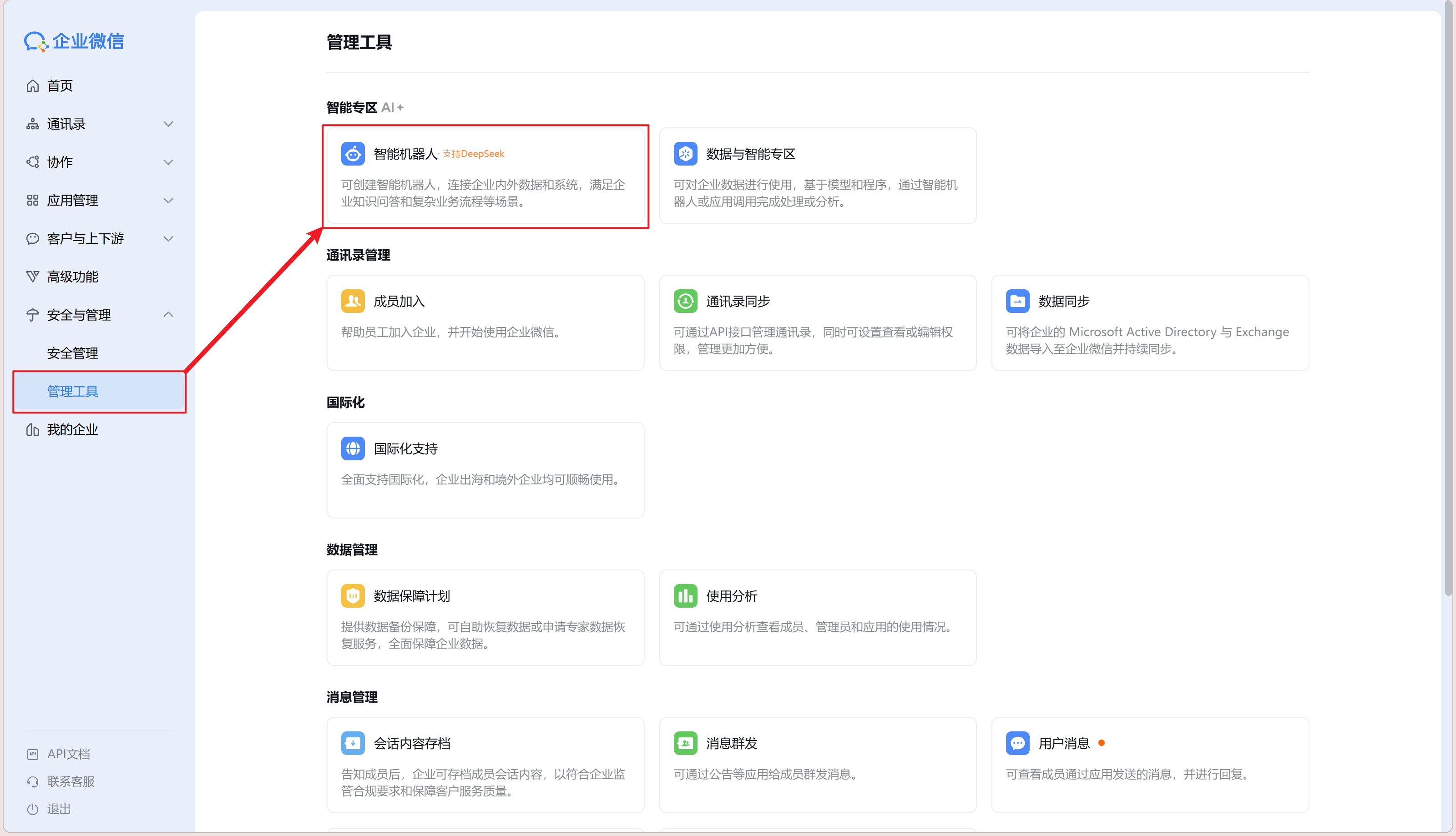
  1. 登录企业微信网页版,依次点击打开“安全与管理→管理工具→智能机器人”
  2. 依次点击“创建机器人→手动创建”

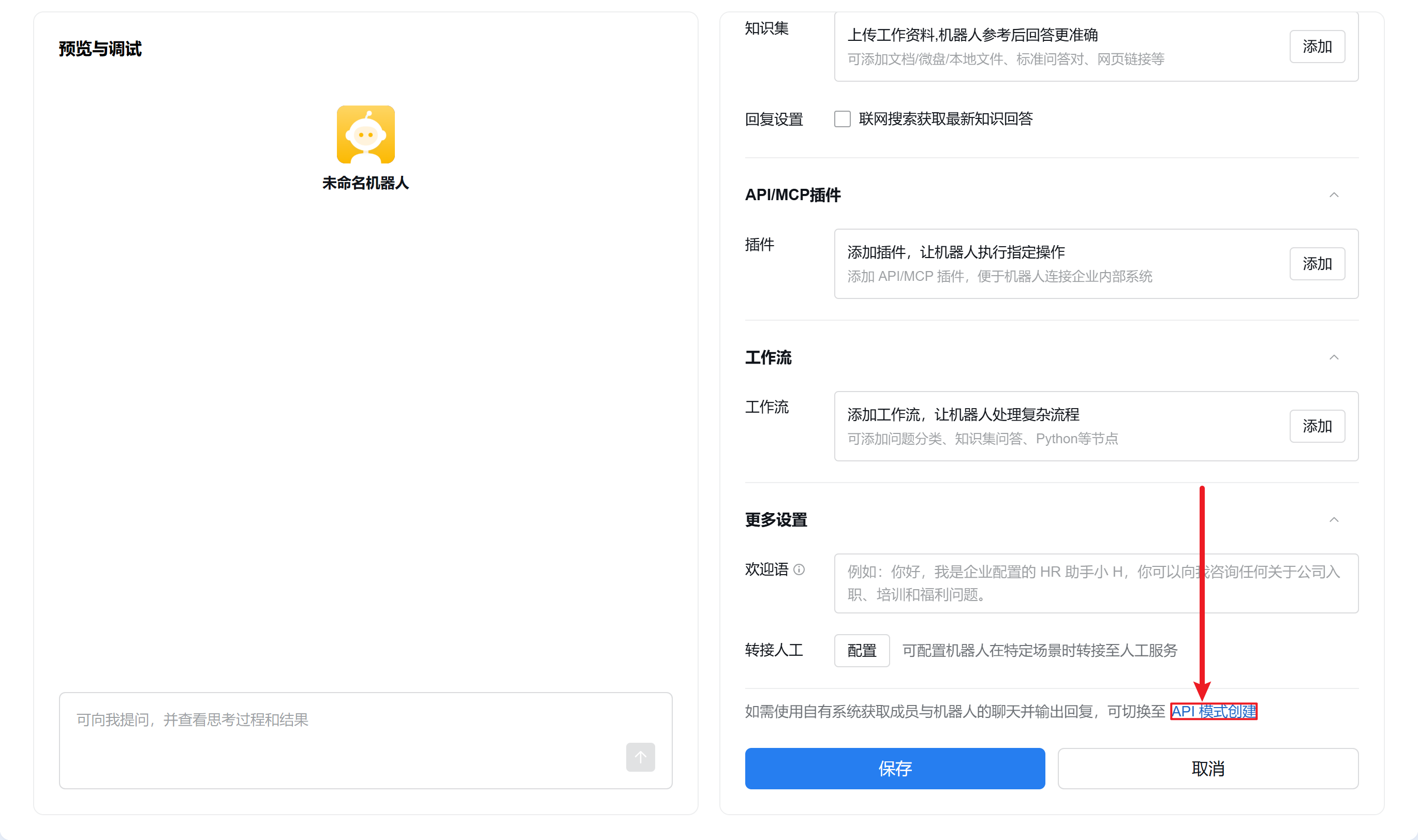
  3. 页面滑至底部点击“API 模式创建”

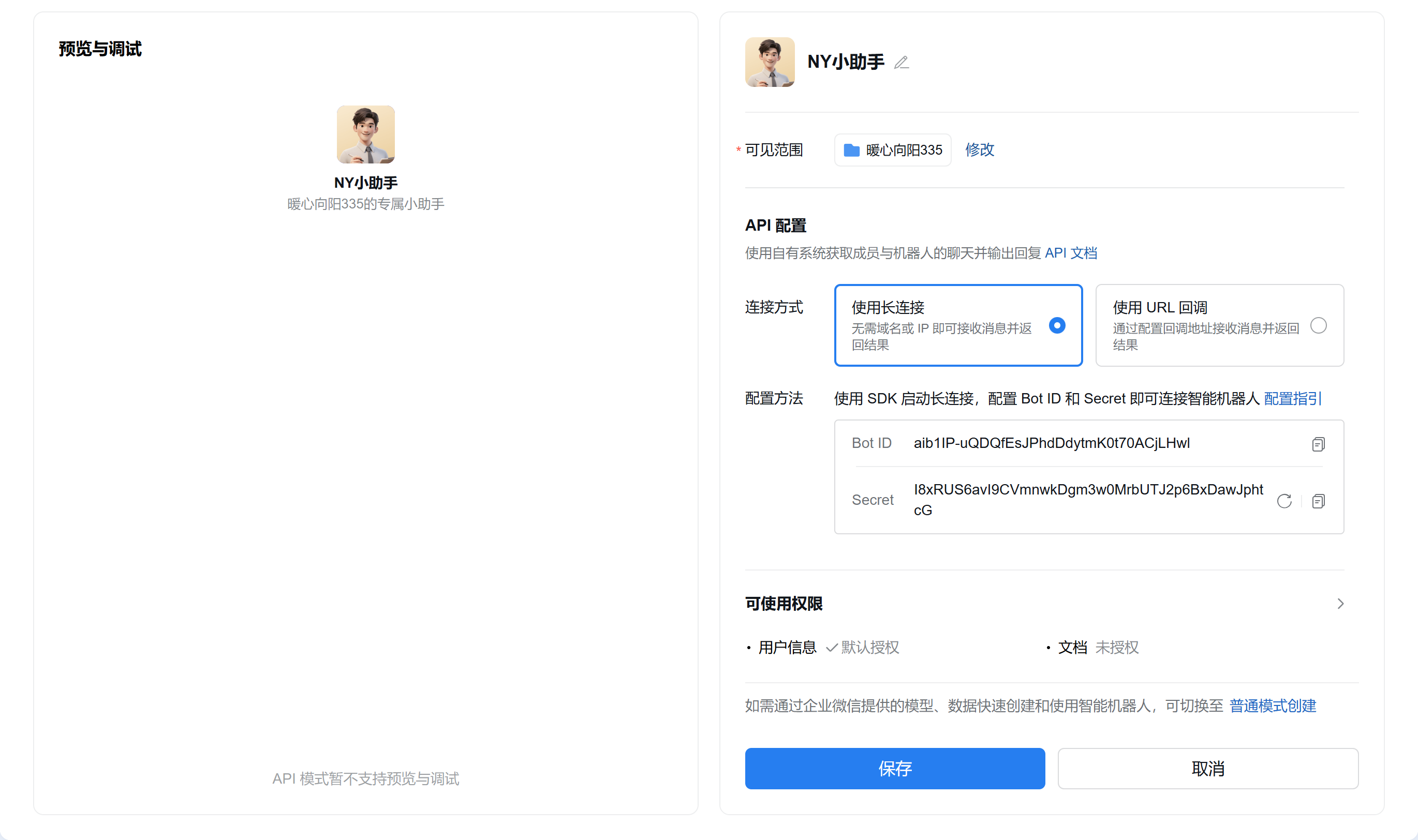
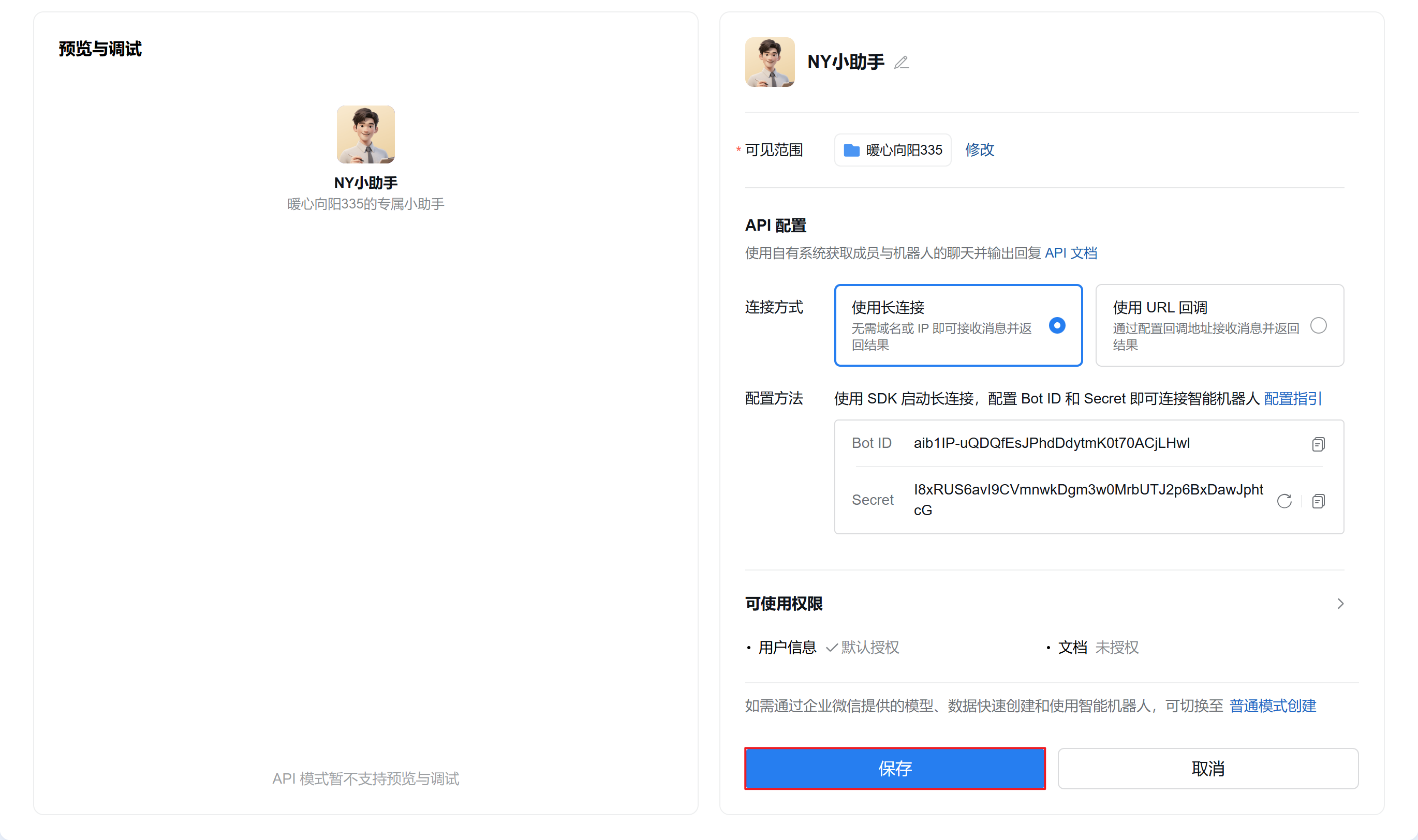
  4. 点击机器人名称右边编辑按钮配置机器人信息,可见范围根据情况自选,点击 Secret 旁的“点击获取”,不要点击保存或关闭页面,进入下一步
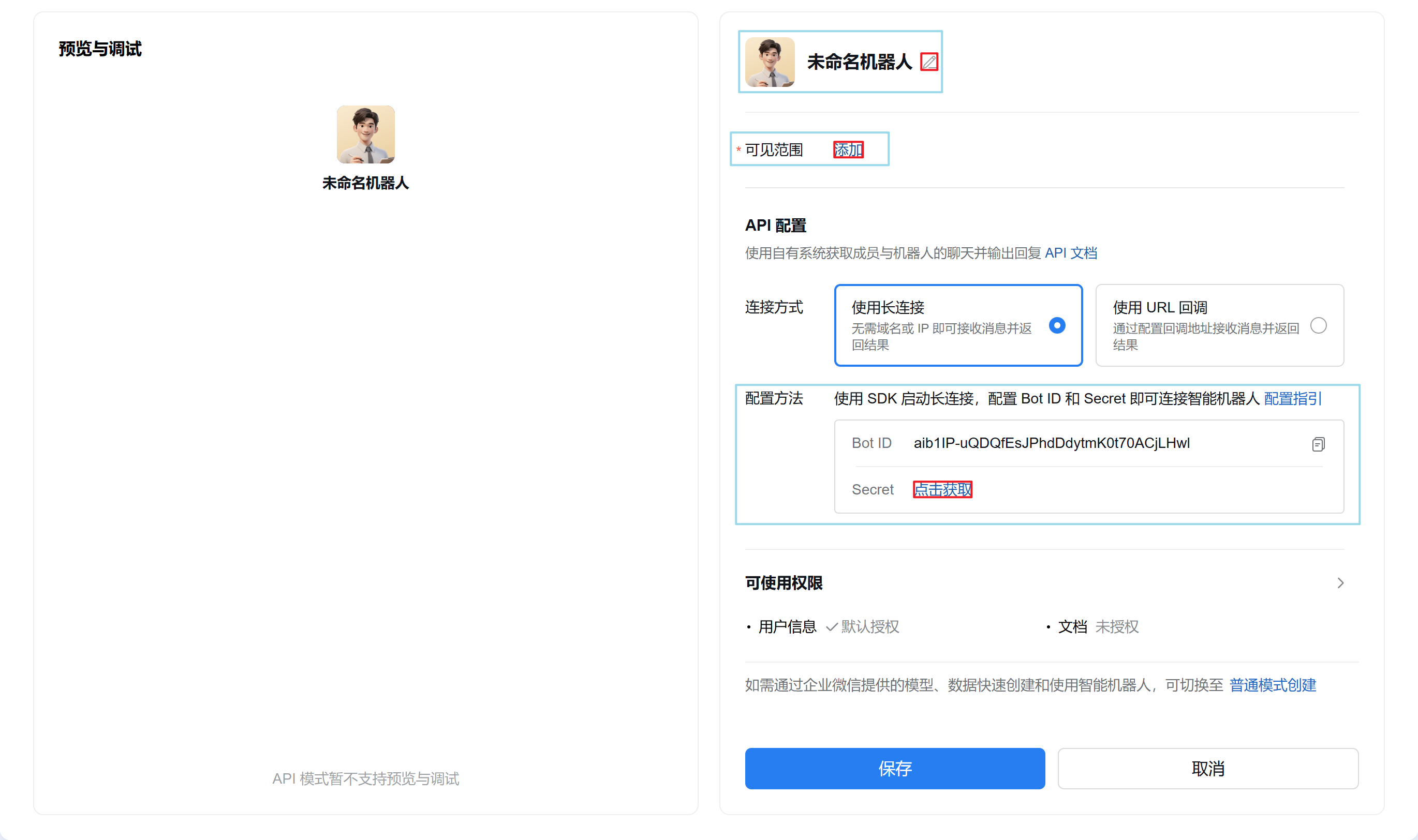
    配置前
    配置后

二、关联机器人至OpenClaw

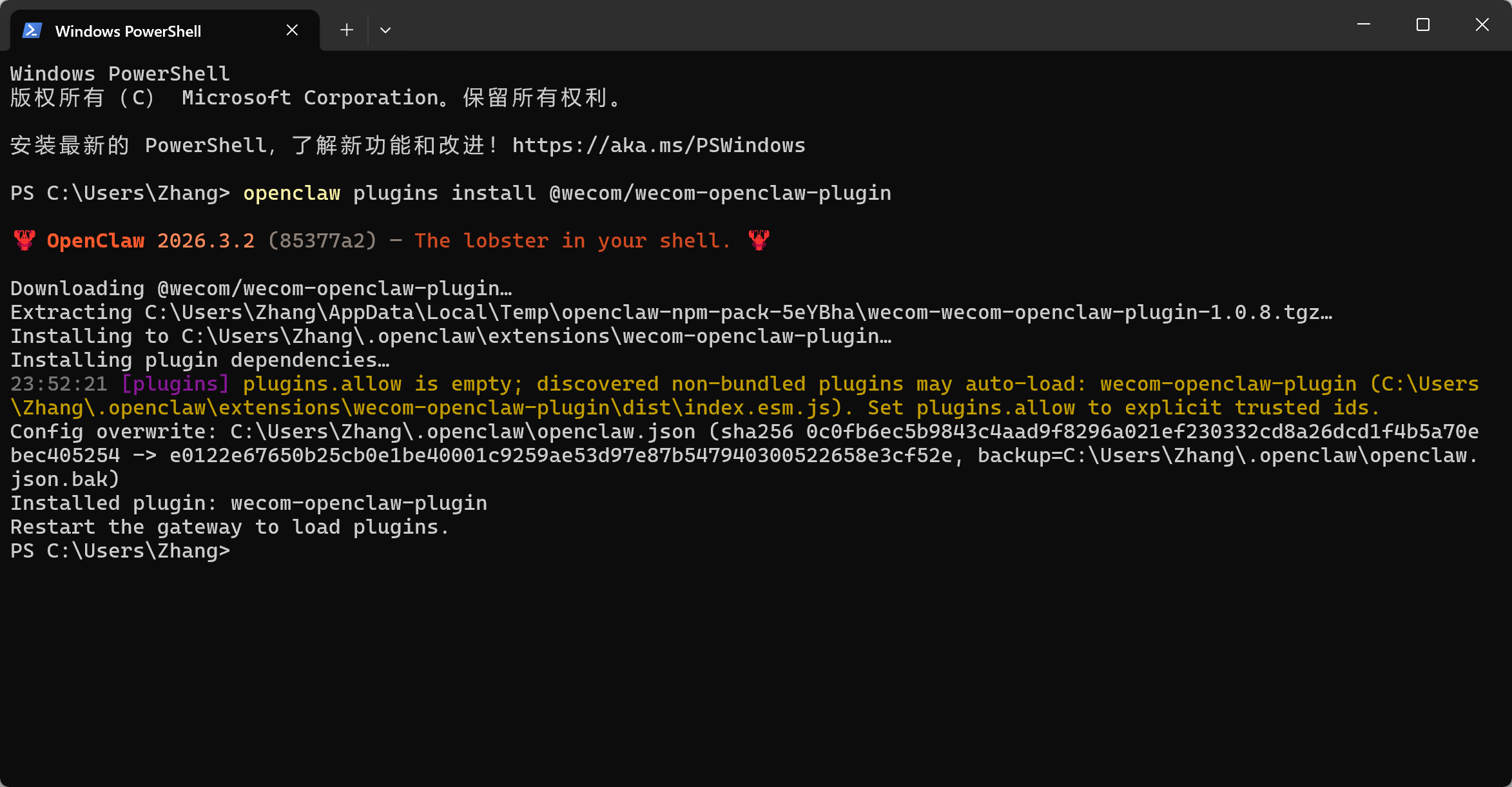
  1. 打开 PowerShell,安装企业微信官方插件openclaw plugins install @wecom/wecom-openclaw-plugin
  2. 重启 OpenClaw 网关openclaw gateway restart
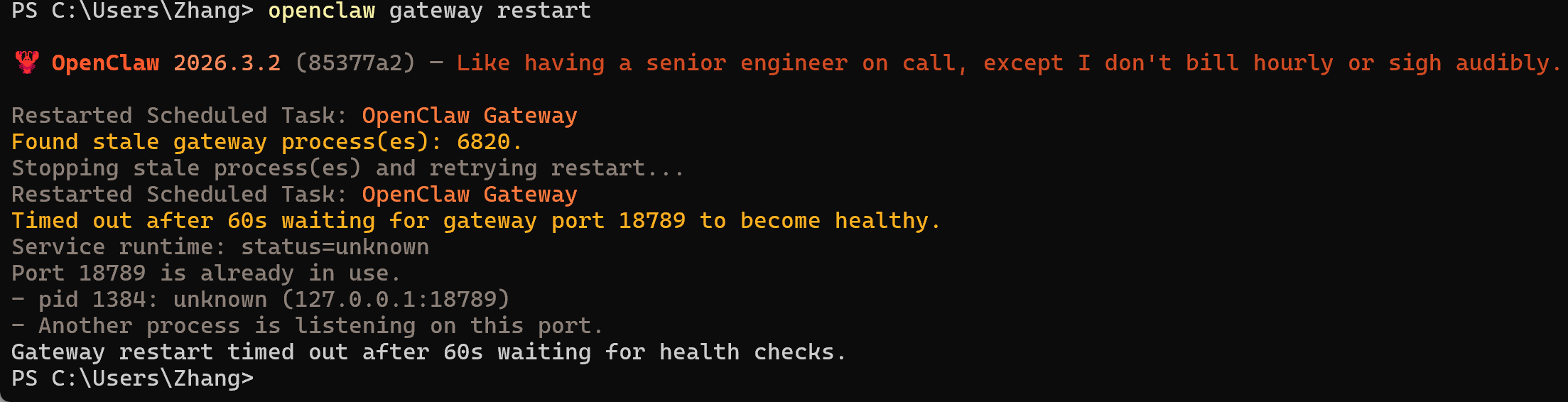
    image-qead.png

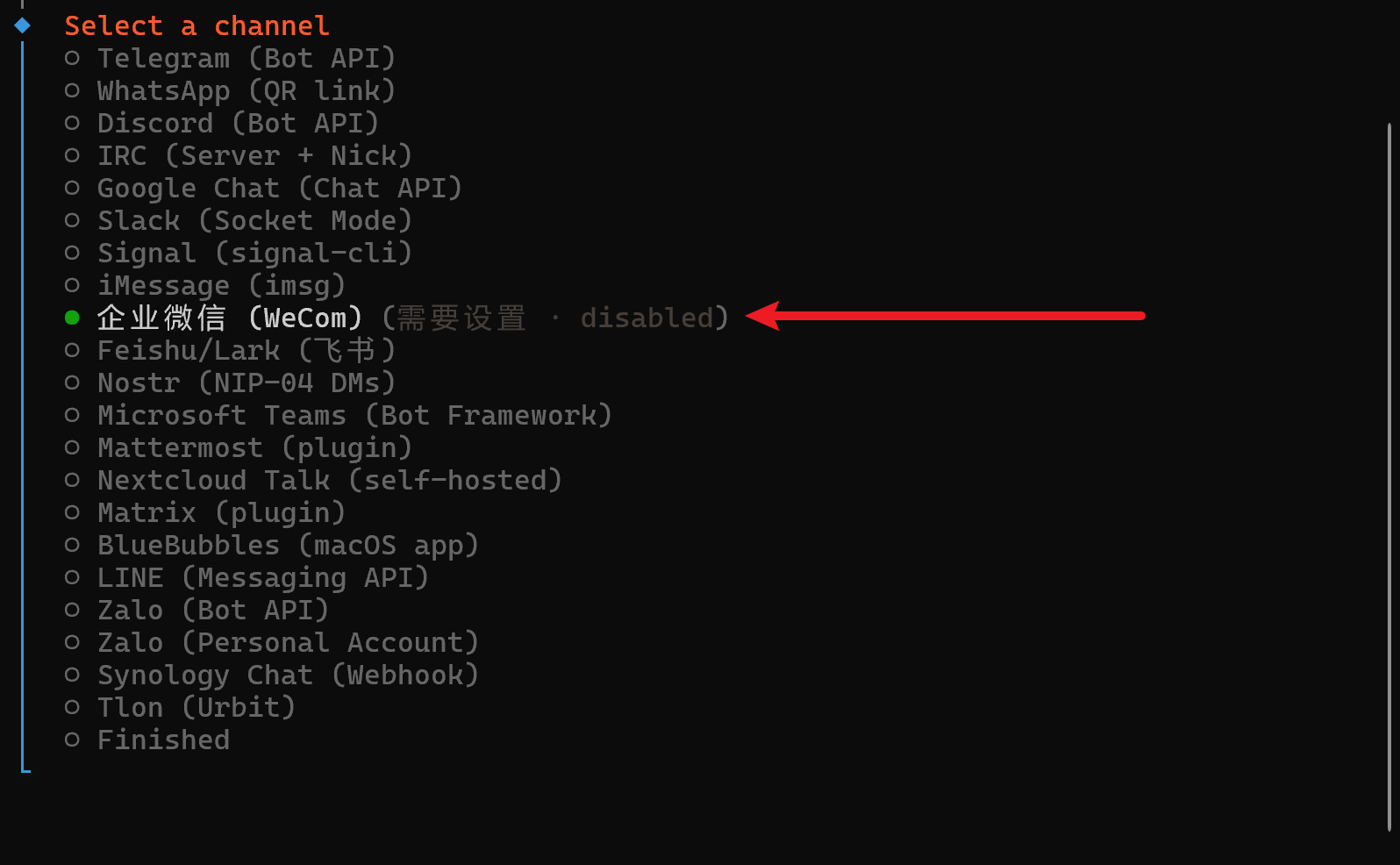
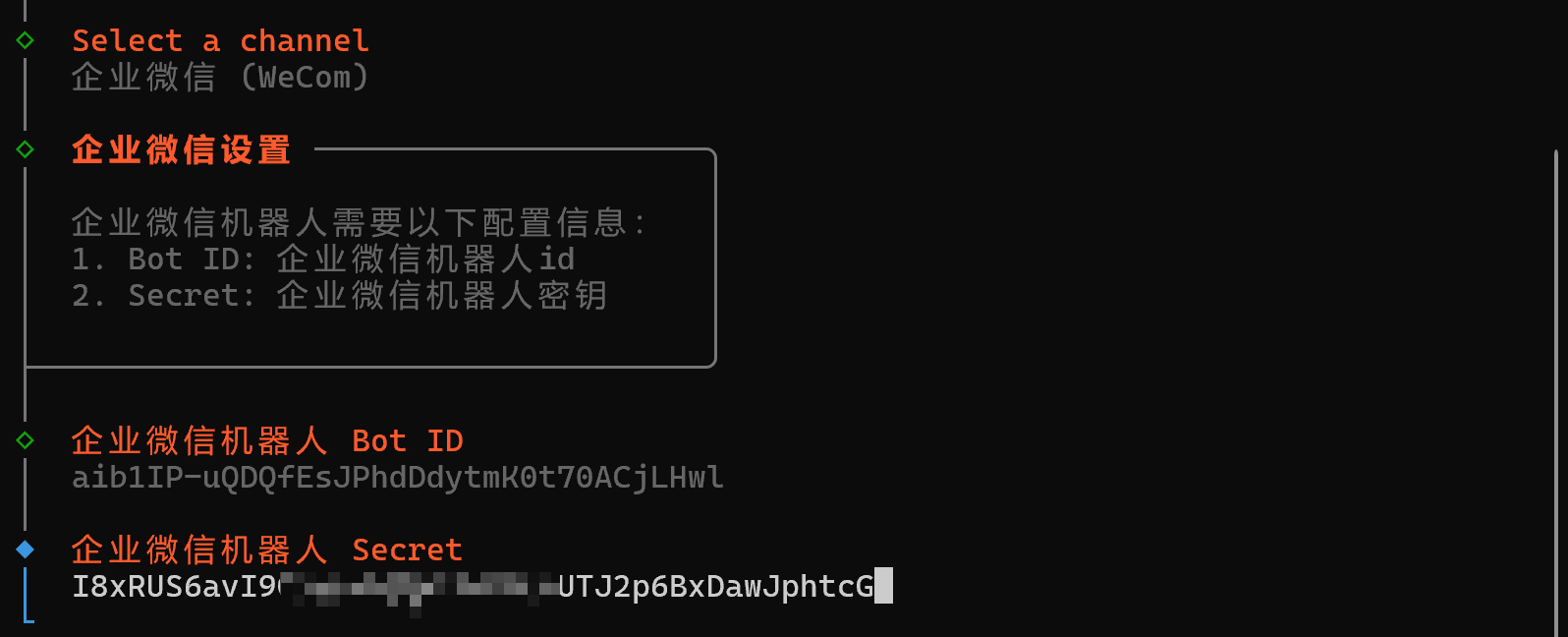
配置企业微信渠道

  1. 在 PowerShell 中输入openclaw channels add
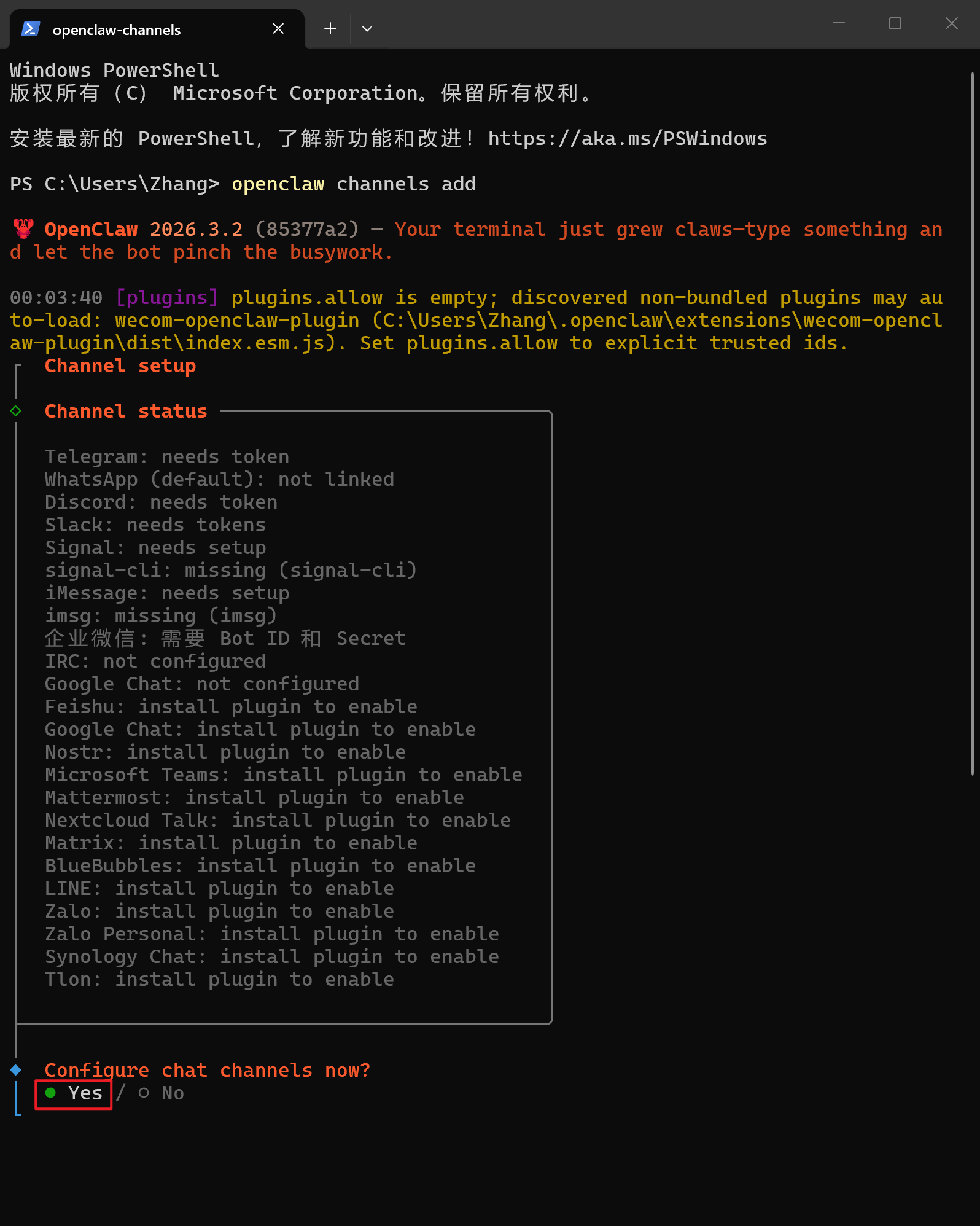
  2. 选择企业微信(WeCom)

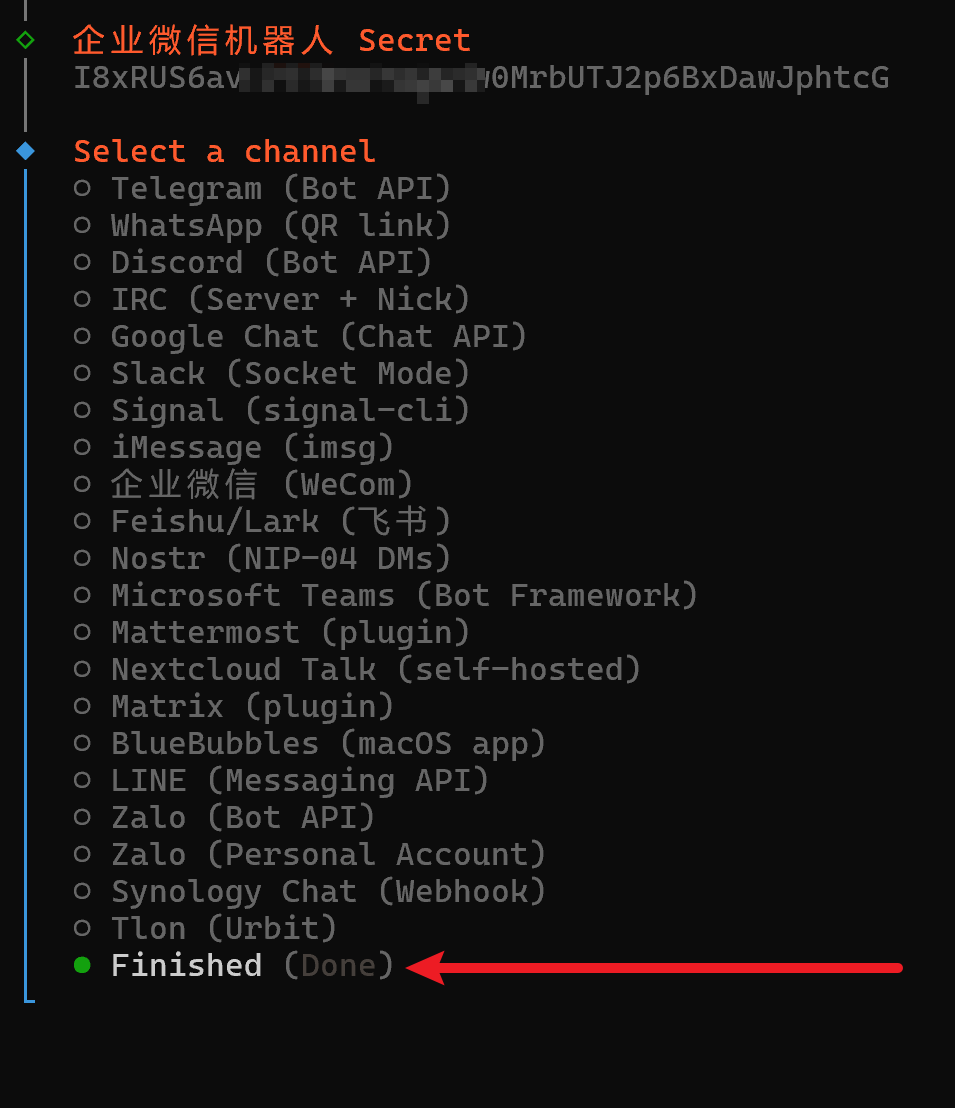
  3. 将之前获取的企业微信机器人的 Bot ID 和 Secret 输入至此

  4. 选择 Finished

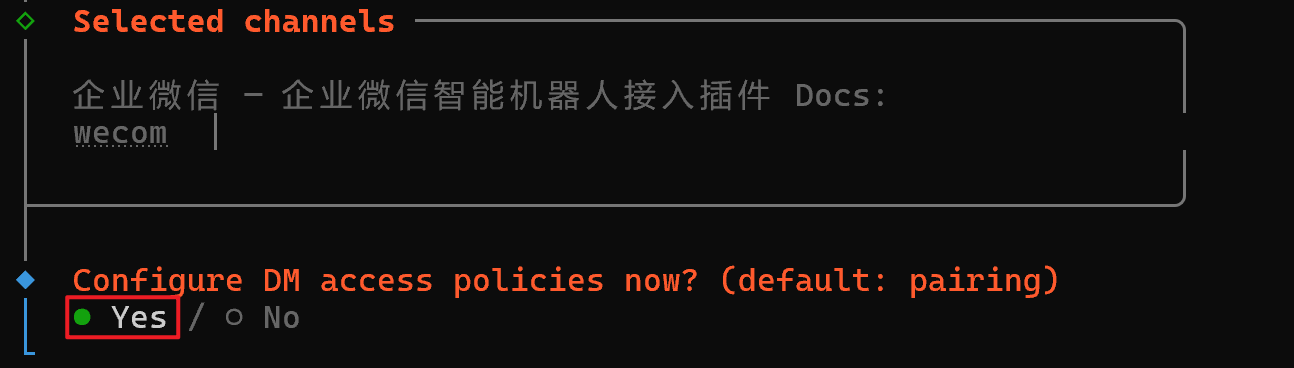
  5. 选择 Yes

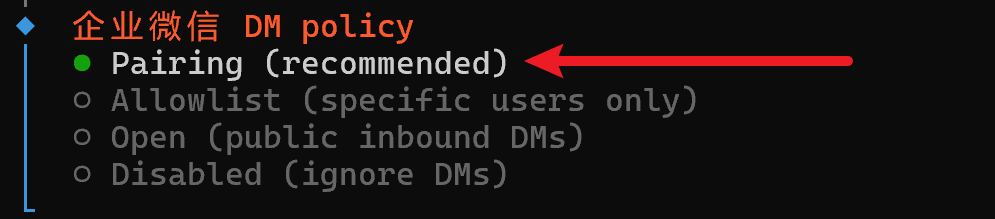
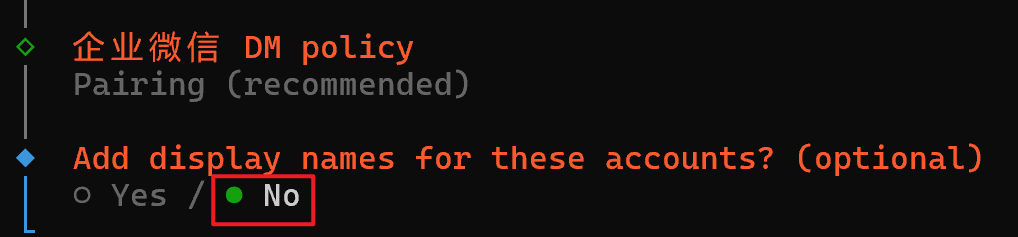
  6. 选择 Pairing(recommended)

  7. 选择 No

三、配对

  1. 打开未关闭的企业微信机器人创建页面,点击“保存”

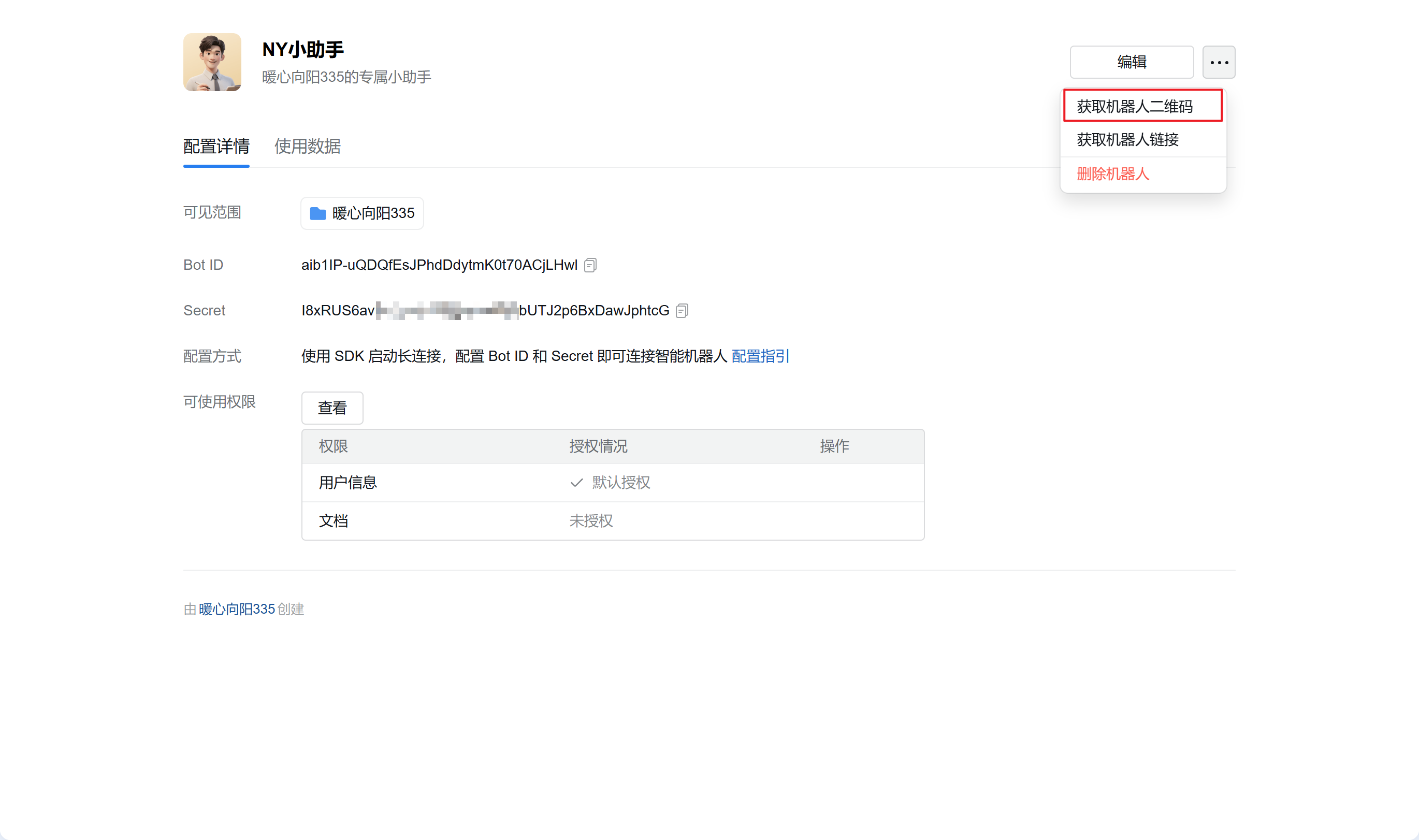
  2. 在点击保存后会弹出此界面,点击右上角的“···”并点击“获取机器人二维码”,使用企业微信客户端扫描机器人二维码添加机器人
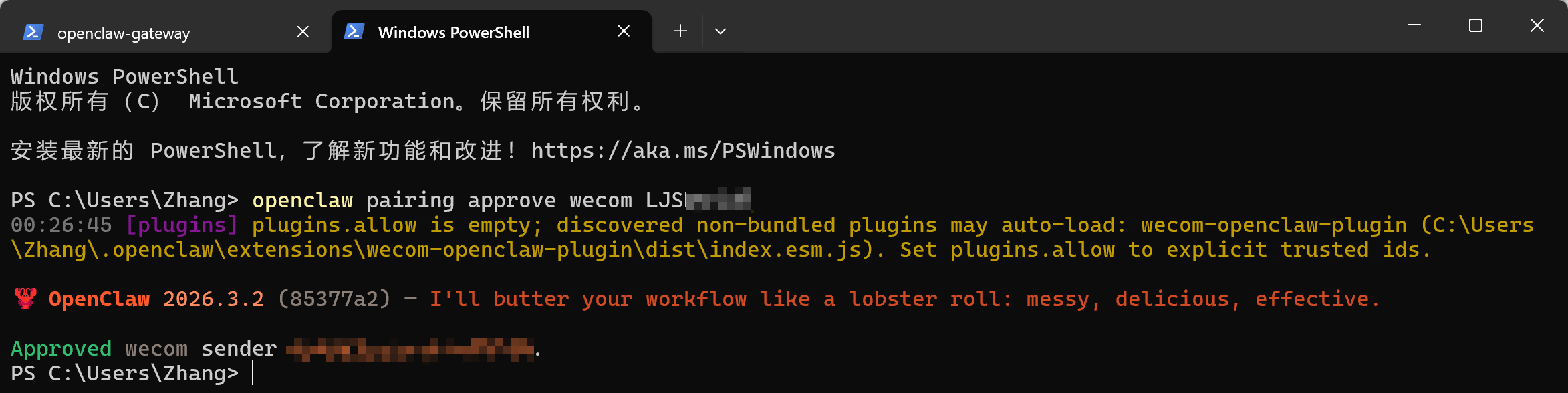
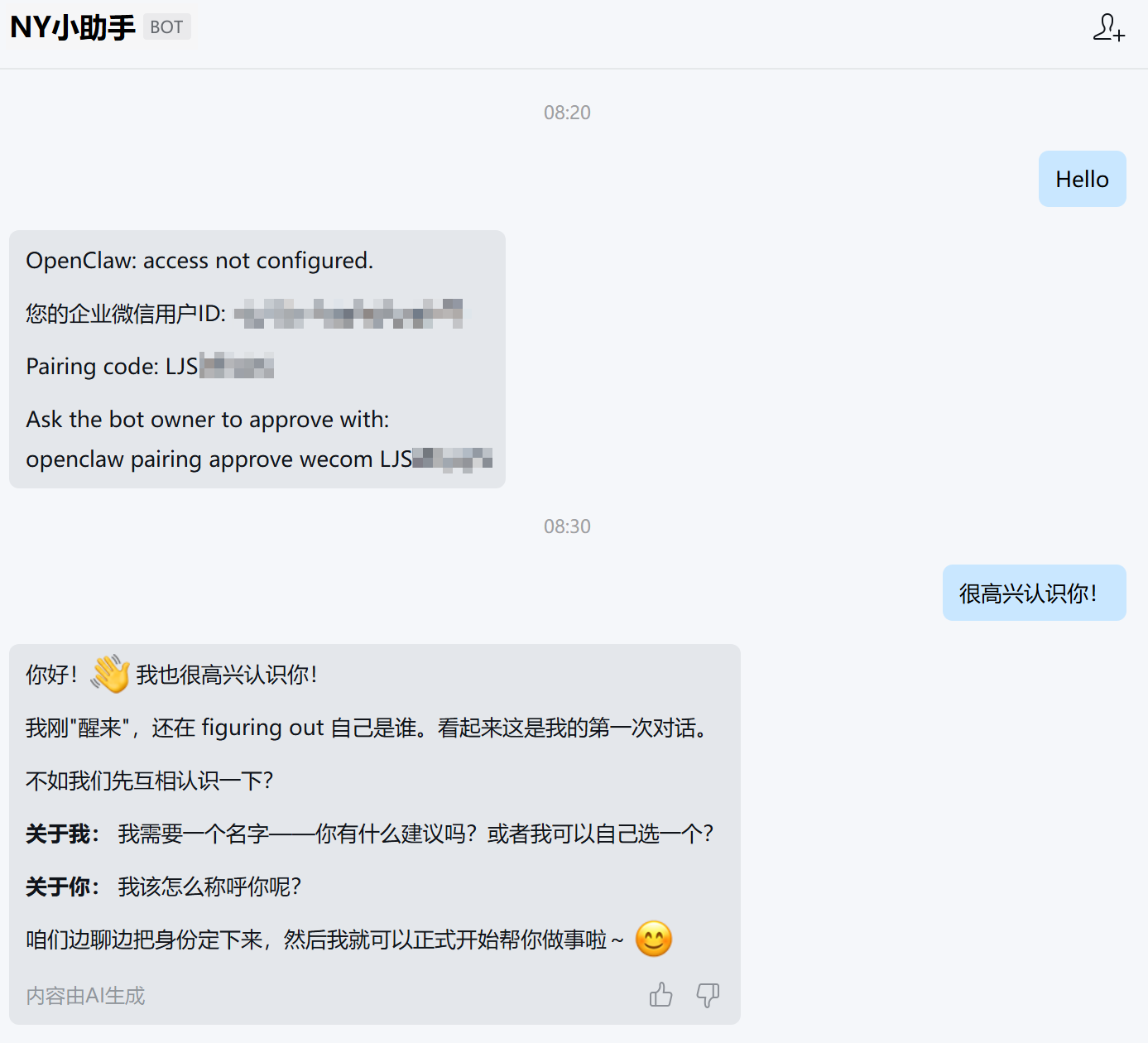
  3. 向机器人发送任意内容,将返回配对信息,复制openclaw pairing approve wecom <配对码> (请确保安装 OpenClaw 的设备有网络并启用 OpenClaw,否则无法正常返回信息)
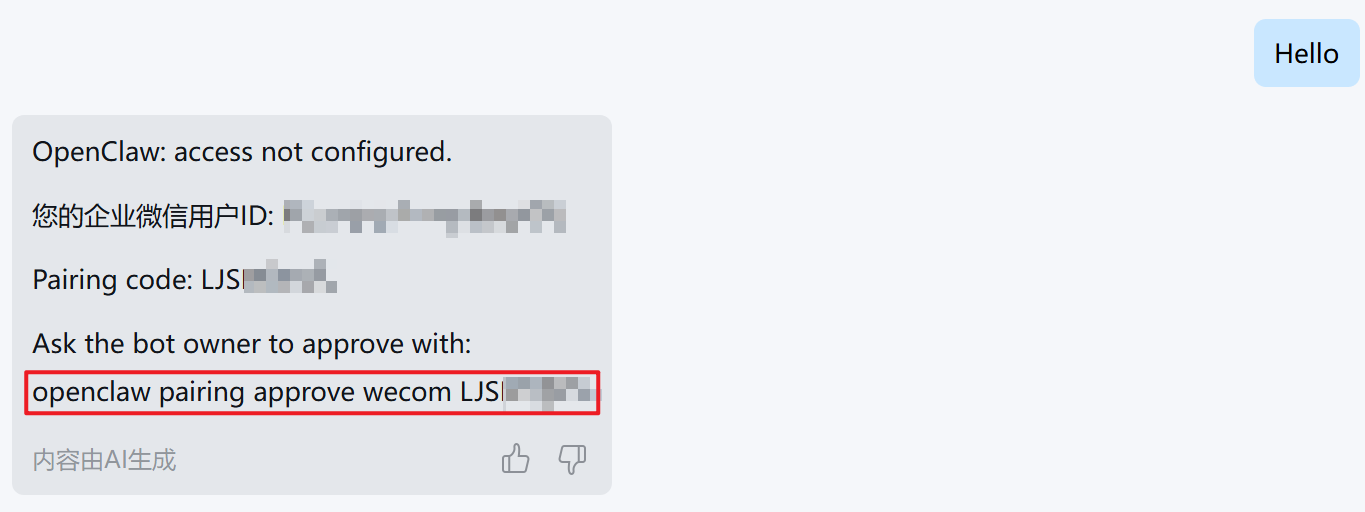
  4. 将复制的配对码粘贴至 PowerShell 中

  5. 再次使用企业微信机器人发送信息,返回内容则配置成功

结语

恭喜你至此完成了所有配置,接下来可以在企业微信中与电脑上的 OpenClaw 进行聊天完成本地操作任务啦!