




LinkedIn is an excellent platform for businesses looking to reach and engage with a professional audience. One of the best ways to achieve this is by using LinkedIn Carousel Ads.
LinkedIn carousels are one of the most engaging types of posts on socials (we’ve tested it ourselves on iubenda’s LinkedIn page), and using them in your ads can really improve your strategy.
In this article, we’ll discuss what LinkedIn Carousel Ads are, how to create them, the specs needed and some best practices for a successful campaign.
At a glance
- What are LinkedIn carousel ads?
- How to create a LinkedIn carousel post
- What are the specs for LinkedIn Carousel Ad?
- What are the best practices for carousel ads on LinkedIn?
What are LinkedIn Carousel Ads?
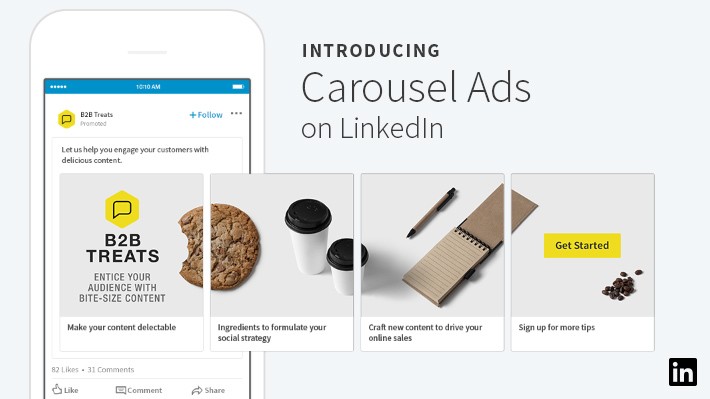
LinkedIn Carousel Ads are a type of sponsored content that allows businesses to showcase multiple images within a single ad.
Introduced in 2018, carousel ads can be especially useful for B2B companies, because they allow you to present a story, showcase a product line, or convey a lot of information in just one post.
Moreover, LinkedIn carousels provide marketers with additional metrics – such as impressions and click for each card – that can help them further refine their strategy.
Their format is also a boost for engagement: according to LinkedIn, carousel ads can drive up to 10 times more clicks compared to static sponsored content.
📌 How to create a LinkedIn Carousel Ad
Here are the steps to follow to create a LinkedIn carousel post for your ad campaign.
Before we start, remember that to create a carousel ad you need:
- Campaign Manager access or higher on the ad account.
- A LinkedIn Page or Showcase Page associated with your ad account.
- Super admin, content admin, or Sponsored Content access on the LinkedIn Page.
Step 1: Access LinkedIn Campaign Manager
- Navigate to LinkedIn Campaign Manager.
- Log in to your LinkedIn account associated with the business for which you want to run the ad.
- Select the correct ad account if you have access to multiple.
Step 2: Choose or create a campaign
- Click on “Create Campaign” to start a new campaign or select an existing campaign where you want to add the Carousel Ad.
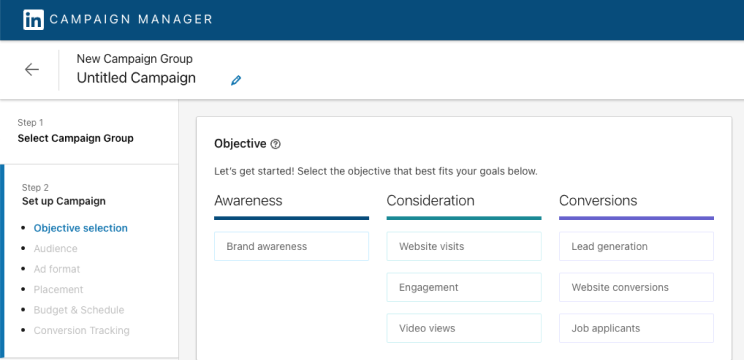
- Choose your advertising objective. LinkedIn has a few objectives available, such as Brand awareness, Website visits, Engagement, Website conversions, Lead generation.
- Define your target audience.
- Complete the Budget, Schedule and Bid section. LinkedIn automatically selects the best bidding method for your carousel campaigns based on your objective, but you can change that manually. Here you can also add Conversion Tracking: it’s optional, but definitely useful.
Step 3: Create an ad
- Once your campaign is set up, you’ll be directed to the “Create Ad” section.
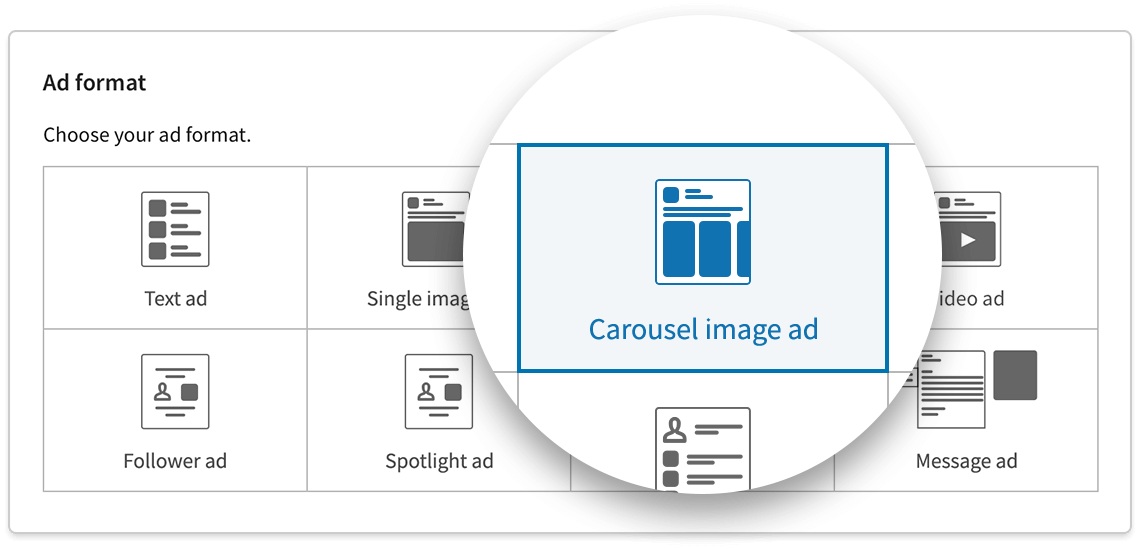
- Select the “Carousel Ad” format.
Step 4: LinkedIn Ad content
- Give your ad a name. This is for internal use, so choose something descriptive.
- Write a text introduction that appears above the carousel. This could be a question, a statement, or a call to action.
- Select the appropriate call-to-action button like “Learn More,” “Contact Us,” etc.
Step 5: Upload carousel cards
- Upload the carousel images: you can upload a minimum of 2 cards and a maximum of 10.
- Add a headline, a description, and a destination URL. This is the URL you want people to go to when they click on each specific card.
👉 For LinkedIn carousel ads specs, jump to the next paragraph
Step 6: Additional Options
- Card Order: By default, cards will appear in the order you uploaded them. You can drag to rearrange.
- URL Tracking: You can add URL parameters for tracking the ad performance.
- Check how your ad appears on both mobile and desktop to ensure that everything looks right.
Step 7: Review & Submit
- Once you’ve filled in all necessary fields and are satisfied with the preview, click “Next” to review all the settings and content.
- Confirm all the details are correct.
- Click on “Submit” or “Launch” to activate your Carousel Ad.
📌 Linkedin carousel ads specs
If you’re about to launch your LinkedIn ad campaign, remember that you need to follow the platform’s specifications.
More specifically:
- The name of your ad shouldn’t be over 255 characters.
- The introductory text shouldn’t be over 255 characters, but don’t use up to 150 characters if you want to avoid truncation on some devices.
- Use a minimum of two cards and a maximum of ten cards for your carousel.
- Each card should be:
- Maximum 10 MB.
- The maximum LinkedIn ad image size is 4320x 4320px.
- The recommended individual image spec is 1080 x 1080px with a 1:1 aspect ratio.
- The headline text for each image card is a maximum of two lines before being truncated.
- The destination URL must have the “http://” “or https://” prefix, and you may use up to 2,000 characters for the destination link.
📌 What are the best practices for carousel ads on LinkedIn?
Besides following LinkedIn’s specs, there are a few more tips that can help you with maximizing reach and engagement.
Needless to say, your ad should capture your audience’s attention and encourages them to interact with the ad, but how do you do that?
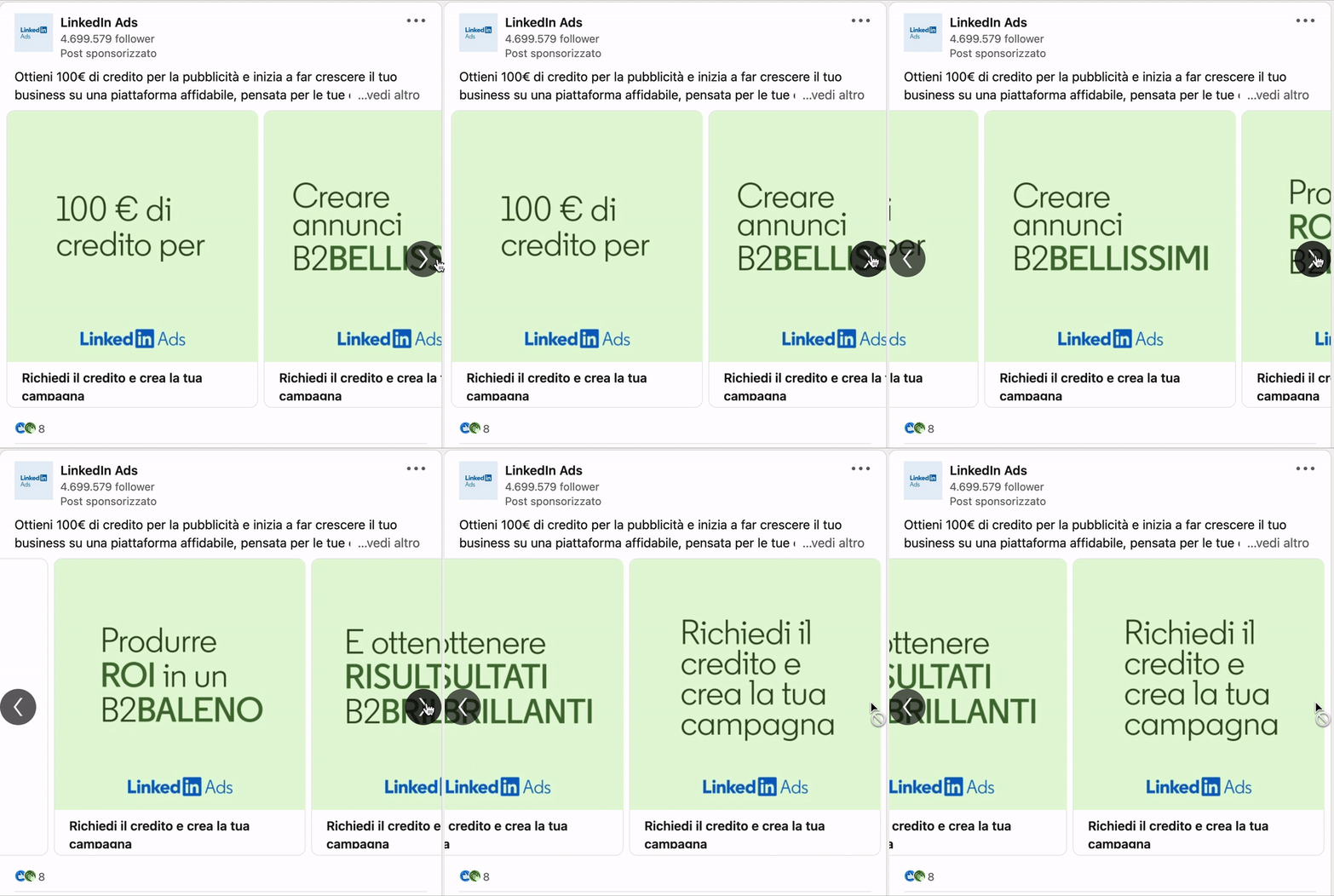
First of all, focus on storytelling. One of the best features of LinkedIn’s carousels is that they allow you to tell a story in a way that is engaging for your audience. This visual storytelling is way more appealing than a static ad. So use these cards to tell a story about your business.
Then make sure you have strong visuals: as LinkedIn suggests, feature graphics, people, and dynamic text to draw your audience in. Don’t forget to also include a strong call-to-action, to prompt users to engage with your ad.
Lastly, A/B test your ads.
- You can start with fewer cards, and then add more if you see encouraging results.
- You can change the order of your cards, and optimize based on the performance.
- You can tweak your copy, and see which one performs better.
Remember: if you’re using targeted advertising on LinkedIn, you need to disclose it in your privacy policy!
It’s both a legal and a third-party requirement!
LinkedIn specifically states that you are “responsible for legal compliance for any personal data they provide to LinkedIn” and this includes the data you may be collecting through your ads.
If you don’t have one, you can create yours in just a few minutes with iubenda!
- Scan your site with our Site Scanner.
- Add the relevant clauses in a few clicks and generate your policy.
- Embed on your site!
About us

Attorney-level solutions to make your websites and apps compliant with the law across multiple countries and legislations.