

惯性聚合 高效追踪和阅读你感兴趣的博客、新闻、科技资讯
阅读原文 在惯性聚合中打开

推荐订阅源

A
About on SuperTechFans
Y
Y Combinator Blog
钛媒体:引领未来商业与生活新知
钛媒体:引领未来商业与生活新知
Microsoft Security Blog
aimingoo的专栏
aimingoo的专栏
I
InfoQ
C
Check Point Blog
IT之家
IT之家
MyScale Blog
MyScale Blog
Apple Machine Learning Research
Vercel News
Vercel News
Last Week in AI
Last Week in AI
GbyAI
GbyAI
P
Proofpoint News Feed
量子位
Stack Overflow Blog
Stack Overflow Blog
Microsoft Azure Blog
月光博客
月光博客
阮一峰的网络日志
阮一峰的网络日志
人人都是产品经理
人人都是产品经理
B
Blog
T
The Blog of Author Tim Ferriss
H
Help Net Security
云风的 BLOG
云风的 BLOG

Runpod Blog.

DeepSeek V4 in the wild, and how to run it on Runpod New Runpod datacenter now live: AP-IN-1 Track GPU spend across your team with Cost Centers The GPU supply supercycle is here. Here’s what AI builders need to know. Community Spotlight: One-click AI image and video generation on Runpod with SwarmUI | Runpod Blog Community Spotlight: LoRA Pilot Data Prep to Inference Introducing the Runpod Assistant: Manage Your Cloud GPU Resources with Natural Language OpenAI's Parameter Golf: Train the Best Language Model That Fits in 16MB on Runpod LLM inference optimization: techniques that actually reduce latency and cost Pruna P-Video and Vidu Q3 public endpoints now available on Runpod Runpod brand spelling guide Quickstart - Runpod Documentation The AI market looks nothing like the narrative Training StyleGAN3 with Vision-Aided GAN on Runpod KoboldAI – The Other Roleplay Front End, And Why You May Want to Use It How to Connect Cursor to LLM Pods on Runpod for Seamless AI Dev Community Spotlight: How AnonAI Scaled Its Private Chatbot Platform with Runpod Prompt Scheduling with Disco Diffusion on Runpod Runpod's Latest Innovation: Dockerless CLI for Streamlined AI Development Run Your Own AI from Your iPhone Using Runpod Introducing Flash: Run GPU workloads on Runpod Serverless: No Docker required Use Claude Code with your own model on Runpod: No Anthropic account required Avoid Errors by Selecting the Proper Resources for Your Pod What hackers built on Runpod at TreeHacks 2026 Easily Back Up and Restore Your Pod with Cloud Sync + Backblaze B2 The Complete Guide to GPU Requirements for LLM Fine-Tuning AI Guides, Tutorials & GPU Infrastructure Insights | Runpod Your first Claude Code project within Runpod: a complete setup guide 10 billion Serverless requests and counting Building for resilience: Runpod’s response to the AWS us-east-1 outage
Deploy GitHub Repos to Runpod with One Click
Brendan McKeag · 2024-12-11 · via Runpod Blog.

Runpod is pleased to announce its latest feature aimed at making the lives of developers easier: GitHub integration! Previously, Docker images were the primary method of deploying endpoints, and while this is still functional and useful, requires a number of intermediary steps. Now, with GitHub integration you can deploy directly from a repo without having to download the repo, build a Dockerfile, or push to Docker Hub.

Be aware that while this feature is still technically in beta and there may be some kinks to work out, we're just too excited to keep this to ourselves and wanted to share the magic with you.

How to Get Started

Go to your Deploy a New Serverless Endpoint page, and click Github Repo in the lower right.
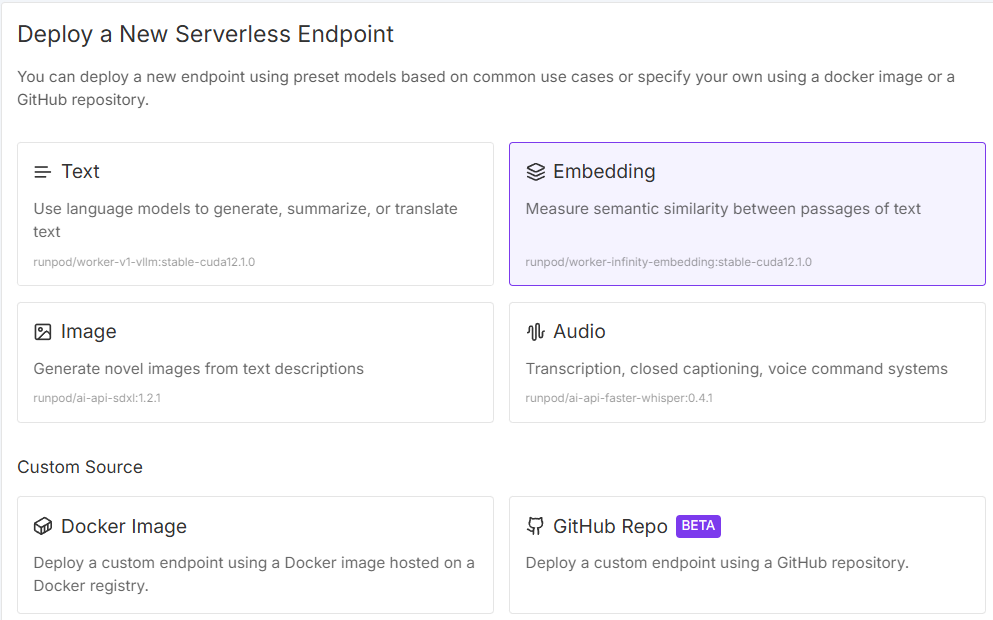
Runpod console screen for deploying a new serverless endpoint with preset models and Docker or GitHub repo sources

You'll be prompted to log into your GitHub account.
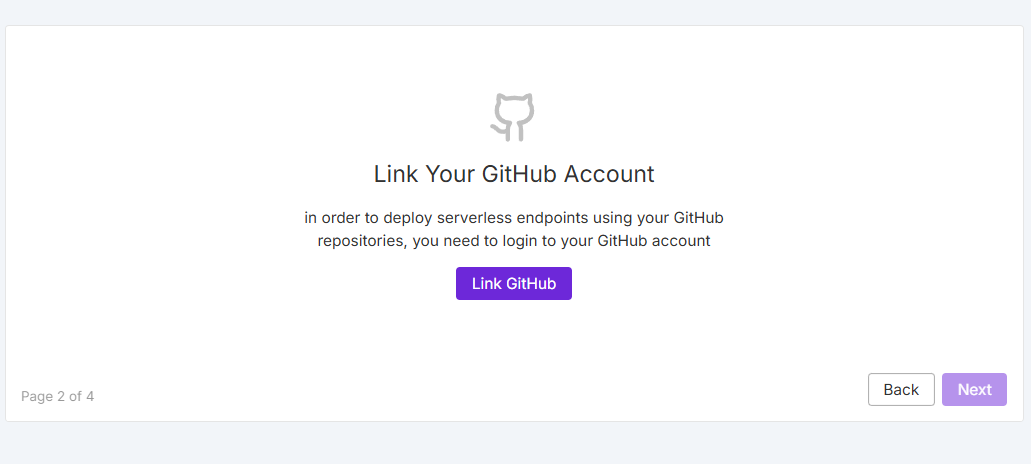
Runpod console prompt to link your GitHub account before deploying serverless endpoints from repositories

Once authorized, you'll see your list of eligible repositories:
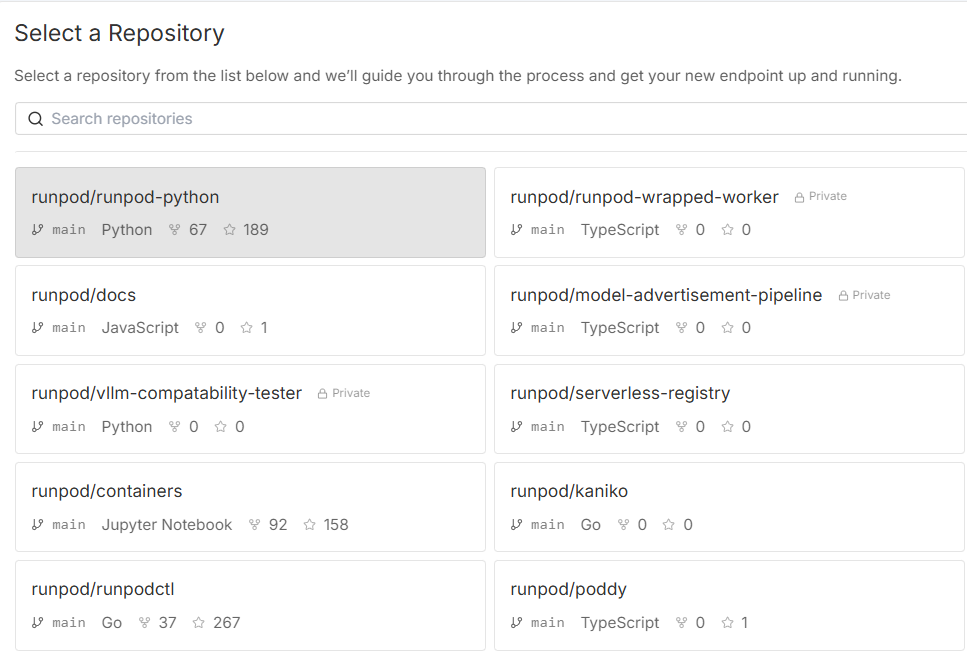
Runpod console repository picker listing GitHub repos such as Runpod/Runpod-python

From here on out, it's just like setting up an endpoint normally:
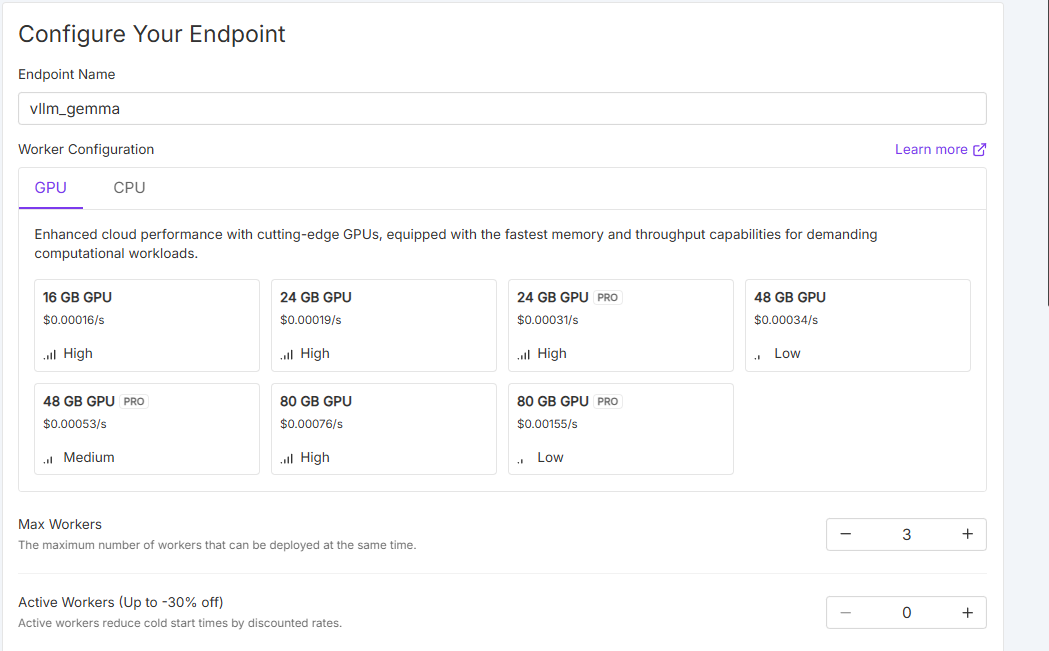
Runpod endpoint configuration for vllm_gemma showing GPU size options with per-second pricing and worker settings

At that point, the image will need to build from the repo, which should just take a few minutes. Note that container building is available on CPU instances only; meaning that you won't be able to build against a specific GPU spec at this time. Runpod plans to support building containers on GPU instances in the future.
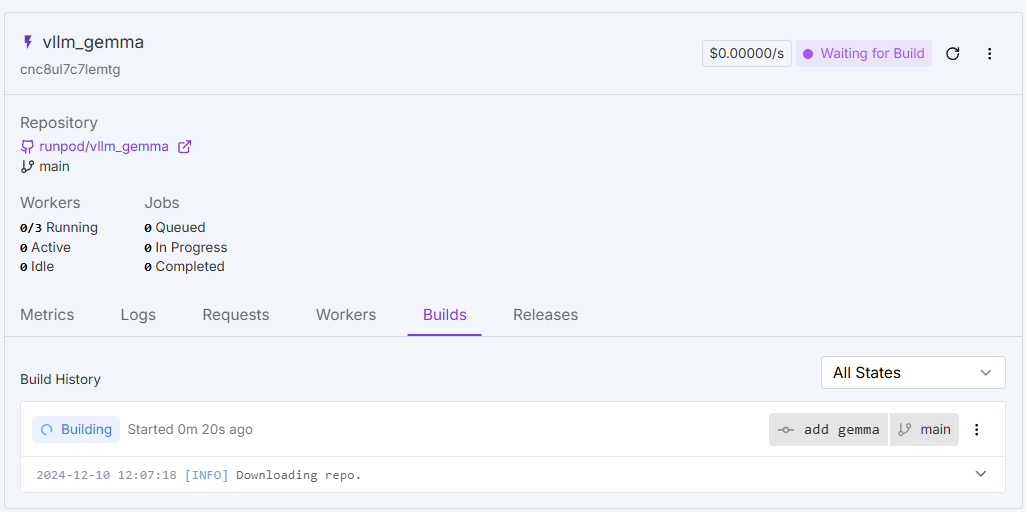
Runpod endpoint page for vllm_gemma on the Builds tab with a build in progress and Waiting for Build status

Why is this important?

The benefit of this system is it takes all of the busywork out of creating Docker images to run on Runpod. Although the build process will take some time, it's a one-click solution that allows you to move directly from repo to running image without the hassle of installing Docker locally, building it to Runpod's specs, etc. This allows you to focus on your mission and get back to what truly matters. Developers no longer need to write and maintain Dockerfiles for each project, debug Docker build syntax issues, or spend time learning Docker best practices for optimized builds. This alone can save hours of configuration and maintenance time.

It also prevents the classic "works on my machine" problems that can waste hours of debugging time. Since everyone uses identical containers that are automatically built, there's no time spent tracking down environment mismatches or manually managing container versions across the team. By standardizing and streamlining the process, you reduce overhead, errors, and unproductive time.

Here's a quick video rundown of the process:

Conclusion

Runpod wants to help developers accomplish their work that matters. We're excited to provide an environment that reduces friction in your workflow and lets you focus on iteration and accomplishing your mission.

If you have any questions about how this feature might work, please reach out to us via support or Discord!

Author profile: Brendan McKeag