



惯性聚合 高效追踪和阅读你感兴趣的博客、新闻、科技资讯
阅读原文 在惯性聚合中打开

推荐订阅源

WordPress大学
WordPress大学
大猫的无限游戏
大猫的无限游戏
B
Blog
阮一峰的网络日志
阮一峰的网络日志
IT之家
IT之家
Hugging Face - Blog
Hugging Face - Blog
博客园 - 【当耐特】
Jina AI
Jina AI
博客园 - 聂微东
T
The Blog of Author Tim Ferriss
宝玉的分享
宝玉的分享
L
LangChain Blog
M
MIT News - Artificial intelligence
Blog — PlanetScale
Blog — PlanetScale
腾讯CDC
酷 壳 – CoolShell
酷 壳 – CoolShell
Y
Y Combinator Blog
F
Fortinet All Blogs
H
Help Net Security
B
Blog RSS Feed
J
Java Code Geeks
Cyber Security Advisories - MS-ISAC
Apple Machine Learning Research
S
SegmentFault 最新的问题

Runpod Blog.

DeepSeek V4 in the wild, and how to run it on Runpod New Runpod datacenter now live: AP-IN-1 Track GPU spend across your team with Cost Centers The GPU supply supercycle is here. Here’s what AI builders need to know. Community Spotlight: One-click AI image and video generation on Runpod with SwarmUI | Runpod Blog Community Spotlight: LoRA Pilot Data Prep to Inference Introducing the Runpod Assistant: Manage Your Cloud GPU Resources with Natural Language OpenAI's Parameter Golf: Train the Best Language Model That Fits in 16MB on Runpod LLM inference optimization: techniques that actually reduce latency and cost Pruna P-Video and Vidu Q3 public endpoints now available on Runpod Runpod brand spelling guide Quickstart - Runpod Documentation The AI market looks nothing like the narrative Training StyleGAN3 with Vision-Aided GAN on Runpod KoboldAI – The Other Roleplay Front End, And Why You May Want to Use It How to Connect Cursor to LLM Pods on Runpod for Seamless AI Dev Community Spotlight: How AnonAI Scaled Its Private Chatbot Platform with Runpod Prompt Scheduling with Disco Diffusion on Runpod Runpod's Latest Innovation: Dockerless CLI for Streamlined AI Development Run Your Own AI from Your iPhone Using Runpod Introducing Flash: Run GPU workloads on Runpod Serverless: No Docker required Use Claude Code with your own model on Runpod: No Anthropic account required Avoid Errors by Selecting the Proper Resources for Your Pod What hackers built on Runpod at TreeHacks 2026 Easily Back Up and Restore Your Pod with Cloud Sync + Backblaze B2 The Complete Guide to GPU Requirements for LLM Fine-Tuning AI Guides, Tutorials & GPU Infrastructure Insights | Runpod Your first Claude Code project within Runpod: a complete setup guide 10 billion Serverless requests and counting Building for resilience: Runpod’s response to the AWS us-east-1 outage
Google Colab Pro vs. Runpod: Best GPU Cloud for AI Workloads
Zhen Lu · 2022-07-14 · via Runpod Blog.

Google Colab Pro Plus costs $50 with a chance to get a V100 or (in rare cases) a A100 GPU. Meanwhile, with Runpod's GPU Cloud pay-as-you go model, you can get guaranteed GPU compute for as low as $0.2/hour.

We hear Google Colab Pro mentioned a lot, and for good reason. Colab Pro and Colab Pro+ offer simple to use interface and GPU/TPU compute at a low cost via a subscription model.

  • Colab Pro $9.99 / month
  • Colab Pro+ $49.99 / month

What's the catch? No guaranteed compute

With Colab Pro your notebooks can stay connected for much longer, and idle timeouts are relatively lenient. Durations are not guaranteed, though, and idle timeouts sometimes vary. With Colab Pro+ you have even more stability in your connection. Colab Pro+ also offers background execution which supports continuous code execution for up to 24 hours.

Colab FAQ

In order to keep costs low, neither subscription model offers guaranteed compute, but Colab Pro+ does give you priority access to faster GPUs with more memory and longer runtimes. Even still, you have to make sure to babysit your instances, otherwise they will get killed automatically when they run for too long.

What does Runpod offer for $50?

  • RTX 3090 (24GB VRAM) - $0.30 / hour
  • $0.30 x 166 hours = $49.8

That's 166 hours of compute without interruptions, or 8 hours per day for 20 days. Can you get same price to performance when compared to Colab Pro+? If you babysit your Colab notebooks and keep them running 24/7, then probably not. It's hard to say, though, since there are no guarantees that you will get what you want every time and you may not be able to keep 100% uptime. Runpod uses a pay-as-you go model and with pricing this low, it's hard to argue against the service we provide. Deploying Jupyter on 1-8x GPUs takes a few seconds.

What about Cloud Storage?

Now, about compatibility and integration with other services and products: Google Colab Pro can easily connect to your Google Drive account, so notebooks can easily store data in the cloud. On Runpod, the cloud storage integration choice is left up to you. With Runpod Cloud Sync you can choose from many cloud storage providers like Google Cloud Storage, AWS S3, Azure Cloud Storage, Dropbox, and a few others. This flexibility with free bandwidth offers more freedom to the masses.
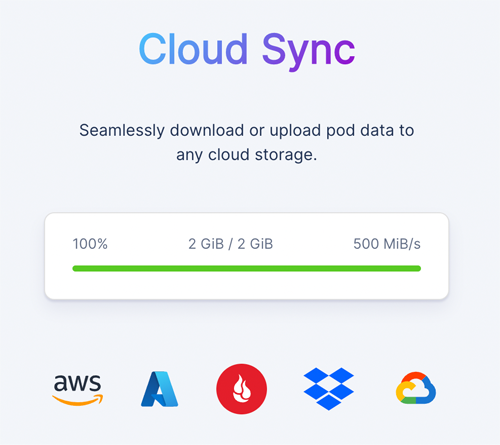
Runpod Cloud Sync

Both of these services spoil you in some ways compared to many other expensive GPU Cloud providers. At times (though more often in the middle of the night), Colab Pro will give me multiple A100s at the same time. This has proven Colab’s value: if you’re comfortable with less control, you’ll get your money’s worth.

With Runpod, though, you control when and what GPUs to deploy with guaranteed compute without any interruptions. If you don't believe us, there are plenty of users in our Discord willing to help and also provide their feedback. Try us today!

GPU Cloud Pricing

Keep in mind storage pricing is separate but bandwidth is FREE!

Author profile: Zhen Lu