



Up until now, Runpod has only supported using a single GPU in Serverless, with the exception of using two 48GB cards (which honestly didn't help, given the overhead involved in multi-GPU setups for LLMs.) You were effectively limited to what you could fit in 80GB, so you would essentially be required to use quantized models, perhaps excessively so if you really wanted to go to 120b models or beyond.
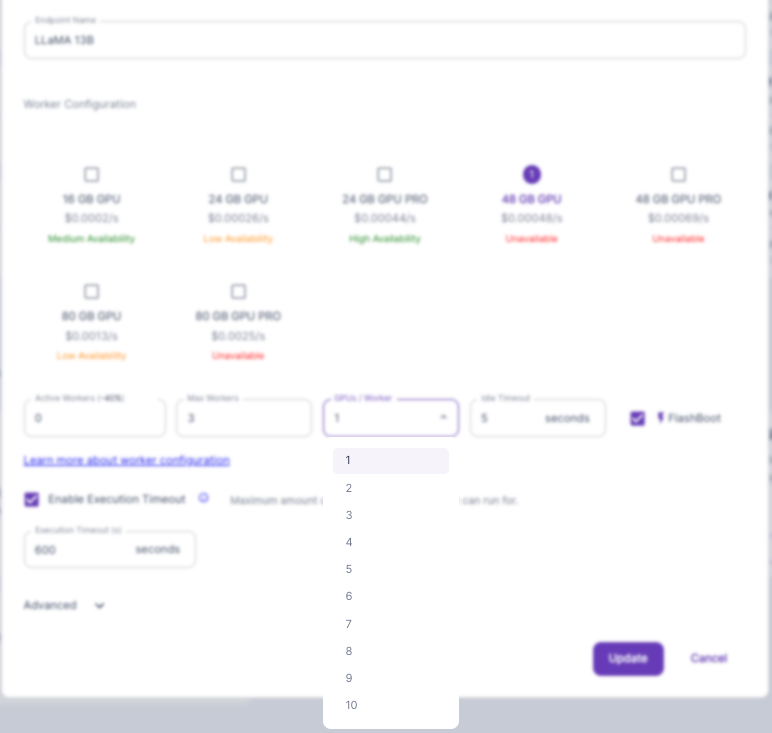
Now, you can assign two A100 or H100 80GB GPUs to a worker, or up to ten 24GB or 48GB GPU specs. This is easily enough to run 70b models at full 16-bit precision or a quantization of nearly any model currently available, and you can do it all with our VLLM Quick Deploy template to make it as painless as possible.
First, you'll probably want to create a network volume to hold the model. If this is not done, each worker will need to download the model before it can do anything, which can lead to some heavy coldstart times. We have specific walkthroughs on network volumes in our documentation. Note that using a network volume will constrain you to using a specific data center (for now) so be sure to scout out what specs are available in your chosen DC.
If you haven't set up a VLLM endpoint before, I first recommend reading Moritz Wallawitsch's excellent article, which will walk you through creating the endpoint.
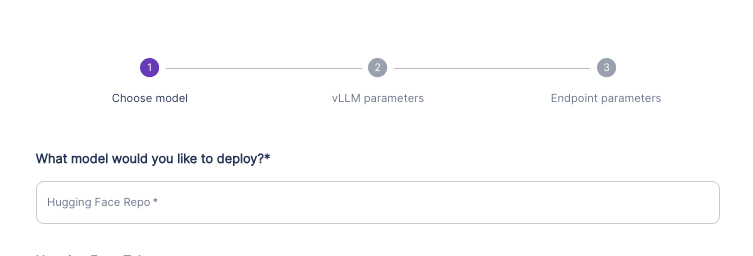
When creating the endpoint, you'll want to specify the HuggingFace repo location of the model you wish to run. As long as you have a network volume attached, when the first worker runs and does not see the model already there, it will then download the model and all future workers that have the volume assigned will have it. With a correctly configured endpoint with Flashboot enabled, you could potentially see consistent cold start times of ~600ms even with a 70b model like Llama-3-70b.
Once the endpoint is created, then go to your Serverless page, click the three dots for the endpoint, and change the GPUs/Worker option to your desired selection. Naturally, you'll be billed for whatever multiple of GPU you have selected when a worker runs.
Although serverless takes a little more work to set up, it's well worth it, especially for LLMs. When you rent a pod, you're paying for the pod for every minute that it's up, no matter how much or little the GPU is being utilized. When interacting with an LLM, especially for multi-turn conversations, you are spending probably at least half your time mentally processing and typing back to the bot, during which time the GPU is sitting idle. Depending on the length of your inputs, actual token generation might be only 10 to 20% of the actual conversation. Although running an active worker for one hour's worth of server time is more expensive than running the same GPU spec in a pod for an hour, because the time is used so much more efficiently you might get several hours of useful work out of that hour of serverless time. With pods, once your real-time hour is up, it's up.
Serverless also lets you field requests and scale up workers as needed. If you set up a pod for an LLM, it will field all requests that come into it sequentially, whereas workers can spin up several workers to handle requests concurrently, which will lead to fewer delays on the user end and a better experience for your clients.
Feel free to ask questions in our Discord or contact us through our support channel, we would love to help you out!
Get started with vLLM On Runpod Today
Author profile: Brendan McKeag
此内容由惯性聚合(RSS阅读器)自动聚合整理,仅供阅读参考。 原文来自 — 版权归原作者所有。