

The Chips Got Faster. The Stack Didn't.
Explore why faster chips have shifted the bottleneck to AI infrastructure, and what that means for teams running production workloads.
All






Whisper is an automatic speech recognition (ASR) system that OpenAI developed to transcribe and translate spoken language into written text. You can use it for subtitling videos, translating podcasts, providing real-time captions in meetings, and other audio processing tasks.
Faster Whisper is an optimized implementation of Whisper that significantly enhances the speed and efficiency of audio transcription, making it up to four times faster than the original Whisper model while maintaining similar accuracy levels. It also consumes less memory and is cheaper than the original Whisper due to the performance improvements.
The following table lists examples of Faster Whisper processing audio files faster than Whisper:
| Audio clip | Length | Whisper time | Faster-Whisper time | Times faster |
|---|---|---|---|---|
| Football as a source of revenue | 0:51 | 9.917s | 3.462s | 2.86× |
| GoTranscript transcription test | 3:01 | 44.309s | 13.172s | 3.36× |
| Driving in the U.S. | 6:13 | 1:06.018 | 22.107s | 2.99× |
| Speech by Fiorello H. La Guardia | 15:46 | 2:12.299 | 44.854s | 2.95× |
| Interview of Matthew C. Weiss | 29:33 | 5:53.186 | 1:45.952 | 3.33× |
| Interview of Peter A. and Sharen Gendebien | 1:28:02 | 17:35.431 | 4:39.680 | 3.77× |
| Interview of Brock Robert McIntosh | 3:14:34 | 40:32.268 | 11:16.872 | 3.59× |
Note: “Times faster” = Whisper time ÷ Faster-Whisper time.
Runpod provides a serverless template for Faster Whisper that you can deploy, whose endpoint you can call from your projects to process audio files. OpenAI charges users of Whisper based on the length of the audio file; however, since Runpod only charges based on actual execution time, and Faster Whisper is much more performant than Whisper, Runpod’s solution is also much cheaper.
The following table shows how much cheaper it is to process the audio clips from the previous table using Faster Whisper on Runpod:
| Audio clip | Length | OpenAI Whisper cost ($) | Runpod Faster-Whisper cost ($) | Times cheaper |
|---|---|---|---|---|
| Football as a source of revenue | 0:51 | $0.0051 | $0.0009 | 5.89× |
| GoTranscript transcription test | 3:01 | $0.0181 | $0.0033 | 5.50× |
| Driving in the U.S. | 6:13 | $0.0373 | $0.0055 | 6.75× |
| Speech by Fiorello H. La Guardia | 15:46 | $0.0942 | $0.0112 | 8.44× |
| Interview of Matthew C. Weiss | 29:33 | $0.1773 | $0.0265 | 6.69× |
| Interview of Peter A. and Sharen Gendebien | 1:28:02 | $0.5282 | $0.0699 | 7.55× |
| Interview of Brock Robert McIntosh | 3:14:34 | $1.1674 | $0.1692 | 6.90× |
Note: “Times cheaper” = OpenAI Whisper cost ÷ Runpod Faster-Whisper cost.
Now that we’ve seen how much faster and cheaper Faster Whisper on Runpod is compared to Whisper, let’s deploy an endpoint using Runpod Serverless and try it out.
In this blog post you’ll learn how to:
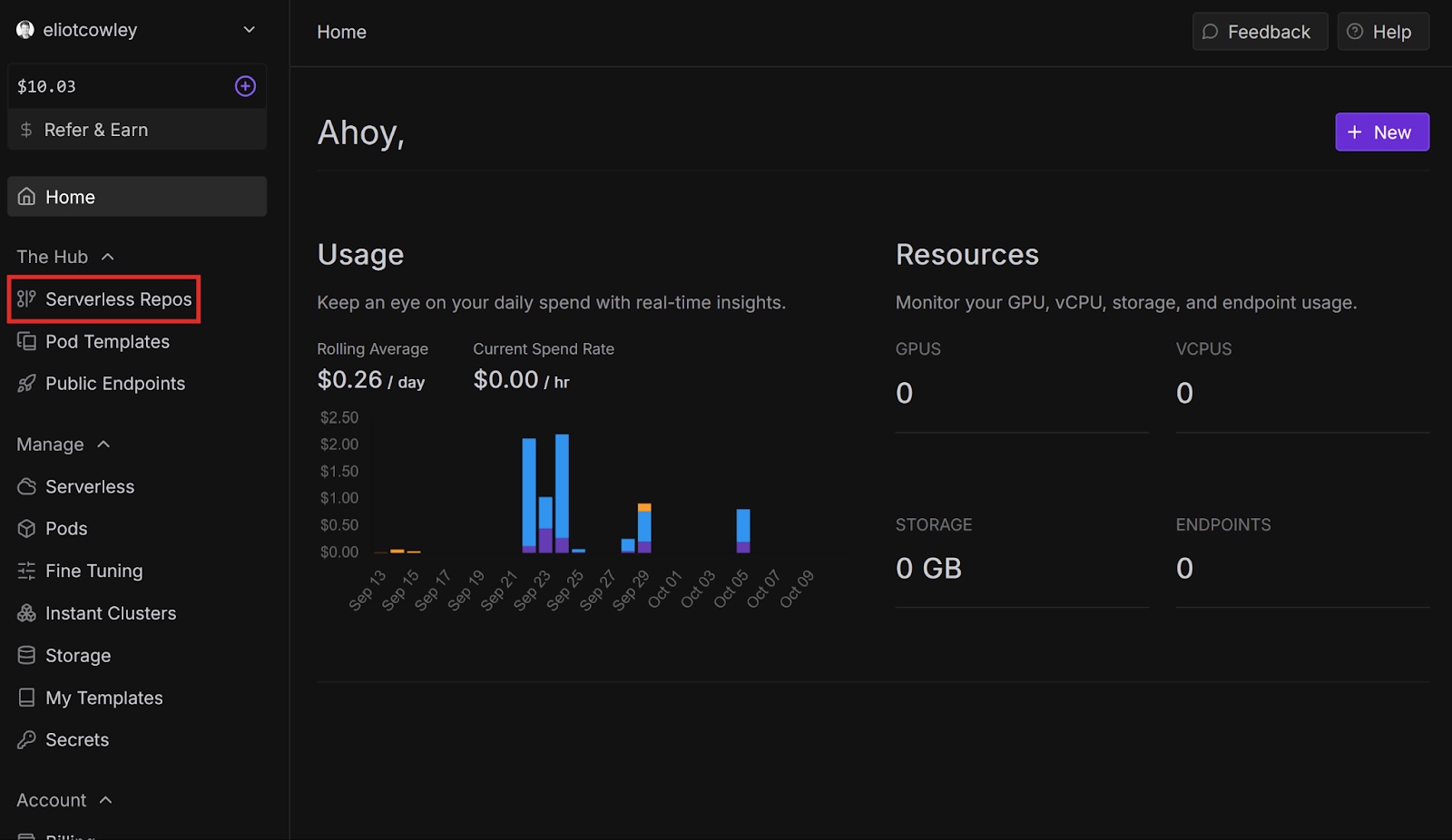
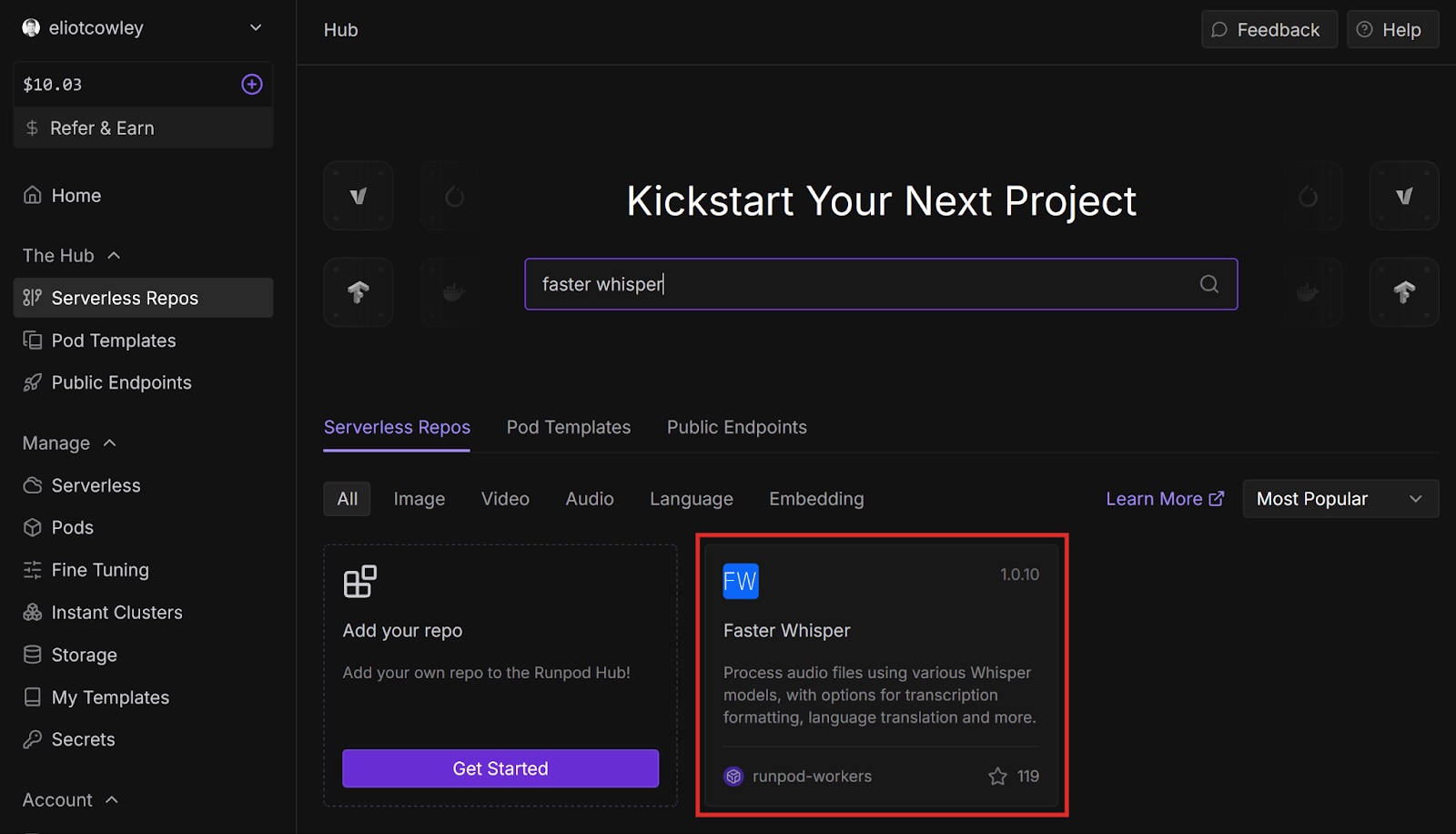
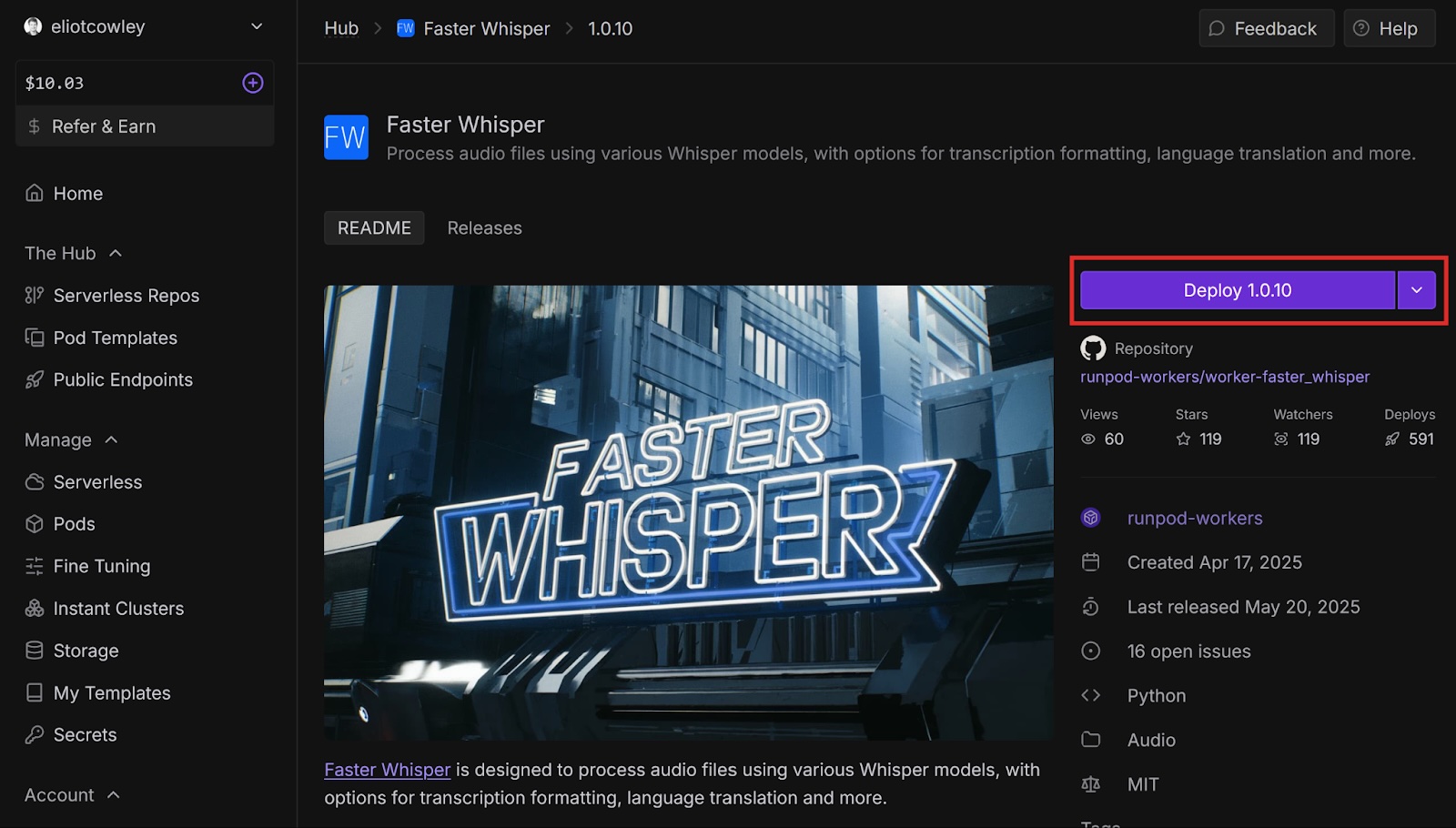
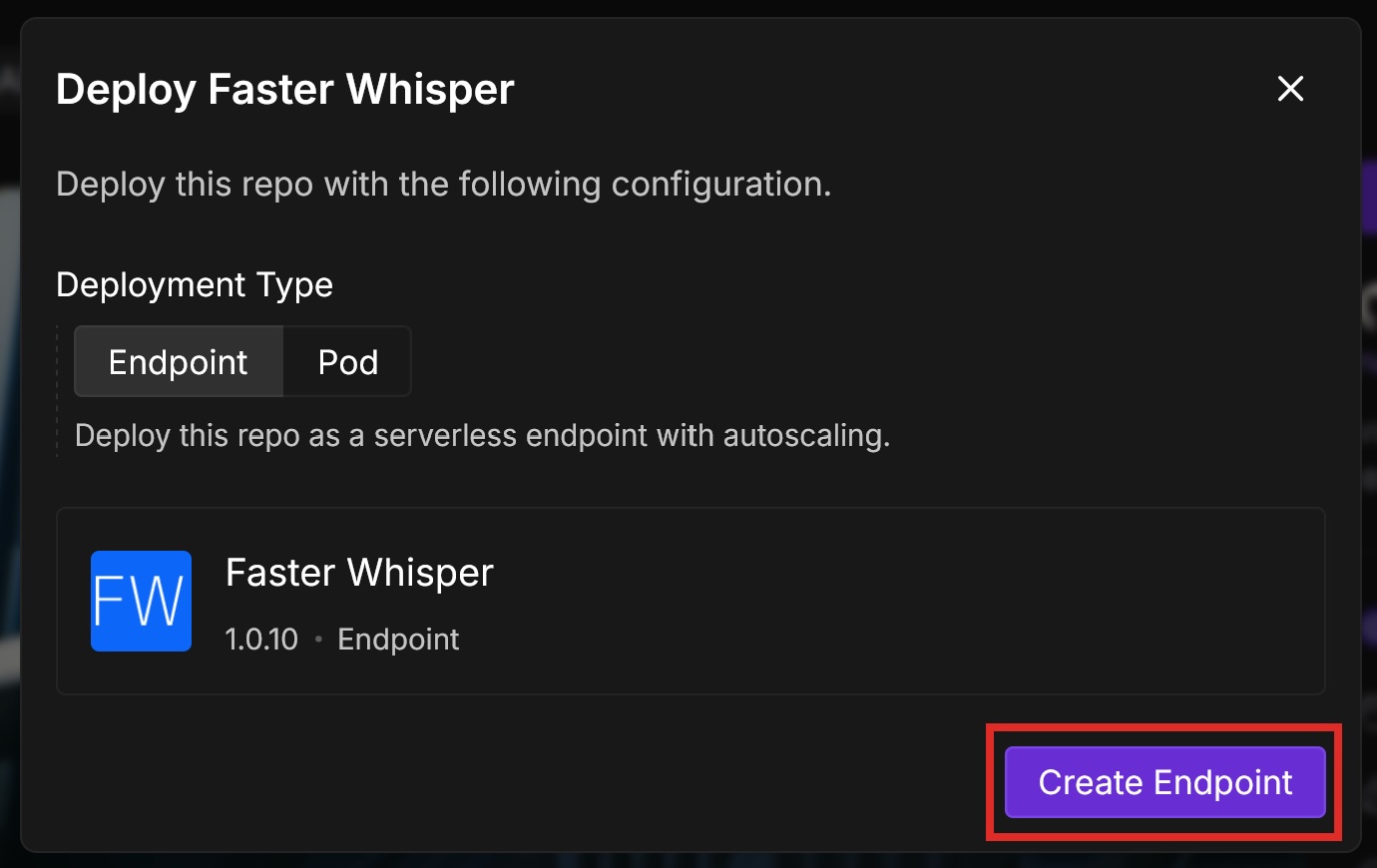
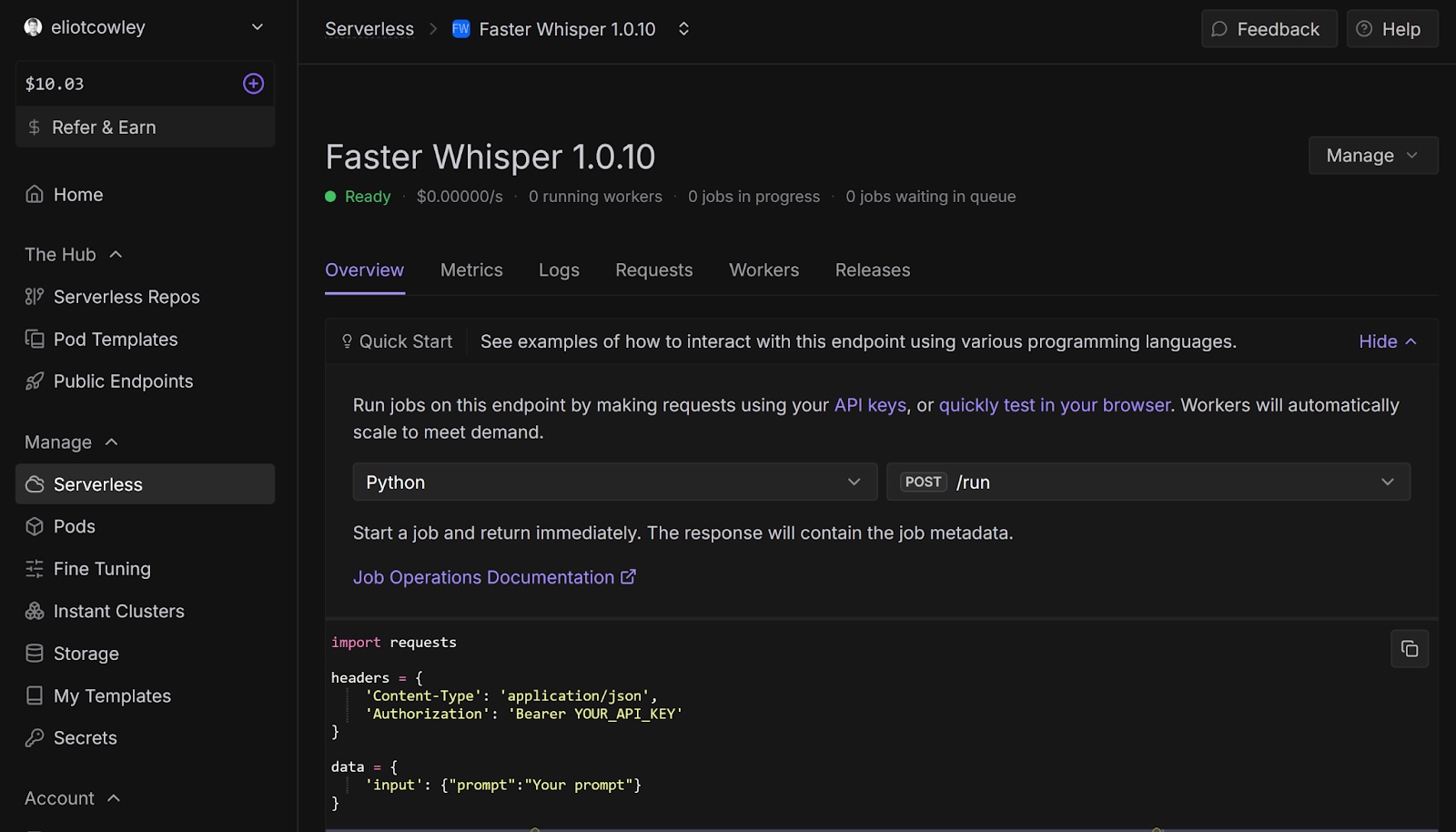
{
"input": {
 "audio":
"https://github.com/runpod-workers/sample-inputs/raw/main/audio/gettysburg.wav",
 "model": "turbo"
 }
}audio
model is the Whisper model that will process the audio. turbo is an optimized version of large-v3.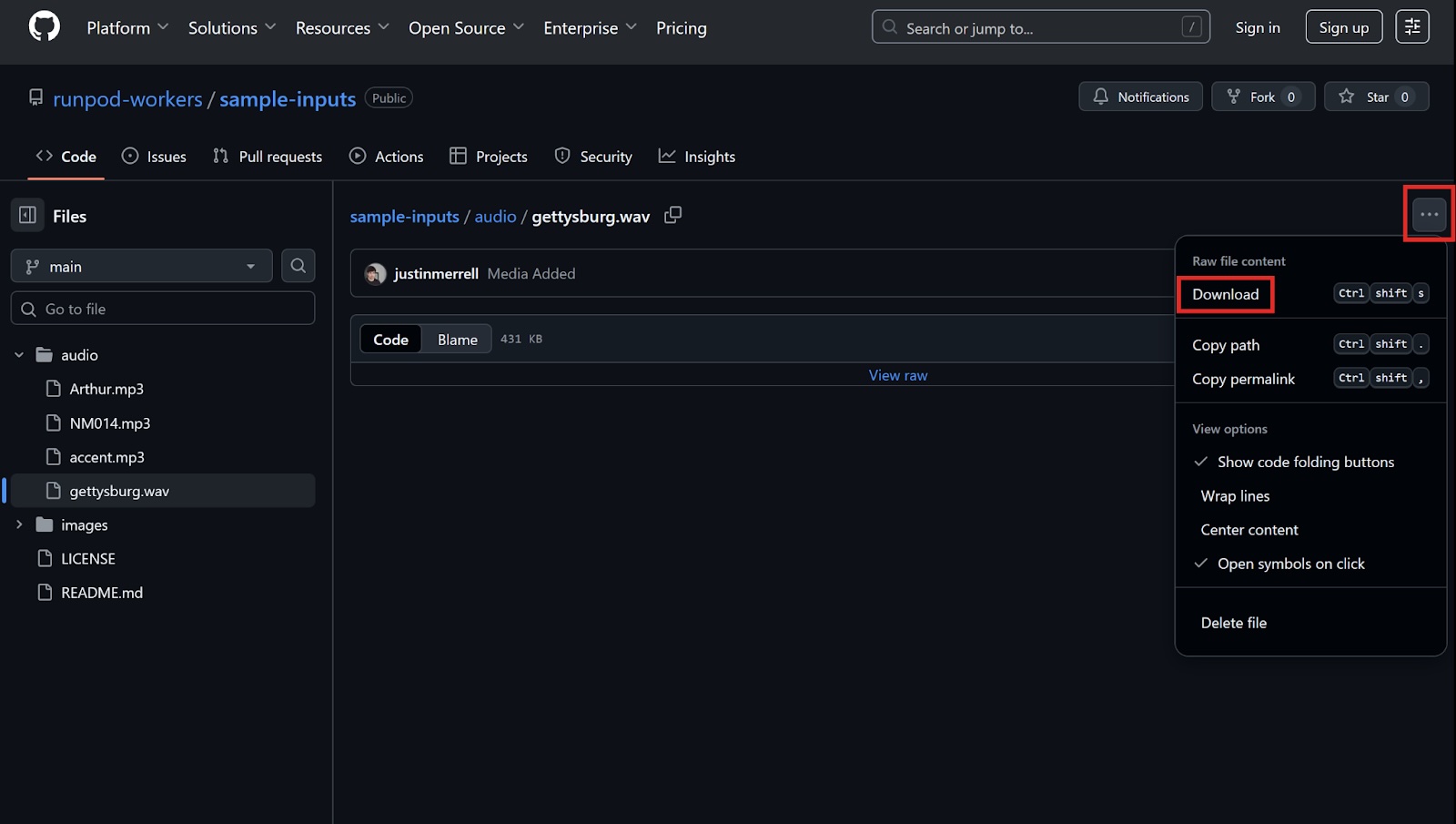
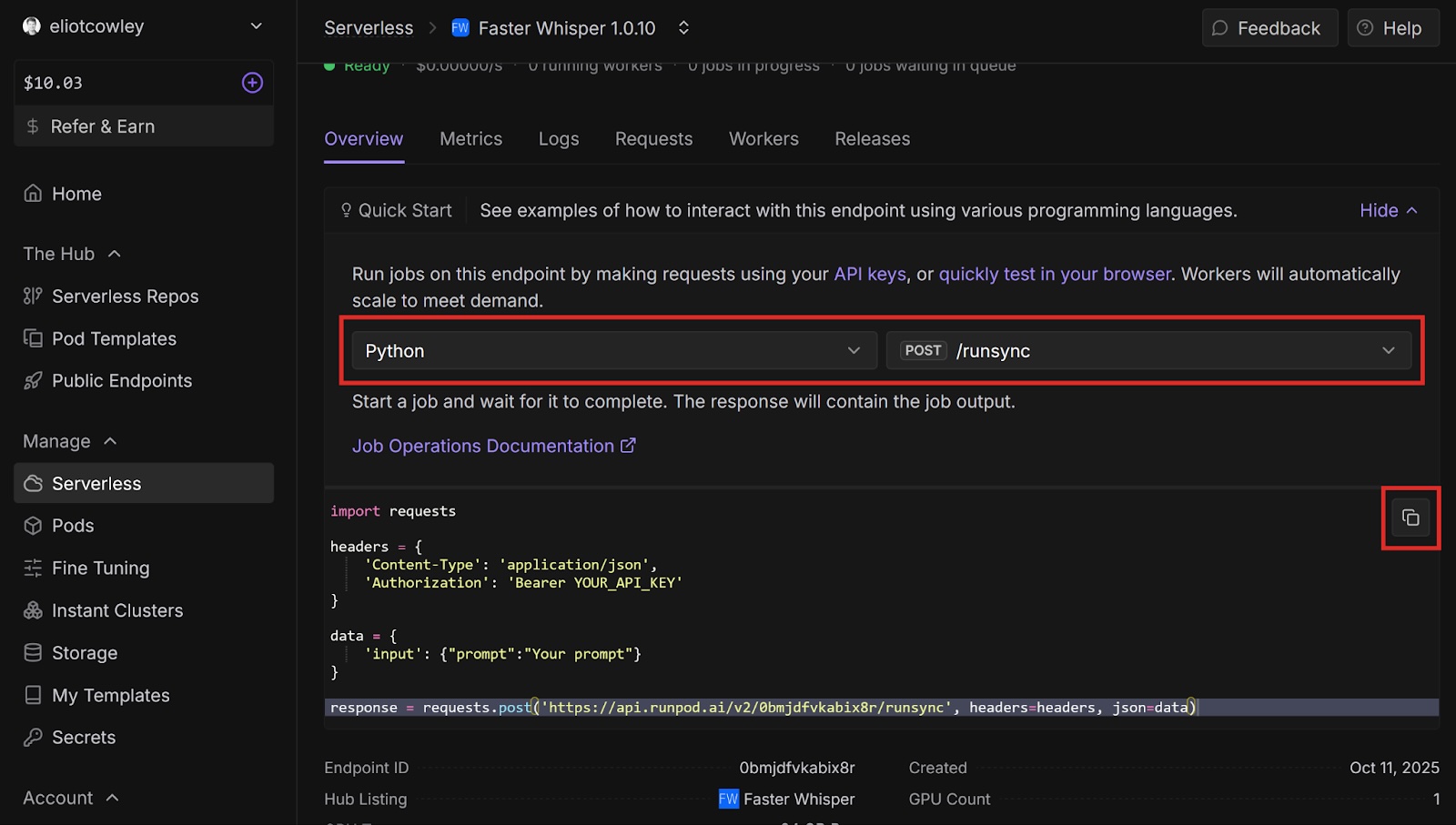
YOUR_API_KEY with your Runpod API key.data variable with the following:data = {
"input": {
"audio": "<AUDIO URL>",
"model": "turbo"
}
}
<AUDIO URL> with the GitHub URL of the audio file that you want to process (for example, https://github.com/runpod-workers/sample-inputs/blob/main/audio/gettysburg.wav).print statements to print out the response code and the response body:print(response)
print(response.text)
import requests
headers = {
'Content-Type': 'application/json',
'Authorization': 'Bearer <YOUR API KEY>'
}
data = {
"input": {
"audio": "<AUDIO URL>",
"model": "turbo"
  }
}
response = requests.post('<YOUR ENDPOINT URL>', headers=headers, json=data)
print(response)
print(response.text)
python <YOUR PYTHON FILENAME>
<Response [200]>
{"delayTime":876,"executionTime":1034,"id":"sync-ed422376-d952-4b83-8365-68831ab24a62-u1","output":{"detected_language":"en","device":"cuda","model":"turbo","segments":[{"avg_logprob":-0.09318462171052631,"compression_ratio":1.3888888888888888,"end":5.22,"id":1,"no_speech_prob":0,"seek":0,"start":0,"temperature":0,"text":" Four score and seven years ago, our fathers brought forth on this continent a new nation,","tokens":[50365,7451,6175,293,3407,924,2057,11,527,23450,3038,5220,322,341,18932,257,777,4790,11,50626]},{"avg_logprob":-0.09318462171052631,"compression_ratio":1.3888888888888888,"end":9.82,"id":2,"no_speech_prob":0,"seek":0,"start":5.68,"temperature":0,"text":" conceived in liberty and dedicated to the proposition that all men are created equal.","tokens":[50649,34898,294,22849,293,8374,281,264,24830,300,439,1706,366,2942,2681,13,50856]}],"transcription":"Four score and seven years ago, our fathers brought forth on this continent a new nation, conceived in liberty and dedicated to the proposition that all men are created equal.","translation":null},"status":"COMPLETED","workerId":"zgxyuf5sijpymo"}"transcription":"Four score and seven years ago, our fathers brought forth on this continent a new nation, conceived in liberty and dedicated to the proposition that all men are created equal."Congratulations! You automatically transcribed an audio file using Faster Whisper and Runpod. Imagine how you could apply this to automate podcast transcriptions, video subtitles, real-time meeting translations - the possibilities are endless.
Now that you’ve transcribed a simple audio file, here are some other things to try next:
tinybasesmallmediumlarge-v1 large-v2 large-v3 distil-large-v2 distil-large-v3 turboTranslate an audio file from a different language to English. You must set the translate field to True. You can also set language to the language code of the audio file, or leave it out to have Faster Whisper detect the language automatically.
Author profile: Eliot Cowley
Explore why faster chips have shifted the bottleneck to AI infrastructure, and what that means for teams running production workloads.
All
.jpeg)
With MIG, we can partition RTX 6000 Pro cards into isolated 24 GB instances. Here's when it makes sense for your workloads.
All
.jpeg)
How 1,100 researchers beat OpenAI's own baseline with 16 megabytes and 10 minutes.
All
Build, train, and scale AI workloads on Runpod with cloud GPUs, Serverless, and Clusters.

此内容由惯性聚合(RSS阅读器)自动聚合整理,仅供阅读参考。 原文来自 — 版权归原作者所有。