






You can also watch the presentation of Nextcloud Hub 26 Summer on PeerTube.
Our mission at Nextcloud is to make collaboration software that is easy to navigate, fun to use and helps people working efficiently and intuitively.
We believe that trust and control are what good tools are built on. The highest level of this is possible, in our opinion, only through open source, and that means creating things together, out in the open. Co-creation is not just for infrastructure projects like Linux and Kubernetes, but also for end-user software like Nextcloud.
“What kind of control is that, when everything is decentralized?” you may ask.
We build Nextcloud in collaboration with our community, partners, and customers. This gives us diversity, transparency, and autonomy that Big Tech could never promise. At the same time, our open standards bring us unified, interoperable and reliable tools. This is how we reach our end goal: a great product for everyday use.
Now, we can’t wait to present our latest release, Nextcloud Hub 26 Summer.
What you see in this release is the result of months of close collaboration with our community and our partners. Whether it’s features shaped together with organizations like Dataport and SURF, or code contributed by individual developers in the community, our ecosystem isn’t just giving feedback, it’s actively building the product with us. That’s exactly what we set out to make possible.
Anna Larch
Developer Relations

Get a glimpse of the new features:
Read on for a detailed rundown of all the key improvements.
Nextcloud is a community thing. The way it works is defined by how people use it and what they expect from it. We have worked on our apps with thousands of passionate contributors for over 10 years. Many features we show today are contributed by developers outside of the Nextcloud company, most are translated and tested through the community’s efforts. Here’s a big thank you to everyone who made Nextcloud Hub 26 Summer possible!
Good usability means making things intuitive, so people don’t have to think too much about how things work. Things should be easy to find, interactions should behave the way you expect, and the interface should help you understand where you are. Let’s begin with design.

We have reworked the search experience to help you find what you are looking for across Nextcloud.
In the app menu, updated icons make apps easier to recognize, the sorting is more intuitive, and opening the apps menu by hovering the cursor makes navigation quicker.
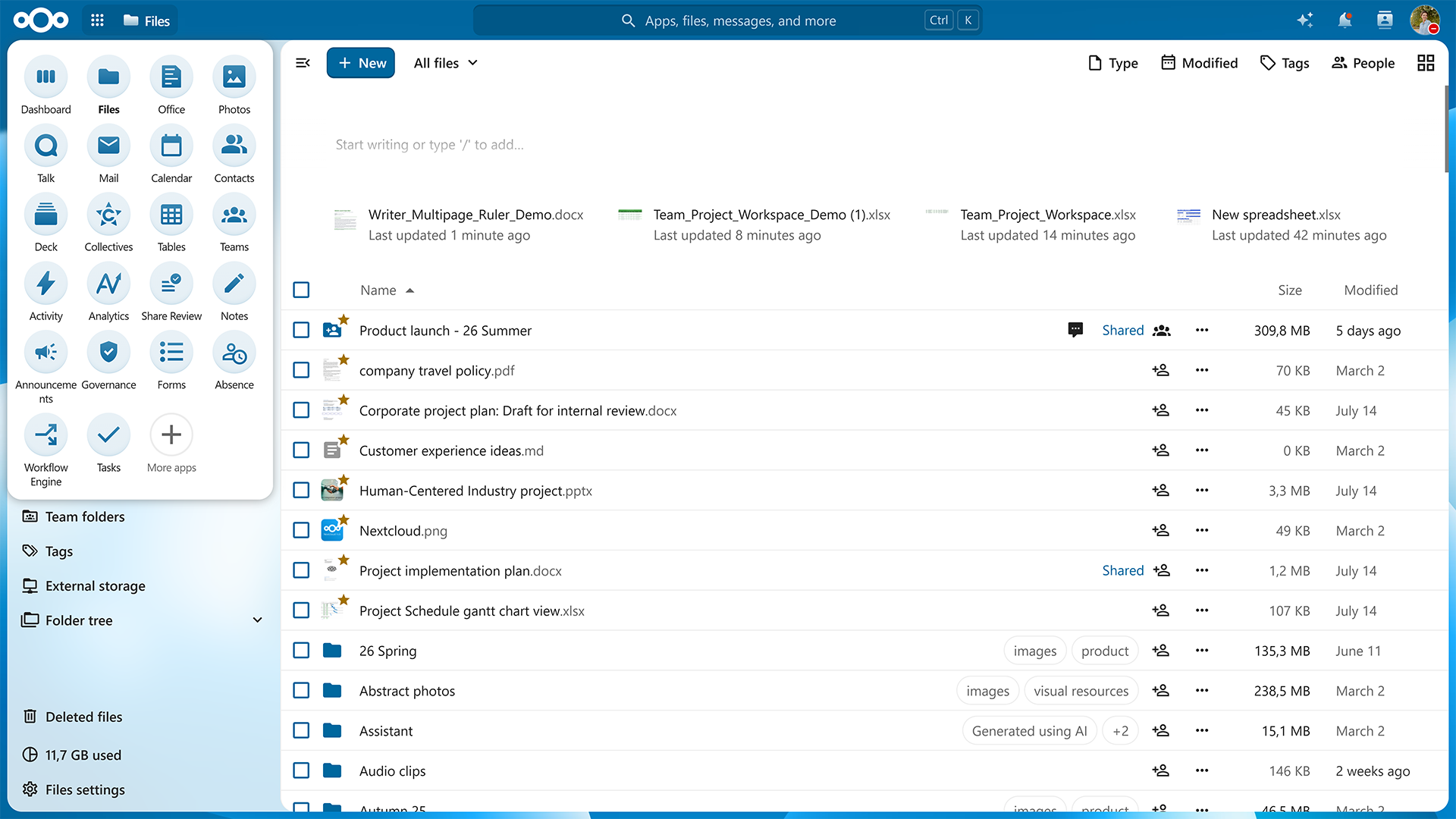
We added animations throughout the interface so menus, navigation, and interactions feel more fluid and easier to follow, with reduced-motion preferences in mind.
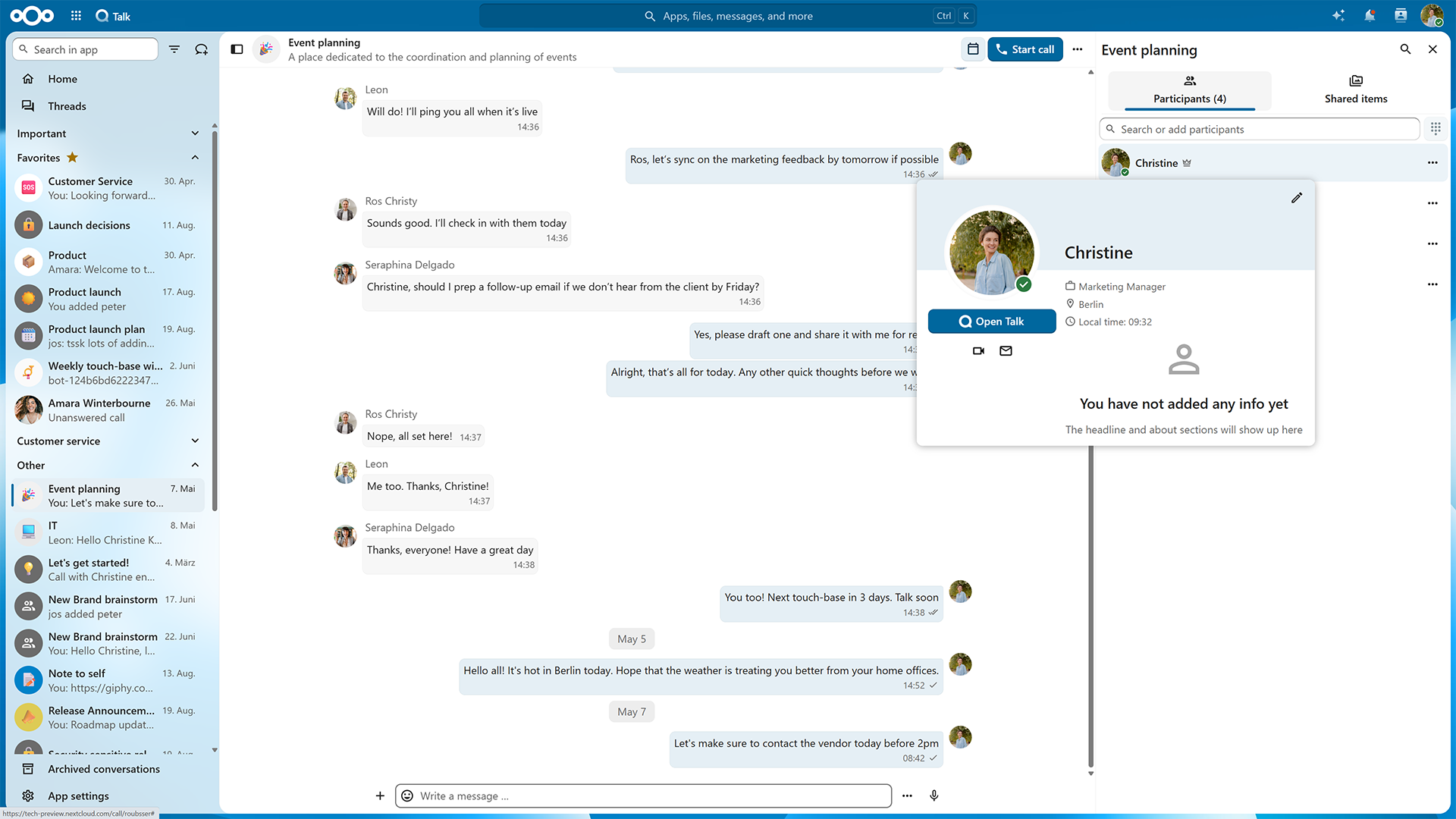
And we are adding more context: hover over someone’s avatar and see useful information about your colleague.
Nextcloud Teams connects people working together with the resources they need. Before, your teams lived in Nextcloud Contacts. Now, every team has a workspace for themselves inside Nextcloud Hub, with its own page, own storage, resources, and integrated workflows across all your apps.
With the new app for Nextcloud Teams, it’s now easy to create, find, and manage teams directly. You can now find its icon via app menu. The app gives you an overview of all teams in your Nextcloud.
Before, a team was only a group of people. Now, Nextcloud automatically creates a space for every new team. Each team has its own home section which connects files, tasks, knowledge and other resources the team works on.
When team resources belong to the team, your project can stay dynamic without dependencies. In addition to team folders, we are introducing team ownership in Nextcloud Hub apps, starting with Nextcloud Collectives and Nextcloud Deck boards. Now, boards created by the team are owned by the team, not just the creator. It’s just a start — we will gradually introduce team ownership in more applications.
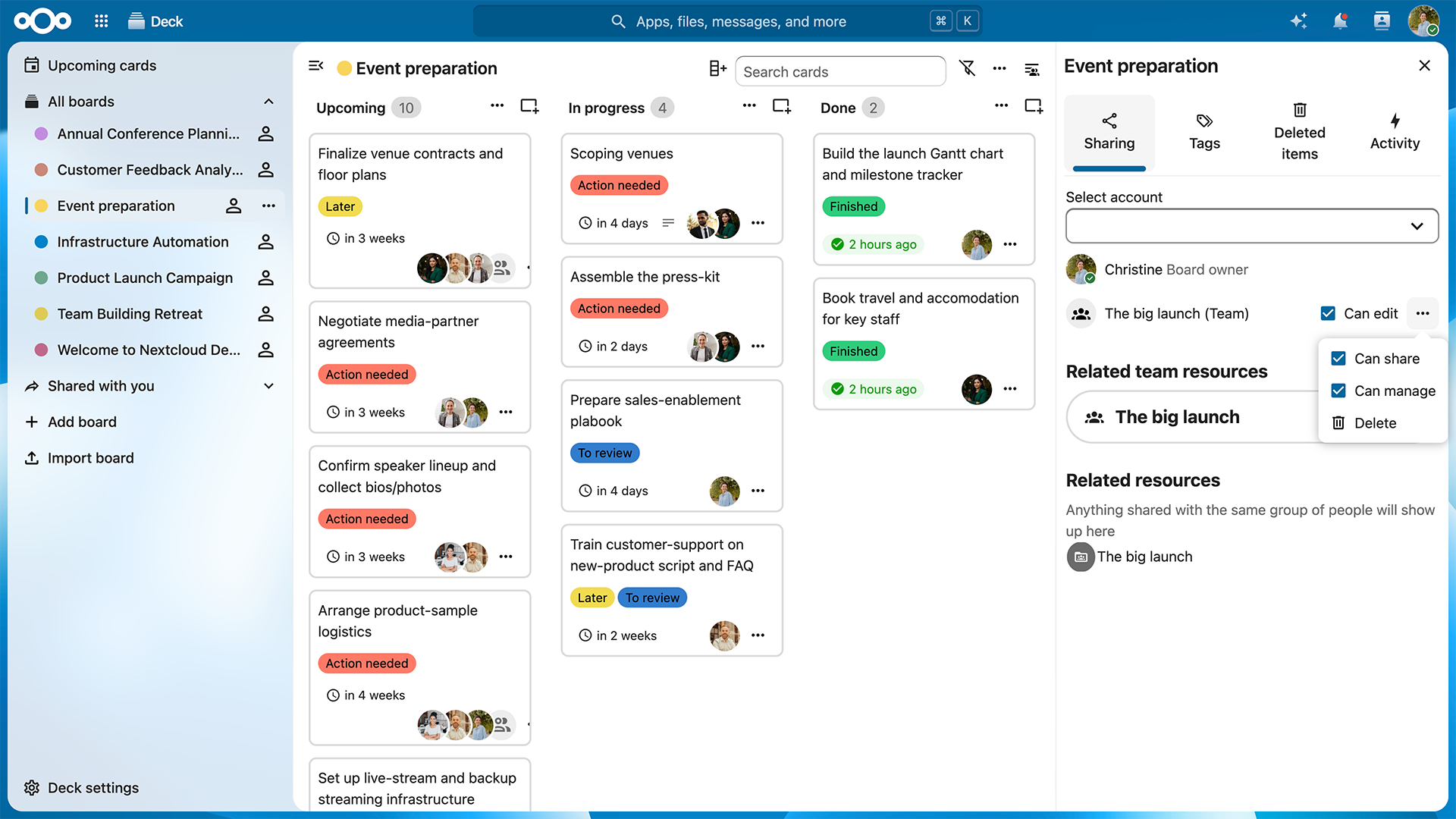
Nextcloud Teams is a tool to give different teams and projects healthy autonomy. Admins can control the extent of this autonomy by configuring the storage quota for new teams and getting an overview of all teams and their storage usage. The admin setting improvements are expected in the next minor release.
We build our ecosystem together with our community, partners, and organizations using Nextcloud. Based on real-life use cases from Dataport, Nextcloud Teams is a great example of such collaboration.
Nextcloud Productivity apps, including Nextcloud Text, Collectives, Notes, and Deck, share a markdown editor at their core. Integrated across Nextcloud Hub, they connect workflows and make teamwork frictionless.

With Nextcloud Hub 26 Summer, we add some frequently requested features to Nextcloud Productivity apps, as well as many community contributions.
First, we give a collaboration upgrade to Nextcloud Text with inline comments. You can add comments to an anchor point, reply, and edit them.
We also added references and footnotes, so you can cite information sources anywhere in the text. Once you add a reference, a corresponding footnote appears in the footer.
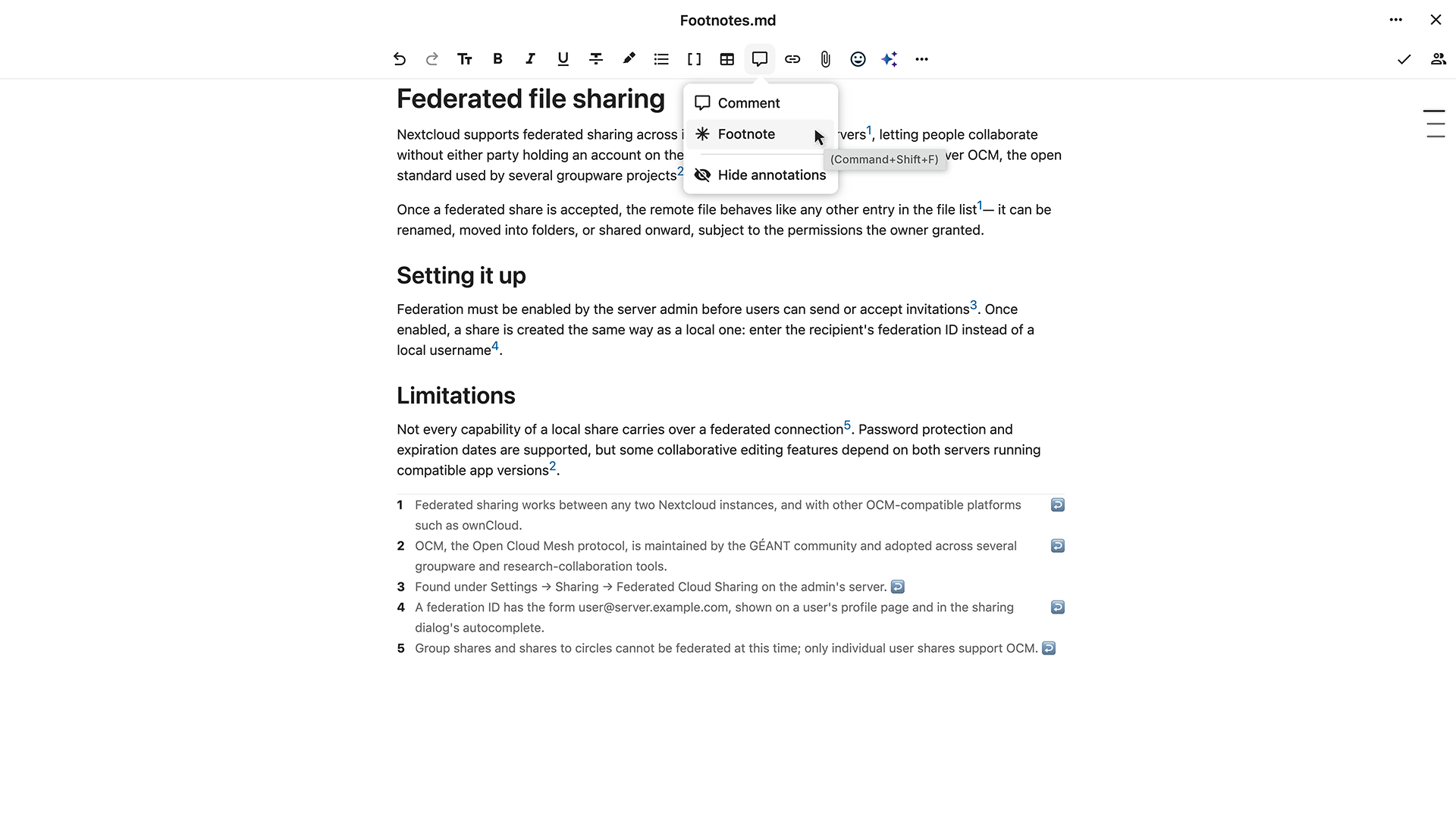
You can see what exactly changed in the document since the previous version instead of comparing files manually. Three comparison modes let you compare changes, full documents, or markdown source.
With the latest community contribution, note-taking gets clean canvas for complete focus. Enable Zen mode in Notes to disable the UI of the app except for your working area.
What’s more, the Notes app now supports:
Nextcloud Flow automation tools connect apps and resources across Nextcloud Hub to enable automations in everyday workflows, from simple routine tasks to large data structuring and business process automation.

Nextcloud Tables, one of the components of Nextcloud Flow, helps you manage structured data with ease. In Nextcloud Hub 26 Summer, we’ve made working with your data even easier and more powerful.
Relational columns connect data across Tables, allowing you to link data in cells from multiple other tables.
Imagine a procurement team running multiple tables with supplier data: purchase orders, contracts, records. Once a contact changes for a supplier, they need to update it in every table. Relational column solves this: you link it to one source table, and content gets updated automatically when you change it at the source.
You can export the structure of your tables, including columns, views, or even table-based apps, and import them into another table without changing its data. For example, this lets you test new table structures and apply them to tables already in use.
Schleswig-Holstein has been using Nextcloud Tables to set up specialized workflows within its administration. Learning from their experience, we’ve improved the app to make structuring data even easier and more convenient. The new relational columns feature is one example of this.
We introduced notifications to help you always stay up to date with new data in your tables.
Another important update is column aliases: they make automations with Nextcloud Flow’s Windmill app easier to set up, by using aliases instead of IDs to identify columns in the back-end.
You can now integrate the Budibase workflow engine with Nextcloud to automate actions based on events in your Nextcloud Hub and manage your webhooks via user-friendly interface. Connect Budibase using the Orchestration Gateway app in the app store.
Nextcloud Assistant is the first open source AI assistant that keeps your data yours. Available through its own chat interface and via specialized features across apps, it’s there to automate content creation, search and contextual tasks and get more done with AI agent tools. And most importantly, it’s sovereign AI in your control, fully optional and hosted where you choose.

With Nextcloud Hub 26 Summer, Nextcloud Assistant matures in the areas of performance, input sources and memory, evolving into a reliable day-to-day work assistant.
Images can speak a great deal, can’t they? Drop an image into the chat and ask questions about it or translate the text, while the OCR tool effectively extracts text from photos, for example documents, receipts and even hand-written notes.
More commands are supported for audio files too. When you upload a recording, it can generate subtitles and break the transcript into readable paragraphs instead of plain text.
With new on-demand memories, the Nextcloud Assistant agent retains what you told it across conversations.
Taking it one step further, you can create a skill to teach it multi-step procedures and then apply them with a single phrase the next time. For example, “meeting prep” or “release notes formatting”.
We also added more AI agents, in apps like Nextcloud Mail, Deck, Talk, and Tables, giving it reach across your whole workspace. It can even search the web and read articles for you. For supported models, you can also assess the Assistant’s reasoning, to judge whether the result is well-founded enough for you.
Finally, you can now schedule tasks: let the Assistant compile and send a recurring briefing message at 8 AM while you finish your coffee.
It feels faster, with a more responsive streaming that shows responses as they generate and no more interface delay with Notify_push.
And it is faster, with batch processing of tasks, faster Context Chat cleanup (from 200 seconds to milliseconds), support for better default models like Qwen 3.5 and Gemma 4, and a revamped Recognize app that supports more powerful modern models.
Nextcloud Groupware manages calendar, contacts, and email for any team. A small startup or an enterprise with thousands of users, everyone collaborates without giving up speed or control.
As your team grows, your calendar gets busy. And that’s exactly what we’ve been working toward with Nextcloud Hub 26 Summer.

With the new room finder, browse the available rooms and resources for your events. Free/busy information immediately shows what is actually available for the desired time slot.
And there’s another great contribution by our community: Admins can now manage available rooms and resources via web-based administration interface.
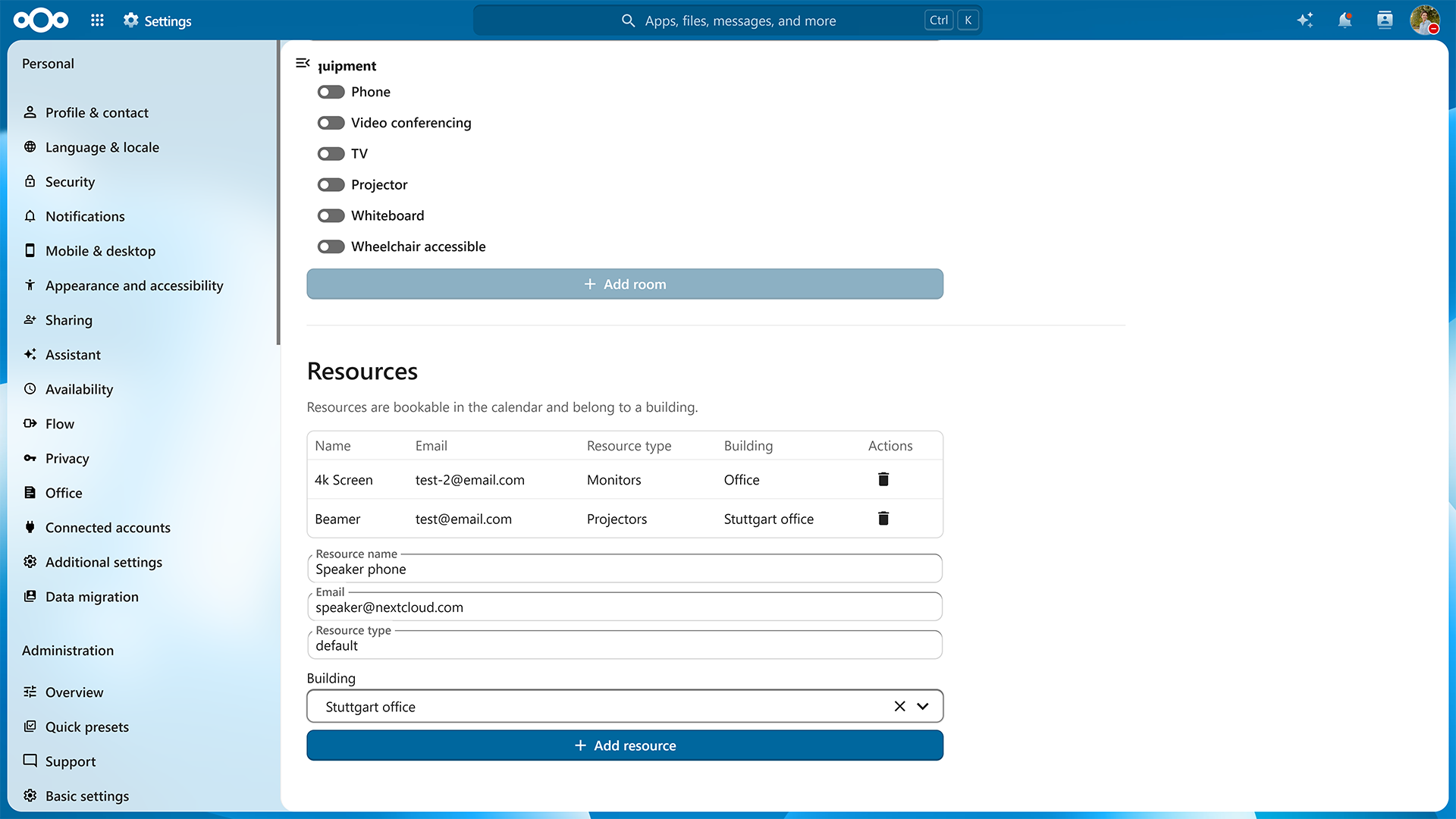
The browsable room finder was developed by SURF, one of the organizations using Nextcloud in a large academic environment.
Nextcloud Groupware is one of the clearest examples of the ecosystem at work. For example, many improvements in Nextcloud Mail come from community contributions. These include email management features like Sieve email forwarding and disabling automatic ‘Mark as Read’.
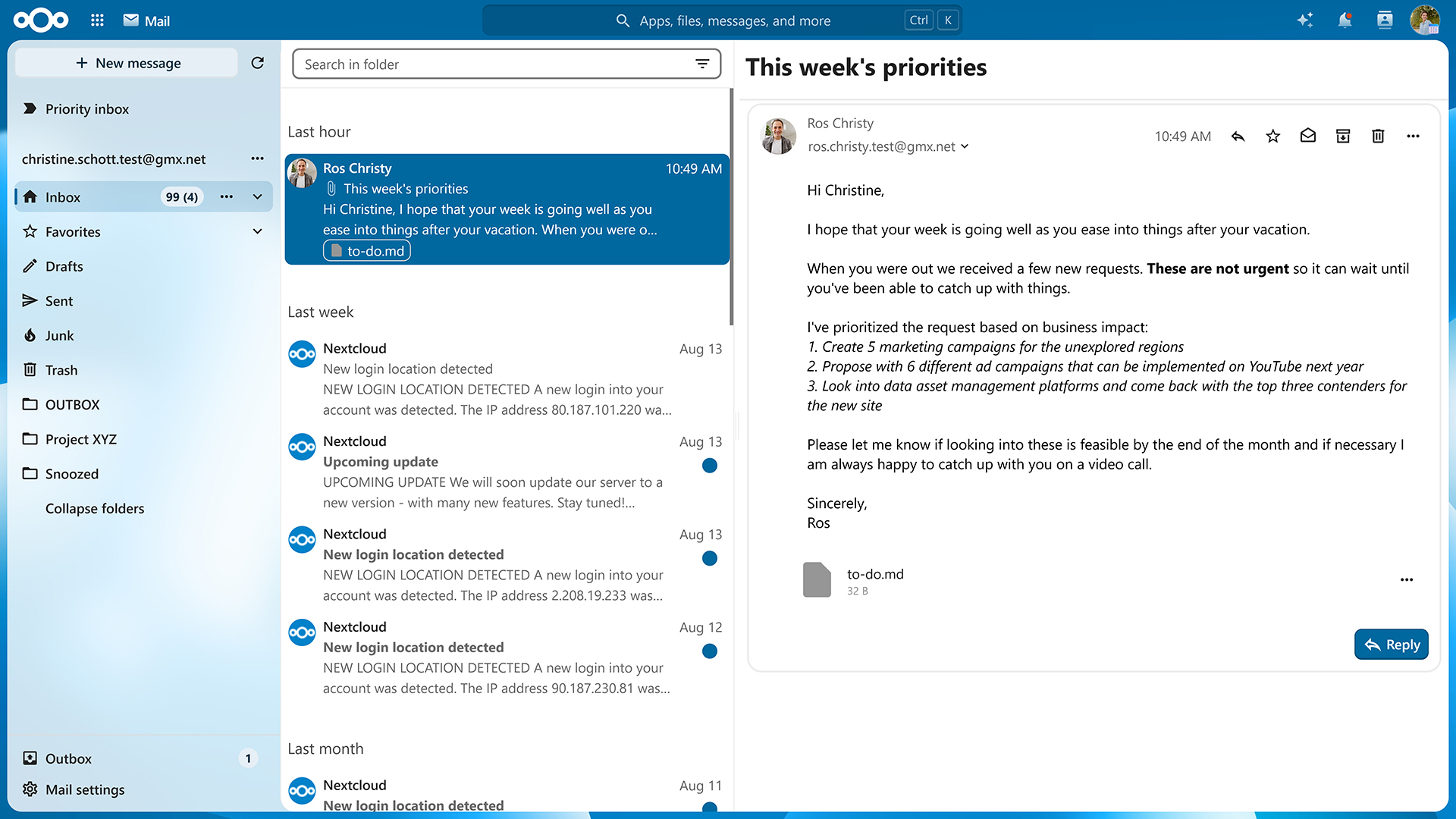
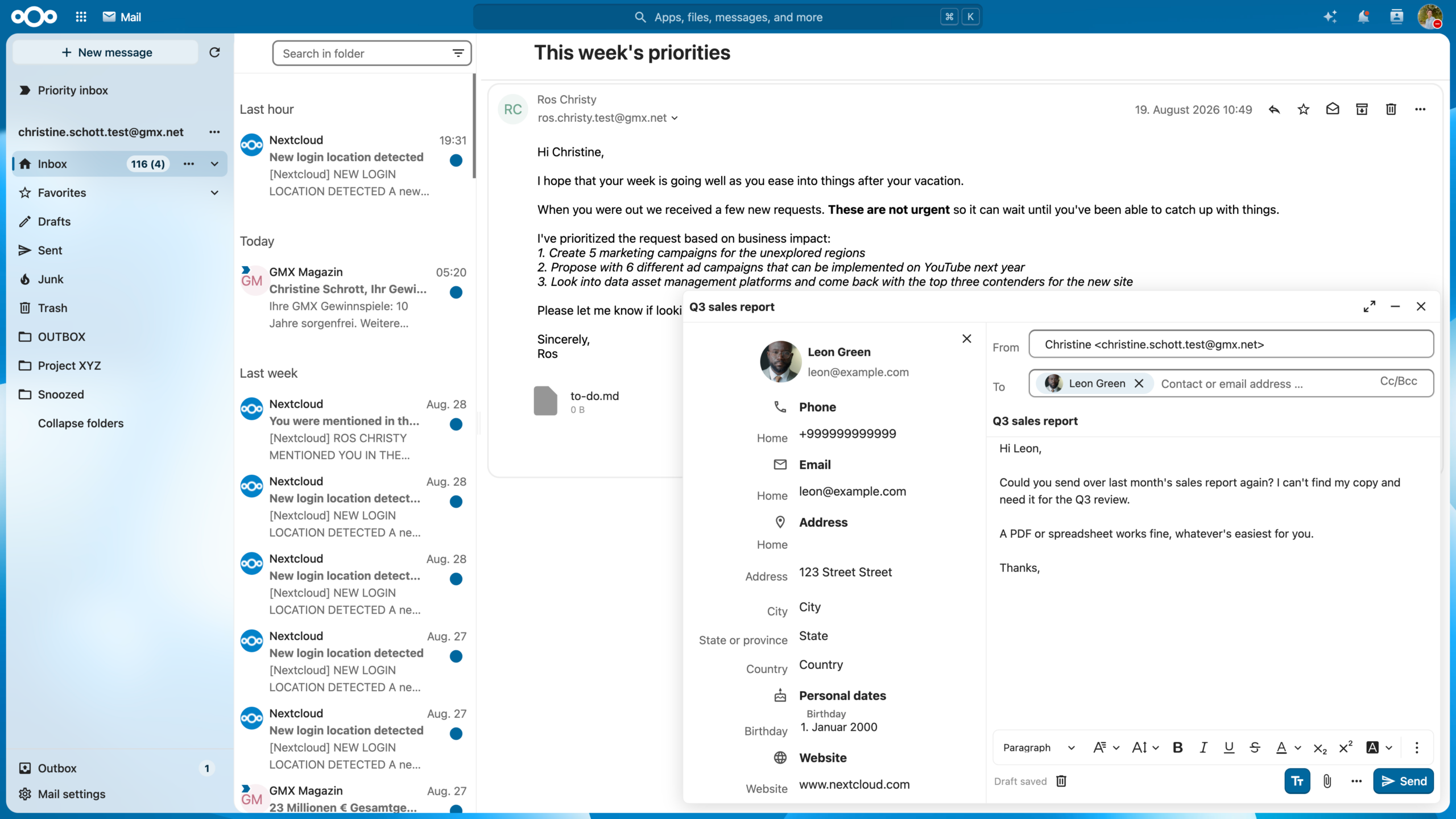
There are improvements around mail composer as well, like previewing attachments, adding headings via shortcut, and the floating composer interface. The latter lets you edit emails while browsing through your mailbox.
For some organizations, compliance has become a complex workflow. Nextcloud Governance is a new enterprise-focused add-on for formal compliance requirements, currently available in early access. Because those requirements are so specific, we are developing it based on feedback from organizations who deal with them in practice.
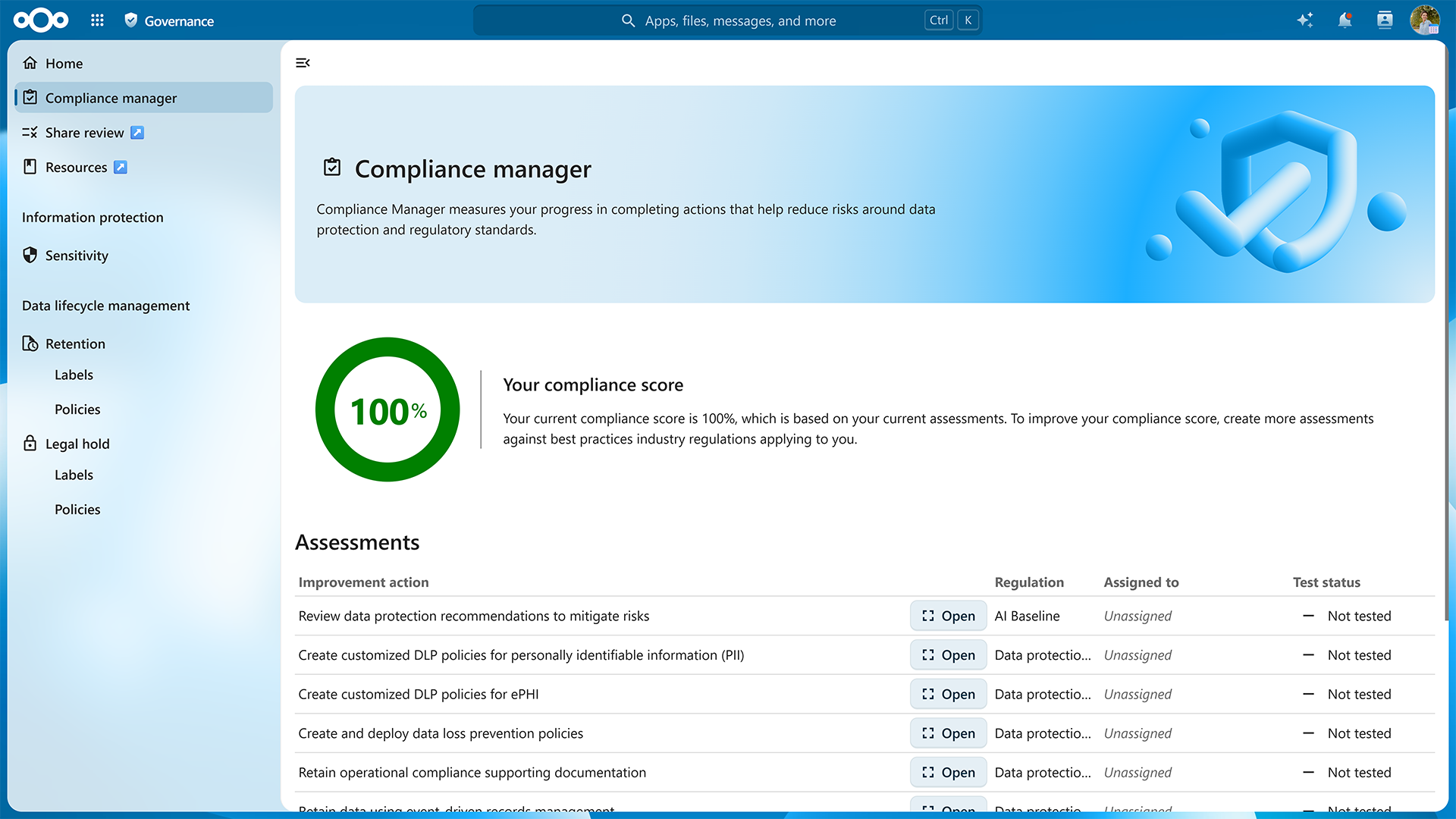
Nextcloud Governance was released earlier this year. The application is a compliance platform, designed for large organizations, offering:
The upcoming release, coming with Nextcloud Enterprise, will lay a basis for bringing Governance capabilities to other applications in Nextcloud, as well as eDiscovery features.
Join our webinar on September 30 to get an exclusive look at the new release and ask your strategic and technical questions in a live Q&A session.
Nextcloud Talk is a privacy-focused chat and videoconferencing platform that gives you complete control over your communication. Nextcloud Hub 26 Summer delivers highly anticipated features like “Classified” conversations and team announcements.

Some conversations are buzzing public chats, and some contain information that should stay within a clearly defined group. The new “Classified” conversation preset lets you apply extra security to such conversations:
Want to share updates with a broad audience? Use Channels in Nextcloud Talk. In a channel, moderators can publish posts, while subscribers can only read and react to messages without filling the channel with discussions. Calls are disabled and participant list is only available to moderators. Channels are discoverable to everyone in Nextcloud, and you can invite guests too.
Using another new conversation preset called Announcements, you can inform the whole team about important updates. Announcements have a fixed audience: nobody can join or leave on their own. And like in Channels, calls are disabled and participant lists are not displayed. Announcement channels are not discoverable.
What else is new in Nextcloud Talk? Enjoy improved navigation, a refreshed message and call experience, easier file sharing for collaboration, global message search, and more.
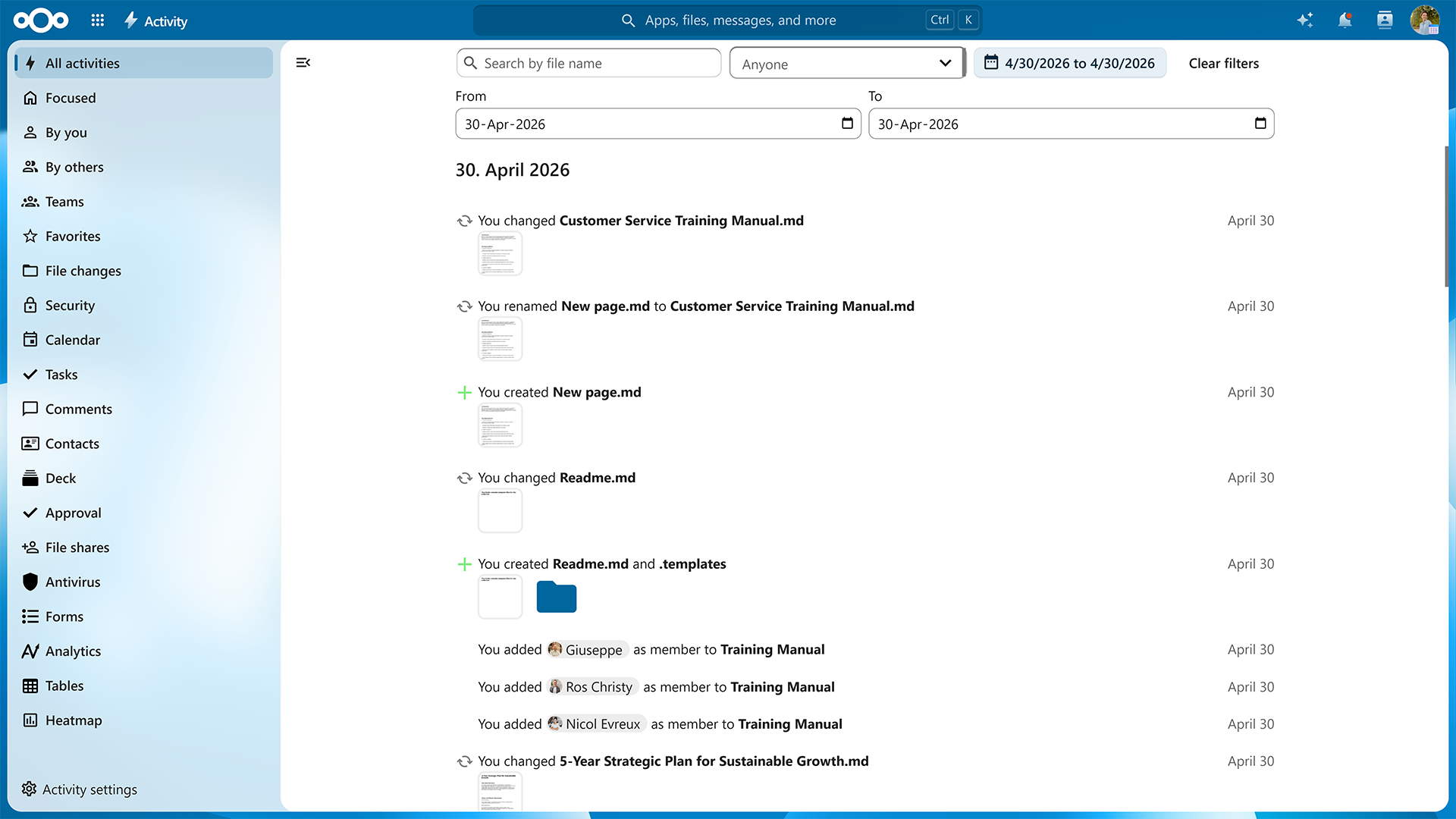
Many all-system apps got improvements too. The Activity app receives a heatmap view, faster performance and better search with date range and account filters.
Nextcloud Files is the backbone of Nextcloud Hub, a whole ecosystem of apps. But it’s more than just file syncing, storage, and sharing. This time, we’re giving your personal media hub, Nextcloud Photos, a major redesign.

Of course, we’re talking about the all-new look and feel of your Nextcloud Photos app.

The photo library has been redesigned, with a more flexible grid, adjustable density and smoother loading.
Search has been improved, you can explore photos on the map, and “Trip Memories” feature automatically group pictures from the same journey.
Talking about trips, how about taking a trip down memory lane? There’s a new slideshow mode and a year recap that brings together memories from across the year. And if the date or location of a photo is wrong, you can correct them without modifying the original file.
Videos get more attention too. Hovering over a video can show a preview before you open it. Optionally, your videos can be transcoded for smoother viewing in the browser.
Your photo library is now closer with albums supported in mobile apps. Add, rename and delete photo albums, work with local files and media hosted on your Nextcloud.
These features were built by a team of developers from Deutsche Telekom based on requirements for their MagentaCloud product, in close collaboration with our mobile client team. This is another prime example of European IT industry partners working together to bring stronger, sovereign IT products to customers.
This is not only limited to the consumer MagentaCloud product. Enterprise customers benefit from this close collaboration through the MagentaBusiness Cloud offering.
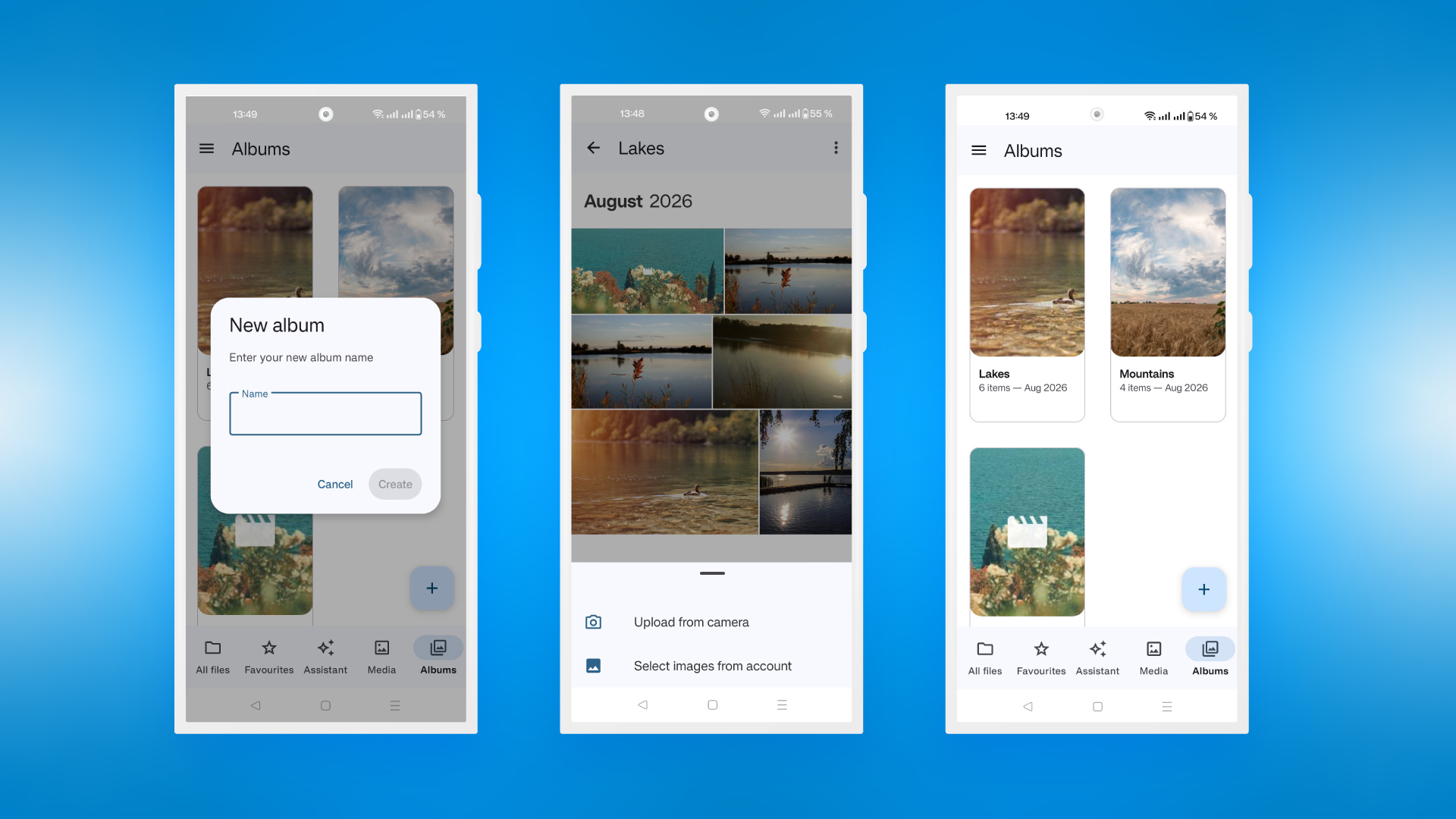
In our mobile apps, we also improved and simplified the “Add new” menu and added “Sync all” option for folders that lets you sync all the included subfolders.
We are bringing one sharing system to all apps, beginning with the sharing dialog in the Nextcloud Files sidebar. Unified sharing makes the experience smooth and simple when you share items in Nextcloud, and makes sharing more secure too. This change won’t affect legacy shares.
You can enable one-time passwords (OTP) for accessing file shares, to additionally authenticate people with access. The API it comes with allows adding custom providers like text message or other channels, besides the default email OTP option. OTP settings are configurable for additional cryptographic security.
The OTP feature is a great example of collaboration with our ecosystem: it has been created together with our ISV partner Sendent and community developers.
Nextcloud Office app is now powered by Euro-Office, while you can integrate Collabora and other suites to work with your files in Nextcloud Hub. Both suites receive significant improvements with Nextcloud Hub 26 Summer.

Nextcloud Office, powered by Euro-Office, receive its own desktop client.
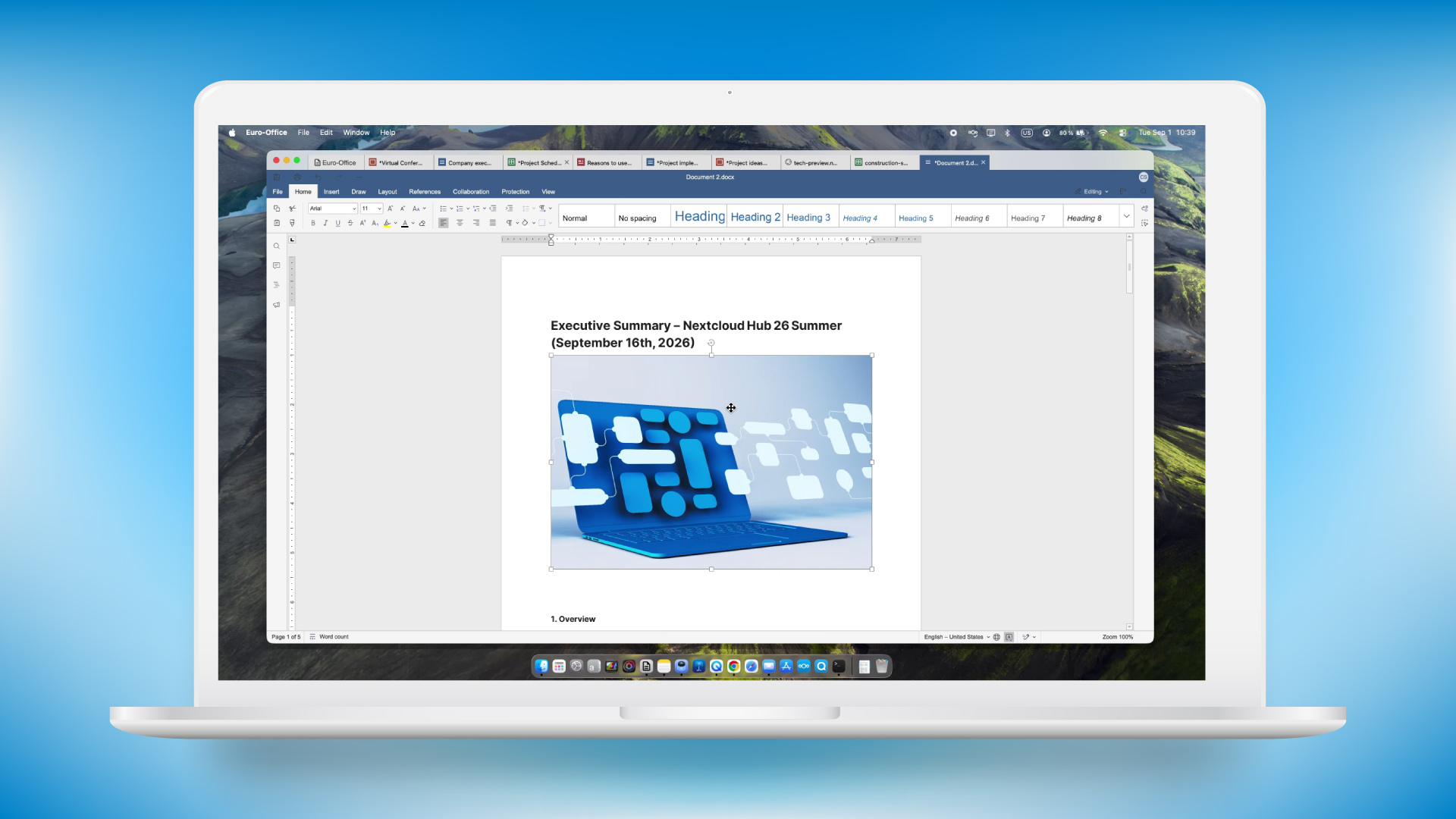
The app is available for Windows x64/arm64, Linux x64/arm64, and macOS arm64. Use the client to edit your files locally and save the changes back to the server or your machine. Use local fonts and settings, and, of course, maximum security.
The new Euro-Office desktop client brings collaborative editing to the desktop. Connect it to your Nextcloud and open a file from within the client. Others can now join your editing session seamlessly, working together from either their own desktop client, or from the browser.
Europe needs a reliable and independent office solution that can compete with established providers on equal terms. This has been our goal ever since we co-initiated the Euro Office Initiative. For an alternative office solution to be successful, it must work in day-to-day working life and be just as easy to use as existing solutions. The new desktop client for Euro-Office is the next logical step in this process.
Patrick Schaudel
Chief Product Officer SMB Solutions at IONOS

The Euro-Office desktop editors will be available for download in the coming weeks.
Collabora Online integration receives improved AI tools, updates in Writer, Impress and Calc, and further advanced commenting features.
AI sidebar now features tone of voice picker that supports custom tones. You can also convert text to emojis, generate presentations with pre-approved outline, generate images, and use a wider range of models.
Slide sections are easier to manage, including collapsing and expanding, renaming and an ability to drag’n’drop slides into sections. Additionally, you get a redesigned slide sorter and slide index numbers next to previews.
You can now anchor comments where you need, use comments and notes in spreadsheets, and include comments in PDF export.
The document editor, Writer, now features multi-page view available via View tab, a reworked ruler (with indent markers, value tooltip, tab stop hints), and a “Clone formatting” toggle.
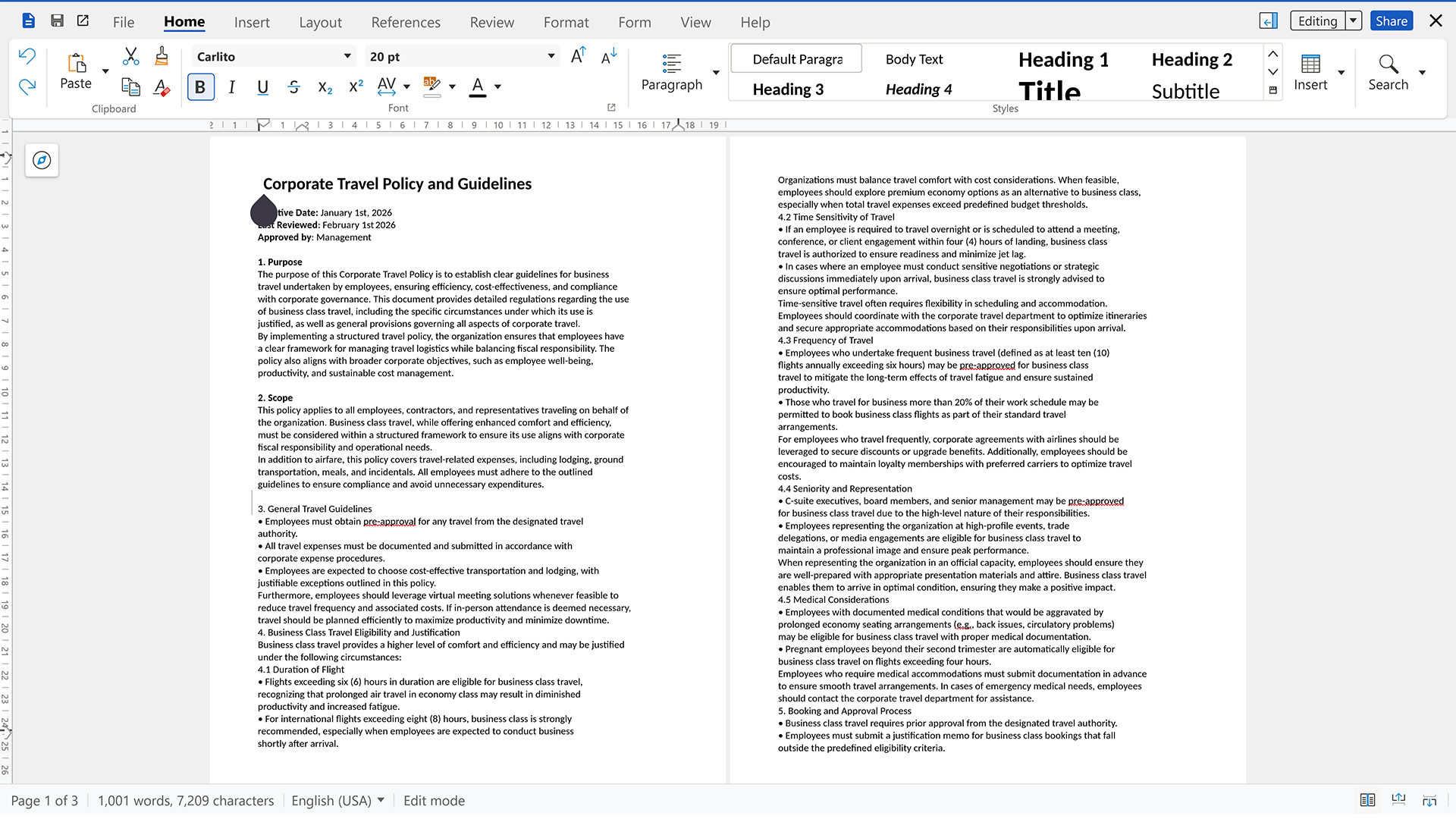
You can now access the equation solver directly from the notebook toolbar, so you can quickly solve equations involving multiple unknown variables without navigating through other menus. You can color-code sheet tabs for easier navigation. Use keyboard commands: F9 to recalculate, Enter for “Clone formatting” toggle, Ctrl+autofill to copy.
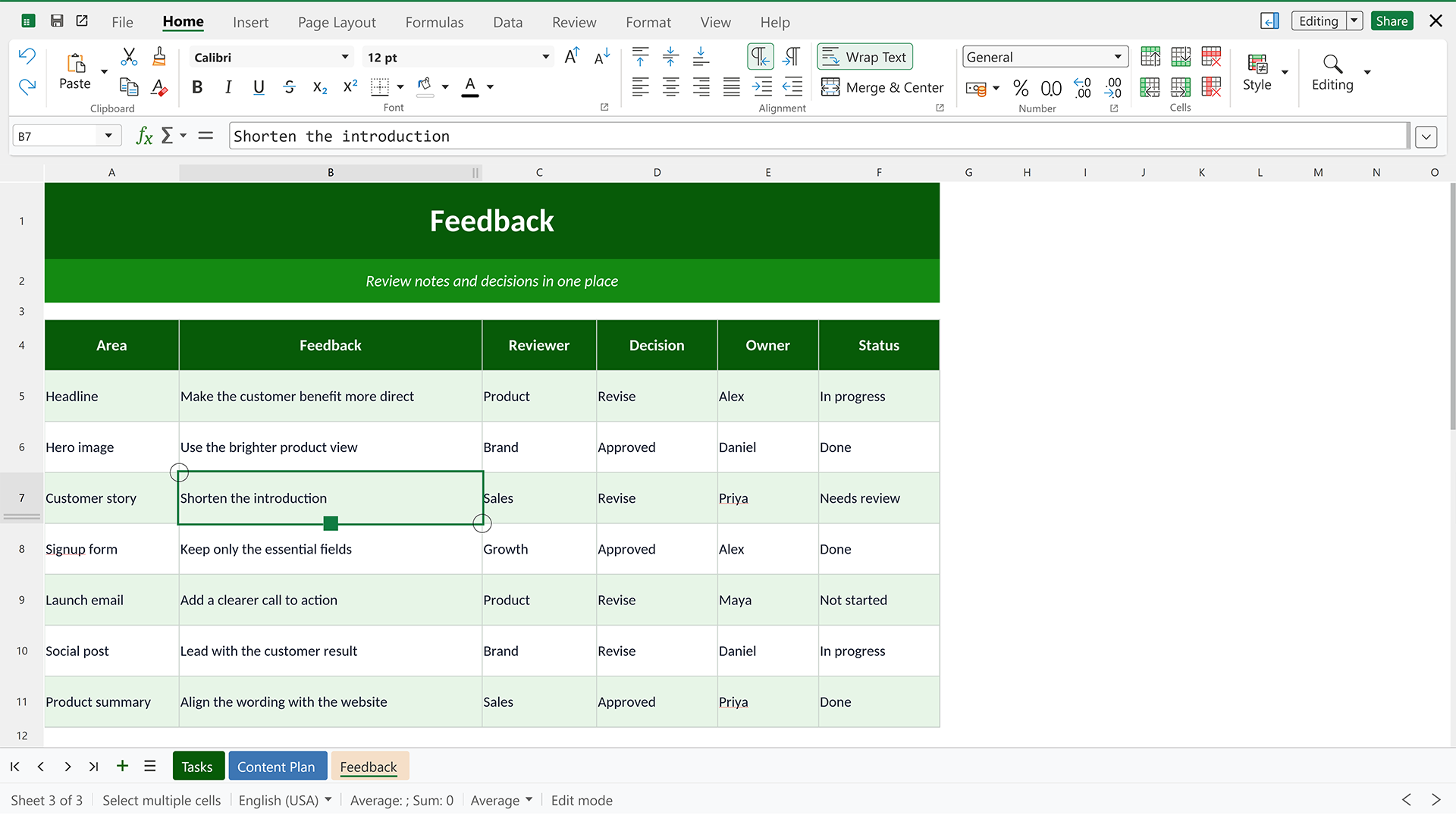
All apps in the suite receives multiple usability improvements and optimized UX.
Nextcloud app now supports opening your files in Euro-Office-powered Nextcloud Office editor. Supported on both iOS and Android, it lets you edit and collaborate on documents, spreadsheets and presentations.
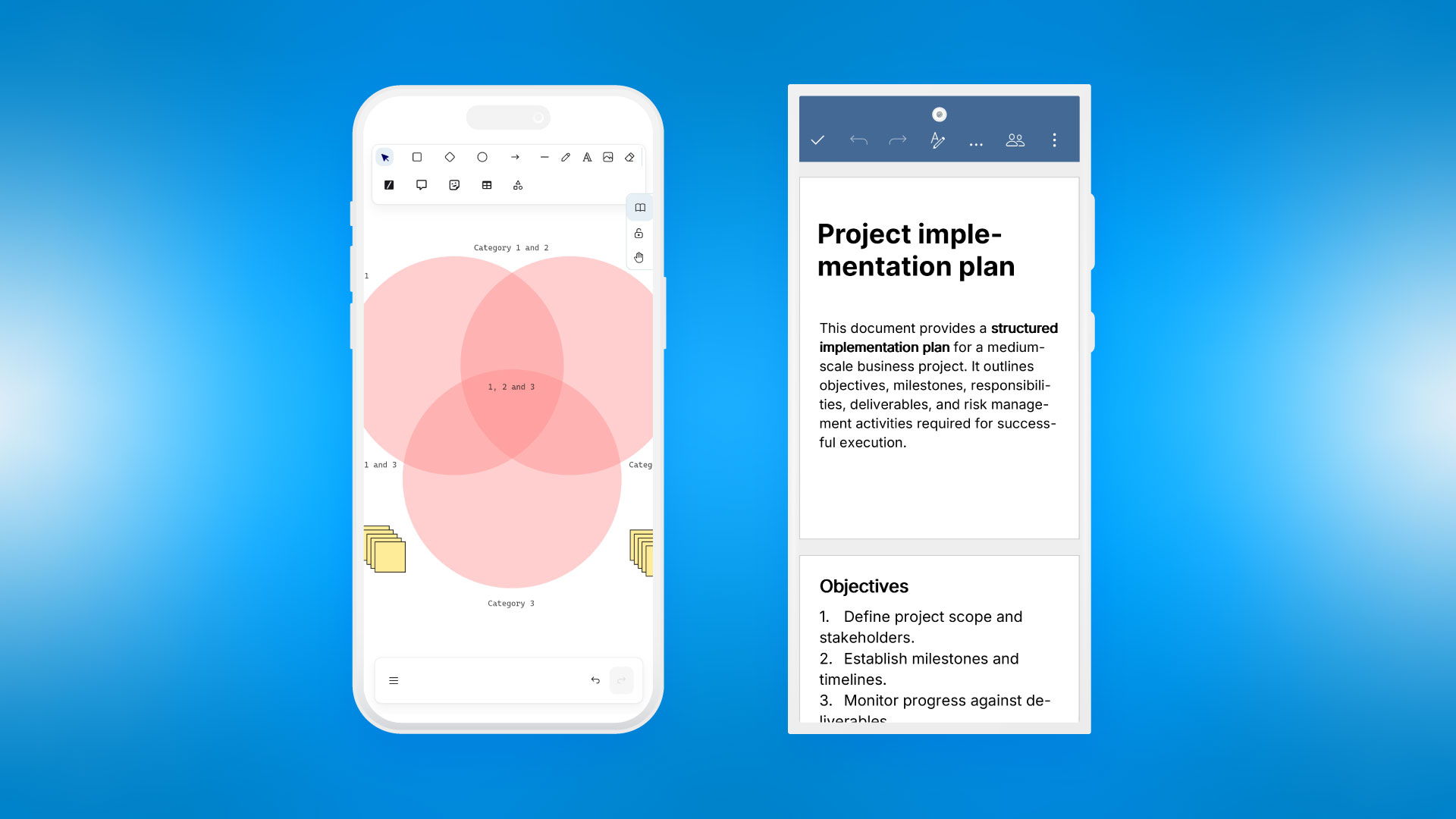
Now you can also edit your whiteboards with a mobile version of Whiteboard built in.
The most important part of our work is making existing apps smoother, cleaner and better performing at bigger scales. Despite dropping many features all around as work tools evolve, we still invest most of our effort in fixing bugs and papercuts, improving stability and performance. This time, over 97% of our PRs account for this maintenance effort.
Speaking of performance, a great deal of code is dedicated to making Nextcloud Hub faster and smoother. It now loads faster, thanks to service-worker caching for indexed reads and pre-warmed preview caches. The search is faster too: we added new database indexes for indexed search and general performance. More apps are migrated to Vue3 frontend framework. Nextcloud Talk’s High Performance Backend can now handle 1,000+ user calls.
Consider this an invitation to take the new Nextcloud Hub for a speedy spin!
Integration of the Budibase workflow automation engine.
Integration of a modern relational spreadsheet that combines the flexibility of a spreadsheet with the robustness of a database.
Google integration app now features an ability to import photos from Google Photos.

Zulip integration app update that enables dashboard widget showing recent or unread Zulip messages.
New community apps worth checking from DB Doctor to fix your setup to absence tracker and an alternative Nextcloud app for macOS.
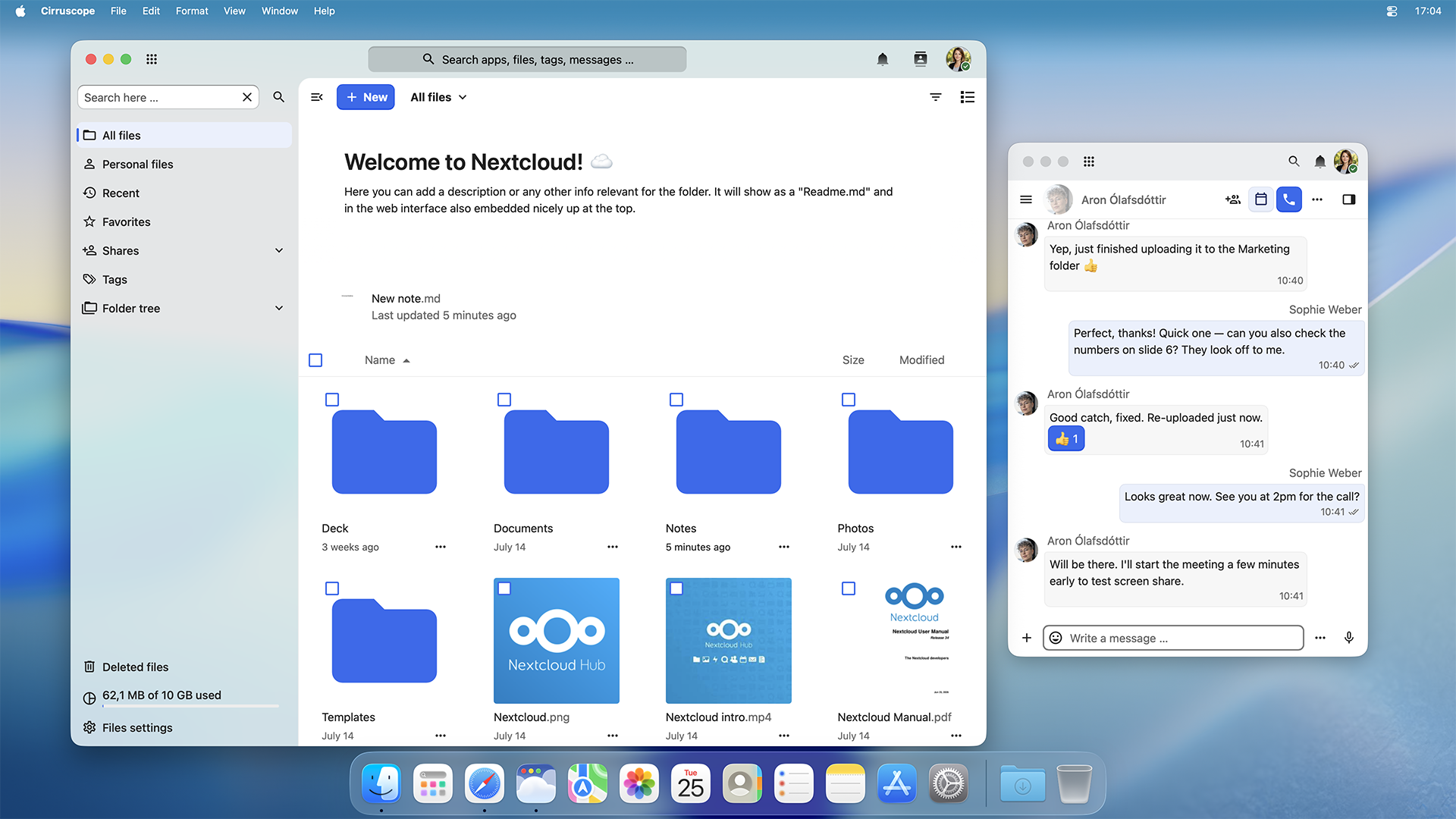
A lightweight native macOS app for your Nextcloud. It supports Mission Control and Stage Manager, shares notifications via your Notification Center and integrates Spotlight to search anything in Nextcloud.
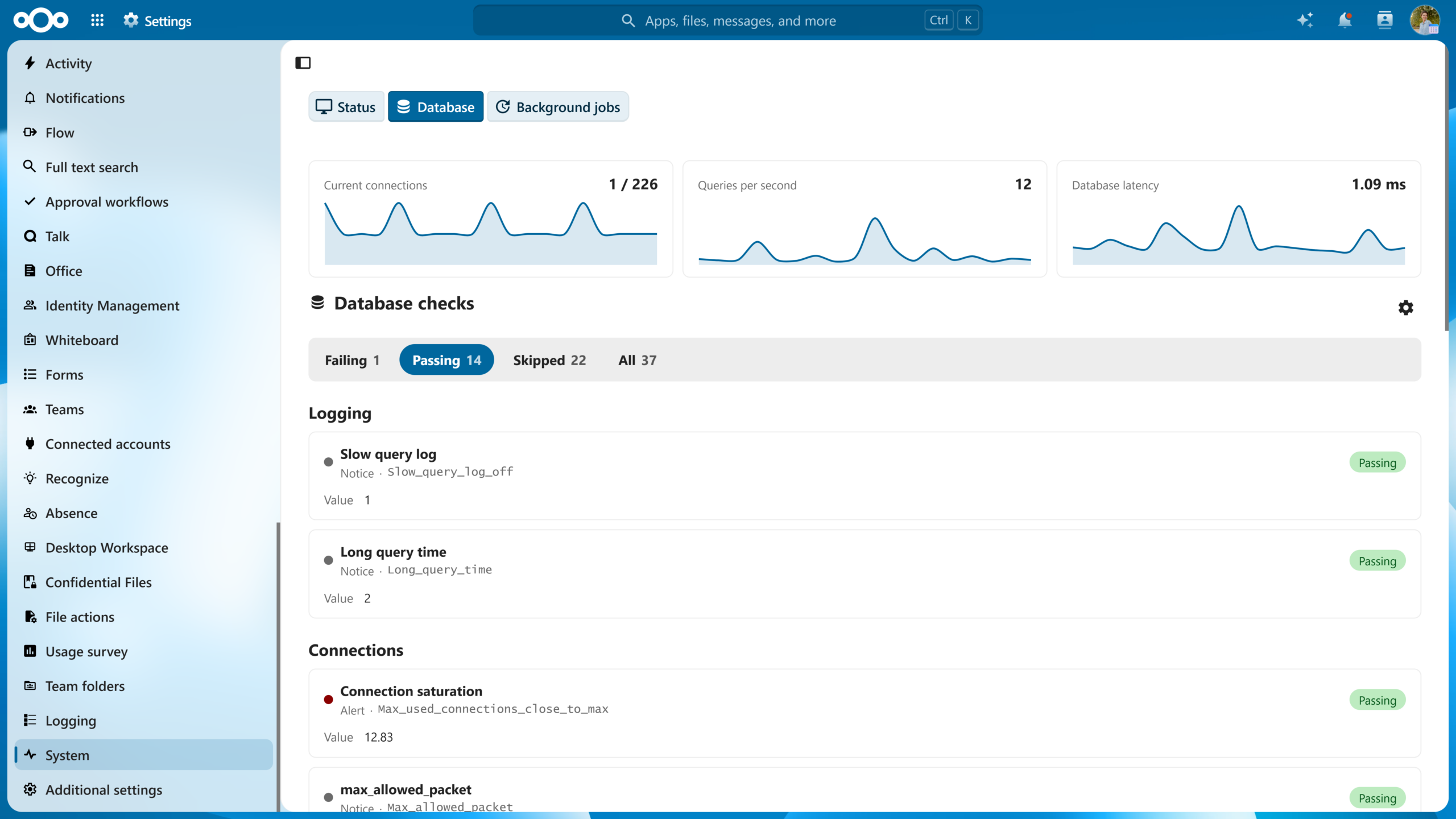
DB Doctor audits the database powering your Nextcloud against best-practice rules and presents the results as a friendly check-up.
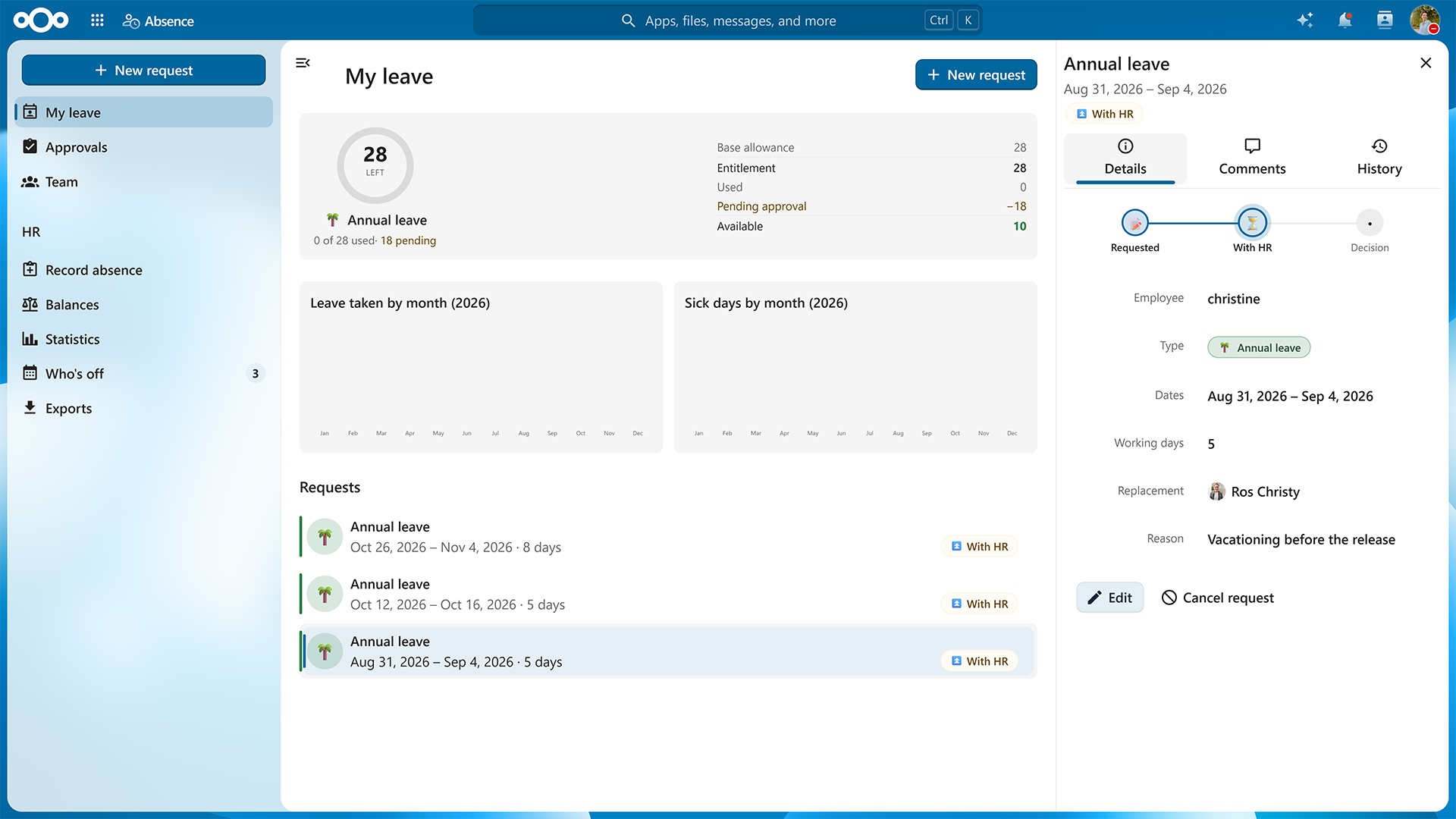
Absence helps organize the leave request and approval process in Nextcloud, including features like calendar, balance tracking and a dashboard widget.
Nextcloud Hub 26 Summer is a result of learning, and perfecting what we have already built over past 10 years: the world’s leading open source workspace. Influenced by how thousands of people in governments, universities, businesses and communities use it every day. Now, we want you on board.
*The Nextcloud Enterprise version of Nextcloud Hub 26 Summer will become available soon, once we successfully run the additional testing and complete certification.
Once the update is available, Nextcloud AIO users can upgrade to Nextcloud Hub 26 Summer directly from the Nextcloud AIO interface with a button.
Nextcloud Files

Nextcloud Talk

Nextcloud Mail

Nextcloud Calendar

Nextcloud Office

Nextcloud Notes

Nextcloud Text

Nextcloud Deck

Nextcloud Collectives

Nextcloud Tables

Nextcloud Whiteboard
Nextcloud clients

AI and Nextcloud Assistant
Nextcloud ecosystem and integrations
IDP and Nextcloud Teams
Other features
此内容由惯性聚合(RSS阅读器)自动聚合整理,仅供阅读参考。 原文来自 — 版权归原作者所有。