

惯性聚合 高效追踪和阅读你感兴趣的博客、新闻、科技资讯
阅读原文 在惯性聚合中打开

推荐订阅源

V
Visual Studio Blog
J
Java Code Geeks
H
Hackread – Cybersecurity News, Data Breaches, AI and More
D
Docker
奇客Solidot–传递最新科技情报
奇客Solidot–传递最新科技情报
博客园 - 聂微东
MyScale Blog
MyScale Blog
H
Help Net Security
Last Week in AI
Last Week in AI
T
The Blog of Author Tim Ferriss
M
MIT News - Artificial intelligence
大猫的无限游戏
大猫的无限游戏
酷 壳 – CoolShell
酷 壳 – CoolShell
freeCodeCamp Programming Tutorials: Python, JavaScript, Git & More
P
Proofpoint News Feed
博客园 - 叶小钗
OSCHINA 社区最新新闻
OSCHINA 社区最新新闻
Y
Y Combinator Blog
Recent Announcements
F
Fortinet All Blogs
Martin Fowler
Martin Fowler
Microsoft Security Blog
T
Tailwind CSS Blog
aimingoo的专栏
aimingoo的专栏

Buttondown's blog

Email could have been X.400 times better The physicists who convinced Fermilab to send Brazil's emails Better in-app previews Analytics 3.0 Subscriber ID variables Comments! Send latest premium action Automation filtering Free API subscribers Surveys in automations Reply to replies Labels for RSS feeds How Jeremy Singer-Vine curates curious datasets for readers 2023 (and what's next) Email vs web content Sort by engagement Better gift subscriptions How Andy Dehnart built a career reviewing television New email template Email-based automations Opt-in reply tracking Automatic alt text More social network integrations Sort by metadata Overlarge image warnings Automation tag actions Pause emails mid-flight Search tags and automations Gift via automations Subscriber-driving emails
Emoji autocomplete
Justin Duke · 2024-06-25 · via Buttondown's blog

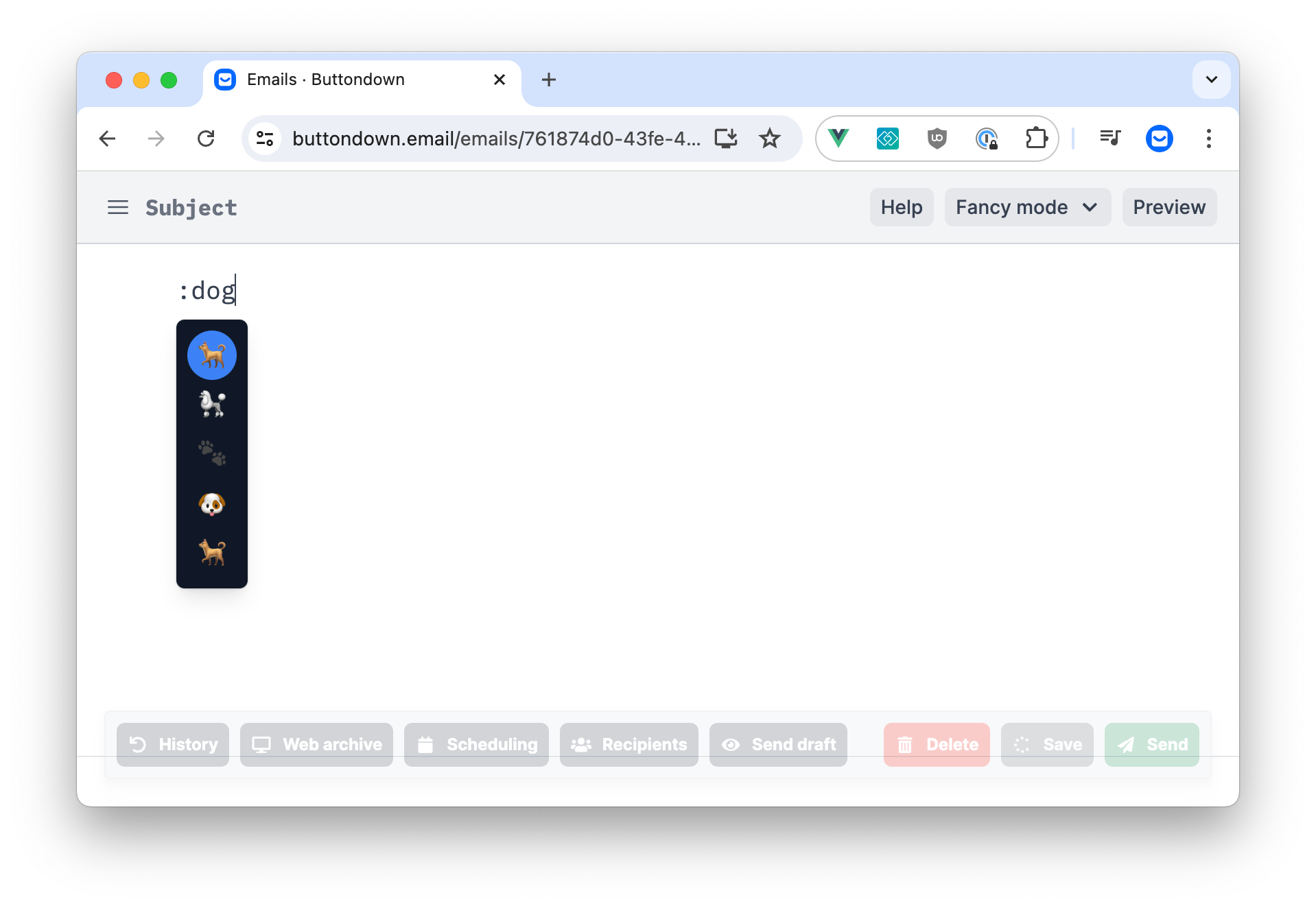
Type a colon in Fancy mode to bring up an emoji picker with search functionality.

Justin Duke

Justin Duke

June 25, 2024

A screenshot of the new emoji autocomplete feature

Even though emojis are apparently cheugy and only used unironically by millenials and olds, we're excited to announce that you can now use an emoji picker in the editor! 🎉

Make sure you're in Fancy mode and then type : to bring up the emoji picker. You can search for emojis by name, and then hit Enter to insert them into your email. 💪

No custom emoji — those aren't really a thing, that's just a way of saying a very small inline image — but we're thrilled to make it 2% easier for you to express yourself in your newsletters. 💌