








Webhooks and emails have a bit of a kissing cousins thing going on. You can send messages and data to an email address or a webhook URL. And, in both cases, the data tends to be “pushed” from one platform to another, like when someone sends a message from Gmail to Outlook. Or when a Buttondown webhook posts a newsletter notification to a Slack group. All email and webhooks need are sending programs and destination addresses.
Perhaps best of all, working with emails and webhooks can be as simple or as complicated as you want!
Much like learning to use an API, setting up a webhook is an excellent entry point into learning basic concepts of the web. Or, for technical folks, an opportunity to create “infrastructure that encourages simple, independent programs to be made almost exclusively for the purpose of chaining with other commands,” as Jeff Lindsay wrote when first introducing webhooks.
They are free (in Buttondown, at least), easy to learn, and great for storing your hard-earned data outside of walled gardens. Let’s look at some examples.
Add payment events to an Airtable Base
If you’ve never set up a webhook before, Buttondown and Airtable provide excellent playgrounds. Both include webhook functionality on their free plans, don’t require any technical expertise to set up, and provide robust testing features for experimenting without incurring any “real-world” risks.
In Airtable, start by creating a new Base from scratch and renaming your column headers based on the newsletter data you want Airtable to log. For this example, we’ll use Timestamp, Event Type, and Subscriber ID.
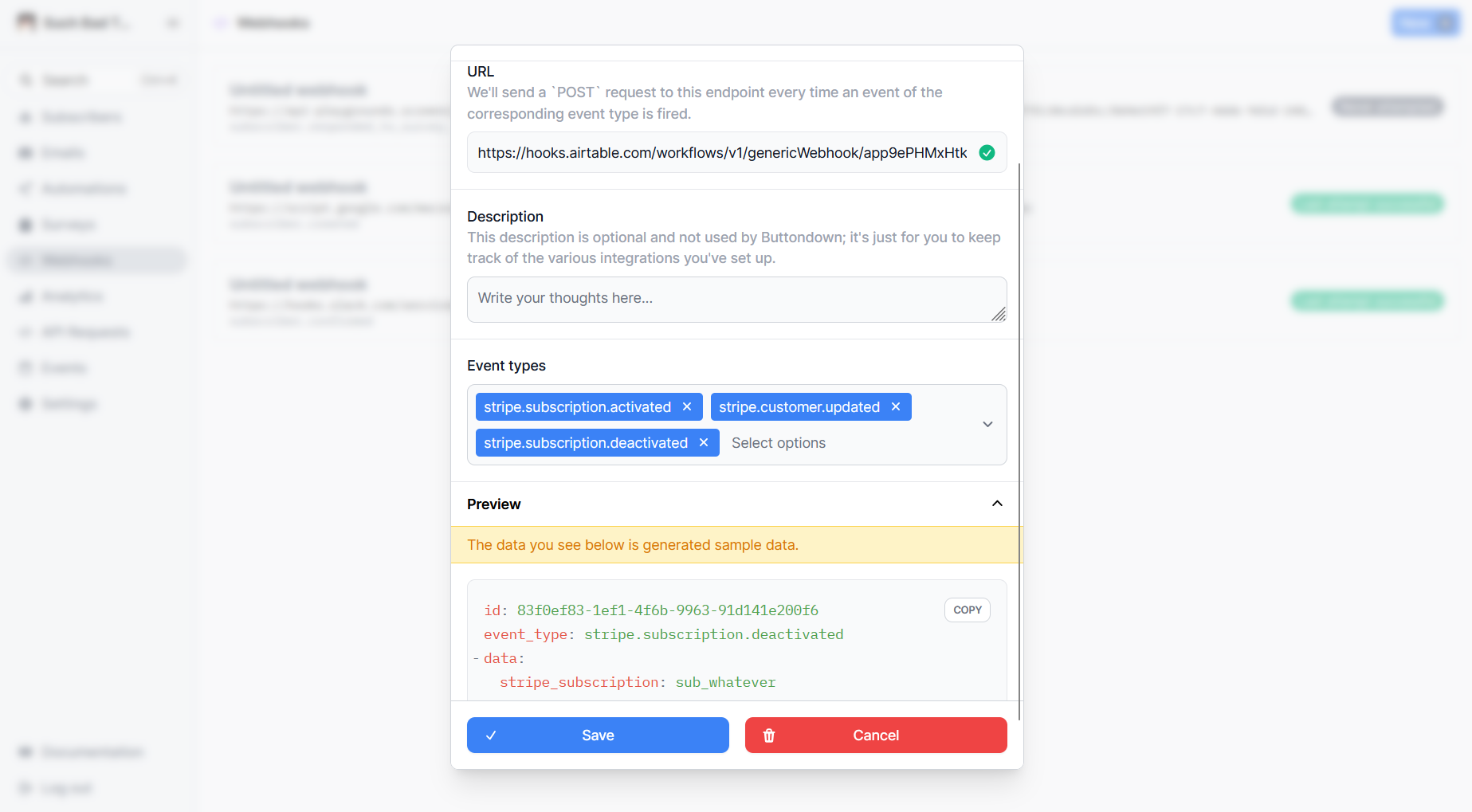
Buttondown’s webhook configuration window
Next, click the Automations tab along the top of the screen, select Add trigger, and choose When webhook received. Copy the URL below Send an example webhook to:, paste it into the URL field of your newsletter app’s webhook configuration, save it, and send a test. You should see the test data under the Results pane in Airtable.
From there, you can add actions to Create, Update, or Find records in Airtable based on the webhook payload. You might, say, add Stripe-related events from your newsletter to an Airtable list of Stripe events from other channels. First, you’d add Stripe events to your webhook trigger on the newsletter end, then in your Airtable automation:
- Add a Create record action
- Choose a table and field where the payload will go
- Click the + button
- Hit
<> body - Select the data that you want to appear in the selected field when a webhook fires
- Click Generate a preview to confirm it’s working
For what it’s worth, this is similar to how you’d set up a webhook in an automation platform Zapier. Webhooks are reserved for Zapier’s Professional plans, but would let you dump newsletter events into apps that don’t support ingesting webhook data, like Notion or Asana. Some apps make it a little more difficult than Airtable and Zapier, though.
Show newsletter signups in Slack
Slack’s webhook process is a bit unusual. While the built-in automation builder will provide you with a URL for logging third-party app updates, that route does not work with nested JSON structures, which is what many platforms (including Buttondown) use. That’s fine because Slack has an entirely separate webhook process that does work with that type of data. Why are they separate? Who knows!
All you have to do is go to your Slack account’s apps page and hit the From scratch option to create an “app.” You’ll be asked to give it a name and pick the workspace where it will run.
On the app settings page, you can assign your webhook app an icon, change how its notifications are formatted, and other good stuff. For what we want, though, you need to select Incoming Webhooks from the list on the left side of the screen. There, activate the toggle, click Add New Webhook at the bottom of the screen, and pick which channel you’d like to show the incoming updates. That will give you a webhook URL that you can point your newsletter platform to.
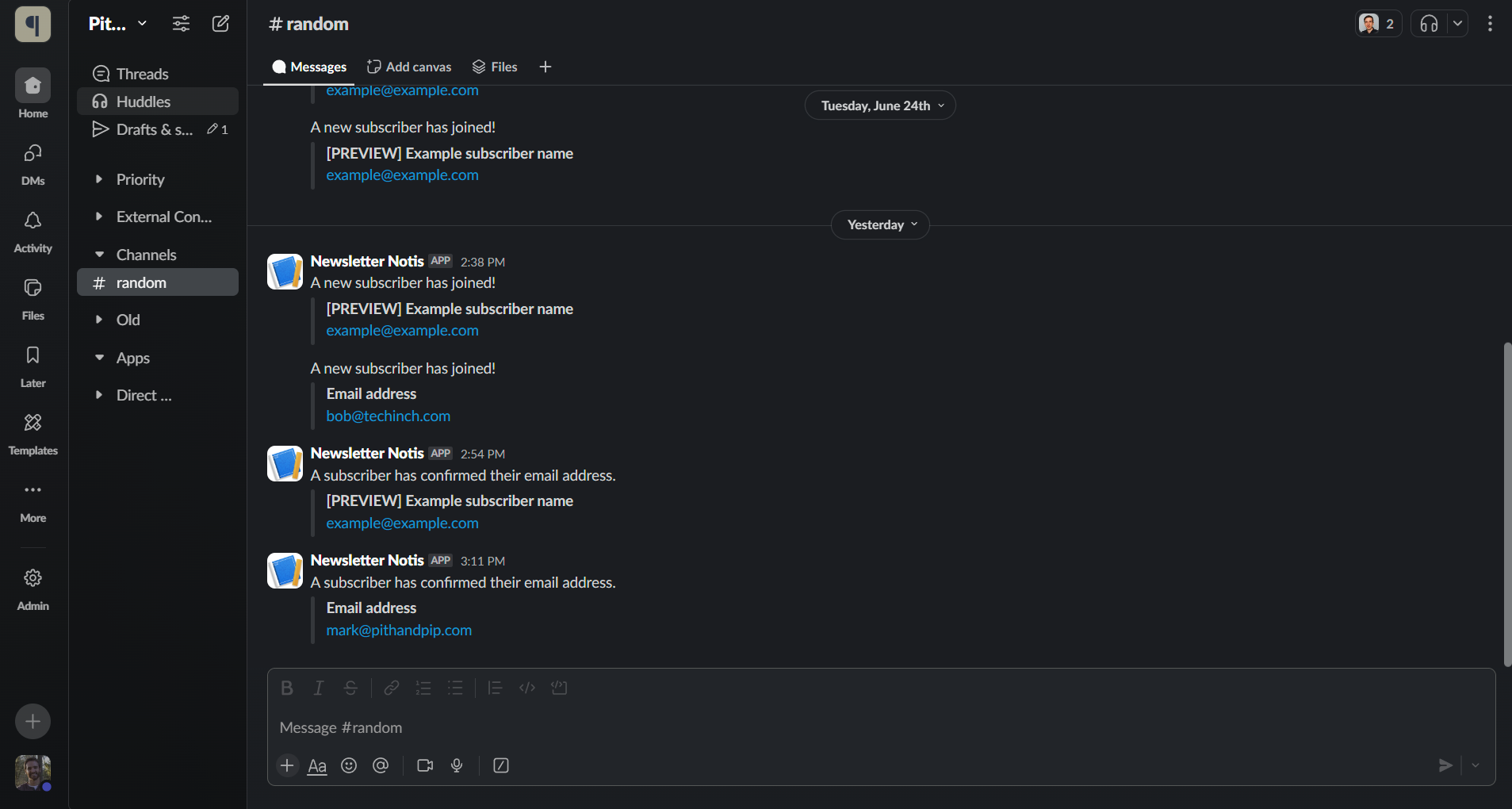
This is what Buttondown webhooks look like in Slack
Depending on which event types you’re sending to Slack, Buttondown will automatically reformat the webhook data so it’s more legible (something it also does for Discord webhook, if you’d rather go that route than the dedicated integration).
It feels a little silly to call the Slack side of the webhook equation “building an app.” It’s an incredibly basic automation that doesn’t even let you transform the inputs. Now, if you spun up some super basic middleware to reformat Buttondown’s default webhook JSON to play nicely with Slack’s Workflow Builder, that would be closer to Jeff Lindsay’s vision of programs for chaining commands.
Or, for a teensy bit more control than Slack offers (at least without spinning up a server), you could try messing around with some templated code in App Script.
Adding subscription events to a Google dashboard
Spreadsheets aren’t as dynamic as Airtable’s pseudo-databases. Or as collaborative as a Slack message. But if you prefer Sheets’ simplicity or how easy it is to link spreadsheet data to other Google products, Sheets can also catch webhook calls. Sort of.
Let’s say you want to combine real-time stats from your newsletter with stats from other channels. Maybe you want to create a Google Slides for a breakroom TV that shows how many subscribers you added this month alongside similar stats for your YouTube channel. Or a Looker Studio dashboard with newsletter data for daily standups. All you’d need is a Sheet with a timestamped log of subscriber confirmations.
Open a new Sheet and in row one, label column A Time, column B as Event, and Subscriber in column C. Then, open Apps Script under the Extensions menu. Don’t worry if you’ve never used this before; you won’t need to write a single line of code. Just select all the text in the editor and replace it with this:
function doGet(e) {
    return HtmlService.createHtmlOutput("request received");
}
function doPost(e) {
    var body = JSON.parse(e.postData.contents);
    var eventType = body.event_type;
    var subscriber = body.data.subscriber;
    var sheet = SpreadsheetApp.getActiveSheet();
    var lastRow = Math.max(sheet.getLastRow(), 1);
    sheet.insertRowAfter(lastRow);
    var timestamp = new Date();
    sheet.getRange(lastRow + 1, 1).setValue(timestamp).setNumberFormat("yyyy-mm-dd hh:mm:ss");
    sheet.getRange(lastRow + 1, 2).setValue(eventType);
    sheet.getRange(lastRow + 1, 3).setValue(subscriber);
    SpreadsheetApp.flush();
    return ContentService.createTextOutput(JSON.stringify(body));
}
Next, click Deploy in the upper-right corner, followed by New Deployment. Hit the gear icon next to Select type and choose Web app. Give it a name and change the Who has access field to Anyone. This tells your Sheet that incoming requests are allowed to add data to your spreadsheet.
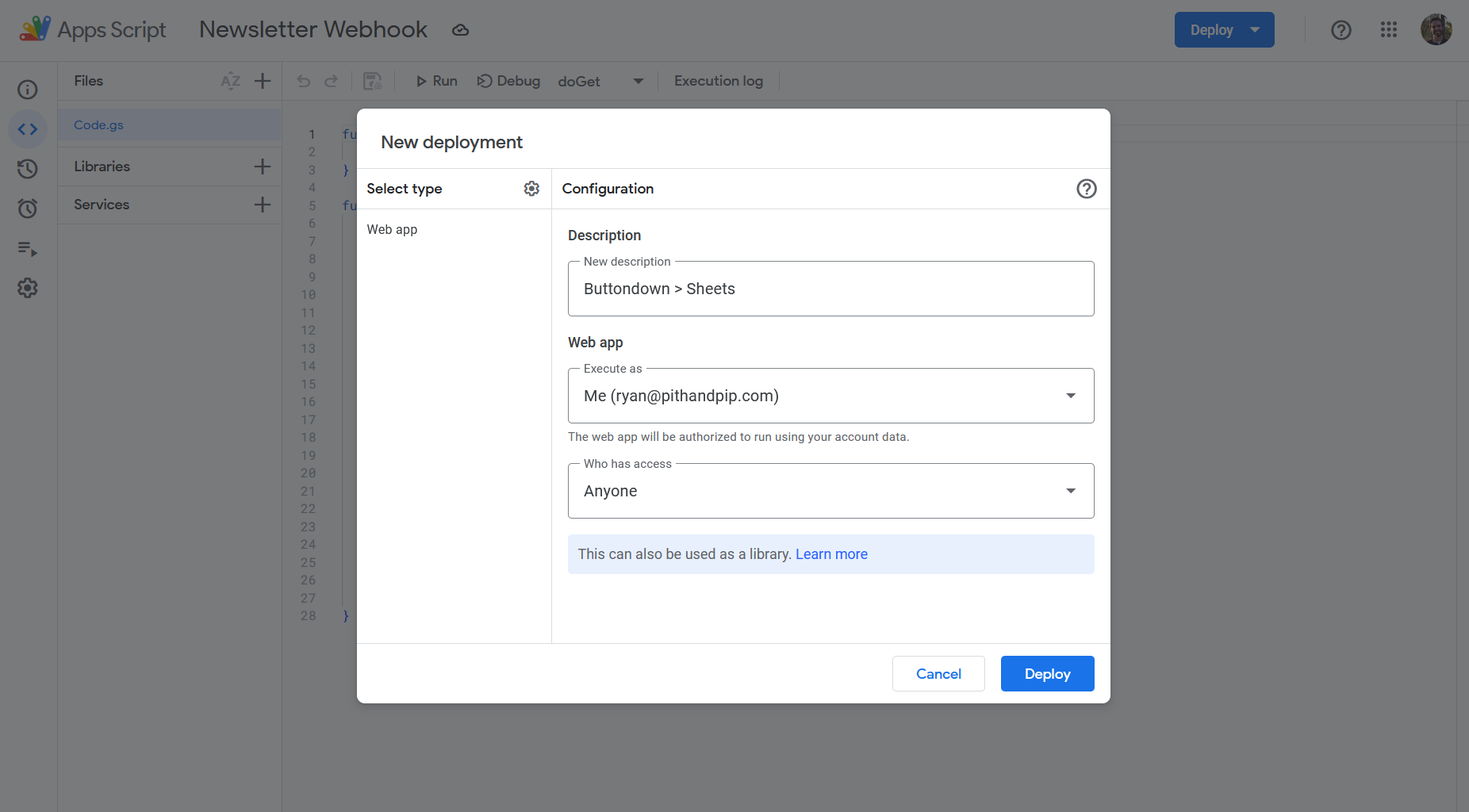
Make sure to Deploy your script after any changes
It’ll ask you to authorize the script under your account and warn you that Google hasn’t verified your app. Click Advanced, then Go to [your script’s name] (unsafe), and Allow. Finally, copy and save the Web app URL somewhere safe; this is your webhook endpoint.
After giving your newsletter platform the Web app URL, create the visualization in your Sheet that you want to display in Slides (Scorecard chart works great for showing total monthly signups). From any Google Docs, Slides, or Sites, go to Insert > Chart > From Sheets to drop real-time updates into your files.
Buttondown, but wherever you want it
Between webhooks, the API, and the ability to send your newsletter simply by emailing it to Buttondown (from any client), you could manage everything, end-to-end, with nary a login. Automations and webhooks to DIY an events database, API calls to create and deliver drafts from your command line (or preferred text editor), and integrations for sharing and publishing.
Even if webhooks aren’t your style, learning how they work is worthwhile, like learning to mend your own clothes or change your car’s oil. You can still have professionals do those things for you. But you have nothing to lose by doing them yourself at least once.
If you can send an email, you can set up a webhook. And if you use Buttondown, you can do both without ever worrying about getting locked into an app that makes it hard to leave.