惯性聚合 高效追踪和阅读你感兴趣的博客、新闻、科技资讯
阅读原文 在惯性聚合中打开

推荐订阅源

钛媒体:引领未来商业与生活新知
钛媒体:引领未来商业与生活新知
T
Troy Hunt's Blog
P
Proofpoint News Feed
V
Vulnerabilities – Threatpost
C
Cybersecurity and Infrastructure Security Agency CISA
K
Kaspersky official blog
Cyberwarzone
Cyberwarzone
T
Tor Project blog
Cisco Talos Blog
Cisco Talos Blog
S
Securelist
L
Lohrmann on Cybersecurity
Security Latest
Security Latest
T
Threatpost
H
Heimdal Security Blog
W
WeLiveSecurity
A
Arctic Wolf
Cyber Security Advisories - MS-ISAC
奇客Solidot–传递最新科技情报
奇客Solidot–传递最新科技情报
G
GRAHAM CLULEY
IT之家
IT之家
freeCodeCamp Programming Tutorials: Python, JavaScript, Git & More
TaoSecurity Blog
TaoSecurity Blog
A
About on SuperTechFans
cs.CL updates on arXiv.org
N
News and Events Feed by Topic
Hacker News - Newest:
Hacker News - Newest: "LLM"
Last Week in AI
Last Week in AI
T
The Blog of Author Tim Ferriss
Threat Intelligence Blog | Flashpoint
Microsoft Azure Blog
Hugging Face - Blog
Hugging Face - Blog
Google DeepMind News
量子位
Stack Overflow Blog
Stack Overflow Blog
Know Your Adversary
Know Your Adversary
B
Blog RSS Feed
阮一峰的网络日志
阮一峰的网络日志
WordPress大学
WordPress大学
cs.CV updates on arXiv.org
AI
AI
OSCHINA 社区最新新闻
OSCHINA 社区最新新闻
博客园 - 司徒正美
Apple Machine Learning Research
GbyAI
GbyAI
Vercel News
Vercel News
C
Cyber Attacks, Cyber Crime and Cyber Security
Latest news
Latest news
D
Darknet – Hacking Tools, Hacker News & Cyber Security
大猫的无限游戏
大猫的无限游戏
Forbes - Security
Forbes - Security

夜梦星尘の折腾日记

将vscode插件转移到F盘(C盘以外) – 夜梦星尘の折腾日记 自制CBZ格式漫画 导入电纸书 | 掌阅 文石 汉王 WEBP – 夜梦星尘の折腾日记 心率广播接收器 – 夜梦星尘の折腾日记 从零开始建设网站!typecho部署全流程介绍 《战双帕弥什》晨曦已至,晓光终明——锈夜逐光游玩感想 【docker】面向现代团队的企业级知识库平台 | docmost(Community社区版) – 夜梦星尘の折腾日记 【docker】图像处理工具 | mazanoke – 夜梦星尘の折腾日记 使用Inkscape处理eps图片 – 夜梦星尘の折腾日记 【ADB】Shizuku 无线调试 | scene | 让你的应用直接使用系统API – 夜梦星尘の折腾日记 【ADB】Shizuku | 让你的应用直接使用系统API – 夜梦星尘の折腾日记 【ADB】scene 玩机工具箱 | 优化性能 | 性能监控 – 夜梦星尘の折腾日记
React 安装(Vite) – 夜梦星尘の折腾日记
YeMeng · 2026-03-04 · via 夜梦星尘の折腾日记

本文发布于102天前,最后更新于102天前,其中的信息可能有所发展或是发生改变。如有疑问请联系邮箱:admin@yemengstar.com。

1. 前言

Vite 是一个现代化的前端构建工具,旨在通过利用现代浏览器的原生 ES 模块支持,提供快速的开发体验。

Vite 是当前 React 官方推荐的首选工具,比传统的 Create React App 更快、更轻量、开发体验更好。

Vite 基于原生 ES Modules,支持秒级热更新(HMR),启动时间通常只需几百毫秒。

参考:React 安装(Vite) | 菜鸟教程

2. 安装node.js与npm

在开始之前,确保你已经安装了 Node.js 和 npm,你可以通过以下命令检查它们是否已经安装:

node -v
npm -v

如果没有安装,可以参考这篇文章安装:Node.js 安装配置 | 菜鸟教程

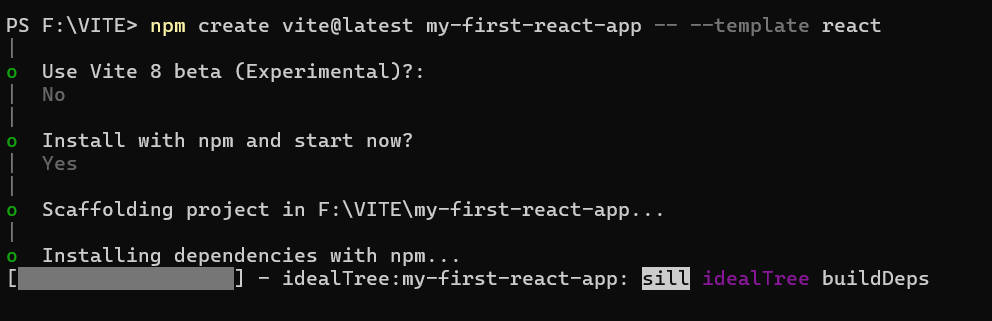
在目标文件夹中启用powershell,输入下面的命令可以创建指定项目:

npm create vite@latest my-first-react-app -- --template react

其中:

  • create vite@latest:使用最新版 Vite 创建工具
  • my-first-react-app:项目名称
  • -- --template react:指定 React 模板

如下图:

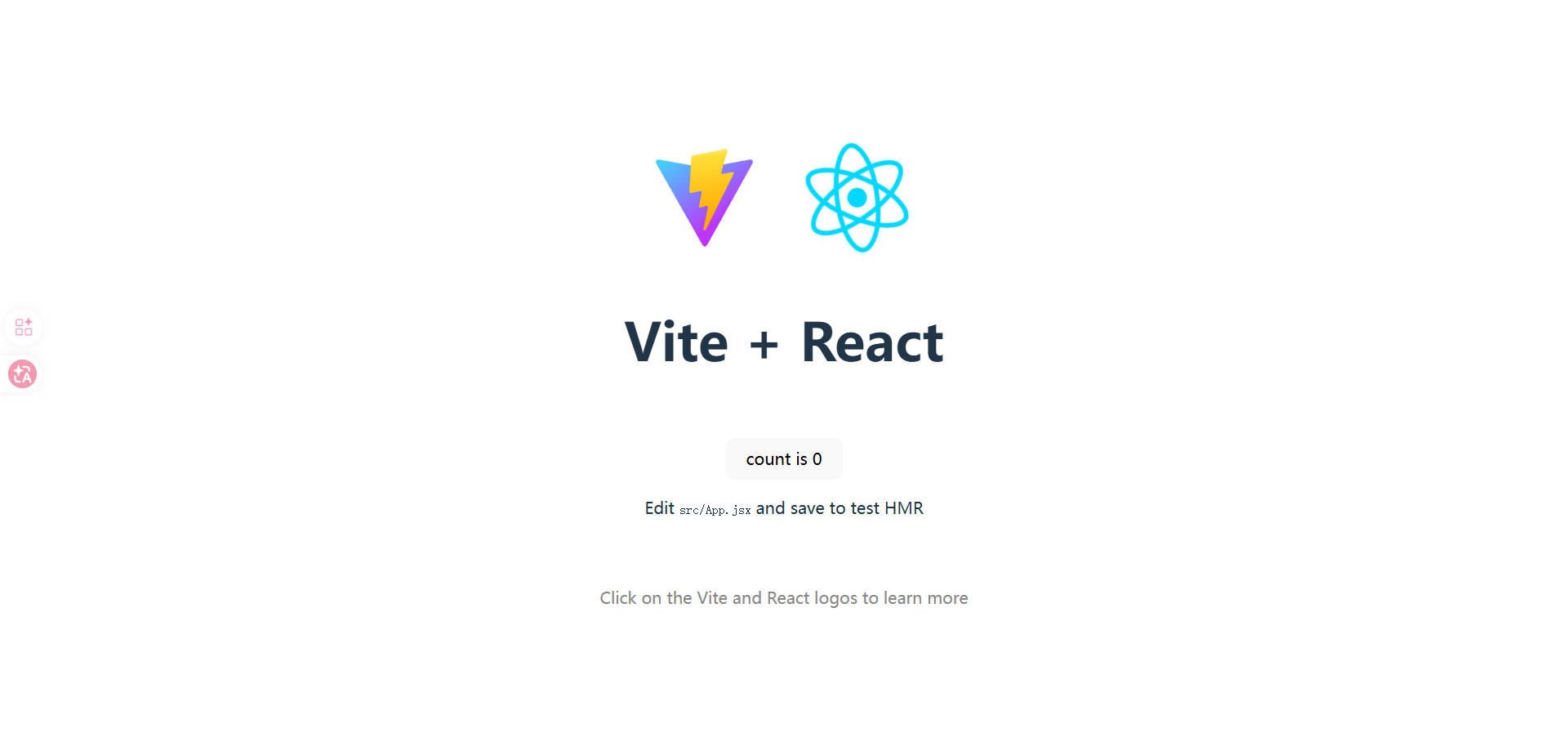
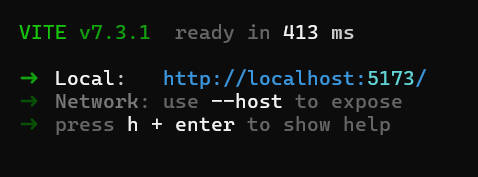
创建完成后默认启动,可以通过http://localhost:5173访问。
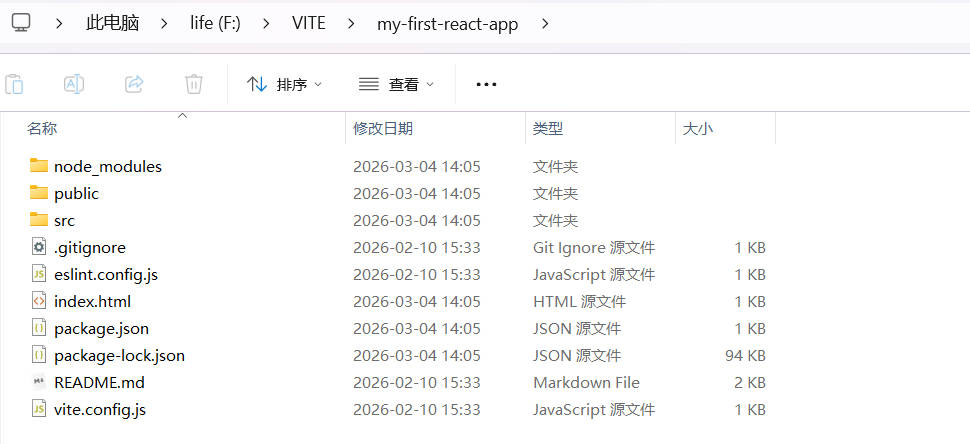
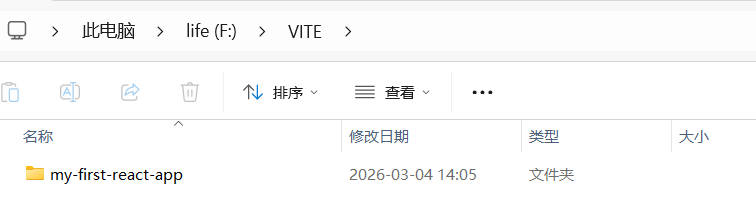
本地文件:
后续安装依赖并启动项目,先进入项目目录:

cd my-first-react-app

安装依赖:

npm install

启动项目:

npm run dev

就可以了。

本文为夜梦星尘原创文章。
文章作者:夜梦星尘
文章链接:React 安装(Vite)
版权声明:本博客所有文章除特别声明外,均采用 CC BY-NC-SA 4.0 许可协议。转载请注明来自夜梦星尘
支持作者:夜梦星尘的爱发电