








The project configuration and build tool focused on user experience and IDE support.
Kotlin Toolchain 0.11: The Next Step for Amper
Amper 0.11.0 is out, and you will notice a shift in the product branding immediately. If you missed the KotlinConf keynote (watch the recording), here’s the headline: Amper has evolved into the Kotlin Toolchain and is now Alpha! This release brings that transition to life, alongside the ability to publish JVM libraries, new plugin development APIs, and several developer experience improvements.
Read on for the details, and check the release notes for the full list of changes and bug fixes.
To get support for Kotlin Toolchain’s latest features, use IntelliJ IDEA 2026.1.2 (or newer). Make sure the latest version of the Kotlin Toolchain plugin is installed.
Amper is now the Kotlin Toolchain
When we launched Amper, the goal was to experiment with a cohesive, declarative build experience. As the project evolved, it became clear that the ecosystem doesn’t just need another build tool – it needs a unified entry point into all of Kotlin.
The Kotlin Toolchain is that cohesive entry point. It provides a single command, kotlin, which allows you to create a project, build, run, and test it, and configure it for packaging and publishing. In the future, it will even let you format your code, generate docs, and much more. No build-tool decisions up front; no complex plugin wiring before you can write your first line of code.
Of course, we didn’t start from scratch. Everything we built inside Amper was moved to the Kotlin Toolchain, which allowed the project to graduate straight to Alpha! This label means JetBrains is committed to supporting it, and so we’d love for you to try it out and share your feedback.
If you were already using Amper, this major change has several implications that you should be aware of:
- The
amperandamper.batwrapper scripts must be replaced with the newkotlinandkotlin.batwrappers. - In IntelliJ IDEA, the Kotlin Toolchain IDE plugin must be installed instead of the Amper IDE plugin, which can safely be uninstalled.
Global installation
The wrapper scripts that are committed to your project are great for providing a clone-and-build experience with zero installation requirements, but they aren’t suitable for all use cases.
With this new release, you can now install the kotlin CLI globally (outside of a project) and use it everywhere instead of ./kotlin. You can install it right now via SDKMAN! this way:
sdk install kotlintoolchain
Note: You don’t have to use SDKMAN!. Check out our documentation for other installation options.
This improves the experience on several fronts:
- Launching
kotlincommands from nested directories inside your project is more convenient. - You can use project-agnostic commands from any directory (like
kotlin tool jaegerorkotlin clean-shared-caches). - Creating new projects with the
initcommand is more natural (no need to download a wrapper manually or copy it from another project).
Using the global kotlin command doesn’t mean you will have to align your Kotlin Toolchain version in all your projects, though. The kotlin command automatically finds your project’s wrapper script and runs the matching version of the Kotlin Toolchain.
Publishing
The library publication feature is finally in preview! You can now publish your JVM libraries to Maven repositories, including Maven Central.
Note: Kotlin Multiplatform libraries cannot be published yet, but we’re working on it. Stay tuned!
Regular Maven repositories
To publish to a Maven repository other than Maven Central, use the following configuration in your module.yaml:
product: jvm/lib

repositories:
  - id: myMavenRepoId
    url: https://maven.pkg.github.com/my-org/my-maven-repo
    publish: true
    credentials:
      file: creds.properties # a properties file containing your credentials
      usernameKey: maven.username # the name of the property containing the username
      passwordKey: maven.password # the name of the property containing the password

settings:
 publishing:
   enabled: true
   group: com.example
   artifactId: greeter # optional, defaults to the module name
   version: 1.0.0
Provide the credentials file that was referenced in the repository configuration, for example, this creds.properties:
maven.username=john.doe
maven.password=MyVerySecurePassword123
You can then reference the repository by ID when running the publish command:
kotlin publish myMavenRepoId
This command publishes all modules that have publication enabled and have declared a repository with the ID myMavenRepoId.
Maven Central
Publishing to Maven Central is known for being a tedious process involving a lot of moving parts: sources and javadoc JARs, PGP signatures, POM metadata, checksums, etc. The latest Kotlin Toolchain does all of that for you – you declare what to publish, and we take care of the rest.
You will first need an account, a namespace, and a user token on the Maven Central Publisher Portal, as well as a PGP signing key. For everything else, the Kotlin Toolchain has you covered.
To publish to Maven Central, you don’t need to declare the repository by hand. Just add mavenCentral: enabled to your publication configuration, and configure everything that Maven Central requires. Here is a minimal example:
product: jvm/lib

description: A meaningful description for this specific module

settings:
  publishing:
    enabled: true
    group: com.example # the group has to match your Maven Central namespace
    version: 1.0.0
    # artifactId is optional, and defaults to your module's name
    mavenCentral: enabled
    signArtifacts: true # automatically sign your artifacts, no external GPG binary required
    publishSources: true
    pom:
      url: https://example.com
      scm: https://github.com/my-org/example.git # the SCM connection and dev connection are automatically derived from this
      developers:
        - name: John Doe
      licenses:
        - name: MIT
          url: https://opensource.org/license/mit
Check out the documentation to learn how to pass the credentials needed to sign artifacts and upload to the Maven Central Publisher Portal. After this, publishing is just one command away:
kotlin publish mavenCentral
This command builds and signs every artifact, zips them into a Maven Central deployment bundle, uploads the bundle, and awaits its validation. You can then check the deployment and finish the release via the Central portal UI. You can also skip manual verification and fully automate the release with publishingMode: auto if you trust the pipeline. Check out the documentation to read more about publishing modes.
Cinterop support
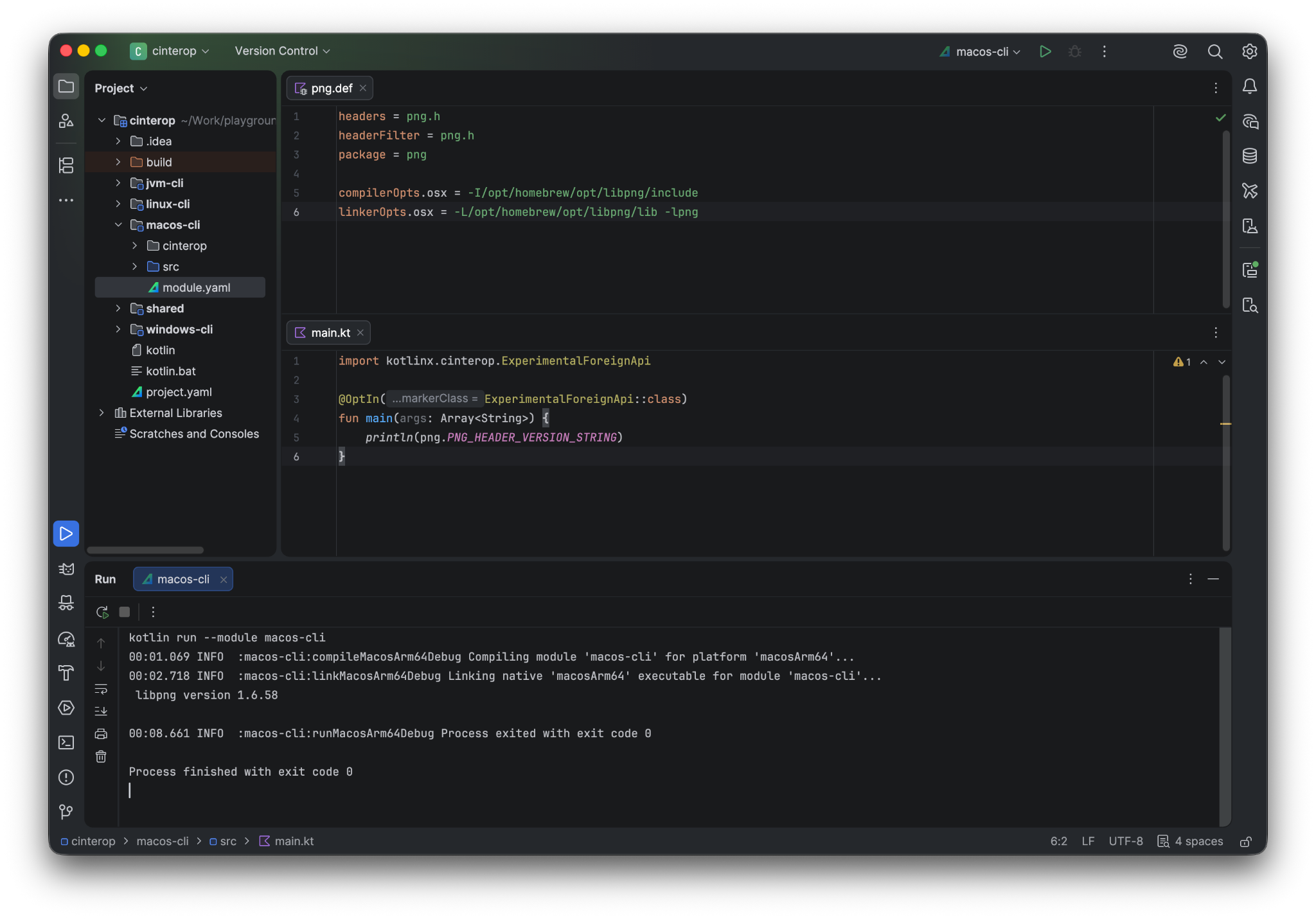
The Kotlin Toolchain now generates custom bindings for C libraries from the definition files (.def) placed inside the cinterop folder of a module.
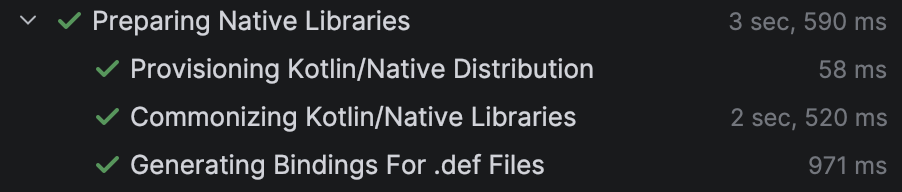
The IDE also provides assistance by generating bindings during the project sync process.
Terminal UI improvements
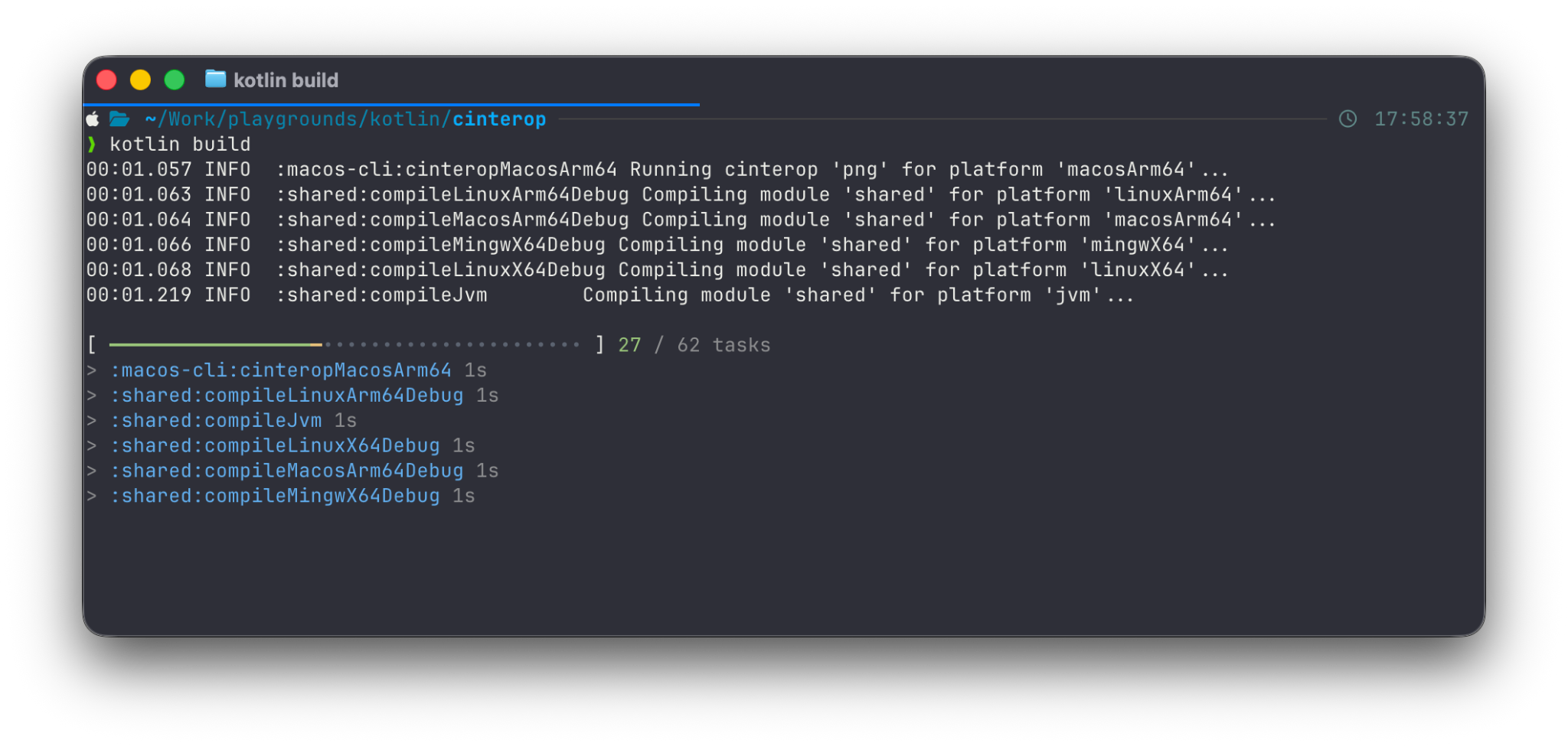
We have made several improvements to the output of the kotlin command.
We have introduced better progress indicators for completed tasks, and the main progress bar is integrated with your terminal’s native progress indicator:
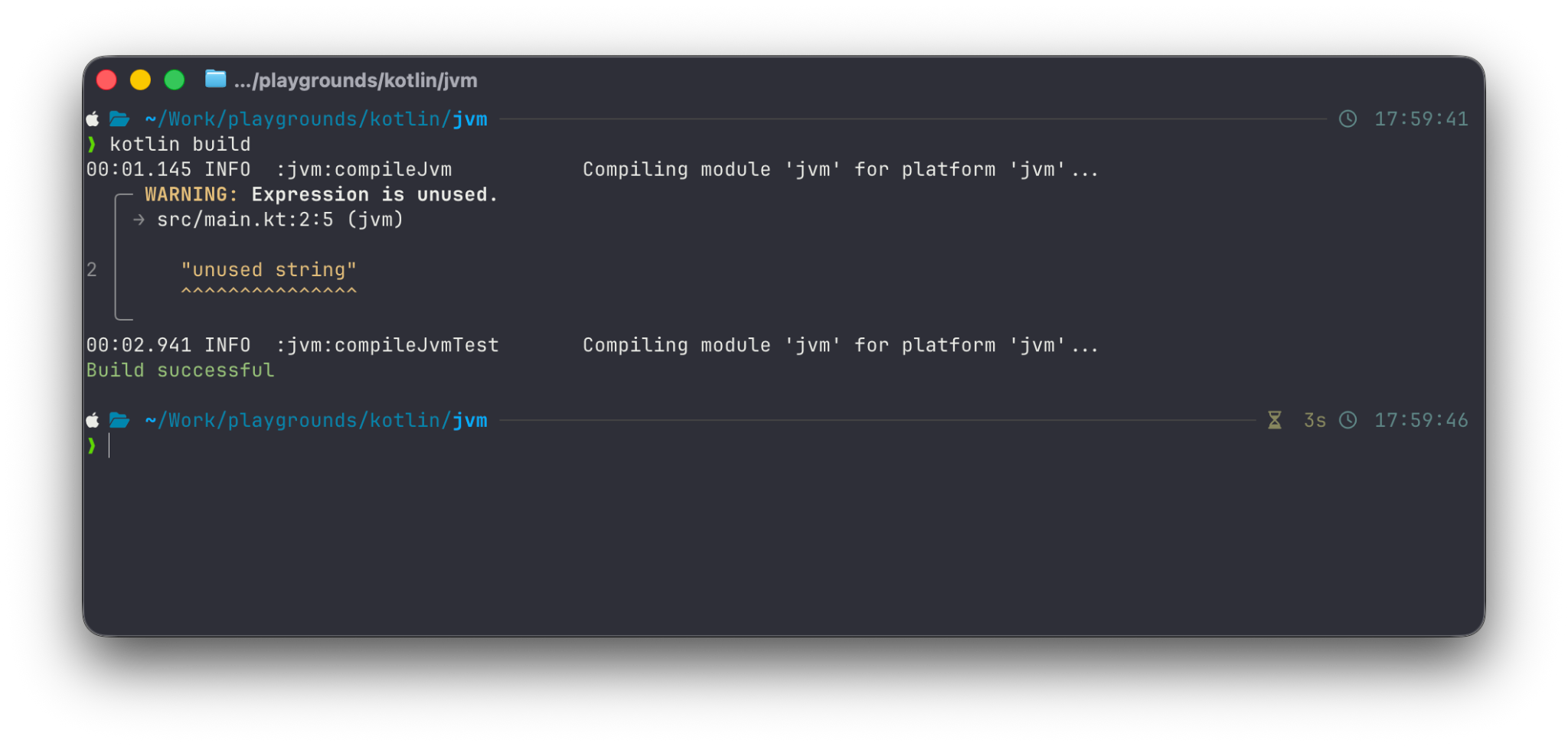
We have also improved how the diagnostics reported by the Kotlin JVM compiler are rendered (requires Kotlin 2.4.0-Beta2 or newer):
IDE improvements
Library sources download
Sources for libraries are now downloaded automatically as a post-sync activity.
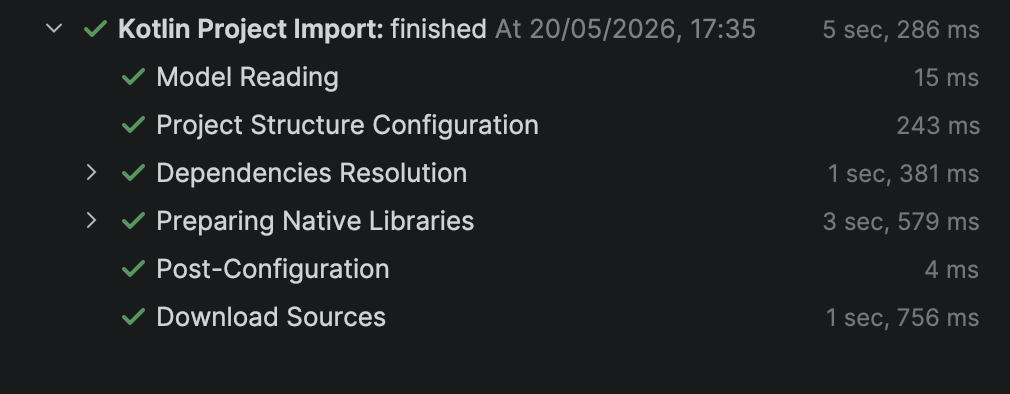
Because the sync is completed first, you can start working on the project straight away while sources are downloaded in the background.
Module-wide dependency resolution
Previously, dependency resolution in the IDE plugin was performed at the project level, unlike in the CLI. This could lead to an incorrect dependency version in a module or incorrect warnings in the editor. We have aligned the behavior with the CLI, so now each module has its own resolution scope, and all diagnostics are the same.
Plugin development improvements
Multiple new features are available for authors of local plugins, including the new checks and commands declarations, new APIs for task inputs, and diagnostic improvements.
New references
When authoring plugin.yaml to wire task inputs, a few built-in references can be used to access information about the project. We introduced two new ones to cover some common cases:
${project.rootDir}can be used to access the project’s root directory.${module.classes}can be used to access the directory containing raw compiled class files.
Custom checks
The new kotlin check command is designed to make sure the project passes all quality checks. It runs the usual unit tests by default, and plugins can register additional checks that the command should run.
To introduce a custom check in a plugin, use the checks top-level list:
# my-lint-plugin/plugin.yaml
tasks:
  runLinter:
    action: !kotlinJavaLint
      sources: ${module.kotlinJavaSources}

checks:
  - name: lint
    performedBy: runLinter
The above lint check can also be run individually using kotlin check lint.
To list the checks that are in the project, use the kotlin show checks command. You can read more about custom checks in the plugins docs.
Custom commands
Sometimes you need to expose a public entry point for your plugin’s users. For example, you might want to provide the ability to generate a changelog, print some information on demand, or publish a custom distribution format. Because your plugin’s tasks should be considered private by default, we introduced a new concept called custom commands to represent these public entry points.
A custom command is implemented using a regular task, and as such, it can get data from the build (such as source files, compiled JARs, or runtime classpath information) and depend on other tasks. To register a command associated with your task, use the new commands top-level section in plugin.yaml:
# my-lint-plugin/plugin.yaml
tasks:
  updateBaseline:
    action: !runDetektForBaseline
      sources: ${module.kotlinJavaSources}
      outputFile: ${module.rootDir}/detekt/baseline.xml

commands:
  # shorthand when the name of the command matches that of the task
  - updateBaseline
You can then run this custom command using the new kotlin do command:
kotlin do updateBaseline
This will run the task associated with the command, as well as its dependencies.
To list all the custom commands available in the project, use kotlin show commands. Learn more about custom commands in the plugins docs.
A new way to register generated files
We introduced a new top-level section to plugin.yaml called generated, which allows registering generated sources, resources, and classes. As of 0.11.0, you can even register cinterop definitions when your task dynamically provisions native libraries:
tasks:
  generateStuff:
    action: !myGenerateStuffAction
      outputSources: ${taskOutputDir}/src
      outputResources: ${taskOutputDir}/res
      outputDefFiles: ${taskOutputDir}/cinterop

generated:
  sources:
    - directory: ${tasks.generateStuff.action.outputSources}
      language: kotlin
  resources:
    - directory: ${tasks.generateStuff.action.outputResources}
  cinteropDefinitions:
    - directory: ${tasks.generateStuff.action.outputDefFiles}
This replaces the markOutputAs property inside tasks, which is deprecated and will soon be removed. This way, all outputs that contribute back to the build are registered in a similar way and can be identified at a glance in their individual sections by humans, AI agents, and other tools.
Other improvements
lib renamed to kmp/lib
The lib product type was renamed to kmp/lib to better reflect what it represents after the introduction of the jvm/lib product type. The lib value is deprecated, and we plan to remove it in an upcoming Kotlin Toolchain version.
Nested templates
Templates can now apply other templates, allowing you to build a logical hierarchy of settings. The syntax is the same; simply use the apply section in your template files:
# spring.module-template.yaml
apply:
  - ./jvm.module-template.yaml

settings:
  springBoot: enabled
Maven classifier support
You can now add classifiers to Maven dependency notations to depend on a specific artifact of the library, for example:
dependencies:
  - io.netty:netty-transport-native-epoll:4.2.13.Final:linux-x86_64
run command improvements
We have improved the experience of the run command in cases when only one option is suitable for the current host.
If the project has multiple modules, but only one can run on the host machine, it is no longer necessary to specify the module explicitly. For example, given the following project:
.
├── linux-cli/
├── macos-cli/
├── windows-cli/
├── shared/
├── kotlin
├── kotlin.bat
└── project.yaml
kotlin run will launch the windows-cli module on a Windows machine.
If the specified module has multiple target platforms and only one of them can be run on the host machine, it is no longer necessary to specify the platform explicitly. For example, given the following module:
# linux-app/module.yaml
product: linux/app

# The platforms linuxArm64 and linuxX64 are both present by default
kotlin run -m linux-app will launch the ARM64 version of the app on an ARM machine and the x86-64 version of the app on an x86 machine.
Updated default versions
We updated some of the default versions for toolchains and frameworks:
- Kotlin 2.3.21
- Compose Hot Reload 1.1.1
- KSP 2.3.7
- Ktor 3.4.3
- SpringBoot 4.0.6
- Lombok 1.18.46
- JUnit Platform 6.0.3
Try Kotlin Toolchain 0.11.0
To get started with the Kotlin Toolchain, check out our Getting started guide. Take a look at some examples, follow a tutorial, or read the comprehensive user guide, depending on your learning style.
If you’ve been using Amper, you won’t be able to migrate your installation to the Kotlin Toolchain via the usual automatic update path. Instead, you should replace amper and amper.bat in your project with Kotlin wrappers. You can do so by installing the toolchain globally and then using the Kotlin CLI to generate the new Kotlin wrappers in your project:
kotlin update --create
After replacing the wrappers, you will be able to use kotlin update for future updates.
Share your feedback
The Kotlin Toolchain is still under active development. You can provide feedback about your experience by joining the discussion in the #kotlin-toolchain Slack channel or by sharing your suggestions and ideas in a YouTrack issue. Your input and use cases help shape the future of the Kotlin Toolchain!