


惯性聚合 高效追踪和阅读你感兴趣的博客、新闻、科技资讯
阅读原文 在惯性聚合中打开

推荐订阅源

F
Full Disclosure
WordPress大学
WordPress大学
小众软件
小众软件
Cloudbric
Cloudbric
AWS News Blog
AWS News Blog
腾讯CDC
量子位
人人都是产品经理
人人都是产品经理
大猫的无限游戏
大猫的无限游戏
freeCodeCamp Programming Tutorials: Python, JavaScript, Git & More
V
Vulnerabilities – Threatpost
Scott Helme
Scott Helme
Hugging Face - Blog
Hugging Face - Blog
博客园_首页
C
CXSECURITY Database RSS Feed - CXSecurity.com
The Hacker News
The Hacker News
奇客Solidot–传递最新科技情报
奇客Solidot–传递最新科技情报
IT之家
IT之家
Jina AI
Jina AI
Attack and Defense Labs
S
SegmentFault 最新的问题
Simon Willison's Weblog
The Cloudflare Blog
阮一峰的网络日志
阮一峰的网络日志
T
Tailwind CSS Blog
Last Week in AI
Last Week in AI
博客园 - 【当耐特】
Google Online Security Blog
美团技术团队
OSCHINA 社区最新新闻
OSCHINA 社区最新新闻
V
Visual Studio Blog
罗磊的独立博客
L
LINUX DO - 最新话题
博客园 - Franky
博客园 - 叶小钗
Apple Machine Learning Research
The Last Watchdog
The Last Watchdog
J
Java Code Geeks
AI
AI
C
Cisco Blogs
酷 壳 – CoolShell
酷 壳 – CoolShell
C
Cyber Attacks, Cyber Crime and Cyber Security
Cisco Talos Blog
Cisco Talos Blog
博客园 - 三生石上(FineUI控件)
雷峰网
雷峰网
Help Net Security
Help Net Security
钛媒体:引领未来商业与生活新知
钛媒体:引领未来商业与生活新知
云风的 BLOG
云风的 BLOG
I
Intezer
S
Securelist

Ittavern.com

Wimage - Hosting Open-Source Image Uploader with Podman and external S3 Storage Switching from Hugo to picopaper Encryption using SSH Keys with age in Linux ETag in nginx - Simple Resource Caching Sending nginx Logs to Loki with Grafana Alloy How to: Cisco ISE backup to SFTP repository with public key authentication Dummy IP & MAC Addresses for Documentation & Sanitization Deploying ISSO Commenting System for Static Content using Docker Generate a Vanity v3 Hidden Service Onion Address with mkp224o ssh-audit Primer - Audit your SSH Server mtr - More Detailed Traceroute - Network Troubleshooting My Personal Backup Strategy - August 2024 iperf3 - User Authentication with Password and RSA Public Keypair Adding a trash can to Linux with trash-cli Bandwidth Measurement using netcat on Linux Getting started with rsync - Comprehensive Guide Cron Jobs on Linux - Comprehensive Guide with Examples SSH Server Hardening Guide v2 Port Knocking with knockd and Linux - Server Hardening Getting started with rclone - Data transmission Getting started with dig - DNS troubleshooting Getting started with Fail2Ban on Linux Getting started with netcat on Linux with examples URL explained - The Fundamentals Troubleshooting Asking The Right Questions Create tmux layouts using bash scripts Getting started with tcpdump - Ittavern.com Curl on Linux - Reference Guide Getting started with nmap scripts Getting started with iperf3 - Network Troubleshooting ICMP echo requests on Linux and Windows - Reference Guide Simulate an unreliable network connection with tc and netem on Linux Detecting Rogue DHCP Server - Ittavern.com Basics of the Linux Bash Command History with Examples Getting started with GNU screen - Beginners Guide Basics of Power over Ethernet (PoE) Difference between RSS and Atom SSH Troubleshooting Guide - Ittavern.com Backup Guide - how to secure crucial data SSH - run script or command at login Linux - unmount a busy target safely Visual guide to SSH tunneling and port forwarding Guide to Wireshark display filters Online Security Guide - Ittavern.com My IT EDC tool kit v2212 10 prompts - 1000 AI generated images - openAI Dall-E SSH - How to use public key authentication on Linux Ways to support open-source projects Getting started with nmap - Ittavern.com nginx - simple and native authentication function Linux - How to work with complex commands EICAR test file - riskless method to test your antivirus and firewall solution Linux - connect to a serial port with screen Podman / Docker - expose port only to the localhost of the host machine Tmux - reload .tmux.conf configuration file My use cases for CyberChef Nginx - simple permanent or temporary redirects Getting started with tmux - Ittavern.com Tmux - synchronize the input of all panes within a window Nginx - check your public IP CyberChef - How to remove empty lines
My Offsite Backup - March 2023
2023-03-13 · via Ittavern.com

mob-2303-setup-1.jpg

While I was on a business trip the other day, I thought about a scenario in which my home would burn down or get robbed. A simple but essential question emerged:

What could I recover?

I already saved backups in the cloud, but I figured that I could not recover my data from it without my private laptop (which I had not with me this time).

At this point, I knew I had to change some things to ensure that my important data was properly backed up.

The goal

Having a disaster recovery strategy for my most important data that is easy to maintain.

The offline backup should be stored offsite in a secure and trustworthy location. The data must be saved on at least two mediums to reduce the risk of data loss due to hardware failure. The data must be encrypted to secure my data in case of theft. The case should be easily transported and protect the mediums against common risks like shock and water. The frequency of the offsite backup should be around every 1-2 weeks.

For more information, please visit my backup guide.

One of the main things to consider is: I must be able to recover everything with just this one offsite backup.

The data

I am currently aggregating a ton of data to a local server to make future backups easier. It is spread over multiple devices, which can be a pain in the ass.

For now I only backup important data which can be subdivided further into 'frequently' and 'rarely' used or changed.

Some examples of frequently used data would be: SSH & PGP keys, password & 2FA database, configuration files, notes, and so on.

Some examples of rarely used data would be family photos & videos, ebooks, documents, and so on.

At this point, the frequently used data is around 10GB, and the rarely used data is around 90GB. This will increase by a factor of two or three after I get everything sorted and stored in one place.

The Strategy

I've decided to use a rotational system in which I have two identical cases with storage mediums for the backups. With this setup, I can do the backups at home and switch this case with the recently done backups with the offsite backup and rotate like this repeatedly. It is more expansive, but saves a lot of time, brings more comfort, and even adds more resilience.

I won't go into detail on what location I have chosen for my offsite backup, but I can say that I've found someone so kind as to store it for a couple of beers a month.

The hardware

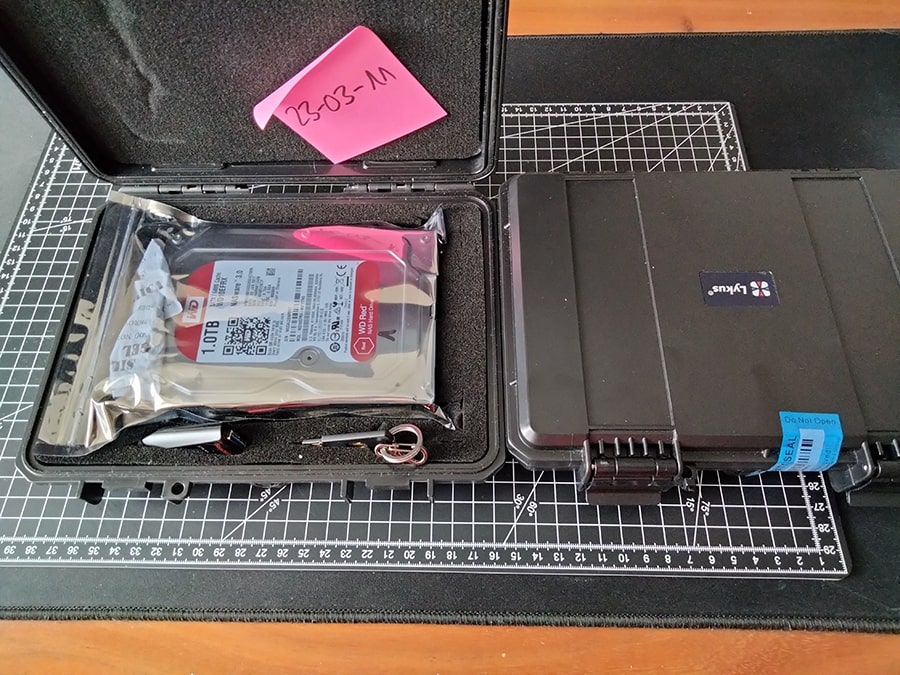
mob-2303-setup-1.jpg

Case:
waterproof and shock-resistant case
cable tie, to keep case closed in case of a fall
seal sticker with ID, makes sure that I know if the case was opened at the offsite location
Content:
1TB HDD in an anti-static bag and silica dehumidifier bags
128GB USB Stick
YubiKey (MFA)

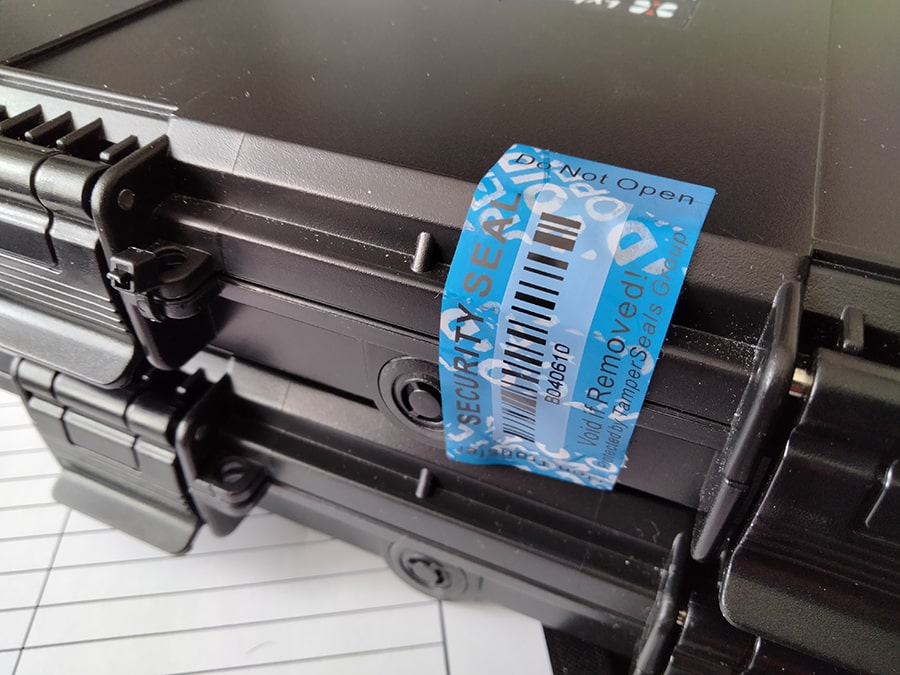
The seal sticker can be removed without any residues, and a re-applied seal looks like this:
mob-2303-seal.jpg

Upcoming Improvements #

  • Swap USB stick with SSD + anti-static bag
  • swap the current case with a fire-proof case
  • add a recovery manual to the case

The software

I am already using borg for my cloud backups, so I've also decided to use it for my offsite backups. I can encrypt my data, recover everything or single files only, save space, and can automate many things.

I will write about it in a separate blog post and link it here as soon as I have everything set up correctly. It works for now, but it isn't pretty.
Upcoming Improvements #

  • automate all the things
  • document the process

The routine

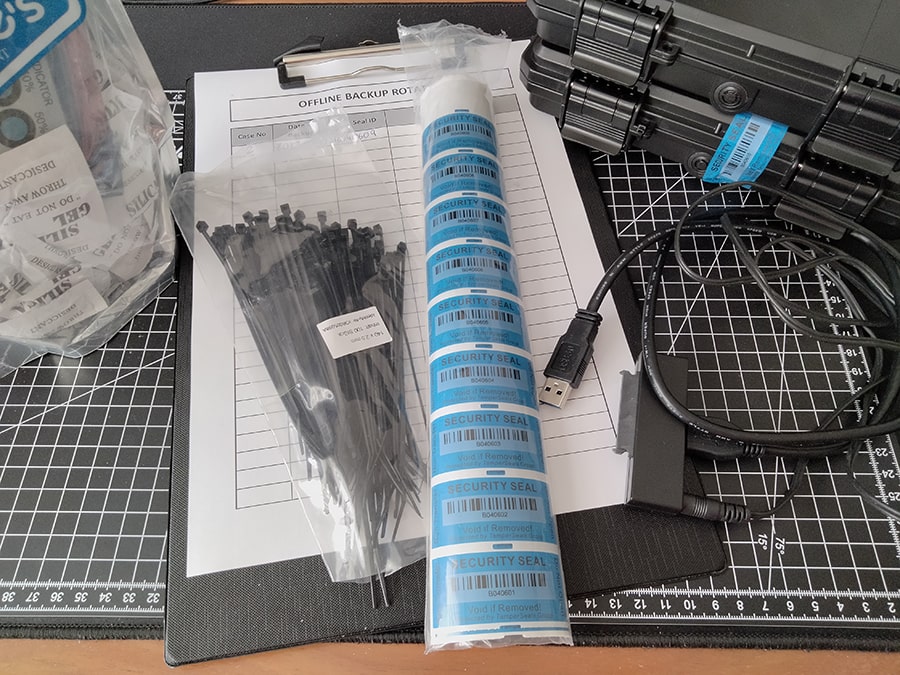
mob-2303-routine.jpg

So, there's currently no routine. I've printed a template where I document backups with the case number, seal ID, changes I've made, and so on.

Backups and tests are done manually. It takes some time, but I can make sure that everything works and I will change it in the future.

Upcoming Improvements #

  • combine routine with cloud backups
  • create a better documentation
  • check backups automatically
  • check the health of the hardware

Conclusion

This backup strategy is relatively new and not battle-tested, but at this point I am happy with it. I can tell you that I sleep better!

I am going to modify the strategy over time and give you all an update every couple of months.