


惯性聚合 高效追踪和阅读你感兴趣的博客、新闻、科技资讯
阅读原文 在惯性聚合中打开

推荐订阅源

cs.CV updates on arXiv.org
M
MIT News - Artificial intelligence
大猫的无限游戏
大猫的无限游戏
The Cloudflare Blog
Apple Machine Learning Research
罗磊的独立博客
Last Week in AI
Last Week in AI
OSCHINA 社区最新新闻
OSCHINA 社区最新新闻
有赞技术团队
有赞技术团队
博客园 - 叶小钗
酷 壳 – CoolShell
酷 壳 – CoolShell
freeCodeCamp Programming Tutorials: Python, JavaScript, Git & More
V
Visual Studio Blog
美团技术团队
F
Fortinet All Blogs
I
Intezer
IT之家
IT之家
T
Threat Research - Cisco Blogs
Blog — PlanetScale
Blog — PlanetScale
Cyber Security Advisories - MS-ISAC
Know Your Adversary
Know Your Adversary
P
Proofpoint News Feed
cs.CL updates on arXiv.org
Threat Intelligence Blog | Flashpoint
AWS News Blog
AWS News Blog
P
Palo Alto Networks Blog
S
Securelist
L
LINUX DO - 热门话题
Security Archives - TechRepublic
N
Netflix TechBlog - Medium
TaoSecurity Blog
TaoSecurity Blog
Scott Helme
Scott Helme
Hugging Face - Blog
Hugging Face - Blog
www.infosecurity-magazine.com
Project Zero
Project Zero
U
Unit 42
博客园_首页
博客园 - 司徒正美
S
Security Affairs
V
V2EX
T
Threatpost
T
Tailwind CSS Blog
GbyAI
GbyAI
O
OpenAI News
K
Kaspersky official blog
Y
Y Combinator Blog
宝玉的分享
宝玉的分享
H
Hacker News: Front Page
V2EX - 技术
V2EX - 技术
Security Latest
Security Latest

Jeff Geerling

Open Sauce and GPS time were my summer AI Antiseptics QuadRF can spot drones and see WiFi through my wall The Special Value Pi 4 was extremely short-lived Quickly apply LUTs (color grading) with ffmpeg Framework You can finally power on a Mac remotely I tested every IP KVM in my Homelab It's hard to justify buying a Framework 12 Tuning in FM Radio on a 3D Printer Heatbed I patched iozone for better disk benchmarks on modern macOS News about Raspberry Pi 6 and Microcontroller Development Wi-Wi Is Wireless Time Sync at 1 nanosecond Bambu Lab is abusing the open source social contract HomePod mini feels like magic, but it's just good timing SBC Clusters are a terrible value, but they're fun anyway Raspberry Pi Connect may control Windows soon New 10 GbE USB adapters are cooler, smaller, cheaper An Arm Mainboard for the Framework Laptop Build your own Dial-up ISP with a Raspberry Pi DRAM pricing is killing the hobbyist SBC market Bring back MiniDV with this Raspberry Pi FireWire HAT Using FireWire on a Raspberry Pi The best laptop Apple ever made Restoring an Xserve G5: When Apple built real servers Can the MacBook Neo replace my M4 Air? A PTP Wall Clock is impractical and a little too precise I built a pint-sized Macintosh Expert Beginners and Lone Wolves will dominate this early LLM era
Adding a backup Internet WAN on my OPNsense Router
jeff@jeffgeerling.com (Jeff Geerling) · 2026-07-24 · via Jeff Geerling

AKA "Spectrum has gone down two weeks in a row and I'm sick of it".

I've been borrowing a portable 5G gateway from my Dad for a few weeks, for testing... and two weeks in a row, I've used it as a backup Internet option, since my Spectrum Business cable Internet has gone down.
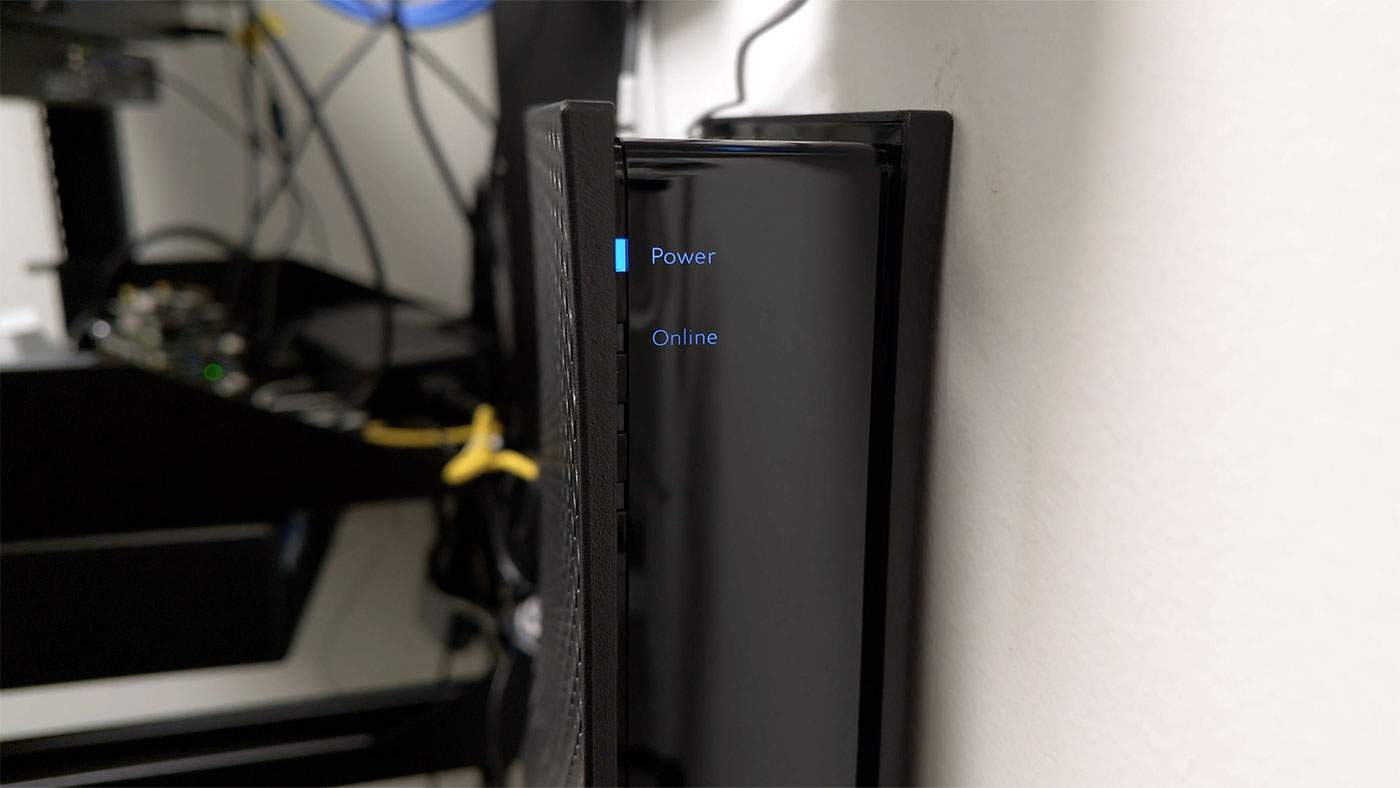
Spectrum Business Cable Modem offline

And yes, I'd get AT&T Fiber if I had the option, sadly they don't yet provide service at my studio. So I'm stuck with only one high speed wired provider. I may add on my own 5G backup Internet connection in the future, but we're getting off track.

The first outage, I unplugged my Cable modem from my ETH1 port, and plugged in the 5G gateway. I then rebooted the router, and also my main Mac (it's DHCP and DNS caching seems very aggressive, at least for Safari's networking stack).

That works, but it's quite inconvenient, because I had to keep checking on Spectrum's Internet status, then when it was finally back up, I had to walk back and re-plug my cable modem into my router, and reboot everything again.

Wouldn't it be easier if I could just... do it in software?

OPNsense and dual WAN
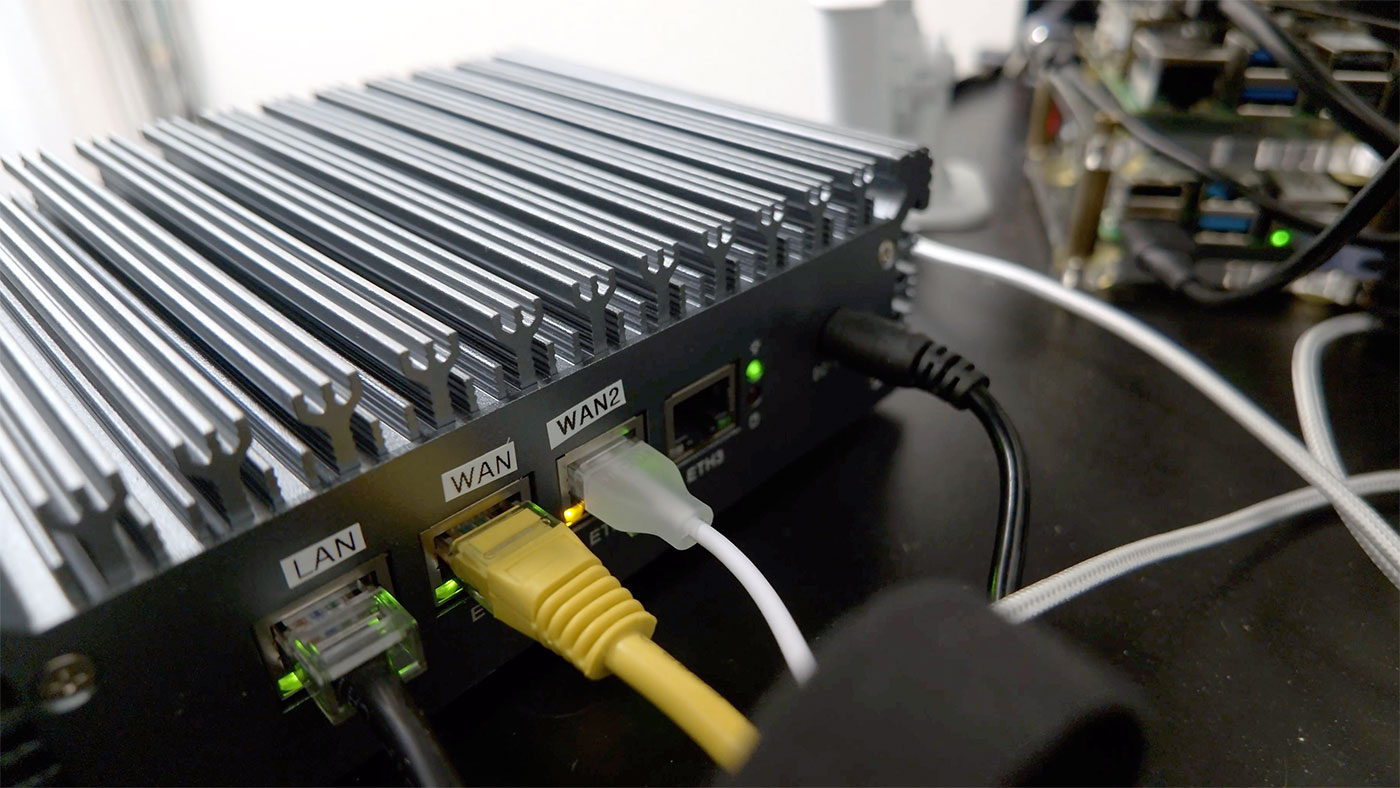
OPNsense router WAN2 port on back

My plan was to plug the 5G gateway into 'ETH2' (the third Ethernet port on my OPNsense box; ETH0 went to my LAN, ETH1 was for the Cable modem, and ETH2 and ETH3 are available—all are 2.5 Gbps ports).

'ETH2' was device 'igc2', so I logged into OPNsense, and under Interfaces > Assignments, I assigned new interface 'igc2' named 'WAN2'.
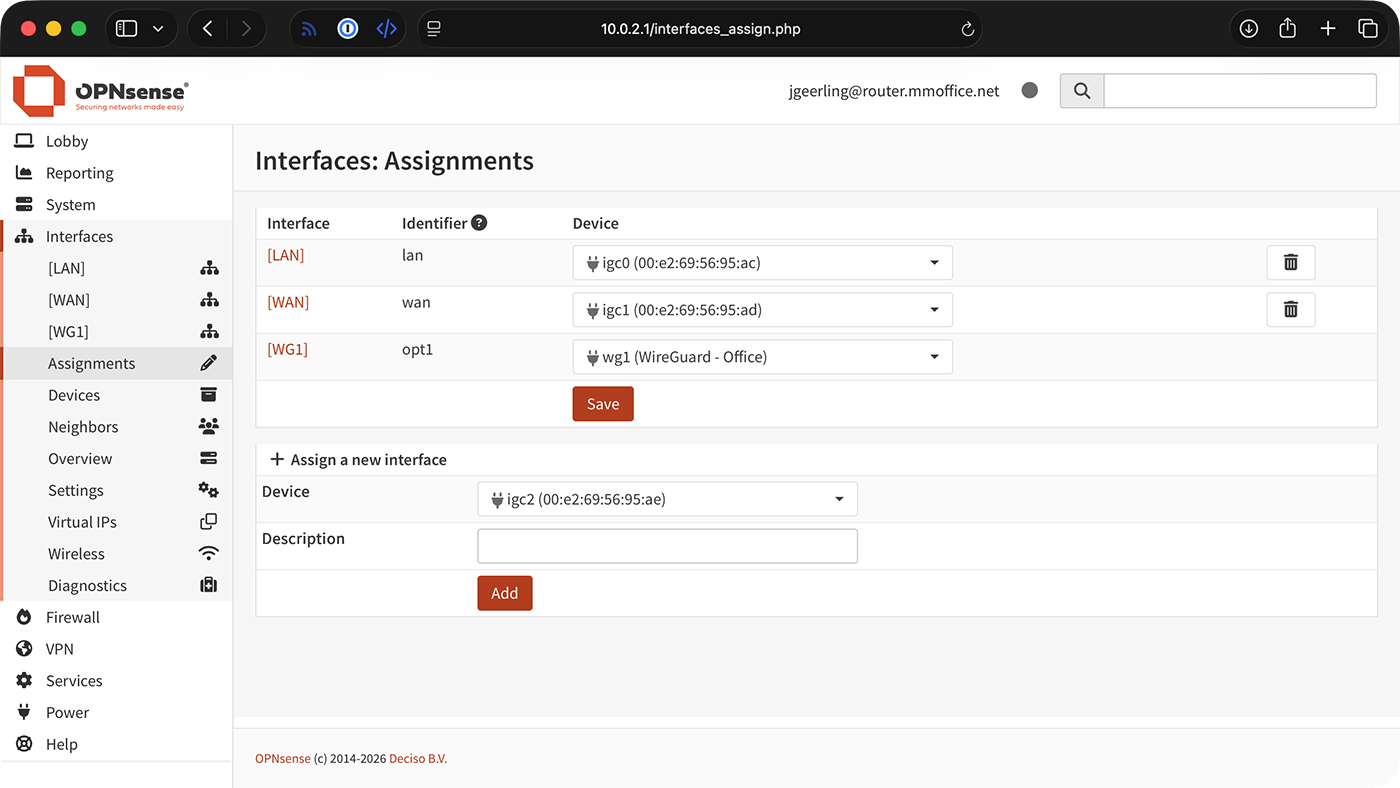
OPNsense Interface igc2 assignment

Then I clicked on WAN2 in the sidebar, and changed the following settings:

  • Enable (checked)
  • IPv4 Configuration Type: DHCP

Click 'Save', then 'Apply Changes' (at the top), then go to System > Gateways > Configuration, and make sure your new WAN2 gateway has appeared there.

(Since I don't want automatic failover, I won't set up any specific rules / monitors here, but you can figure that out on your own if you want that.)

Go to Firewall > NAT > Outbound and make sure you have 'Automatic outbound NAT' set up. If it is not set up, you may need to add a rule for the WAN2 interface.

Failover
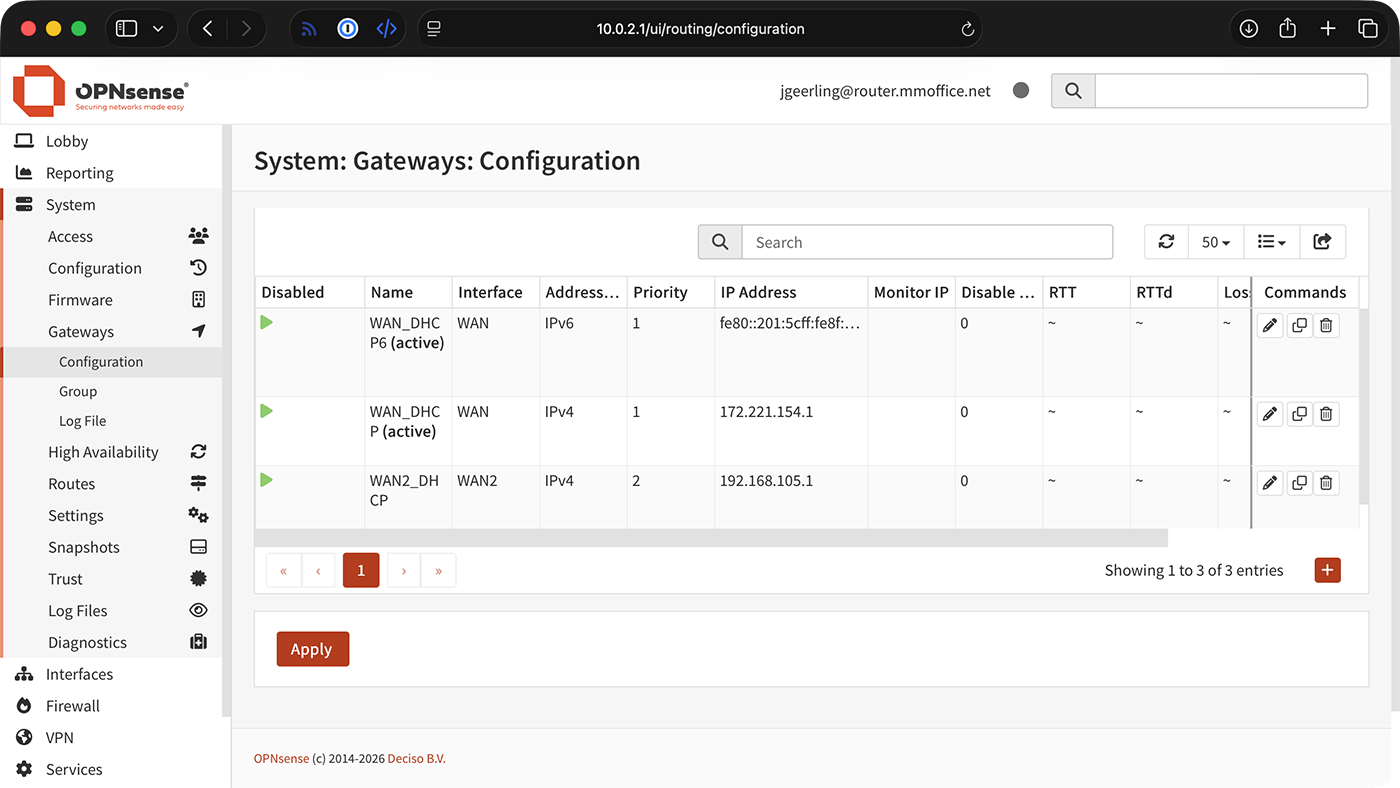
OPNsense Interface Gateway configuration page

To actually failover to WAN2:

  1. Visit System > Gateways > Configuration
  2. Edit WAN2_DHCP, and set the Priority to "1" (and make sure it is not 'Disabled')
  3. Edit WAN_DHCP, and set the Priority to "2"
  4. Click 'Apply' and wait a few seconds

I usually use curl icanhazip.com or visit fast.com to determine which connection my computer's actually using at any given moment.

To switch back, set WAN2_DHCP to "2" (or more), and WAN_DHCP to "1" (making sure it is not 'Disabled'), and click 'Apply' again.