









I recently picked up the Corsair Galleon 100 SD, Corsair’s new mechanical gaming keyboard with integrated Stream Deck LCD keys. I covered the full setup and first impressions in my earlier review. On paper, it’s a compelling product: Cherry MX-style switches, per-key RGB, and Stream Deck functionality built right into the keyboard. In practice, mine shipped with a defect that made it nearly unusable for serious work.
Update (April 7, 2026)
Corsair has published public beta firmware v1.4.73 for the Galleon 100 SD that targets the left Shift / Caps Lock defect described below. I updated from v1.3.70 to v1.4.73 on April 7, and so far, the bug appears to be fixed on my unit. Manual update steps and screenshots are in the Firmware Fix section below. Thanks to Paul B in the comments for flagging Corsair’s beta firmware page.
On April 6, 2026, reader Paul B posted in the comments that Corsair had quietly published a public beta firmware (v1.4.73) for the Galleon 100 SD. The release notes specifically mention the left Shift / Caps Lock issue.
This is a manual firmware update. Unlike the normal auto-detect flow in the Corsair Firmware Update Utility, you need to download the firmware file from Corsair’s support page and upload it yourself. Here is the process:
.bin file from Corsair’s Galleon 100 SD Beta Firmware page..bin file.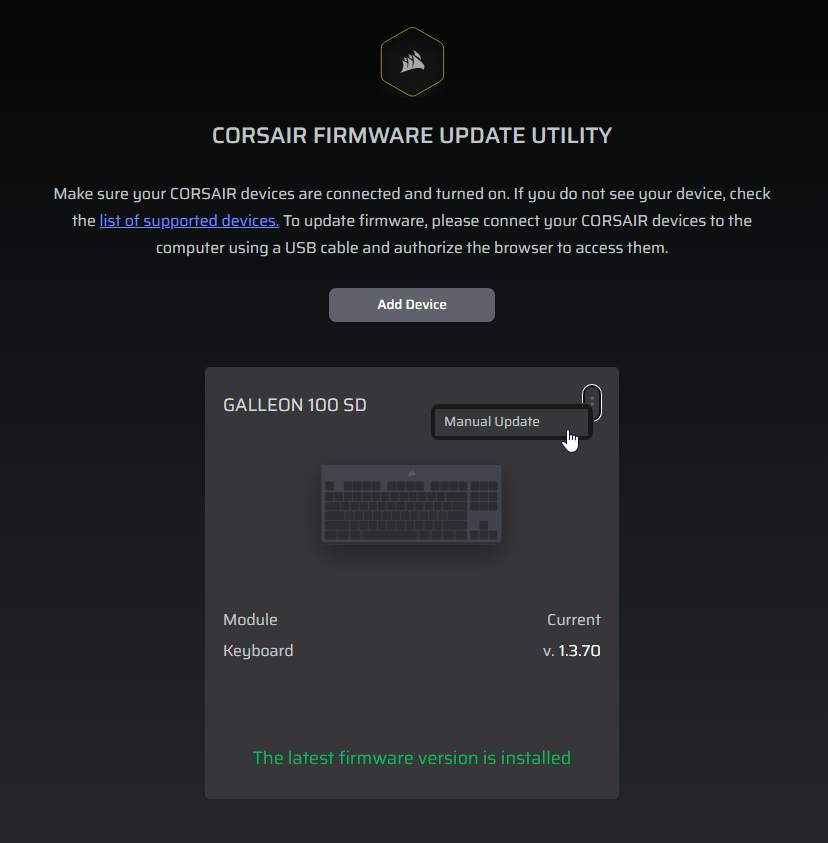
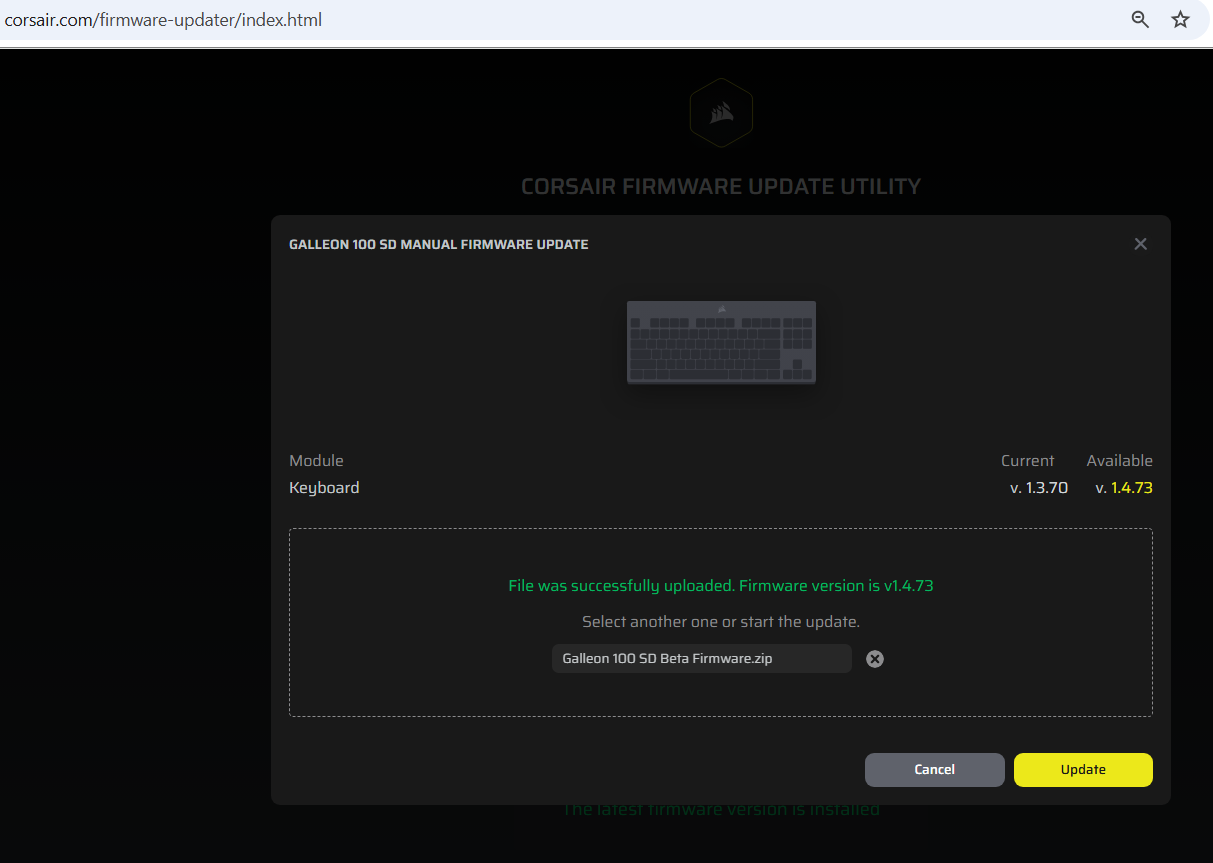
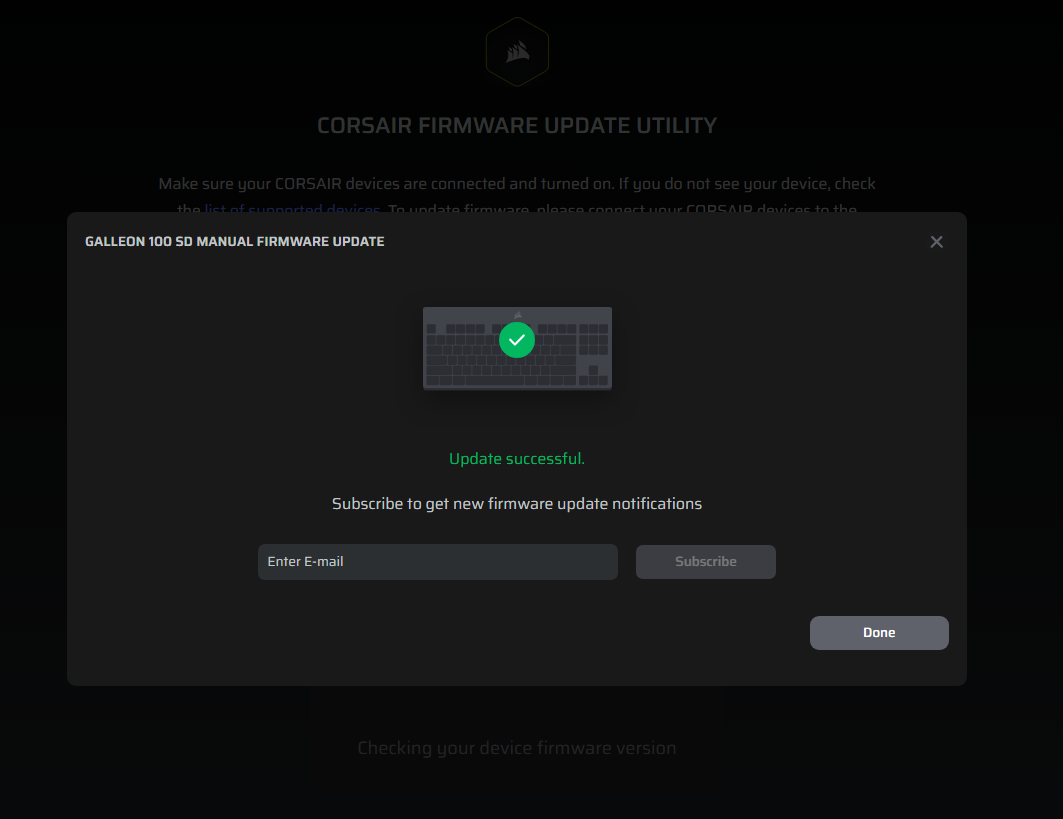
After installing the update, I tested the keyboard extensively and the left Shift / Caps Lock issue has not reappeared. This is on the same replacement unit that was still triggering the defect as recently as April 5. The firmware update appears to have resolved it.
Important notes:
Most every time I pressed the left Shift key, Caps Lock would activate. You can imagine how quickly that derails any kind of productive typing, coding, or gaming. Tab and other keys in the row seem to also be somewhat affected.
Before filing a return, I wanted to rule out every possible software and driver explanation. Here’s everything I tested:
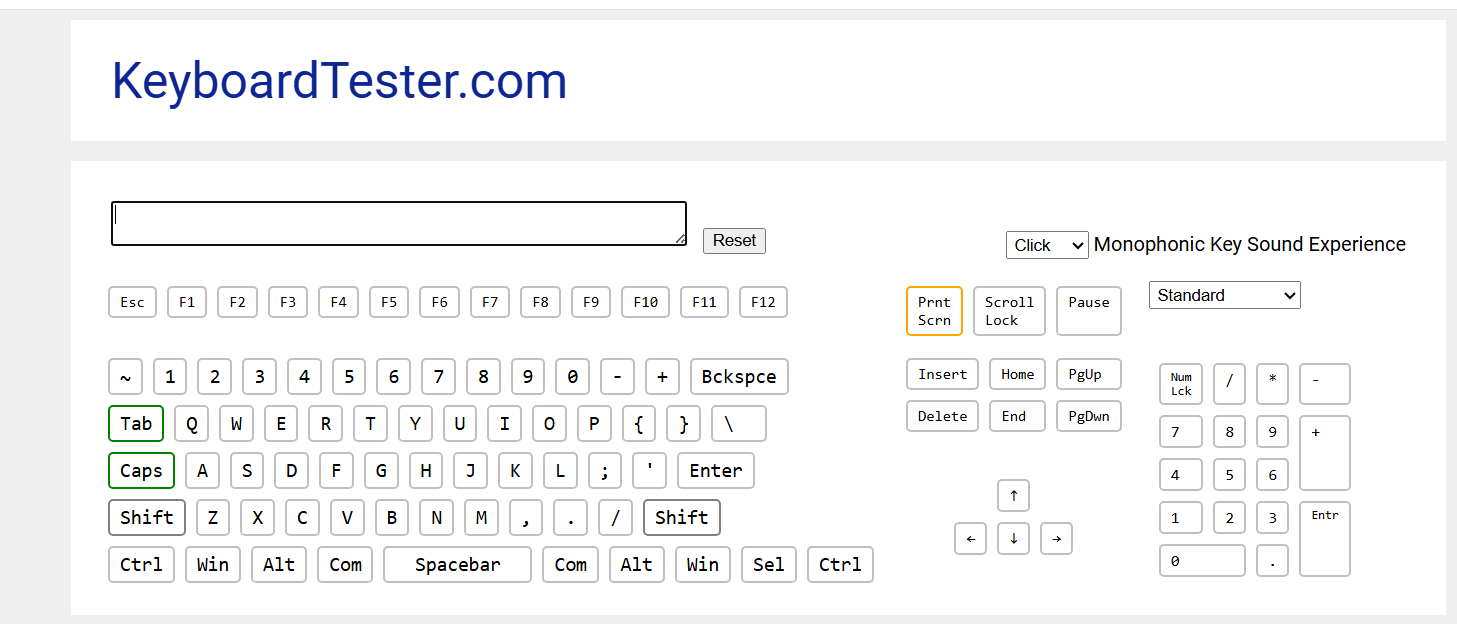
The screenshot above shows both Shift and Caps Lock registering simultaneously from a single left Shift press. This confirmed it’s a hardware-level issue, not a driver or configuration problem.
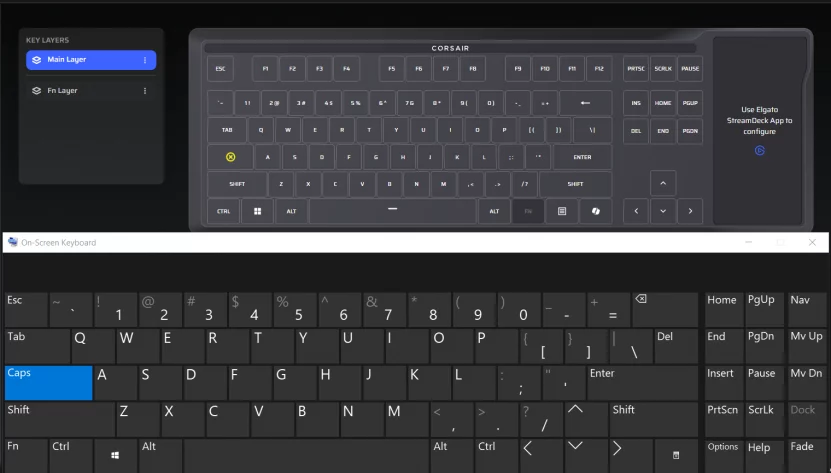
The CAPS key has been disabled, yet the CAPSLOCK has still been triggered (see on screen keyboard)
This is on my *replacement* keyboard
A quick search turned up other users on Reddit reporting the exact same behavior on the Galleon 100 SD. Left Shift triggering Caps Lock appears to be a defect affecting at least some units in this product line.
Corsair’s and Elgato (since Corair owns them now) support process routes you through an AI chatbot:
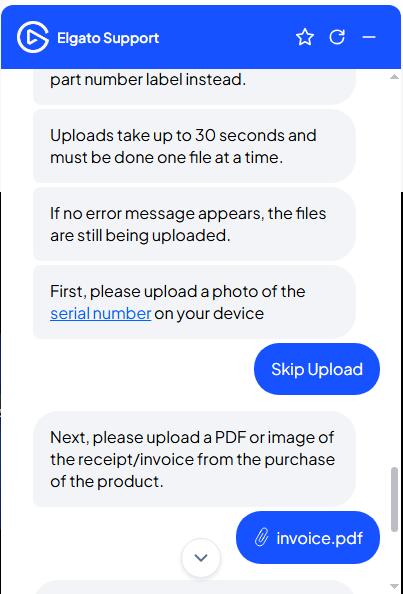
The bot correctly identified that the device likely needed a warranty exchange, but the flow required filling out a multi-step form inline in the chat window: name, contact info, shipping address, part number, serial number, photo uploads, and a copy of your invoice.
The photo upload process deserves special mention: uploads reportedly take up to 30 seconds per file, must be done one at a time, and the only confirmation that an upload is still in progress is the absence of an error message. Not exactly confidence-inspiring UX.
That said, the form did eventually go through and generate a support ticket. We’ll see how the replacement process goes.
If you’re dealing with this issue and haven’t tried the firmware update yet, start there. If you need a temporary workaround while waiting, you can disable Caps Lock at the OS level. Note that this doesn’t fix the underlying defect; it just prevents Caps Lock from toggling.
Install PowerToys from the Microsoft Store or GitHub. Open Settings, go to Keyboard Manager → Remap a key, and set Caps Lock to Disable. Done.
The catch: PowerToys has to be running for the remap to work, and it won’t apply at the Windows login screen.
For a system-level fix that works everywhere, including the login screen, with no background app required:
HKEY_LOCAL_MACHINESYSTEMCurrentControlSetControlKeyboard LayoutScancode Map00 00 00 00 00 00 00 00 02 00 00 00 00 00 3A 00 00 00 00 00This maps the Caps Lock scancode (0x3A) to nothing. To undo it later, just delete the Scancode Map value and reboot.
If you’re returning yours or just shopping for alternatives, here are a few solid options in the premium mechanical keyboard space:
If the Stream Deck LCD keys are the main draw, consider pairing a standalone Stream Deck with a dedicated mechanical gaming keyboard. You get the same functionality without the single-point-of-failure risk.
If your Galleon 100 SD has the left Shift / Caps Lock defect, try the beta firmware update (v1.4.73 first. It resolved the issue on my unit after weeks of frustration and a failed RMA replacement.
If the firmware update doesn’t fix it for you, Corsair’s warranty support is available. Return it or open a ticket. The workarounds above (PowerToys or Registry) can keep you productive in the meantime.
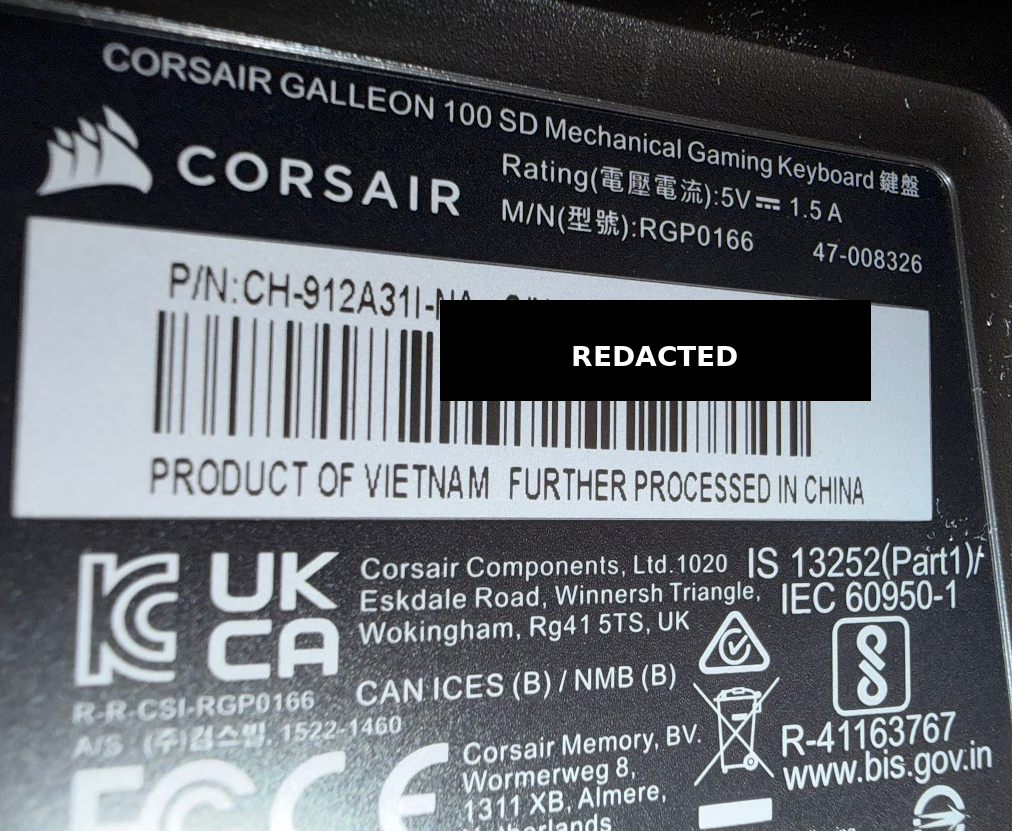
Part Number: CH-912A31I-NA
If you’ve tried the firmware update, drop a comment below and let others know whether it worked on your unit. The more data points we have, the better.
此内容由惯性聚合(RSS阅读器)自动聚合整理,仅供阅读参考。 原文来自 — 版权归原作者所有。