

惯性聚合 高效追踪和阅读你感兴趣的博客、新闻、科技资讯
阅读原文 在惯性聚合中打开

推荐订阅源

Recent Announcements
V
Visual Studio Blog
freeCodeCamp Programming Tutorials: Python, JavaScript, Git & More
云风的 BLOG
云风的 BLOG
Microsoft Security Blog
博客园 - 司徒正美
Y
Y Combinator Blog
Stack Overflow Blog
Stack Overflow Blog
雷峰网
雷峰网
小众软件
小众软件
GbyAI
GbyAI
OSCHINA 社区最新新闻
OSCHINA 社区最新新闻
aimingoo的专栏
aimingoo的专栏
MyScale Blog
MyScale Blog
让小产品的独立变现更简单 - ezindie.com
腾讯CDC
A
About on SuperTechFans
宝玉的分享
宝玉的分享
WordPress大学
WordPress大学
B
Blog RSS Feed
G
Google Developers Blog
量子位
Cyber Security Advisories - MS-ISAC
博客园 - 三生石上(FineUI控件)

Posts on Noah Bailey

How to turn anything into a router Deploy to Cloudfront from GitHub using OpenID Connect Backup Postgres databases with Kubernetes CronJobs The spelling error made 200 billion times a day Restarting Kubernetes pods using a CronJob You've just bought a new domain. Now what? Who Sawed My Motherboard??? Linux on the P8 Aliexpress Mini Laptop Recovering Mysql/Mariadb after a nasty crash Using EXIF data to pick my next lens Converting and developing RAW photos on Linux automatically Thank you, 2016 iPhone Don't Make It Work Self-hosted Surveillance with ZoneMinder Backups, Monitoring, and Security for small Mastodon servers Block web scanners with ipset & iptables Executing commands over SSH with GitHub Actions Debian Sid on encrypted ZFS Protect your dangerously insecure redis server Debian: the luxurious boring lifestyle Simple Linux server alerts: Know your performance, errors, security, syslog, and security NUC crashes on debian 11 - How I fixed it Basic Linux server security with fail2ban, ossec, and firewall Windows 11 will create heaps of needless trash Domesticated Kubernetes Networking The Cursed Certificate Our mostly disposable and entirely stupid world Trying out OpenBSD (as a Linux geek) Making VoIP Calls with Antique Rotary Phones Monitoring WAN speed with speedtest-cli and ElasticSearch
Monitor radiation with a Raspberry Pi
2022-02-05 · via Posts on Noah Bailey

I have an odd fascination with radiation… Not to the point that I’m buying “Naturally Occurring Radioactive Materials” (or NORMs for short) on eBay, but certainly to the point that I own a digital geiger counter and regularly measure… things…

Recently, I discovered https://radmon.org, a site where users can connect a counter to their API and send data to the network of scientists that study background radiation in real time.
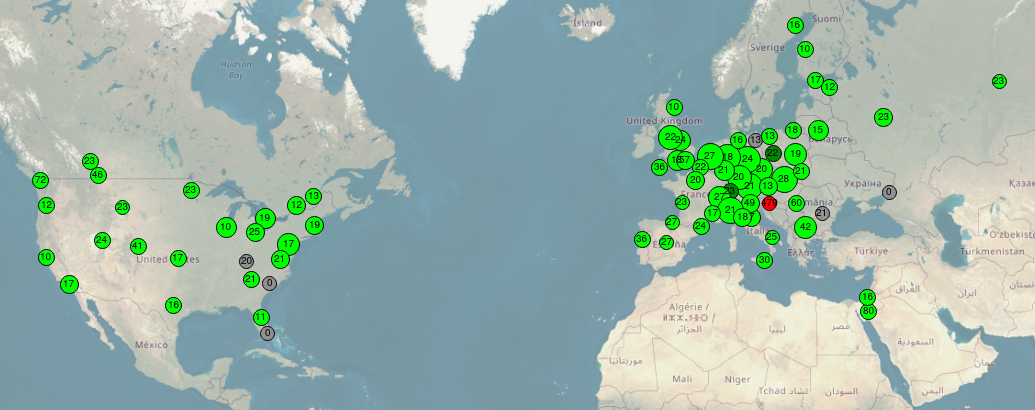
For this project, I dug up an old Pi, installed raspian, and got to work.

Since the software I will use must be built from source, I had to install all of the basic C devtools.

sudo apt install git build-essential

Then, the GCLog project was downloaded.

git clone https://github.com/stelas/GCLog.git && cd GCLog

Building and installing is likewise very simple:

make
sudo make install

Though it installs an init script, it can still be used with systemd.

sudo systemctl enable gclogd

My GC device is a GQ electronics GMC-320v5. When plugged in with USB, it exposes a basic serial console device at /dev/ttyUSB0, which can be used to send commands and retrieve data. I was able to find the entire protocol spec as well.

The baud rate is set to 115200 by default, so that will need to be set in the config file.

etc/gclog.conf file:

device.type=gq
device.port=/dev/ttyUSB0
device.baudrate=115200

There are other settings in the same file that must be set to send data to Radmon.

location=My City
latitude=12.3456
longitude=-65.4321

radmon.user=username
radmon.pass=XXXXXXXX

With the config set, the service can be started:

sudo systemctl start gclogd.service

Within a few minutes, a little green bubble will show up over your town with a (hopefully low!) amount of radiation as measured by your GC.