

惯性聚合 高效追踪和阅读你感兴趣的博客、新闻、科技资讯
阅读原文 在惯性聚合中打开

推荐订阅源

Threat Intelligence Blog | Flashpoint
S
Securelist
Simon Willison's Weblog
Security Latest
Security Latest
博客园 - 司徒正美
T
Threat Research - Cisco Blogs
OSCHINA 社区最新新闻
OSCHINA 社区最新新闻
C
Check Point Blog
Jina AI
Jina AI
H
Heimdal Security Blog
Cyber Security Advisories - MS-ISAC
Exploit-DB.com RSS Feed
B
Blog
美团技术团队
W
WeLiveSecurity
G
Google Developers Blog
K
Kaspersky official blog
Application and Cybersecurity Blog
C
Cybersecurity and Infrastructure Security Agency CISA
cs.CV updates on arXiv.org
V
Visual Studio Blog
T
Threatpost
酷 壳 – CoolShell
酷 壳 – CoolShell
www.infosecurity-magazine.com
Attack and Defense Labs
腾讯CDC
Hacker News - Newest:
Hacker News - Newest: "LLM"
Cyberwarzone
Cyberwarzone
Apple Machine Learning Research
P
Privacy & Cybersecurity Law Blog
H
Hacker News: Front Page
博客园 - 【当耐特】
人人都是产品经理
人人都是产品经理
有赞技术团队
有赞技术团队
Hugging Face - Blog
Hugging Face - Blog
Recent Commits to openclaw:main
D
Darknet – Hacking Tools, Hacker News & Cyber Security
C
CERT Recently Published Vulnerability Notes
V
Vulnerabilities – Threatpost
AI
AI
MongoDB | Blog
MongoDB | Blog
Project Zero
Project Zero
Hacker News: Ask HN
Hacker News: Ask HN
量子位
A
Arctic Wolf
GbyAI
GbyAI
Recorded Future
Recorded Future
SecWiki News
SecWiki News
小众软件
小众软件
Martin Fowler
Martin Fowler

Hsu Yeung 的博客

三圣花市 | Hsu Yeung 的博客 网站支持 Live Photo 图片展示 | Hsu Yeung 的博客 梦 | Hsu Yeung 的博客 周末午餐 | Hsu Yeung 的博客 张家界 | Hsu Yeung 的博客 话剧《寻她芳踪·张爱玲》 | Hsu Yeung 的博客 博客自动生成文章目录 | Hsu Yeung 的博客 灭螂行动! | Hsu Yeung 的博客 张靓颖成都演唱会 | Hsu Yeung 的博客 最近对博客做的一些微调总结 | Hsu Yeung 的博客 Windows 上安装 Lua | Hsu Yeung 的博客 网站支持展示 B 站 iframe 视频 SpringBoot 中使用 RedisTemplate 存取整数值的坑 | Hsu Yeung 的博客 SQL JOIN 中 ON 与 WHERE 的区别 值得记录的一些工作近况 | Hsu Yeung 的博客 周传雄成都演唱会 | Hsu Yeung 的博客 并行操作导致获取数据库连接超时 | Hsu Yeung 的博客 风信子 | Hsu Yeung 的博客 Linux 安装并配置 Nginx | Hsu Yeung 的博客 使用 logrotate 切割 nginx 日志 郁金香土培结果 | Hsu Yeung 的博客 MySQL LEFT JOIN 右表有多条数据但只取最新的一条 | Hsu Yeung 的博客 获取数据库锁等待超时问题 | Hsu Yeung 的博客 从零开始挑选相机 | Hsu Yeung 的博客 郁金香 | Hsu Yeung 的博客 我的第一束花 | Hsu Yeung 的博客 快乐的一周 | Hsu Yeung 的博客 重庆,来了 | Hsu Yeung 的博客 散步 | Hsu Yeung 的博客 Git 工作区、暂存区、版本库之间的关系 | Hsu Yeung 的博客 Collectors.toMap() 操作 value 为 null 的情况 AOP 记录请求参数时序列化异常问题 | Hsu Yeung 的博客 第一次参加演唱会 | Hsu Yeung 的博客 MySQL FIND_IN_SET 函数的使用 | Hsu Yeung 的博客 自动拆箱机制导致编译失败 | Hsu Yeung 的博客 最近 | Hsu Yeung 的博客 夜爬龙泉山 | Hsu Yeung 的博客 在 Windows 上安装多个版本 JDK 并切换使用的版本 意外的奖励 | Hsu Yeung 的博客 记第一次修热水器 | Hsu Yeung 的博客 在 Windows 电脑上调试 iPhone Safari 浏览器的网页 给网站加上 RSS | Hsu Yeung 的博客 打雷了 | Hsu Yeung 的博客 豉汁蒸排骨 | Hsu Yeung 的博客 我的 2022 年 | Hsu Yeung 的博客 如何使用 Git 给代码打 tag | Hsu Yeung 的博客 记一次有趣的上班经历 | Hsu Yeung 的博客 我记得 | Hsu Yeung 的博客 Spring 新增或修改请求 header 参数 | Hsu Yeung 的博客 Spring 事务传播机制 | Hsu Yeung 的博客 在家自制“周黑鸭” | Hsu Yeung 的博客 晚餐 | Hsu Yeung 的博客 如何解决逻辑删除与数据库唯一约束冲突 | Hsu Yeung 的博客 [转]漫画赏析:Linux 内核到底长啥样 | Hsu Yeung 的博客 数据库逻辑设计之三大范式通俗理解 | Hsu Yeung 的博客 计算机中的大小端是指什么 | Hsu Yeung 的博客 MySQL 学习笔记 | Hsu Yeung 的博客 [转]《玉子市场》的人物魅力 | Hsu Yeung 的博客 Linux 安装 Redis | Hsu Yeung 的博客 Linux 安装 MySQL | Hsu Yeung 的博客 Linux 安装 JDK | Hsu Yeung 的博客 [转]Thymeleaf 表达式工具类 | Hsu Yeung 的博客 Shell 基础入门介绍 | Hsu Yeung 的博客 Linux 中的软链接和硬链接 | Hsu Yeung 的博客 MySQL 将某些字段的值排在最前或最后 | Hsu Yeung 的博客 数据结构与算法学习笔记 | Hsu Yeung 的博客 Visual Studio Code 如何编写运行 C 程序?
安装 Windows Terminal 和 gsudo 记录
2023-04-24 · via Hsu Yeung 的博客

1. 什么是 Windows Terminal

以下摘自官方介绍:

Windows 终端程序是一款新式、快速、高效、强大且高效的终端应用程序,
适用于命令行工具和命令提示符,PowerShell和 WSL 等 Shell 用户。
主要功能包括多个选项卡、窗格、Unicode、和 UTF-8 字符支持,
GPU 加速文本渲染引擎以及自定义主题、样式和配置。

2. 安装 Windows Terminal

直接打开 Microsaft Store 搜索 Windows Terminal 下载即可。
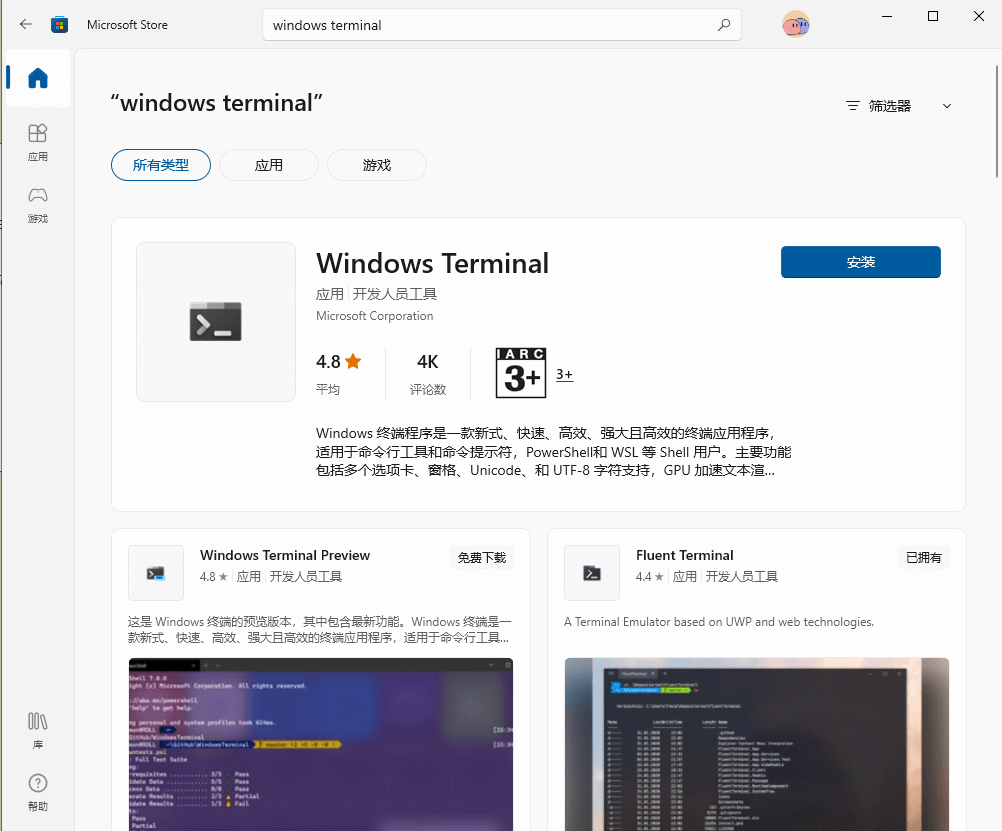
商店截图
商店截图

可直接参考微软官方的教程:Windows Terminal 安装教程

3. 什么是 gsudo

以下摘自 gsudo 官方介绍

gsudo is a sudo equivalent for Windows,with a similar user-experience as the original Unix/Linux sudo.
Allows to run commands with elevated permissions, or to elevate the current shell, in the current console window or a new one.
Just prepend gsudo (or the sudo alias) to your command and it will run elevated. 
One UAC popup will appear each time. 
You can see less popups if you enable gsudo cache.

简单来说就是可以让我们简化“以管理员身份运行”这个操作,不用每一次都去选择、确认,可以像 linux 系统那样,直接在命令行使用 sudo 命令即可提权。

4. 安装 gsudo

官方一共提供了 5 种安装方式,分别是:

  1. 使用 Scoop: scoop install gsudo
  2. 使用 WinGet: winget install gerardog.gsudo
  3. 使用 Chocolatey: choco install gsudo
  4. 手动安装:下载最新的发行版压缩包解压后将其所在目录配置到环境变量的 PATH
  5. 使用 PowerShell:
PowerShell -Command "Set-ExecutionPolicy RemoteSigned -scope Process; [Net.ServicePointManager]::SecurityProtocol = 'Tls12'; iwr -useb https://raw.githubusercontent.com/gerardog/gsudo/master/installgsudo.ps1 | iex"

安装后以后需要管理员身份运行的命令,在 Windows Terminal 中打开 CMD 或者 PowerShell 后只需要在命令前面加上 gsudo 或者 sudo 就可以了。