惯性聚合 高效追踪和阅读你感兴趣的博客、新闻、科技资讯
阅读原文 在惯性聚合中打开

推荐订阅源

TaoSecurity Blog
TaoSecurity Blog
Jina AI
Jina AI
雷峰网
雷峰网
月光博客
月光博客
The GitHub Blog
The GitHub Blog
WordPress大学
WordPress大学
B
Blog RSS Feed
美团技术团队
C
CXSECURITY Database RSS Feed - CXSecurity.com
小众软件
小众软件
Security Latest
Security Latest
Microsoft Azure Blog
Threat Intelligence Blog | Flashpoint
C
Cybersecurity and Infrastructure Security Agency CISA
Last Week in AI
Last Week in AI
A
Arctic Wolf
Latest news
Latest news
Attack and Defense Labs
I
Intezer
F
Fortinet All Blogs
罗磊的独立博客
MongoDB | Blog
MongoDB | Blog
Webroot Blog
Webroot Blog
S
Secure Thoughts
Help Net Security
Help Net Security
Apple Machine Learning Research
博客园_首页
V
Visual Studio Blog
P
Proofpoint News Feed
博客园 - 【当耐特】
P
Privacy International News Feed
V
Vulnerabilities – Threatpost
Stack Overflow Blog
Stack Overflow Blog
Know Your Adversary
Know Your Adversary
云风的 BLOG
云风的 BLOG
Hacker News: Ask HN
Hacker News: Ask HN
L
LINUX DO - 最新话题
H
Help Net Security
爱范儿
爱范儿
酷 壳 – CoolShell
酷 壳 – CoolShell
S
SegmentFault 最新的问题
Forbes - Security
Forbes - Security
T
Tailwind CSS Blog
量子位
奇客Solidot–传递最新科技情报
奇客Solidot–传递最新科技情报
T
Tenable Blog
Cloudbric
Cloudbric
N
News and Events Feed by Topic
cs.AI updates on arXiv.org
Hugging Face - Blog
Hugging Face - Blog

噜啦 - 浮动

浮动练习 淘宝轮播图 - 噜啦 浮动 - 噜啦
浮动带来的问题以及解决方法 - 噜啦
博主: 噜啦 · 2019-04-28 · via 噜啦 - 浮动

浮动带来的问题以及解决方法

  • 发布时间:
  • 1654 次浏览
  • 1451字数
  • 分类: 前端笔记本
  1. 首页
  2. 正文  

知识点

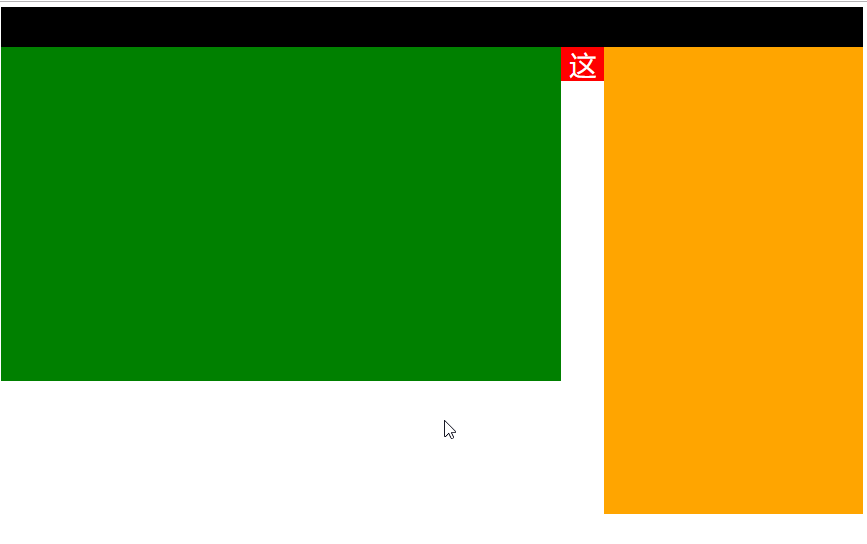
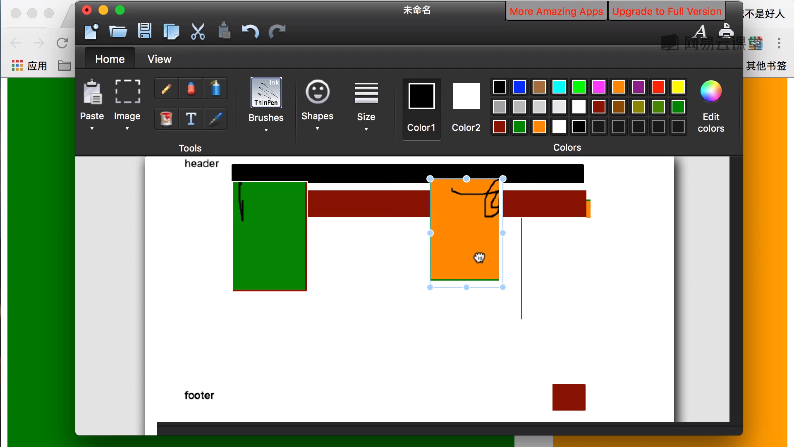
浮动带来的问题:可能会影响后面的布局

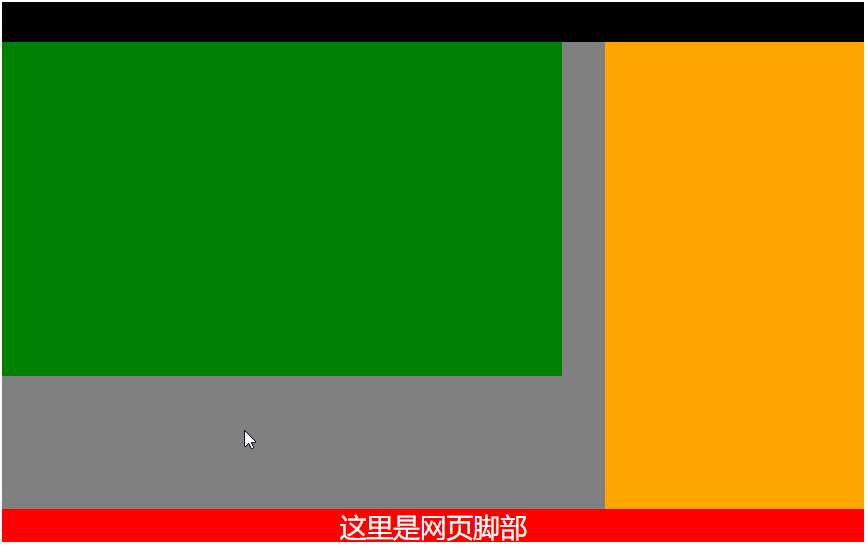
以及解决方法:用完浮动后,清除浮动

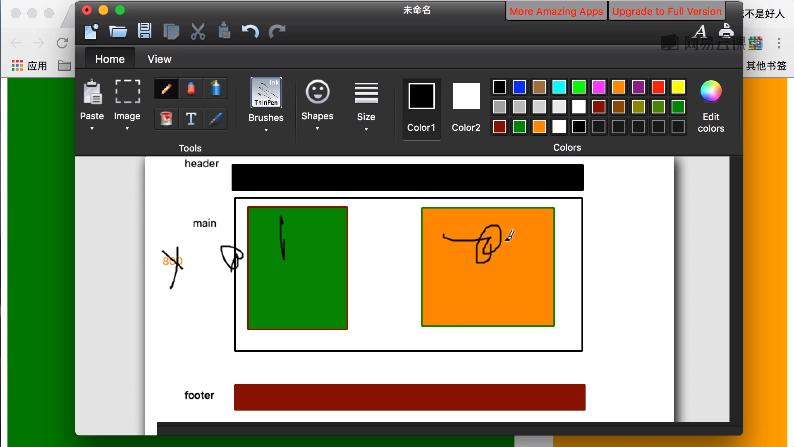
示例

浮动示例
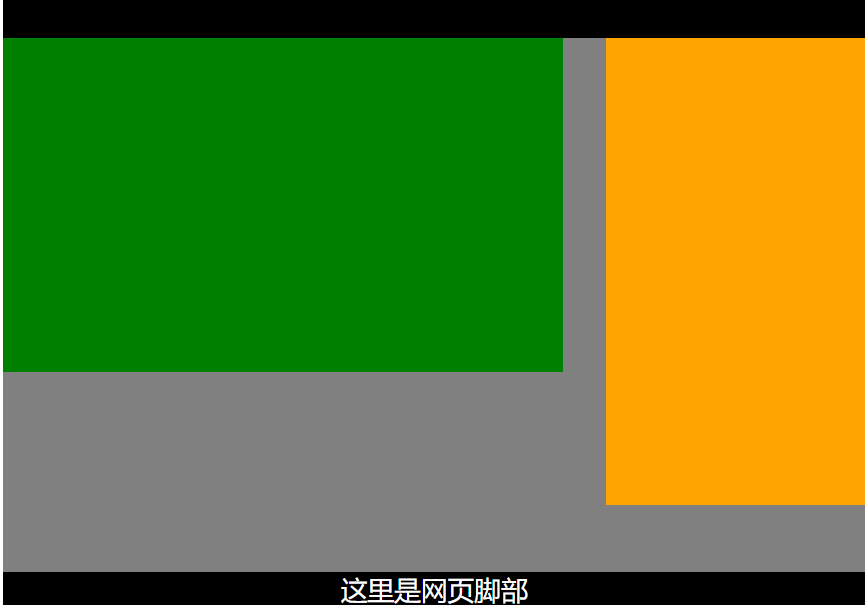
chrome_l2NlYZ2b5j.png

去掉main部分的高度限制

chrome_DsdOAjuk9K.png

原因

chrome_I66vtB5AOd.png

chrome_odE43YMuLS.png

解决方法:用了float后,去掉float

chrome_XCmOuvWqYf.png

代码

<!DOCTYPE html>
<html>
    <head>
        <meta charset="utf-8">
        <title></title>
        <style type="text/css">
            .header{
                height: 60px;
                background-color: black;
            }
            .main{
                /* height: 800px; */
                background-color: gray;
            }
            
            .left{
                height: 500px;
                width: 65%;
                background-color: green;
                float: left;
            }
            .right{
                height: 700px;
                width: 30%;
                background-color: orange;
                /* float */
                float: right;
            }
            
        .footer{
            height: 50px;
            /* background-color: black; */
            background-color: red;
            color: white;
            /* 居中 */
            text-align: center;
            font-size: 40px;
        }
        /* 清除浮动 */
        .clear{
            clear: both;
        }
            
            
        </style>
    </head>
    <body>
        <!-- 网页头部 -->
        <div class="header"></div>
        <!-- 网页主体内容  高度800px-->
        <!-- 需要自适应高度 高度不固定 -->
        <!-- 但会导致底部footer 往上跑 -->
        <div class="main">
            <!-- 网页左边部分 -->
            <div class="left"></div>
            <!-- 网页左边部分 -->
            <div class="right"></div>
            <!-- 清除浮动 -->
            <div class="clear"></div>
        </div>
        <!-- 网页的底部 -->
        <div class="footer">这里是网页脚部</div>
        
        
    </body>
</html>

赞赏作者

如果觉得我的文章对你有用,请随意赞赏

浮动带来的问题以及解决方法

 •