惯性聚合 高效追踪和阅读你感兴趣的博客、新闻、科技资讯
阅读原文 在惯性聚合中打开

推荐订阅源

P
Privacy & Cybersecurity Law Blog
V
V2EX
月光博客
月光博客
奇客Solidot–传递最新科技情报
奇客Solidot–传递最新科技情报
The Register - Security
MongoDB | Blog
MongoDB | Blog
P
Privacy International News Feed
The Last Watchdog
The Last Watchdog
Security Archives - TechRepublic
美团技术团队
Stack Overflow Blog
Stack Overflow Blog
博客园 - 司徒正美
博客园 - 三生石上(FineUI控件)
V
Visual Studio Blog
cs.CV updates on arXiv.org
K
Kaspersky official blog
S
Secure Thoughts
T
Tenable Blog
Security Latest
Security Latest
The Cloudflare Blog
S
Security @ Cisco Blogs
H
Heimdal Security Blog
aimingoo的专栏
aimingoo的专栏
TaoSecurity Blog
TaoSecurity Blog
Blog — PlanetScale
Blog — PlanetScale
Microsoft Security Blog
Schneier on Security
Webroot Blog
Webroot Blog
G
Google Developers Blog
www.infosecurity-magazine.com
Scott Helme
Scott Helme
IT之家
IT之家
Latest news
Latest news
The Hacker News
The Hacker News
C
Check Point Blog
T
The Exploit Database - CXSecurity.com
H
Hackread – Cybersecurity News, Data Breaches, AI and More
腾讯CDC
C
CERT Recently Published Vulnerability Notes
NISL@THU
NISL@THU
N
News | PayPal Newsroom
Forbes - Security
Forbes - Security
P
Palo Alto Networks Blog
S
Security Affairs
S
Securelist
Google Online Security Blog
WordPress大学
WordPress大学
Last Week in AI
Last Week in AI
C
Cybersecurity and Infrastructure Security Agency CISA
A
About on SuperTechFans

KOBIN 技术随笔

Mac 系统消除软件更新的通知红点 通过 Docker 部署 Filament 后台管理系统 安装 Uptime Kuma 服务器监控面板 WordPress 站点开启 Nginx FastCGI 页面缓存 将 WordPress 数据库版本从 MySQL 5.5 升级为 8.0 CentOS 7 配置 OpenVPN 客户端 安装 Docker CE 和 DPanel 容器管理面板 利用群晖 Docker 安装 VSCode 代码编辑器 H3C 交换机设置 NTP 时间同步源为阿里云服务器 企业微信提示不支持预览该格式的图片
微星主板台式电脑 BIOS 设置 U 盘启动
KOBIN · 2026-01-16 · via KOBIN 技术随笔

微星主板台式电脑 BIOS 设置 U 盘启动

PC 阅读 1764

操作步骤

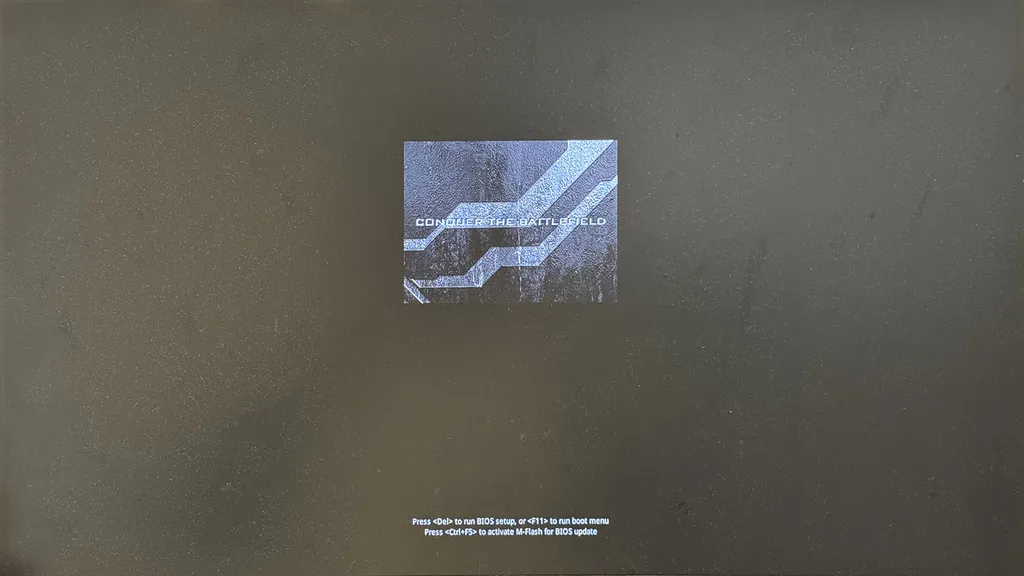
1、按下开机键,屏幕出现 Logo 时连续敲击键盘的「Del」按键进入 BIOS 系统。
微星主板台式电脑 BIOS 设置 U 盘启动

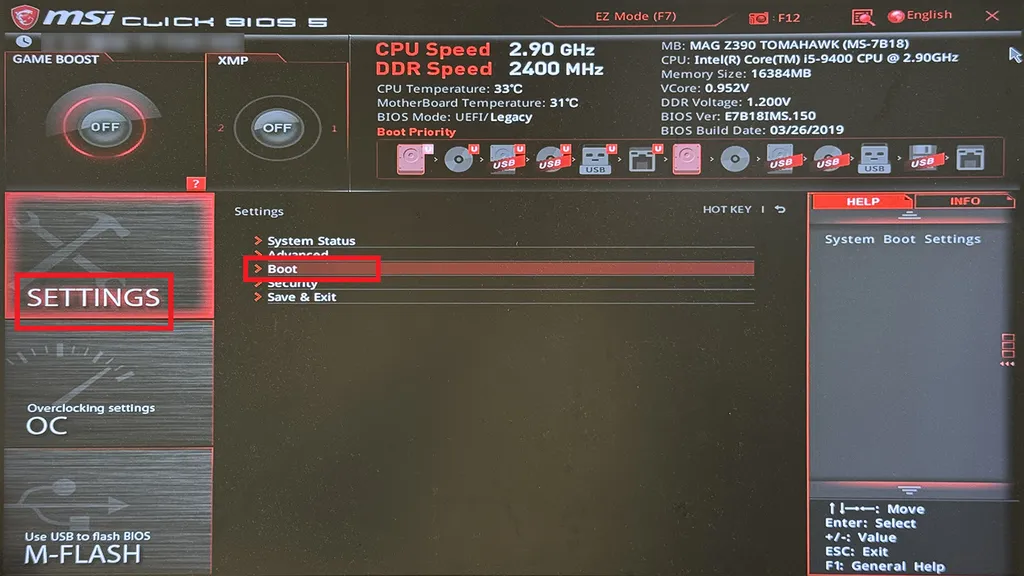
2、键盘按下「F7」进入高级模式(Advanced Mode)。

3、选择「Settings」进入设置菜单,在列表中选择「Boot」进入引导菜单。
微星主板台式电脑 BIOS 设置 U 盘启动

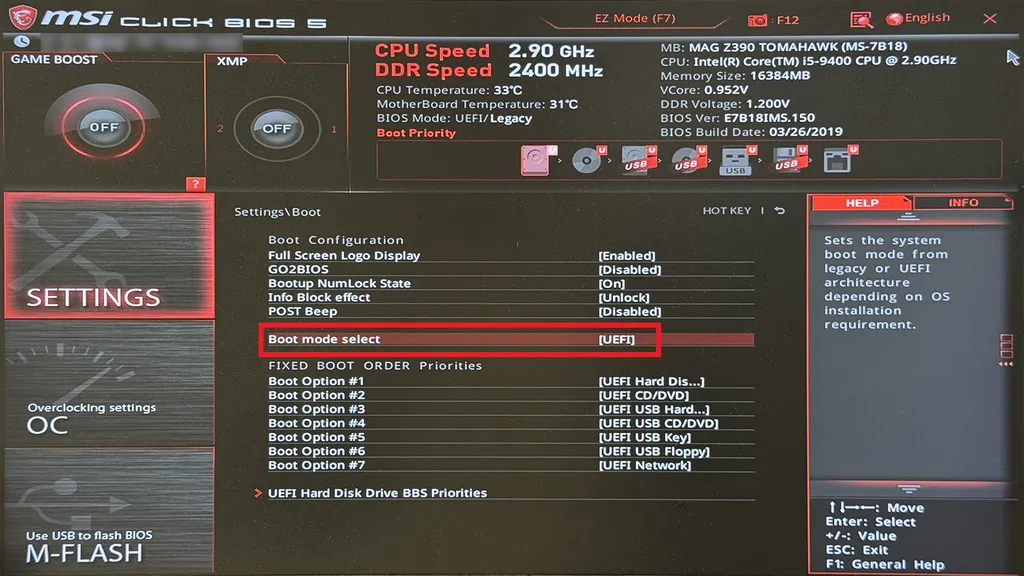
4、将「Boot mode select」启动模式设置为「UEFI」。

微星主板台式电脑 BIOS 设置 U 盘启动

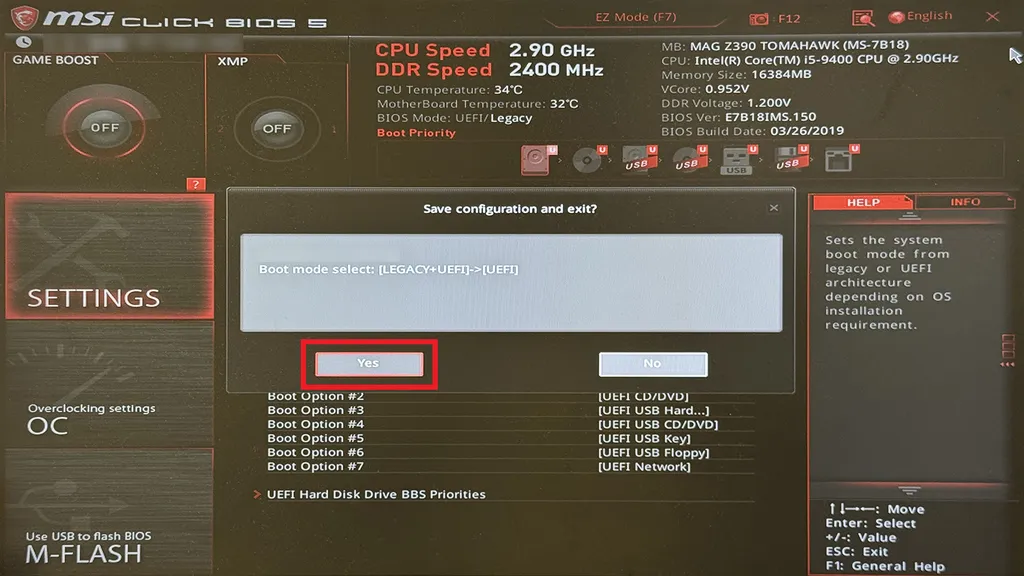
5、键盘按下「F10」保存设置,接着系统提示是否保存更改,选择「OK」继续执行。
微星主板台式电脑 BIOS 设置 U 盘启动

6、电脑将自动重新启动,屏幕出现 Logo 时再次连续敲击键盘的「F11」进入引导目录,在菜单下找到你要进行引导的设备即可。
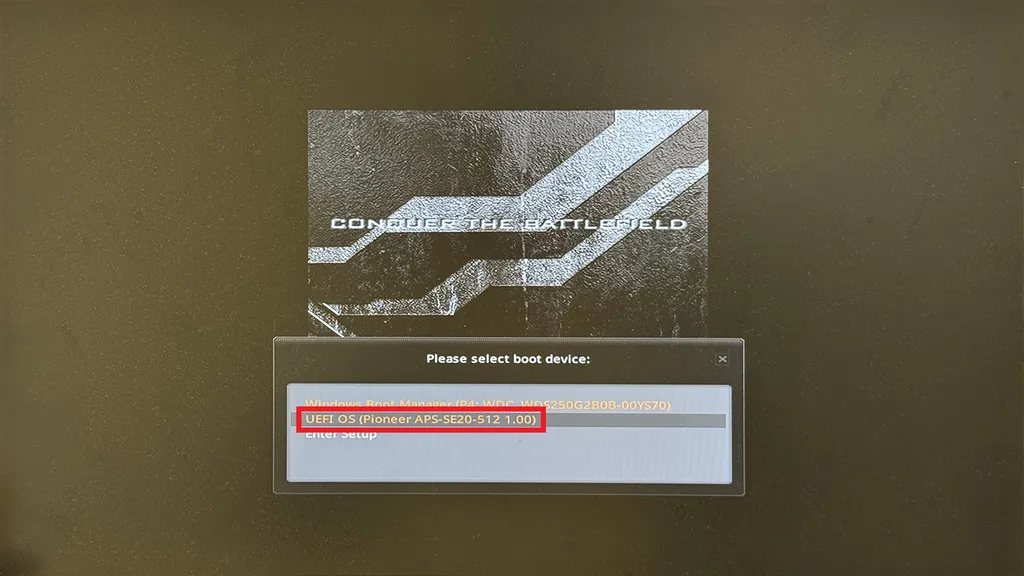
微星主板台式电脑 BIOS 设置 U 盘启动

本文为原创文章,著作权归作者所有:来自「KOBIN 技术随笔」作者的原创作品,转载请标明出处。
微星主板台式电脑 BIOS 设置 U 盘启动
https://blog.kobin.cn/blog/network/n5/3581.html

评论功能升级维护公告

为响应国家网络信息安全合规要求,并进行全面的安全策略升级,本站自即日起暂时关闭博客的评论功能。

在此期间,您将无法发表新的评论,但仍可正常浏览所有历史文章及现有评论。如果您遇到问题需要协助,可以选择在线留言,或者发送邮件到 chen@kobin.cn 。

对于给您带来的不便,深表歉意。感谢您的理解与支持!

KOBIN 技术随笔
2025 年 8 月 26 日