

惯性聚合 高效追踪和阅读你感兴趣的博客、新闻、科技资讯
阅读原文 在惯性聚合中打开

推荐订阅源

Forbes - Security
Forbes - Security
The Register - Security
G
Google Developers Blog
罗磊的独立博客
WordPress大学
WordPress大学
L
LangChain Blog
博客园 - 三生石上(FineUI控件)
Recorded Future
Recorded Future
Microsoft Azure Blog
Google DeepMind News
大猫的无限游戏
大猫的无限游戏
MongoDB | Blog
MongoDB | Blog
小众软件
小众软件
Recent Announcements
T
Tailwind CSS Blog
让小产品的独立变现更简单 - ezindie.com
云风的 BLOG
云风的 BLOG
Apple Machine Learning Research
酷 壳 – CoolShell
酷 壳 – CoolShell
钛媒体:引领未来商业与生活新知
钛媒体:引领未来商业与生活新知
F
Full Disclosure
The Cloudflare Blog
B
Blog RSS Feed
S
Schneier on Security
T
Tenable Blog
人人都是产品经理
人人都是产品经理
Engineering at Meta
Engineering at Meta
T
Tor Project blog
N
Netflix TechBlog - Medium
T
Threatpost
NISL@THU
NISL@THU
Stack Overflow Blog
Stack Overflow Blog
N
News | PayPal Newsroom
N
News and Events Feed by Topic
aimingoo的专栏
aimingoo的专栏
博客园 - 叶小钗
P
Privacy & Cybersecurity Law Blog
C
CERT Recently Published Vulnerability Notes
Last Week in AI
Last Week in AI
M
MIT News - Artificial intelligence
C
CXSECURITY Database RSS Feed - CXSecurity.com
P
Privacy International News Feed
博客园 - 【当耐特】
Help Net Security
Help Net Security
The Hacker News
The Hacker News
Hugging Face - Blog
Hugging Face - Blog
TaoSecurity Blog
TaoSecurity Blog
S
Secure Thoughts
C
Cisco Blogs
CTFtime.org: upcoming CTF events

Linear Blog

Introducing Loops - Linear Teaching an agent to auto-fix bugs - Linear Now Linear writes the code, too - Linear Reviewing code in the agent era - Linear Code review should be fast - Linear Code Intelligence for Linear Agent - Linear How we hire at Linear - Linear Output isn’t design - Linear Post mortem on Linear security incident on March 24th, 2026 A calmer interface for a product in motion Design is more than code - Linear How our Customer Experience team works in Linear - Linear Continuous planning in Linear - Linear Designing remote work at Linear - Linear Self-driving SaaS: When software runs itself - Linear A Linear spin on Liquid Glass - Linear Best practices for designing Linear Dashboards - Linear Why we committed to a zero-bugs policy - Linear How Commure uses Dashboards to track performance and guide planning - Linear How we built Triage Intelligence - Linear Giving our team liquidity through Linear’s first tender offer - Linear How Cursor integrated with Linear for Agents - Linear Quality Wednesdays: How we trained our team to see what doesn’t work - Linear Our approach to building the Agent Interaction SDK - Linear Inside Mercury’s six-month journey building with AI agents - Linear Building our way: Announcing our Series C - Linear Why is quality so rare? - Linear Design for the AI age Building what customers need, not just what they ask for - Linear The profitable startup - Linear Why and how Scale migrated to Linear - Linear Simplifying support at scale: How Pleo uses Linear Asks - Linear How we built multi-region support for Linear How we redesigned the Linear UI (part Ⅱ) - Linear A design reset (part I) Rethinking the startup MVP: Building a competitive product | Linear Descript's internal guide for using Linear Post mortem on Linear incident from Jan 24th, 2024 | Linear Why and how we do work trials at Linear Using AI to detect similar issues Planning for unplanned work How we run projects at Linear - Linear Linear raises $35M Series B led by Accel - Linear How we think about customer experience at Linear - Linear Scaling the Linear Sync Engine - Linear Welcoming Cristina Cordova to Linear How we built Project Updates Settings are not a design failure Linear – 2021 Wrapped Fast growing startups are built on Linear Building at the early stage Linear raises $13M in Series A funding from Sequoia Capital Invisible details - Building contextual menus - Linear Practices for Building — Linear is now open for all Startups, Write Changelogs Linear’s Next Chapter: Announcing our $4.2M Seed Round
How we use Linear Agent at Linear
Rhea Purohit · 2026-04-10 · via Linear Blog

Before we launched Linear agent, our teams were already using it across Slack, Linear, and our codebase. It’s become a core part of how we build. Here are three workflows that have proven most effective:

  • A customer email turns into a shipped feature
  • A Slack thread becomes a pull request
  • A PM files an issue, and ships the fix

As you’d expect, some of what we use internally has not been released yet, and we’ve called that out where relevant.
From customer email to shipped feature

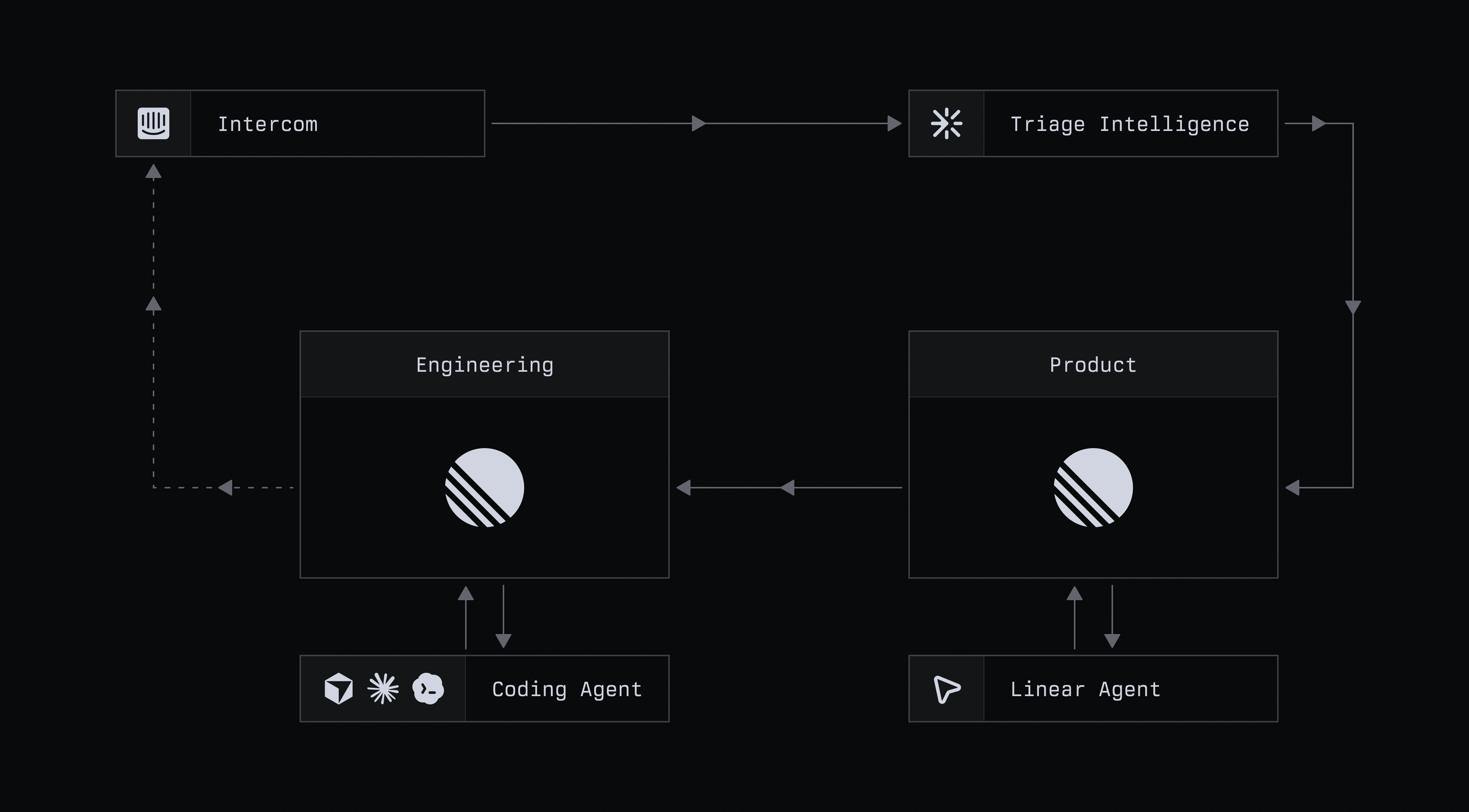
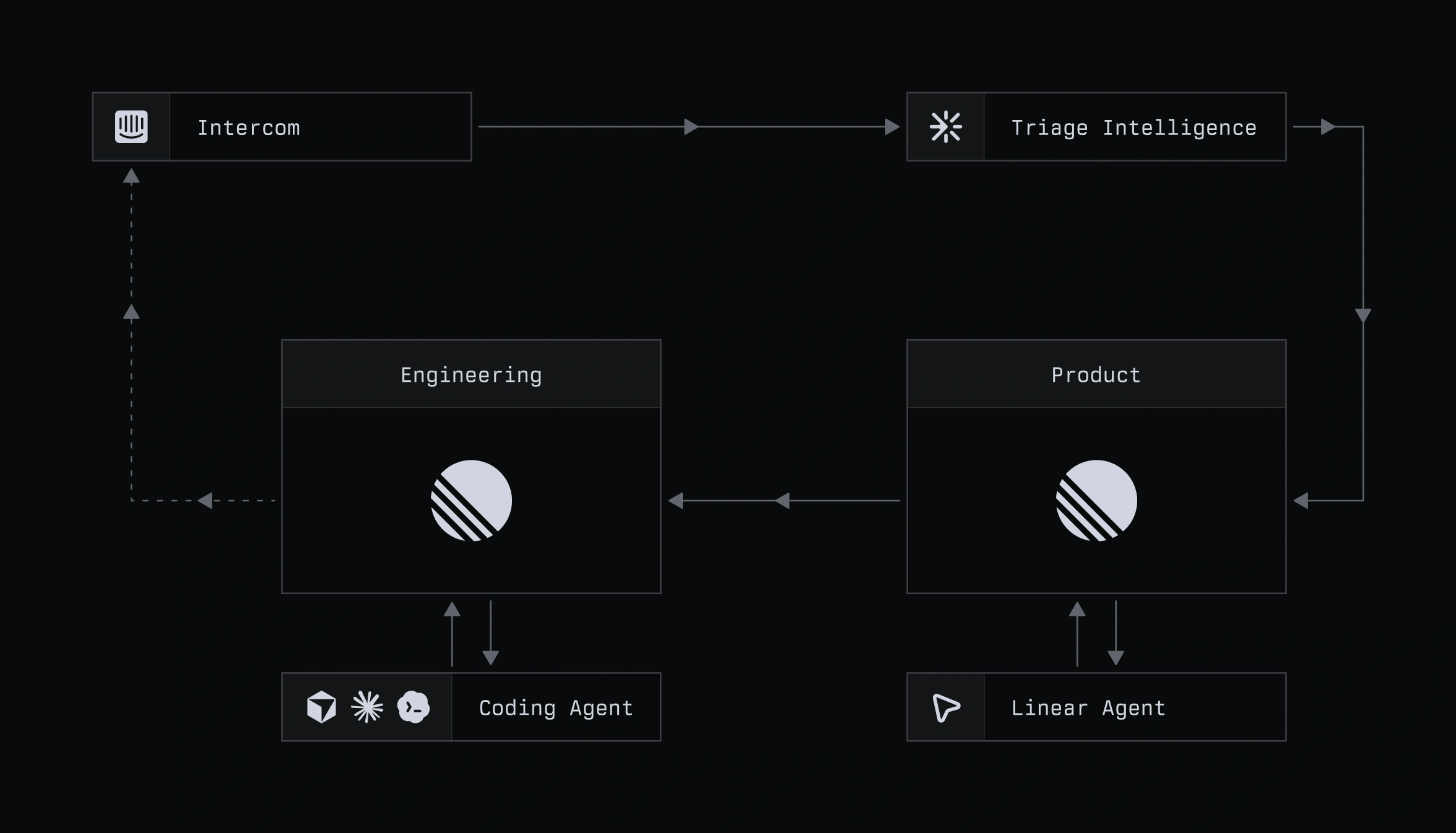
Dark workflow diagram showing a support process from Intercom to Triage Intelligence, then to Product and Engineering, with Product linked to a Linear Agent and Engineering linked to a Coding Agent.

Dark workflow diagram showing a support process from Intercom to Triage Intelligence, then to Product and Engineering, with Product linked to a Linear Agent and Engineering linked to a Coding Agent.

Stage 1: Pull the context into Linear

Customer feedback submitted by email, or in-app within Linear, accrues to an Intercom inbox managed by Customer Experience. That creates a large volume of high-signal feedback which needs to find its way through the org to the right team. Through Linear agent, CX turns emails into scoped issues directly from Intercom, without ever needing to leave the inbox.
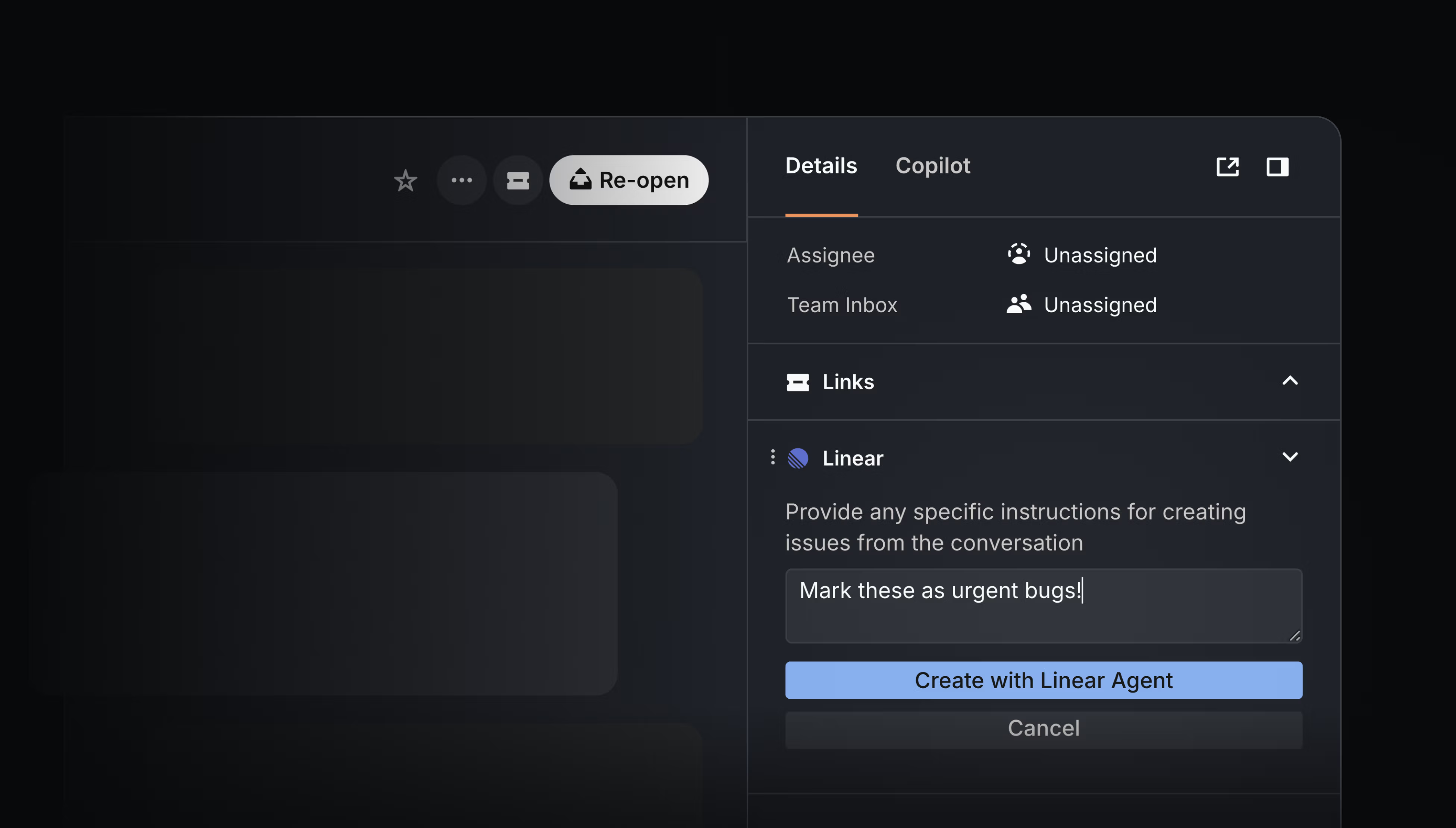
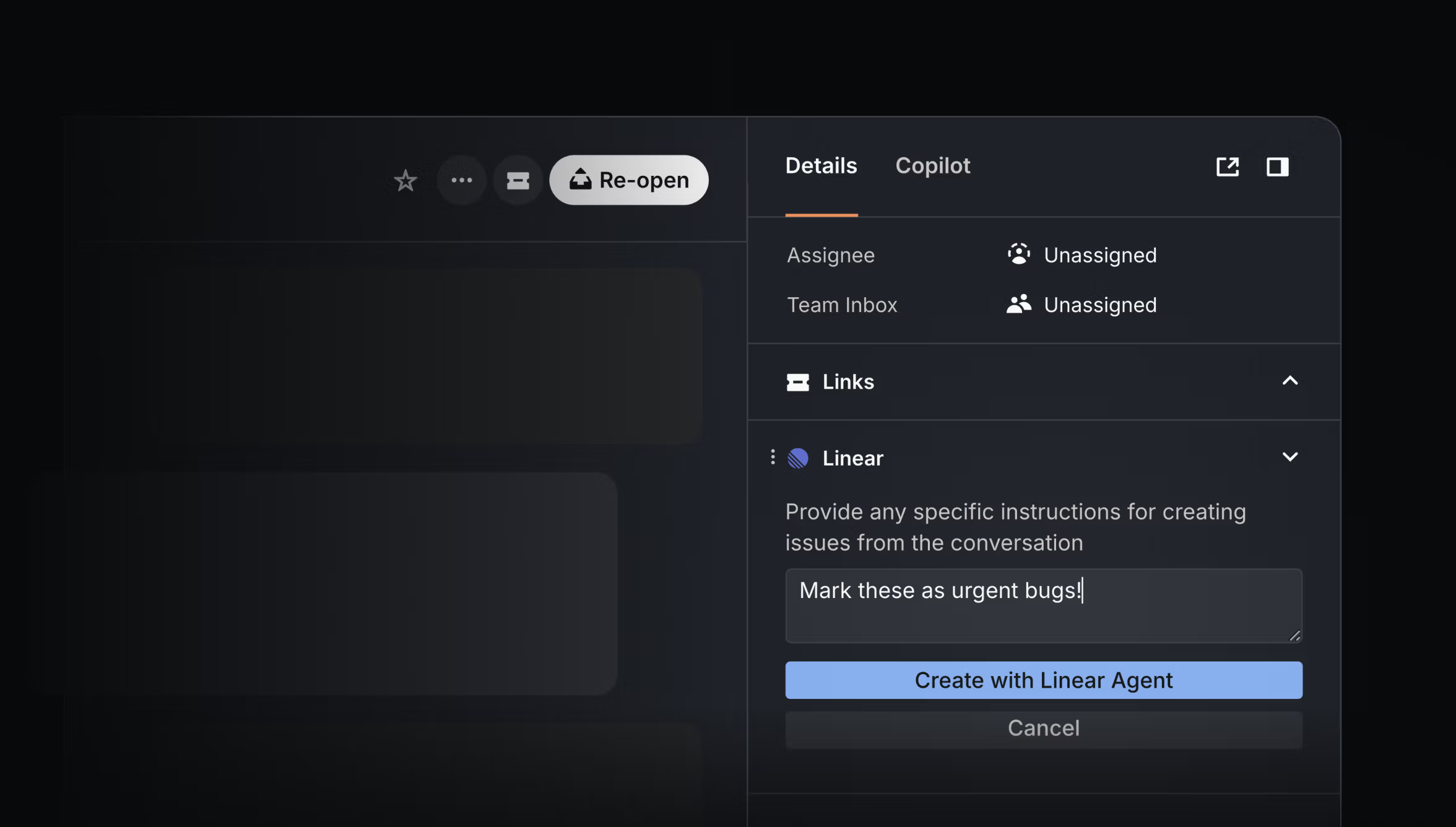
Dark interface mockup of an Intercom ticket sidebar with a Linear integration, showing a prompt field and a “Create with Linear Agent” button.

Dark interface mockup of an Intercom ticket sidebar with a Linear integration, showing a prompt field and a “Create with Linear Agent” button.

The agent picks up the full context, including any back-and-forth with the customer, metadata, and attachments. While you can add extra details in Intercom to help define the issue, Alexandra Lapinsky Wilson, who leads Product Operations and CX, says she rarely finds it necessary. The agent typically gets it right.

Stage 2: Route it to the right team automatically

Once the agent has scoped the context into an actionable issue in Linear, the CX team doesn’t have to hesitate over who to assign it to because Triage Intelligence handles that step. It sends feature requests to the product management team’s triage queue, and in doing so, flags duplicates, suggests the right labels, and links relevant customer context, including their Datadog and Sentry.
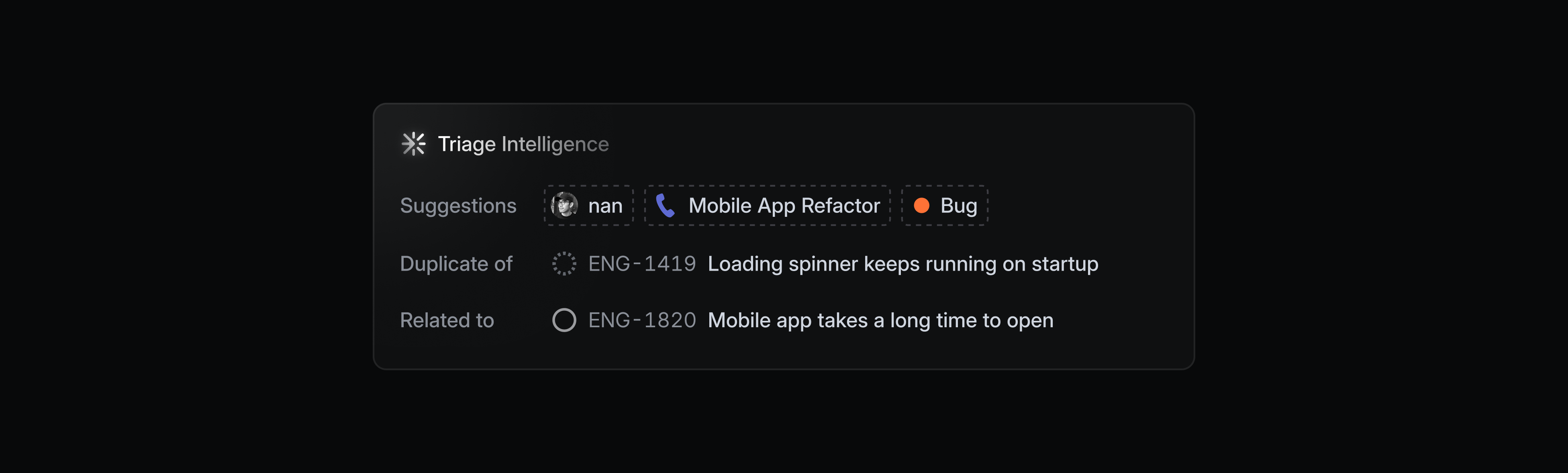
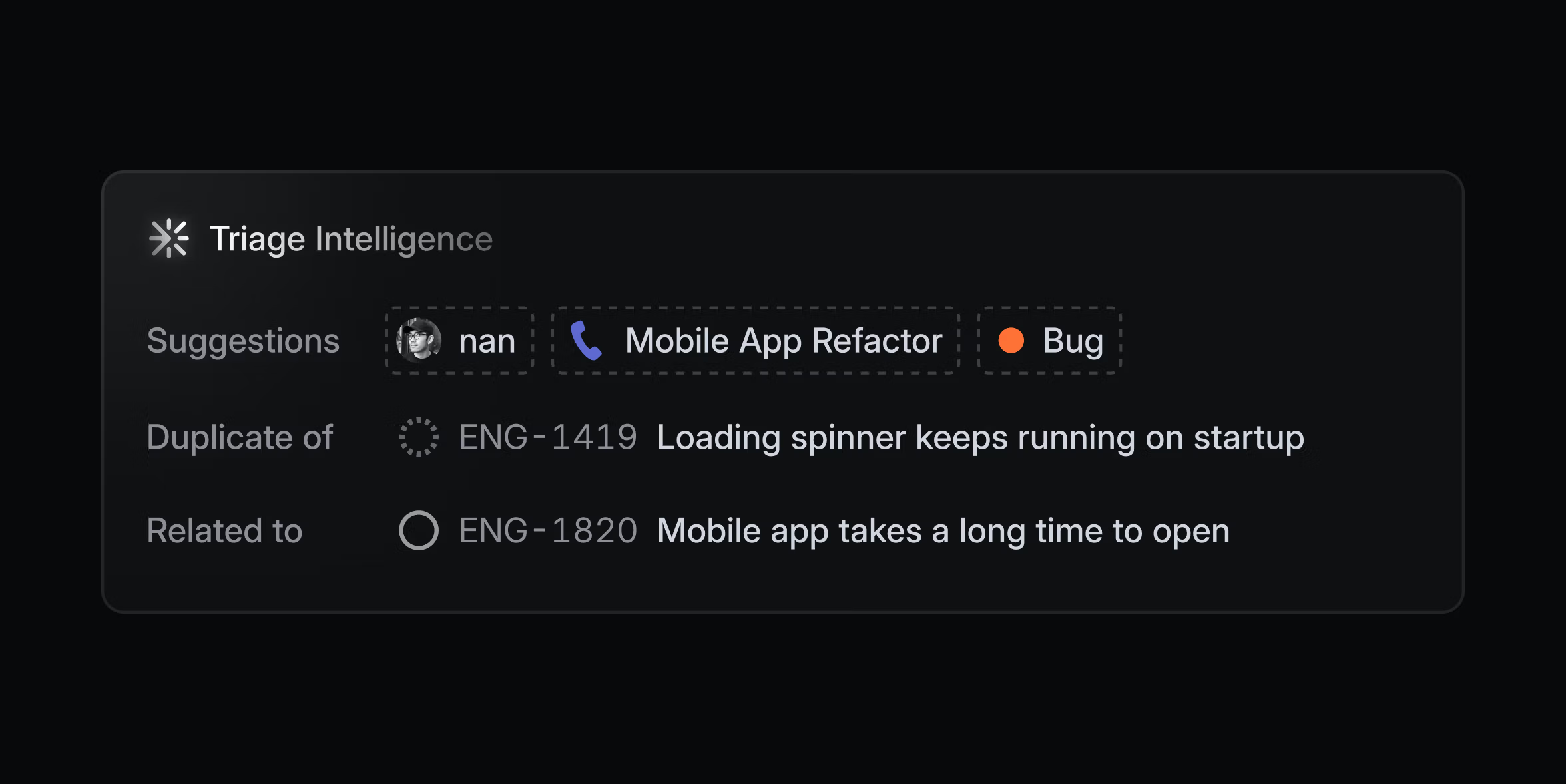
Dark UI card labeled “Triage Intelligence” showing suggested issue tags, a possible duplicate, and a related engineering issue

Dark UI card labeled “Triage Intelligence” showing suggested issue tags, a possible duplicate, and a related engineering issue

Stage 3: Make sense of overlapping feature requests

Often projects can fill up with feature requests related to the same part of the product without quite asking for the same thing. Untangling this is time consuming and easy to put off, which can turn it into a bottleneck.

When Sid Bhargava, a PM, runs into a catch-all project like this, he opens a chat with Linear agent and asks it to identify the main themes across the requests; an example of a repeatable workflow that Sid could save as a Skill.
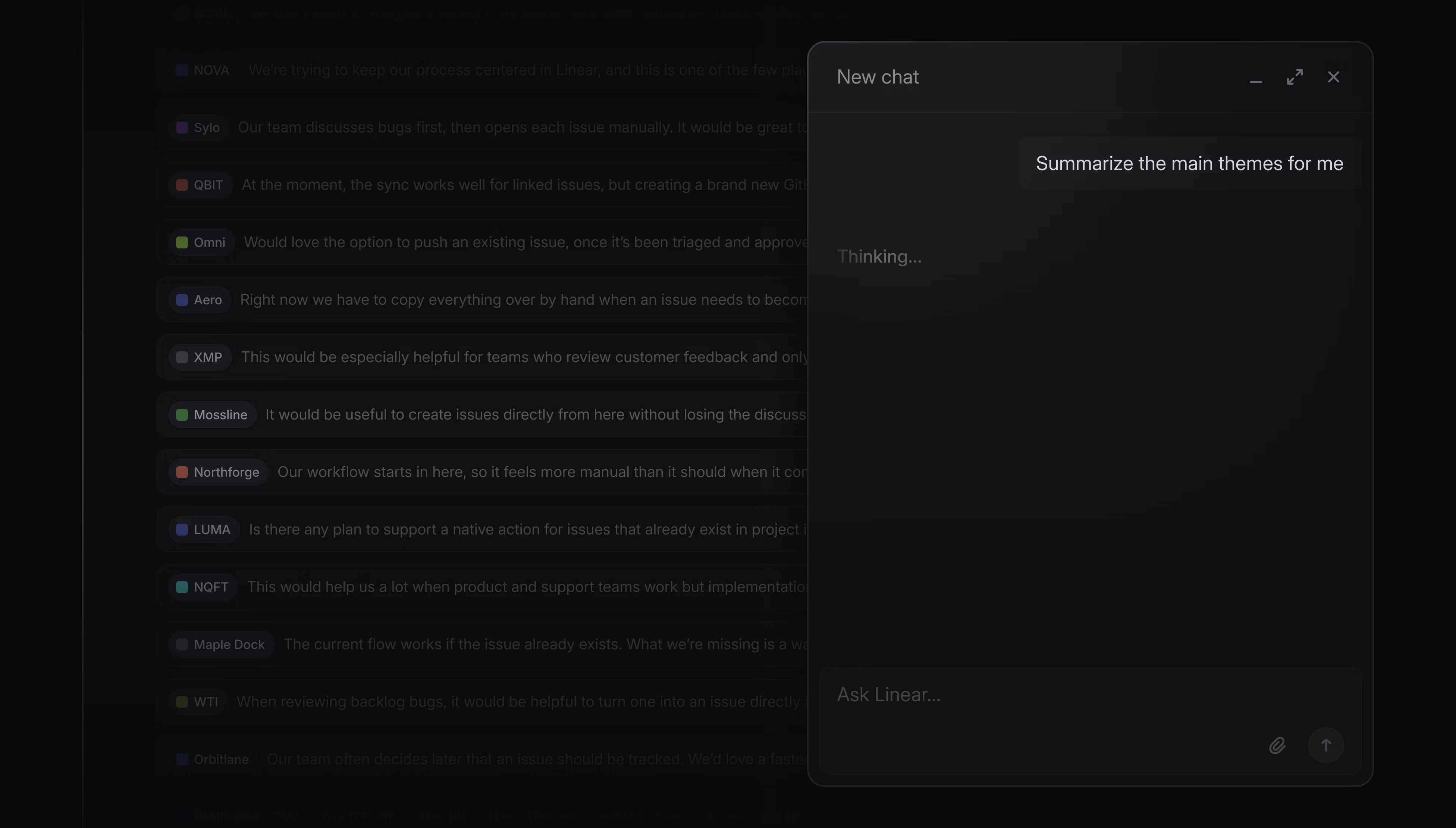
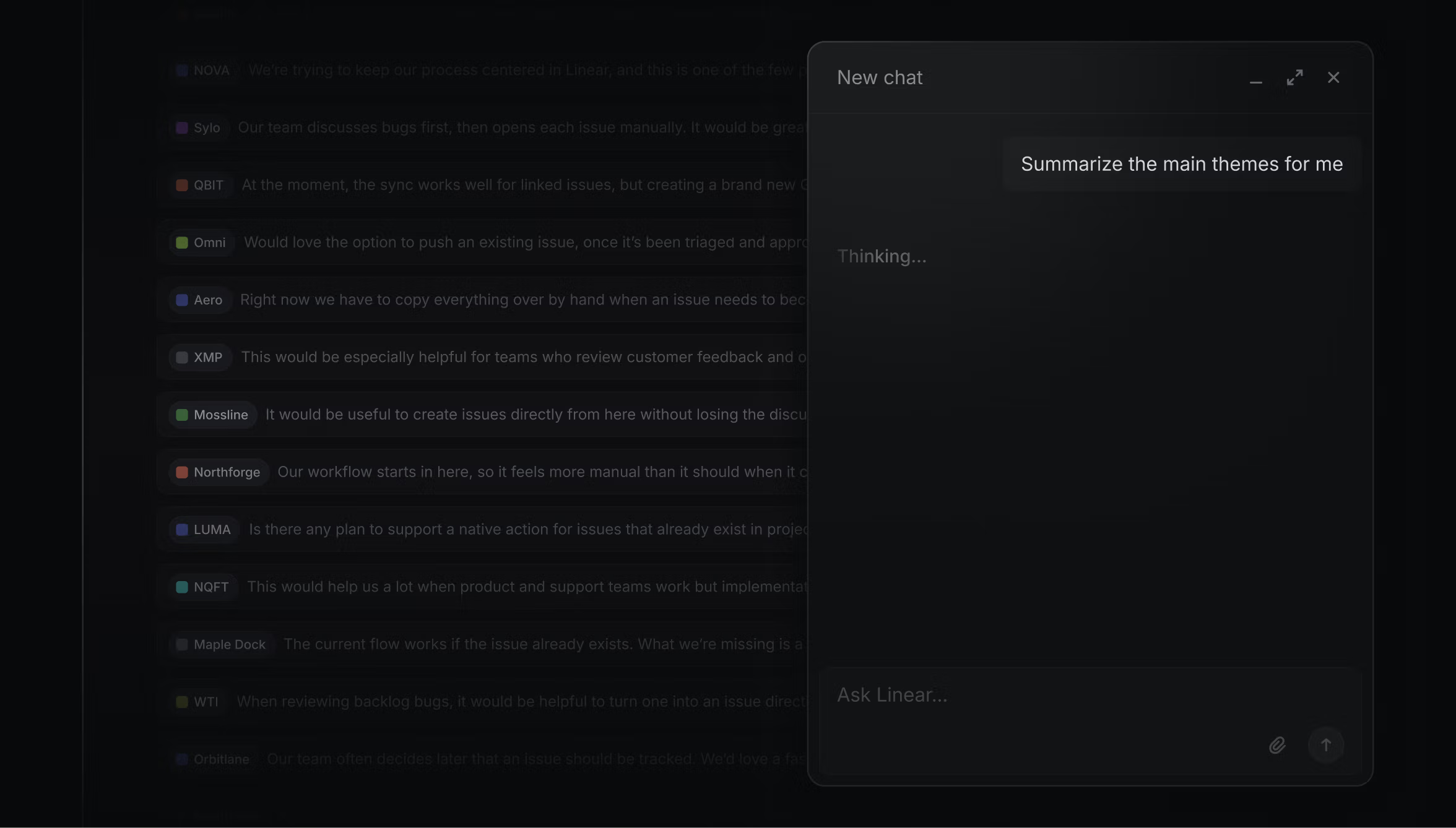
Dark UI mockup of an AI chat panel summarizing discussion themes inside Linear.

Dark UI mockup of an AI chat panel summarizing discussion themes inside Linear.

After reviewing the output, he instructs the agent to reorganize the issues around the themes, shaping the work into a clearer starting point for Engineering. Sid also might use the agent to add usage scenario context to an existing PRD, draft implementation issues based on a spec, or write a PRD from scratch for a new project.

Stage 4: Code alongside the agents

Once an engineer picks up the issue, how they work with the agent depends on the nature of the task at hand. For more complex requests, Mingjie Jiang, one of our product engineers, starts by chatting with Linear agent about the history of decisions around that part of the product: Why did we build the feature this way? When was it most recently touched? Which engineers should I talk to if I have further questions? The agent uses Code Intelligence to provide answers grounded in its knowledge of our codebase. (We’re currently testing Code Intelligence and custom MCP servers internally, with plans to launch soon.)

Mingjie then usually delegates the issue to a coding agent directly within Linear. While the issue reflects the delegation, it remains assigned to him. The agent takes a first pass to save Mingjie the friction of starting from scratch, then, if necessary, he continues the work locally. He sees even AI’s mistakes as useful because it shows him potential failure modes as he works through the problem.
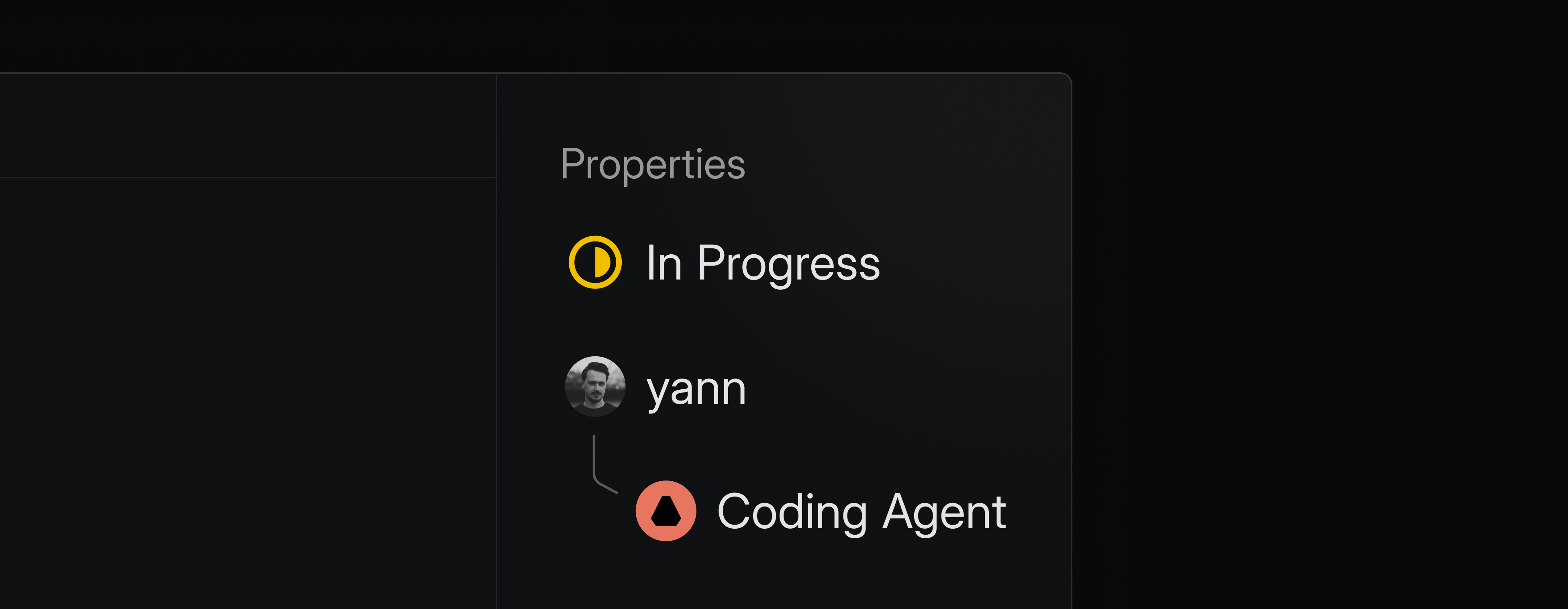
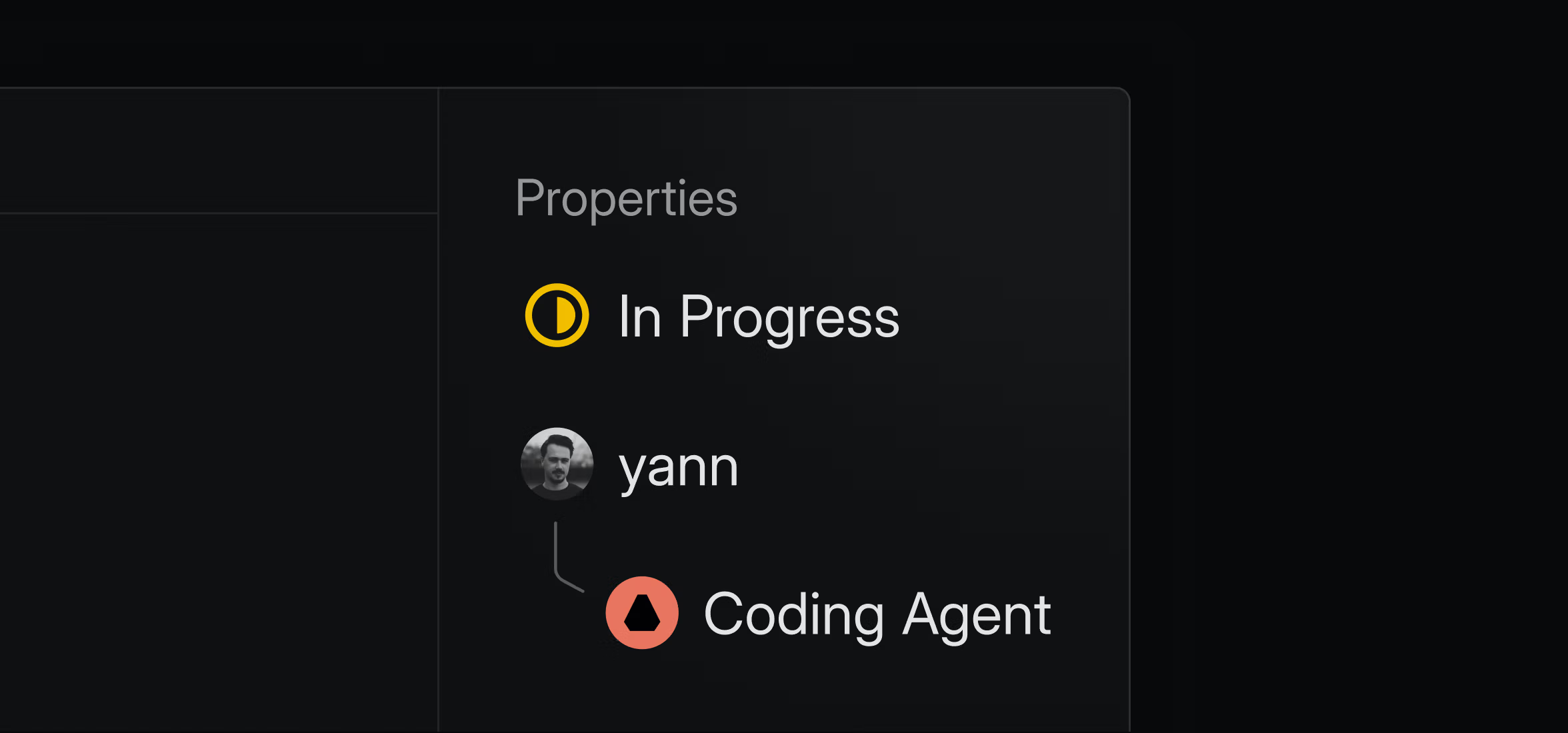
Dark UI panel showing issue properties: status “In Progress,” assigned to “yann,” with a linked Coding Agent beneath

Dark UI panel showing issue properties: status “In Progress,” assigned to “yann,” with a linked Coding Agent beneath

At Linear, a coding agent takes a crack at reviewing every PR (for the past couple of months, we’ve been leaning on Codex for this), and then a human engineer makes the final approval. When the pull request is merged, our Github integration marks the related issue in Linear as ‘Done’.

Stage 5: Close the loop with a happy customer

When an issue is marked ‘Done,’ every related feature request reopens in Intercom with a note for the CX team to know that the customer’s request is fulfilled. The team then follows up with each one, which Alexandra calls a joy because customers are delighted that their request made it into the product and that Linear took the time to tell them about it.
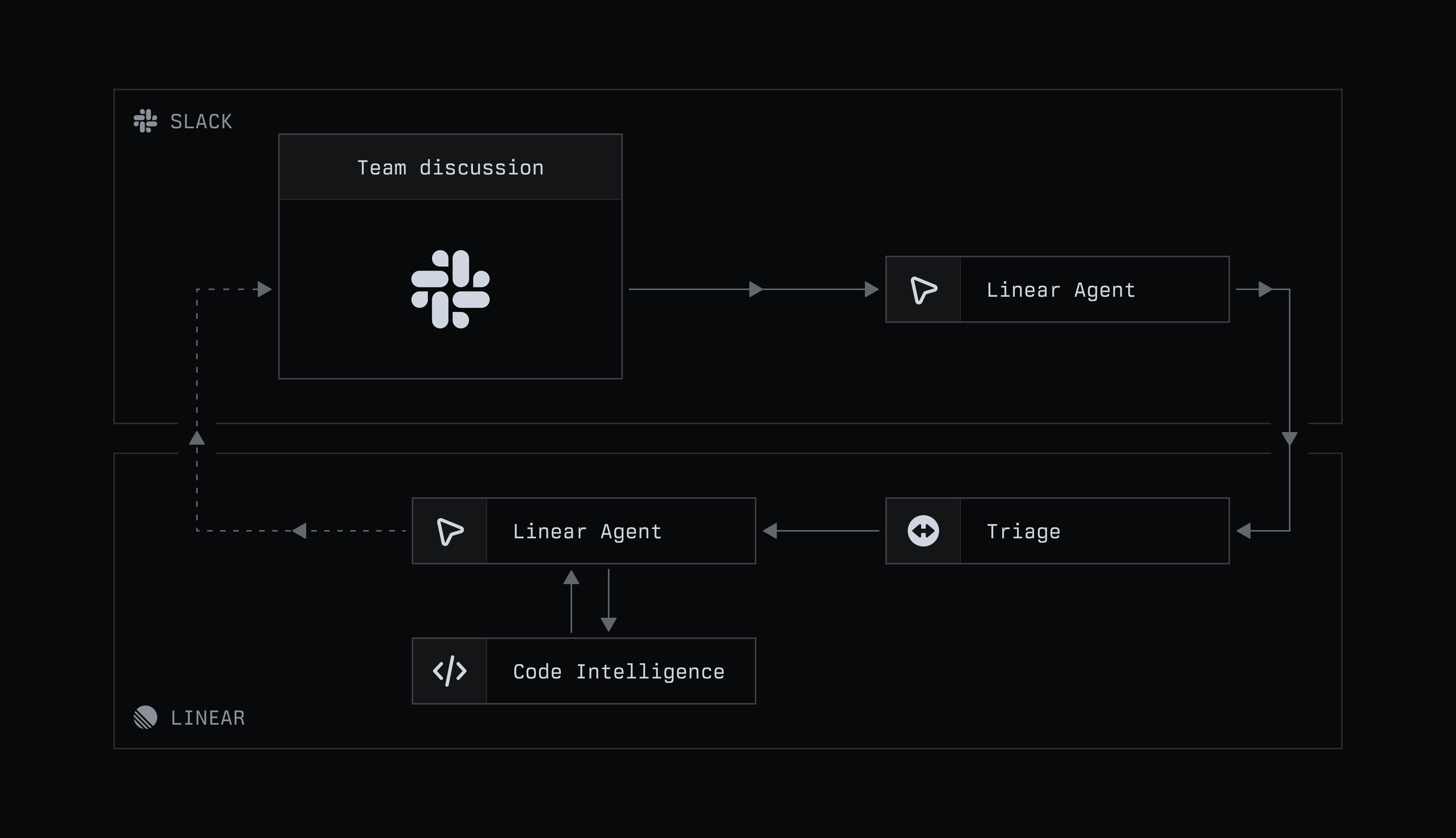
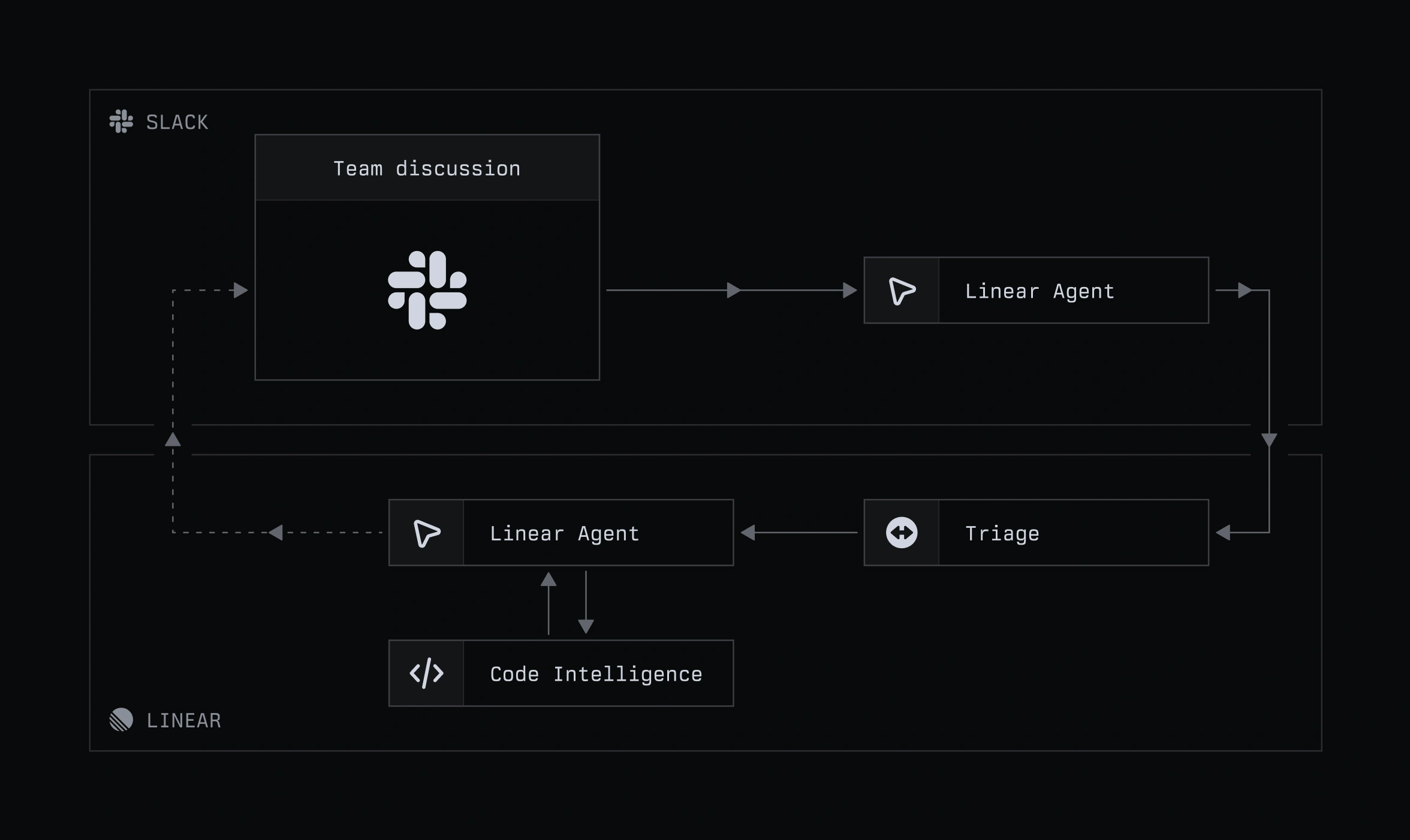
How a complaint in Slack ends up as a pull request

Dark workflow diagram showing Slack team discussion feeding into a Linear Agent and Triage system, with Code Intelligence connected below and arrows indicating a feedback loop between Slack and Linear.

Dark workflow diagram showing Slack team discussion feeding into a Linear Agent and Triage system, with Code Intelligence connected below and arrows indicating a feedback loop between Slack and Linear.

Stage 1: Turn a Slack thread into a scoped issue

In shared Slack channels with our high-priority customers, ambiguous user feedback used to mean a scramble for context. Now, Simone Jacobs, who works in Customer Support, starts with Linear’s Slack agent.

Simone questions the agent in an internal product channel, with the intention of drawing Engineering and Product into a discussion about its response. She sees the agent’s role as providing context about the current state of the product, allowing the team to focus on the roadmap ahead.
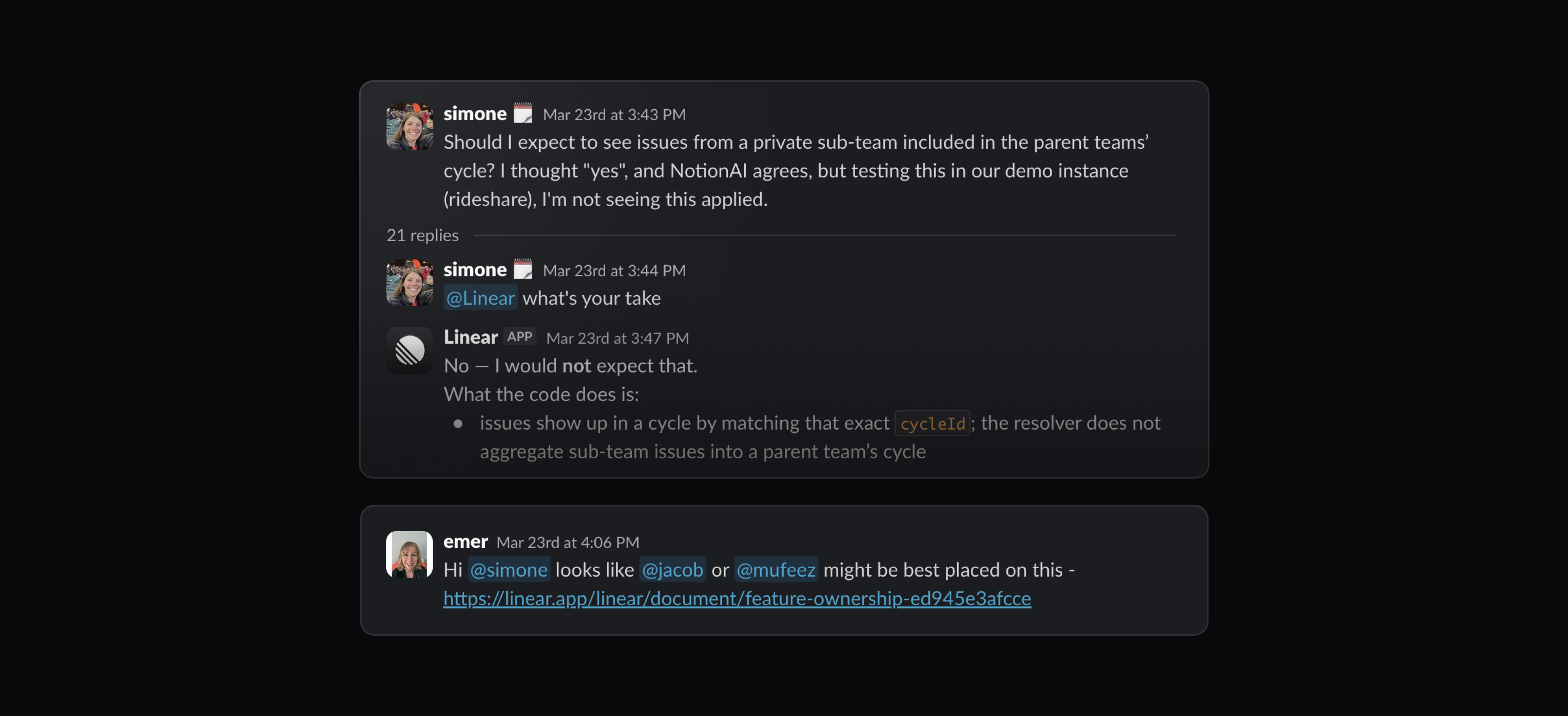
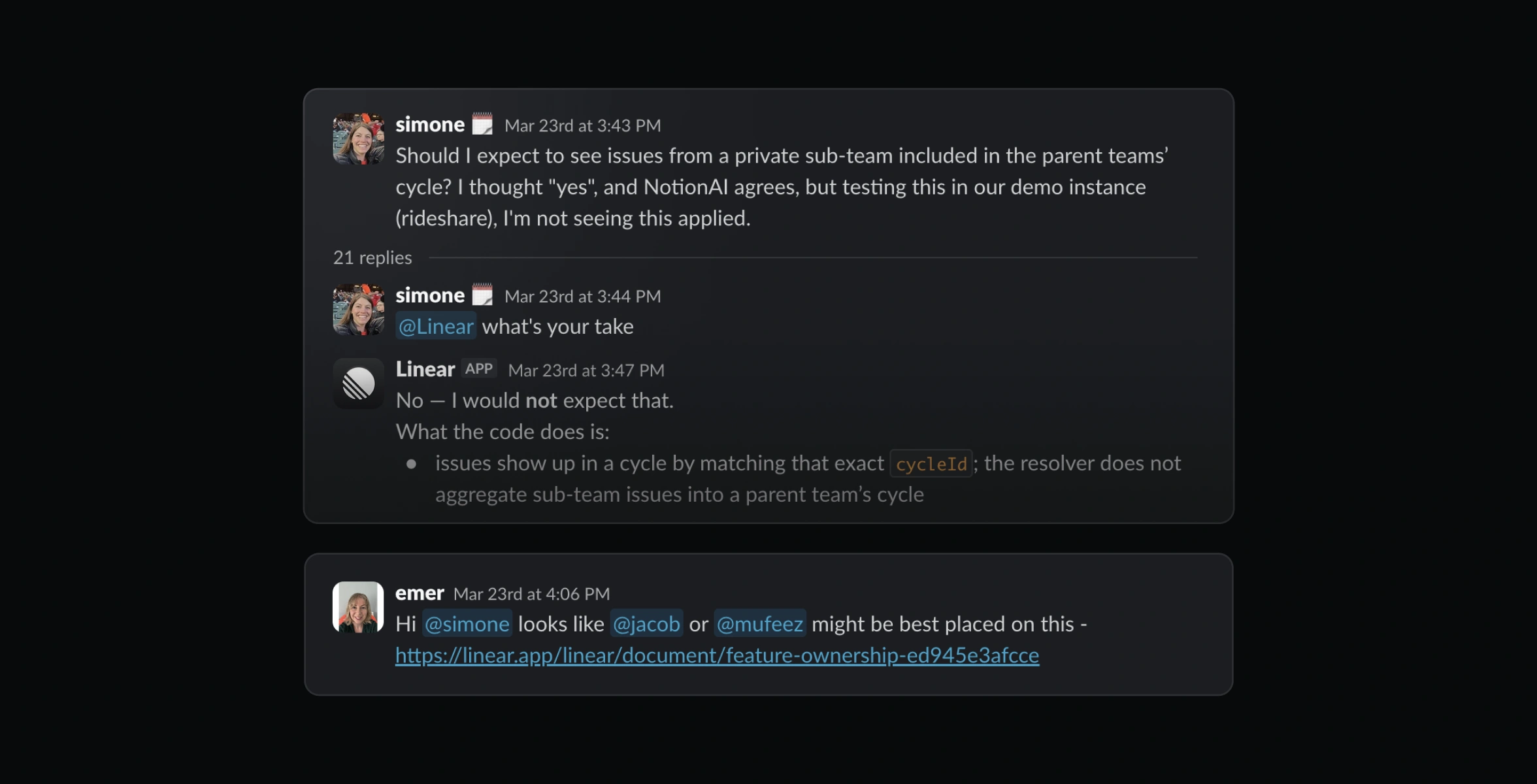
Dark Slack thread screenshot showing a teammate asking about private sub-team issues in a parent team’s cycle, followed by a Linear agent reply explaining they are not included.

Dark Slack thread screenshot showing a teammate asking about private sub-team issues in a parent team’s cycle, followed by a Linear agent reply explaining they are not included.

Product engineers like Mingjie keep an eye on these discussions, often using the agent to create an issue routed to the engineering triage queue directly from Slack. And if the discussion continues, he tags Linear again to update the issue instead of reading through dozens of new messages.
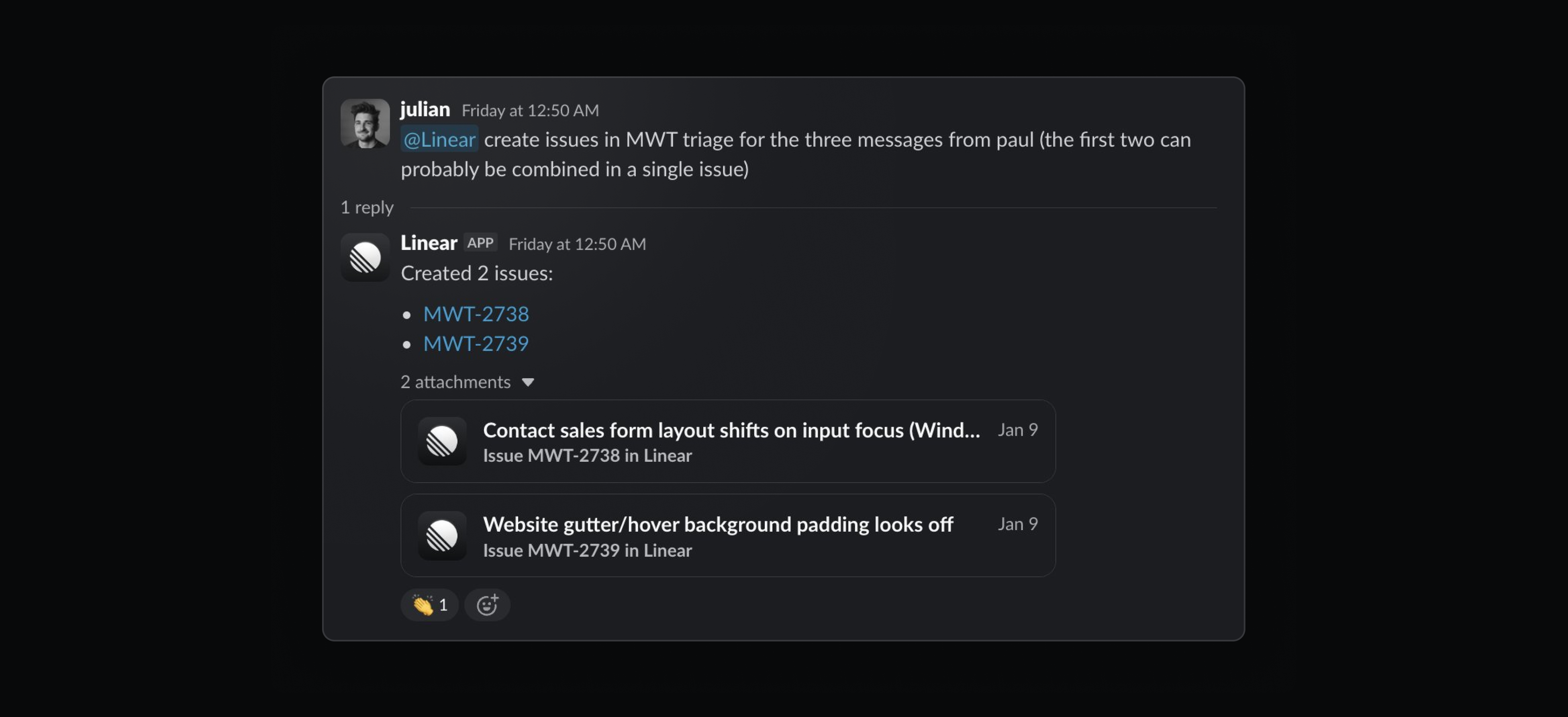
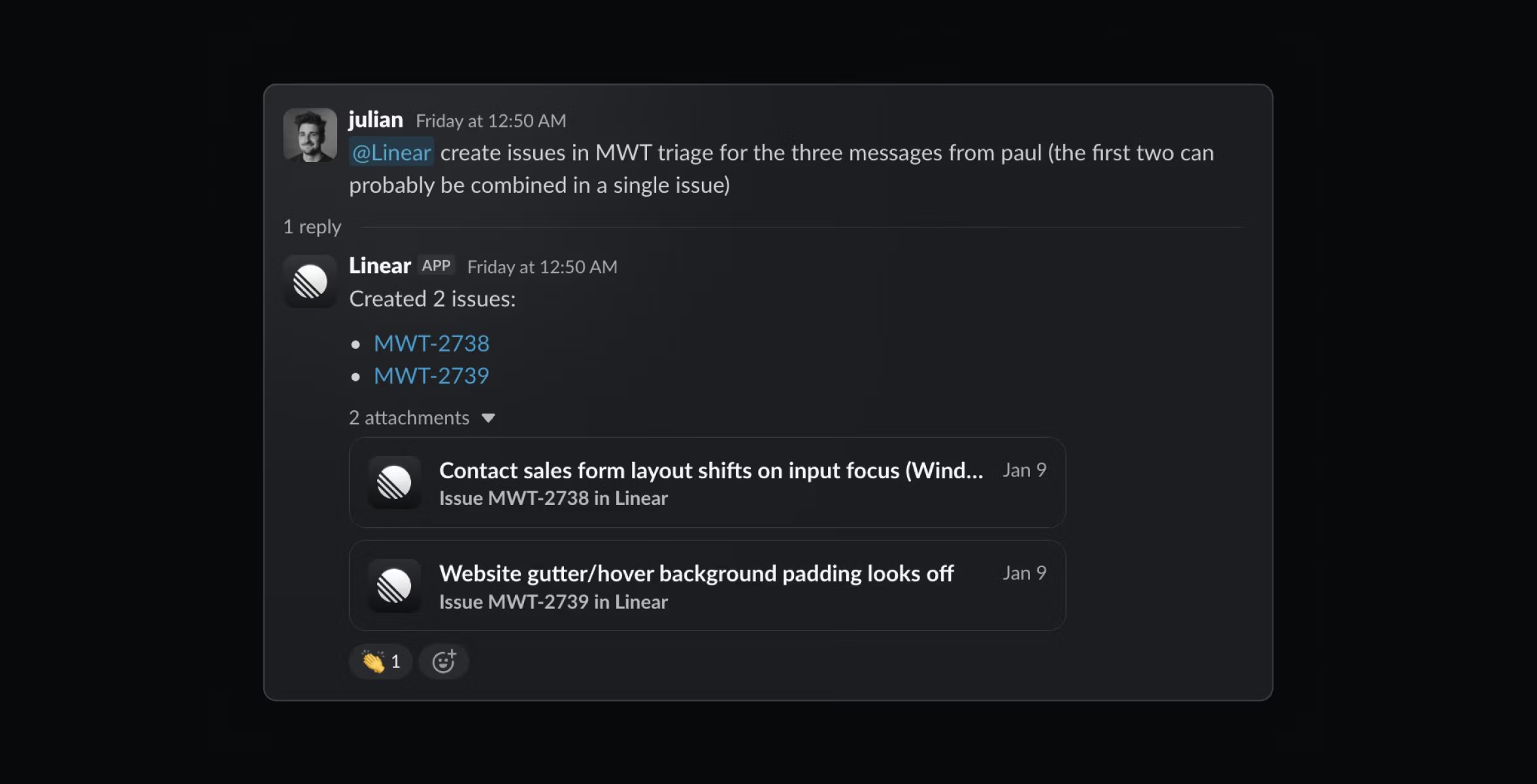
Dark Slack thread showing a user asking Linear to create triage issues from messages, followed by the app confirming that two issues were created.

Dark Slack thread showing a user asking Linear to create triage issues from messages, followed by the app confirming that two issues were created.

Stage 2: Code alongside the agents

When engineer Matthijs Wolting is assigned a customer-specific issue like this, he uses Linear agent, along with Code Intelligence and custom MCP servers, to investigate. This saves him from the tedium of looking up the right customer ID, logs, and metadata, and correlating information fragmented across various tools.

Matthijs gets the best results from coding agents by breaking the work into small, targeted steps, which keeps the agent on track and creates a much narrower path to success.

Stage 3: Close the loop with a happy customer

Once Matthijs has resolved the bug, he marks the issue as ‘Done’ in Linear. This automatically sends a notification to the Slack thread where the issue originated, which is Simone’s signal to follow up with the customer.
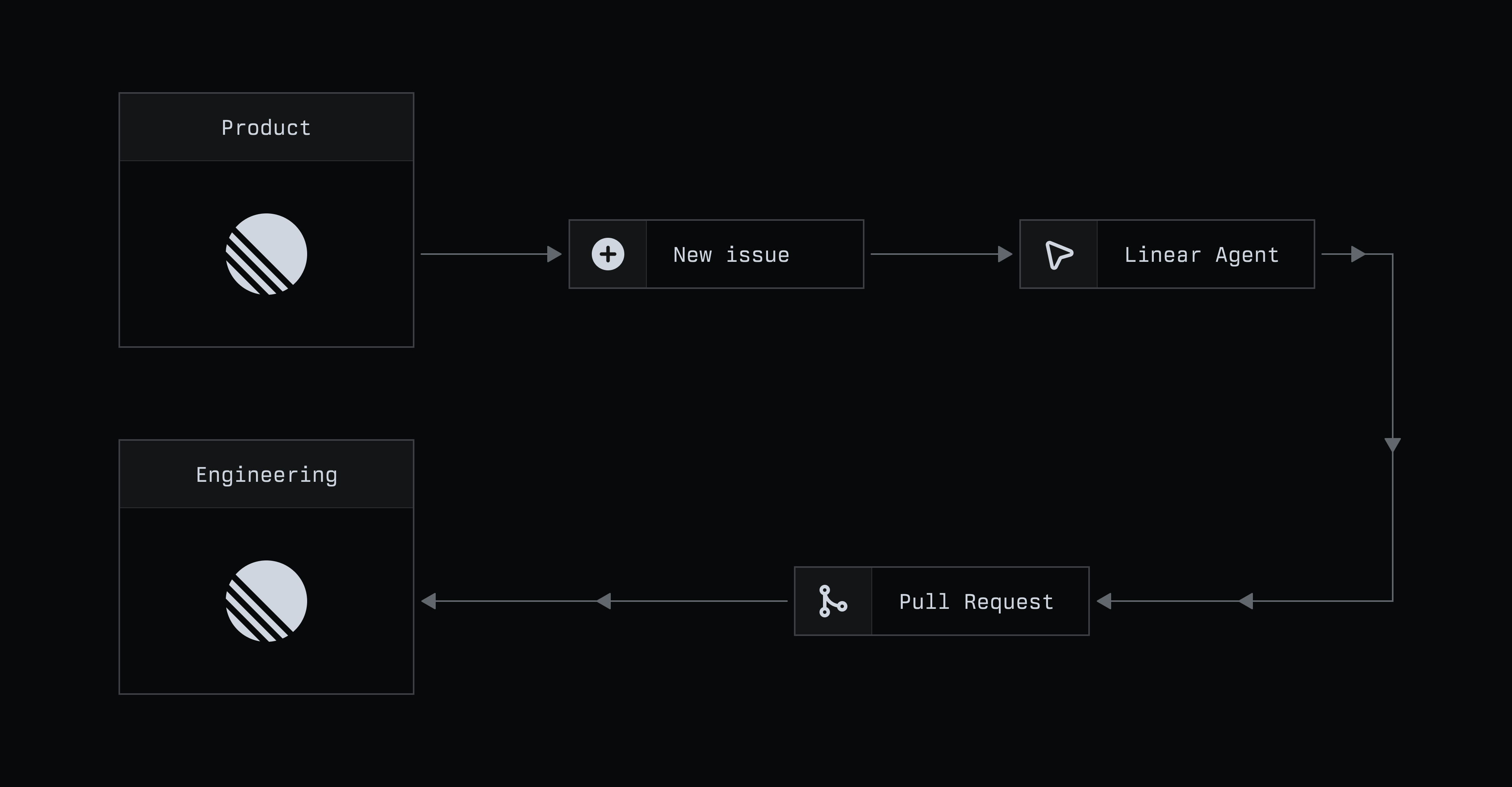
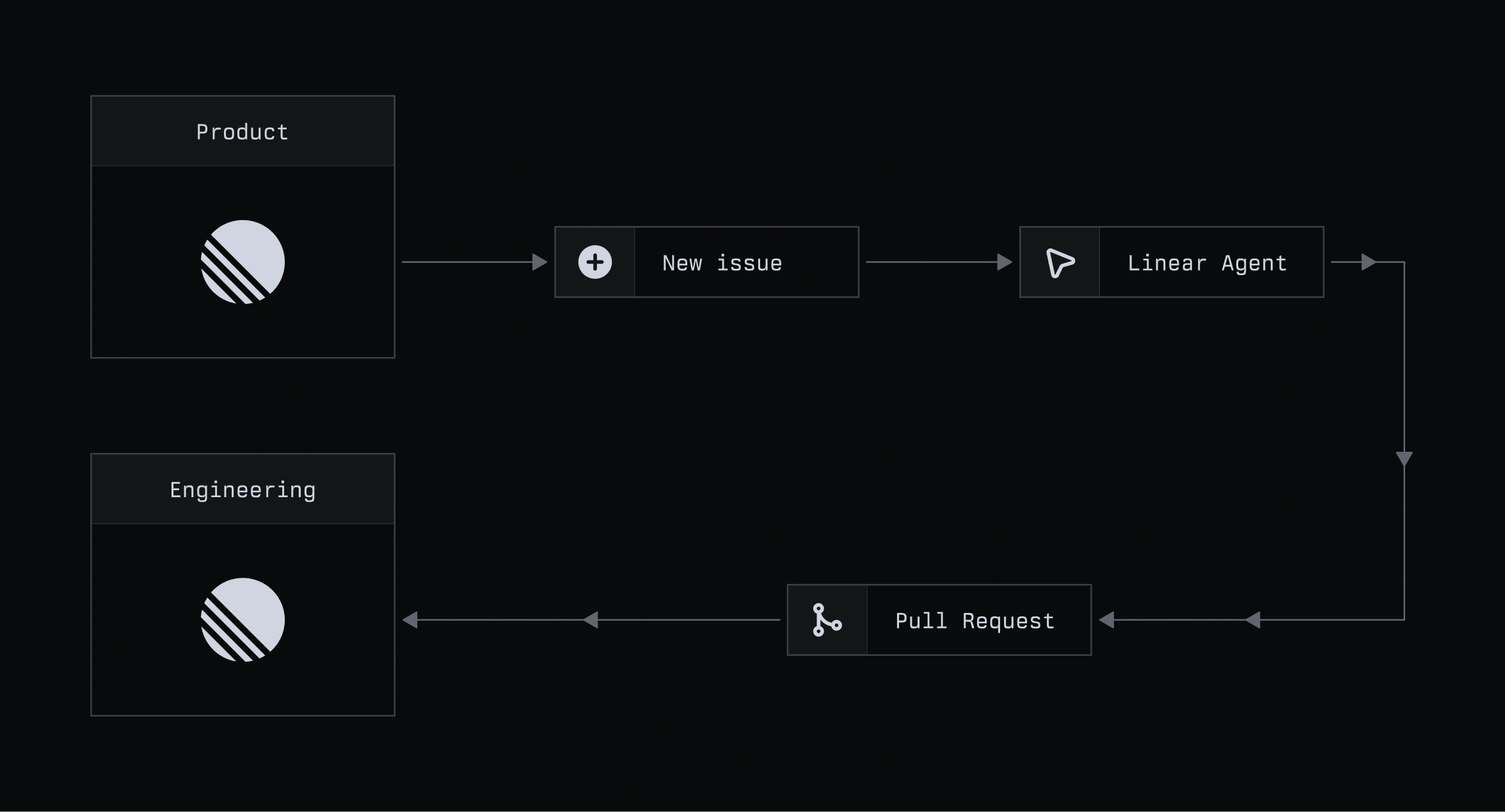
When the person who noticed it can also ship it

Dark workflow diagram showing Product creating a new issue that passes to a Linear Agent, then to a pull request routed to Engineering.

Dark workflow diagram showing Product creating a new issue that passes to a Linear Agent, then to a pull request routed to Engineering.

Stage 1: Find a problem (and fix it)

Product managers like Sid are restless beings. He sometimes fiddles with features in Linear without a precise objective, just to re-experience them the way a new user would. Recently, he noticed there was no way to filter for issues that had been created from a specific external source, a gap that made it harder to track and triage that work

He used Linear agent to create an issue to add that filter and take a first pass at actually adding it. The agent opened a pull request, which was reviewed by a human engineer within the hour (thanks, Paco Coursey), and the change was live.
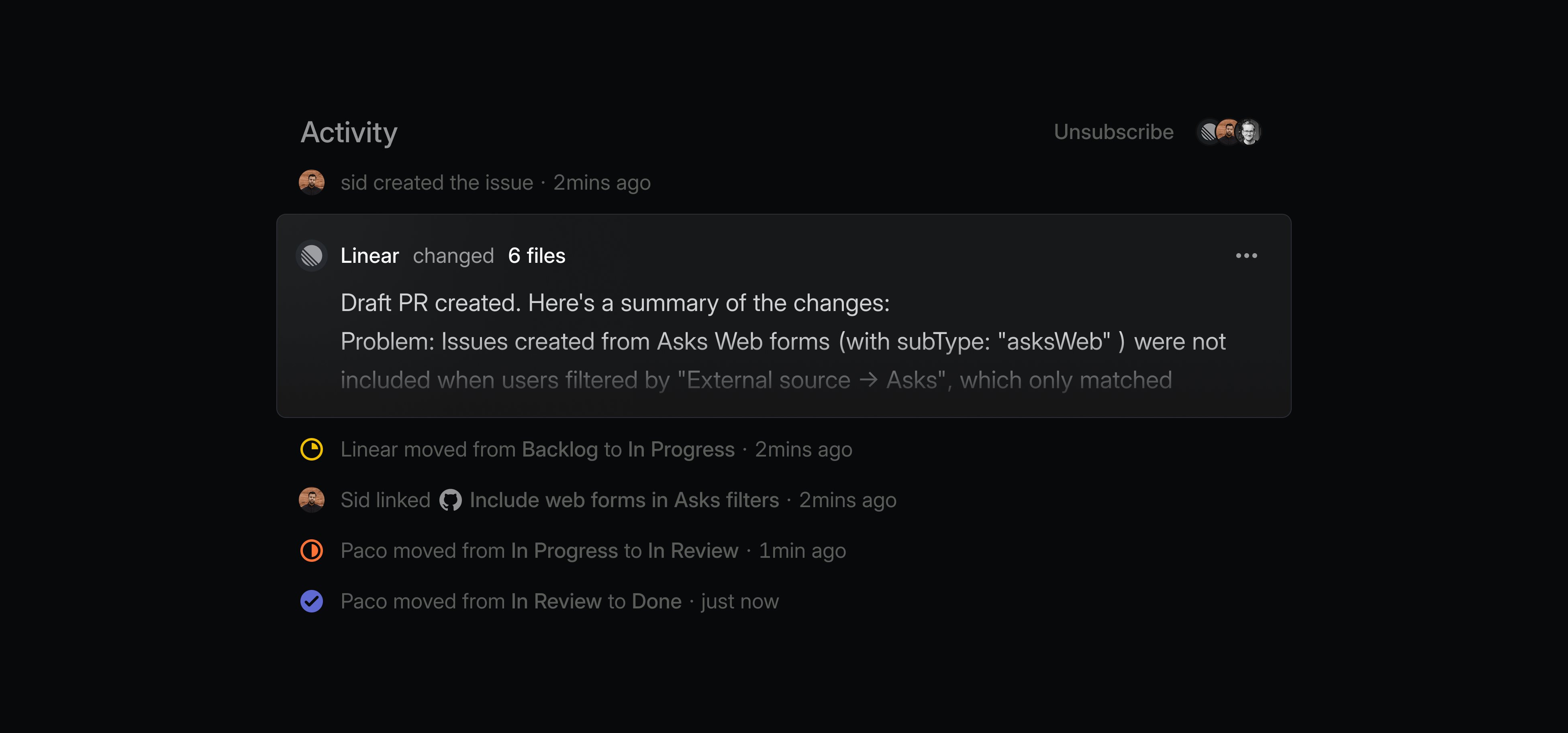
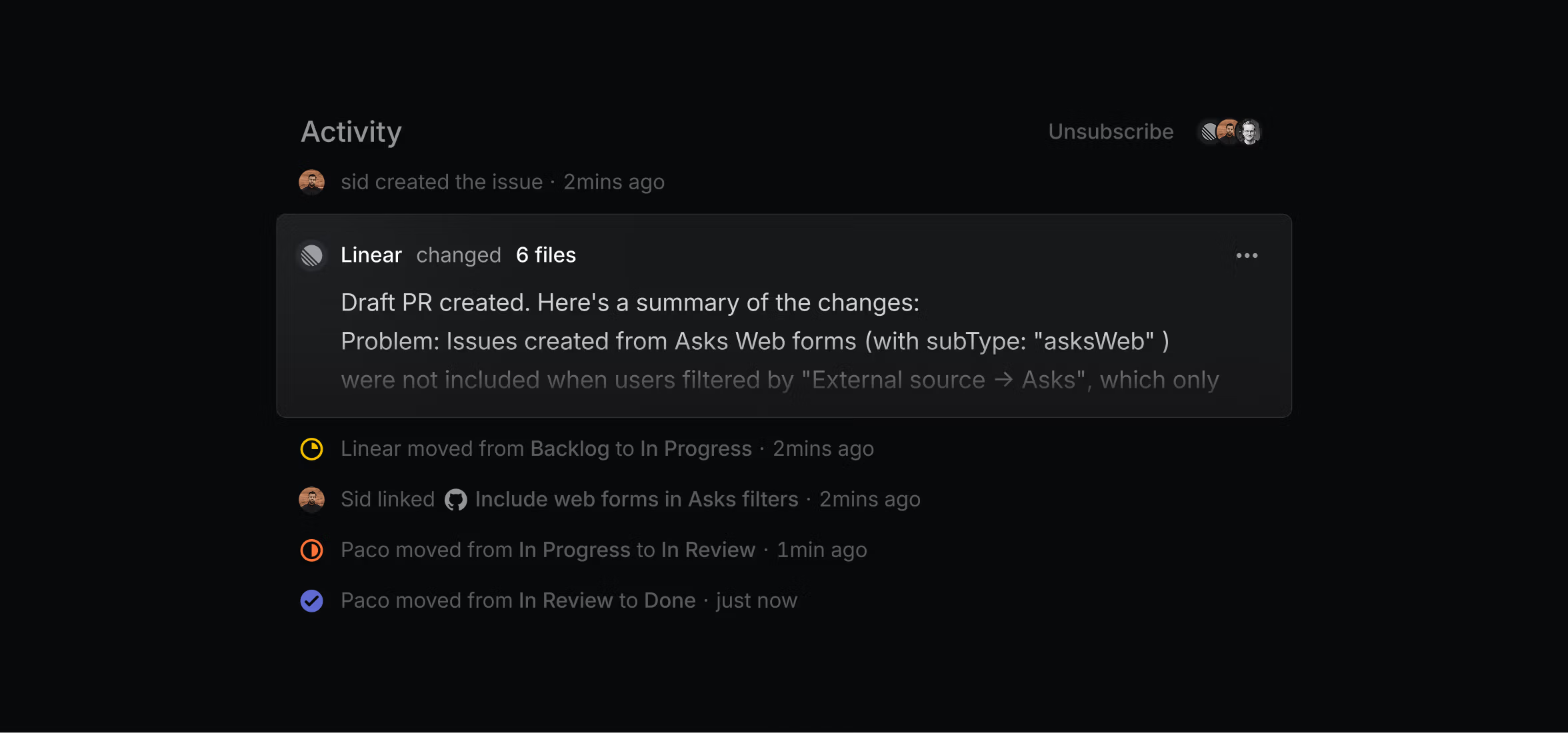
Dark activity feed showing Linear posting a summary of code changes and a draft pull request on an issue timeline.

Dark activity feed showing Linear posting a summary of code changes and a draft pull request on an issue timeline.

…and there’s no Stage 2

The same prompt that Sid would’ve once used to report an issue can now be used to solve it. Deciding when to work this way, he says, is still a judgment call. UI polish like copy edits is an obvious candidate, but what made this especially interesting was that it was a functional, albeit small, change in the product.

How you can get the most out of Linear

We’ve noticed a few recurring patterns in the way teams at Linear use the agent. The most effective workflows seem to share the same principles, and we’re keeping a running list of them, with an eye to consolidate in the near future.

The best workflows keep the agent close to the source

Teams get the most value when they use it inside the systems where work is already happening, like Intercom, Slack, and Linear.

Autonomy works best when it is introduced gradually

Teams start by asking the agent for suggestions, observe its performance, and add guidance, only putting it on autopilot once it’s proven reliable. Engineers too, get better results by breaking work into small, focused steps instead of delegating a broad task.

The agent is most useful at points of friction

People use it where work would otherwise stall, whether that means making sense of overlapping requests, debugging a gnarly customer-specific issue, or clarifying ambiguous feedback.