










To provide genuinely helpful signals for product decisions, a backlog needs to be well-organized, with similar issues grouped together and labels applied consistently. But organizing a backlog has historically been manual work that doesn’t scale. It tends to depend on the institutional knowledge of a few people who aggregate and classify incoming issues.
Last month we launched Triage Intelligence to help product teams handle incoming issues and put them in the right place in the backlog. It uses a combination of search, ranking, and LLM-based reasoning to make suggestions as new issues come in—drawing on your existing backlog as a data set to understand how similar work has been organized in the past. It can flag duplicates, link related issues, and recommend properties like labels or assignees, all with a brief explanation so teams can triage quickly and consistently.
We built Triage Intelligence around a few core principles. First, trust—if you are going to act on AI-generated suggestions, you need to see where they came from and believe in their accuracy. Second, transparency—making the model’s reasoning visible so that teams can validate its output and improve it over time. And third, making the feature feel like a natural extension of Linear, not an add-on. Here’s how we did it.
The process started earlier this year when we were rebuilding our search engine. We were moving from a basic keyword-based system to a more general-purpose semantic backend. At the time, we were already surfacing similar issues using vector search and semantic similarity. As we rebuilt our search infrastructure, we wanted to unify on a single search approach across Linear while also improving how we detect and surface related issues.
The new search system surfaced better candidate issues from the backlog to match against incoming issues. That candidate set became the input to our LLMs, which would evaluate each incoming issue and decide whether it was a duplicate, loosely related, or unrelated.
Our first version used small models like GPT-4o mini and Gemini 2.0 Flash. We gave them tightly scoped prompts and rigid workflows to flag duplicates, and they did fine in straightforward cases. But they faltered when context-sensitive, nuanced decision-making was required because they could only work with the information we provided up front. If something important was missing, they had no way to go find it.
That limitation led us to an agentic approach, where the model could pull in whatever additional context it needed from Linear’s data. To make that work, we switched to larger models like GPT-5 and Gemini 2.5 Pro, which could handle more complexity in both inputs and reasoning. That shift unlocked better suggestion quality—especially for fuzzier or more complex issues—and made it possible to support custom, user-defined guidance to steer the data sourcing and decision-making process for each workspace.
Beyond detecting duplicates, Triage Intelligence could now reliably suggest related issues, recommend properties like labels or assignees, and explain their reasoning. But these new capabilities brought a new challenge: how to present this richer, more deliberate decision-making in a way that still felt fast and trustworthy.
That became a design question as much as a modeling one and led to the UI patterns we built for Triage Intelligence.
Speed has always been a core principle in Linear. If something takes more than a few hundred milliseconds, we try to make it faster. Smaller models can get close to that bar, but the larger, frontier models behind Triage Intelligence run multi-step reasoning and matching processes that are fast compared to a human, but slower than Linear’s usual deterministic systems. Designing for that meant balancing two goals: making the feature feel responsive, even when it’s still working, and making its reasoning visible so people can trust the results.
In the triage view, Triage Intelligence lives inside its own dedicated module. We wanted it to be visible enough to be useful, without adding extra noise to an already dense screen. The suggestions it makes—assignee, labels, projects, related issue links—use the same visual language as the rest of Linear, so they blend naturally into the workflow. And we’re careful not to blur the line between issue metadata set by humans or rules and suggestions from Triage Intelligence. The UI makes that distinction clear, so you always know what came from the system and what came from your team.
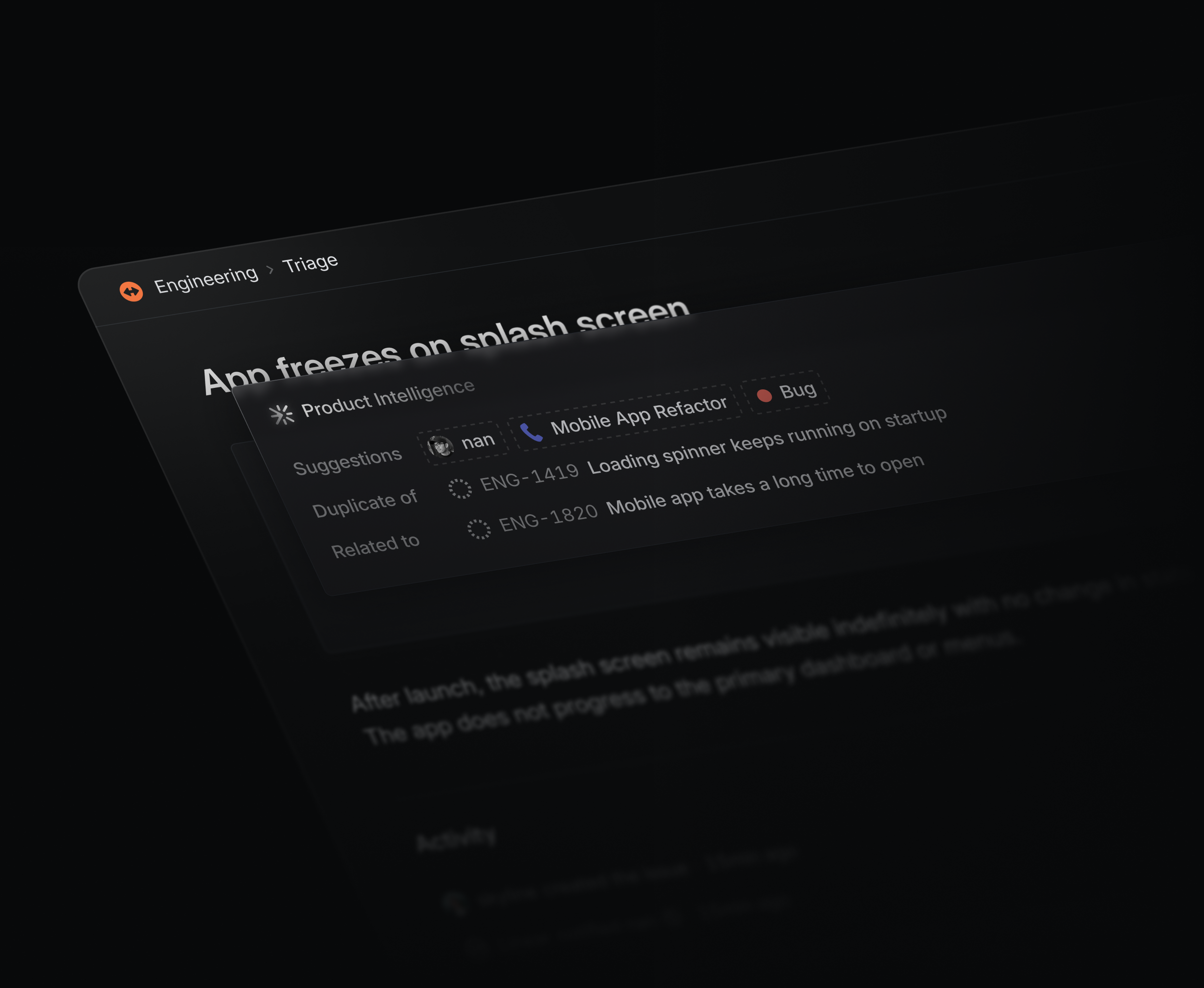
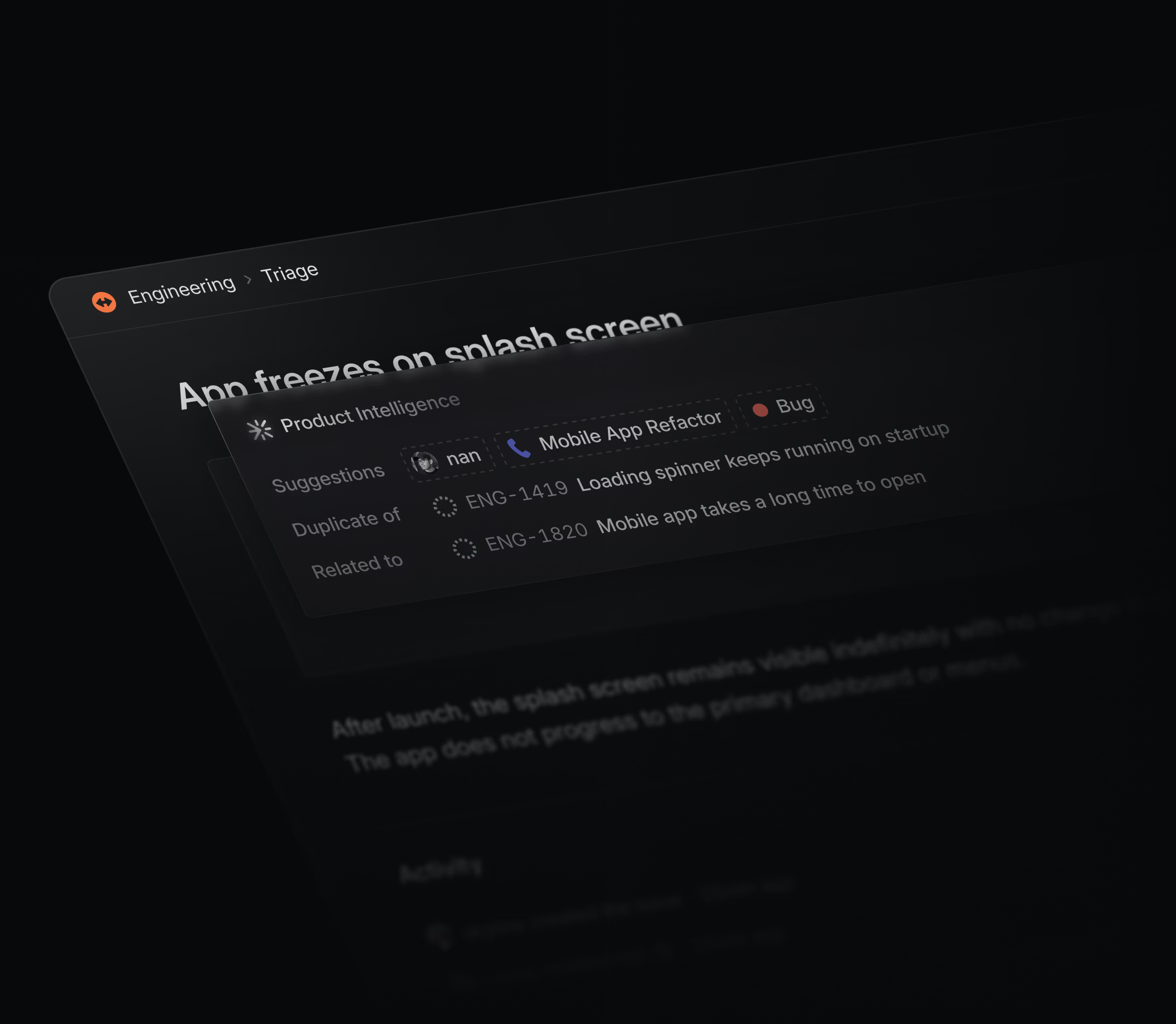
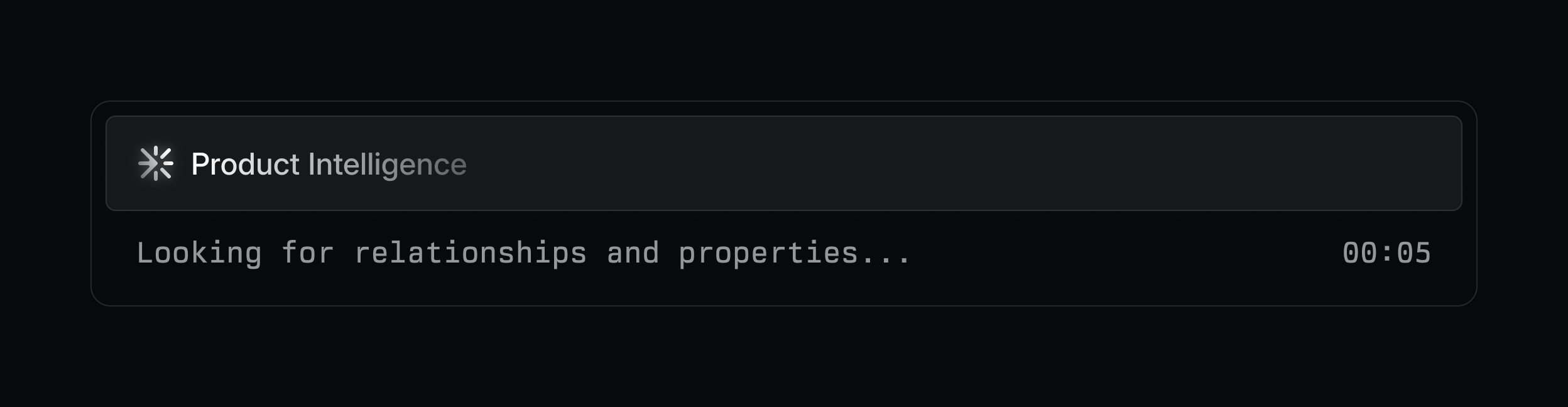
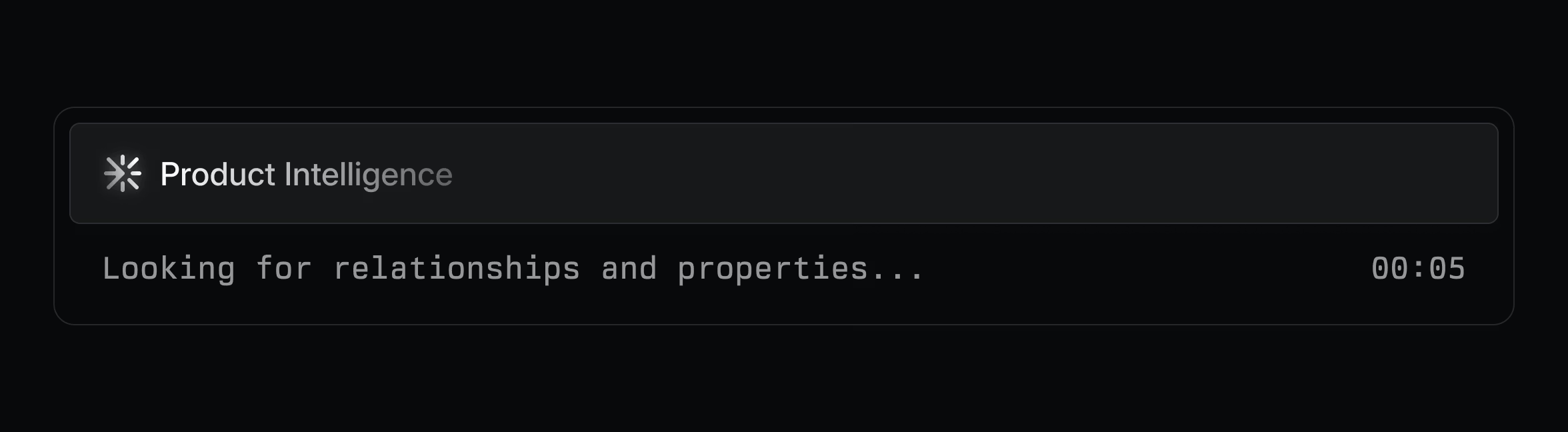
From there, each piece of the UI reinforces trust and transparency. Hovering over a suggestion reveals the model’s reasoning in plain language along with alternative suggestions when applicable. At the bottom of the module we display the model’s “thinking state” along with a timer. Our goal was to give you a sense of progress and to let you keep tabs on its activity, so Triage Intelligence feels active rather than idle throughout the reasoning process.
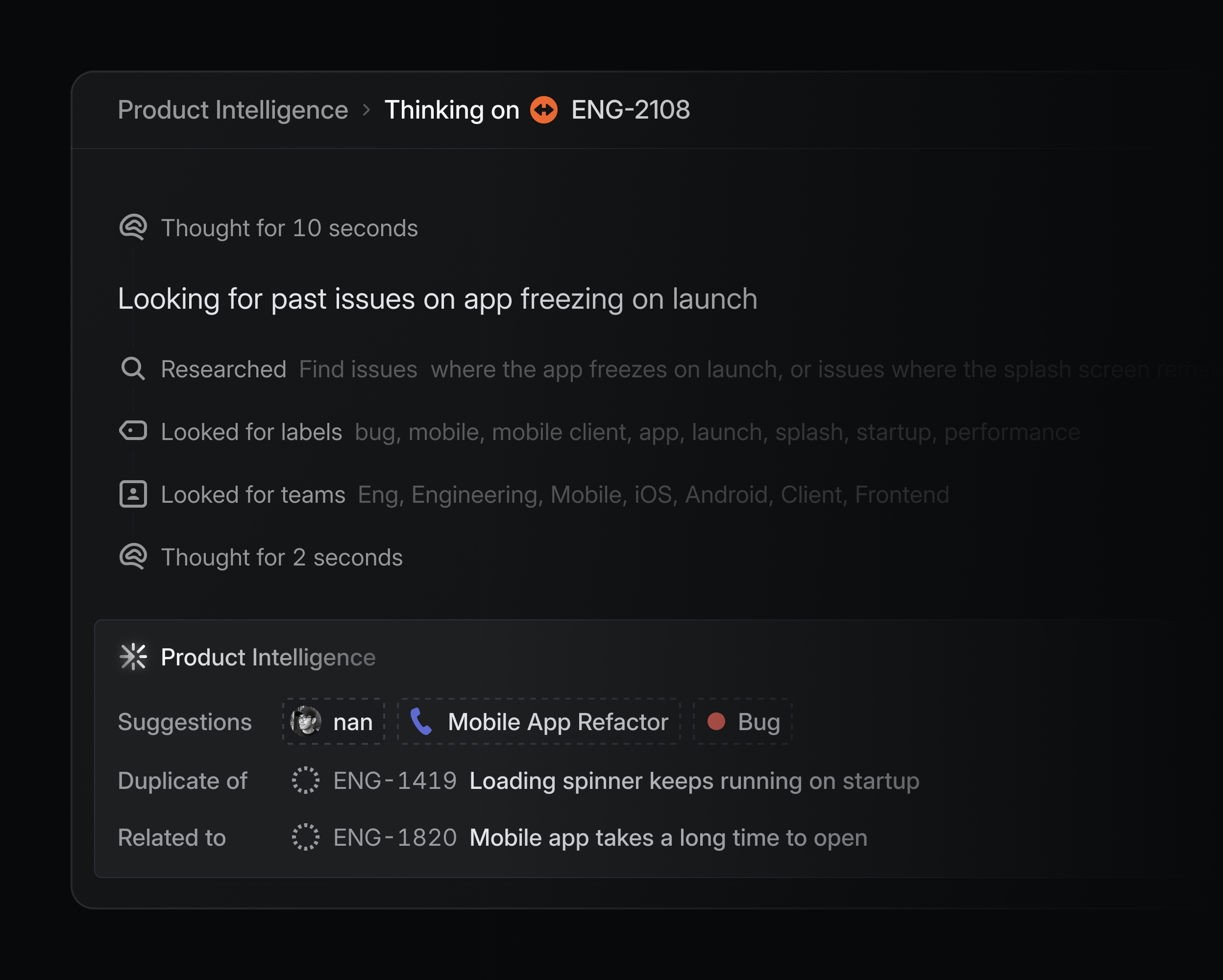
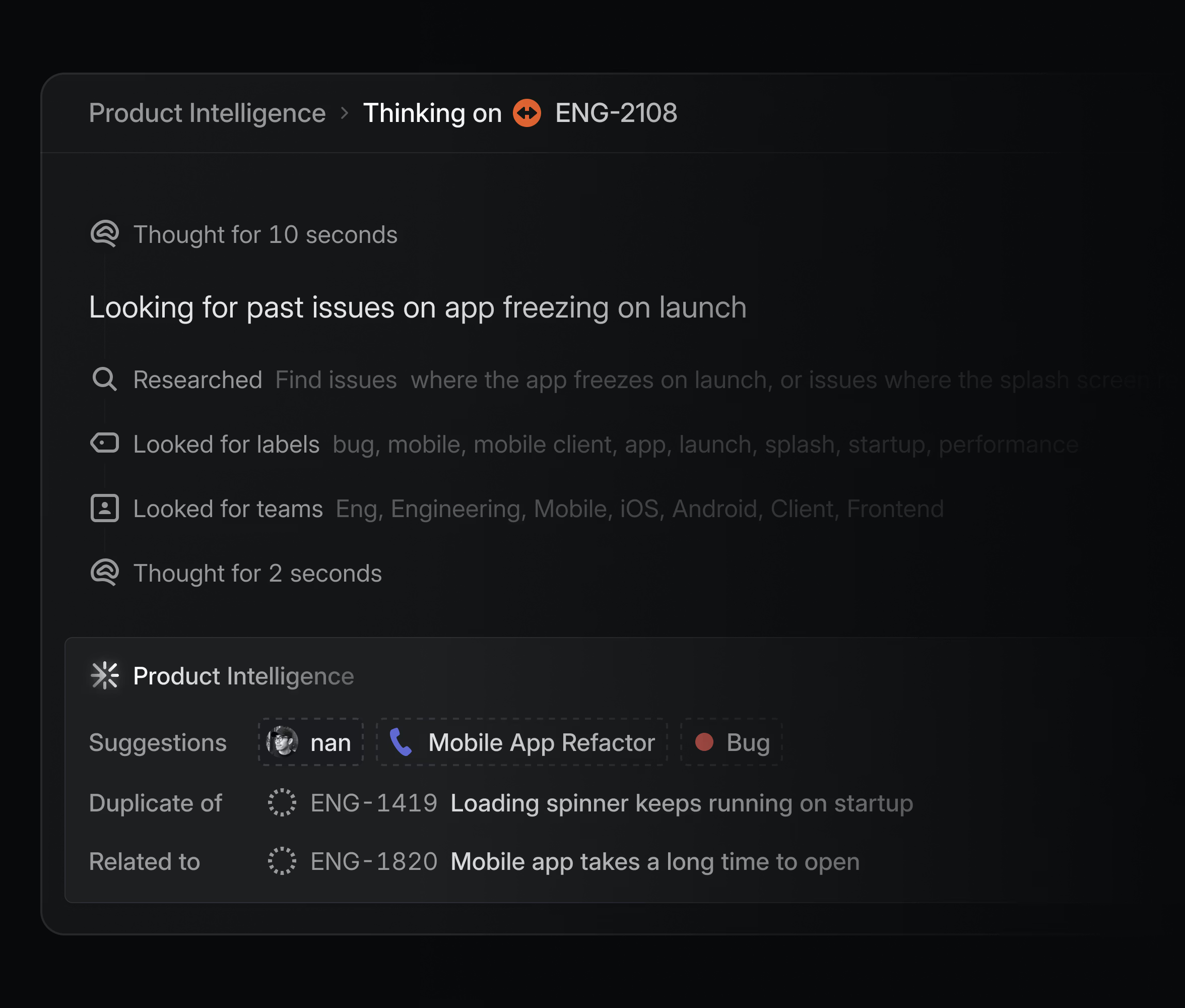
Then, for deeper visibility, we incorporated a thinking panel—using the same approach we employ with Linear for Agents—that lets you see the full trace of the model’s research: the context it pulled in, the decisions it made, and how additional guidance shaped the outcome.
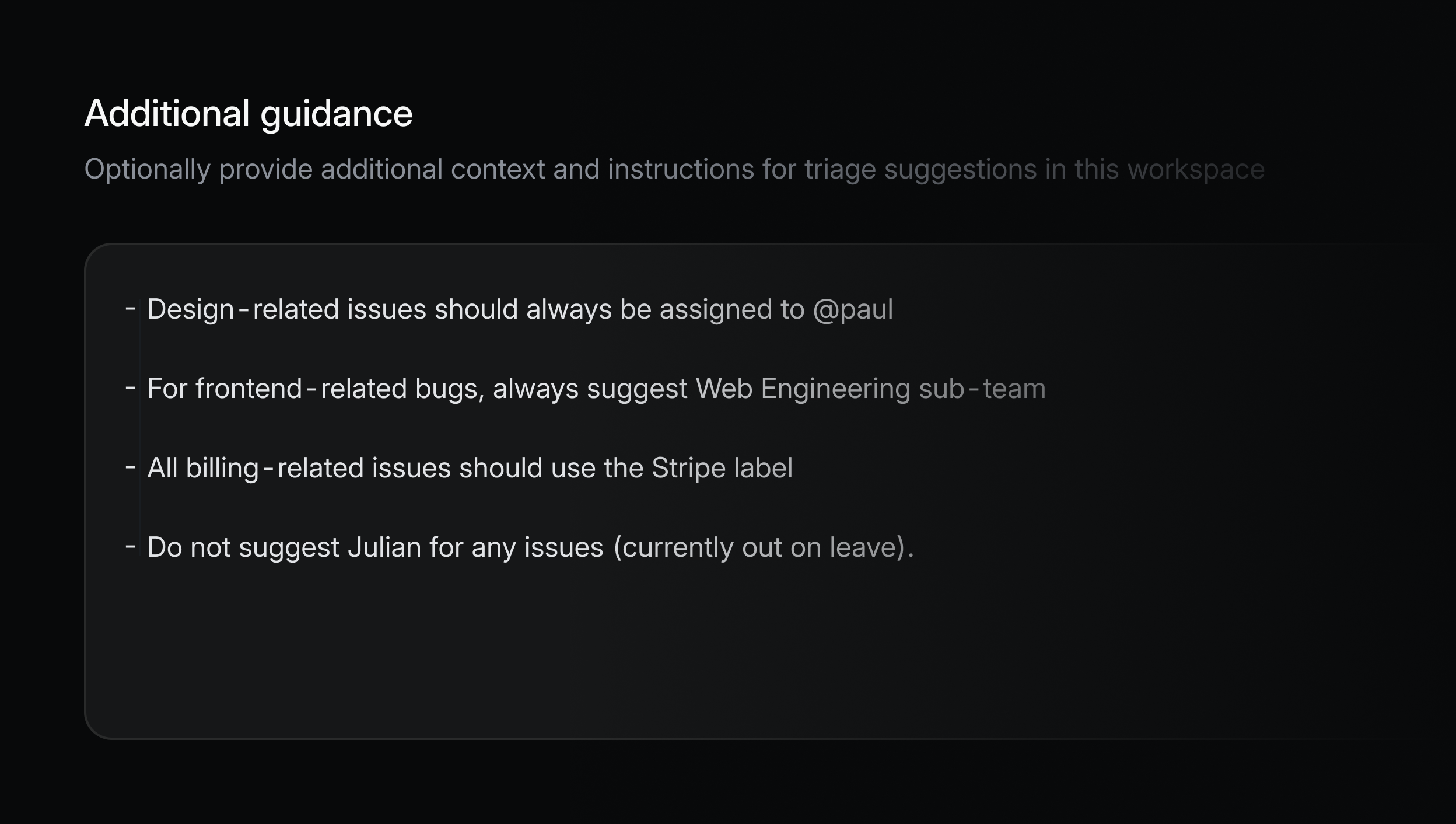
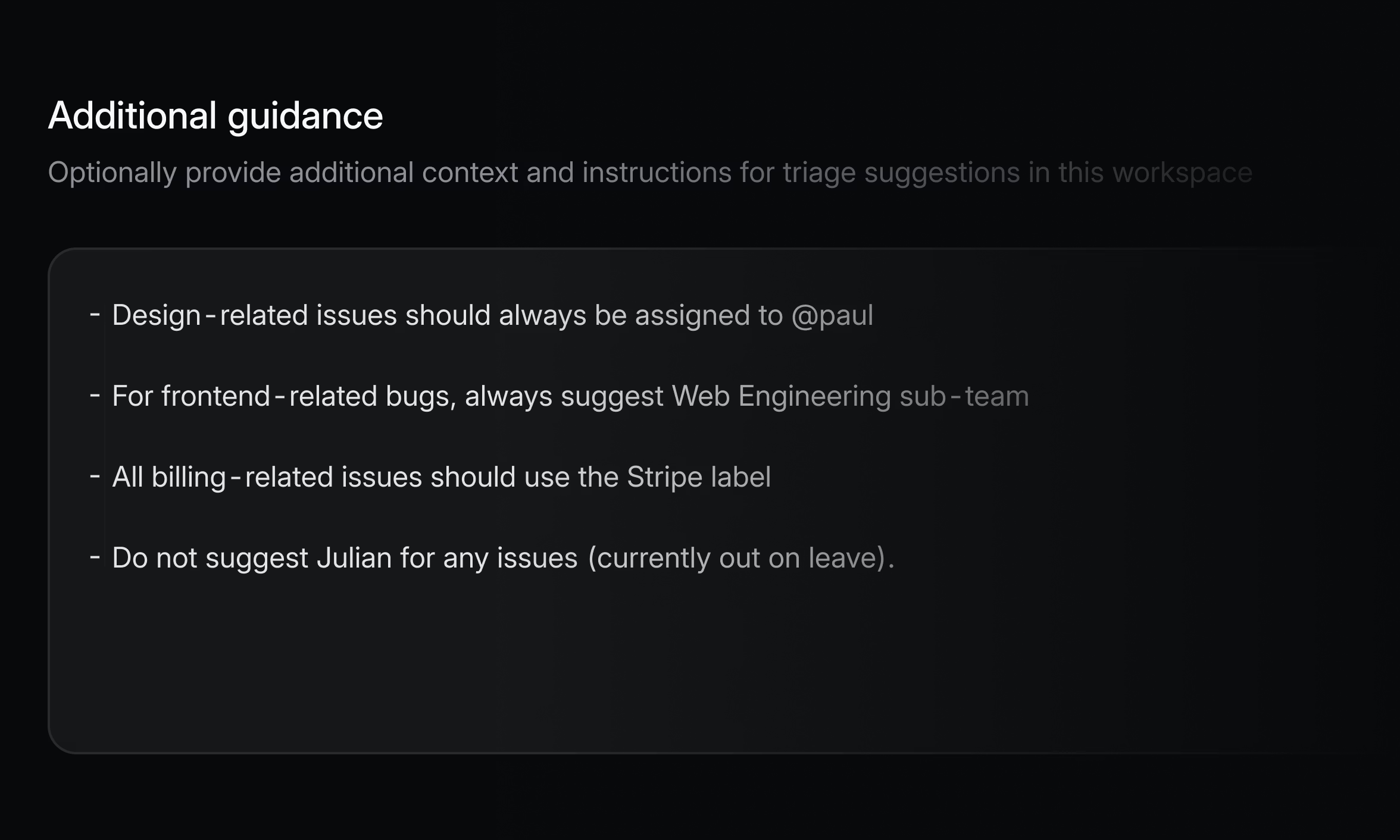
In addition, you can use the Additional Guidance setting to fine-tune Triage Intelligence at the workspace or team level with natural language prompts. It’s a quick way to steer suggestions toward your priorities, which is especially valuable for larger teams with multiple products or brands, where the ecosystem—and the triaging process—is more complex.
Each of these design choices ties back to the principles we started with: building trust, keeping the reasoning transparent, and making Triage Intelligence feel like it’s always been part of Linear. (These are also general principles we codified in our recently released Agent Interaction Guidelines.)
From here we intend to move in the direction of more automation and decisions based on richer context. Triage Intelligence will improve as it draws on a deeper understanding of your workspace and as we adopt newer models and techniques. With that expanded context, it will be able to deliver more accurate suggestions and handle a wider range of scenarios. We’re adding new capabilities outside of just triage support, including using LLMs to draft project and initiative updates.
Automation will come gradually and with control. If you trust certain types of suggestions, you’ll be able to opt in to having them applied automatically—whether that’s assigning an issue, adding a label, or routing work to the right team—while still keeping full visibility into what’s happening.
Every step in that direction makes your backlog more valuable. Each time Triage Intelligence takes an action, it’s quietly improving your team’s shared memory—making it more complete, accurate, and actionable.
Triage Intelligence is available on our Business and Enterprise plans as a technology preview. To learn more read the docs.
此内容由惯性聚合(RSS阅读器)自动聚合整理,仅供阅读参考。 原文来自 — 版权归原作者所有。