







Building for the web is increasingly complex. Writing modern software includes leveraging cloud infrastructure, dissecting boilerplate code, and managing intricate configurations — when developers only want to focus on writing business logic.
Deno aims to radically simplify web development by removing config and unnecessary boilerplate. We’ve built Deno KV, a serverless database, and Deno Queues, a way to offload tasks or schedule future work, right into the runtime, so adding them to your application only requires a few lines of code.
Today, we’re thrilled to take another step in simplifying web development by introducing Deno Cron, an easy way to create scheduled jobs:
Deno.cron("Sample cron job", "*/10 * * * *", () => {
  console.log("This will run every 10 minutes");
});
In this post, we’ll go over:
Deno.cronDeno.cron() (available behind the
--unstable flag as of 1.38), is a function that takes three
parameters:
name , the name of your scheduled jobschedule , which uses
the Unix cron format
and where the time is in the UTC timezonehandler, a function that is executed on the schedule providedUnlike cron on UNIX/Linux, Deno Cron executions do not overlap. This means that if you schedule something to run every 10 minutes, but the task takes 30 minutes to complete, Deno Cron automatically skips the next scheduled run until the task is complete. Overlapping cron jobs can lead to unintended issues and requires extra tedious logic to avoid, but Deno Cron side steps that completely.
We’re also working to support a JavaScript friendly API for specifying the cron schedule.
On Deno Deploy, our multi-tenant distributed serverless JavaScript
platform, Deno.cron() is automatically detected and managed so you don’t need
to worry about anything.
You can run cron jobs without a web server or even consistent incoming
requests to keep your isolate alive. That’s because whenever your project is
deployed, Deno Deploy automatically detects your cron jobs and evaluates them.
When its time for your handler to run, Deno Deploy automatically spins up an
isolate on-demand to run them.
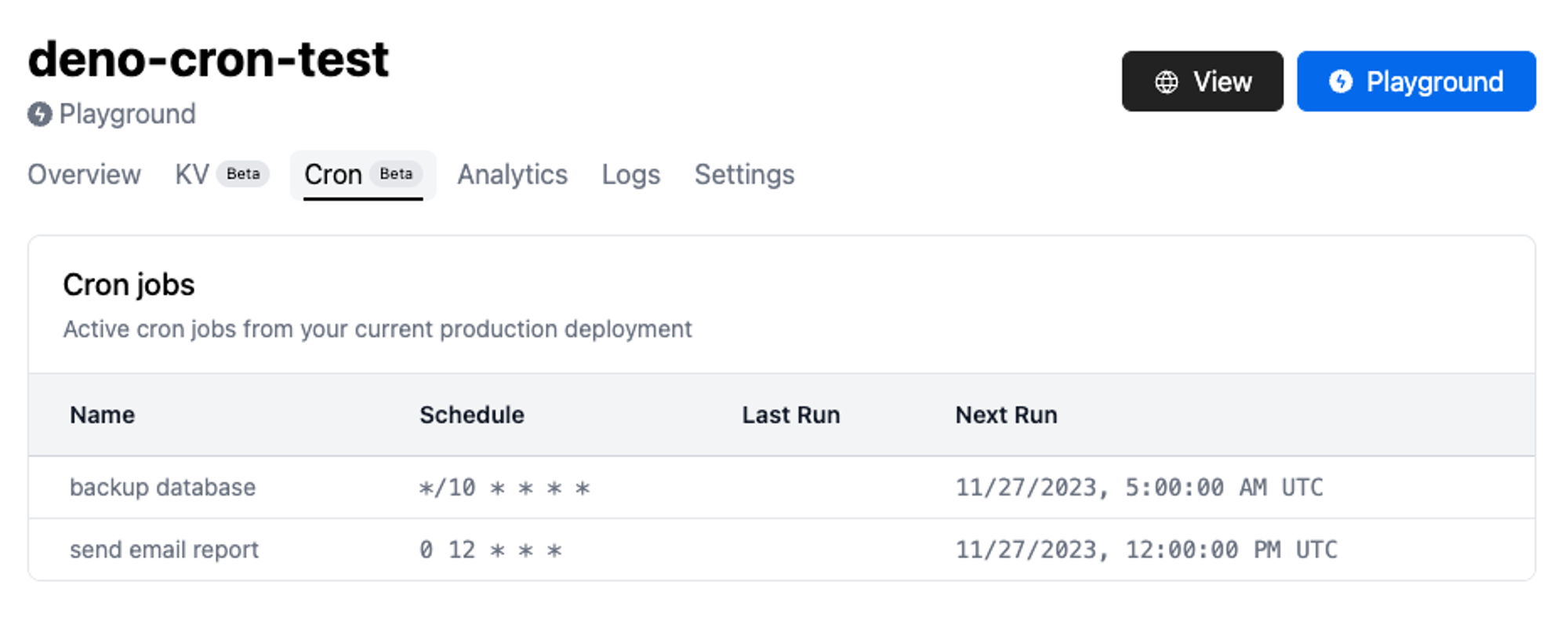
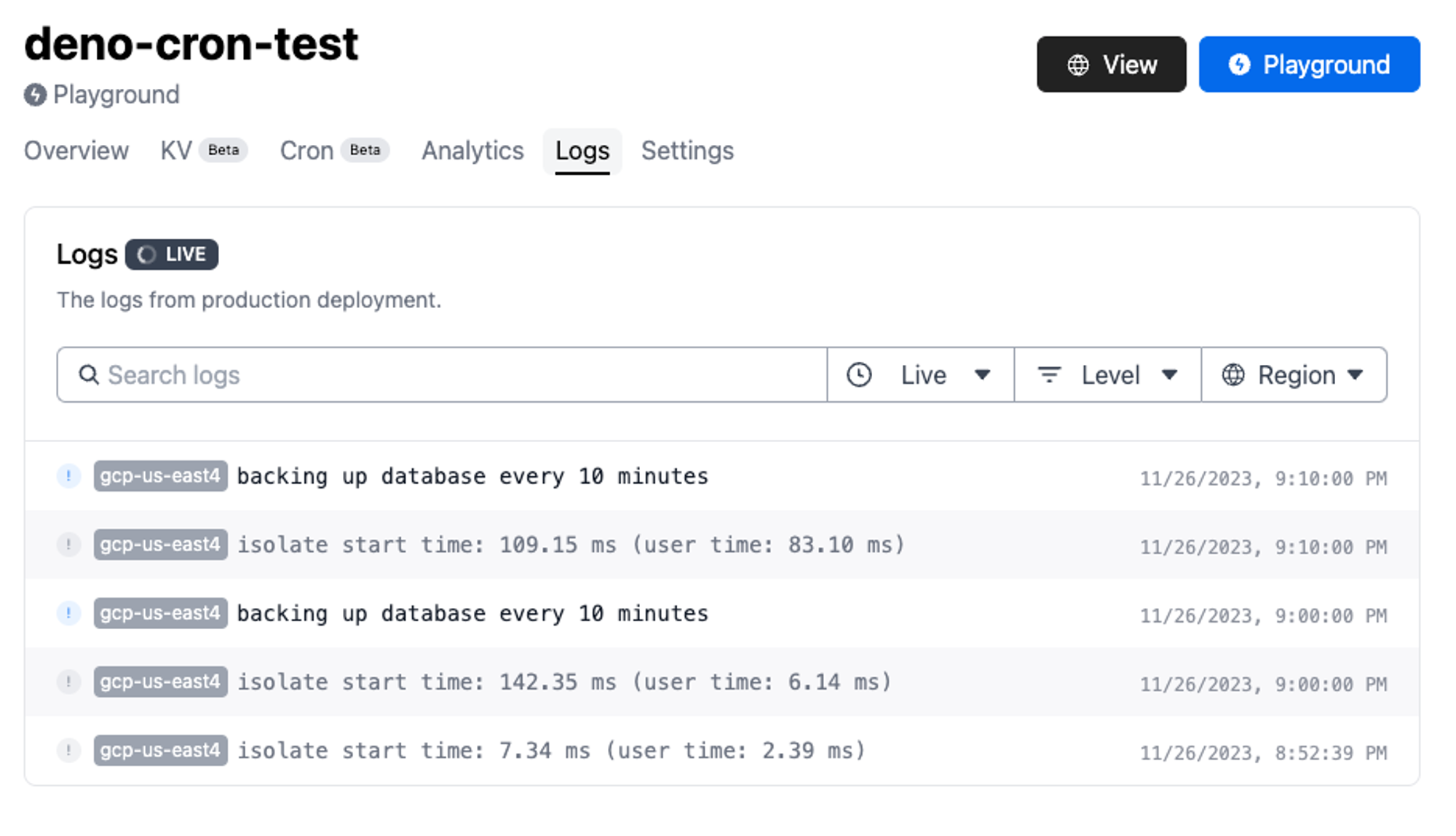
We’ve also added a new Cron tab in the Deno Deploy dashboard, which shows
all active cron jobs in your project:
To modify or stop an existing cron, change your code and create a new
deployment. For example, if you remove a Deno.cron from your code and deploy
it, those jobs will no longer be scheduled to run.
Your Deno Cron handlers can perform all sorts of actions, such as updating state in Deno KV, pinging a website, sending an email, initiating a database backup, calling an API at regular intervals, and more.
How exactly does Deno Deploy know there’s a cron in your code, even when
there’s no web server handling requests?
When a new production deployment of your project is created, an ephemeral V8
isolate is used to evaluate your project’s top-level scope and to discover any
Deno.cron definitions. A global cron scheduler is then updated with your
project’s latest cron definitions, which includes updates to your existing
crons, new crons, and deleted crons.
The global cron scheduler is a reliable service that’s responsible for scheduling and dispatching cron jobs based on the specified schedule. During dispatch, an on-demand v8 isolate is spun up to execute the job using the same production deployment.
Using Deno Cron on Deno Deploy makes it simple to create cron jobs and host them in the cloud without any configuration in a matter of minutes.
Building a scalable business requires the ability to schedule jobs reliably and easily. Deno Cron is a simple way to schedule jobs without unnecessary configuration.
With Deno Cron, Deno KV, Deno Queues, npm, and web standards APIs, building and launching a production-ready server on Deno is simpler and more productive. But we are not there yet. We have a few more cloud primitives that we hope to add to the runtime — stay tuned.
Join the discussion on Hacker News.
🚨️ We’re actively seeking feedback for Deno Cron 🚨️
If you’re using it (or plan to use it) in a commercial capacity and want to connect directly to one of our engineers for technical support, please let us know via email or Discord.
此内容由惯性聚合(RSS阅读器)自动聚合整理,仅供阅读参考。 原文来自 — 版权归原作者所有。