





Creating and publishing open source packages is a great way to contribute to the ecosystem and community. You made something cool and want people to use it. But simply publishing your module to a registry and crossing your fingers won’t get users. Helping your users become successful with your package means not only writing concise, descriptive documentation, but also ensuring your users can access the documentation within their workflows (e.g. in VSCode) to save them time.
Thanks to JSDoc it’s easy to write documentation that is coupled with your code and can be consumed by users in a variety of formats. When combined with a modern publishing flow like JSR, you can easily create comprehensive documentation for your package that not only fits within your workflow, but also integrates directly in the tools your users consume your package with. This blog post aims to cover best practices when writing JSDoc-style comments to get your users up and running as quickly as possible:
While a good README answers “why should I use your package?”, good documentation should answer “how can I use your package?”. Users browsing your documentation have a problem they need to solve, and your documentation should provide them with the answer in the fewest clicks and keyboard taps.
JSDoc is a great way to write reference documentation that is coupled with the code itself and can be consumed by users in a variety of formats, such as HTML, markdown, JSON, or in their IDE or text editor. Here is a quick diagram of an example JSDoc-style comment and how it appears as documentation in various mediums:
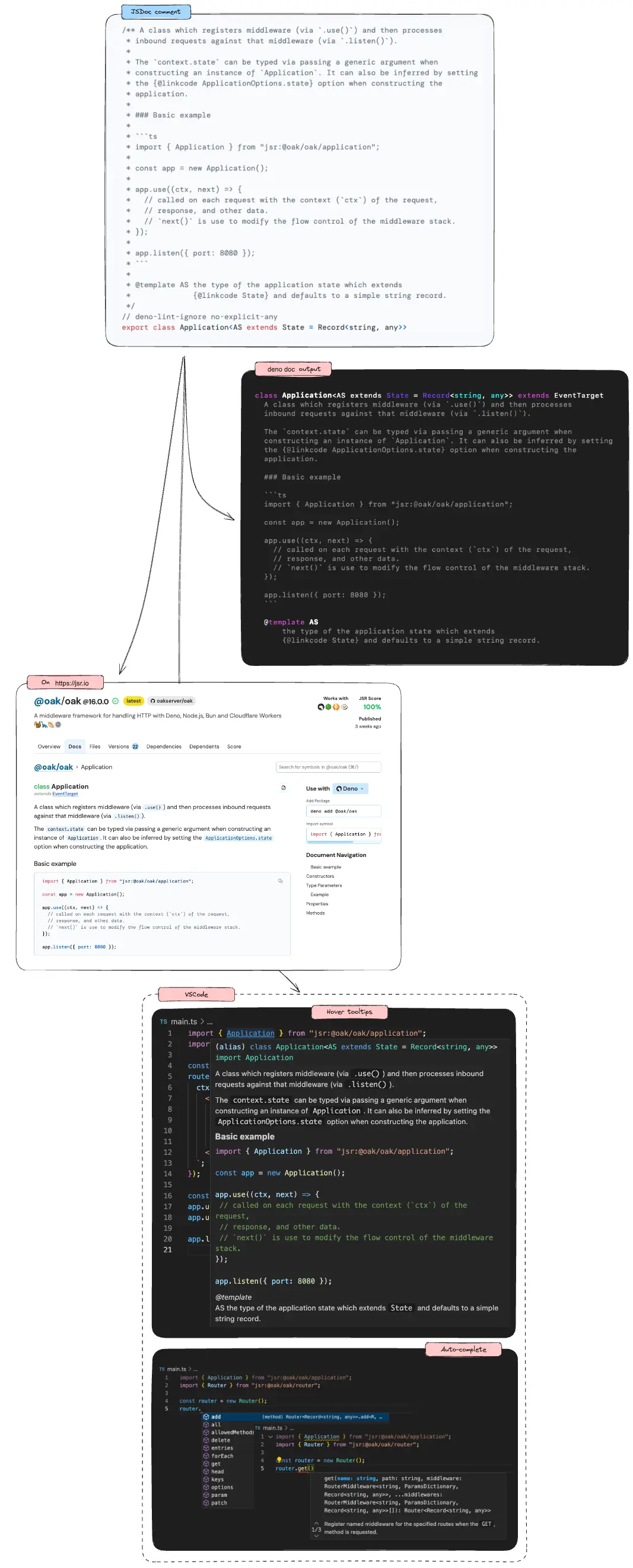
Writing good JSDoc can improve the success of your package. Before we dive into some best practices, here’s a brief high-level introduction to JSDoc.
JSDoc turns your comments in your code into a documentation object that can be rendered and displayed in a variety of formats.
JSDoc comments are any block comments that begin with /** and end with */
that precede a block of code. Here’s an example:
function sum(value1, value2) {
  return value1 + value2;
}
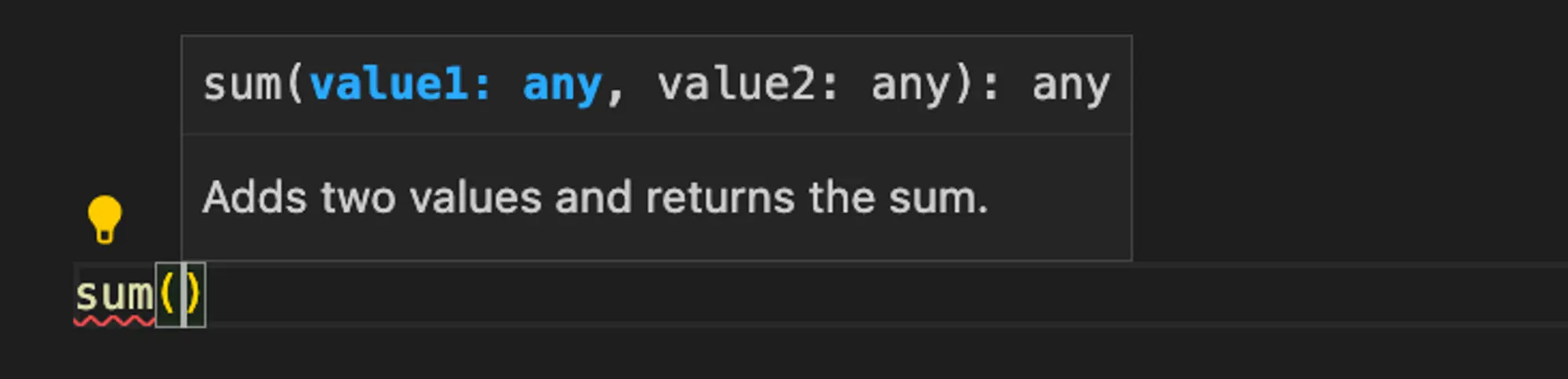
This JSDoc will then appear as a tooltip in your IDE:
JSDoc comments can span multiple lines. Each line should start with * and
should be indented by one space.
function sum(value1, value2) {
  return value1 + value2;
}
The first paragraph of a JSDoc comment is the most important. It is a summary of the symbol and is shown in tooltips, auto-completions in your editor, and is indexed by search. The first paragraph should be a concise description of the symbol, and should be written in a way that helps users quickly understand what this function does.
For example, don’t write:
function replaceSpacesWithUnderscores(value) {
  return value.replace(/ /g, "_");
}
Instead, concisely describe what the function does:
function replaceSpacesWithUnderscores(value) {
  return value.replace(/ /g, "_");
}
Additional information like the implementation details, caveats, or examples should be added in subsequent paragraphs. Because JSDoc supports markdown, you can even use headings to separate different sections.
Simple and concise summaries help users quickly filter through a list of symbols during auto-complete and find the one they need. Once they’ve found the symbol, they can read through the rest to learn about the details.
After the succinct descriptive summary, it’s important to provide good type information for the symbols you are exposing in your package. This serves two main purposes:
Here, we’ll use TypeScript to add type information. TypeScript, one of the fastest growing programming languages, is a strongly typed language built on JavaScript that enhances code quality and maintainability, while improving developer productivity.
export function sum(value1: number, value2: number): number {
  return value1 + value2;
}
In your editor, you’ll see the type information for the parameters and return value when you hover over the function:
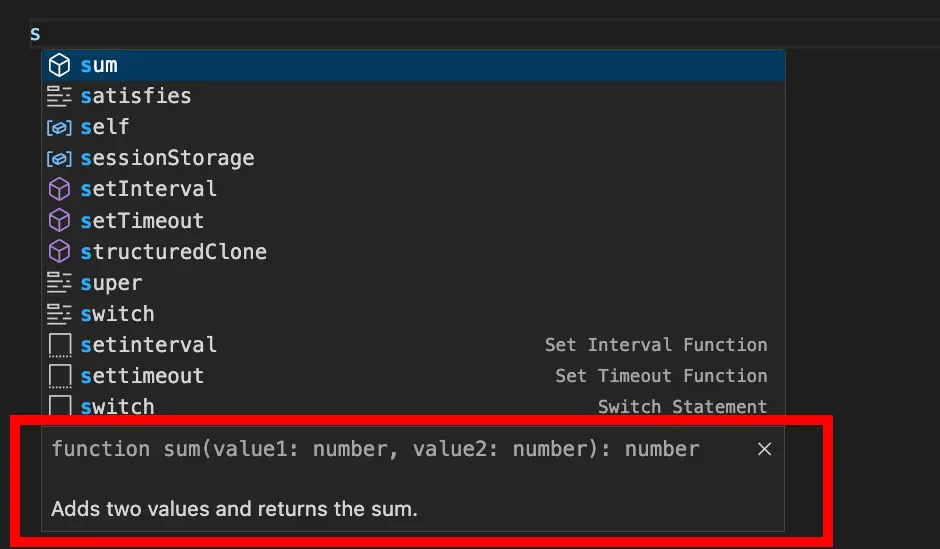
When a user types sum( in their editor, they’ll see the type information for
the parameters:

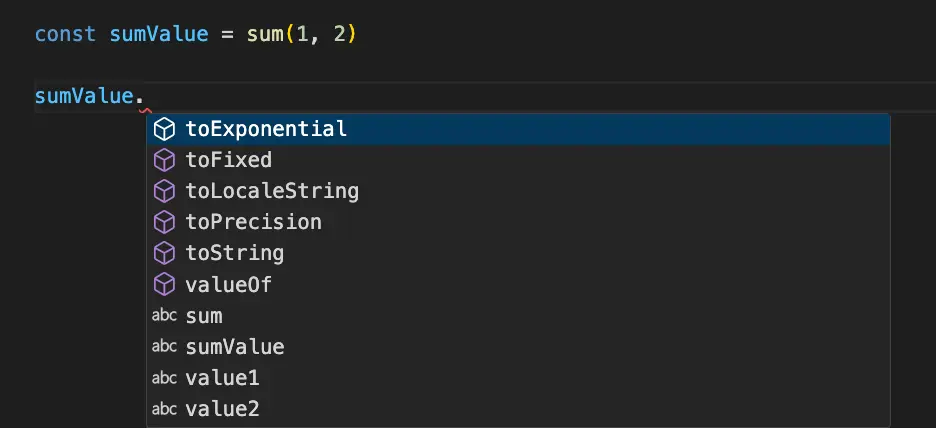
On the return value, you can immediately get completion for methods on the
returned number:
JSDoc supports a variety of tags that can be used to provide additional
information about your symbols, such as @param for parameters, @returns for
the return value, or @typeParam for type parameters. Here’s an example of a
function with type information and tags:
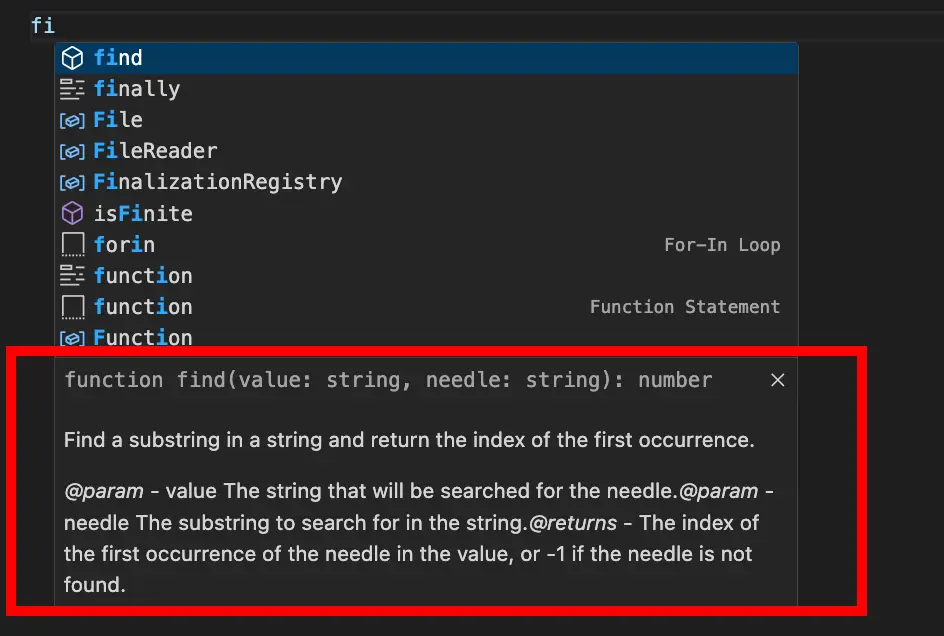
declare function find(value: string, needle: string): number;
In your editor, you’ll see the type information for the parameters and return value, as well as the additional information provided by the tags:
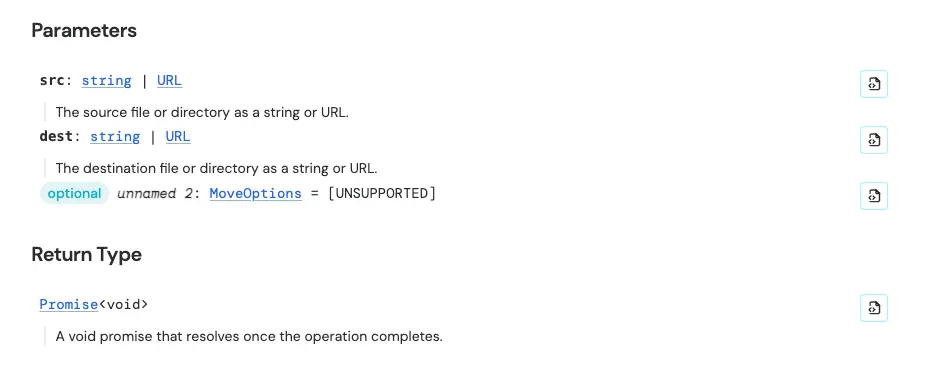
On JSR, the tags are rendered in HTML. Here’s an example of the @param and
@return tags in the JSDoc of the
move function in deno_std/fs:
Examples are another great way to help users quickly understand how to use your
library. This is especially useful for functions that have complex behavior or
many parameters. Examples can be added to your JSDoc comments using the
@example tag:
declare function find(value: string, needle: string): number;
The best examples are concise and demonstrate the most common use cases of your function. They should be easy to understand and can be copied and pasted into a project.
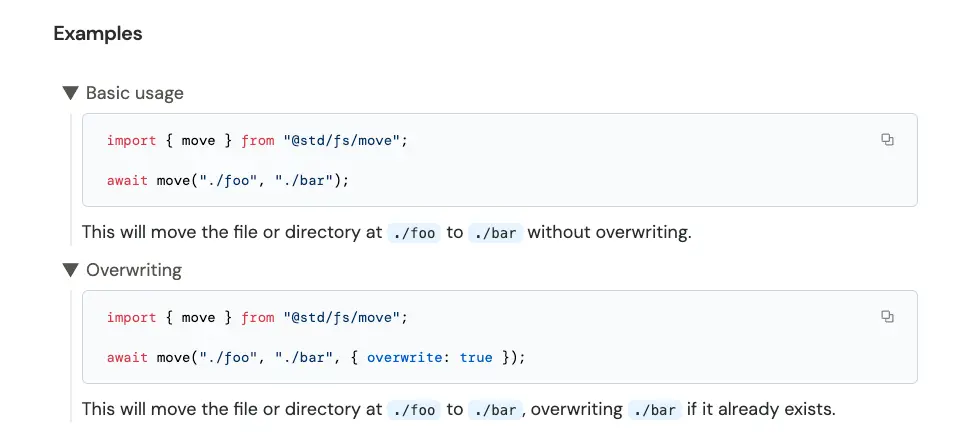
You can even provide multiple examples if there are multiple use cases worth
mentioning. Here’s an example of how multiple examples appear on JSR from
the move function of deno_std/fs:
Note the text immediately following @example serves as the title, and the text
beneath the example becomes its description on JSR:
You should document every symbol your package exports, including functions, classes, interfaces, and type aliases.
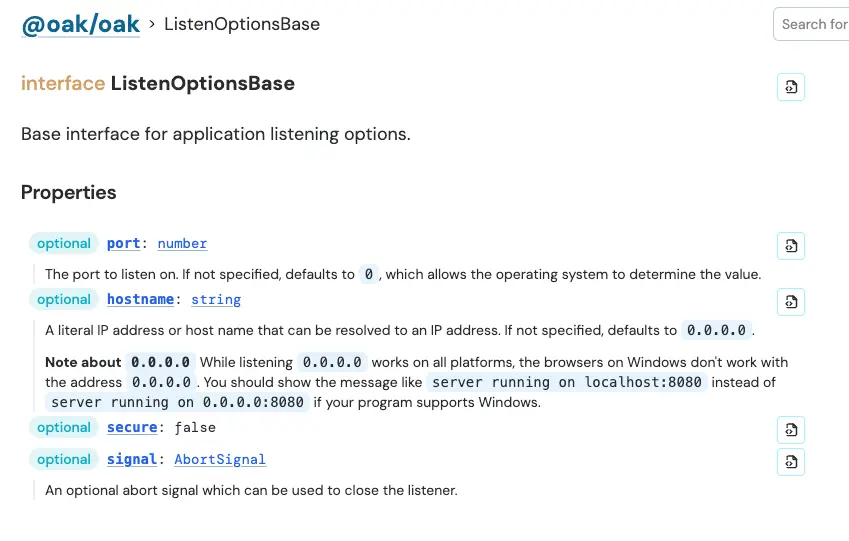
This extends beyond just one JSDoc comment per symbol. For classes and interfaces for example, you should document the symbol itself, each method or property on it, including constructors. Here’s an example of an Oak interface with JSDoc comments on its properties:
export interface ListenOptionsBase {

  port?: number;

  hostname?: string;
  secure?: false;

  signal?: AbortSignal;
}
This is how the JSDoc comments on properties appear on JSR:
If your package consists of multiple modules, adding a JSDoc comment to the
top of each module file with the @module tag will be helpful. This module
comment should include a description and examples of how to use its exported
symbols.
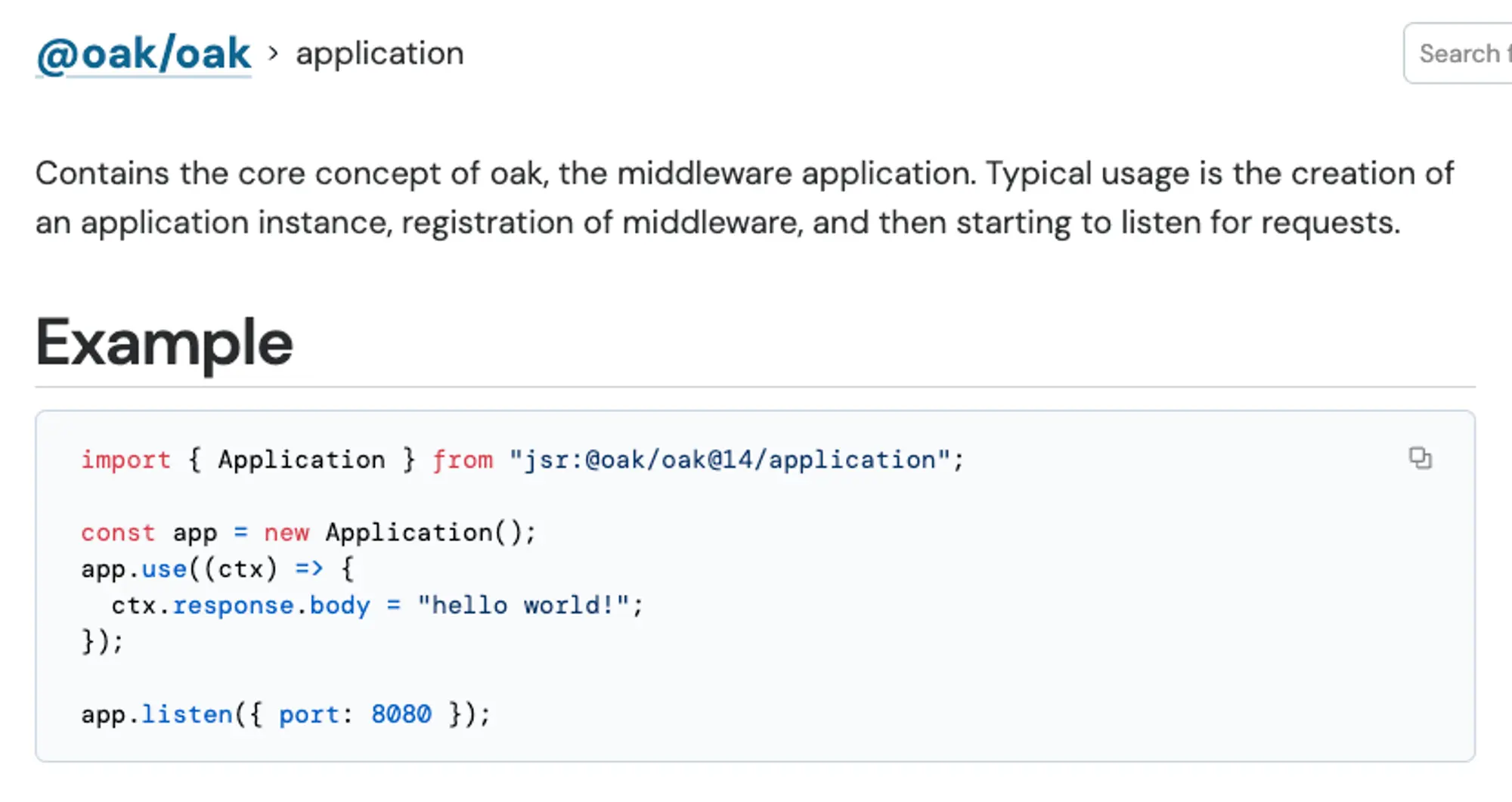
Here’s an example of @module in Oak’s
application.ts file:
In JSR, the first paragraph becomes the description beneath the modules on the main docs page of your package:
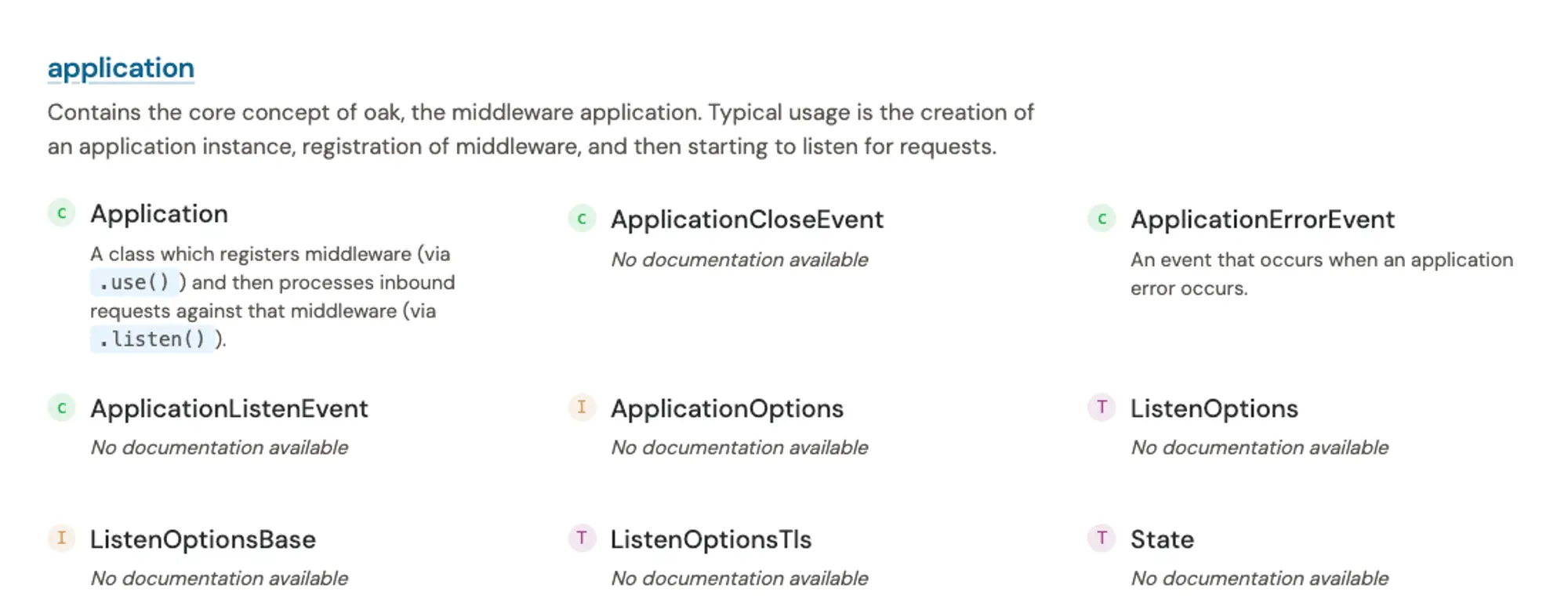
Note the main doc page only includes the first paragraph. The subsequent JSDoc comment appears when you click through to the module page:
Using markdown in JSDoc lets you organize your documentation in a more readable and engaging way. This can help you create documentation that is easier to understand, and allows you to link to external resources or other parts of your documentation using links.
Some useful markdown features you can use in your JSDoc comments include:
# my heading for section headings- hello world for bullet points**important** for bold_noteworthy_ for italic> quote for block quotes[foo](https://example.com) for links`console.log("foo")` for inline code snippetsOn JSR, you can also use [!IMPORTANT] to highlight important information in
your documentation that you want to draw attention to.
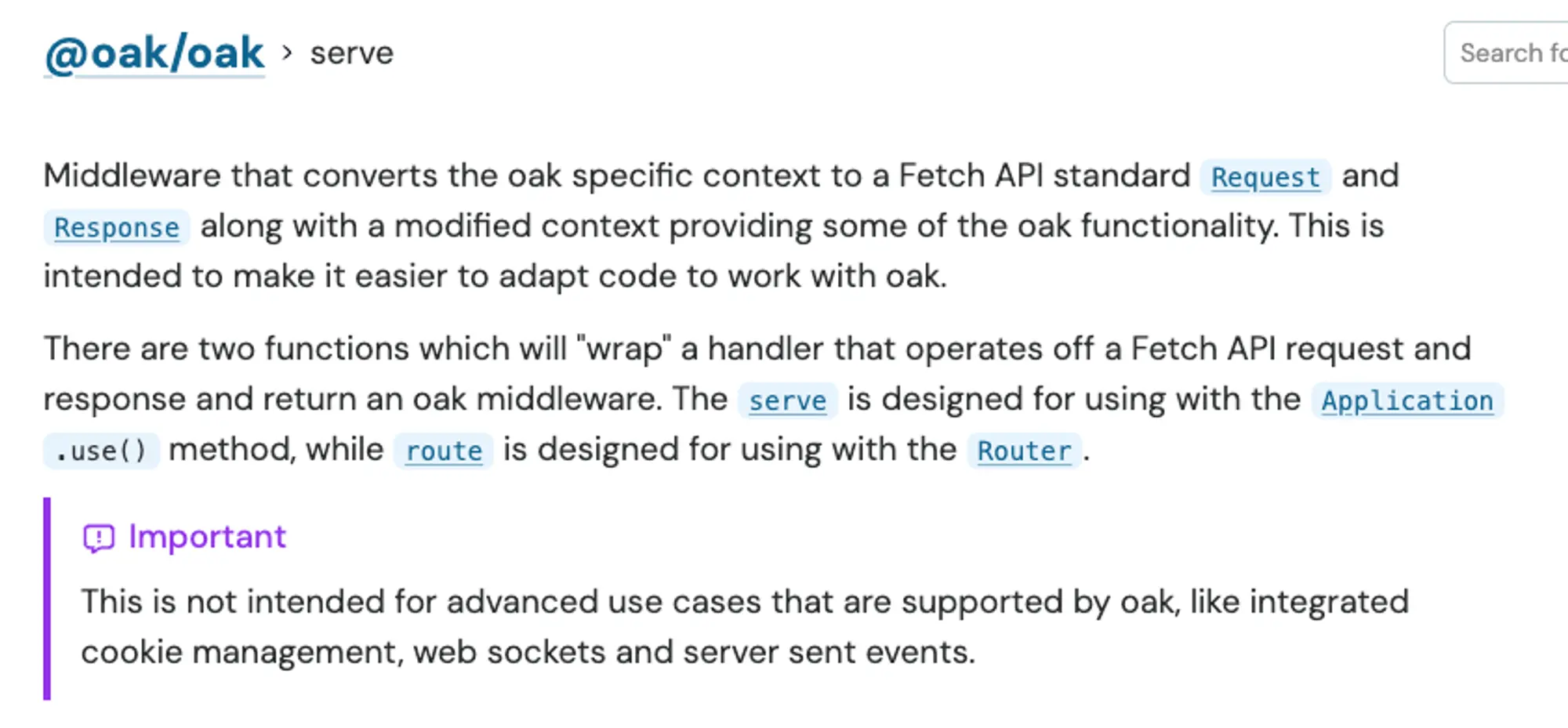
This module-level JSDoc comment will appear at the top level in JSR as such:
Sometimes, your documentation refers to another symbol within your package. To
make it easy for your users to navigate throughout your docs, you can link
within your documentation using the
@link , @linkcode , and @linkplain
tags. These tags accept a name path or URL, from which it generates an HTML
anchor element. Here’s an example:
export interface StyleOptions {

  color: "black" | "red" | "green";

  bold: boolean;

  italic: boolean;
}


declare function print(message: string, options: StyleOptions): void;
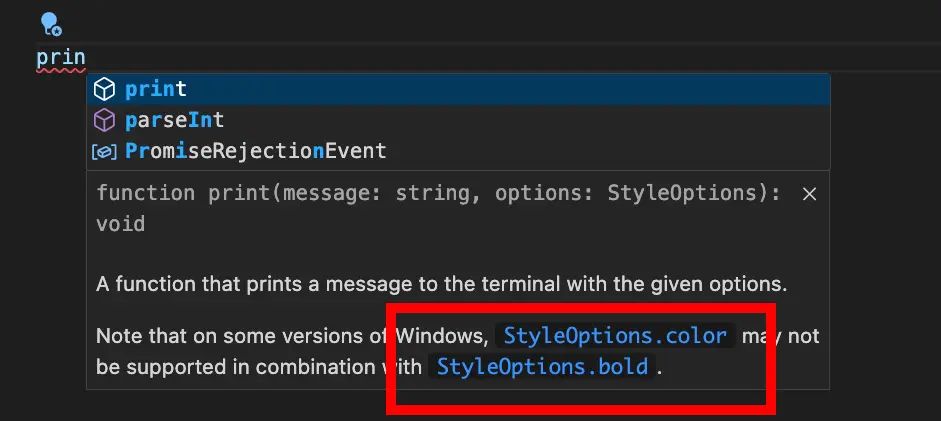
In VSCode, the hover tooltip now includes clickable links that will take you directly to the code where that symbol is defined:
Here’s an example of how @linkcode appears in JSR. In the JSDoc for Oak’s
serve function, it references Application, which is becomes a clickable link
on JSR:
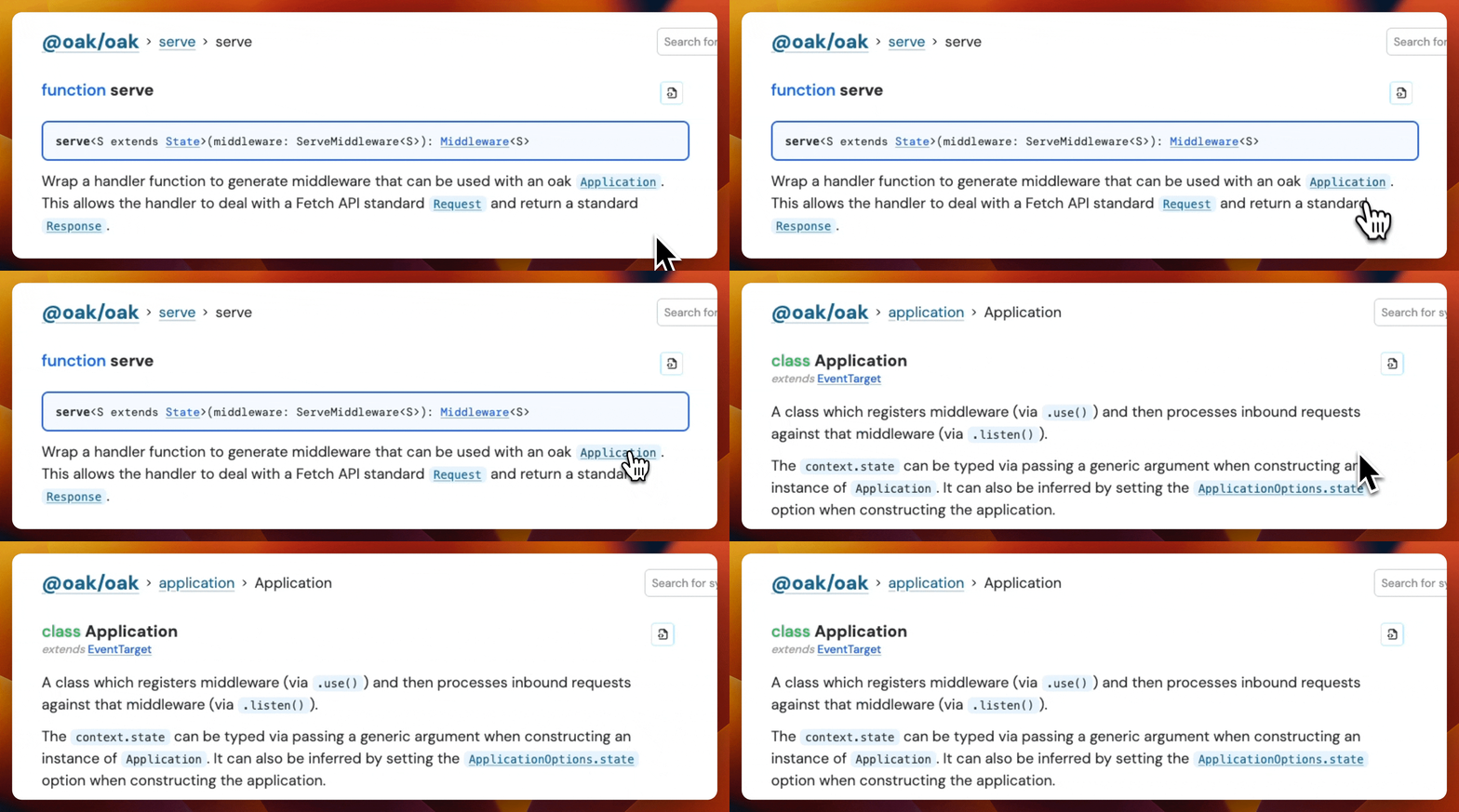
You can also reference built-in JavaScript objects, like ArrayBuffer, and JSR
will automatically link to
the relevant MDN documentation.
One benefit about using JSDoc is that writing documentation in the comments happens at the same time as writing the code. That means anytime we need to make a change to a function, interface, or module, we can make the necessary change to the JSDoc with minimal context switching costs.
But how does one make sure that the docs in the comments are updated? Starting with docs, á la docs-driven-development, can help you spec out and reason about the requirements before writing a single line of code. Sometimes, this means catching potential problems earlier and saving time from having to re-write code. (For a more macro-level approach to this, check out “Readme-driven development”.)
If you’ve included code examples in your documentation, you can type check them
from the command line with
deno test --doc.
This is a helpful tool to ensure that your examples within your documentation
are up-to-date and working.
For example, building on our sum function from earlier, let’s add an example
with a code snippet:
export function sum(value1: number, value2: number): number {
  return value1 + value2;
}
Then, we can check the code in this example block by running deno test --doc :
deno test --doc
Check file:/
error: TS2345 [ERROR]: Argument of type 'string' is not assignable to parameter of type 'number'.
const finalValue = sum(1, "this is a string");
                          ~~~~~~~
    at file:/
Whoops! After we fix the type error in the code in our documentation:
deno test --doc
Check file:/

ok | 0 passed | 0 failed (0ms)
This offers a quick way to type check your code examples in your documentation before publishing.
If you’re publishing to JSR, it will handle all of the formatting and generation of documentation based off your JSDoc-style comments. However, if you’re interested in using your tooling to audit or test what the JSDoc comment output looks like, here are some suggestions.
deno doc <file>:
This Deno command will print the JSDoc documentation for each of thefile’s
exported members. This command also accepts an--htmlflag that generates a
static site with documentation, and a --json flag to generate JSON output
that you can display yourself.deno doc --lint`:
This command will check for problems, such as missing return type or missing
JSDoc comment on a public type. These lints help you write better
documentation and catch potential issues before you publish.deno test --doc`:
We mentioned this command earlier in this post, but this allows you to easily
type check your documentation examples.jsdoc <directory>: JSDoc’s own CLI
can generate a static documentation site with its default template, and offers
a variety of configuration option flags. If the default template is a bit
boring, there are others such as
docdash, which provides hierarchical
navigation and syntax highlighting.Writing good JSDocs for your JavaScript package is critical to its success. Let’s recap the best practices:
@param, @returns, and @typeParam provide more
information about specific parts of your function or class.@link, @linkcode, and @linkplain to link to
other parts of your documentation to help users navigate your docs.deno test --doc to type check your
documentation examples before publishing, and deno doc --lint to check for
issues in your JSDoc comments.By following these best practices, you can create comprehensive documentation for your package that helps users get up and running with your package as quickly as possible.
🚨️ Read more about JSR 🚨️
此内容由惯性聚合(RSS阅读器)自动聚合整理,仅供阅读参考。 原文来自 — 版权归原作者所有。