







This is the second part, following Roll your own JavaScript runtime, pt. 1. There’s also a third part where we create snapshots to speed up startup time.
Update 2024-09-26: updated the code samples to the latest version of
deno_core
There are many reasons you may want to roll your own JavaScript runtime, such as building an interactive web app with a Rust backend, extending your platform by building a plugin system, or writing a plugin for Minecraft.
In this blog post, we’ll build on the first blog post by
fetch,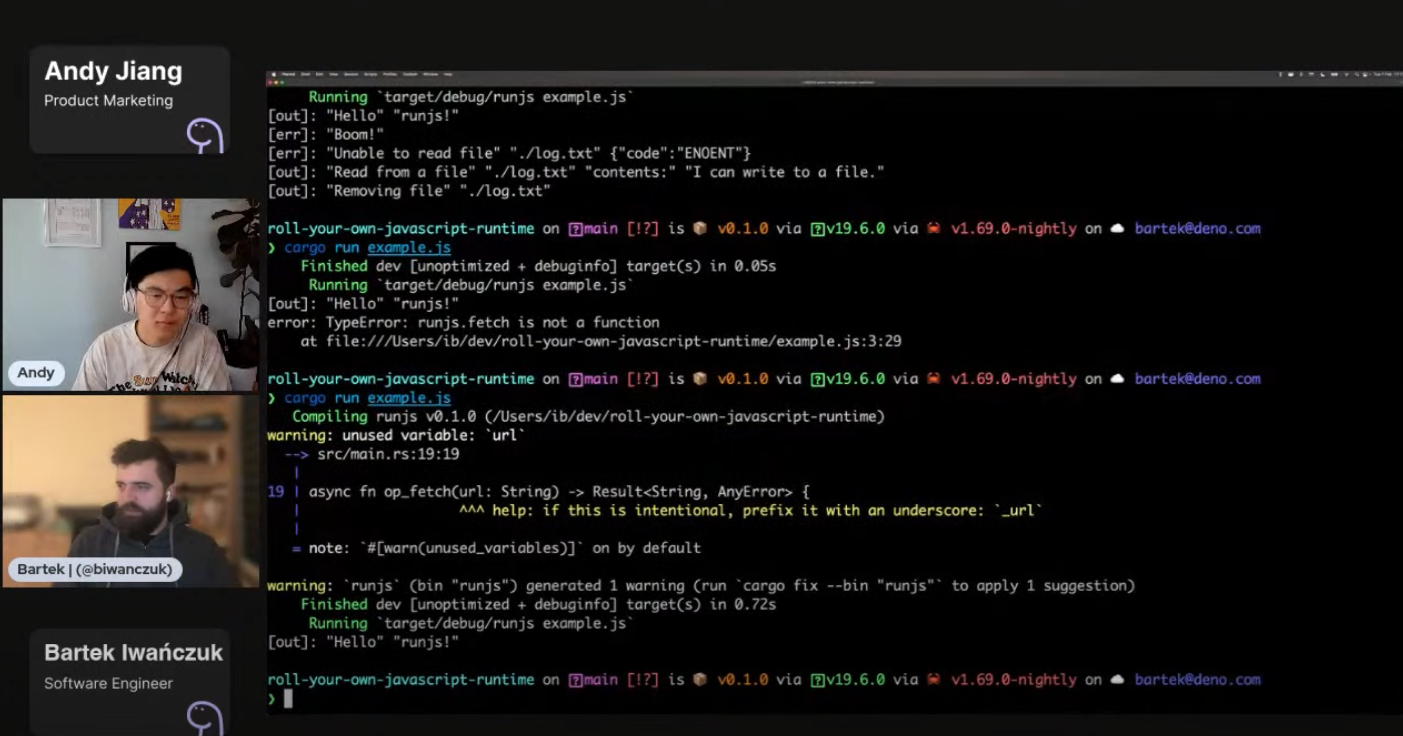
Watch the video demo or view source code here.
If you followed the first blog post, your project should have three files:
example.js: the JavaScript file that we intend to execute in the custom
runtimemain.rs: the asynchronous Rust function that creates an instance of
JsRuntime,
which is responsible for JavaScript executionruntime.js: the runtime interface that defines and provides the API that
will interop with the JsRuntime from main.rsLet’s implement an HTTP function fetch in our custom runtime.
fetchIn our runtime.js file, let’s add a new function fetch under our global
object runjs:
// runtime.js

const { core } = Deno;
const { ops } = core;

function argsToMessage(...args) {
  return args.map((arg) => JSON.stringify(arg)).join(" ");
}

globalThis.console = {
  log: (...args) => {
    core.print(`[out]: ${argsToMessage(...args)}\n`, false);
  },
  error: (...args) => {
    core.print(`[err]: ${argsToMessage(...args)}\n`, true);
  },
};

globalThis.runjs = {
  readFile: (path) => {
    return ops.op_read_file(path);
  },
  writeFile: (path, contents) => {
    return ops.op_write_file(path, contents);
  },
  removeFile: (path) => {
    return ops.op_remove_file(path);
  },
+  fetch: (url) => {
+    return ops.op_fetch(url);
+  },
};
Now, we’ll have to define op_fetch in main.rs. It will be an asynchronous
function that will accept a String and return either a String or an error.
In the function itself, we’ll use the
reqwest crate, a convenient and
powerful HTTP client, and only use the get function.
// main.rs

// …

#[op2(async)]
#[string]
async fn op_read_file(#[string] path: String) -> Result<String, AnyError> {
  let contents = tokio::fs::read_to_string(path).await?;
  Ok(contents)
}

#[op2(async)]
async fn op_write_file(
  #[string] path: String,
  #[string] contents: String,
) -> Result<(), AnyError> {
  tokio::fs::write(path, contents).await?;
  Ok(())
}

+ #[op]
+ async fn op_fetch(url: String) -> Result<String, AnyError> {
+   let body = reqwest::get(url).await?.text().await?;
+   Ok(body)
+ }

// …
In order to use reqwest, let’s add it to our project from the command line:
$ cargo add reqwestNext, we’ll register op_fetch in our runjs extension:
// main.rs

// …

extension!(
  runjs,
  ops = [
    op_read_file,
    op_write_file,
    op_remove_file,
+    op_fetch,
  ],
  esm_entry_point = "ext:runjs/runtime.js",
  esm = [dir "src", "runtime.js"],
);

// …
Let’s update our example.js so that we can try out our new fetch function:
console.log("Hello", "runjs!");
content = await runjs.fetch(
  "https://deno.land/std@0.177.0/examples/welcome.ts",
);
console.log("Content from fetch", content);
And we can run this as such:
$ cargo run
    Finished dev [unoptimized + debuginfo] target(s) in 2m 14s
     Running `target/debug/runjs`
[out]: "Hello" "runjs!"
[out]: "Content from fetch" "// Copyright 2018-2023 the Deno authors. All rights reserved. MIT license.\n\n/** Welcome to Deno!\n *\n * @module\n */\n\nconsole.log(\"Welcome to Deno!\");\n"
It worked! We were able to add our custom version of fetch to our JavaScript
runtime in less than 10 lines of code.
So far, we’ve hard coded the filepath of which file to load and execute. Each
time we only have to run cargo run to run the contents of example.js.
Let’s update it to instead read command line arguments and take the first
argument as the filepath to run. We can make that change in the main()
function in main.rs:
// main.rs

// ...

fn main() {
+  let args: Vec<String> = std::env::args().collect();

+  if args.is_empty() {
+    eprintln!("Usage: runjs <file>");
+    std::process::exit(1);
+  }
  let file_path = &args[1];

  let runtime = tokio::runtime::Builder::new_current_thread()
    .enable_all()
    .build()
    .unwrap();
+  if let Err(error) = runtime.block_on(run_js(file_path)) {
+    eprintln!("error: {error}");
+  }
}
Let’s try running cargo run example.js:
$ cargo run example.js
    Finished dev [unoptimized + debuginfo] target(s) in 6.99s
     Running `target/debug/runjs example.js`
[out]: "Hello" "runjs!"
[out]: "Content from fetch" "// Copyright 2018-2023 the Deno authors. All rights reserved. MIT license.\n\n/** Welcome to Deno!\n *\n * @module\n */\n\nconsole.log(\"Welcome to Deno!\");\n"
It worked! Now we can pass a file as a command line parameter to the runtime.
But what if we also want to support TypeScript or TSX?
The first step is to transpile TypeScript into JavaScript.
Let’s update example.js to be example.ts and add some simple TypeScript:
console.log("Hello", "runjs!");

+ interface Foo {
+   bar: string;
+   fizz: number;
+ }
+ let content: string;
content = await runjs.fetch(
  "https://deno.land/std@0.177.0/examples/welcome.ts",
);
console.log("Content from fetch", content);
Next, we’ll have to update our module loader in main.rs. Our
current module loader
is
deno_core::FsModuleLoader,
which provides loading modules from the local file system. However, this loader
can only load JavaScript files.
  let mut js_runtime = deno_core::JsRuntime::new(deno_core::RuntimeOptions {
    module_loader: Some(Rc::new(deno_core::FsModuleLoader)),
    extensions: vec![runjs::init_ops_and_esm()],
    ..Default::default()
So let’s implement a new TsModuleLoader, where we can determine which language
to transpile depending on the file extension. This new module loader will
implement deno_core::ModuleLoader trait, so we’ll have to implement resolve
and load function.
The resolve function is straightforward — we can simply call
deno_core::resolve_import:
struct TsModuleLoader;

impl deno_core::ModuleLoader for TsModuleLoader {
  fn resolve(
    &self,
    specifier: &str,
    referrer: &str,
    _kind: deno_core::ResolutionKind,
  ) -> Result<deno_core::ModuleSpecifier, deno_core::error::AnyError> {
    deno_core::resolve_import(specifier, referrer).map_err(|e| e.into())
  }
}
Next, we’ll have to implement the load function. This is trickier, since
transpiling TypeScript to JavaScript is not easy — you need to be able to parse
the TypeScript file, create an Abstract Syntax Tree, then get rid of optional
typings that are not understandable by JavaScript, and then collapse this tree
back into a text document.
We won’t do this ourselves (since it will probably take several weeks to
implement), so we’ll use an existing solution in the Deno ecosystem:
deno_ast.
Let’s add it to our dependencies from the command line:
$ cargo add deno_astIn our Cargo.toml, we’ll also need to include transpile as a feature for
deno_ast:
// …
[dependencies]
deno_ast = { version = "0.42", features = ["transpiling"] }
// …
Next, let’s add four use declarations to the top of main.rs, which we’ll
need in our load function:
use deno_ast::MediaType;
use deno_ast::ParseParams;
use deno_core::ModuleLoadResponse;
use deno_core::ModuleSourceCode;
Now we can implement our load function:
struct TsModuleLoader;

impl deno_core::ModuleLoader for TsModuleLoader {


  fn load(
    &self,
    module_specifier: &deno_core::ModuleSpecifier,
    _maybe_referrer: Option<&deno_core::ModuleSpecifier>,
    _is_dyn_import: bool,
    _requested_module_type: deno_core::RequestedModuleType,
  ) -> ModuleLoadResponse {
    let module_specifier = module_specifier.clone();
    let module_load = move || {
      let path = module_specifier.to_file_path().unwrap();


      let media_type = MediaType::from_path(&path);
      let (module_type, should_transpile) = match MediaType::from_path(&path) {
        MediaType::JavaScript | MediaType::Mjs | MediaType::Cjs => {
          (deno_core::ModuleType::JavaScript, false)
        }
        MediaType::Jsx => (deno_core::ModuleType::JavaScript, true),
        MediaType::TypeScript
        | MediaType::Mts
        | MediaType::Cts
        | MediaType::Dts
        | MediaType::Dmts
        | MediaType::Dcts
        | MediaType::Tsx => (deno_core::ModuleType::JavaScript, true),
        MediaType::Json => (deno_core::ModuleType::Json, false),
        _ => panic!("Unknown extension {:?}", path.extension()),
      };


      let code = std::fs::read_to_string(&path)?;
      let code = if should_transpile {
        let parsed = deno_ast::parse_module(ParseParams {
          specifier: module_specifier.clone(),
          text: code.into(),
          media_type,
          capture_tokens: false,
          scope_analysis: false,
          maybe_syntax: None,
        })?;
        parsed
          .transpile(&Default::default(), &Default::default())?
          .into_source()
          .source
      } else {
        code.into_bytes()
      };


      let module = deno_core::ModuleSource::new(
        module_type,
        ModuleSourceCode::Bytes(code.into_boxed_slice().into()),
        &module_specifier,
        None,
      );
      Ok(module)
    };

    ModuleLoadResponse::Sync(module_load)
  }
}
Let’s unpack this a bit. Our load function needs to accept a filepath and
return a JavaScript module source. The filepath can point to a JavaScript or
TypeScript file, as long as it returns a transpiled JavaScript module.
The first step is to get the path of the file, determine its MediaType, and
whether or not transpiling is necessary. Next, the function reads the file into
a string and transpiles if necessary. Finally, the code is turned into a
module and returned.
Before we can run this, however, we’ll need to replace FsModuleLoader with our
newly defined TsModuleLoader where we create JsRuntime:
// …

  let mut js_runtime = deno_core::JsRuntime::new(deno_core::RuntimeOptions {
-   module_loader: Some(Rc::new(deno_core::FsModuleLoader)),
+   module_loader: Some(Rc::new(TsModuleLoader)),
    extensions: vec![runjs::init_ops_and_esm()],
    ..Default::default()

// …
This should be all we need to get our TypeScript transpiling working.
Let’s run it with cargo run example.ts and it should work!
cargo run example.ts
    Finished dev [unoptimized + debuginfo] target(s) in 0.73s
     Running `target/debug/runjs example.ts`
[out]: "Hello" "runjs!"
[out]: "Content from fetch" "// Copyright 2018-2023 the Deno authors. All rights reserved. MIT license.\n\n/** Welcome to Deno!\n *\n * @module\n */\n\nconsole.log(\"Welcome to Deno!\");\n"
(Note that “working” means there were no errors parsing TypeScript in
example.ts.)
In about 154 lines of Rust, we were able to add support for transpiling TypeScript, TSX, and much more.
Embedding JavaScript and TypeScript in Rust is a great way to build interactive, high performance applications. Whether its a plugin system to extend the functionality of your platform, or a high-performance, single-purpose runtime, Deno makes it simple to interop between JavaScript, TypeScript, and Rust.
Are you building a custom JavaScript runtime or embedding JavaScript in Rust? Let us know on Twitter or in Discord.
此内容由惯性聚合(RSS阅读器)自动聚合整理,仅供阅读参考。 原文来自 — 版权归原作者所有。