




Back in April, we published “A Whole Website in a Single JavaScript File”. However, based on some comments, we realized we didn’t fully communicate what we felt was unique about such an exercise — its simplicity and performance without sacrificing functionality users expect from modern websites.
So this is a follow up blog post and a new playground demonstrating a fully capable web app with dynamic API endpoints, dynamic rendering, form functionality — all within a single JavaScript file.
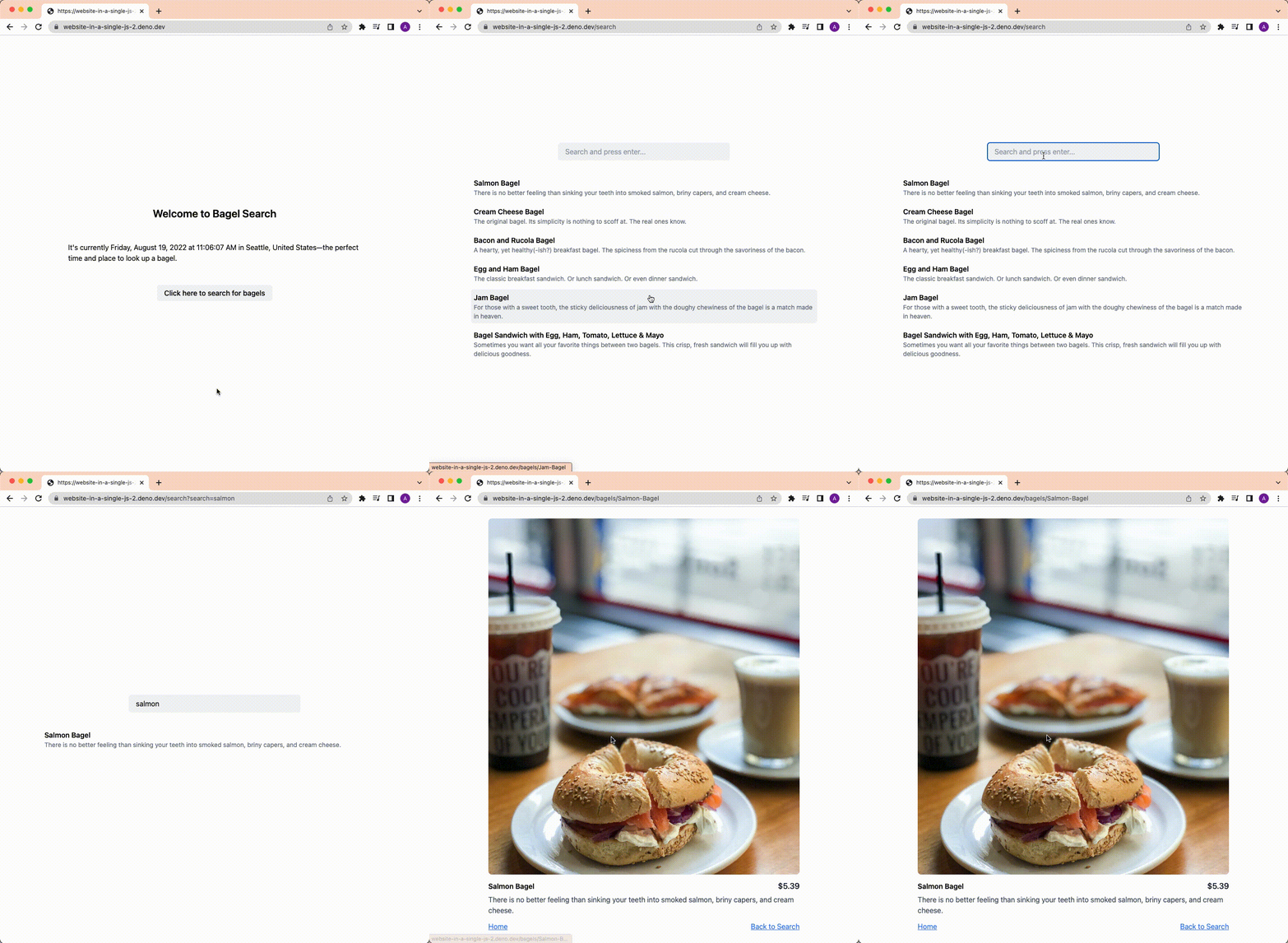
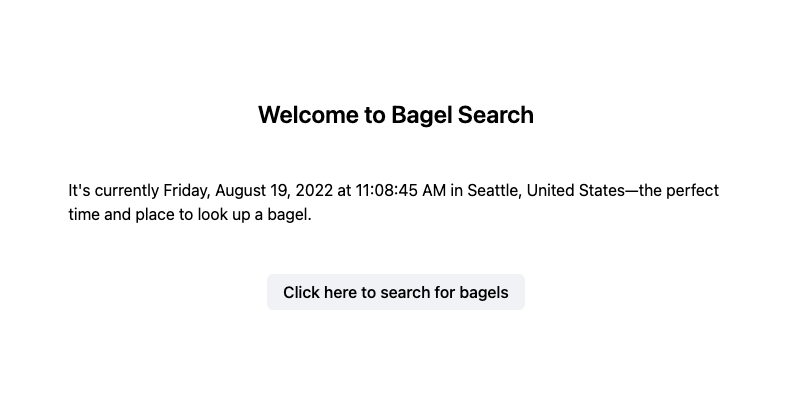
The landing page displays your location, local date, and time.
Let’s first look at how the location is grabbed:
const ip = (context.remoteAddr as Deno.NetAddr).hostname;
const res = await fetch("http://ip-api.com/json/" + ip);
const data: APIData = await res.json();
return ssr(() => <Landing {...data} />);
First we get the IP address, which with
router is available in the second argument in
the callback for a route. Once we have the IP address, we make an http request
to IP-API, which returns location data, such as city and
country. We pass this data to the <Landing> component, where it’s rendered.
To show the local date and time, we render the Date constructor with
timezone as a parameter, in the component. Note that timezone is part of the
response from the IP address, along with city and country.
function Landing({
  country,
  city,
  timezone,
}: APIData) {
  return (
    <div class="min-h-screen p-4 flex gap-12 flex-col items-center justify-center">
      <h1 class="text-2xl font-semibold">
        Welcome to Bagel Search
      </h1>
      <p class="max-w-prose">
        It's currently {new Date().toLocaleString("en-US", {
          dateStyle: "full",
          timeStyle: "medium",
          timeZone: timezone,
        })} in {city}, {country}—the perfect time and place to look up a bagel.
      </p>
      <a
        href="/search"
        class="px-4 py-2.5 rounded-md font-medium leading-none bg-gray-100 hover:bg-gray-200"
      >
        Click here to search for bagels
      </a>
    </div>
  );
}
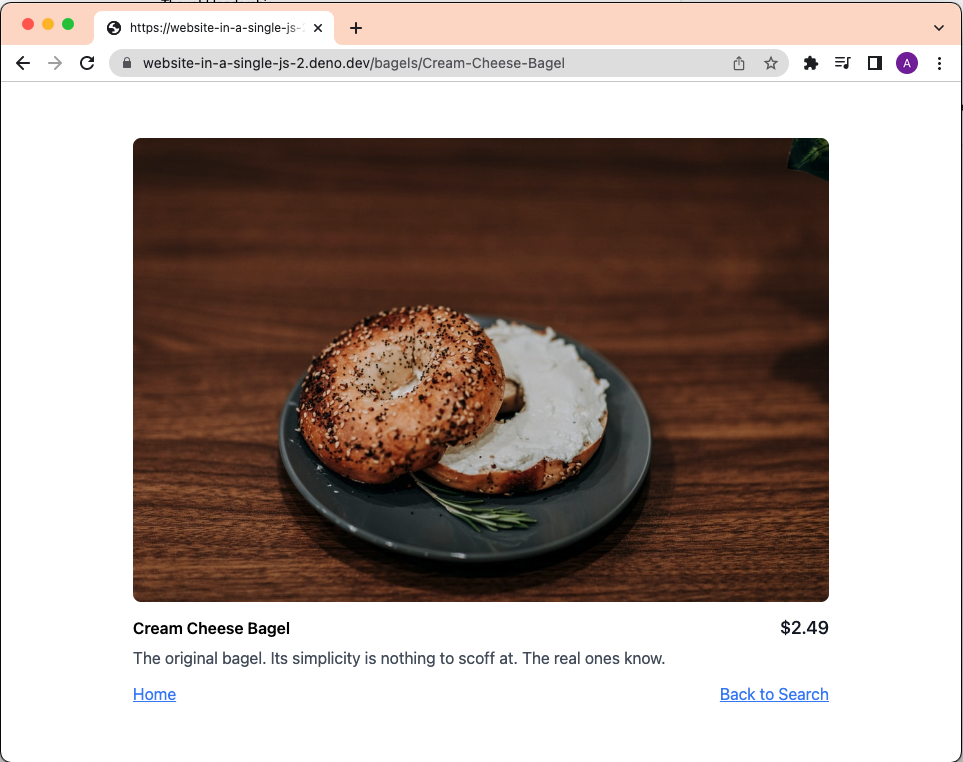
To showcase dynamic routing, we’ve dynamically generated a route for each bagel
that follows this pattern: /bagels/:id.
As mentioned in the previous post, router
uses
URLPattern
under the hood, so we can do pattern matching using the appropriate URLPattern
syntax. In this case, we have /bagels/:id, which means that it will match for
any path that will be /bagels/ followed by any valid value (e.g.
/bagels/foo, though it will fail to match any subpaths like
/bagels/foo/bar).
serve(router(
  {
    "/bagels/:id": (_req, _context, matches) => {
      return ssr(() => <Bagel id={matches.id} />);
    },

  },
));
We can grab the :id from the path with matches.id, since
router creates a key-value with id as key
and a string as value in matches.
Then, we pass the id to the <Bagel> component:
function Bagel({ id }: { id: string }) {
  const name = id.replaceAll("-", " ");
  const bagel = bagels.find((bagel) =>
    bagel.name.toLowerCase() === name.toLowerCase()
  );

  if (bagel === undefined) {
    return (
      <div>
        The bagel '{name}' does not exist
      </div>
    );
  }

  return (
    <div class="min-h-screen p-4 flex flex-col items-center justify-center">
      <div class="w-3/4 lg:w-1/4">
        <div class="w-full bg-gray-200 rounded-lg overflow-hidden">
          <img
            src={bagel.image}
            class="w-full object-center object-cover"
            alt={bagel.name}
          />
        </div>
        <div class="mt-3 flex items-center justify-between">
          <h1 class="font-semibold">{bagel.name}</h1>
          <p class="text-lg font-medium text-gray-900">
            ${bagel.price.toFixed(2)}
          </p>
        </div>
        <p class="mt-1 text-gray-600">
          {bagel.description}
        </p>
        <div class="mt-3 flex items-center justify-between">
          <div>
            <a href="/" class="underline text-blue-400">Home</a>
          </div>
          <div>
            <a href="/search" class="underline text-blue-400">Back to Search</a>
          </div>
        </div>
      </div>
    </div>
  );
}
First, we slugify the id to make it more human-readable. Next, we use that
slug to match against slugified version of the bagel names in our data.
If no bagel is found, we return an error. Otherwise, we render the information of the matched bagel.
“This is all great, but how can I find what bagels there are?” Great question!
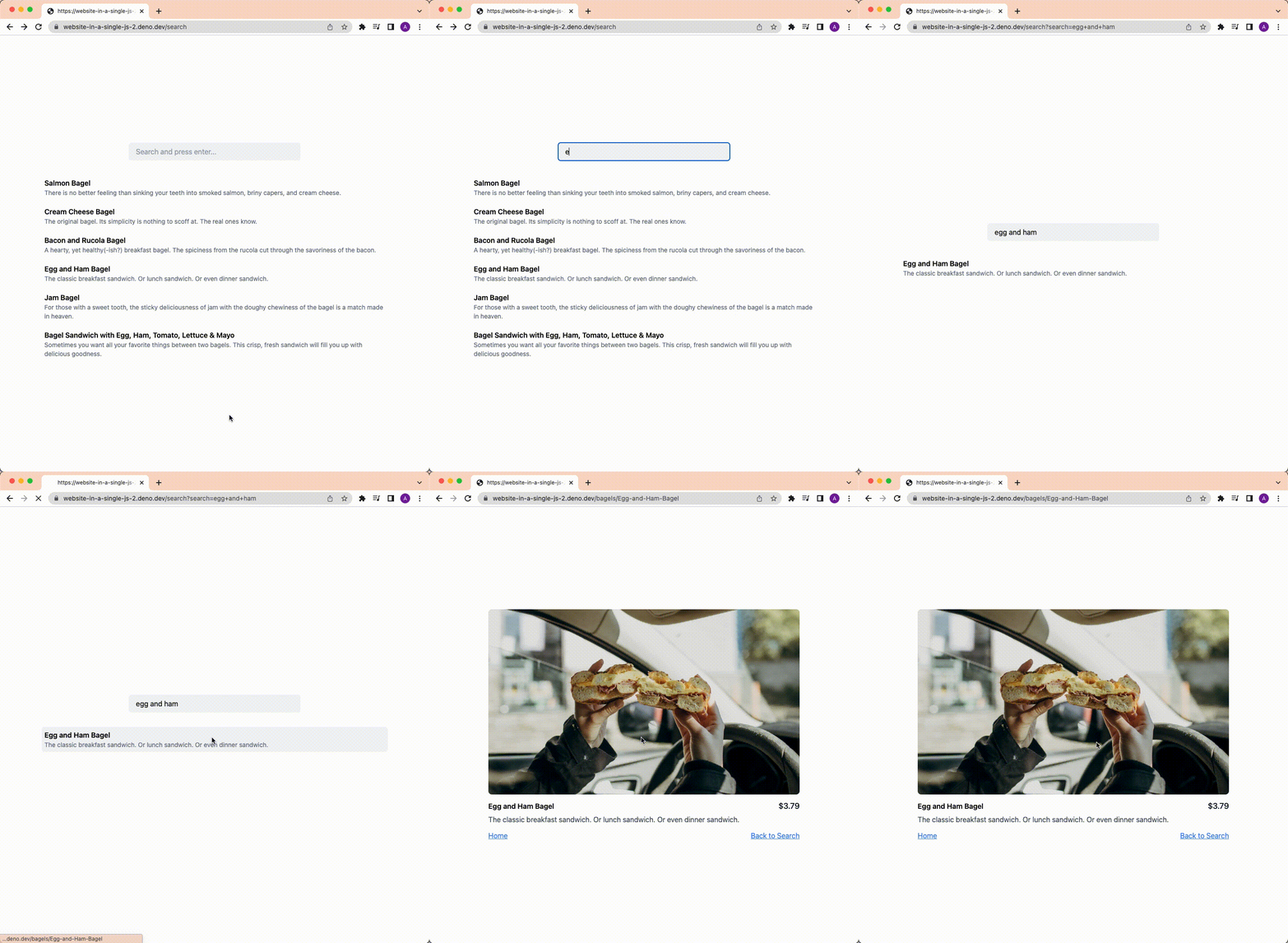
We’ve added a /search page that has a text input, where you can type in
something. Upon hitting enter, the results on the page will filter based on your
input.
This is achieved using a form. By default, the
<form> tag
uses urlencoded search parameters for values. When submitting a form (in our
case, by pressing the enter key), it takes the name attribute and value of the
<input> tag, and encodes it for search params.
For example, our text input has attribute name="search". If we write foo and
submit it, it redirects to the current page by appending querystring
?search=foo. We also set the form method to GET, so it will make a GET
request instead of a POST request.
Then, our router simply needs to parse the querystring:
serve(router(
  {
    "/search": (req) => {
      const search = new URL(req.url).searchParams.get("search");
      return ssr(() => <Search search={search ?? ""} />);
    },
  },
));
Then, we pass the search value to the <Search> component:
function Search({ search }: { search: string }) {
  const foundBagels = bagels.filter((bagel) =>
    bagel.name.toLowerCase().includes(search.toLowerCase())
  );

  return (
    <form
      method="get"
      class="min-h-screen p-4 flex gap-8 flex-col items-center justify-center"
    >
      <input
        type="text"
        name="search"
        value={search}
        class="h-10 w-96 px-4 py-3 bg-gray-100 rounded-md leading-4 placeholder:text-gray-400"
        placeholder="Search and press enter..."
      />
      <output name="result" for="search" class="w-10/12 lg:w-1/2">
        <ul class="space-y-2">
          {foundBagels.length > 0 &&
            foundBagels.map((bagel) => (
              <li class="hover:bg-gray-100 p-1.5 rounded-md">
                <a href={`/bagels/${bagel.name.replaceAll(" ", "-")}`}>
                  <div class="font-semibold">{bagel.name}</div>
                  <div class="text-sm text-gray-500">{bagel.description}</div>
                </a>
              </li>
            ))}
          <li>
            {foundBagels.length === 0 &&
              <div>No results found. Try again.</div>}
          </li>
        </ul>
      </output>
    </form>
  );
}
We filter all the bagels that do not include the search value and display
them. For a seamless user experience, we also set the <input> value to
search.
Programming means managing complexity. While there are no shortage of ways to throw together a website, the simpler and more obvious the code, the easier, faster – and more fun – it is to program.
Everything mentioned here can be viewed in this playground.
此内容由惯性聚合(RSS阅读器)自动聚合整理,仅供阅读参考。 原文来自 — 版权归原作者所有。