




Node.js recently added native TypeScript support in version 22.6 (stabilized in 23.6), a welcome enhancement simplifying setups for TypeScript users. This has sparked questions within the community about how Node’s new capabilities compare with Deno’s existing TypeScript integration.
In this post, we’ll explore Node’s TypeScript support and offer a clear comparison with Deno’s approach.
tsconfig?deno checkdeno repl and deno jupyterTypeScript adds types to JavaScript, helping structure your code as projects grow. It primarily handles two tasks:
Node 22.6.0 introduced built-in TypeScript support,
allowing automatic type stripping via the --experimental-strip-types flag.
This feature was stabilized in Node 23.6, enabling direct execution
(node foo.ts) without extra flags.
Node’s TypeScript support replaces type annotations with whitespace, resulting in valid JavaScript:
function sum(a: number, b: number): number {
  return a + b;
}
sum(5, 10);


function sum(a        , b        )         {
  return a + b;
}
sum(5, 10);
This essentially integrates functionality previously provided by ts-node
directly into Node, simplifying TypeScript execution.
However, there are some limitations:
tsc are still required..ts, .mts, and .cts, but React
(.tsx) and JSX projects still require external transpilers or bundlers such
as esbuild, Babel, or tsc.tsconfig.json: Type checking still relies on
external configuration via tsconfig.json.That’s the overview of TypeScript in Node—let’s look at how Deno handles these aspects.
Deno simplifies web programming by providing a single executable with a fully integrated TypeScript toolchain. This approach offers TypeScript’s benefits with minimal configuration, streamlining testing, formatting, and compilation workflows.
Deno’s TypeScript integration comprises three main parts:
tsconfig.json?Deno emphasizes zero-config development to
avoid config overload. It provides sensible defaults
(details here)
suitable for most scenarios. If custom options are needed, you can easily use
compilerOptions in deno.json or specify your own tsconfig.json:
deno -c tsconfig.json main.tsdeno checkRunning deno check
quickly identifies type errors, working locally or remotely:
deno check
deno check main.ts
deno check jsr:@std/http/file-server
deno check --all
deno check --doc
deno check --doc-only
When using Deno’s language server (LSP), especially with editors like VSCode, you get immediate type-aware feedback and linting.
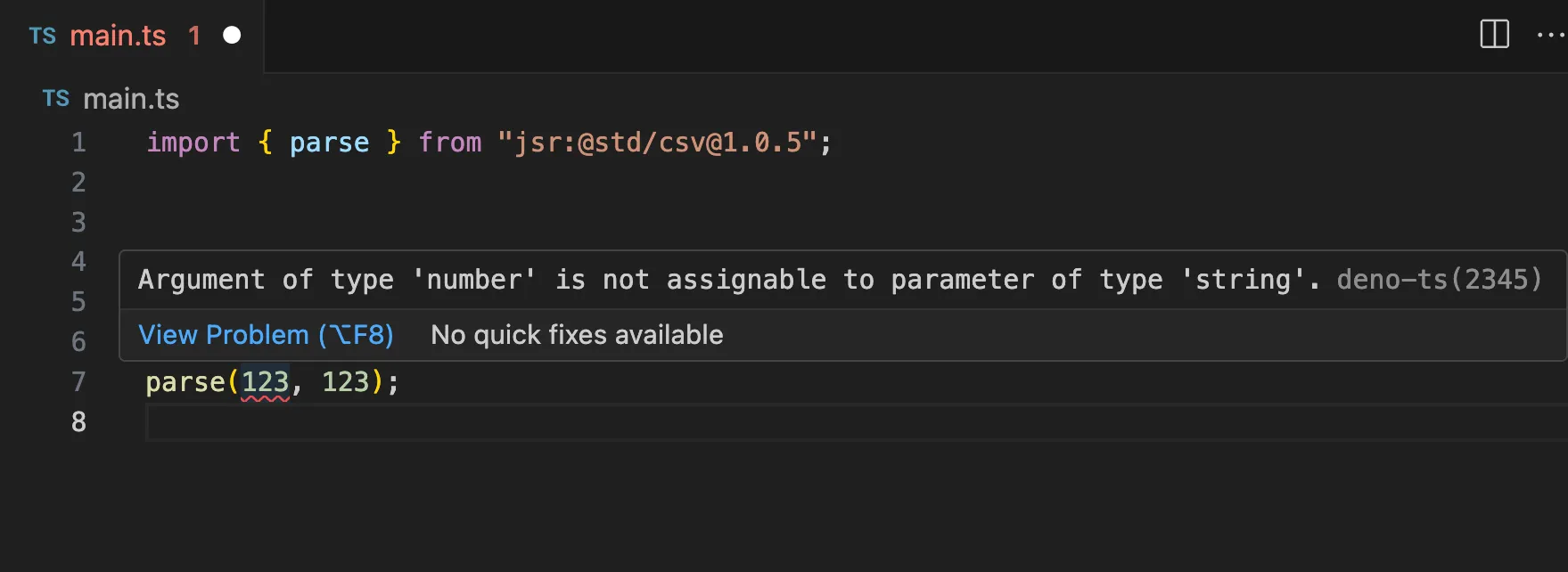
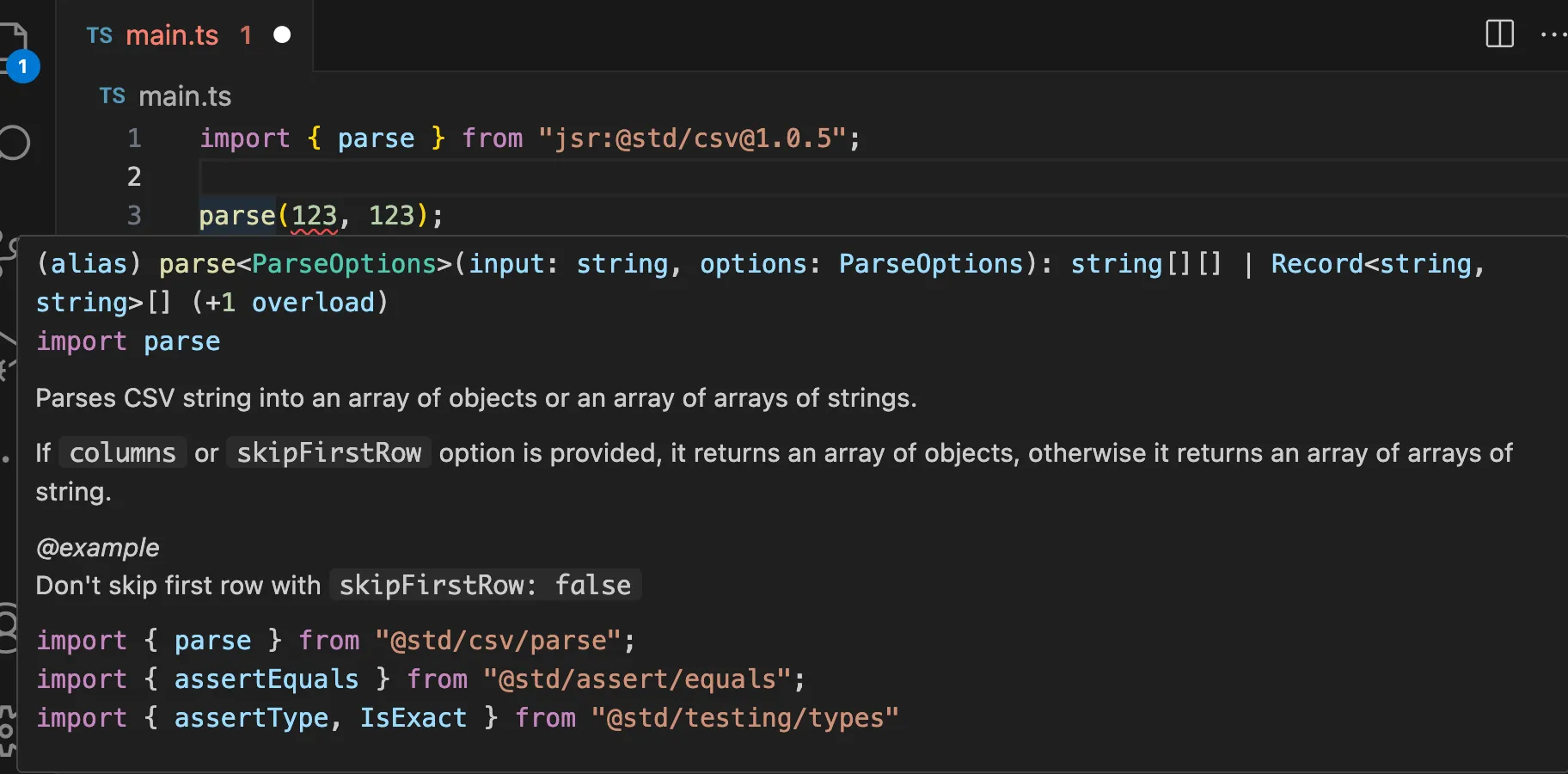
deno repl and deno jupyterYou can run TypeScript directly within Deno’s REPL or Jupyter Notebooks:
$ deno
Deno 2.2.2
exit using ctrl+d, ctrl+c, or close()
REPL is running with all permissions allowed.
> const sum = function(a: number, b: number): number { return a + b };
undefined
> sum(5, 10)
15
(Note: REPL treats types as comments; no live checking.)
Deno supports distributing TypeScript modules directly, removing the need for
transpilation steps and separate .d.ts files.
The JSR registry leverages this, facilitating seamless TypeScript distribution without losing clarity or readability:
import { encodeBase64 } from "jsr:@std/encoding@1";
With JSR, debugging remains clear and straightforward—stack traces and source navigation link directly to original TypeScript code.
Deno imports npm modules via package.json or npm: specifiers, providing full
type checking support through .d.ts files. For packages without types, use the
@ts-types
pragma:
import express from "npm:express";
Deno integrates TypeScript extensively throughout its tooling:
deno fmt: formats
TypeScript.deno compile:
compiles TypeScript to executables.deno doc: generates
documentation directly from TypeScript.deno lint: built-in
TypeScript linting rules.Additionally, .tsx and .jsx support makes React or Preact seamless.
TypeScript continues growing as the preferred language for maintainable JavaScript. Deno remains committed to simplifying TypeScript workflows by reducing boilerplate and configurations.
We’ll keep enhancing Deno’s TypeScript integration so you can focus more on building great software and less on setup.
🚨️ Deno 2.2 released! 🚨️
- Built-in OpenTelemetry
- Custom lint rules
- Support for
node:sqlite- Updates to
deno check,deno lsp, anddeno taskand more!
此内容由惯性聚合(RSS阅读器)自动聚合整理,仅供阅读参考。 原文来自 — 版权归原作者所有。