


Many backend engineers prefer to manage infrastructure and deployments through a
command line interface, especially when building CI/CD scripts where settings
and configurations can all be represented through flags and code. Managing your
projects on Deno Deploy is no exception — with deployctl you can now manage
the whole lifecycle of your deployments without ever leaving the terminal.
This blog post will go over some key features of
deployctl and give you an idea of
how you can use deployctl in more complex situations:
⚠️ Experience the fastest way to deploy JavaScript and TypeScript to the cloud. Signup for a free Deno Deploy account today.
The only thing you need to deploy your code with deployctl is
Deno and a
GitHub account. If you don’t have a free Deno Deploy account yet don’t worry,
one will be created during the first deployment. Let’s install deployctl with
the below command:
$ deno install -A jsr:@deno/deployctl
That’s all! You can start deploying your code right away. If you want, you can
check that deployctl has been installed correctly by running
deployctl --version:
To demonstrate how simple it is do deploy your code with deployctl, we’ll
create a hello-world API server using Hono and Deno
locally:
$ deno run -A npm:create-honoIn the template selection step, choose “Deno”:
$ create-hono version 0.3.2
✔ Target directory … my-new-app
? Which template do you want to use? › - Use arrow-keys. Return to submit.
    aws-lambda
    bun
    cloudflare-pages
    cloudflare-workers
❯   deno
    fastly
    lambda-edge
    netlify
    nextjs
  ↓ nodejs
When you’re done, you should have a very simple web server in main.ts:
import { Hono } from "https://deno.land/x/hono@v4.0.10/mod.ts";

const app = new Hono();

app.get("/", (c) => {
  return c.text("Hello Hono!");
});

Deno.serve(app.fetch);
Let’s deploy this to Deno Deploy using deployctl deploy:
$ deployctl deploy

ℹ Using config file '/private/tmp/my-new-app/deno.json'
⚠ No project name or ID provided with either the --project arg or a config file.
✔ Guessed project name 'my-new-app'.
  ℹ You can always change the project name with 'deployctl projects rename new-name' or in https://dash.deno.com/projects/my-new-app/settings
⚠ No entrypoint provided with either the --entrypoint arg or a config file. I've guessed 'main.ts' for you.
  ℹ Is this wrong? Please let us know in https://github.com/denoland/deployctl/issues/new
✔ Deploying to project my-new-app.
  ℹ The project does not have a deployment yet. Automatically pushing initial deployment to production (use --prod for further updates).
✔ Entrypoint: /private/tmp/my-new-app/main.ts
ℹ Uploading all files from the current dir (/private/tmp/my-new-app)
✔ Found 4 assets.
✔ Uploaded 4 new assets.
✔ Production deployment complete.
✔ Updated config file '/private/tmp/my-new-app/deno.json'.

View at:
 - https://my-new-app-614p8p26b2sg.deno.dev
 - https://my-new-app.deno.dev
If this is your first time using deployctl, you’ll be prompted in your browser
to sign up to Deno Deploy and/or to authorize the deployctl’s access to your
Deno Deploy account via your GitHub account. Once the deployment is finished,
navigating to one of the URLs will show you your new Hono server:
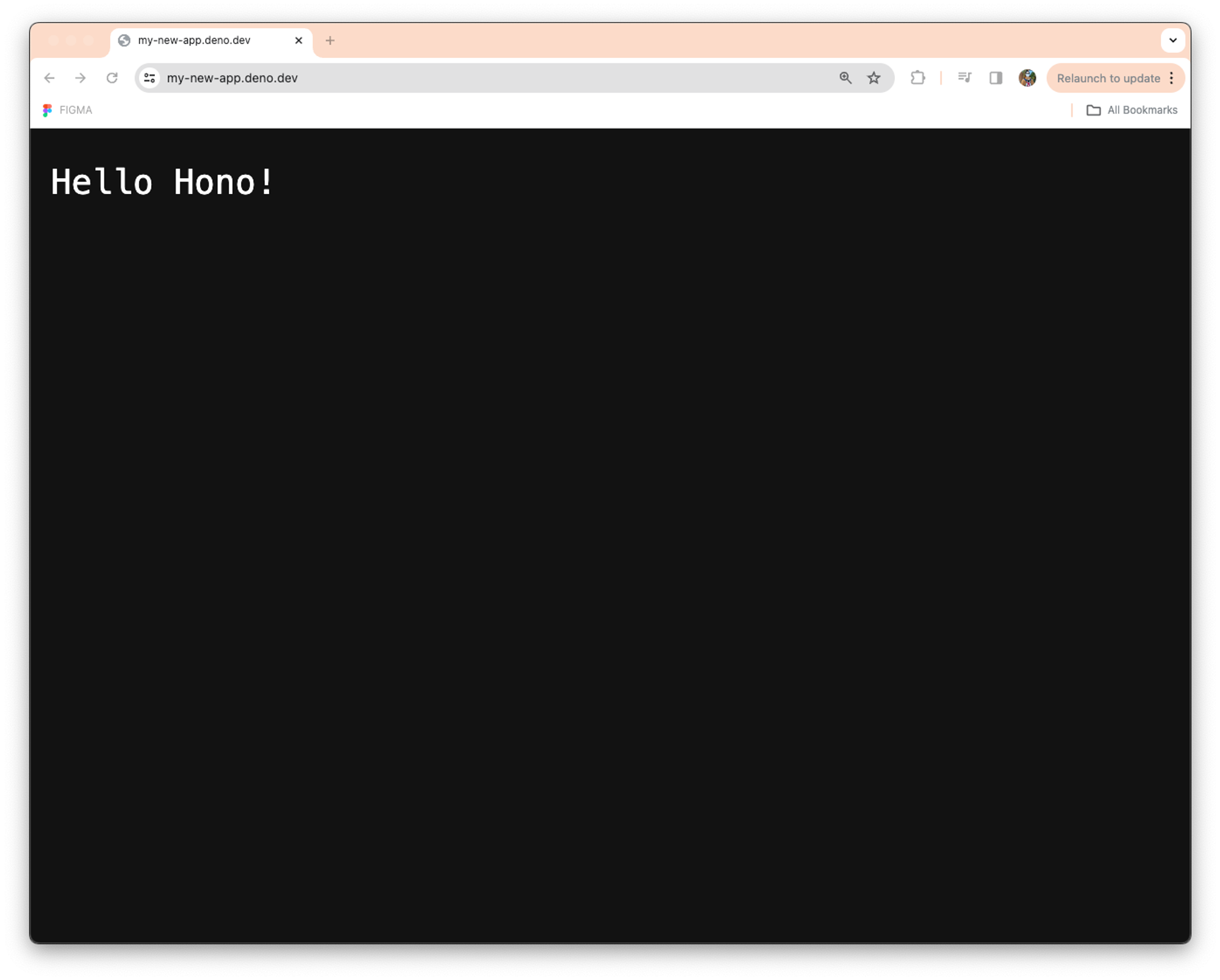
Easy, right? Within minutes, you’ve created and deployed an API on data-centers around the world and have a URL to access it.
On the first deployment, deployctl deploy will try to figure out a name for
your project and its entrypoint. If the project does not exist yet, it will be
created automatically. if you are not happy with the name chosen for you, you
can always change it with deployctl projects rename <new-name>:
$ deployctl projects rename my-new-api

ℹ Using config file '/private/tmp/my-new-app/deno.json'
✔ Project 'my-new-app' (488faa31-f687-4c9a-a082-d73cb0336b41) found
✔ Project 'my-new-app' renamed to 'my-new-api'
💡️ Pro tip!
You can always specify the project and entrypoint with the
--projectand--entrypointflags.
After the first successful deployment, you’ll notice that deno.json now has a
new deploy key with some configuration details:
{
  "tasks": {
    "start": "deno run --allow-net main.ts"
  },
  "deploy": {
    "project": "488faa31-f687-4c9a-a082-d73cb0336b41",
    "exclude": [
      "**/node_modules"
    ],
    "include": [],
    "entrypoint": "main.ts"
  }
}
From now on, deployctl will use this configuration unless you overrule it
using the command line flags.
Next, let’s see what info we can get about our new project with
deployctl projects show:
$ deployctl projects show

ℹ Using config file '/private/tmp/my-new-app/deno.json'
✔ Project '488faa31-f687-4c9a-a082-d73cb0336b41' found

my-new-api
----------
Organization:   Blog Post (ba7ef0e0-0a75-43f6-8aa1-db0897d693ba)
Domain(s):      https://my-new-api.deno.dev
Dash URL:       https://dash.deno.com/projects/488faa31-f687-4c9a-a082-d73cb0336b41
Databases:      [*] cb313b3b-07fa-4af1-a4bc-aa8dfebc3bc7
Deployments:    119n5q18cjrf*
Here we’re able to see the organization where the project was created, as well
as the KV database ID
(cb313b3b-07fa-4af1-a4bc-aa8dfebc3bc7) , which we can use
if we want to remotely connect to it.
We can also see the deployment we just created. Let’s drill down to it with
deployctl deployments show:
$ deployctl deployments show

ℹ Using config file '/private/tmp/my-new-app/deno.json'
✔ The production deployment of the project 'my-new-api' is '119n5q18cjrf'
✔ The details of the deployment '119n5q18cjrf' are ready:

119n5q18cjrf
------------
Status:         Production
Date:           1 hour, 4 minutes, 41 seconds ago (13/3/2024 13:36:49 CET)
Project:        my-new-api (488faa31-f687-4c9a-a082-d73cb0336b41)
Organization:   Blog Post (ba7ef0e0-0a75-43f6-8aa1-db0897d693ba)
Domain(s):      https://my-new-api.deno.dev
                https://my-new-app-119n5q18cjrf.deno.dev
Database:       Production (cb313b3b-07fa-4af1-a4bc-aa8dfebc3bc7)
Entrypoint:     main.ts
Env Vars:       HOME
Let’s make a quick update to our project and deploy it again. We’ll change the server’s response from “Hello Hono” to “Hello Deno”, and log the time it was deployed:
import { Hono } from "https://deno.land/x/hono@v4.1.0/mod.ts";

console.log(
  "Deployed at",
  new Date(Deno.env.get("DEPLOYMENT_TS")).toLocaleString(),
);

const app = new Hono();

app.get("/", (c) => {
  return c.text("Hello Deno!");
});

Deno.serve(app.fetch);
To log the deployment time, we get the environment variable DEPLOYMENT_TS.
This variable can be set during deployment with the --env flag:
$ deployctl deploy --env DEPLOYMENT_TS=$(date -Iseconds)

ℹ Using config file '/private/tmp/my-new-app/deno.json'
✔ Deploying to project my-new-api.
✔ Entrypoint: /private/tmp/my-new-app/main.ts
ℹ Uploading all files from the current dir (/private/tmp/my-new-app)
✔ Found 5 assets.
✔ Uploaded 4 new assets.
✔ Preview deployment complete.
ℹ Some of the config used differ from the config found in '/private/tmp/my-new-app/deno.json'. Use --save-config to overwrite it.

View at:
 - https://my-new-api-bdhq0vjwfrdq.deno.dev
We can get the details of the last deployment with
deployctl deployments show --last:
$ deployctl deployments show --last

ℹ Using config file '/private/tmp/my-new-app/deno.json'
✔ The last deployment of the project '488faa31-f687-4c9a-a082-d73cb0336b41' is 'bdhq0vjwfrdq'
✔ The details of the deployment 'bdhq0vjwfrdq' are ready:

bdhq0vjwfrdq
------------
Status:         Preview
Date:           9 minutes, 43 seconds ago (13/3/2024 15:04:23 CET)
Project:        my-new-api (488faa31-f687-4c9a-a082-d73cb0336b41)
Organization:   Blog Post (ba7ef0e0-0a75-43f6-8aa1-db0897d693ba)
Domain(s):      https://my-new-api-bdhq0vjwfrdq.deno.dev
Database:       Production (cb313b3b-07fa-4af1-a4bc-aa8dfebc3bc7)
Entrypoint:     main.ts
Env Vars:       DEPLOYMENT_TS
                HOME
Notice that this deployment is in “Preview” status, and has only one URL. Except for the first one, by default deployments are created in preview mode, which means they are only available at their preview domain. The production domain (https://my-new-api.deno.dev) still routes to the deployment we have created previously.
💡️ Pro tip!
If you pipe the output of deployctl commands, you get the data in JSON format. For example, you can get the domain of a deployment programmatically with
deployctl deployments show --last | jq -r '.build.deployment.domainMappings.[0].domain'👇️$ curl https://$(deployctl deployments show --last | jq -r '.build.deployment.domainMappings.[0].domain') Hello Deno!
If we query the URL of the new deployment, we’ll get the new response. Let’s now check if the deployment time is being logged correctly.
To see the logs of our deployment, we’ll use deployctl logs. As we are
reviewing a preview deployment, we need to tell deployctl which specific
deployment we want to query the logs of:
deployctl logs --deployment=bdhq0vjwfrdq

ℹ Using config file '/private/tmp/my-new-app/deno.json'
✔ The last deployment of the project '488faa31-f687-4c9a-a082-d73cb0336b41' is 'bdhq0vjwfrdq'
✔ The details of the deployment 'bdhq0vjwfrdq' are ready:
ℹ Using config file '/private/tmp/my-new-app/deno.json'
✔ Project: my-new-api
2024-03-13T20:01:10.796523742Z   gcp-europe-west3 Deployed at 3/13/2024, 2:04:14 PM
2024-03-13T20:01:10.799512774Z   gcp-europe-west3 Listening on https://localhost:80/
2024-03-13T20:01:10.801337034Z   gcp-europe-west3 isolate start time: 287.60 ms (user time: 784.10 µs)
Perfect! Our log of the env variable worked beautifully. Let’s check now that
nothing weird is going on with respect to the resource consumption of our
deployment. For that, we can use deployctl top:
$ deployctl top

ℹ Using config file '/private/tmp/my-new-app/deno.json'
✔ Connected to the stats stream of project '488faa31-f687-4c9a-a082-d73cb0336b41'
┌────────┬────────────────┬────────────────┬─────────┬──────┬─────────┬──────────┬─────────────┬────────────┬─────────┬─────────┬───────────┬───────────┐
│ (idx)  │ deployment     │ region         │ Req/min │ CPU% │ CPU/req │ RSS/5min │ Ingress/min │ Egress/min │ KVr/min │ KVw/min │ QSenq/min │ QSdeq/min │
├────────┼────────────────┼────────────────┼─────────┼──────┼─────────┼──────────┼─────────────┼────────────┼─────────┼─────────┼───────────┼───────────┤
│ 0167aa │ "bdhq0vjwfrdq" │ "europe-west3" │       2 │ 0.11 │    0.53 │ 50.926   │ 0.308       │ 0.166      │       0 │       0 │         0 │         0 │
│ e01a73 │ "119n5q18cjrf" │ "europe-west3" │       2 │ 0.05 │    0.42 │ 44.663   │ 0.325       │ 0.205      │       0 │       0 │         0 │         0 │
└────────┴────────────────┴────────────────┴─────────┴──────┴─────────┴──────────┴─────────────┴────────────┴─────────┴─────────┴───────────┴───────────┘
⠼ Streaming...
This is a quick way to monitor the real-time performance and resource utilization of your project across all the regions. We can see both deployments are using roughly the same CPU and memory and we have not introduced any regression. That means we are ready to release a new version to production.
Now that we have validated the new deployment, we are ready to point the
production domain to it. To do that, we are going to use
deployctl deployments redeploy --prod bdhq0vjwfrdq:
$ deployctl deployments redeploy --prod bdhq0vjwfrdq

ℹ Using config file '/private/tmp/my-new-app/deno.json'
✔ Redeployment of deployment 'bdhq0vjwfrdq' is ready to begin:
  ℹ The new deployment will be the new production deployment
  ℹ The new deployment will use the production database 'cb313b3b-07fa-4af1-a4bc-aa8dfebc3bc7'
✔ Deployment 'bdhq0vjwfrdq' redeployed as '4pb76z3ra3a2' successfully
One important rule to remember when using Deno Deploy is that deployments are
immutable. This includes not just the source code, but also the env vars,
domain mappings, the KV database, etc. To change any of these, we have to
create a new deployment. The command deployctl deployments redeploy allows you
to reuse the build of any existing deployment to create a new deployment with a
different configuration.
If we check the details of the deployment we have just created, we’ll see the production domain pointing to it:
$ deployctl deployments show 4pb76z3ra3a2

4pb76z3ra3a2
------------
Status:         Production
Date:           22 minutes, 43 seconds ago (14/3/2024 7:46:07 CET)
Project:        my-new-api (488faa31-f687-4c9a-a082-d73cb0336b41)
Organization:   Blog Post (ba7ef0e0-0a75-43f6-8aa1-db0897d693ba)
Domain(s):      https://my-new-api.deno.dev
                https://my-new-api-4pb76z3ra3a2.deno.dev
Database:       Production (cb313b3b-07fa-4af1-a4bc-aa8dfebc3bc7)
Entrypoint:     main.ts
Env Vars:       DEPLOYMENT_TS
                HOME
We have created 3 deployments in our project so far: our initial production
deployment, the preview deployment with the new response and log, and its
redeployment as production. We can see all of them with
deployctl deployments list:
$ deployctl deployments list

ℹ Using config file '/private/tmp/my-new-app/deno.json'
✔ Page 1 of the list of deployments of the project '488faa31-f687-4c9a-a082-d73cb0336b41' is ready
┌─────────────────────────────────────────────────────────────────────────────────────────────────────────────────────────────────────┐
│  Deployment  │                Date                │   Status   │  Database  │                  Domain                  │ Entrypoint │
├─────────────────────────────────────────────────────────────────────────────────────────────────────────────────────────────────────┤
│ 4pb76z3ra3a2 │ 14/3/2024 7:46:07 CET (19 minutes) │ Production │ Production │ https://my-project-4pb76z3ra3a2.deno.dev │ main.ts    │
│ bdhq0vjwfrdq │ 13/3/2024 15:04:23 CET (17 hours)  │ Preview    │ Production │ https://my-project-bdhq0vjwfrdq.deno.dev │ main.ts    │
│ 119n5q18cjrf │ 13/3/2024 13:36:49 CET (18 hours)  │ Preview    │ Production │ https://my-project-119n5q18cjrf.deno.dev │ main.ts    │
└─────────────────────────────────────────────────────────────────────────────────────────────────────────────────────────────────────┘
Only one deployment can get traffic from the production domain at a given time.
However, all of the deployments are still accessible on their preview domain. To
prevent that you can delete them with deployctl deployments delete:
$ deployctl deployments delete 119n5q18cjrf

ℹ Using config file '/private/tmp/my-new-app/deno.json'
? Are you sure you want to delete the deployment '119n5q18cjrf'? [y/N] y
✔ Deployment '119n5q18cjrf' deleted successfully
If you are done with your project and want to remove it altogether, you can also
do this with deployctl using deployctl projects delete:
$ deployctl projects delete

ℹ Using config file '/private/tmp/my-new-app/deno.json'
✔ Project 'my-new-api' (488faa31-f687-4c9a-a082-d73cb0336b41) found
? Are you sure you want to delete the project 'my-new-api'? [y/N] y
✔ Project '488faa31-f687-4c9a-a082-d73cb0336b41' deleted successfully
You’ll have to confirm the deletion, after which your project and all deployments and database will be completely removed from Deno Deploy.
Deno Deploy, a simple and fast way to deploy and host JavaScript and TypeScript
in the cloud, is even more flexible and accessible with its command line tool,
deployctl. We’ll continue to add features to it so you’ll be able to manage
your subscription, KV instances, and more. To see some of the other features of
deployctl, including some runtime stats from your running project, review the
help available via deployctl -h.
Are there any features you want to see in
deployctl? Let us know on GitHub.
此内容由惯性聚合(RSS阅读器)自动聚合整理,仅供阅读参考。 原文来自 — 版权归原作者所有。