







We have partnered with Netlify to build Netlify Edge Functions. Netlify Edge Functions allows you to deploy code globally to the edge in seconds, allowing you to personalize web content, customize user authentication, among other use cases. It’s built on our Deno Deploy infrastructure that handles the complexities of global routing, scaling, and secure code execution. It lets you spend more time delivering value to your users and less time on maintaining infrastructure.
Netlify is a serverless computing platform for building and hosting modern and performant JAMstack websites and apps. Netlify provides a set of products for simplifying web development, as well as a flexible build and deployment process that hooks right into your git workflow.
Here’s a short guide on how to create and deploy edge functions with Netlify.
First, make sure you’re using node version 12.20 or higher and install the latest Netlify CLI.
$ npm install -g netlify-cli
Next, create a new Netlify site. You can do so from scratch, fork one of these demo sites or create one with their CLI:
netlify sites:create --name my-new-siteIn your local site directory, create a new edge function by adding this file:
/netlify/edge-functions/hello.js:
export default () => new Response("Hello world");
Let’s declare this edge function in our netlify.toml:
[[edge_functions]]
  function = "hello"
  path = "/test"
Note that the toml configuration file uses glob-style routes. Learn more here.
To test it out locally:
Your edge function can be viewed at localhost:8888/test:
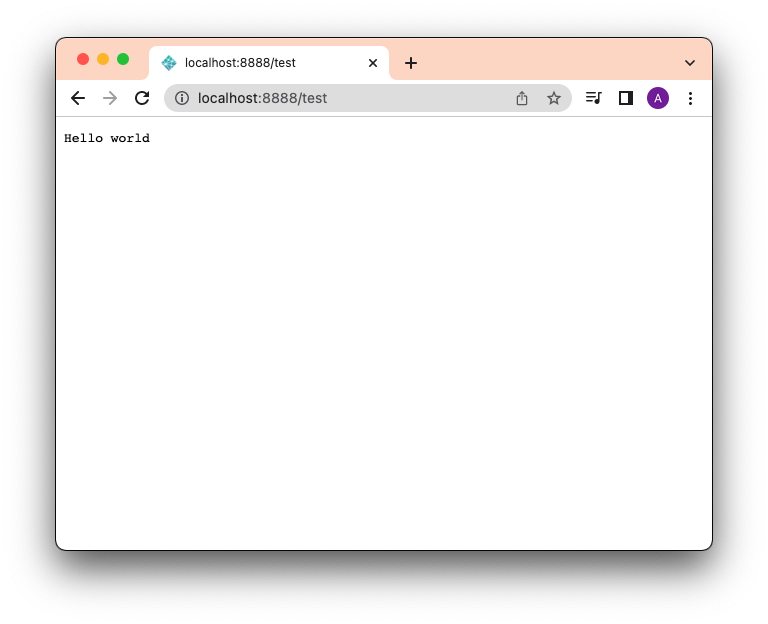
Note that this uses the Deno CLI tool to execute your functions locally. It is installed automatically by the Netlify CLI if you don’t already have it installed.
Before we can deploy to production, we will need to log into the Netlify CLI:
Then, we’ll have to create a git repo and add that as a new Netlify site.
Once you’ve authenticated your Netlify CLI and linked the project to a Netlify site, you can deploy to production with this command:
$ netlify deploy --build –-prodYour edge function can now be viewed on the /test route.
Netlify Edge Functions allows you to add performant, low latency logic to your website or app, like dynamically personalizing content based on your visitor’s location to optimize for conversion.
To give you a better understanding of what you can achieve, your Edge Functions
will have access to a standard
Request object, a
Netlify-specific context object,
and, since the function is executed in a Deno runtime, all of the
Deno Deploy APIs. The Netlify
context object allows you to manage cookies, rewrite requests to another URL,
among other options, enabling you to deliver a great experience close to your
users.
Interested in executing your users code on the edge with Deno Deploy? Learn more about Subhosting.
此内容由惯性聚合(RSS阅读器)自动聚合整理,仅供阅读参考。 原文来自 — 版权归原作者所有。