





VSCode Conventional Commits extension helps you to fill in commit messages according to Conventional Commits.
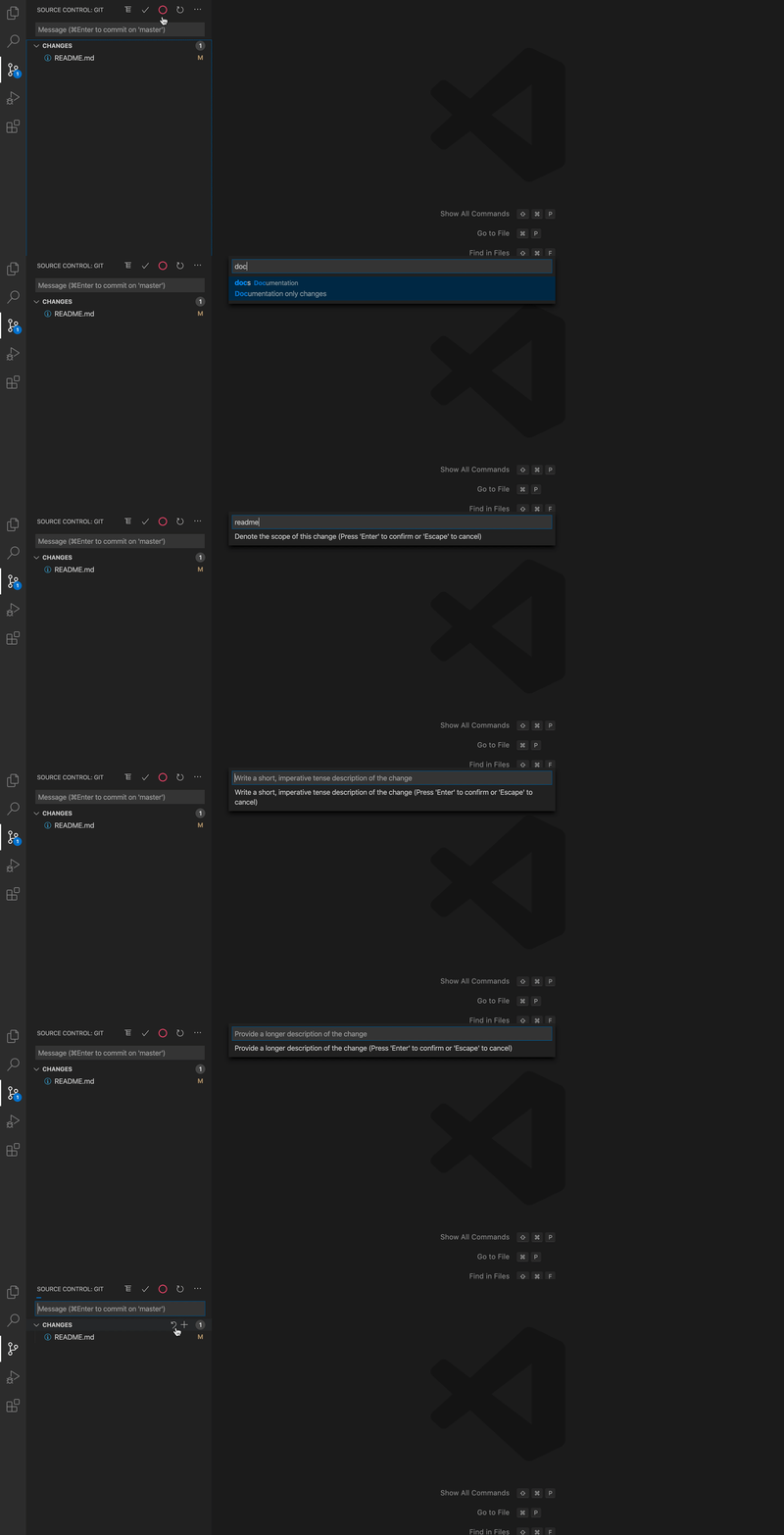
You can access VSCode Conventional Commits in two ways:
Command + Shift + P or Ctrl + Shift + P, enter Conventional Commits,
and press Enter.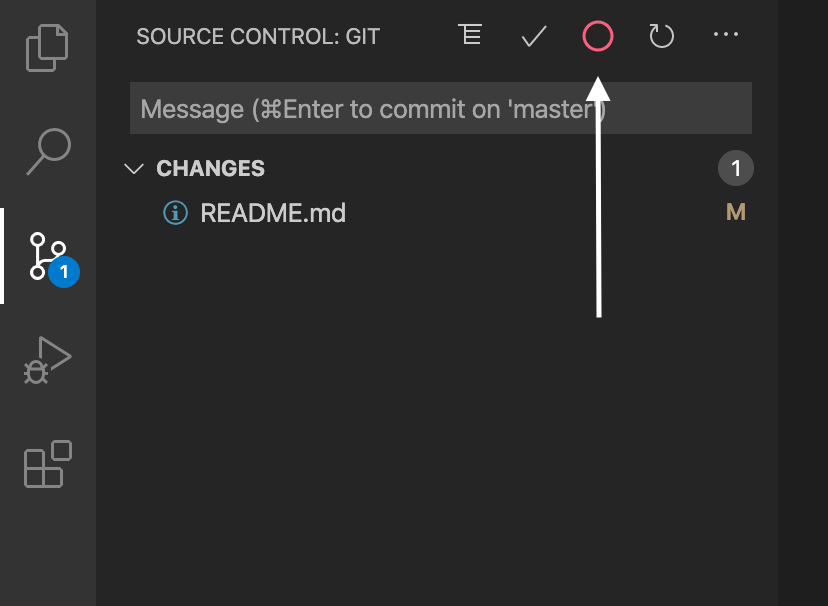
此内容由惯性聚合(RSS阅读器)自动聚合整理,仅供阅读参考。 原文来自 — 版权归原作者所有。